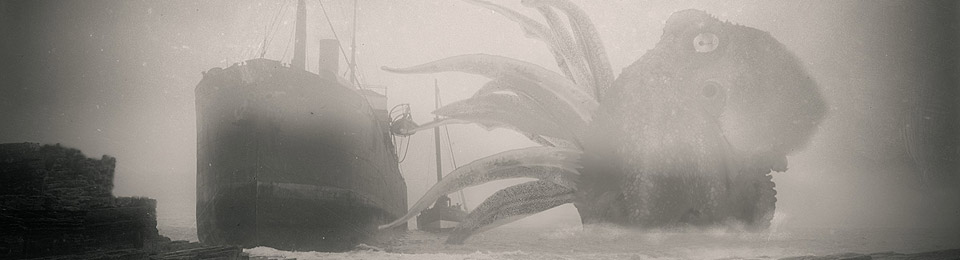
As promised, I’ve released my free Lovecraft dictionary and assistant. This is a free add-on for installing into the creative-writing software NovelForge AI 3.x. The add-on enables the writer to be guided by words and examples from the fiction of H.P. Lovecraft, as they write.
The ‘made by one man’ software NovelForge can be had from Medichance, and is for Windows only. Last time I looked the free trial version does not expire and is only very lightly crippled, such as not allowing the creation of a new dictionary and assistant. I have the paid version of the software ($50, one-time purchase), so was able to use it to make these Lovecraft add-ons. Thus, if you’re on Windows then you can install the free trial and enjoy this free Lovecraft add-on in perpetuity.
NovelForge does support your local LLM AIs and also free cloud AIs, but this Lovecraft dictionary (thesaurus) and assistant are not AI. More of a unique ‘half-way house’ towards AI, guiding you toward the tone and style of Lovecraft… but not actually writing it for you.
The assistant add-on may also be useful for scholars, since it can instantly display all of Lovecraft’s sentences which use a word you just typed…

… though it won’t tell you which story they come from.
Download, unzip and then…
1) Place Lovecraft.ast and Lovecraft.jpg in C:\Users\YOUR_USER_NAME\Documents\NovelForge\Assistants
2) Place Lovecraft.dic and Lovecraft.jpg in C:\Users\YOUR_USER_NAME\Documents\NovelForge\Dictionaries
Then load NovelForge and use the user interface to load both add-ons.
Sadly NovelForge has no ‘dark mode’, which will be a deal-breaker for many writers. But Windowtop can force that. Not ideal, but it’ll do until NovelForge does ‘dark’ natively.
Lovecraft’s letters, poetry, essays, and ghost-writing have not been ingested. I may in time create dictionaries and assistants for those as well. For instance I have the Morton letters in .TXT format. Those were downloaded from Amazon as a .AZW3 local backup of a purchased Kindle ebook, before they stopped that. But I would first need to find an AI text processor that can identify and auto-remove all the footnotes, since that’s not something I’m going to do by hand.
Pingback: HPLinks #53 – Penumbra, Lovecraft Annual, Dreamlands RPG, del Toro collection for sale, Beowulf vs. Conan, Conan vs Cthulhu, and more… | Tentaclii
Pingback: HPLinks #79 – Lovecraft’s father, Lovecraft and urbanism, Herbert West BD, Claude Mythos, Lovecraft and machines, and more… | Tentaclii