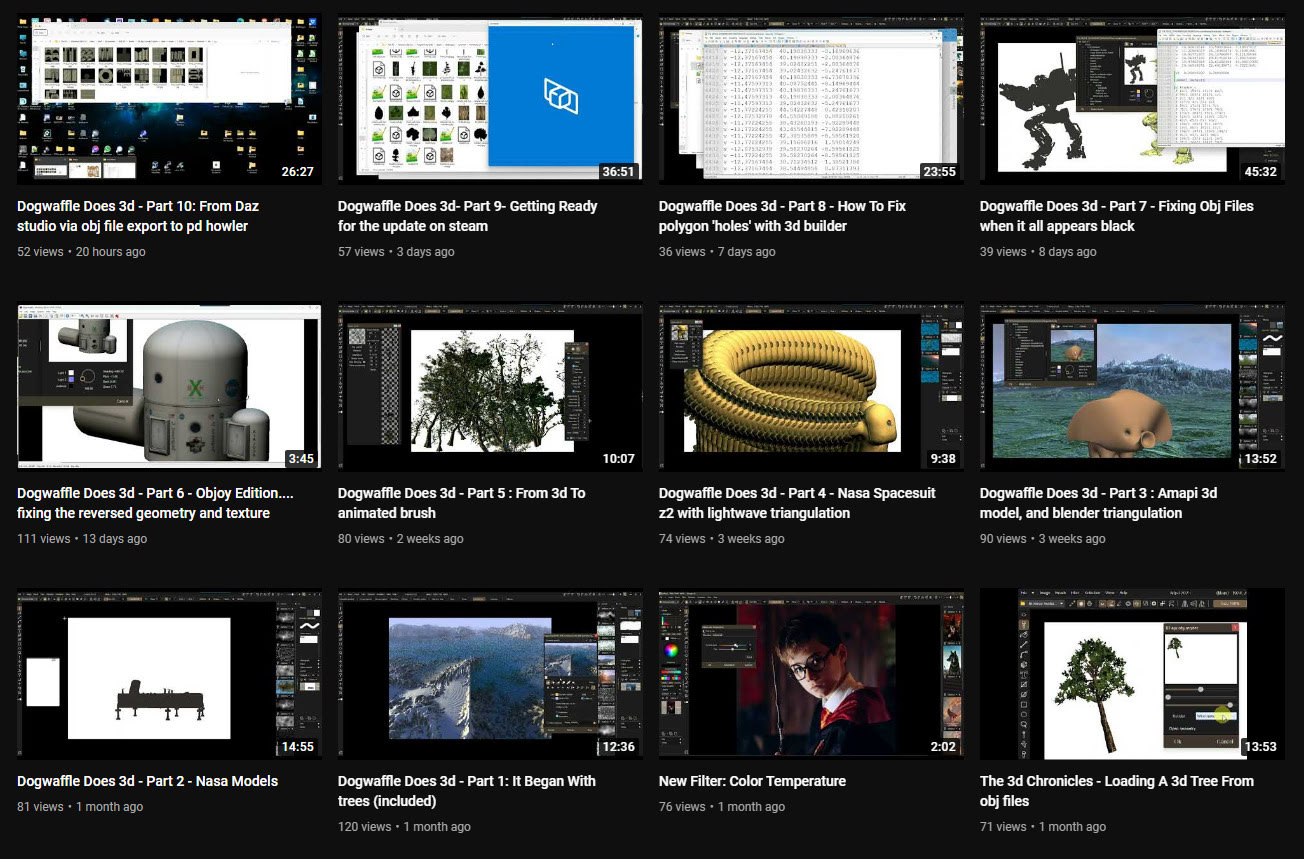
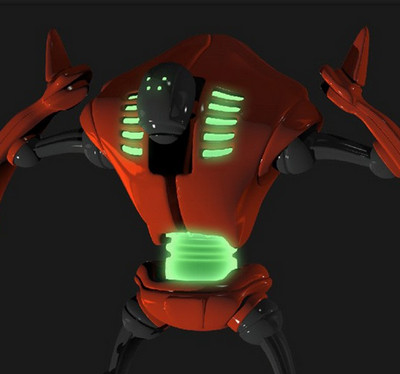
In the last month the PD Howler software (aka Dogwaffle) has been accompanied by ten new YouTube videos showing the new 3D capabilities in the latest version. The latest one is on working with DAZ Studio exports.
Category Archives: Companion software
Release: Curvy 3D 5.0
The Windows desktop sculpting software Aartform Curvy 3D 5.0 final is now available, having been in beta since November 2020. Cost is $99 (around £92 in the UK), and there are further discounts available if you purchased an earlier version (check your email).
An important new feature in 5.0 is adaptive subdivision on the meshes. There’s no video trailer yet for 5.0, but the YouTube channel will likely have one soon.
Release: Dust3D 1.0 rc7
The open source Dust3D is alive again, after a long hiatus during the Covid years. The 1.0.0 release candidate 7 is now available. Dust3D is a…
“cross-platform 3D modeling software that makes it easy to create low poly 3D models for videogames, 3D printing, and more.”
Relatively easy, free, and under a full MIT open licence. Training Playlist on YouTube.
Release: GMic v3.2.1
A new release for GMic, aka G’Mic as GMic v3.2.1. Changelog. Highlights I noted are…
1) A new 3D handling feature, though possibly command-line only?
Command | extract_textures3d
“This will help you extracting textures from 3D objects directly as 2D images, that you can save or process and remap on the object.”
Probably not a replacement for dedicated tools used to get a texture atlas and/or seam templates, but it may be of interest to some.
In Poser Pro, a FBX or Collada export can also get you a single texture map (a ‘texture atlas’), output alongside the FBX output. The problem with a ‘texture atlas’ is that it then prevents drag-and-drop re-texturing of parts. It’s all or nothing. DAZ Studio also has a ‘texture atlas’ output command somewhere or other, with the location depending on which UI layout you use.
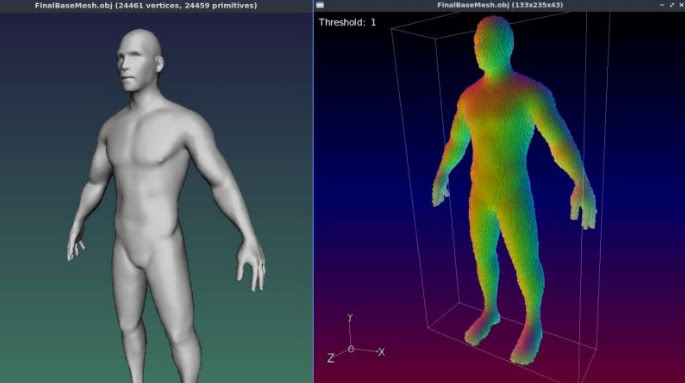
2) Better voxelisation of 3D…
“Improved the triangle voxelization algorithm even more. G’MIC is now really a quite nice tool to voxelize 3D meshes!”
Could be useful if you want to have your OBJ export from DAZ/Poser look like a hologram and, once it’s back on Poser or DAZ, put on transparency and glow? But don’t expect to animate afterwards.
3) Basic subdivision of 3D object meshes. Again, you can do this natively in Poser and DAZ.
4) A new filter, to be found in ‘Testing’…
Garagecoder | Upscale [Recursive2x]
Appears to be a sort of ‘intelligent sharpening’ that preserves details better on low-res images? Again, you’d probably do this with AI Gigapixel or online with Base Ten or SWIN, though perhaps this (I’m guessing) is optimised for low-res images?
As always, beware of updating. Because if someone changed the name of their filter, then that breaks your custom preset. For instance, last summer GMic’s long-standing Artistic | Comic Book filter had its functionality updated and the name changed to Comicbook. All my custom presets based on this filter were gone in a flash, and some of the filter’s needed switches and sliders had also been removed. Filter makers really need to be told: “If you’re going to tinker to that extent, then keep the old filter the same and call your new one Comicbook_2″.
Release: 3DCoat 2023
3DCoat 2023 has been released. Not a mega whopper-topper-wow! release, it seems. More of a ‘lots of smaller improvements and bug fixes’ release…
* Much quicker when doing booleans and manipulating really big meshes.
* Various topology, UI and viewing improvements and bugfixes.
* Much easier drag-drop linking into Blender, with the Blender AppLink…
“just install 3DCoat and Blender, follow what 3DCoat tells you… and then you may easily drop assets to Blender”
Their front page is still on 3DCoat 2022.x, so I don’t yet know if the system specs have changed.
British Pronunciation in IPA, for Balabolka TTS
I made a 65,000 word Dictionary of British Pronunciation for the TTS freeware Balabolka, with pre-made IPA pronunciation tags alongside each word. It’s in Balabolka’s .BXT file format, which it can load and which can handle the IPA phoneme symbols.
Possibly useful for those using TTS for making clearly-voiced English tutorials or animations, using the British IVONA 2 voices, and who’re stuck on the pronunciation of a word that they can’t easily substitute. With this you can write freely, knowing that it’s unlikely you’ll have to substitute a dozen or more words with simpler or different forms that don’t quite express what you want to convey.
You can load it in Balabolka and then keep it on a tab in the background, for easy consultation. A good test is getting Ivona 2 Brian to say “mature” in a sentence. It’s very difficult unless you use the IPA coded tag.
For use with the abandonware British voices Ivona 2 Amy, Ivona 2 Ivy, Ivona 2 Emma & Brian. Neospeech Voiceware Bridget is also a very good ‘posh’ British voice, though after install will wrongly show up as ‘United States’ in the list of voice names. Most of the time these do a good job on their own, but sometimes you may need more precision — especially for short comedy animation — and the IPA tags give you that.
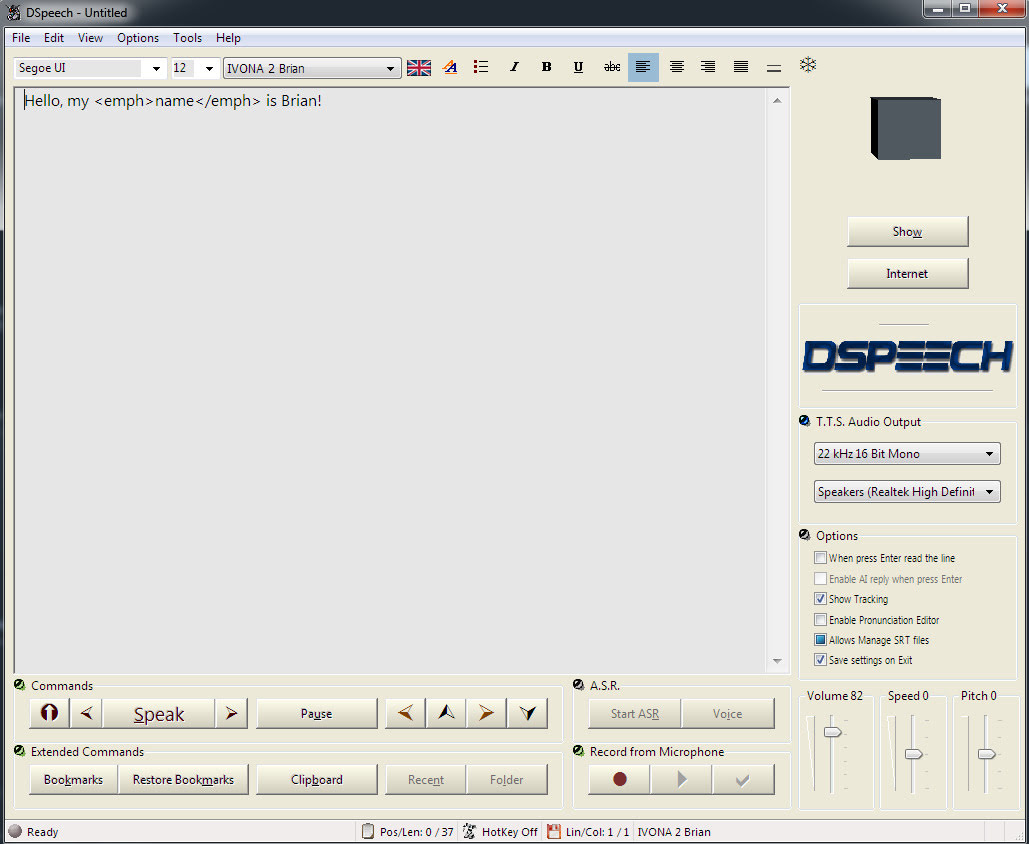
DSpeech on test against Balabolka
It seems rather odd to consider old-school text-to-speech software and SAPI5 voices, at a time when Poland’s ElevenLabs is doing such great things with AI-generated voices. But I’m always one to cherish old Windows freeware, and at present all the new AI voices are online and require a monthly/yearly subscription. So I was pleased to find an alternative freeware to Balbolka for desktop PC text-to-speech using SAPI5 voices. Many such voices are also now abandonware on Archive.org, the key companies having since been sold on several times.
Made in Italy, the DSpeech TTS freeware used to be fairly basic, but it’s improved enormously since about 2016. Though this is not a fact reflected in its rather basic 1990s-style download page, which you’ll have to overlook. This freeware is now in version 1.74 (spring 2022), It’s genuine one-man freeware, made in Italy, and is feature-comparable with Balbolka though a bit rougher in UI and Help translation to English.
The DSpeech download link uses only a .GIF button, so if you have a .GIF blocker in your Web browser, then you instead right-click the page and ‘View Source’. You should then see a live working link to the download in the HTML…
The English manual is included in the software. There’s no Windows installer, just unzip where you want and run it.
SCRIPTING: Beyond the usual control tags, DSpeech supports basic scripting including voice-recognition and script loops. Which is unusual. Apparently it can even read out VLCplayer movie sub-titles in real-time, in a chosen SAPI5 TTS voice and speed.
TAGS: The tagging menus make switching voices easy. There’s better right-click support than in the latest Balabolka for adding tags, though that’s not saying much. When you highlight a word in DSpeech, and add a tag, the word is not wrapped with a closing and opening tag, it’s deleted. Urgh! Having right-click is great, but… the rest of the tag insertion system is not good.
LOQUENDO: DSpeech is supposed to support Loquendo ‘voice expressions’ (laugh, sigh etc) via the Italian Loquendo 6 Italian ‘Paola’ and ‘Luca’ TTS voices, combining words with special expressive tags such as \_Laugh and suchlike. Later the tag syntax was changed to \item=Laugh in Loquendo version 7 voices. But while these v6 voices work fine in any DSpeech, and v7 voices work fine in DSpeech v.1.72.29 (December 2018, not the latest 1.74.x), their expressive cues no longer vocalise in DSpeech. You just hear silence.
Spanish Loquendo 7 voices (not 6) can however ‘express’ when used in Loquendo’s own Java-based TTS Director, which came with the Loquendo SDK. See YouTube for examples and useful links.
Regrettably neither the Loquendo 6 or 7 voices can even be played in the other TTS freeware Balabolka, though they do show up on its voice menu. It thus seems that properly-working Loquendo voices are limited to…
* Loquendo 6 (any voice) on DSpeech 1.74.x or earlier. Loquendo 7 not supported on the latest DSpeech.
* Loquendo 7 (Spanish) on DSpeech 1.72.29 (or earlier?), or Loquendo 7 (Spanish) on Loquendo TTS Director with SDK and Spanish pack.
The Spanish version 7 voices do however have ‘expressives’ that work fine with Loquendo TTS Director 7, which was Windows freeware which shipped with the developer/API/SDK kit. This success at least showed me that the problem was not with my PC or a 32-bit / 64-bit Windows clash, at least for version 7 voices.
Yet it’s strange. Obviously DSpeech could, at one time, play the ‘expressives’ in the Loquendo 6 voices. But, no longer, it seems. Switching back to an older DSpeech 1.72.29 didn’t cure the problem, but it did usefully fix the playing of the Loquendo 7 voices. I suspect that Loquendo 6 voices now have a 32-bit / 64-bit problem on 64-bit Windows, despite the player and voices both being 32-bit.
Loquendo TTS Director voices have a complete list of expressives in the C:\Program Files (x86)\Loquendo\LTTS7\data\voices\Soledad\SoledadGildedParalinguistics.sde file (change name for each voice). Open it in Notepad++ to see the list in plain-text. For instance, Soledad has the following, and obviously you can also mix and match and tone-shift…
\item=Ah
\item=Ah_01
\item=Ah_02
\item=Ay
\item=Ay_01
\item=Breath
\item=Breath_01
\item=Buh
\item=Buh_01
\item=Buuu
\item=Buuu_01
\item=Cataplum
\item=Cataplum_01
\item=Click
\item=Click_01
\item=Click_02
\item=Cough
\item=Cough_01
\item=Cough_02
\item=Cry
\item=Cry_01
\item=Cry_02
\item=Cry_03
\item=Ehm
\item=Ehm_01
\item=Epa
\item=Epa_01
\item=Hey
\item=Hey_01
\item=Hiccup
\item=Hiccup_01
\item=Hiccup_02
\item=Laugh
\item=Laugh_01
\item=Laugh_02
\item=Mhmm
\item=Mhmm_01
\item=Mhmm_02
\item=Mhmm_03
\item=Oh
\item=Oh_01
\item=Ohoh
\item=Ohoh_01
\item=Ops
\item=Ops_01
\item=Prrr
\item=Prrr_01
\item=Shhh
\item=Shhh_01
\item=Sigh
\item=Sigh_01
\item=Sigh_02
\item=Singing
\item=Singing_01
\item=Smack
\item=Smack_01
\item=Smack_02
\item=Sniff
\item=Sniff_01
\item=Sniff_02
\item=Sniff_03
\item=Snore
\item=Snore_01
\item=Swallow
\item=Swallow_01
\item=Throat
\item=Throat_01
\item=Throat_02
\item=Throat_03
\item=Uff
\item=Uff_01
\item=Ups
\item=Ups_01
\item=Whistle
\item=Whistle_01
\item=Whistle_02
\item=Whistle_03
\item=Whistle_04
\item=Whistle_05
\item=Yawn
\item=Yawn_01
\item=Yawn_02
\item=Yeee
\item=Yeee_01
\item=Yuhu
\item=Yuhu_01
\item=Yuhu_02
\item=Zas
\item=Zas_01
Easier to just paste these all in and cut out what you don’t want. Rather than wrestling with menu-based insertion.
VOICEWARE: DSpeech has support for reading with a VoiceWare TTS, but not for a vital aspect of the voice. The first version of the TTS VoiceWare voices (e.g. VW Bridget, British) had different inflections on words if you added ! ?! or !? (again, see YouTube for demo and useful links). But this feature of the voice is not supported in DSpeech. It is supported in Balabolka. So this is another deal-breaker for DSpeech.
CONCLUSIONS: Despite what at first glance seems to be DSpeech’s more intuitive right-click tag adding, Balabolka is on several counts the superior tool for longer-form editing. It properly wraps highlighted words in starting/closing tags, which is vital if you’re TTS-coding something longer than a paragraph. It also supports VoiceWare’s ! ?! and !?, useful for one of the best British voices.
I thus suggest using the latest Balabolka for freeware TTS scripting and recording, and the old Loquendo TTS Director + its Spanish voices for creation of vocal FX, pitch and speed-shifted to match the voice being used in Balabolka. Then embed these vocal FX as audio clips in Balabolka. This is not as ideal as having Balabolka support Loquendo (it refuses to even read their voices), but it’s a viable workaround.
The ideal would be to have a standard SAPI5 voice that was ‘expressives only’, for use in Balabolka. A sort of audio FX bank, that could be reliably called with a simple tag (such as \_sneeze etc). But so far as I can see, that doesn’t exist, other than by chopping bits from my Dictionary of British Pronunciation for TTS.
Finally, note that TTS Director only ‘sees’ its own Loquendo voices, and is therefore no good as a general SAPI5 TTS script editor. TTS can be done in Adode Captivate (used for super-Powerpoint ‘e-learning’ creation) and in CrazyTalk / Cartoon Animator, but the editing is not at all comparable to Balaboka.
Two excellent TTS voices, now free
Excellent clear British SAPI5 TTS voices for short animations and tutorials are Ivona Voice 1.6 Amy 22kHz (aka Ivona 2 Amy). The other is the less common Neospeech Voiceware Bridget (demo). Yes, they’re still robo voices, but I’d say they’re the most pleasing and human of the female British voices released in the 2010s for SAPI5. And you can’t argue with free and offline. No subscriptions or data-gouging needed (though Eleven Labs are the best, if you want that). Both voices are now free on Archive.org, and work with the free Balabolka. Here’s how to control them with some simple markup.
1. Amy can be controlled using the normal SAPI markup (SSML) in the Balabolka editor. She also supports phenomes (visimes) symbols, a prosidy markup tag, and others.
|
1 |
<phoneme alphabet="ipa" ph="ɺʡʜʑʢ"/> |
|
1 |
<prosody rate="-20%" volume="40">prosidy</prosody> |
|
1 2 |
You say, <sub alias="tu-mah-toe">tomato</sub>. I say, <sub alias="to-may-toe">tomato</sub>. |
2. Neospeech Voiceware Bridget however does not support phenomes, prosidy etc and requires the following XML tags to add pauses and emphasis…
|
1 2 3 |
Here we insert a very slight pause. Here <silence msec="01"/> we insert <silence msec="01"/> a <silence msec="03"/> <emph>very<emph> slight <silence msec="03"/> pause?! |
Add ! or ?! to inflect and emote a word at the end of a sentence…
|
1 |
gosh! |
|
1 |
gosh?! |
Also working as XML tags with Bridget…
|
1 |
<emph>emphasis</emph> |
|
1 |
<volume level="50">quieter voice</volume> |
|
1 |
<rate absspeed="-6">slower speed</rate> |
|
1 |
<pitch absmiddle="6">higher pitch</pitch> |
No closing tag is needed for the following milliseconds pause tag…
|
1 |
<silence msec="300"/> |
Incidentally, Neospeech Voiceware Bridget shows up in Balbolka as “VW Bridget English (United States)”, when she should be “VW Bridget English (British, upper class)”.
Poser 13 wishlist, and more
On YouTube, an hour-long My Poser 13 wishlist. Well-informed and worth a listen. However, the presenter seems to be missing a trick on some existing P12 Poser scripts and the easy Vue integration…
* Depth-of-field: He seems unaware that there’s a free Poser 12 script for calculating DOF.
* Scatter: Again, there’s a free Poser 12 script for that too, if you don’t wan’t to pay for the paid scatter/array solution in Poser 12.
* Atmospherics: Easy Universal Glow for Poser 11 and Poser 12, with light ‘spillover’. With Photoshop Action and full PDF manual. Again, free.
Otherwise, it’s trivial to take a Poser scene to Vue… and then you have all the luscious foggy/misty atmospherics you can imagine.
* Easy Billboarding: Easy setup with always-faces-the-camera functionality. Not free in this case, but see the Python script billboarding-plane-always-faces-camera.py in the sets of pre-made sample scripts that come with PhilC’s Python for Poser Tutorials on Renderosity. Still working in Poser 12, no conversion needed for Python 3. Admittedly, it’s in an expensive $30 bundle that hardly every gets a discount. I was lucky enough to get it when it was down at around $12, a couple of years back. Very useful, especially if you need to hack or bodge or tweak Python scripts.
* Vue: Some of the rendering-quality needs expressed in the video, re: Firefly to SuperFly automation, might be solved by a step sideways. Simply import the Poser 12 scene to Vue and render there, for a very quick and easy way to get a more photoreal quality while still using older Firefly textures.
To his list I’d add a few of my own long-wanted features:
1) A better way to build and load a library of custom Sketch presets. Although admittedly, since Sketch is render-size dependent (what looks pleasing at 1800px may not at 3600px), it would probably be better done from having a set of presets located in the Library. How about a feature that optionally saves a custom preset from the Sketch Designer to the Library, nicely bundled up as an iconized script that sets the preset’s required render-size and then loads the preset and runs the render?
2) A built-in Scene Toy replacement.
3) Renderosity buys PzDB outright, and gives it away free. Having a discreet banner-ad in that would alone make it worth the cost, surely?
Daz to Blender Bridge updated and fixed
Butaixianran has kindly created a free DazToBlender: Daz to Blender Bridge updated fork…
“I updated the official Daz To Blender Bridge, now Daz model can be exported from Blender with morphs and textures, so you can use Blender as a Daz Bridge to other 3D tools.”
It’s already had a number of bug-fixes, and animation import has been added. Normal maps can be saved to .JPG to reduce bloat. Also supports Genesis 8.1 and 9.
No texture or base mesh resolution changes are involved with the conversion, and the user is left to do that in Blender. Or just use Blender as a pass-through to other software. As always, geografts and complex geoshell and similar overlay things many not convert well.
Regrettably Blender 3.1 or higher is required, so you need a powerful enough PC to pass Blender 3.x’s “install or not?” test and get Blender to install. Update: Blender 3.51 for Windows 7 (early May 2023). Needing no installer, it will now launch on Windows 7! Hurrah.
Made with Blender – the new movie showcase website
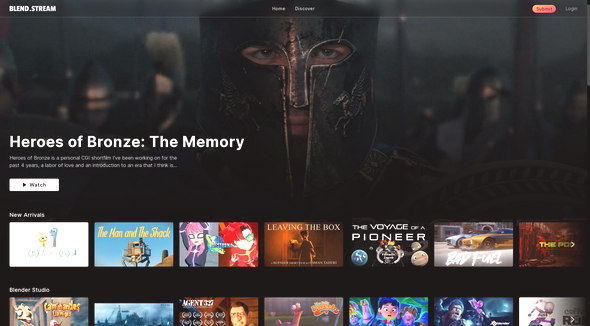
Blend.Stream, a new showcase and aggregator site for all movies made with Blender. This means more than just the official open movies sponsored by the Blender Foundation, and the site is open to all quality films made with the software. Also keep in mind that they’re not all under Creative Commons, though they are all free to view.
Release: ZBrush 2023
ZBrush 2023 has been released. I think this is the first release after they were purchased by the Cinema4D owners Maxon. The last ZBrush I looked at here was ZBrush 2021. But I know that some in the Poser and DAZ crowd use ZBrush as a round-trip software, so the new 2023 version seems worth a quick look.
The big news is that the Redshift renderer is now integrated into ZBrush. But only for CPU rendering, not the GPUs that Redshift runs best on (GPU rendering is only unlocked if you pay a subscription). This ‘integrated Redshift’ comes with the required materials and PBR controls. It also supports bucket rendering.
Things I’m not sure about:
i) if it’s just for final renders or is also able to power the Viewport in near real-time (if you have good enough hardware for that) like iRay can in DAZ Studio;
ii) and if Redshift will render the many comic/toon non-photoreal presets (BPR/NPR) that ship with ZBrush. I suspect not, since those will be highly tuned for the existing BPR (“Best Preview Render”) in ZBrush.
There are also some updates to the bundled Sculptris Pro. Sculptris gets what’s said to be a new SubDivide slider control, and the ability to restore areas of higher polygons by painting the back onto the mesh.
There are still perpetual one-time payment ZBrush licences, but these are expensive and you no longer get free upgrades from earlier versions. I imagine that many users are going to be thinking that there are not enough benefits to upgrading to 2023. It doesn’t look like an incredibly feature-rich whizz-bang ‘no-brainer’ upgrade to me, especially given the high price.
Many will be sticking with what they have, and thinking of switching. For that there’s:
* Blender 3.2 or higher, if you can stomach the UI and have a suitable graphic card;
* the hugely-improved and relatively user-friendly 3DCoat 2022 (it’ll be very interesting to see what 3DCoat 2023 looks like), a nicely priced one-time purchase and works back to Windows 7;
* and everyone seems to have forgotten about Autodesk’s Mudbox, but it’s still out there and apparently many students still pass through it briefly at university;
* there are a few others in either OpenGL browser form or mobile app, such as the popular Nomad Sculpt with its real-time lighting.
Release: Vue 2023
E-on has released their landscape software Vue in the 2023 version. This offers “feature parity between Creator and Professional” and unlimited render-size for Creator. Creator is now “personal non-commercial use only”, but that really shouldn’t affect most hobbyists and students.
Vue still has easy automatic Poser integration / import, on which see the recent test in Digital Art Live magazine #71…
Which means this new unified 2023 version now offers an easy Poser export route to…
3D Studio Max 2016 to 2023
Maya 2015 to 2023
Cinema4D R20 to 2023
Creator 2023 users now have access to these export options, since they are no longer locked away in the more costly version of Vue.
The MiDaS touch
MiDaS uses trained AI to take a normal 2D image and output a 3D depth-map. In Poser-speak it’s like Poser’s ‘auxiliary Z-depth’ pass or render.
Free and public, no sign-up needed. Just drag-and-drop your image. It can probably also be installed locally, though I haven’t looked at the requirements for that.
Once you have it you can use the usual Photoshop layer inversion/blending-mode tricks to create ‘depth-fog’ in the scene, where there was none before.
Release: Marmoset Toolbag 4.05 public beta
Marmoset Toolbag 4.05 is now available in a public beta. Despite being a .05 release for this games-focused desktop software, it’s being touted as a big update which greatly improves texture painting and the available range of materials and lights. There’s also a new stabiliser for your hand-painted brush strokes. Apparently also a “10x” speed boost, on big complex multi-layered object-painting projects.
Interestingly there is also a mention of the NVIDIA “DLSS viewport upscaling”, the first I’ve heard of such a thing in 3D production software. Intended for (retro/older?) videogames, it can up-scale “by 4x”. In Marmoset Toolbag it’s said to enable real-time up-scaling of your viewport. (Adobe also has something called “neural rendering”, which seems to evolve an AI render from a 3D point-cloud, but that’s still at the research-paper stage).
Sadly Marmoset Toolbag is now “Windows 10 only”, but it’s good to see there is still a one-time purchase at $320 for hobbyists. I admit I’m not very familiar with this side of the 3D software world, but I know that Substance Painter (or the free Material Maker) and 3DCoat are some of the ‘adjacent’ software packages for desktop. I’m uncertain how Marmoset and 3DCoat line up these days, feature-wise, and if they can perhaps be classed as broadly having feature-parity. Maybe a reader of this blog could advise on that?