A new UserScript for Amazon Historical Prices. Useful for those tracking big purchases such as graphics cards over time, and months ahead of any possible purchase. Perhaps also useful for spotting trends (e.g. “a three-day discount, every six weeks”). The open-source code looks fine to me.
Category Archives: Companion software
Your free V3 to V4 pose converter
V3 to V4 pose converter, via DAZ Studio. For free, mostly… probably.
Does it work? I tried it. Here’s the step-by-step tutorial.
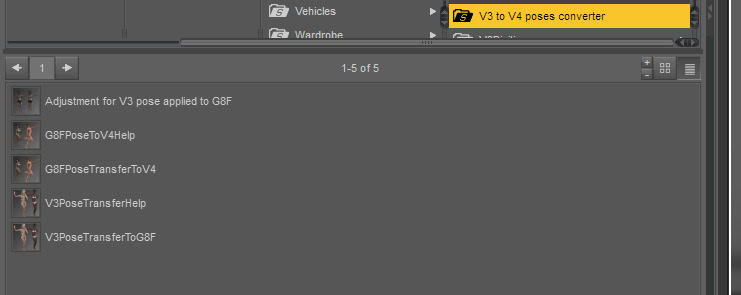
1. Get the free “V3/A3/GV3 Pose Transfer to G8F” script (choose the second updated .ZIP file) for DAZ. Then the free “G8F to V4/A4 Pose Transfer” script. You need to be signed in to the DAZ Forums and Renderosity to get these.
2. Unzip and combine the two script-sets into a sensibly named folder. Such as “V3 to V4 pose converter”, so you can find it under Scripts in the DAZ Library in future. Install the folder as you usually would. Load DAZ Studio. Check in Scripts inside the DAZ Library, to see the folder installed correctly.
3. In DAZ, find and load a V3 base figure to the scene. Go: Poser Library runtime (you linked it, right?) | Figures | DAZ People | V3.
4. Find and load a suitable V3 pose.
5. While you’re there, also load a standard V4.2 to the scene. I could not get the second DAZ script working with a plain V4. It must be V4.2.
6. Now go back up to the main DAZ runtime in the Library. Load a G8F in the same scene.
7. Drop all figures to the Floor, just in case (Select figure, Crtl + D) and space them out in the scene. Now save the scene for a ‘quickstart’ in future.
Start the V3 to G8 script. Once the script has started it will prompt to you select the hips of each figure. Once this is done, press OK.
8. The script is really quick. Once done, Ctrl + D to ‘drop to the floor’ again, just in case. Yes, G8F took the V3 pose…
This was where I found out that old V4 doesn’t work, and that V4.2 is required.
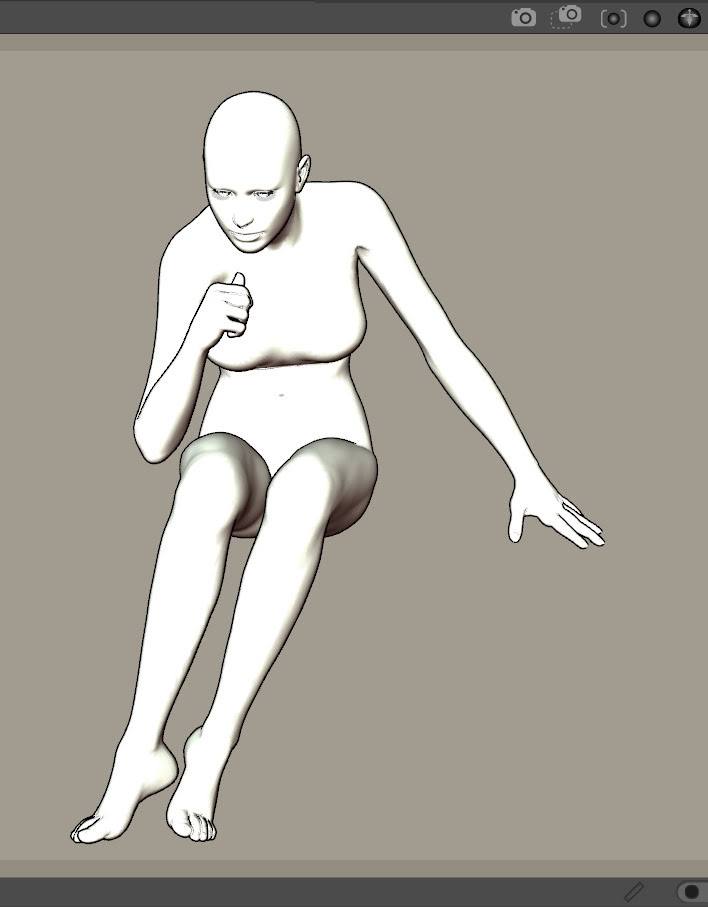
9. Now do the same with the G8 to V4 script. The result here with a V4.2 is fairly good, except for the “thumbs up” and the “elbow/thigh contact” which will need adjusting later.
10. Then go back into the Library Scripts and locate your Poser Format Exporter (aka PoserFormatExporter), which is still working in DAZ 4.21.x. This vital add-on script for working with Poser is currently paid at $7, but was free in the past for many years. You may already have it installed, or have got it in the distant past and can thus re-download it from your “Purchases” library at the DAZ Store.
Select V4.2 in the DAZ scene and use PoserFormatExporter to save out the V4 pose as a .PZ2 file for Poser. I had success with the following settings…
11. Load Poser, load a v4.2 figure, then drag-drop your newly made .PZ2 pose onto the figure. She will take the pose. Make some final small adjustments and save the pose into Poser natively.
Done. Nope, there’s no batch. It’s ‘one at a time’, as you need the old V3 pose on a V4.
Not tested with ‘M3 to G8F to M4’, but I guess that may be possible. The scripts are open text files, so they could be adjusted as needed in response to any error messages.
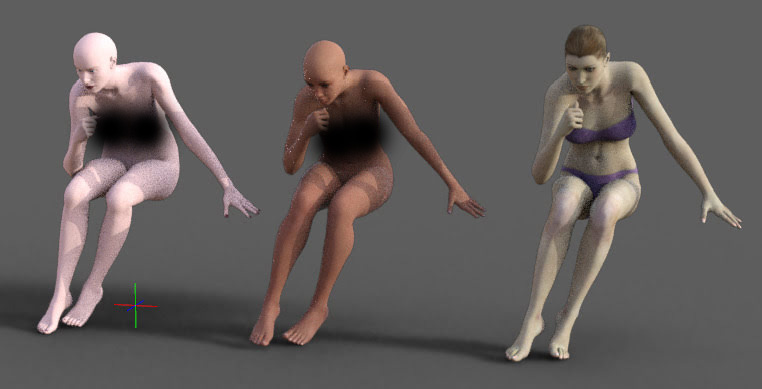
The result is far more accurate than a straight “drop a V3 pose on a V4.2” attempt. As you can see in the results seen below, where we have intersected feet/knees, fist hitting the head, no toe/foot bending, and one hand with scary ‘flying fingers’ which would take a lot of correcting. I suspect the fist is also bunched too tightly…
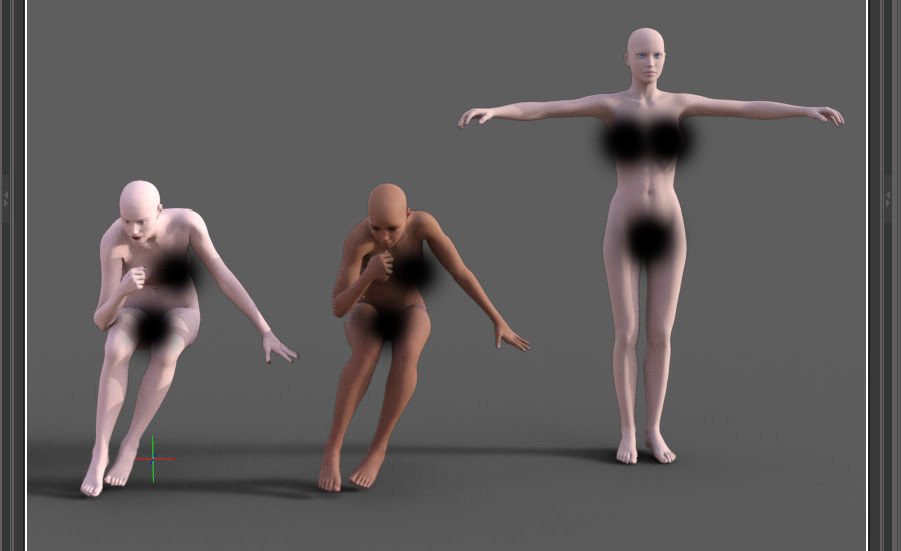
An alternative ‘drag and drop’ of the pose, direct to a V4.2 in Poser. Doesn’t work properly.
Release: Cartoon Animator 5.2
Reallusion’s Cartoon Animator (formerly CrazyTalk Animator) has a new Motion Pilot feature. Seems to be a motion-damped mouse-cursor, so you can easily draw an editable motion path. But it has adjustable settings, as you can see here…
For full details see the Motion Pilot demo video.
Release: Moho 14
Moho 14 is a big release for the 2D animation software (formerly Anime Studio). New graphics-engine, “near” real-time preview, new intuitive drawing tools for the new engine. Still no restored Poser import, but lots of other new features.
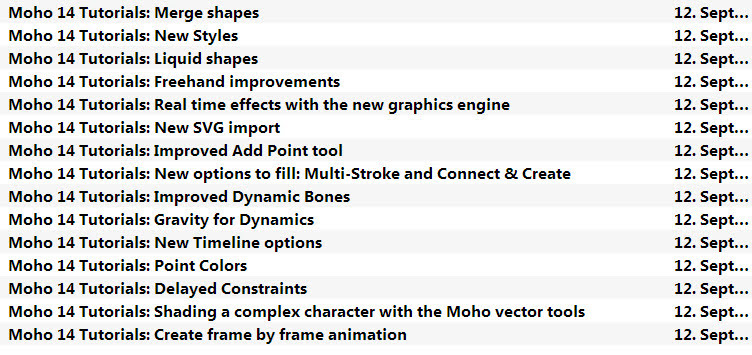
They also have a new 38-video beginner’s course YouTube Playlist.
Hand Poser / Feet Poser on Steam
Hand Poser and Feet Poser, on the Steam platform. At around £13 each, that’s £26 ($34). Nice wrinkles and skin detail, but for $49 you could get the proper full Poser 12 and get SSS as well. I should add that these Steam ‘apps’ are in no way connected to the maker of the real Poser.
Howler gets 9x faster
The latest PD Howler 2024.2 is available. It has an interesting new way of rendering 3D, via an innovative CPU/GPU mix. The CPU handles the grunt-work on the render, then the GPU does the final shading. 9x faster rendering than before, apparently! Supports PBR materials, tone-map and gamma. 16x anti-aliasing.
Now also includes a full word-processor! Also .GIF animation loading. And the previous .point iteration had “Dark mode support in Windows 11”.
Big dummies
Want to cuddle your custom Poser or DAZ character? Or just make a shop-window ready ‘life-sized monster’ to attract customers? Giant 3D Printer Can Print Life-Sized Human Statues. Or creatures, presumably.
PD Howler 2022 for free
PD Howler 2022 for free, in a ‘probably time limited’ summer offer. The last such offer was time-limited and in the summer. The download is build 52 buy the look of it.
PD Howler is a fine 2D painting software, but uniquely has a wealth of mature 3D-friendly features.
The last Windows 7 version was PD Howler 2021.3 build 85. In my experience, later versions will install on Win 7 but then they do things like fatally crash on exit, will not allow setting the number of CPU threads, and possibly have many other problems.
Tom Jantol’s entry for Animation at Work
Tom Jantol’s entry for the Animation at Work 2023 contest, “Unleash the Butterflies” and also a Making of video. He used Cartoon Animator (formerly CrazyTalk Animator), iClone, and After Effects.
DAZ AI image generator
DAZ’s AI image generator, apparently character-based. Private beta sign-up, hint, hint…
Interesting. Hopefully it’s not another “me too” Stable Diffusion clone like that DeviantArt no-hoper. I’m guessing it may have been trained on 12 x 360-degree iRay renders from each their best figures and various outfits? Then the picture that results would have links back to the DAZ store, so you can buy the character and the clothes. So, kind of a fancy 3D avatar version of a “try on the clothes, virtually” system that you might find in an upmarket clothing store.
Of course one can add AI to the DAZ Studio (or Poser) process already. Load, dress, pose, neutral lighting, render… then upload the render to an Img2Img AI image generator, for the prompt-driven variants and the ‘AI gloss’ and perfect lighting. This should also work for animation, once the much-touted Wonder Studio launches. This service can track and replace a ‘dummy actor’ in the footage, overlaying it with a full AI generated (and apparently face-stable) 3D avatar that retains the original head movement, expression etc.
Renderosity’s SFX packs and Comic Life 3
Useful information from the Renderosity forum, for superhero comics makers. There are three SFX 2D graphics packs on Renderosity, for the old defunct Comic Book Creator 1.0 and 2.0 software…
In total, 110 SFX. Turns out, as tested by a user, that these work fine with the current incarnation of Comic Book Creator, which is the ‘currently-developed and sold’ $30 Comic Life 3.x software that we all known and love today. There is also a template pack on Renderosity, which apparently doesn’t work with Comic Life 3.x.
Mandelbulb3D updates
I see that Mandelbulb3D updated in spring 2023.
2023-03-05: Mandelbulb3D V1.99.37 released: (optional) generating of z-buffers, including batch renders
2023-02-07: Mandelbulb3D V1.99.36 released: support of network rendering for batch renders
The Batch rendering module appeared in the version released last July.
TurboSquid Free, free
A new UserScript for your Web browser, TurboSquid Paid Asset Tile Remover In Free Sections.
Release: OIDN 2.0
Intel’s excellent Open Image Denoise (OIDN) has been released in version 2.0. OIDN offers a superb free AI model that’s specially trained to clear 3D renders of noise and grain.
This 2.0 release mainly adds GPU acceleration and support for newer GPUs, along with expanded API features. No speed boost in 2.0, so far as I can tell, other than that which might be added by using your NVIDIA CUDA or AMD graphics card to drive the denoising.
I guess it’ll be added to Poser and Vue relatively soon, as they both have OIDN plugged in by default. There’s still no Photoshop plugin for it though, so far as I know.
Update: Now at the 2.01 update, with better speed.
Ka-boom!
A big Hollywood sound FX library lands at Archive.org. Including, magic spells, sci-fi, explosions, fireworks and so on.