Slick new documentation for the 3DCoat 3D painting / texturing / sculpting software. Fully updated, translated and pretty-fied.

Slick new documentation for the 3DCoat 3D painting / texturing / sculpting software. Fully updated, translated and pretty-fied.
It’s time for another monthly round-up, offering my pick of what’s new for Poser and DAZ users.
As usual, freebies are not noted if they’re ‘non-commercial use’, unless they’re such obvious fan-art that no-one would consider using them commercially. Indeed, there’s a new fan-art sub-category this month.
There’s also a new G8/G9 store, 3D Shards, with some freebies. Takes quite a while to load, but looks great.
Science-fiction:
A generic futuristic Billionaire’s Office. Plus 30 cool hi-tech props.

A free CyborgLuna for Baby Luna, the free creepy baby which ships with Poser. There are some earlier Baby Luna’s Creature Heads morphs, but I see that only two of these might pass muster for a sci-fi look. Probably now needs a pack of cyborg head morphs.

Coflek-Gnorg’s Hostile Surface I and Hostile Surface II. Basic ‘first landers’ pioneer-era surface space-cabins for Poser, with quality interiors.

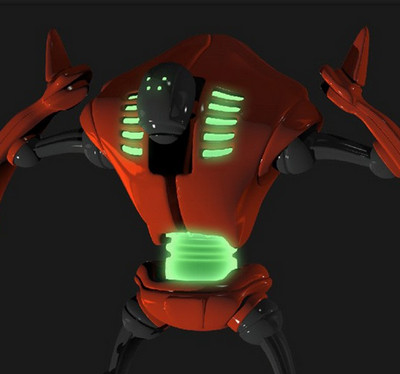
A big futuristic comic-book style Tank Model-X for DAZ. Needs some “Hulk… SMASH!” punch-blow morphs, I’d suggest.

Colony Control Tower, looking like it could be of use for re-making lost episodes of classic 1970s British TV sci-fi?
Sci-fi Fan Art:
James T. Kirk for Poser, which requires M3 Low Res and the David 3 texures. No hair, but I’m fairly sure there’s some Kirk hair around somewhere for Poser.

Marvel Ultimate Galactus Outfit for Genesis 8 Male. Looking pretty much like the original Kirby Galactus, as far as I can see. Rather cheekily, there’s a Marvel logo and also an Extended Licence for sale.

Desert Spaceport for DAZ, a large Mos Eisley a-like town from Star Wars with lots of angles. Not identical, and there’s clear prior-art, so commercial use as a standard desert town would probably pass the Disney lawyer sniff-test.
A Twi’lek for Genesis 8 Female, and Twi’lek Headpeice for Aiko 4, for non-commercial Star Wars fan-art.
Steampunk and Dieselpunk:
A pleasing retro-look helmet Protective Gear 018 MMKB.

Christmas Steampunk Car for Poser. An old model from Meshbox, but new on Renderosity. Likely to have a single texture-atlas texture, making it difficult to re-texture.

Fantasy:
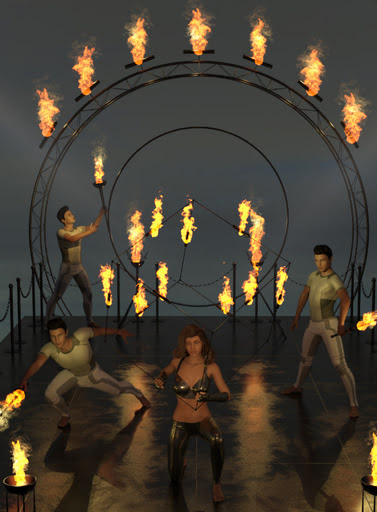
FireShow, an unusual addition to a circus or medieval hall with jesters and minstrels. Though you’d need some wooden planking to cover the modern struts.
Halloween:
Free Fangs for LaFemme/L’Homme.

Morphing Skull together with Stands for Morphing Skull and Morphing Candle for Morphing Skull.

Leviathan for Daz Studio, a gloopy monster with tentacle sliders for posing.
Figures and poses:
A free pack of sitting and kneeling CRP Floor Poses 1-12 for G8F & G9.
40 x G8 expressions on sliders, in the Ross_Expressions G8 01 pack.
Young Anime Heroes for Genesis 9, stylised manga/anime type morphs.
Storybook:

Coin-Operated Rides Mega Pack for DAZ. You could probably hide bits, such that the plane really takes off and flies the passenger through the clouds.

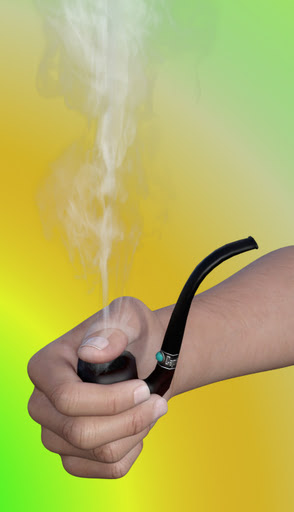
Smoking Pipe. With smoke and holding poses for G8/G9. For your old-school Tolkien-type storyteller, with a pipe by the fireside.
Toon:

Animals:
Songbird ReMix Bee-eaters of the World, for Poser and DAZ.

Snitch, a strange creature for Poser and DAZ. Likely to appeal to those who have enjoyed playing the videogame Spore.
Landscapes and settings:
City Waterway by Predatron, looking useful for action-movie type scenes.

A2Z SciFi Loading Dock and Warehouse I v1 for Poser. A bit sci-fi, but could also be of use for those who need to make modern-day warehouse worker training videos.
Historical:
A free dForce 1940s Men’s Suit for G8M. Also a tweed trousers and pullover set. Also get the 1940’s inspired suspenders and bowtie for the free G8M men’s suit. “Suspenders” = “braces” in British English.
A free Sniper U.S. Ranger standalone, a low-poly figure for M3 Low Res and Poser, so you can have many soldiers in your scene.
DryJack’s Match Truck and Crane, the sort of thing you might see in a mid 20th century heavy industry rail-yard.

Those who like DryJack’s excellent British railway models and tracks/stations may also want the free Sign 14, the new British ‘Men at Work’ road-sign. Part of a larger free set of such things.
VZ-9 Avrocar Flying Saucer, which was really made (though barely flown) in the 1950s by the U.S. Air Force. Complete with interior, controls, smart-props, poses. For Poser and DAZ.

A free classic mid/late 20th century Cinema Part 1, with iRay textures. Also get Part 2.
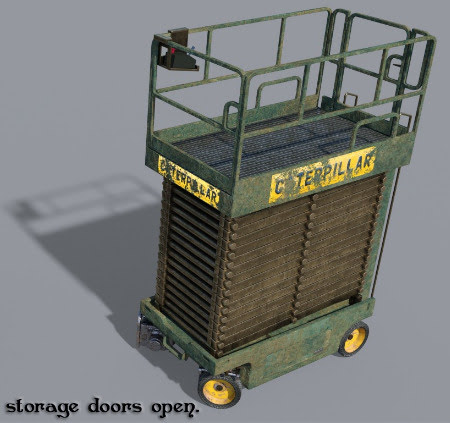
A manky Industrial Warehouse Scissor Lift of the sort you might have found in an old abandoned warehouse in the early 1990s.
Utilities, scripts and similar:
A free Simple POV Camera for G3 & G8. Your scene shows what the figure sees.

A Procedural Braid Generator for Blender.

Free AND / OR / XOR Logic Nodes for the Poser Material Room, for Poser 12 and 13. Also an accompanying “Wondering how to use Logic Nodes for Poser material room?” tutorial.
A free Value Viewer for Poser SuperFly, a node for Poser 12 and 13.
A paid MAT Tiler for Poser 12, which… “automates working with seamless textures in Poser”.
A free Poser script ShowLightsInPreview, for Poser 12. I’m not sure I even understand the user problem it’s trying to solve, and I think it may already have been solved by an earlier Poser 12 script (‘Remove Wires in Preview’) which toggles the visibility of the lights wireframes on the scene lights. But you may be interested.
Also, there are now Renderosity gift certificates, starting at a $150 Gift Certificate.
The free script Lock & Unlock them all from here for DAZ Studio. For example, lock everything below the wrist. There’s also a similar Hide & Show parts of a figure below a certain point.
Software:
Poser 13 for Windows, in Early Access. Ignore the “Windows 10” spec, as it runs fine on Windows 7 (although it won’t then load encrypted store-purchased scripts). SuperFly is now the new Cycles 2 for much faster x2 rendering, especially for animations and this can also work on CPUs. The Intel Denoiser is updated, and PostFX is expanded and can now do Glow. An updated Walk Designer and Talk Designer, and more.
The 2D paint software SAI2 has a dark mode at long last. For fast painting with big brushes on a big canvas, there’s SAI2, PaintStorm, and the superb vector brushes in the free Microsoft Expression Design 4.
Tutorials:
How to convert DAZ to Poser – Part 1 Geometry and Part 2 – Materials and lights. But first watch Converting DAZ scenes to Poser the super easy way, which involves going through (shudder) Collada. Don’t forget there’s also the Automatic OBJ Exporter for figures, with poly-reduction in the streamlined semi-automated pipeline.
How to Bring all your Poser 12 scripts to P13 without re-installing.
E-on Vue – controlling materials and EcoSystems with the wetness index node, a new 20 minute video tutorial.
Controlling camera-angles in AI-generated image production, a YouTube playlist.
That’s it for April 2023. More picks next month.
How to use Ocenaudio as a simple ‘video to audio’ extractor. No need for online services or questionable free software from Whereizitagin.
1. Open Ocenaudio (the excellent freeware replacement for Audacity). Drag drop the .MP4 video file on the sidebar.

2. It will be opened as if an audio file.

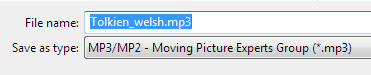
3. Save it as .MP3. There will be a progress-bar, showing time remaining for conversion. It’s that simple.
Clip Studio 2.0 has been released. New features include…
* A new “3D head model” on which the user can adjust “eyes, nose, and mouth” to get a stylised look. Meant for reference, for hand-drawn over-sketching/painting… not iRay-like production rendering.

* A “hand pose scanner”. Scan a live hand pose, via a webcam and some reasonable softbox lighting. The hand pose is (more or less) applied ‘live’ to the 3D dummy’s hand in Clip Studio. I assume only those with specialist hand requirements need this, as there must surely be packs of 100s of organised hand-poses already available for Clip Studio’s generic 3D dummies?
* “Automatic shading” for flats, applying shadows based on your lineart and use of colours. A somewhat uninformative video demo is available, but it looks like it does work and has quick presets. If it can stay completely consistent from panel to panel is another matter.
* The flexible ruler now works with scenes that have a fisheye camera perspective.
* Depth-fogging cameras. “Enable Fog, to add a fog-like effect that expresses depth in 3D space”.
* “Spin blur” effect (e.g. semi-blur a speeding spinning missile, or a bouncing ball). I’m amazed they didn’t have this before.
* Import… “It is now faster to import posable 3D files with a large number of bones and meshes.”
Clavicula 0.9.9.5, a new release for the free and innovative modelling software.

And in the comments, “export renders with a given screen resolution” may be coming by the end of 2023.
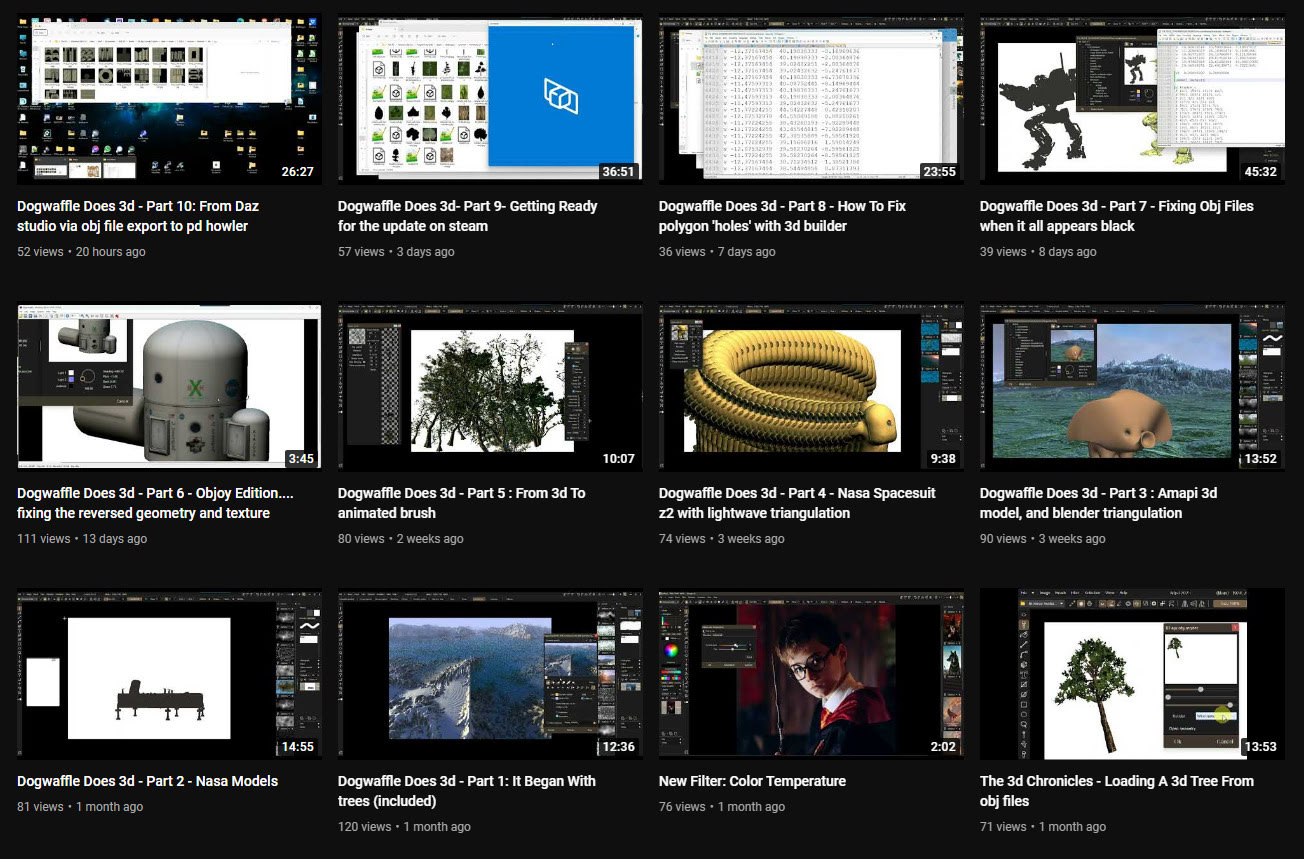
In the last month the PD Howler software (aka Dogwaffle) has been accompanied by ten new YouTube videos showing the new 3D capabilities in the latest version. The latest one is on working with DAZ Studio exports.
 Posted in 3D Utilities, Companion software, Special Offers and Discounts, Spotted in the News
Leave a comment
Posted in 3D Utilities, Companion software, Special Offers and Discounts, Spotted in the News
Leave a comment
The Windows desktop sculpting software Aartform Curvy 3D 5.0 final is now available, having been in beta since November 2020. Cost is $99 (around £92 in the UK), and there are further discounts available if you purchased an earlier version (check your email).

An important new feature in 5.0 is adaptive subdivision on the meshes. There’s no video trailer yet for 5.0, but the YouTube channel will likely have one soon.
Posted in 3D Utilities, Companion software, Freebies, Spotted in the News
Leave a comment
The open source Dust3D is alive again, after a long hiatus during the Covid years. The 1.0.0 release candidate 7 is now available. Dust3D is a…
“cross-platform 3D modeling software that makes it easy to create low poly 3D models for videogames, 3D printing, and more.”
Relatively easy, free, and under a full MIT open licence. Training Playlist on YouTube.

Posted in 3D Utilities, Companion software, Freebies, Spotted in the News
Leave a comment
A new release for GMic, aka G’Mic as GMic v3.2.1. Changelog. Highlights I noted are…
1) A new 3D handling feature, though possibly command-line only?
Command | extract_textures3d
“This will help you extracting textures from 3D objects directly as 2D images, that you can save or process and remap on the object.”
Probably not a replacement for dedicated tools used to get a texture atlas and/or seam templates, but it may be of interest to some.

In Poser Pro, a FBX or Collada export can also get you a single texture map (a ‘texture atlas’), output alongside the FBX output. The problem with a ‘texture atlas’ is that it then prevents drag-and-drop re-texturing of parts. It’s all or nothing. DAZ Studio also has a ‘texture atlas’ output command somewhere or other, with the location depending on which UI layout you use.
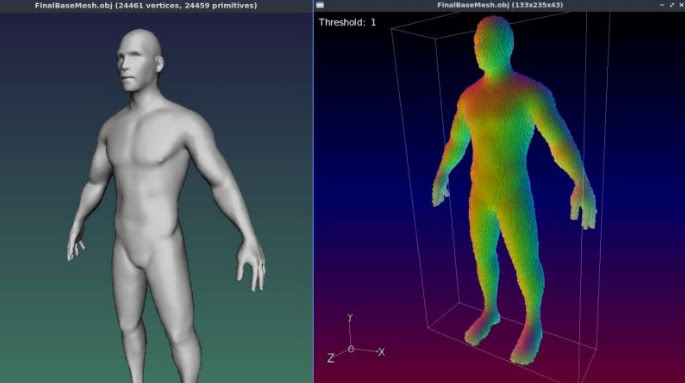
2) Better voxelisation of 3D…
“Improved the triangle voxelization algorithm even more. G’MIC is now really a quite nice tool to voxelize 3D meshes!”
Could be useful if you want to have your OBJ export from DAZ/Poser look like a hologram and, once it’s back on Poser or DAZ, put on transparency and glow? But don’t expect to animate afterwards.
3) Basic subdivision of 3D object meshes. Again, you can do this natively in Poser and DAZ.
4) A new filter, to be found in ‘Testing’…
Garagecoder | Upscale [Recursive2x]
Appears to be a sort of ‘intelligent sharpening’ that preserves details better on low-res images? Again, you’d probably do this with AI Gigapixel or online with Base Ten or SWIN, though perhaps this (I’m guessing) is optimised for low-res images?
As always, beware of updating. Because if someone changed the name of their filter, then that breaks your custom preset. For instance, last summer GMic’s long-standing Artistic | Comic Book filter had its functionality updated and the name changed to Comicbook. All my custom presets based on this filter were gone in a flash, and some of the filter’s needed switches and sliders had also been removed. Filter makers really need to be told: “If you’re going to tinker to that extent, then keep the old filter the same and call your new one Comicbook_2″.
3DCoat 2023 has been released. Not a mega whopper-topper-wow! release, it seems. More of a ‘lots of smaller improvements and bug fixes’ release…
* Much quicker when doing booleans and manipulating really big meshes.
* Various topology, UI and viewing improvements and bugfixes.
* Much easier drag-drop linking into Blender, with the Blender AppLink…
“just install 3DCoat and Blender, follow what 3DCoat tells you… and then you may easily drop assets to Blender”
Their front page is still on 3DCoat 2022.x, so I don’t yet know if the system specs have changed.
I made a 65,000 word Dictionary of British Pronunciation for the TTS freeware Balabolka, with pre-made IPA pronunciation tags alongside each word. It’s in Balabolka’s .BXT file format, which it can load and which can handle the IPA phoneme symbols.
Possibly useful for those using TTS for making clearly-voiced English tutorials or animations, using the British IVONA 2 voices, and who’re stuck on the pronunciation of a word that they can’t easily substitute. With this you can write freely, knowing that it’s unlikely you’ll have to substitute a dozen or more words with simpler or different forms that don’t quite express what you want to convey.

You can load it in Balabolka and then keep it on a tab in the background, for easy consultation. A good test is getting Ivona 2 Brian to say “mature” in a sentence. It’s very difficult unless you use the IPA coded tag.
For use with the abandonware British voices Ivona 2 Amy, Ivona 2 Ivy, Ivona 2 Emma & Brian. Neospeech Voiceware Bridget is also a very good ‘posh’ British voice, though after install will wrongly show up as ‘United States’ in the list of voice names. Most of the time these do a good job on their own, but sometimes you may need more precision — especially for short comedy animation — and the IPA tags give you that.
Posted in Companion software, Freebies, The Animation Industry, Tutorials
Leave a comment
It seems rather odd to consider old-school text-to-speech software and SAPI5 voices, at a time when Poland’s ElevenLabs is doing such great things with AI-generated voices. But I’m always one to cherish old Windows freeware, and at present all the new AI voices are online and require a monthly/yearly subscription. So I was pleased to find an alternative freeware to Balbolka for desktop PC text-to-speech using SAPI5 voices. Many such voices are also now abandonware on Archive.org, the key companies having since been sold on several times.
Made in Italy, the DSpeech TTS freeware used to be fairly basic, but it’s improved enormously since about 2016. Though this is not a fact reflected in its rather basic 1990s-style download page, which you’ll have to overlook. This freeware is now in version 1.74 (spring 2022), It’s genuine one-man freeware, made in Italy, and is feature-comparable with Balbolka though a bit rougher in UI and Help translation to English.
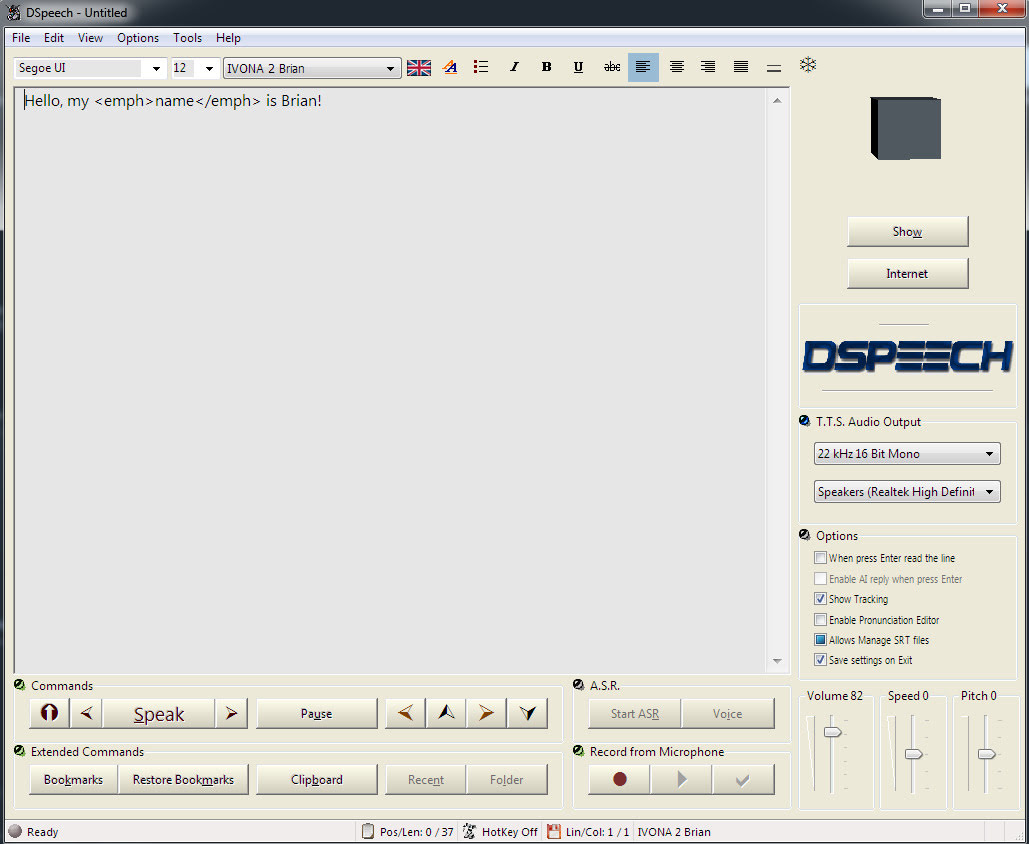
The DSpeech download link uses only a .GIF button, so if you have a .GIF blocker in your Web browser, then you instead right-click the page and ‘View Source’. You should then see a live working link to the download in the HTML…

The English manual is included in the software. There’s no Windows installer, just unzip where you want and run it.
SCRIPTING: Beyond the usual control tags, DSpeech supports basic scripting including voice-recognition and script loops. Which is unusual. Apparently it can even read out VLCplayer movie sub-titles in real-time, in a chosen SAPI5 TTS voice and speed.
TAGS: The tagging menus make switching voices easy. There’s better right-click support than in the latest Balabolka for adding tags, though that’s not saying much. When you highlight a word in DSpeech, and add a tag, the word is not wrapped with a closing and opening tag, it’s deleted. Urgh! Having right-click is great, but… the rest of the tag insertion system is not good.
LOQUENDO: DSpeech is supposed to support Loquendo ‘voice expressions’ (laugh, sigh etc) via the Italian Loquendo 6 Italian ‘Paola’ and ‘Luca’ TTS voices, combining words with special expressive tags such as \_Laugh and suchlike. Later the tag syntax was changed to \item=Laugh in Loquendo version 7 voices. But while these v6 voices work fine in any DSpeech, and v7 voices work fine in DSpeech v.1.72.29 (December 2018, not the latest 1.74.x), their expressive cues no longer vocalise in DSpeech. You just hear silence.
Spanish Loquendo 7 voices (not 6) can however ‘express’ when used in Loquendo’s own Java-based TTS Director, which came with the Loquendo SDK. See YouTube for examples and useful links.
Regrettably neither the Loquendo 6 or 7 voices can even be played in the other TTS freeware Balabolka, though they do show up on its voice menu. It thus seems that properly-working Loquendo voices are limited to…
* Loquendo 6 (any voice) on DSpeech 1.74.x or earlier. Loquendo 7 not supported on the latest DSpeech.
* Loquendo 7 (Spanish) on DSpeech 1.72.29 (or earlier?), or Loquendo 7 (Spanish) on Loquendo TTS Director with SDK and Spanish pack.
The Spanish version 7 voices do however have ‘expressives’ that work fine with Loquendo TTS Director 7, which was Windows freeware which shipped with the developer/API/SDK kit. This success at least showed me that the problem was not with my PC or a 32-bit / 64-bit Windows clash, at least for version 7 voices.
Yet it’s strange. Obviously DSpeech could, at one time, play the ‘expressives’ in the Loquendo 6 voices. But, no longer, it seems. Switching back to an older DSpeech 1.72.29 didn’t cure the problem, but it did usefully fix the playing of the Loquendo 7 voices. I suspect that Loquendo 6 voices now have a 32-bit / 64-bit problem on 64-bit Windows, despite the player and voices both being 32-bit.
Loquendo TTS Director voices have a complete list of expressives in the C:\Program Files (x86)\Loquendo\LTTS7\data\voices\Soledad\SoledadGildedParalinguistics.sde file (change name for each voice). Open it in Notepad++ to see the list in plain-text. For instance, Soledad has the following, and obviously you can also mix and match and tone-shift…
\item=Ah
\item=Ah_01
\item=Ah_02
\item=Ay
\item=Ay_01
\item=Breath
\item=Breath_01
\item=Buh
\item=Buh_01
\item=Buuu
\item=Buuu_01
\item=Cataplum
\item=Cataplum_01
\item=Click
\item=Click_01
\item=Click_02
\item=Cough
\item=Cough_01
\item=Cough_02
\item=Cry
\item=Cry_01
\item=Cry_02
\item=Cry_03
\item=Ehm
\item=Ehm_01
\item=Epa
\item=Epa_01
\item=Hey
\item=Hey_01
\item=Hiccup
\item=Hiccup_01
\item=Hiccup_02
\item=Laugh
\item=Laugh_01
\item=Laugh_02
\item=Mhmm
\item=Mhmm_01
\item=Mhmm_02
\item=Mhmm_03
\item=Oh
\item=Oh_01
\item=Ohoh
\item=Ohoh_01
\item=Ops
\item=Ops_01
\item=Prrr
\item=Prrr_01
\item=Shhh
\item=Shhh_01
\item=Sigh
\item=Sigh_01
\item=Sigh_02
\item=Singing
\item=Singing_01
\item=Smack
\item=Smack_01
\item=Smack_02
\item=Sniff
\item=Sniff_01
\item=Sniff_02
\item=Sniff_03
\item=Snore
\item=Snore_01
\item=Swallow
\item=Swallow_01
\item=Throat
\item=Throat_01
\item=Throat_02
\item=Throat_03
\item=Uff
\item=Uff_01
\item=Ups
\item=Ups_01
\item=Whistle
\item=Whistle_01
\item=Whistle_02
\item=Whistle_03
\item=Whistle_04
\item=Whistle_05
\item=Yawn
\item=Yawn_01
\item=Yawn_02
\item=Yeee
\item=Yeee_01
\item=Yuhu
\item=Yuhu_01
\item=Yuhu_02
\item=Zas
\item=Zas_01
Easier to just paste these all in and cut out what you don’t want. Rather than wrestling with menu-based insertion.
VOICEWARE: DSpeech has support for reading with a VoiceWare TTS, but not for a vital aspect of the voice. The first version of the TTS VoiceWare voices (e.g. VW Bridget, British) had different inflections on words if you added ! ?! or !? (again, see YouTube for demo and useful links). But this feature of the voice is not supported in DSpeech. It is supported in Balabolka. So this is another deal-breaker for DSpeech.
CONCLUSIONS: Despite what at first glance seems to be DSpeech’s more intuitive right-click tag adding, Balabolka is on several counts the superior tool for longer-form editing. It properly wraps highlighted words in starting/closing tags, which is vital if you’re TTS-coding something longer than a paragraph. It also supports VoiceWare’s ! ?! and !?, useful for one of the best British voices.
I thus suggest using the latest Balabolka for freeware TTS scripting and recording, and the old Loquendo TTS Director + its Spanish voices for creation of vocal FX, pitch and speed-shifted to match the voice being used in Balabolka. Then embed these vocal FX as audio clips in Balabolka. This is not as ideal as having Balabolka support Loquendo (it refuses to even read their voices), but it’s a viable workaround.
The ideal would be to have a standard SAPI5 voice that was ‘expressives only’, for use in Balabolka. A sort of audio FX bank, that could be reliably called with a simple tag (such as \_sneeze etc). But so far as I can see, that doesn’t exist, other than by chopping bits from my Dictionary of British Pronunciation for TTS.
Finally, note that TTS Director only ‘sees’ its own Loquendo voices, and is therefore no good as a general SAPI5 TTS script editor. TTS can be done in Adode Captivate (used for super-Powerpoint ‘e-learning’ creation) and in CrazyTalk / Cartoon Animator, but the editing is not at all comparable to Balaboka.
Excellent clear British SAPI5 TTS voices for short animations and tutorials are Ivona Voice 1.6 Amy 22kHz (aka Ivona 2 Amy). The other is the less common Neospeech Voiceware Bridget (demo). Yes, they’re still robo voices, but I’d say they’re the most pleasing and human of the female British voices released in the 2010s for SAPI5. And you can’t argue with free and offline. No subscriptions or data-gouging needed (though Eleven Labs are the best, if you want that). Both voices are now free on Archive.org, and work with the free Balabolka. Here’s how to control them with some simple markup.
1. Amy can be controlled using the normal SAPI markup (SSML) in the Balabolka editor. She also supports phenomes (visimes) symbols, a prosidy markup tag, and others.
|
1 |
<phoneme alphabet="ipa" ph="ɺʡʜʑʢ"/> |
|
1 |
<prosody rate="-20%" volume="40">prosidy</prosody> |
|
1 2 |
You say, <sub alias="tu-mah-toe">tomato</sub>. I say, <sub alias="to-may-toe">tomato</sub>. |
2. Neospeech Voiceware Bridget however does not support phenomes, prosidy etc and requires the following XML tags to add pauses and emphasis…
|
1 2 3 |
Here we insert a very slight pause. Here <silence msec="01"/> we insert <silence msec="01"/> a <silence msec="03"/> <emph>very<emph> slight <silence msec="03"/> pause?! |
Add ! or ?! to inflect and emote a word at the end of a sentence…
|
1 |
gosh! |
|
1 |
gosh?! |
Also working as XML tags with Bridget…
|
1 |
<emph>emphasis</emph> |
|
1 |
<volume level="50">quieter voice</volume> |
|
1 |
<rate absspeed="-6">slower speed</rate> |
|
1 |
<pitch absmiddle="6">higher pitch</pitch> |
No closing tag is needed for the following milliseconds pause tag…
|
1 |
<silence msec="300"/> |
Incidentally, Neospeech Voiceware Bridget shows up in Balbolka as “VW Bridget English (United States)”, when she should be “VW Bridget English (British, upper class)”.
On YouTube, an hour-long My Poser 13 wishlist. Well-informed and worth a listen. However, the presenter seems to be missing a trick on some existing P12 Poser scripts and the easy Vue integration…
* Depth-of-field: He seems unaware that there’s a free Poser 12 script for calculating DOF.
* Scatter: Again, there’s a free Poser 12 script for that too, if you don’t wan’t to pay for the paid scatter/array solution in Poser 12.
* Atmospherics: Easy Universal Glow for Poser 11 and Poser 12, with light ‘spillover’. With Photoshop Action and full PDF manual. Again, free.
Otherwise, it’s trivial to take a Poser scene to Vue… and then you have all the luscious foggy/misty atmospherics you can imagine.
* Easy Billboarding: Easy setup with always-faces-the-camera functionality. Not free in this case, but see the Python script billboarding-plane-always-faces-camera.py in the sets of pre-made sample scripts that come with PhilC’s Python for Poser Tutorials on Renderosity. Still working in Poser 12, no conversion needed for Python 3. Admittedly, it’s in an expensive $30 bundle that hardly every gets a discount. I was lucky enough to get it when it was down at around $12, a couple of years back. Very useful, especially if you need to hack or bodge or tweak Python scripts.
* Vue: Some of the rendering-quality needs expressed in the video, re: Firefly to SuperFly automation, might be solved by a step sideways. Simply import the Poser 12 scene to Vue and render there, for a very quick and easy way to get a more photoreal quality while still using older Firefly textures.
To his list I’d add a few of my own long-wanted features:
1) A better way to build and load a library of custom Sketch presets. Although admittedly, since Sketch is render-size dependent (what looks pleasing at 1800px may not at 3600px), it would probably be better done from having a set of presets located in the Library. How about a feature that optionally saves a custom preset from the Sketch Designer to the Library, nicely bundled up as an iconized script that sets the preset’s required render-size and then loads the preset and runs the render?
2) A built-in Scene Toy replacement.
3) Renderosity buys PzDB outright, and gives it away free. Having a discreet banner-ad in that would alone make it worth the cost, surely?
Posted in Companion software, DAZ Studio, Spotted in the News, The Animation Industry
1 Comment
Butaixianran has kindly created a free DazToBlender: Daz to Blender Bridge updated fork…
“I updated the official Daz To Blender Bridge, now Daz model can be exported from Blender with morphs and textures, so you can use Blender as a Daz Bridge to other 3D tools.”
It’s already had a number of bug-fixes, and animation import has been added. Normal maps can be saved to .JPG to reduce bloat. Also supports Genesis 8.1 and 9.
No texture or base mesh resolution changes are involved with the conversion, and the user is left to do that in Blender. Or just use Blender as a pass-through to other software. As always, geografts and complex geoshell and similar overlay things many not convert well.

Regrettably Blender 3.1 or higher is required, so you need a powerful enough PC to pass Blender 3.x’s “install or not?” test and get Blender to install. Update: Blender 3.51 for Windows 7 (early May 2023). Needing no installer, it will now launch on Windows 7! Hurrah.