The third-party P3DO Organizer Poser library (May 2020) now has a November 2020 fix for use with Poser 12 Early Access.
Category Archives: Spotted in the News
DAZ Studio on the latest Mac OS
I’ve just had a quick look into the DAZ Studio problem on Macs. I’d glanced at it when I looked at what the new Filament renderer is, and had then spotted that DAZ Studio 4.14.0.8.. was Windows 64-bit only — as I told my readers here.
But being a dedicated Windows users I don’t take much notice of Mac stuff, so I left it at that. It now seems that the new Mac OS update simply broke DAZ Studio on the Mac altogether. There’s no simple ‘rollback DAZ to 4.12.1.117, and all you lose is Filament’. Richard Haseltine on the forums states, of older DAZ Studio versions that…
“I would very much doubt that older versions [of DAZ Studio] would work any better”
Wow. So I guess Mac users will now have to run DAZ Studio under Windows, since I get the impression that having the latest OS is effectively required by Apple. Most modern Mac users can run a Windows install on a Mac with a free utility called Boot Camp. Doing that is said to be fine re: the DAZ viewport and rendering. Which is not the case with the Mac user’s other “virtualisation” option in which both the viewport and rendering are far from ideal.
Apparently a fix for the show-stopping problem on Macs is “not due until mid-2021”, again according to DAZ forum guy Richard Haseltine.
I’m told that DAZ Hexagon, the modelling sister of DAZ Studio, has not been able to run on the Mac OS for many years now.
Release: Diffeomorphic DAZ-to-Blender 1.5.1
There was an important release that I overlooked, back in the summer. The free DAZ-Blender bridge plugin by Diffeomorphic, Thomas Larsson,was released as v1.5. This is in active development and at November 2020 is now at version 1.5.1. Apparently it does a good job, and is quicker and in some ways better than the free official DAZ 2.0 script. Since it doesn’t need to convert via an .FBX or Collada conversion and instead reads the DAZ files directly. Said to support polyline hair, but not strand hair. Worth a look, if you’re getting into Blender and its real-time Eevee engine.
Interestingly, I recently noticed that Eevee is actually OpenGL + PBR materials. I hadn’t known that before. It explains why my OpenGL upgrade fixed Blender. It just shows how far OpenGL can be pushed.
Update December 2020: diffeomorphic.blogspot.com totally dead. Fixed links by sending to WayBack and I’ve directly linked the repository.
Black Friday: Instant Terra software and the Kindle Fire 10″
* Instant Terra goes to a 50% discount for Black Friday. It’s now standalone perpetual desktop software, as it was recently switched away from subscription. It offers fast procedural terrain generation and real-time preview, with a new World Browser module to “download elevation data for any region of the world and generate a corresponding terrain” with isolines. I’ve been unable to find out how easily the output integrates with Vue, though the output looks fairly standard. I doubt it gives access to high-res terrains here in the UK, though at guess it may in the USA.
Might be worth $75 just to have a really easy hassle-free way to grab any terrain mesh from the real-world, though overlaying satellite imagery is not due until 2.2. The very latest version offers “a simple way to automatically refine the [downloaded] terrains and transform low-resolution terrains to high-resolution terrains”, via the addition of a new “up-scaling node”. I’m not sure how well this removes ‘stepping’ aka ‘zipper’ lines.
* Amazon’s flagship Kindle Fire 10″ tablets are now a healthy 40% off at Amazon UK. One of the most affordable ways to read digital comics, and I find it will also run Nomad Sculpt.
* Also, keep in mind that there should be a few good ‘Amazon Warehouse deals’ soon, perhaps around 9th-10th December, as hardware returned by perfectionist techies is graded and re-packed for re-sale. Some of these deals can be excellent, when something like a scratched casing or a tiny defect on a big monitor screen triggers a hefty discount.
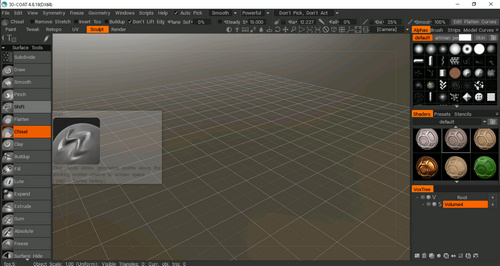
3DCoat 2021
Good news, I’ve just heard that a “new 3DCoat will ship within Q4 this year as 3DCoat 2021 … including the new user interface”. Most people think of 3D-Coat (now “3DCoat”) as model texturing software. But its relatively easy 3D sculpting also makes it one of the few viable alternatives to ZBrush. The drawback there is that it suffers from a poor sculpting UI. Not “thrown together by mad imps” like ZBrush or Blender, but rather too off-puttingly stolid and a bit too fiddly and cluttered for the new user.
So a new UI sounds enticing. However, a little research discovers it’s actually going to be a tweaked and slightly tidied-up UI according to the official preview video. Not a “new” UI in terms of being a radical replacement. What a pity.
However knowing about this relative lack-of-makeover means that if 4.9.x Amateur comes up in the Black Friday sales at 50% off (i.e. $50) it should probably be grabbed, because it’ll be no use hanging around in the hope of a shiny new wholesale UI makeover. The current Amateur licence limits you to 2048px textures and 7 layers, which will be fine for most users. Non-commercial use too, but apparently that means ‘earning more than $10k a year from it’. Again, fine for most people.
Also, so far as I can tell from the 2021 announcement, prices will go up and not down for the new 2021 version. The new version will stay as a perpetual licence. It may even be possible to get a free upgrade via a Black Friday offer on 4.9.x Amateur, but it may not…
It can also do PBR materials, which also makes it interesting re: the new SuperFly in Poser 12, and how easy it is to plug a PBR material in there.
Release: MakeHuman 1.2 final
The open source figure-creation software MakeHuman 1.2.0 final has been released. It’s now Windows 64-bit only, and it appears that it still integrates closely with Blender, and indeed now has… “completely new Blender integration, MPFB, with support for socket transfers, IK and Kinect.” Lots of other improvements and changes, and a move to the new Python version.
A few more details on Poser 12
Here are just a few main details from the many given in Sunday’s key Poser 12 webinar. It went very well, and the upgraded “500 capacity” room was required as people continued to pour in.
Poser 12 SuperFly, based on Blender’s Cycles render engine:
“Adaptive Sampling” means that SuperFly is now stated to be “almost twice as fast on a CPU render”, provided you’re willing to do slight and fairly-easy tweaking of bucket sizes and other render settings (as was shown in the webinar. Doubtless there will soon be shared “ideal” render presets for CPU-only and cards on the forums, if there are not already). CPU users of adaptive sampling in Poser 12 will paradoxically see better results from quite small bucket sizes.
As is well-known from the forums, for GPU’s and for a further 2x speed boost in SuperFly you’ll need an NVIDIA 20 series RTX graphics card, or a NVIDIA Quadro card that supports RTX. Poser 12 should work with the new 30 series RTX, but they’re so rare that Renderosity has not yet been able to get hold of one to officially test.
The new SuperFly now supports Ambient Occlusion, and it was said that it can also render to a set of render-pass layers much like the Firefly renderer can.
The new Cycles also makes it “really, really easy” to set up a PBR material for Poser 12’s new SuperFly. Just export three layers from Substance Designer (or, presumably, 3D-Coat), and plug them in to the simple node setup (as shown in the webinar) inside Poser. Also, these PBR materials “will just look right” in Poser renders without much tweaking needed. Other Blender’s Cycles node setups can be easily ported over, once you know that Blender’s direction of node flow is a “mirror-reverse” of that used in Poser. However, it was highly recommended not to try to toon in SuperFly, and to instead use Poser’s excellent and real-time Comic Book mode.
The new SuperFly also has a Hair node, deceptively simple-looking but actually very complex in its own right, which can produce complex and “amazing” results. More neat new shader nodes for Cycles/SuperFly will be exposed in Poser 12 in due course.
Intel OIDN Denoising of quick renders is software based, and is not graphics card dependent.
Scripts:
As is very well-known from the forums, the move to Python 3 has broken many old PoserPython scripts, but these are getting fixed. DAZ’s DSON importer for DAZ Genesis 1 and 2 is broken, but such old Genesis figures can still be imported as .CR2 (or, I would add, poly-reduced static posed .OBJ for more wieldiness and which can also do Genesis 3 and 8).
Runtimes:
Also well-known from the forums, there’s a new integrated method of installing purchases via the Library, but you can still do it the old way via .ZIP files. And downloadable .ZIP files for content will still be available on the Renderosity Store.
Yes, you can still have all sorts of weird and wonderful locations for your Runtime. If your Poser Runtime is safely stored in a cave on the Moon, and you access it via infra-red radar pulses, just so long as it has a mapped drive-letter on your network… then Poser is sure to see it.
Windows/Mac:
Yes, it’s common knowledge now that you can run Poser 12 and Poser 11 side-by-side. Yes, it can install and run fine on Windows 7 and 8, even though the official store specs are for “Windows 10”. Yes, the Mac version is coming.
Update: Yes, forum reports say Poser 11 and 12 have been tested on the new ‘Big Sur’ Mac OS and both run fine.
Others:
There were also a lot of special “reveals” and hints about what’s set to be added to Poser 12 in due course, but it’s not fair to list those here. Of those I’ll only note that Bloom is to be added to the Post Effects tab, thus enabling Glow. Glow can already be done natively in Poser Firefly with an atmosphere and a point light, even with an emulated emissive spillover, but has severe limitations. There are also SuperFly glow materials. But I’m guessing this Cycles node may be more controllable and have less need to interact with other stuff?
Renderosity’s trailer-page for the webinar had mentioned “new Geometric Edge Lines for Comic mode” and “new lighting: area lights and caustics”, but those were not shown this time around.
Poser can still “speak Vue” and thus presumably send a scene to Vue. The currently subscription Vue still supports Poser scene imports.
Nearly all of the new stuff other than the new SuperFly update appears to be “as well as” rather than “a replacement for”. Check out the free Trial version of Poser 12 Early Access to re-assure yourself that your favourite bit is still in there.
So, steady progress and it’s looking very positive for the probable December release on Windows and Mac, and even now looks especially nice on photoreal render speeds. Congratulations to the team for more or less sticking to the schedule, even during the lockdowns and changes re: Macs and Python.
Release: KeyShot 10.0
KeyShot 10.0 has been released. What’s new and important for people in the DAZ/Poser world?
* KeyShot “now respects alpha channels when importing FBX”. That’s interesting. So, does that mean trans-mapped eyelashes/hair from DAZ/Poser figures finally work properly in KeyShot without a whole lot of fiddling and prodding? Worth testing, I’d say.
* “A new Light Manager and Light Gizmos to control individual lights.” Colour, power, size, beam-angle and spread, etc. Which makes it more like Poser and DAZ, but you can still slap on the usual type of light if you’re feeling lazy.
* “Visually identical results in the real-time view and in final-quality output.” I thought they basically had that already, bar a bit of grain and gloss/texture and a few fireflies? I’ve never noticed very much difference.
* “Can now hide all of the objects in a scene, except the one you want to work with.” Again, making it more like DAZ or Poser or iClone, and opening up possibly interesting compositing possibilities re: Photoshop layers and automated filtering.
* “A revamped UI for the Move tool.” Chunkier (or at least size-adjustable) is probably better, in these days of huge monitors.
All the above are in the Standard version, still $995. No changes to the new bristles/fur, or to the NPR rendering capabilities. No native render-speed improvements, as far as I can tell. By which I mean, optimisations that are independent of what graphics card you’re using.
DAZ to Blender Bridge 2.0
I hadn’t noticed that as of the end of September there’s now a DAZ to Blender Bridge 2.0, which now sends more than characters in A-poses (which was the state-of-play, last I heard). Still free, but still no manual installer.
Now in version 2.0 it apparently takes across whole scenes, and can also convert all the way back to the original Genesis figures. No longer works in Blender 2.79, apparently.
However, for artists rather than content developers, the only reason I can see that you’d want to take a full posed scene across is to run it in real-time in Blender’s Eevee or try to do some NPR. In mean, when you have native iRay rendering in DAZ Studio, why would you go to all the hassle of porting the scene over to Blender’s Cycles with the likelihood of broken or ‘off’ textures and suchlike?
DAZ Studio 4.14.0.8.. released
What do I get if I move from DAZ Studio 4.12.1.117 (approx. midsummer 2020), to the very latest version 4.14.0.8.. (just released yesterday)? Here are the things I noticed in the Changelogs…
* Various Quicktime (3 to 4) upgrades, and dForce and iRay updates. DAZ Studio now runs iRay 2020.1.1.
Does this speed up rendering, as has happened in the recent past? No, it seems not. The official iRay devs’ blog talks of “lots of RTX related stability improvements” for iRay 2020.0.2 (May 2020), “many many fixes (features, general stability and memory usage)” for 2020.1.0 final (mid August 2020), and the most recent 2020.1.1 has no details mentioned on the blog. One imagines that if there was a speed boost for 2020.1.1, it would have been mentioned there. Thus it seems to be stability and memory improvements for iRay, rather than speed boosts. However, 2020.1.1 does support the new NVIDIA 30-series cards, so if you’re one of the lucky few who have one then yes… you get faster rendering in iRay.
* iRay render settings now include Environment > Matte Fog > Matte Fog parameters.
This appears to render the scene with a very uniform white haze, the application of which can greatly speed up render times (according to forum tests). I imagine the use-case here may be that three renders of the same scene/camera are made, and the two foggy renders are then masked and feathered and then blended in Photoshop. One would thus get a ‘ground fog’ layer and a ‘distant depth-haze’ backdrop layer which blended well with the straightforward scene, but with a relatively low overhead in additional render-time compared to using volumetrics? Just my guess.
* “Basic OpenGL” is now labelled “Viewport”, and “Intermediate OpenGL” is now labelled “Multi-pass OpenGL”. DAZ Studio now requires OpenGL 4.1 as a minimum.
A year ago I updated my main desktop from OpenGL 4.2 to 4.5, and the Xeon workstation runs 4.4, so that’s fine.
* There’s also the new Filament in the latest DAZ Studio, which is Google’s Android/mobile-friendly open-source real-time renderer.
At present 4.14.x is Windows 64-bit only (not compatible with the latest Mac OS, Big Sir) and obviously not yet a suitable replacement for OpenGL, though they’re promoting Filament for “faster viewport” rendering. But… what was so slow about the instant real-time OpenGL? Nothing. There are a few people who are occasionally heard implying that OpenGL takes a while to “render” for them, but I’ve never known what they’re talking about. Even saving out an 8k render takes only a second. It’s instant, in real-time, and it always has been. And anyway Filament still doesn’t look anything like your final iRay render, so it’s not “what you see is what you get” like iClone or Blender’s Eevee. The test renders I’ve seen look terrible. Filament is something to ignore and come back to in a few years, I’d say, when all the wrinkles have been ironed out and it’s fully cooked. But by then we may all have $600 real-time iRay ray-tracing cards, and a real-time WYSIWYG viewport.
* The specs say NVIDIA graphics-cards drivers are a ‘must’…
…but I’ve seen that before. They’re not, unless of course you have the relevant NVIDIA card, in which case… yes. But CPU for iRay is quite possible. I saw no mention in the Changelogs of any removal of iRay’s ability to use the CPUs for rendering. With the aid of the wonderful Scene Optimizer I can render a non-complex scene quite nicely via CPU on the non-NVIDIA desktop, and on the Xeon workstation I can even get a real-time iRay Viewport running on CPUs only.
And the next Blender Open Movie is…
Sprite Fright: A Horror-Comedy will be the next Blender Open Movie. Or, as as they now are, a ‘Sort-of-Open-Movie’.
Other good news from the Blender crowd is relevant to those who have Poser 12 up and running… the next version of Cycles just landed over at Blender, and it’s “up to 14% faster”. It’s already in the latest Blender 2.92 builds, and I imagine Poser 12 could have it by the time it properly launches in December. Poser’s iRay competitor render-engine SuperFly, for those who don’t know yet, is a slightly tweaked version of Blender’s Cycles.
Black Friday looms
So, with the Poser 12 Early Access release out the way… when exactly is Black Friday this year? It’s set for Friday 27th to Monday 30th of November 2020. Monday being “Cyber Monday” which some brief digital/software sales wait for. Not long to go!
Release: Poser 12 Early Access is available
Poser 12 Early Access is now available on Windows, here, as a Trial and a purchase for Poser 11 owners. The Trial can apparently run happily alongside your existing Poser 11.x.
New items of information on the new pages are:
* SuperFly rendering (the Poser equivalent of iRay) is now based on Blender’s Cycles 1.12 (it’s possible they mean 1.2?) Forum chat suggests this upgrade breaks some of the materials in old Superfly materials/shaders sets and skins.
* Inclusion of “Intel OIDN, an A.I. based image denoising system” for SuperFly. The SuperFly ray tracing support and Adaptive Sampling had already been announced. It appears that the denoising is located in the UI on the… “New post effects palette for denoise and more.” The palette’s other ‘post’ effects are said to be only basic items like Saturation, at present, though there will presumably be more and more artistic ones in due course. Though I suspect we’re not going to get a full in-Poser multipass compositing engine, working in tandem with repeatable automation.
* New Material Management tab, which had previously been announced but for which we now have a screenshot…
* “HiveWire3D’s Dawn, Dusk, Baby Luna, Gorilla, and HiveWire3D’s Horse all feature SuperFly materials.” Which I assume they didn’t have before. They’re found in the freebies bundle. No news of any additions of new figures to this freebies bundle. There is also a new automated content-installer feature, but you can still install the old way via manually unpacking .ZIP files and then a careful cut-paste into your runtime. I assume that the L’Femme and L’Homme base figures are also still in the big freebie bundle, and that their skin renders fine in the new SuperFly version. Presumably these flagship figures will still be the base versions of L’Femme and L’Homme, and not the paid-for Pro versions.
* “21-day full feature, free trial.” Windows 10 is specified, but forum talk suggests Poser 12 can run on Windows back to Windows 7.
* Importantly, note that this release is only Early Access and thus… “You must currently own a copy of Poser 11 to upgrade to Poser 12. Only valid licensed copies of Poser 11 are eligible for upgrade.” I assume this also applies to the Early Access Trial.
* Update: Apparently Poser 12 Early Access broke DAZ Hexagon export for Poser, re: the scale setting being a bit different than it was. TSoren on the forums suggests the following conversion numbers should work with Hexagon for Poser 12: “Poser [12] to Hexagon, export % value 26212.8 Hexagon to Poser [12], import % value 0.381493011048”.
So… version 12 is not getting me to stump up $130, at least as it stands in Early Access. Perhaps it will when “features are finalized” in December 2020, or at the first patch early in the New Year. At present it has some nice tweaks for the SuperFly photoreal and raytracing crowd, but nothing new for anyone who wants to use Poser’s unique non-photoreal features. Indeed the broken SuperFly skin/material shaders and the script-breaking move to Python 3 are active disincentives to upgrade, until things are fixed.
There are some good things though, simply by their absence — there’s been no big UI “makeover” and no move to a subscription payment basis.
More official news on Poser 12
A bit more official news on Poser 12 has been released.
* Poser 12’s SuperFly render-engine has had its Cycles render engine updated from Poser 11, to a more recent (unspecified) version of Blender’s Cycles. It’s still called SuperFly.
* Several new GPU rendering options have been added to SuperFly, and it will now support the NVIDIA OptiX Ray Tracing Engine (for which you’ll need a suitable NVIDIA graphics card and a PC capable of running it — the entry-point graphics-card averages about £350 here in the UK). Some forum trolls will no doubt jump on this and use it to insinuate that users are being ‘forced’ to make expensive upgrades. That’s not the case, as SuperFly users can easily switch it over to use normal graphics-cards (NVIDIA or AMD) or to CPU-only rendering, like you can with DAZ’s equivalent iRay renderer.1.
* Improved image quality via SuperFly integrating Cycles’s new “shadow catching and background transparency” features (with or without OptiX Ray Tracing, it seems). Plus “adaptive sampling” (i.e. it automatically detects ‘noisy’ areas of the picture, such as shadows-in-haze, and does a bit more rendering in those bits — so they’re less noisy on the final render).
* And there’s a firm release date for Poser 12 on Windows (Early Access version): Monday 2nd November 2020. At which point we’ll presumably get the full itemised feature-list and (hopefully) a complete detailed technical changelog.
1. There is a misleading claim made in the linked page, that DAZ iRay “only functions with NVIDIA hardware.” Not true, though NVIDIA do their very best to make you think that. I can run it quite happily on an AMD PC via CPU, or on a CPU-only Xeon workstation. The latter is fast enough, running only on the CPUs, to even give me a real-time main viewport of reasonable size and responsiveness.
Handy hand-puppets
A new Reallusion video “Hand Animation Solution from the Puppet Actor Toolkit pack for Cartoon Animator”. Control animations with your hand. Requires extra kit (rather than working from a HD webcam) and is obviously a bit difficult to control in real-time. Nor can you emulate a traditional “glove-puppet” experience, it seems. But it’s amazing it can be done at all, and as always Reallusion has pre-rigged templates for Cartoon Animator.