

P12, a new page collecting links to selected free Poser 12 scripts. Enjoy.
Category Archives: Poser
Why upgrade to Poser 12?
I was asked “Why upgrade to the latest Early Access Poser 12.0.x ?” Good question.
Here are all the reasons I can find or think of:
* You want to try the new improved Blender Cycles version which has been plugged in, and which is branded in Poser 12 as SuperFly. This now has newer photoreal rendering nodes (too many to detail here, but “Principled BSDF” is the biggie) and other photoreal improvements. SuperFly now also does Ambient Occlusion. There was some early marketing confusion between “Cycles 1.2” and “Cycles 2”, but it is Cycles 2 in Poser 12.
* You want speed. “Adaptive Sampling” means faster SuperFly rendering on either CPUs and GPU. There are new tuned rendering presets for which take advantage of this. CPU renders with SuperFly should be twice as fast as before, as long as your preset’s bucket sizes are tuned to your PC’s capabilities. The same benefit (or probably more) should be seen when rendering with a GPU, depending on graphics card. “Adaptive Sampling” seems to translate to English as: “the renderer spends less time removing noise in the bright smooth or small-details parts of the picture, and more time on smoothing out the noisy shadows”.
* You want SuperFly renders to do what Firefly could always do — save renders as layers into a layered .PSD destined for Photoshop. Including z-buffer auxiliary render output such as a Z-Depth pass (used for quickly adding a depth haze to a scene, when in Photoshop).
* You work a lot with PNG cutouts and shadow layers. “SuperFly now does background transparency” and shadow catching aka shadowcatching, and has an Alpha node. These are apparently not GPU/OptiX graphics-card dependent.
* You want to try getting PBR materials into SuperFly. Apparently that’s now “really easy”, though I’ve yet to see an automated importer-script take advantage of that ease. I’m uncertain if using PBR materials might remove the 2x speed advantage gained with the the “adaptive sampling” rendering in SuperFly.
* You want to port some fabulous Cycles node layouts into Poser 12, including ones using the funky “Hair” nodes. Blender’s Cycles node setups can be easily ported over, once you know that Blender’s direction of node flow is a “mirror-reverse” of that used in Poser.
* You have twin graphic cards. A Superfly render can now be done using multiple graphics cards, and twinning also works for the Render Queue. Apparently the cards don’t need to be identical.
* You want a built-in denoiser for quick-but-speckly renders. A menu easily adds new PostFX options such as “Denoising”, which is done fast and very nicely via Intel OIDN software rather than a graphics card. Apparently “Bloom” was set to be on the PostFX menu, but has not yet been added.
* You want to run Poser 11 and Poser 12 alongside each other. They can live happily side by side. Though I’m assuming here that the Poser 12 upgrade installer lets you keep your Poser 11 intact and doesn’t remove it. Just in case, you should make backups of vital 11 custom presets etc before install of either the main or upgrade Poser 12. I have a step-by-step guide for archiving the custom bits of Poser 11.
* You want a nicer Content Library experience. For instance, the “search/locate feature now jumps to the selected item, so the user no longer needs to scroll for it”. The Figure Hierarchy Window also has some nice changes to make it less fiddly, such as alt-click to completely open the list of all sub-parts of a figure.
* You’d like a nicer experience in the Advanced panel of the Materials Room. This Room now has “significant speed improvements when displaying texture previews”. Also a new “‘Replace All’ button in Texture Manager”, and “drag/drop of an image map, to replace an existing image map node”.
* You use the Walk Designer, which now supports “Poser 11 Figures”. So presumably La Femme etc. Not sure about the Hivewire Horse.
* You want a slightly improved real-time Comic Book render… “OpenGL Comic Book Preview: Last Draw checkbox option added to improve quality of geometric edge lines”.
* You want to test and tweak vital older Poser 11 Python scripts in Poser 12, so that they work in 12. Though note that the standard scripts that ship with Poser have already been updated to work with Poser 12. So has the important EZSkin script and SnapTo. However, it’s a huge drawback that many vital scripts (XA Toolbar, Scene Toy, Poser to Clip Studio, Rust-icator, the Poser Python Tools, Shaderworks Library, DSON etc) no longer work in version 12. XA Toolbar can at least be replaced by the Python Scripts panel used in perma-mode. SnapTo has a Poser 12 replacement.
* You want to see which Poser 11 scripts work in Poser 12 without any tweaking.
* You want to develop new Poser 12 scripts, taking advantage of the new Python 3 and the new Cycles nodes and suchlike.
* You want to use Pillow for scripted image processing in Python 3. Pillow “adds support for opening, manipulating, and saving images” in response to commands from a Python script. This has now been added in Poser 12.
* You could really use the new Python “method to find a parameter specifically by internal name”. Also, the scripted “Disconnect” node command is now available for more Material Room nodes than was the case in Poser 11.
* You want to get Poser 12 and its massive content bundle snail-mailed to you on a USB key. You can. Useful for those with dial-up in the wilds of Whereizitagin. You will have to be online to run it, though, as 12 ‘pings home’ occasionally.
* You’d like a SuperFly horse. The free content bundle has had the HiveWire figures updated for SuperFly rendering (Gorilla, Horse, Baby Luna etc).
* You or your studio need to use the latest .FBX export specifications for figures and props.
* * You or your studio need an External Library. It’s called Poser 11. They can both run at the same time. P11’s Library can then drag-drop to the P12 stage.
* You need Poser to support a certain type of graphics card not supported by Poser 11. Specifically some in the Nvidia RTX 30 series.
* You and or your boss or studio team need good documentation. As of December 2021 the Poser 12 manual now documents the new features in 12.x in a nice online Web manual. There was even a handy 108Mb PDF version (now vanished, it seems, though I have a copy). Poser 12 also ships with good documentation of the Python methods.
* You work with creatives in Japan, and they need a really good localisation of the software before switching to 12. By all accounts, the Japanese support in that respect is now excellent.
* You want to make a scene in Poser and easily open it in E-on Vue. Poser can still “speak Vue”, so far as I know. Meaning that a saved Poser 12 scene should still load fine in Vue. Untested, and possibly Vue may not cope well some some new-fangled souped-up SuperFly shader. It’s probably best to stick to tried and tested materials for a scene intended for Vue, which is highly tuned to auto-interpret Poser scene materials.
* You want to make Poser 12 content with DAZ Hexagon. Poser can apparently still work with DAZ Hexagon for export for Poser, but may just need new export settings: “Poser 12 to Hexagon, export % value 26212.8 | Hexagon to Poser 12, import % value 0.381493011048”.
* Other than these new things, you want Poser 12 to have the same features as Poser 11 had. It does, and I haven’t heard of anything being removed other than: 1) the “Partners” scripts (which may return. once Poser gets out of Early Access); 2) the “Combine Figures” menu item; 3) the Face Room (no loss); and 4) the official script to help you calculate Depth of Field (but there is now a free Poser 12 script to do DoF setup). Also, “Show Folder Thumbnails” doesn’t appear to work in P12, severely limiting the usability of the Library.
* Poser 12 can also open scene files saved with older versions, and should also be able to write saved scenes that can be opened with older version (this may change in the future). Drag and drop from the third-party Library software PzDB works. All your old Poser runtime content works, provided it was not dependent on some complex Python script. It’s a tried-and-tested UI that’s very well documented, and which old hands can pick up again quite easily.
* You don’t want to be “nickel and dimed”, pressured and tricked into add-ons and plugins that are actually vital to have to run the software. Poser is more or less “all in” as a complete one-time purchase package, with little left to buy other than your creatives figures and clothing.
Incidentally despite the misleading “Windows 10” claim on the specs, Poser 12 works fine on Windows 7 and up. Though be warned that, last I heard, paid script downloading/installing from the Renderosity Store was not working on Windows 7. Specifically the scripts would not activate (i.e. be registered with a serial number) in Windows 7 for some reason. I’m not sure if this problem has been fixed yet. If it requires some Microsoft encryption that’s only built into Windows 8/10/11 then it may never work on Windows 7? Just my guess.
That’s it. Please let me know if I’ve missed anything.
A small Python script to load and render a Sketch Preset in Poser 11
Copy-paste, save as a .py Python script. Make sure the ” ” are not fancy curly quotes. They need to be straight quotes… " "
|
1 2 3 4 5 6 7 8 9 10 11 12 13 14 15 16 17 18 19 20 21 22 23 24 |
# A Python script to load and render a Sketch Preset in Poser 11. # Do the usual setup stuff. import poser scene = poser.Scene() # Tell Poser we are going to want to load a Firefly options preset. option = scene.CurrentFireFlyOptions() # Set Firefly as the render engine. scene.SetCurrentRenderEngine(poser.kRenderEngineCodeFIREFLY) # Load the Sketch render preset, and Firefly will # accept it even though it's not a .prp Firefly preset. # Note that the backslash is required on the file path. option.LoadPreset("C:\sketch_preset.pzs") # Now the important bit, we have the script switch # Poser's render mode to Sketch. scene.SetCurrentRenderEngine(poser.kRenderEngineCodeSKETCH) # Do the render with the current Sketch preset and Sketch # engine, and adopt the other current render settings. scene.Render() |
Yous custom Sketch presets are found at:
C:\Users\YOUR_USERNAME\AppData\Roaming\Poser Pro\11\SketchPresets
or
C:\Users\YOUR_USERNAME\AppData\Roaming\Poser\12\SketchPresets
New for Poser and DAZ in June 2022
Time for another survey-pick of what’s new for Poser and DAZ Studio, in June 2022.
Science-fiction:
Modular Sci-fi Chamber. Simply but stylish and believable. For added visual effect, have the ceiling be transparent revealing stars, swirling nebulae etc.

A free Astronaut sculptured bust. Useful clutter for your starship conference room (although by that time all decisions will of course be made by bio-AIs in nano-seconds across quantum-space).
Free today, only. DAZ Platinum Club Anniversary 2021 Mega Pack 4 with lots of sci-fi goodness. Get it while it’s hot.

Steampunk:
A free simple Compact Mirror for the hand.

A free toony steampunk Cannon.

M3D Victorian Hair, Facial Hair, Hats, and Aging for G8M.
Fantasy:
Moonboat for Poser by 1971s. Appears to be new, as I don’t have it in my runtime under that name. Though it is similar to early 1971s boats.

Free Antlers for G8 Female.
Storybook:
Ponytail Hair Accessories – Set 1 and Set 2. For the 3-in-1 Low Ponytails Hair.

An unusual free Candy Hat.

The above led me to a freebie I missed in 2021, Lea Hair. For some reason this is a huge half-gigabyte download!

Toon:
Flossie for La Femme for Poser.

Fancy Cats – Tuxedo and EveryDay Dogs – Beagle for Melody and Micah, and Furries for Melody and Micah. I have a guide to setting these up, re: their base dependencies, finding and loading order.

Masataka for Walther 2.0 for DAZ Studio. A manga style character for G8M.

Patrick base mesh, affordable and with a permissive licence. It wouldn’t take too much work in ZBrush or Blender to turn this into H.P. Lovecraft.

Carnivora for DAZ Studio iRay. Plants go wild!

Landscape:
A modular Deep Rainforest by ShaaraMuse3D, for Poser and DAZ. Looks great. Could be paired with the new Tanglewood – Tormented Trees for a more Avatar-ish look.

Medieval Ruin – Modular for DAZ Studio. Medieval, but has a nice fresh feel about it.

Photo Props: Chiselled Blocks by ShaaraMuse3D.
Animals:
Savannah Cat for Cat Mars for DAZ Studio.

Songbird ReMix: Birds of Legend for Poser and DAZ.
Historical:
The Domus of Victory Training Arena. A nice small gladiatorial training area from antiquity. Though no spectator poses. Could be paired with the new Majestic Plaza.

Shakespeare’s Puck for G8M.

A free Flintlock Pistol for DAZ Studio. And from the same maker, a free classic Wild West Colt Peacemaker pistol for DAZ Studio.

A free 1910s European Street Lamp Type 1.
The free Erte inspired dForce dress #3 for G8F. Looks great. Remove the 1920s hat, add rusty textures and it could work well as a steampunk outfit.

A free Vintage late-1950s dForce swing coat for G8F.

Free Low Poly Hair, 1970s cheerleader style and colour materials.
Characters, poses, hair:
Free, Five Soft Fashion Poses for G8. The listing page is confused, so ignore the ‘for Poser and Windows 10 only’. It’s for DAZ. This appears to be a free sampler for the larger paid pack RAV Fredda Soft Fashion Poses 25.

A new “Hr” from Ali is always welcome, the latest is Hr-252.

D9S Brianna for La Femme for Poser. Excellently done, in that I can’t tell it’s based on La Femme. Has a sort of ‘1930s Berlin’ feel.

Kneeling Poses 001 for G3F and G8F. Could be useful for those who need a lot of such poses, e.g. a children’s garden bug-hunt or a tunnel-based thriller. See also the new HF Creeping Poses for G8F.
HID Lucy for G8F, another high-quality Emma Whatsername clone.
Software, utilities and scripts:
Node Navigation Tools for DAZ Studio. Here “node” means in the figure hierarchy (i.e. body, hand, feet etc). This script set can be linked with keyboard shortcuts to let you move up/down the hierarchy without having to squint at or open a long list.
Select the BODY script for Poser.
Bone Minion for Generation 4 Poses. Appears to be a reliable on-the-fly conversion utility for old poses. Looks very useful.
It looks like Renderosity is keeping Poser 11 Pro at $52, at least for now. What a superb bargain, especially if you want to make non-photoreal renders from 3D.
Tutorials and more:
The Geometry Editor: An In-Depth Tutorial Guide. In three hours, “14 case studies to demonstrate how effective the geometry editor is” and what you can do with it in DAZ Studio. Indexed and searchable video. Looks good.
The latest Digital Art Live magazine #69 (June 2022).
That’s all for June. More next month!
Select the body
A small script to select the BODY in Poser 11. Should work in nearly all cases, re: figure types. Buttonize it on the XA Toolbar, for a one-click BODY select.

Save as a .py script.
|
1 2 3 4 5 6 7 |
# A simple Poser script to select BODY on the figure in the scene. import poser scene = poser.Scene() figure = scene.CurrentFigure() actor = scene.CurrentActor() # Setup done, now set current figure to its Figure | BODY root scene.SelectActor(figure.ParentActor()) |
You can also tweak the script, to select any body part you regularly need to select on a figure over and over again.
Actually Poser already has the BODY select built in, though. Press 2 on your keyboard to instantly move the figure selection from the currently selected body-part up to the main BODY. So the script is only for those who don’t want to be constantly peering down at their keyboard to find the “2” button, and prefer to have everything in front of them in the UI.
Alternatively you could use a mouse-gesture software, and assign a ‘B’ gesture to Press 2 on the keyboard.
Freebie competition for Poser 12
Craft some 3D or scripted freestuff for Poser 12, pop it on Renderosity, win stuff. Deadline is 2nd August 2022.

Poser 11 for $52
Poser 11 Pro for just $52! Nice. Today only, one more day to go.

Update: it appears to be sticking at $52. The time-limit has gone, but the new low price remains.
Poser 11 to .STL
Newly on Archive.org, Poser -> Rhino -> RepG workflow test by Christopher Corrigan of PRYStudio, uploaded April 2021. May be of interest to those trying to 3D-print Poser props or figures, as it shows it is possible to get…
“a Poser 11 mesh sealed up and put through Rhino [to get printable] .stl and .x3g files”
“Rhino” is a robust old 3D modeller. “RepG” is “ReplicatorG, a simple, open-source 3D printing program”.
Meanwhile… 3D printing with sound waves. Busts of ultrasound insert tiny hot bubbles, that serve to form super-fine details on the figure.
New for Poser and DAZ in May 2022
Time for another monthly survey of selected new items for Poser and DAZ Studio. In the merry month of May we had, among others…
Science fiction:
Star Hauler Salvage Ship. Possibly fairly close to some branch of the Star Wars franchise? Check before you use it in a comic or book cover.

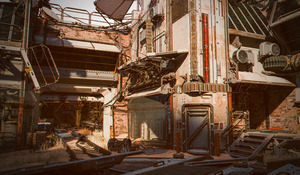
Pandora Greenhouse. Possibly close to fan-art? I hardly recall the Avatar movie at all now.
Fantasy:
Merlin 8.1 Pro Bundle and lots of related accessories. Merlin, ancient British wizard from the time of King Arthur, see the movie Excalibur, etc etc. But here pitched as definitely a bit Gandalf-y.

Don’t overlook the nice CDI Poses for Merlin.

The free Faerie-Folk 2 for Anime Girl Kristin. Also free is the toony Mer-Folk for Anime Girl Kristin.
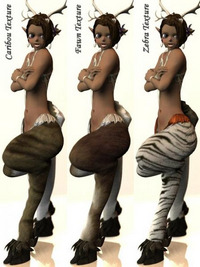
Azumanji for Genesis 8 Female.
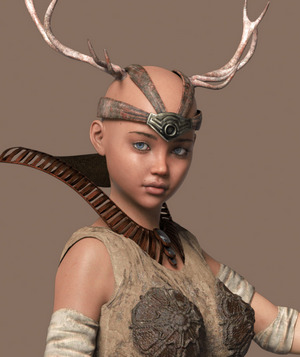

Myst-type Fantasy Structures vol.1 in .OBJ format. Will also interest Vue artists. Could be paired with the new free Orc Tent Addon for Orc Camp.

Steampunk:
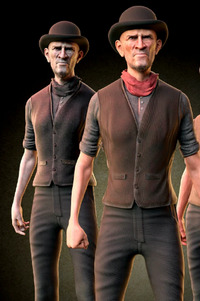
M3D Chuck Hair and Mustache for G8. Modern hipster, 1910s Brooklyn bar-tender, or Aerial Board of Control airship captain.
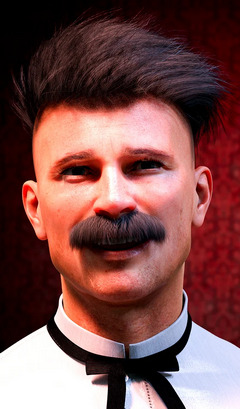
Chuck Hair may work nicely with the new M3D Chuck.

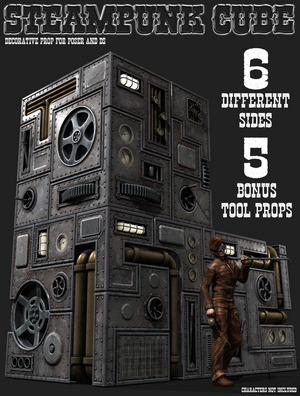
A big Steampunk Cube from Coflek-Gnorg, which should fit right in alongside DM content in your runtime.
Mecha Fish and Phantoms Lair: Part 1 – Underground Lake.

Free spy stuff from the First and Second World Wars.
Halloween:
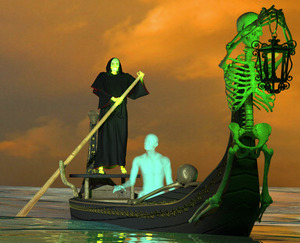
Ferryman To the Underworld by Cybertenko. Looks a bit Disney-cheesy “theme park” in the renders, but it could no doubt be made more realistic looking.
Great to see Poisen back with Hed-Bugs.
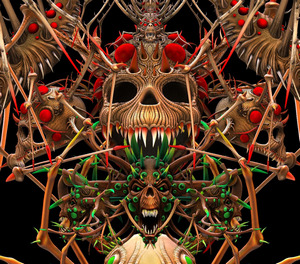
Faces of Fantasy for M4. Not new, but newly found. Also works with K4, and one hobbit-like body morph.

Toon and comics:
Jolly Mouse and Jollo and Jolly assets including some basic clothes. There are also commercial clothes being made for him, on Renderosity and also ShareCG.

Storybook:
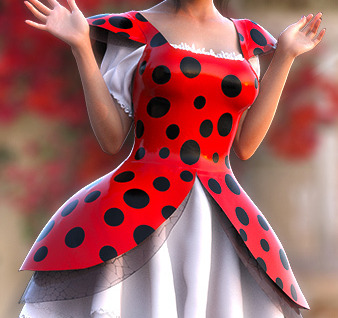
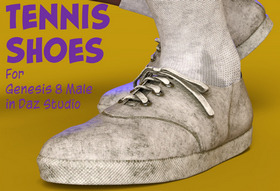
Free ‘halo-phones’ earphones Head Gear for Victoria 4.

A free Garden Playhouse.
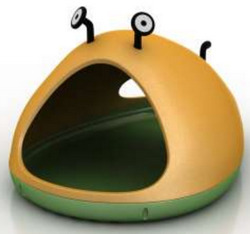
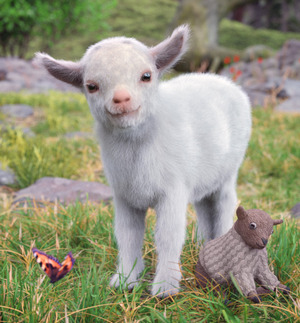
Could be a home for Popcorn the Goat.
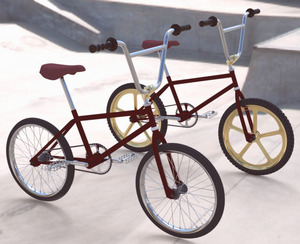
A free mcjETBike, an E.T. style bicycle. Also has cycling-animation video tutorial.
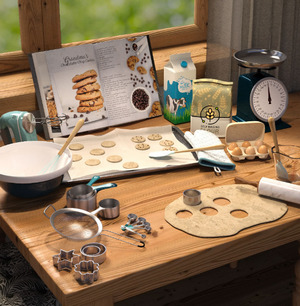
Hobby Props Gardening, Hobby Props Sewing & Knitting, and Hobby Props Baking.
Doughnuts Props for DAZ Studio.
A useful go-to free Snow Terrain, at 98Mb, with panorama. Comments suggest it’s high quality.
Animals:
Songbird ReMix: Flamingos. Classics and variants.

Songbird ReMix: Hoopoes & Scimitarbills for Poser and DAZ.

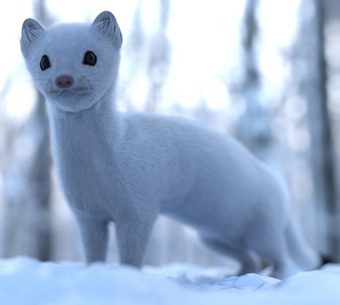
Herdbeast Motions, an old set of AnimMate blocks. It would be interesting to know if this also works on other early four-legged lizard-beast-ish type of DAZ figures.
Free Jungle Props and Allosaurus in .FBX.
Characters, poses, expressions:
Free La Femme Comic Book Expressions, for the flagship Poser 11/12 female.
Free Simple Winter for L’Homme, American winter-wear. L’Homme is the flagship Poser male figure.
Soccer Juggling (football skills) for M4, V4, and presumably also K4. Useful for things like football comics, in the Striker! mould.
Historical:
Zyanya V4, a fantasy stone-age character currently free on DAZ.

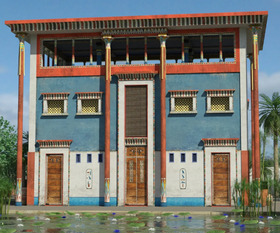
Ancient Egyptian House, I’ve never heard they had houses like this, but it looks great.
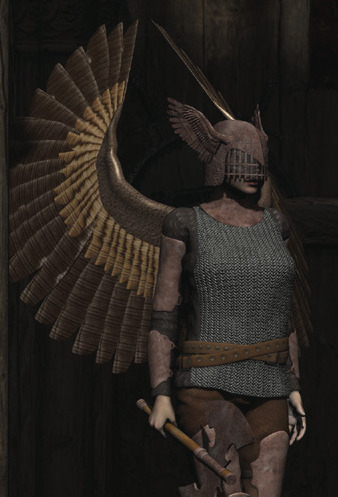
V4lkyrie is available again.
Ruched Harem Pants for G8Fs, dForce.

Crafting Herbs, for a medieval herbalist.
Free Ferrier outfit for G8M. And matching free figure. From the first Pirates of the Caribbean, so fan art only.
Narrow Gauge Tracks Part 1, for some European lines and some British theme parks.
GWR 3 Plank Wagon for British railways.
A 1956 hairstyle, Cute Short Bob for GF8.
Concert Harp and Poses for Genesis 8.
1980s type hobby Craft Tools.
FX:
Fabric Folds PS Brushes for Photoshop. I had a look for others but these appear to be fairly unique. I found 25,000+ me-too ZBrush wrinkle brushes, but very little worth having for Photoshop and nothing at all free. So… these look great, but slightly swirly. I’d say we also need a set of more angular L-shape elbow-type creases too.

In Blender, Real Wrinkles.
Tutorials:
Abstract: Compositing with DAZ Studio, four hours with Drew Spence and Digital Art Live.
The latest free Digital Art Live magazine has a concise guide to making your old K4 into various ‘Little Monsters’.
Scripts:
A very nice wavering Candle flame shader (3D mesh) for Poser Firefly.
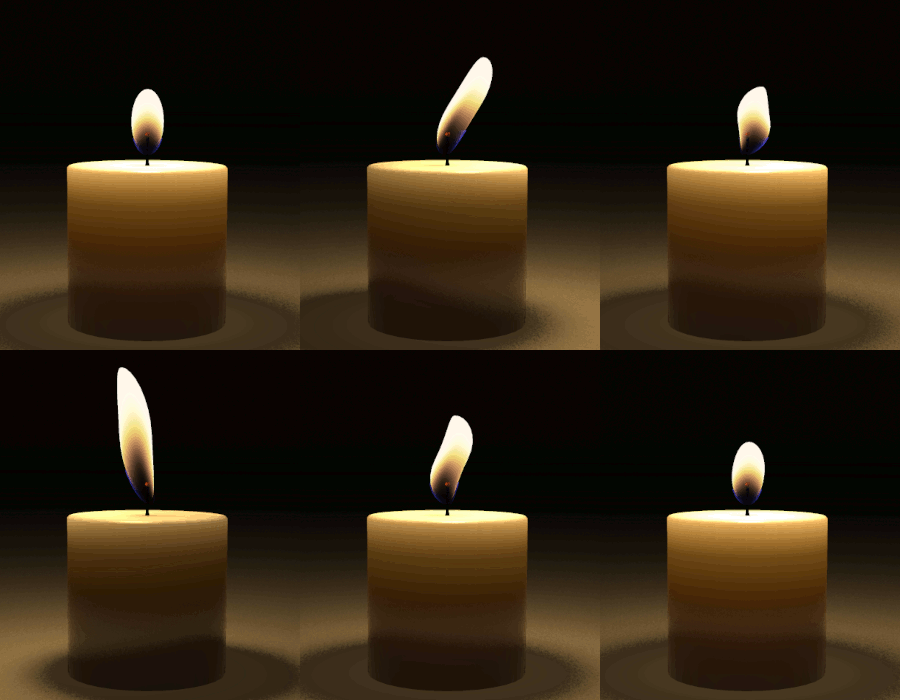
Animated (may not appear, due to a GIF-blocker in your browser)

Static, for those running GIF blockers.
Volumetric Clouds for Poser, as preset props.
A free Light Manager script for Poser 11 and 12.
A free Poser 11 script to disconnect all bump maps, along with a render preset to then make a line-art only render from Firefly. Bump maps are 95% of the cause of speckles which mar Firefly lineart renders in Poser. Useful for comics production and for painters planning large complex pictures. Update: Now also for Poser 12.
Script AutoLauncher for Poser 12 and Script AutoLauncher Demonstration video for Poser 12.
Sub-Level Maze, first in a series based on a DAZ script that apparently automatically randomly assembles a maze from seamlessly matching parts. In this case, a generic underground storage/pipes area. It’ll be interesting to see this series develop.
Camera Lock Script updated to work with the latest DAZ Studio. Also CamLock 2022, possibly the same thing.
That’s it, more next month. As always, my Patreon welcomes new patrons. Thanks.
The End of the Quest
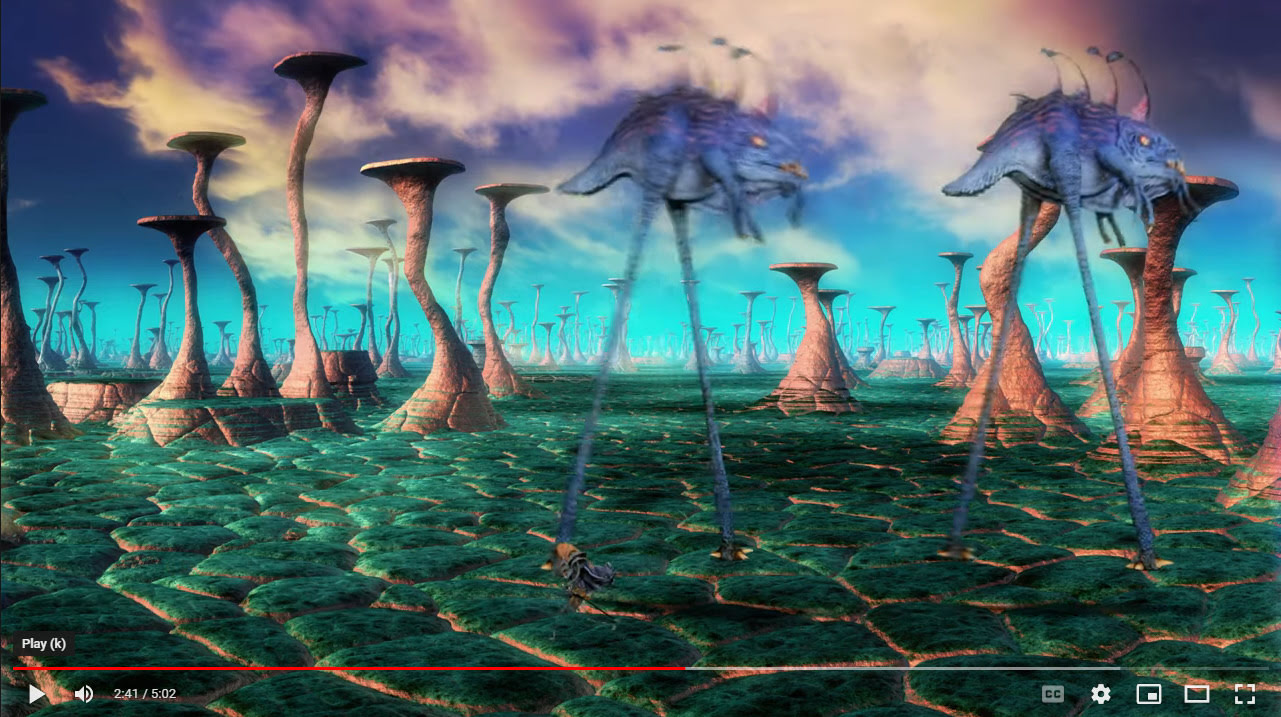
A fun new animation by the Lone Animator (Richard Svensson), combining expert stop-motion with 3D rendered backdrops, foregrounds, and grounds. Including fractals and flame-fractals in some cases. DM’s Egyptian temple for Poser makes an appearance, toward the end.
“The End of the Quest” on YouTube.
More unusual K4
My Survey: Unusual K4 has been updated.

EZ Skin 3
My EZ Skin 3 post, with mini-tutorial and advice, has been updated. Including links. It’s also now available in a version for Poser 12.
On Predatron’s Goblin figure
I’m pleased to discover Predaton’s original Goblin figure for Poser, with Goblin Cleric outfit and staff. Still available at DAZ, along with an armour pack. Old, but works fine in Poser 11.

The Comic Book mode is ‘on’ in Poser, then a 20-second Poser Sketch render (painterly) is made from this at 1800px…

The Sketch render is filtered in Photoshop and Smart Blurred a bit to remove some remaining frosting on the clothing textures. A Firefly ‘Lineart only’ render is added to add the fine pen lines. Another Poser Sketch render (hairy inks) is applied, and the eraser manually removes all ‘hairs’ except for those on the skin. A SuperFly render could have been added at the top of the layer-stack (set to colour blend to restore the original colours) but in this case it wasn’t and I went with a warmer look. As usual, belts and buckles have problems taking inking lines even in Firefly.
Technical notes:
The robes are misleading when loading, in that they will appear not to conform after loading. However, if you slightly move the base figure after manually conforming the robes, they do snap into place and will then follow the figure’s poses. This problem will potentially cause compositing registration problems if using renders from different sessions. The robes have their own poses which match the lower parts with those that come with the Goblin.
If you have a Poser 7 expressions folder, then the face can be randomised. And there are so many head morphs that all the randoms look good.
The Cleric Robes have non-rendering drape-control boxes that show up in Sketch and Firefly renders, if not made invisible in the scene. Here we see a box I missed, appearing in an old-school lineart render from Firefly.
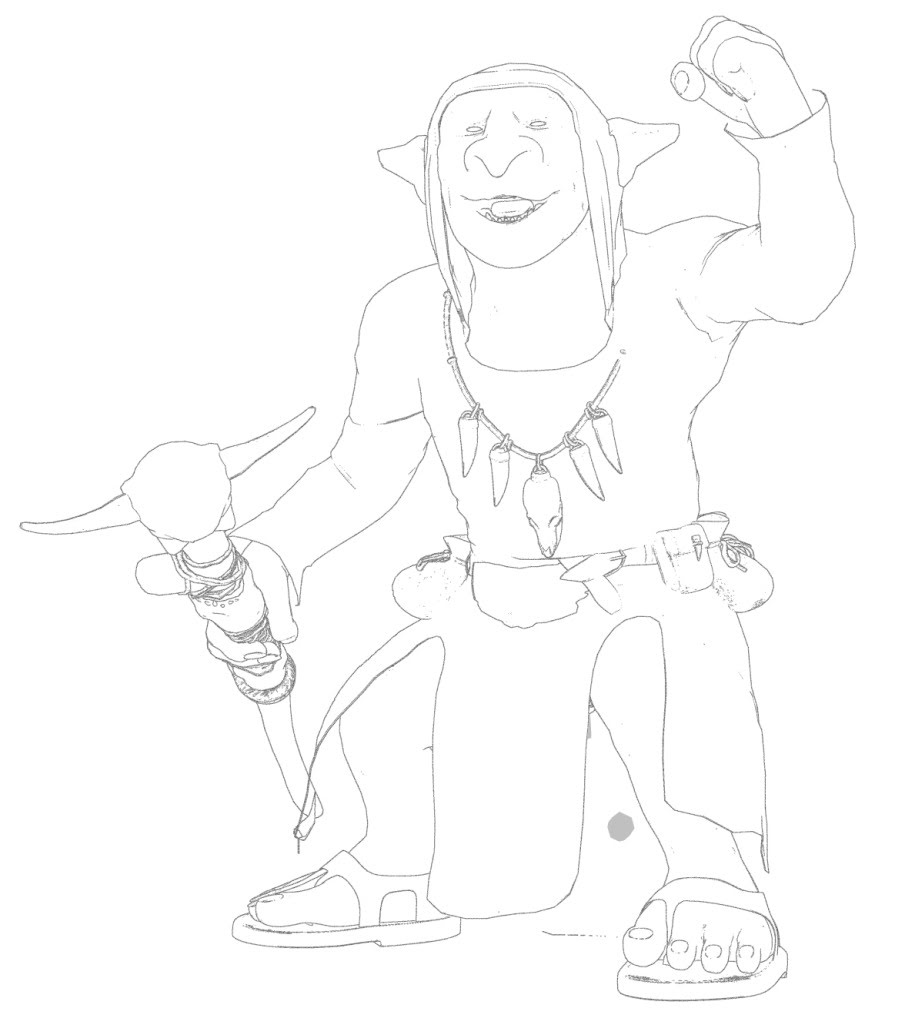
In the above, the bump-maps are auto-removed with a script to get rid of ‘the speckles’.
The Goblin also renders fine in SuperFly, though the eye pupils are reflective-white if light is shining into them. As you can see in this 20-second raw SuperFly (Cycles) render…

The Goblin accepts poses for older short figures such as Little Mummy, Sam and Sadie, NearMe, and the wealth of generics from Poser 1-8. So far as I recall, the latter still ship with the Poser native freebies bundle, so you won’t be short of poses.
The headcap of the robes can be removed, to test hair. Here we see that the free Troll Hair finally finds a use…
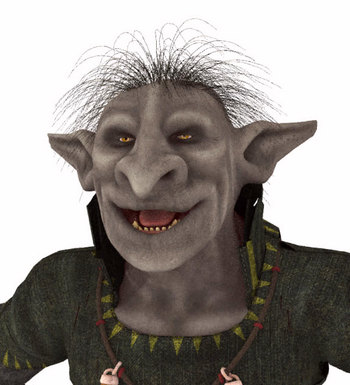
… and this hair also shows up in Comic Book mode. You can also add three such hairs for extra bulk. Or you could make some Poser strand hair as a simple mohawk.
No freebies, no Crossdresser licence. So the expansion possibilities are limited. But it’s a great little semi-toon figure with a ton of morphs, and a good story-opponent for some of the Nursoda figures. Predatron also has a matching and larger Troglodyte troll-like figure, with a large range of accessories, poses and armour.
What’s new for Poser and DAZ in April 2022?
What’s new for Poser and DAZ in April 2022? Time for another survey of the new items released for Poser and DAZ Studio users. As usual, freebies are only featured if commercial use.
Science fiction:
SpecOps Helmet by Cybertenko, for M4. With various MATs.

Shadow Market. I’m guessing this may be close to fan-art, and looks Star Wars -ish. So check before commercial use in comics etc.

Intercept for Genesis 8, a futuristic fighter-pilot outfit.
Cryo Stasis Deck for DAZ Studio, which might fit well with similar items.
No steampunk this month, but a fab dieselpunk super-villain, Juggernaut for G8M.
Fantasy:
Nursoda has released an unusual one, Servants Of Apollyon. They’re one of the various monsters cryptically mentioned in the Bible, and were probably large flying locusts likened by Near East folk tradition to “little horses” in speech. Here we get an unusual ‘horse-a-locust-a-scorpion’ for Poser.

There are also free Feltlocks For Apollyon, and Poses for Nursoda’s Fehn that fit with Apollyon.

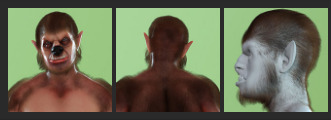
A wolf-man LoboMan for Genesis 8 Male.
Scyllah, a Scorpion Lady for G8F.

RDNA Victoria Bone Armor 1 for V4, currently free on the DAZ Store.
Meshbox’s Dungeon Halls, Walls and Doors construction kit for Poser. Old but new on the store and thus possibly now with a texture makeover?
EV Bonfire for Poser.

Iron Scale Armor for G8M, part of a range. Nicely done.
SWAN Song Violin Kit and SWAN Dance Costume Kit for G8F. Looks good, but I couldn’t get the picture previews to work on this for some reason, and the main promo is impossibly dark.
Storybook:
A free Stork Family for Central European rooftops, where they nest. Low-poly but that won’t matter to those who want to overpaint their picture-book renders.

Simple cute Easter Eggs and Fluffy Chicks.

Hr-250 from Ali, for Poser.
Animals:
Songbird ReMix: Puffins and Auks.

Also from Ken G., Songbird ReMix Australia Vol. 3, Songbird ReMix Pelicans (updated) and Songbird ReMix Jacanas. The latter being South American ‘lily trotter’ birds akin to the English coot.
Anniemation’s Flying Dove Animation for Songbird ReMix Gamebirds Vol. 3. Has a video preview and looks very well done.

Mountain Lion Poses for Big Cat 2 Cougar.
Landscape:


People:
Free L’homme Dark Glasses for Poser’s flagship male figure.
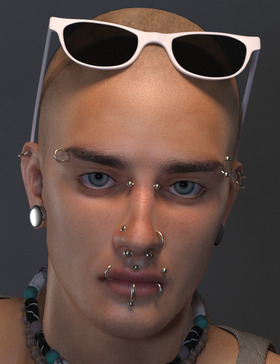
Ghostship Hair Shader System for Poser 12.
Martin Hair for Genesis 8 Males. Usefully generic and modern.

Pose Me Unique Vol.5 for G3F and G8F. Based on classic Japanese manga comic poses, and it’s building into quite a series.
French Horn and Poses for G8. Poses to have your character play the orchestral instrument.
Female Cat Walk Construction Set for fashion catwalks. Also an Animation Set. Jazz up your catwalk with the new Cyber Tunnels.
Generic G8F Walking Poses 21 to 25. Here they’re unusually modelled on idly kicking a ball about in a lacklustre manner.
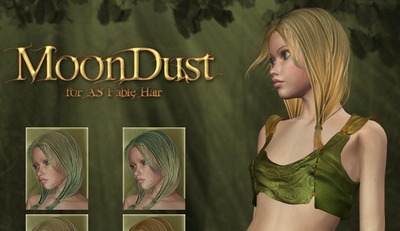
MoonDust for AS Fable Hair, an unusual release for 2022, as this Aery Soul V4 hair is now totally unavailable. These are just colours. Perhaps the pack was just something someone found in a dusty drawer and decided should be out there?
Props:
Sewing Machine, a complete set for Poser. Could be useful for those who want to make a instruction manual, together with Poser’s Comic Book mode.

Free G8F Hurdles Poses and Sports Ground: Hurdles props.
A free very Low Poly Umbrella Kit for a crowd scene in the rain. One of a number of similar freebies.
Historical:

A free Norman Helmet for Micheal 8.

A free Maciejowski Helmet and Knight armor, and a Helmet Kapalin.


Also free are Helmet Crusader 1 and Helmet Crusader 2.
dForce Seljuk Turkish Princess Outfit and iRay Medieval Fantasy Shaders (Merchant Resource).

Joseon Era Hanbok for G8M and hat. I think this is Korean. South Korea is having a heritage and museum boom, as their middle-classes mature. With a small makeover I guess the hat would also suit ye olde Welsh ladies.

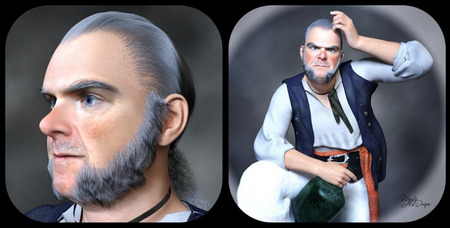
Mr Gibbs Hair, Eybrows and Beard for DAZ Studio, and the earlier Captain Barbossa returns. Not lawyered by the Disney megacorp, after all, but just removed by the maker for a fix. Both are free, and the beard and whiskers alone are worth having for use with other figures.

Vintage Navy Recruiting Poster Outfit for G8F. Probably needs to be paired with a skirt for the proper ‘1938’ feeling.
A complete 1960s Retro Bowling Alley for DAZ Studio.

Scripts:
Pose Me for G8F. “154 Morphs with sliders for total control of your character’s Arms, Shoulders, Hands, Fingers, Legs, Foot and Toes!”

Mesh to Volume… and Back for DAZ. Takes advantage of the volumetrics in the latest iRay, which needs the latest DAZ Studio.

Substance Painter Assistant. Said to help with sending DAZ content to Substance.
A free Collision Target Creation script for DAZ. “In DAZ you can only specify one collision target. But sometimes you want to target both skirts and shirts. Then let’s make the skirt and shirt into one object!”
Ken’s new script Figure to Prop for Poser 12. Also a DUF Morph Converter for Poser 12 (“DAZ Studio 4 DUF props/figures to existing converted PP2 files”).
Unimesh Exporter for Poser 12.
Blender to Poser automatic converter Python script.
That’s it for April. Strange how the trends go… no steampunk or toon this month.
There has been a certain cost in moving this blog from the .org domain to the .link domain, in money as well as time. If you could consider becoming my patron on Patreon then you would be very welcome. Even $1 a month is an encouragement in these difficult times. Thanks.
Synthetik Studio Artist 5.5 and Poser 11
There are plenty of bits of software that will take this sort of lineart and filter it. This unfiltered example of source lineart is from Poser 11, with the real-time comic book option set to b&w and simple lighting.

Such lineart can be filtered by, for instance, the free G’MIC which has a big range of filtering options. The new G’MIC 3.1 will be out for Photoshop in a few days, and will add another comic-oriented filter. Then there’s Digital Auto-Painter (DAP), though only its graphic-novel preset is of real use for lineart — and with a bit of twiddling that can be emulated with the free G’MIC. A nice one I rate is Redfield’s Sketchmaster, especially if you want a kind of soft pastels look. Some people even work wonders with the native Photoshop filters, chaining them together in an Action. AKVIS Charcoal I tried some years ago, and though kind of nice it was slow. It may have improved since.
Topaz Clean 3 is also useful for cleaning off the bump-map and muddy-texture grunge, prior to any filtering. That can also be emulated with the free G’MIC. Though the sadly-discontinued Topaz Clean 3 is more than twice as fast, on what is a very slow process.
Now I’ve found another new way of filtering. I discovered that the maker of DAP had launched a new Style Animator 1.0 at $40. It vectorizes lineart, and can then apply a preset style. Kind of like SketchUp’s line styles, which many readers will be familiar with. I tried it, it’s nice, it works, but… is somewhat limited in its range.
Yet the idea of Style Animator 1.0 led me to discover software that’s been hiding in plain sight for the last 20 years. So much so that I don’t think it’s ever had a review. At least, I can’t find one. It’s Synthetik Studio Artist, which is from developer John Dalton and recently had a major update to 5.5.5. If the $40 Style Animator is a cute little furry Bush Baby, then the $200 Synthetik Studio Artist is a massive chest-beating 500lb Mountain Gorilla. And just as fearsome to approach, as it’s not easy software to learn despite the 560-page manual and a wealth of video tutorials. ‘Autopainter’ it may be… but it sure takes some getting used to. Yet recent intensive testing shows it has at least half a dozen great possibilities ‘out of the box’, when fed Poser lineart. When I say great I mean ‘looks relatively hand-made, without being cheesy’. The next edition of VisNews will have the details.
There’s a generous non-expiring free trial for it, and I’ve made two free preset actions for it which are on Dropbox.
1. Open File | New Source and Canvas (Ctrl + N), and select some Poser lineart.
2. Type number 100 in the h Mult box on the import parameters, to get the Canvas the same size as the Source image you’re loading onto it. Sadly this step can’t be automated.
3. Run one of my preset actions. If you loaded a .PNG with an alpha mask, then run the main action. If you loaded a render from Poser’s Sketch (no alpha possible), then run the Sketch one.
4. Either should result in the output of a cleanly masked .PNG file , when you use “Save Canvas as…” to save a .PNG file.

The Poser inks after my preset

A Poser Sketch render after my preset
There are of course just starting points. The idea is you bring the output into Photoshop. Output should be the same size as the source, and so easy to composite. Here G’MIC has added a finishing touch, seen most clearly on the toes. Not one line of this was inked by hand…

Figure is ‘BioBot’ by AntFarm.