Here’s an unusual one. A free UserScript for your Web browser’s Tampermonkey or similar, and which interacts with the DAZ site. All it appears to do is filter your purchased Interactive licences. So that you can just see those. Kind of useful, I guess, if you’re a developer who just needs to see your available assets… and not the 569 other things you’ve purchased over the years. It’s open-source and the code looks clean.. it’s not doing anything untoward.
Category Archives: DAZ Studio
What’s new for Poser and DAZ in October 2022
Here’s my survey of DAZ and Poser content and other items, picked from the October 2022 releases. As usual, freebies are only listed if ‘commercial use’ for renders.
NOTE: One person has said links don’t work, but they do. If you can’t click through on Web links, then you probably have an over-zealous anti-virus software that also tries to police your links. Please try whitelisting www.renderosity.com and sharecg.com and www.daz3d.com.
Science fiction:
The stylish Mecha One Male for DAZ Studio. Also at CGbytes.
He probably drives the new Sci-fi Space Rover.
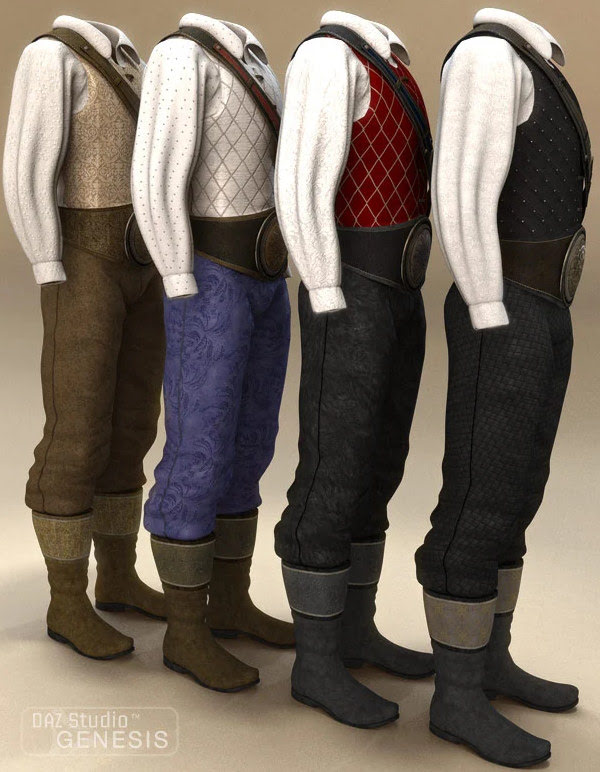
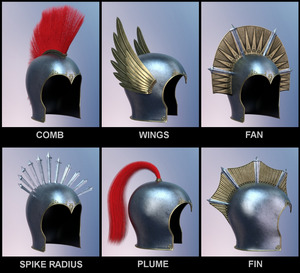
Protective Gear 011 for Poser and DAZ. Whacky retro sci-fi helmets plus G8 fits.
You may need one of those helmets if you go up against the mighty Toad cliff for DAZ and Poser.
Landing Leg, Morphing, V1 for DAZ Studio. Add bio-morphic landing legs to any craft.
ShaaraMuse3D Planetarium 2 for Poser and DAZ. A high-quality “planet seen from orbit” set. 8k texture maps and halo variations.
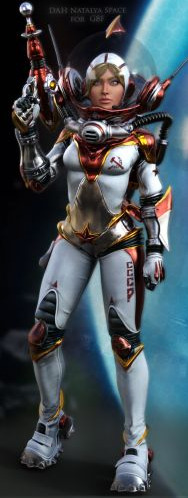
A DAH Natalya Space for G8F, a retro Russian space-girl. Appears to be a character from the old Destroy All Humans! videogame, so for fan-art only.
Retro Bicycle a stylised low-poly-ish Blender file, but nicely done.
Need something sleeker? Try the new Manga Anime Bike.
Colony Wellness Center, not something you see in colony sets every day. But such things will be vitally important, off-world.
Steampunk:
DryJack’s Steam Tank. Good to see him branching out from his superb model railway items.
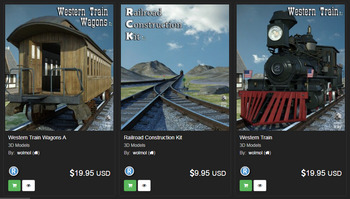
An Old West Western Train for the presumably forthcoming “Railroad Construction Kit” mentioned in the blurb. With dial animations.
Another Street for The Streets of SteamPunk, A texture makeover for the recent big Stonemason scene.
Beach:
Still dreaming of summer and the beach? Try some free Cocktails for Poser.
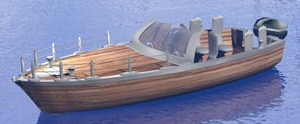
A free Fast Boat 03a, with a nice look to it.
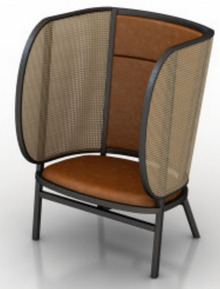
An unusual Hideout Armchair with wings adding privacy and also protecting from wind and sand-kicks on the beach.
Storybook:
Four Simple Boats for Poser, stylized and suitable for storybook / stop-motion type scenes.
A Snow White Gown for Fay Gown for G8F.
Fashion Kid Poses for Parah for G8. Requires CNB Parah which is a HD figure.
Toon:
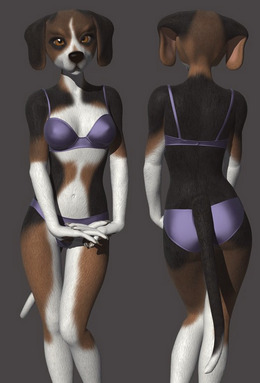
Beagle for Melody & Micah for Poser. I have a “Furries Melody/Micah characters – how to load the head shapes” tutorial that may help with getting this up and running.
NIK Female Morphs for G8F has one that’s semi-toon.
Clothing:
Retro Biker for G8M sees Cybertenko moving into clothing.
A free D-Force Gothic Headpiece for G8F.
Halloween:
DAZ Crow and Poses and Gothic Crow Accessories.
Illustratur Ad Mortem by MortemVetus. Olde books, skulls and candles for Poser.
Dracula Hair Long for G8. For the new Dracula.
A creepy-elegant Feast Of Bones table.
Figures and figure add-ons:
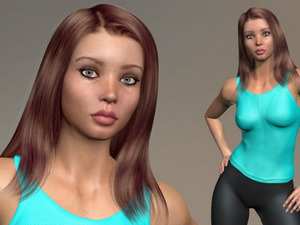
Antonia Polygon 1.3 Standalone base figure, and Free Nightie. Antonia was one of the base figures developed in the Apollo Maximus era, as a female companion for Apollo. Version 1.3 appears to have been fully updated for Poser 11/12 and is now under a generous permissive Creative Commons Attribution licence.
The free Sara for La Femme for Poser. A full-body makeover for the flagship female who ships with Poser 11/12.
Clarinet and Poses for Genesis 8.
WkD3D G8M Face Pack, great and non-generic male faces/heads. But note that “This product contains only the head morphs – no textures are included. The skin textures used in the promos are noted on each image.”
The DAZ Genesis 9 base figure is out, and also various packs of base shapes, expressions, essentials etc. It was said in the webinar that if you can run existing HD figures then you should be able to run G9. Also apparently requires the very latest DAZ Studio.
Landscapes:
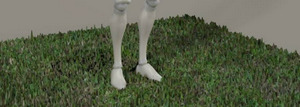
Some basic Grass for Poser, as a small square prop. Flink’s Grass would usually be my go-to, but this may be useful for tiling in the distance or for a large low-poly soccer pitch.
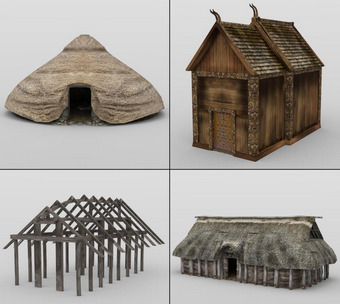
Viking Town: Set 3. Old VanishPoint content, but still able to look OK at a distance. Also useful for Anglo-Saxon scenes, as the hut buildings were often much the same.
Underwater:
ShaaraMuse3D’s new Photo Plants: Plants of the Sea. Sea-grass for your underwater scenes.
Underwater reefs by RaffyRaffy, sadly only for Blender and not Vue.
Animals:
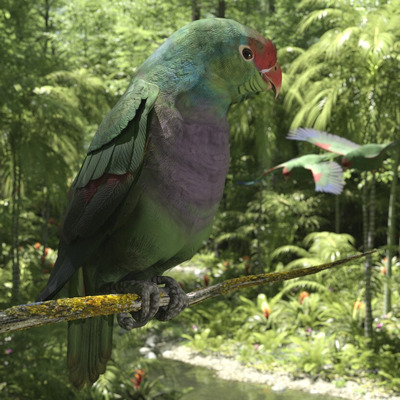
Songbird ReMix Parrots Vol 6 – Amazons of the World 2 for Poser and DAZ.
Love A Cat for the HiveWire Housecat and Hivewire’s Dawn base female figure.
Mutton, a stylised ram (sheep), perhaps especially suitable for a scene that looks like a stylised stop-motion scene.
Historical:
Viking Warrior’s Horn Helmets for Genesis 8.
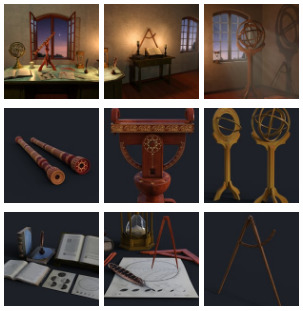
Renaissance Astronomy Room, complete with the relevant papers, tools and so on.
Jolly Roger Pirate Ship for Poser and DAZ. Updated for 2022.
A free 1777 Musket, French Napoleonic type.
1970s glam-rock boots, Wedge Platform Boots for G8F.
Utilities:
AutoLoad Creator for DAZ Studio. Use a simple UI to generate scripts that will autoload items onto a figure. Looks useful for content vendors, who can thus supply standalone scripts that can reproduce their promo images for users. Would be great to see this also extended to lights and cameras and render-settings.

AutoSave for DAZ. A simple “save every…” tool.
A free DAZ Studio UI layout Industrial Layout.
A free DAZ script to List Products Used in a scene.
Camera Tracking Importer for DAZ Studio – HitFilm Composite Shot.
Regroup for Sketchup. UnGroup models, fix their axis, re-group. Might be useful for fixing badly-made models with good geometry, before getting them out to an .OBJ file.
A Photoshop Action to cleanly cut out Dream by WOMBO AI images and auto-heal the curved corners.
Tutorials and more:
Digital Comics Creative – volumes three and four. 100 pages packed with information and examples. This double-issue combo volume is aimed at those who want to use Poser to make line-art for comics and also make more storybook type pictures that emulate hand-drawn and watercolor. Also covers filters, and has a well-researched section at the end surveying the possibilities for mo-cap for comics production.
Making an Autofit Clone and Shape for Genesis 9. A basic starter tutorial.
Using Poser Constraint Groups for animation, a short tutorial by Nerd3D.
Scene Power Building: How to Quickly Build Content-Rich DAZ Studio Scenes.
Digital Art Live’s YouTube Channel is changing. Old videos are gone, and many new videos are coming. Be sure to subscribe.
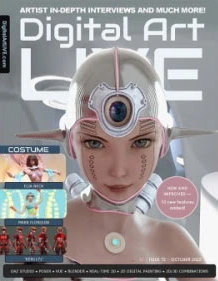
Digital Art Live magazine #72. Newly expanded, with freebies, ten new additional features and 108 pages. The theme this month is “Costume”, with a focus on fun and futuristic clothes and an Elia Neck interview.
That’s it for the October survey.
Text-based AI for mo-cap
Human Motion Diffusion Model is new text-based AI for generating mo-cap animation for a 3D figure. Still a science-paper + source code at present.
But it can’t be long before you type in a text description to generate a rigged and clothed 3D figure (plus some basic helmet-hair), and can then also generate a set of motions to apply to the figure’s .FBX export file. Useful for games makers needing lots of cheaply-made NPCs, provided they can be game-ready.
But for Poser and DAZ users, the ideal would be to have reliable ‘text to mo-cap’ exist as a module within the software. Even better would be to have an AI build you a custom bespoke AI-model by examining all the mo-cap in your runtime, thus gearing it precisely to the base figure type you intend to target.
What was new for DAZ/Poser in September 2022?
Time for another survey of the new and recent 3D content for DAZ Studio and Poser, for other related software, plus links to other goodies. Not quite monthly, as the last such was back on 20th August. So it’s roughly a six-weekly survey this time.
Magazines:
Available now, the new Digital Art Live magazine #72 (October 2022). Newly expanded, with ten new additional features and 108 pages. The theme this month is “Costume”, with a focus on fun and futuristic clothes.
It this sells at $5 then the following issue will be on AI image generators.
Science-fiction:
HF Asterya for G8F. Looks great. Hellfyre71 now has quite a nice line in humanoid aliens.
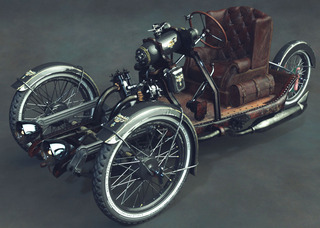
Car Viter, a Syd Mead-like personal vehicle of the future for DAZ Studio. Looks “very Mead”.
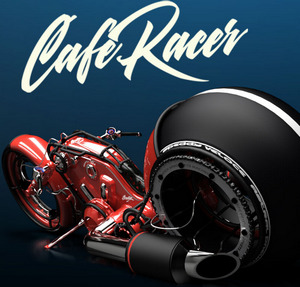
Cafe Racer for DAZ Studio.
Car Tork for DAZ, suitable for sandy and swampy places.
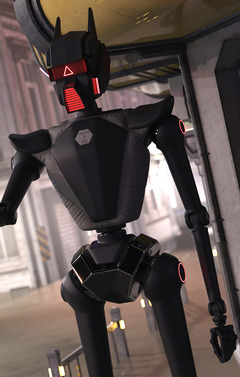
IBOT D2, floater bots for corridors.
The IBOT D2’s are probably hunting for Coflek-gnorg’s Critter. A bionic dino shark-bot!
The classic AirFish, now for DAZ Studio.
1971s Sci-fi interior kit for Poser, and he has another separate page for a DAZ version. 8 modular parts. His content always toons nicely in Poser’s real-time Comic-book mode.
Planning to help Elon take his Boring Company tunnel-digging to Mars? Then you’ll be needing the AtoZ Mobile Dual Beam Gantry Crane and tunnel sections.
Fantasy:
Broomhelga for La Femme for Poser.
Cirque De Lune Texture Set for La Femme. Plus poses.
Cybertenko’s new Atlantean King For Michael 4. Who could perhaps find a use for a D-Force Fur shoulders cape/wrap.
Photo Props: Bottles by ShaaraMuse3D. Pop all sorts inside, from micro-moss landscapes to pesky imprisoned imps.
The classic Steam outpost, now for DAZ Studio.
Halloween:
1971s has a new Underground Place kit for Poser and DAZ. A classic type environment which reminds me of the waterworks under the city of Vivec in the famous videogame Morrowind. There’s another separate page for a DAZ version. Suitable for Halloween revels with the monsters.
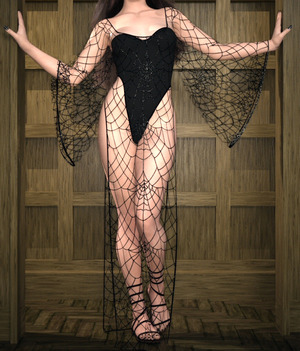
A dForce Stage Outfit for G8F. Unusual, and I imagine you could make the web pattern glow.
Fyrboil and his bat cousin Nibbles Bloodfang, both by Anniemation.
Halloween Hair. Fun, but could also form part of an unusual ‘yeti-type superhero’ kitbash for a new addition to your comic-book team.
Scruffy Hair Set for G8M. Always useful to have this sort of Gollum-hair, since it’s so rare.
Cheapskate’s free 3D Candle Flame for Superfly in Poser.
Everyday items, fruit and vegetables. I guess this sorts of counts for Halloween, as these days some think you should give nice healthy broccoli (eew…) to kids instead of candy. The potatoes and tubers looks especially nicely done.
CW Jospeh for Genesis 8, a handsome vampire with just the right sort of face for a less photoreal look (e.g for a 3D comic).
Another Vulture Mask for G8F.
Toon:
Not much in toon this month, as everyone switches to Halloween and Christmas. But Norbert the Nerd for Genesis 8 appeals, as a photoreal semi-toon.
Storybook:
Cutie Cloud Bundle studio set for DAZ Studio.
A generic Bicycle for Poser. Looks to be electrically assisted, and the sort of town run-about you might see in Japan.
Steampunk Submarine SeaMaid, possibly useful for a storybook adventure.
Hobby Props Art Supplies for DAZ Studio, including crayons.
Handmade Textures for Use with G’MIC’s ‘Artistic Stylize’.
Poses and AniBlocks:
Skydive G8 poses. Unusual, and possibly very useful if that’s what you want for your scene or animation. Could perhaps also double-up as outer-space weightless-ness poses? But for that see also HF Outer Space Poses for Genesis 8 Female.
Loiter Motions 2 for G1 and G2. Slightly mis-named, as one involves the figure having a heart-attack (see video)! There’s also a Loiter Motions 1 for G3F & G8F. Who knows what lurks in that one?
MultiGroup IV – Poses for Genesis 3 and 8.
Characters and clothing:
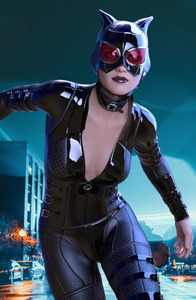
DZ G8F FemmeFataleZ. Looks similar to the Catwoman character, but not being any kind of a DC Comics or movies fan I’m not sure how similar. Be wary of commercial use, as DC Comics are very protective of their IP. For G8F.
Hard Work for M4 and V4 Hi-Vis Top and Pants for Poser. Useful if you make work-safety training videos for companies, and need the right gear. Also matching Work Gloves.
Victoria 9 HD, pre-order, for the forthcoming Genesis 9 free base figure. Apparently you need to be able to already comfortably run HD figures, to run this one. Also needed will be the very latest DAZ Studio.
Sexy Leotardo Classic for G8. And it is indeed, since it looks like a ‘instant classic’ go-to for many.
Layered Strand-Based Hair Shader and Merchant Resource for iRay.
Animals:
Songbird ReMix Parrots Vol 5 – Amazons of the World 1. Another triumph for Ken’s line of birds packs. See also the Songbird ReMix Perching Places and Eggs and Nestlings for garden birds.
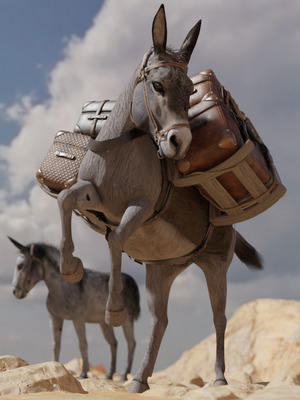
DS Cadichon for DAZ Horse 2. Strange name, but it’s a donkey with pack gear. The gear probably needs a dust and wear pack for a makeover.
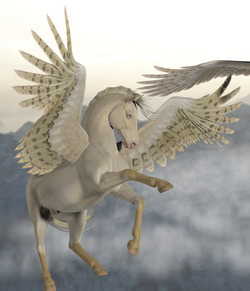
Texture Pack for the Hivewire Winged Horse and Poser.
Steampunk Pirate Octopus. A static model, but nicely done. Would be fab to see something akin to this made for Poser / DAZ.
LoREZ Horse 2 Bundle, a useful looking general cart-horse.
Landscapes and environments:
OpenWater, a block of open sea with waves. Looks useful, when you don’t want and can’t really control a big plane of water that might try to take up your entire scene.
Also a matching Wading model.
3 Beach Materials in SBS and PBR.
Raffy Raffy’s new Four biomes, though for Blender rather than for Vue.
Historical:
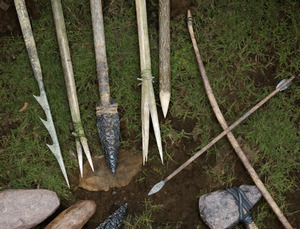
BW Primitive Weapons Bundle. Also digging and skinning tools.
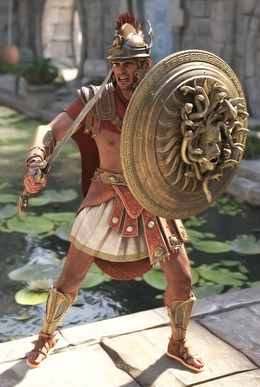
dForce CH Greek Mythological Armour for Genesis 8. And a Medusa shield. See also the dForce Ares War Outfit.
Far From Home – Roman Legionary. Looks like it has just about everything you’d need to build your own legion, provided you can get more than four G8s in a scene. For G8M.
Viking Town Set 2. Older content from VanishingPoint, and showing its age, but now available for DAZ Studio. Also suitable for a Saxon settlement, seen from a distance or in a bird’s eye view. May also interest Vue users who can put an ecosystem on parts of it.
Napoleon’s Polish Lancer Bundle for G8. Specialist military historical content, no doubt a big hit in Poland.
Battleship Variations, an add-on pack for the Massena Pre-Dreadnought Battleship from the 1900s. Real-world, but suitable for steampunk.
Classic Silver Age retro Comic-book helmets.
1930s/40s hard-working Farm Livin’ outfits for Poser. Requires the Work and Leisure set.
A 1930s German Nurse for Poser.
Scripts and Utilities:
Ken K’s new script has been released. One-click to fit clothing to body morphs on figures in Poser 12 (only). There’s a video demo.
AutoSave and AutoLoad Creator for DAZ Studio.
OBJ Companion, “makes creating morphs using OBJ files easier”. Seems to be a helper for content makers switching between DAZ and Blender.
D-Talks! Realtime Talking Chatbot for DAZ Characters. Works with SAPI5 voices.
Legacy Set Converter. I’d always be wary of letting an autobot loose on a big runtime, but this apparently goes through on automatic and converts everything to the current DAZ .DUF format.
Bone Minion for Genesis 8 for Generation 4 (V4 and M4).
Tutorials:
Digital Comics Creative : Volume 2, for DAZ users. The Poser volume of this six-parter is due shortly. Update: it’s here.
dForce Case Studies : An In-Depth Tutorial Guide. Break through your dForce learning roadblocks.
Fixing Marvelous Designer Clothing Objects for DAZ Studio.
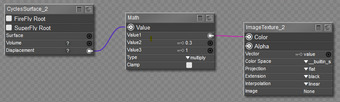
An easier and better way to do displacement in Poser 12.
Creating a hand grasp from one main dial in the body of the Poser figure.
Creating Scripts for Moho, the 2D animation software that uses Python. Formerly Smith Micro’s Anime Studio. No longer interfaces with Poser, sadly, put perhaps someone could whip up a new Python script for that?
Ok, that’s it for the latest round-up. Be sure to pick up the new edition of Digital Art Live magazine. More next month!
DAZ Freebies page updates
The DAZ Freebies pages has updated.
Ninive 6 Starter Bundle has Beach Wave Hair for Genesis 2, and a set of Capsces poses (always quality).

Keiko 6 Basic Poses, suited to thin toony Genesis 2 figures.
Tale Hero Textures are nice, but require the Sarsa/Val3dart “Tale Hero” (not free) for Genesis 1. The shirt has potential, for hobbits.

Careers at DAZ – recruiting now
What’s New in July/August 2022
Time for another survey-pick of what’s new in content for Poser and DAZ, since it’s been a month now since the last one. I’m looking here at the tail end of July and most of August. As usual, freebies are listed only if “commercial use”, and there’s no “HD” stuff. Fan-art is listed only if obvious, such that you would not think to try to use it in a paid comic etc.
Science-fiction:
Colony Motorbike with both Firefly and Superfly materials.
A usefully generic Worksuit for G8F. Could probably be made silvery for a more futuristic feel, and could then serve as a rider suit for the Colony Motorbike.
Moonbase Wig for G8F. Jerry Anderson’s UFO TV-series fan-art, but obviously so. Also a MoonBase Uniform DS Texturing guide.
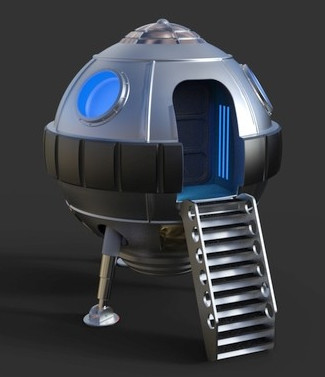
A cute little free retro Spaceship Landing Craft.
The inhabitant is probably Shooting Star. I assume this isn’t direct-copy J-pop / idol fan-art, but I guess it might be close.
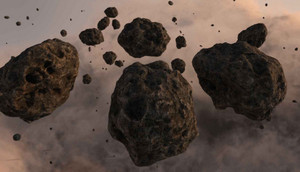
Photo Props: Asteroid World. Hi-res, quality texture and modelling.
Wastewater Area. A nicely done ‘vignette’ area. Looks useful, in combination with similar DAZ settings.
Jail Talks. A grim high-security prison visitor centre. Could probably be given a more clinical white makeover, for a sort of ‘future madhouse’. See also the generic new XI Modular Futuristic Prison.
Taisha for Genesis 8, possibly of interest to classic Spock/Kirk-era Star Trek fans, as a base for re-creating the character of Communications Officer Uhura, for fan-art purposes.
Fantasy:
Blood Omen for Genesis 8. Note that this is “a small creature-feature material pack” with four materials, not the impressive figure on the main promo. Still, these kind of unusual MATs are always useful.
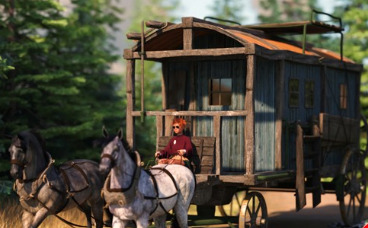
Medieval Wagon Train, with implausibly large mega-wagon which puts it in the fantasy category. Probably hauled by dragons or trolls.
Amun-Raw Mummy for Genesis 8. An Ancient Egyptian ‘Living Mummy’.
Storybook:
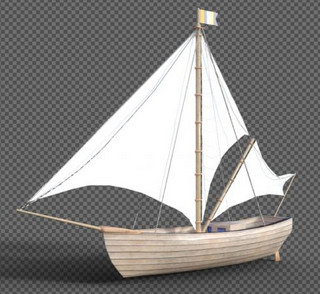
Schip, looks very suitable as a storybook boat for a group of children and/or animals.
Simple dForce Summer Pajamas set.
A free G8 piggy-back paired pose set, which might be adapted for adult/child.
A cute Star Armchair for DAZ Studio.
Songbird Remix Finches of the Caribbean Add-on. A little free pirate hat for the new Finches of the Caribbean Songbird pack.
Toon:
Toon aircraft in .OBJ.
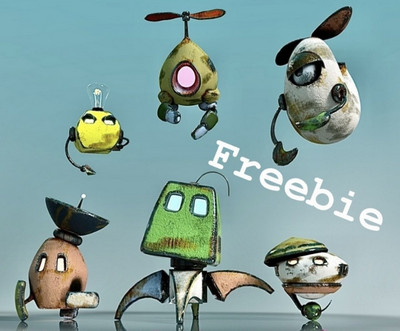
Cute flying Robot and Friends for DAZ.
Characters, poses, hair, expressions:
25 Expressions for Nursoda’s Eepo.
20 Expressions for Nursoda’s Doctor Pitterbill. Both Eepo and Pitterbill have custom face-rigs, so they can’t just take standard V4 type expressions.
Stylish Hair Mega Bundle. An appealing if expensive set, though what we really need are “looks nice + renders really fast” sets. But is it even possible to make nice hair that renders really quickly, unless it’s a displacement-mapped skullcap or has heavily been run through Scene Optimizer?
More free RAV Fredda Soft Fashion Poses Fredda. May require the paid Fredda, newly released in a new version.
Another catwalk animation set for G8F, this time with bobble… “add an animation of a female chest and change its intensity”.
A usefully generic newsreader-type dForce male suit.
Full urban hipster beard and hair. Possibly also useful for steampunk airship captains, ancient gods etc.
Animals:
Kitten For Cat Zeus. Cat Zeus is now only at Render Hub, along with the kitties.
More DAZ Dog 8 Animated Motions.
Landscapes, scenes:
dForce Dutch Milkmaid Outfit for G8F. This seems to belong more in “scenes”, as it’s a vital part of this sort of ‘old master’ painting of interiors. Purchasers of this may also want the new Studio Portrait Lighting Essentials for iRay tutorial set.
PW Mandrakia Island, a complete Greek Islands tourist resort. Really, it looks like everything’s here.
Vegetable Plot and Garden Flowers – Canterbury Bells for Daz Studio.
The Mount Olympus for DAZ Studio.
Sand and Beach Pebble iRay Shaders. Fine sea-grit and ocean-washed pebbles.
History:
Ancient battles MDBD Blood ‘n Dirt Bundle for DAZ. As geoshells, though.
Ancient Roman Simple Plebeian Domus. Generic Roman house, which might build out into a small district.
Ancient type dForce Angel Outfits. Possibly not all that authentic, but this looks like a good starting point for runtime-bashing. Great wings.
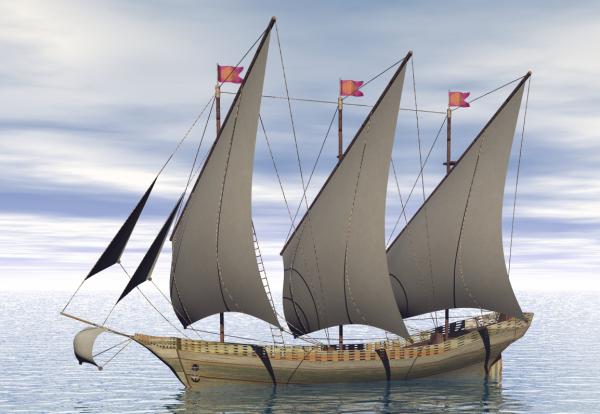
On ShareCG, a new flotilla of excellent sailing boats as .OBJ freebies. Boat06 is especially nice.
dForce U.S. Cavalry Outfit. See also Stonemason’s new Outlaw Alley Wild West town.
Agent civil 1940. Low-poly, accepts Poser M3 presets including face morphs. Good for Lovecraftian ‘Cthulhu Mythos’ type scenes.
Classic Second World War American Tank and Texture Pack.
1940/50s British Leyland Hippo Flatbed Truck and military version. For Poser.
1940s and 50s Vintage Vending Machines.
1950s American Diner Waitress outfit for G8F. A more modest and ‘home on the range’ top is in the new dForce MK Strapless Tight Dress pack.
Free, retro early 1960s Strand hair 2 and 3 for Genesis Females. Which may suit the waitress outfit.
Free 1930s-70s Hooded Nib Fountain Pens.
Later in time, and also free from the same maker are Disposable Ballpoint Pens.
1960s dForce Hippy Ponchos for G8F. Also new Hippie Dance Poses.
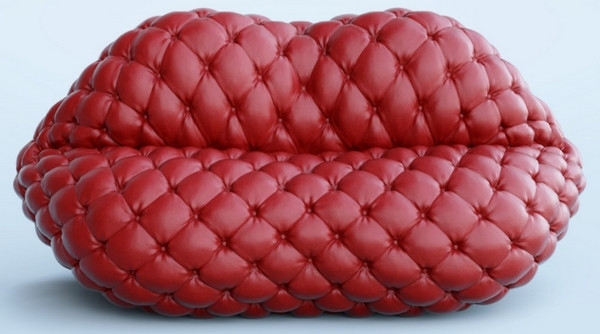
A free 1970s style Tufted Lip Sofa.
1970s Table Football.
Shaders, materials:
Universal Glow for Poser 11 and Poser 12, with light ‘spillover’. With Photoshop Action and full PDF manual.
A set of iRay Frosted Glass shaders.
Sand and Beach Pebble iRay Shaders.
Scripts and Add-ons:
Python script to disconnect all bump maps, for Poser 12. Also comes with matching render preset. The idea is to quickly get clean grunge-free line-art (only) from a Firefly render. May also be useful for Poser-to-Vue, since bump-mapping may not even be visible in a very big scene.
Bone Minion for Genesis 3 Poses Bundle. Apparently an on-the-fly pose converter. Try to load a non-G3 pose to a G3, and the script steps in and auto-converts it. Untested, but I assume it works.
SimDataSaver for Poser 12, specifically for Dynamic Cloth. “Always wanted to be able to save the Dynamic Controls Data as a Simulation pre-set? Now you can.” Sounds handy, if you use that Room in Poser.
Light shadow-blurring script for Poser. One-click to add soft ray-traced shadows to all your scene lights.
mcjHelpMeAssembleThisMachine, now in version 2, released 2021. Helps you “precisely position an object onto another object” in DAZ. Also updated, the related mcjLinks.
MCJ’s Neural Nets. Apparently with this you can train DAZ figures to auto-animate, using an AI. Now with a new Mac version. Updated a while ago, but I’ve only just noticed it.
fSpy Project Importer. Seems to be a way to import a Blender scene and also have your cameras match up in DAZ? Nice to see people wanting to go from Blender to DAZ, rather than the reverse.
A script to automatically create a DAZ ToolBar from a directory/folder of scripts.
Tutorials and magazines:
Free, Digital Art Live magazine #70 (August 2022).
Brian Haberlin’s Hellcop comic, made with Poser. About to conclude its second story-arc.
Studio Portrait Lighting Essentials for iRay as a tutorial webinar.
Poser to Vue, a quickstart guide. A more detailed guide will be in the next Digital Art Live magazine, along with a look at Poser 12.
Add an overlay on any existing texture in Poser.
Add tattoos and overlays on characters in Poser (may be out-of-date in parts).
Some practical tutorials for Poser figure rigging (may be very out-of-date in parts).
That’s it for now. More toward the end of September. As usual, if you like what I do here, please consider becoming my Patron on Patreon.
iRay to 3Delight
The free iRay to 3Delight script. A converter script that works. May be useful for those trying to make comics with DAZ, but who have a thingamajig that only adds lines to old-school 3Delight and not iRay.
1. Download and install script and its icon to ..\content\Scripts\iRay_to_3Delight (script is iray-to-3dl.dsa)
2. Load iRay thing into the scene, which for some reason you want to convert to 3Delight materials.
3. Add some old-school scene lights, so your 3Delight render won’t just be a black silhouette when rendered.
4. Go to the DAZ Studio “Surfaces” Tab/Room. The script can only do its thing from there. Select, open all items in the surfaces tree, then select the required surfaces on your figure or pop. Shift + click for “All”.
5. With the surfaces still selected, now run the script now found in Scripts | iRay_to_3Delight
6. Ensure you are in 3Delight as a renderer, and render.
There are also commercial scripts, that toggle your scenes between iRay and 3Delight. But if you only need 3Delight conversion for a few things, this freebie may be what you want.
Changes since DAZ Studio 4.20.1.17
A quick look at DAZ to see if anything important changed. Changes since DAZ Studio 4.20.1.17…
* support for the new iRay “curves/fibers for strand-based hair/fur” (and later fixes)
* iRay at “2021.1.2”
So it looks like if you want the latest “furry” iRay, you want DAZ 4.20.1.34.
Though if you go later than that and on into the public betas, at 4.20.1.58 you get…
* iRay at “2021.1.6”
* and a thorough overhaul of FBX export.
Looking at the iRay dev blog…
1.6 – was a “minor critical” bugfix.
1.5 – no mention.
1.4 – no mention.
1.3 – was “a minor bugfix”
The iRay devs are working toward a major iRay “2022.0.0” beta, which seems due soonish.
So unless you want to experiment with iRay hair, or think “minor critical” is worth the change, there doesn’t seem a great deal of need to upgrade DAZ just yet.
Call: Fantasies Attic
Fantasies Attic has a call for donations of Annual Community Gifts of Poser / DAZ freebies, for release at Halloween and Christmas. Note that pre-release testers are also very welcome.
A basic DSON test for Poser 12
A basic DSON test.
1. Load a Genesis character to Poser 11 with DSON. Save scene file. Open it in Poser 12.
2. Switch figure to Unimesh. Ok, working in Poser 12, with morphs. The seams go away when rendering, as before. The slightly off unisex texture also looks more uniform when rendered.
But… the morphed toon figure seen here has a plain Genesis base ‘ghost’ mesh underneath it. Which cannot be selected or got rid of. This remains fixed when the upper layer is moved. This “body doubling” problem makes the whole thing impracticable, as soon as you start to pose or morph the figure. The problem doesn’t appear to be the result of the file paths. For instance, if you put the DSON conversion from Poser 11’s runtime into Poser 12’s then the same problem occurs.
Thus, if you want to use DSON for Genesis 1 and 2 in Poser for line-art, you need to do so in Poser 11. Or if you only want photoreal, then just use DAZ itself.
DAZ renders as camera-facing billboards in Poser could be another option, for background crowd scenes.
The main option for line-art is .OBJ export of a dressed and posed Genesis from DAZ, for which there’s a semi-automated scripted helper ‘Automatic OBJ’ with mesh decimation. This will work with Poser 12, with very little fiddling around. But you can’t do anything further with the figure in Poser, other than angle the camera at it and get the lines for trace-over or Photoshop filtering.
New for Poser / DAZ in July 2022
Welcome to this month’s survey of recent Poser / DAZ content and scripts. Yes, it’s a week early. But I may be busy at the end of the month.
I’m pleased to say that the DAZ Store seems to have fixed their slow loading / no loading problem, which had persisted for over a year. The store is now loading delightfully fast, for me.
As usual there’s no “HD” character stuff here (most people can’t run it) and non-commercial freebies are only mentioned if obvious fan-art.
Science-fiction:
Jepe’s WonderPlantZ 3 for DAZ Studio.
A free Space Girl Outfit for Genesis 8 Female.
The free CyborgHarry for Hivewire Horse. The horse ships free with Poser 12, with both Firefly and SuperFly materials.
A usefully generic DZ G8M ZSuit, though look at Xurge’s future-suits before you buy this.
A free Vorlon Alien. Only for non-commercial Babylon 5 fan-art, obviously.
The free SY Body Sockets for Genesis 8. Cyborg body plugs. Now it just needs someone to make the tangle of fitted pose-able connectors.
The unusual alien HF Prystine for Genesis 8.
Steampunk:
Hat Couture for La Femme & L’Homme, for Poser.
The free Syncope Round Glasses for Genesis 8.
Free Fitted Pipes for Bryce. Ready-made gnarly pipework for a steam-room.
Fantasy:
A free pack, FP Iconic Makeups for Genesis 3 & 8 Males. Non-commercial use, but that’s presumably because most of it is obvious fanart.
A free Sandclock, aka an hourglass. For DAZ Studio, and also an .OBJ version.
La Femme Warrior for La Femme and LF Warrior Poses. Pretty good. I don’t care for the warrior thing, but having a more Aiko 3 look for the flagship Poser female figure can only be a good thing.
Storybook:
Sweet and Sleepy Pillows for DAZ Studio. Probably destined for a cushion-fight in this new room for DAZ Studio.
Dynamic nightie for Diva for Dawn, for Poser.
Free socks for G8M, and textures.
Flink’s Rolling Hills – Daisy, new for Flink’s Rolling Hills base. Likely to be home to the naughty Storybook Mole.
Floppy Beach Vacation Hat for Genesis 8 Females, and a more formal straw boater hat in the new dForce Summer Tourist Set for G8F.
Toon:
Almost nothing in toon this month. But over on ArtStation, 20 Stylized Aircraft Base Mesh with .OBJ and .FBX formats. Free, but $25 gets extended commercial use.
A free Marshmallow Man for GM8. Not sure how close this is to a once-famous 1950s U.S. marketing figure, so beware of commercial use.
Hair and character:
dForce Gentleman Suit for Genesis 8. Looks usefully generic.
The DAZ Store temporary freebies page has updated. Capsces pose sets are always worth having, and here we have Ethereal Lady poses for Ninive 6. Also for G2F is the toony The Girl 6 Hair.
A free Telescopic Walking Stick of the sort given out by modern hospitals.
Free stylish Syncope Sunglasses for Genesis 8.
Lusitana. A free re-release of a universal Poser girl from 2011, made to work in “for all Poser versions”. Presumably if for some reason you have to use Poser 4, she’ll work there.
60 x Low-poly hat and headwear base meshes. With commercial use.
Gaming Poses for G8F, a set useful for those needing poses for tabletop role-playing and card/dice games.
Animals:
Songbird ReMix Birds of Prey Vol 6 – Eagles of the World 2. A Spanish eagle, among others. For Poser and DAZ.
Nature’s Wonders Lizards of the World Vol. 5. For Poser and DAZ.
Millennium Dog Motions 2 as AniBlocks. I seem to recall that Millennium dog / cat / sheep / lamb etc motions were cross-figure, so they may also work for other early animals.
Landscapes:
Just Beachy – Underwater Kelp Forest for DAZ Studio.
Underwater Seabed for Blender. I wouldn’t normally mention Blender stuff, but this is especially made to be “very light and easy to manage” by the expert maker RaffyRaffy.
Modular 3D Kits: Craterscape by ShaaraMuse3D. Shallow small crater impacts, lots of photoreal detail. For Poser and DAZ. Cover them with ocean and they could be underwater nests.
Modular 3D Kits: Sandwashed Desert Ruins by ShaaraMuse3D. For Poser and DAZ.
Ancient Ruins – Lost Civilization, a useful set of mixed generic props.
Mega Terrain: Swampland for DAZ Studio. ‘Beware of falling magicians’ (old Morrowind joke).
Historical:
Stonemason’s new Temple Of The Sun, a classical Chinese hilltop town setting.
Yo ho! ho! me harties, it’s free Pirate Treasure for DAZ. See also the older free Beach Cave as a setting to try out your treasure. You’ll also be needing your new free Flintlock Pistol, m’ lad.
The Eiffel Tower for DAZ Studio. Annoy ze French copyright trolls…
Free Pilot for Michael 4 set. Appears to be American, Second World War. For Poser.
A 1950s female office suit, dForce Basic Jacket Outfit for Genesis 8.1 Female.
Utilities:
DAZ to Cinema 4D Bridge, updated. “Improved UI, better GUI”, and “Basic support for earlier versions” in the form of C4D R22 and R21.
Bone Minion for Generation 4 Poses Bundle and and useage video. Apparently a seamless on-demand pose converter. No need to have a script chug through your 15Tb runtime, for a week. The poses get converted one at a time when you try to load to a figure.
Free Node Navigation Tools for DAZ Studio. DAZ has nodes? Who knew?
dFast for DAZ Studio. Jiggling body-bits for animations, done without dForce… apparently. Don’t blame me if you spend $20 on it and then don’t like it.
A free four-layer iRay shader.
My Technical Search for Poser and Daz Studio, a search-engine for those needing technical information. Now drawing on and searching across 173 sources.
Scripts:
P12 – free Python scripts for Poser 12, my new mega-list page. Poser 12 moved to Python 3, so the software needs these new scripts.
The free SnapTo for Poser 12. A simple object-mover script for Poser 12, and should also work on a Mac in Poser 11 (unless Apple’s Weird Foibles Dept. decided to ban Python this week).
A free Poser 12 Script Starter. A neat little panel to pin stuff to, including one-click render-size settings.
Small script demos on how to Load and Render a Sketch Preset in Poser 11 and Store and Restore Render Size Settings for Poser 11 and 12.
A free pack of Poser 12 helper scripts & a perma-palette, and More Poser 12 helper scripts.
Tutorials:
Digital Comics Creative : Volume 1. A new how-to part-work publication for digital comics makers.
How to Master Material Zones webinar recording, for DAZ Studio.
Expert Compositing with DAZ Rendered Backgrounds webinar recording.
Free, the defunct Artzone Wiki 2012 archive – 50 selected pages that could still be useful for Poser / DAZ people in 2022. The Wiki is no longer online.
How to fix the ever-accumulating lights in Poser 12 scenes. A default behaviour that seems likely to be a key show-stopper for new users.
That’s it for this month. As always, please consider becoming my patron on Patreon. Even pledging a few dollars a month is a great help. Thanks.
Master Material Zones in DAZ
Now on the DAZ Store, How to Master Material Zones in DAZ: Tutorial Guide.
DAZ 3D bridge for Photoshop – it needs Photshop CS6 32-bit for full functioning
After a little wrangling and bashing I was able to get the DAZ 3D Bridge for Photoshop, posted about yesterday, fully running. Including its “Update” and “AutoUpdate” features.
Required:
1. As per my tutorial yesterday, the latest DAZ Studio 4.20.0.17 64-bit, and its latest DS4_3DBridge_1.13.0.17_Win64.exe Bridge. This Bridge then installed to both DAZ 4.20 and to my 64-bit Photoshop 2018. The latter is here superfluous though, as we also need to get another and 32-bit Bridge plugin into Photoshop CS6 to get the Bridge fully functional.
and
2. Photoshop CS6 32-bit, with its 32-bit plugin installed from an old DS4_3DBridge_1.6.2.70_Win32.exe installer I found on an old backup DVD. Note that install of this requires a DAZ Studio 4 32-bit version to be present (I used an old 4.12.x 32-bit), or else the vital Bridge install will be refused. 32-bit parity between the two is important. You may also want your old DAZ 4.12 Pro serial to activate the 32-bit DAZ, though that is probably not needed. No serial was needed for the Photoshop side of the old 32-bit Bridge. No damage was done to my DAZ Studio 4.20.0.17 64-bit by the install of an old 32-bit version over in C:\Program Files (x86)
It’s possible you don’t even need that old 32-bit Bridge installer, as a there’s also a current 32-bit one still available in your DAZ Product Library. The current is DS4_3DBridge_1.13.0.17_Win32.exe
Usage:
Then I just load Photoshop CS6 32-bit, load its 32-bit version of the DAZ Bridge, it will then auto-launch my latest DAZ Studio 4.20.x 64-bit. Then, the 32-bit CS6 plugin can happily talk to the latest Bridge script/camera in the 64-bit latest DAZ Studio. Update and Autoupdate work perfectly. Importing an iRay render into Photoshop also works fine. Use the 3D Bridge camera. I assume it’s all direct script-to-script talk at that point, and thus no .EXE bit-parity is required.
So… the problem appears to have been that everyone had moved on to 64-bit Photoshop, partly breaking the Bridge’s “Update” and “Autoupdate” features. But the current plugin still works fine if you give it a 32-bit Photoshop CS6 with an old 32-bit Bridge plugin located in Photoshop’s plug-ins directory.
I should say that all this happens for me in Windows 7 64-bit, and that later versions of Windows may not be so co-operative.
Also found: the original Bridge PDF User Guide from 2008. Never updated, it seems.
Up and running with 3D in Photoshop, via the free DAZ Bridge
Here’s how to get the free DAZ Bridge running with Photoshop, and streamline a chunk of the workflow with my additional automated script.
1. Download the Bridge.
BRIDGE: Most people will want the 64-bit installer current at DS4_3DBridge_1.13.0.17_Win64.exe and this is working with the latest DAZ Studio 4.20.x. DAZ Studio lacks Poser’s ability to render to a multi-layered Photoshop .PSD, so this is the only official way to get renders over to a layered Photoshop file.
PHOTOSHOP: In this 64-bit case you need a 64-bit Photoshop that also supports 3D. Adobe recently pulled all 3D support from Photoshop, for rather murky reasons. Technically that should not matter, as all we’re doing here is bringing in a 2D render via a Bridge. But you may still want to revert to an older 3D version of Photoshop. The following tutorial assumes Photoshop 2018 on Windows.
2. Install the DAZ bridge. In the installer, you specify the plugins directory for the version of Photoshop you want to target. In this case…
C:\Program Files\Adobe\Adobe Photoshop CC 2018\Plug-ins
3. Once installed, go look in your regular Photoshop’s ..\Plug-ins directory and you should see a new ..\DAZ 3D folder there, and inside that a psdzbridge.8li file. Success.
4. Now load Photoshop. Open the backdrop image (aka ‘background’, aka ‘backplate’) you want as the base layer for your picture, above which your 3D DAZ renders will appear as adjustable layers. Ideally this backdrop is not at some huge size, but rather more like 1800-2400px wide. Then you run the Bridge script thus…
6. The Bridge’s mini UI panel will then appear in Photoshop. DAZ Studio will also be auto-launched at the same time, if it wasn’t already running. Give it time to load. In DAZ you will see you now have a special camera which is being used to get and pass the renders, and you will automatically be looking through that camera.
7. In DAZ, the Backdrop now needs to match the same one you have open in Photoshop. I wrote a script that automatically takes care of all the fiddly steps involved in this: it first invites the user to select and load the same backdrop they’ve already loaded in Photoshop. Ignore other manual switches, as the script will take care of them. This is how you load a backdrop image…
Then, once you’ve done that, the script continues. It auto-sets the Viewport ratio to the new backdrop, then also matches the current render size to it in pixels, and finally it turns off visibility of the backdrop in renders. The script also sets the iRay Max Time (i.e. maximum render time) to 30 seconds.
* Script (save as Photoshop_Bridge_helper_script_for DAZ_Studio.txt and then rename to .dsa).
(I have a tutorial here on how to pin a script to your DAZ UI’s ‘Scripts’ menu).
8. Both DAZ and Photoshop should now have the same auto-magically matched backdrops. Set up your prop or figure in DAZ, via the special Bridge camera, so as to match the backdrop in terms of position and lighting.
For 64-bit users to get a cutout render on transparency, you need to first click “Preview Image”. This doesn’t Preview in 64-bit (see below for details) but does set up “Render to New Layer” to render onto transparency. 32-bit users with CS6 need no such workaround.
In Photoshop and via the Bridge’s mini UI, you then “Render to New Layer”. The resulting render will perfectly match the backdrop in Photoshop, and will also be a cutout on transparency.
And the DAZ render time is now reasonable, taking 30 seconds to get into Photoshop. The seconds can be adjusted at the foot of my script. Adjust the time to as long as you can bear…
// Max Time in seconds
oProperty.setValue(30)
oProperty.getValue()
Yes, sadly 64-bit users have to do a proper full render in DAZ before it’s brought into Photoshop. Because the Bridge’s “Preview” button no longer works in 64-bit. What “Preview” was supposed to do was… “create an image or layer in Photoshop using the current DAZ Studio viewport image.” But for most this no longer works. Bridge now only works fully if you can use this method which involves having CS6 32-bit on a 64-bit system.
Thus for most people the best way to get an iRay render into Photoshop with any speed is to manually cap the render time to just 30 seconds, which my script does for you. At my default of 30 seconds the iRay render’s result is grainy, yes… but that doesn’t matter for me. The aim in Photoshop is “painterly via a filter”. The grain thus gets smushed away by the filter, and the painterly effect is perhaps even helped along a bit by the grain….
Alternatively you could try setting your DAZ engine to use a superfast custom iRay preset you have working with a ninja $1,000 graphics-card, or manually set the near real-time render-engine of OpenGL, after my script has run.
The advantages of rendering to layers over a matched background are various. Layers can be filtered differently or faded out for a ‘depth fog’ effect. Cutout edges can be stroked. Layers can be moved or deleted without having to go back into a big 3D scene. Very large complex pictures can be built, potentially with many elements, without burning out your PC trying to render some DAZ mega-scene all in one go.
That’s it. Enjoy, as the DAZ Photoshop Bridge could have cost you $200 back-in-the-day!