Material Maker 1.1 has been released. Though only a .1 update there are lots of new changes and improvements to this great free replacement for Adobe’s Substance.
Category Archives: Companion software
Release: Affinity suite 2.0
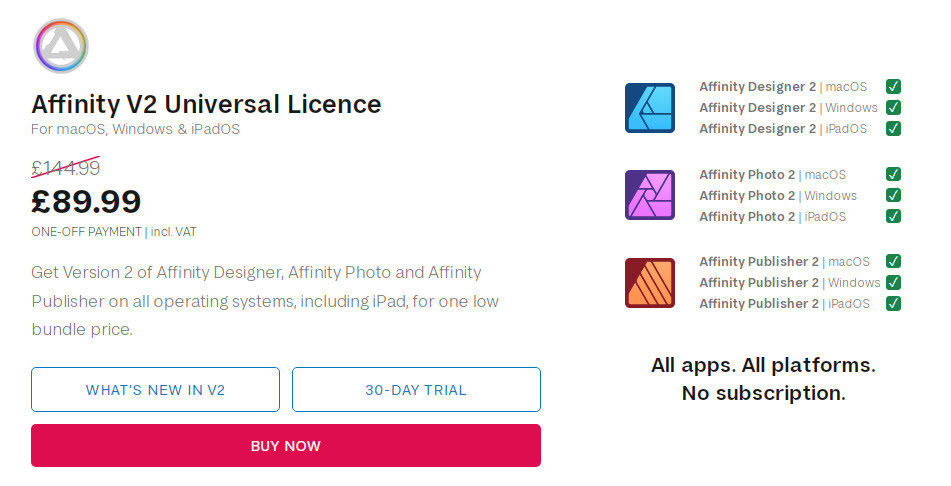
Serif’s Adobe-killer Affinity 2.0 suite has released. A one-time payment for all the desktop software + mobile apps, and the price is currently discounted. It’s a pretty good no-subscription deal for the equivalent of Adobe Photoshop, Illustrator and InDesign, if that’s what you need and you have the required OS (2.0 now appears to require Windows 8 or higher). Personally I’d stick with Photoshop for the extensibility and automation, I have no use for an Illustrator clone, and thus the only one wanted would be the Publisher DTP software. Note that each can be had on its own, at a lower price than the bundle.
Try before you buy, as the UI cannot be scaled up and is too small and poky for many.
Cartoon Animator 5 Demo Video
The worthy 2D Cartoon Animator 5 has been released (formerly CrazyTalk Animator), and there’s now an official Cartoon Animator 5 Demo Video released today.
* SVG support, templates, import. Round-trip to CorelDraw, InkScape etc.
* Spring dynamics and free-form deformation grid.
* Better library, integrated download of the free bits (scripts etc) that you could only get from the site.
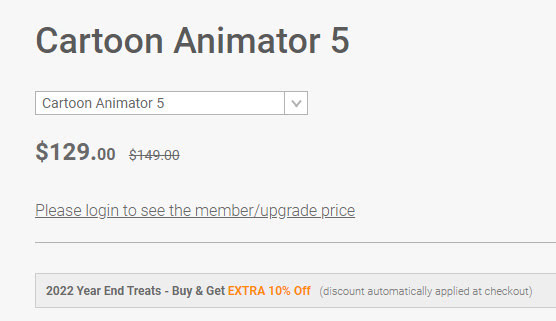
* No cheap “Pro” version any more [the former division was Pro (i.e. Standard) and Pipeline (i.e. proper Pro, expensive)] and it appears there is now just one version. Currently a reasonable $129. This appears to include the After Effects scripts that were in Pipeline. So if you can now effectively get Pipeline for $129 that’s quite a bargain. Though, as always, beware that the paid add-on packs and plug-ins will ramp up the overall price considerably over time.
That said, there’s backwards compatibility for those with old character and prop libraries. You can still use characters back to G1, in Cartoon Animator 5, it’s said.
Not sure if it still supports conversion from .SWF to prop. It used to, because it had its own Flash module under the hood.
Filter for Interactive licences at DAZ
Here’s an unusual one. A free UserScript for your Web browser’s Tampermonkey or similar, and which interacts with the DAZ site. All it appears to do is filter your purchased Interactive licences. So that you can just see those. Kind of useful, I guess, if you’re a developer who just needs to see your available assets… and not the 569 other things you’ve purchased over the years. It’s open-source and the code looks clean.. it’s not doing anything untoward.
Scene Building in Blender
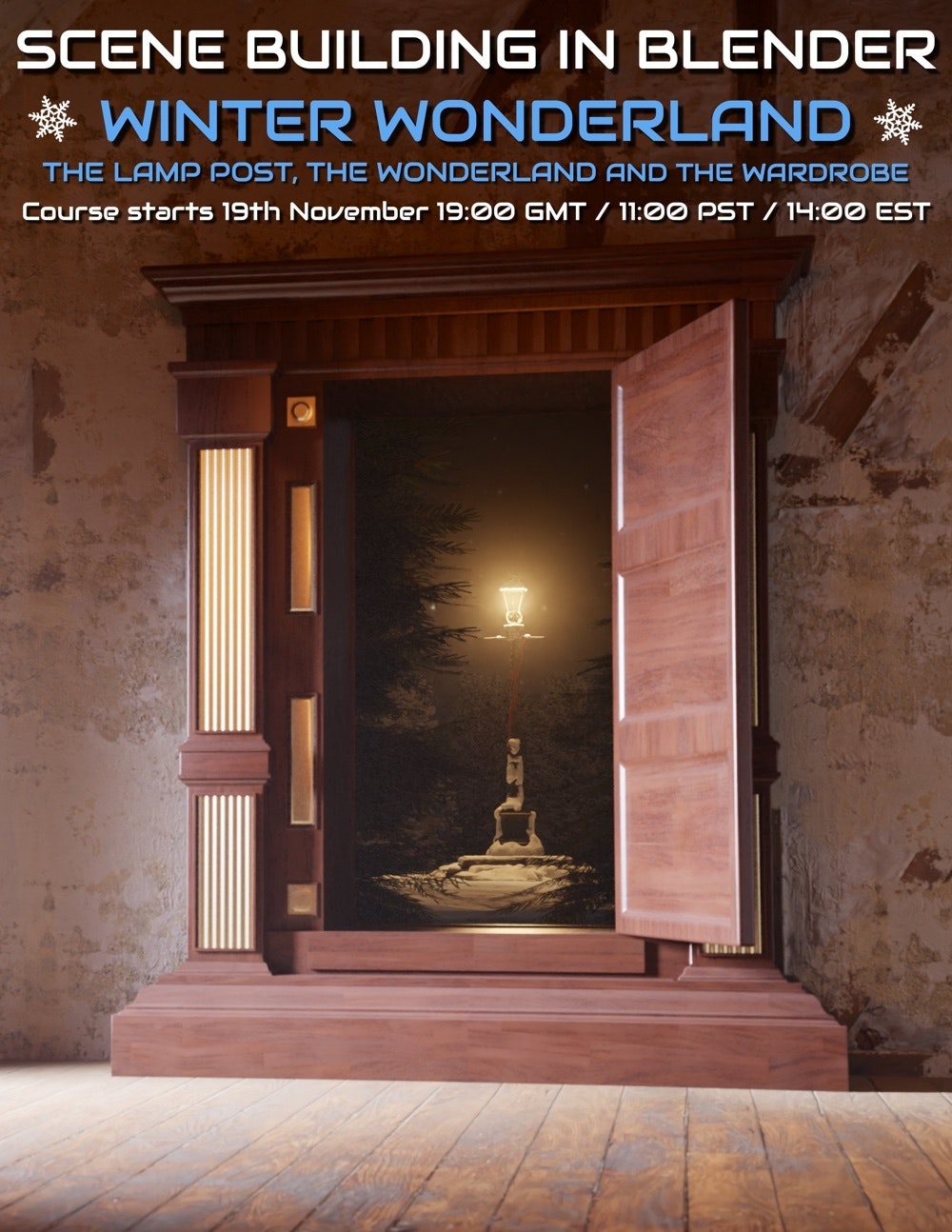
A new community course for beginners to learn Blender by creating a scene via modelling and texturing, Scene Building in Blender : Winter Wonderland. Starts Saturday 19th November 2022, and then runs Saturdays.
The scene is akin to the famous Narnia fantasy books for children: the wardrobe ‘portal’ into the snowy Narnia, with the lamppost as the first thing to be encountered there.
Terragen 4.6 – a big update
According to the Newsletter, Terragen 4.6 is about to be released. This being the first big update for the advanced 3D landscape desktop software in two years.
* Windows now has .VBD export (was previously Linux only).
* Export clouds in .VBD for use in Blender etc.
* Better sRGB support.
* Better .FBX import, better .FBX export compatibility with Unreal Engine.
* Now with import and export of population caches as XML, as well as binary.
* Rendering speed improvements, faster Preview renders.
* Pro users get an experimental pipeline for RPC integration with other third-party tools.
* An open-source RPC Python module, so you can write Python scripts enabling other software to ‘talk’ to Terragen.
* Geolocation (aka “Georeferencing”) is said to become free in the Terragen 4.6 Free (aka Learning Edition, Non-Commercial). So far as I can tell, this is about aligning tiles side by side, rather than grabbing a DEM landscape tile from a user-friendly Google Earth style world-browser.
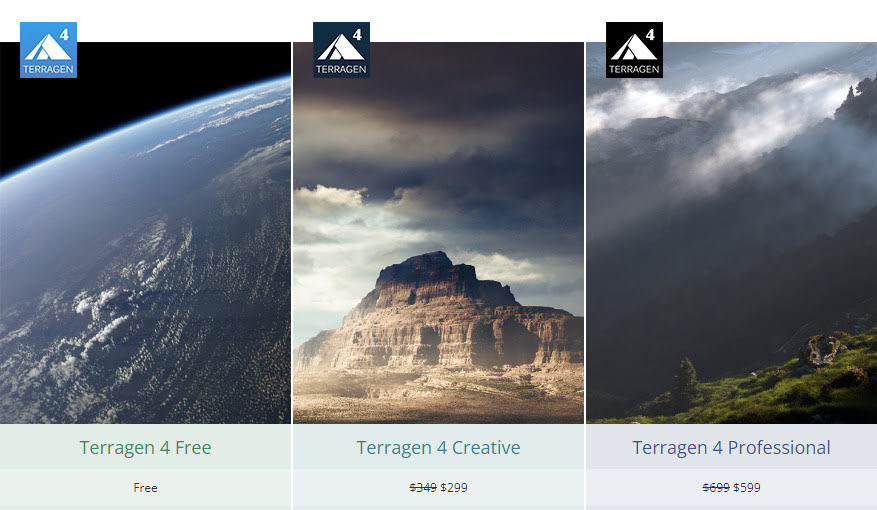
Still supports Windows 7+, and the update is free. Terragen 4 Free is free, and then currently Terragen 5 Creative is $299, the Pro is $599. A Mac version is coming soon, and a fun nodes-free ‘sky making’ Terragen Sky tool is also coming in December 2022.
Planetside Software (website has yet to update to 4.6 details/downloads. but should soon) and see also the YouTube channel.
Photoshop Action: Cut-out ‘Dream by Wombo’ AI-pictures
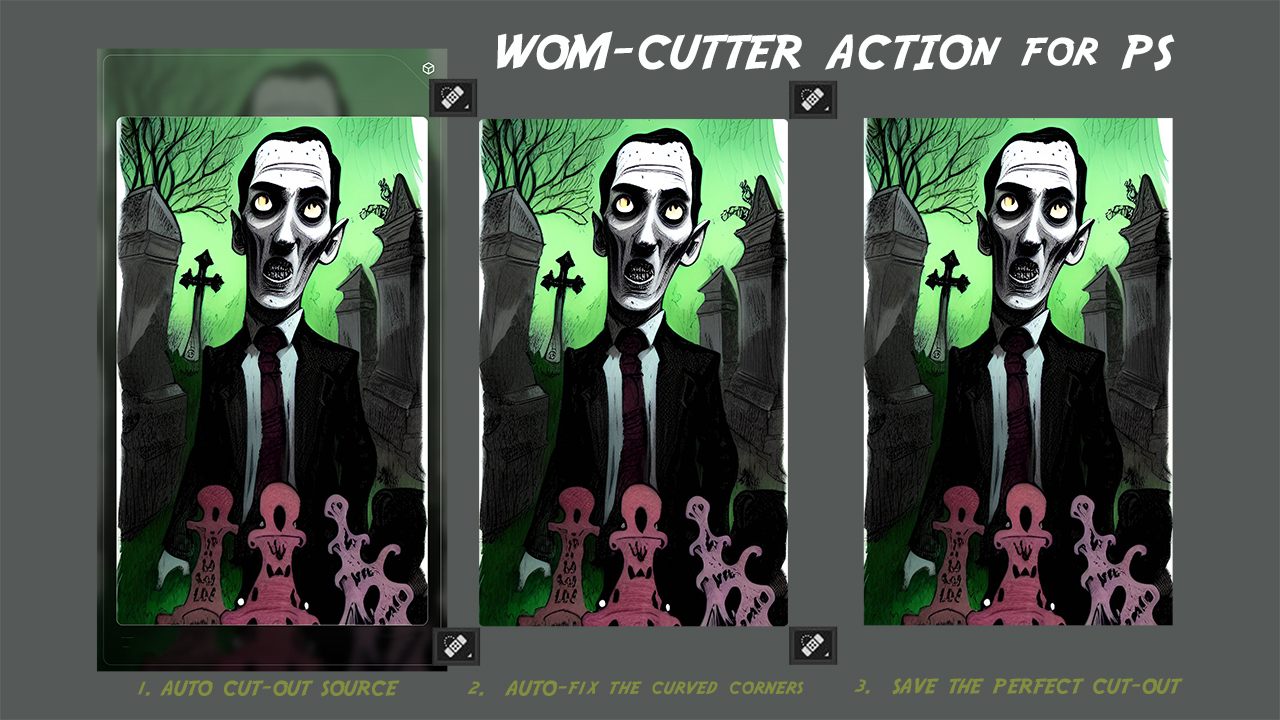
Available now, my $2 Photoshop Action for users of the “Dream by Wombo” AI image generator. It very precisely and automatically cuts the picture out of a standard ‘Dream by Wombo’ AI-generated picture-card. It then auto-heals each of the tiny curved corners, and finally it saves the cut-out as a copy.
It works with the current Wombo output size available to free users. If that output size changes in future, then I’ll update the Action.
Fractal wrangling
An AI image derived from a fractal render as a seed-image + a text-prompt involving architecture / lush forest. Seems like an interesting and fruitful combination for art-gen AIs, in terms of wrangling fractal landscapes into more human/natural shapes. While still retaining something of the fractal-ness.
The combination of fractal and AI desktop software has yet to happen, but surely will. There will also be ‘auto up-detailing enhanced’ fly-throughs, something that both Microsoft and Google already have the code for. Video flythroughs will probably end of being a key use for AI in a year or so, because then the viewer doesn’t stop and notice the telltale signs of AI-ness so much. And there will be AI-generated music and soundscape to accompany.
With thanks to Steve Swayne for the example picture.
MMD to DAZ
By accident I found the freeware MMD to DAZ, v2 (2019) plugin. May require Microsoft Visual C++ 2015 Redistributable installed in Windows, which all but ancient dinosaur PCs should already have. Lets you import .PMD (older MMD) and .PMX (newer MMD) Miku Miku Dance figure files, apparently with the proper textures and bones, shaders, and toon outlines. You can also apparently drag and drop .PMX files onto the DAZ viewport.
Basic tutorial video: MMD Importer for DAZ Studio.
The other MMD option is said to be: Blender importer > FBX export (optionally also with dance motions) > Poser 11 import > save as .CR2 from which you can also take it to DAZ Studio. There may be other, perhaps better Blender importers by now, I haven’t made a huge search for them.
Cartoon Animator 5
Reallusion’s Cartoon Animator 5 desktop cartoon production software is coming soon, and there are offers in the emails such as ‘buy an upgrade and get version 5 free when it appears’. It’s good software for making that kind of animation, especially for a small studio. Professional, fairly easy to use, very well documented and supported. Though you to be aware that you probably need to budget four times the initial ‘sticker price’, if you’re going to fully get into the expensive Reallusion ecosystem with motion add-ons and expansion packs and suchlike.

ClipDrop
An interesting new re-lighting service, ClipDrop – Relight. Requires a 2D picture-upload, and you then get “as-if 3D” real-time relighting.
Animated demo:
I’m not sure how well it would work with a picture that doesn’t look like a head-and-shoulders passport photo.
I’m guessing it may also be flummoxed by wild Poser/DAZ stuff, such as an all-action hero cyber-elephant wearing goggles, posed against a complex cyber-city background.
Doubtless this sort of capability is coming to desktop software in a month or two, if it isn’t here already in something I haven’t heard about yet. But this is a nice online demo of the capabilities.
By the way, here is the “Click to replay” code, for the above demo. A few lines of simple HTML for Web pages. I’m surprised people go overboard with massive javascripts just to add a simple animated .PNG control…
Working in Opera (Chrome), Brave (Chrome) and Pale Moon (Firefox). You’re welcome.
Release: AccuRIG 1.0, free
Reallusion have a new free “automatic rigging tool” for 3D characters. Equivalent to Miximo, AccuRIG 1.0 users load a T-pose or A-pose figure and apparently get back a 19-joint .FBX with…
“full-body and finger rigs for biped characters”
Seems to be genuinely free, and independent of the rest of the costly suite of Reallusion software (although it can interface with Reallusion’s ActorCore system).
No mention of face or toes rigging though. So I guess mostly aimed at quick auto-rigging of “low-poly NPCs”, of the sort needed for games. I’m uncertain how many auto-riggers gamer developers already have, but I’d guess it’s not zero. Also, I don’t see any mention that the rig can take standard .BVH mo-cap motions, or your existing iClone motions. But I guess Reallusion will hope to sell new motion packs for the figures.
It’s Windows desktop software that you download, and then ActorCore “free registration” is needed for any sort of export from it. Might be worth trying, to see how well it can do, say… the free Big Buck Bunny rabbit figure from Blender. And then how well that moves in DAZ / Poser, and if .BVH motions work.
But otherwise Poser and DAZ people probably have enough in their runtimes to provide the standard extras needed for a large scene, without having to go all around-about via the .FBX format.
Soon, a free ‘temporally stable’ AI denoiser
Pixar’s RenderMan 25 will for the first time feature its in-house AI denoiser, and this is “temporally stable”. Translation: when run on animation frames, this de-noiser is stable from frame to frame. When the frames are run as an animation, there’s no strange wavyness, jitter, or edges popping from sharp to blurred and back.
The devs and artist at Pixar report this feature reduces render times “two to four” times, and it also “has CPU and GPU implementations”.
But ‘what use is this to hobbyists’, you might ask. Ah, well… there will be a free non-commercial edition of RenderMan 25 by the end of 2022. The free version is reported to lack only RenderMan’s “XPU” feature — which is Pixar’s “new hybrid CPU + GPU rendering engine” that many are calling the future of high-end rendering.
Thus it sounds to me like hobbyists could have a pro-level ‘temporally stable’ AI denoiser, free and highly trained on 3D CG frames, by the end of the year. And presumably it will be able to process a folder of animation frames produced with other software. Poser 12, for instance, which has a superb Intel denoiser for stills — but this is apparently not “temporally stable” for animation.
Google is also reported to be working on an AI image denoiser, but it’s still in the Labs. Presumably this will be free and open source when it appears. Part of the larger NeRF from Google, a one-click quick image enhancer.
Kindle Fire HD – fresh OS, fresh apps
I cleaned my Kindle Fire HD (2017) tablet. In fact, a new fresh OS install and start over again. The Home tab’s Carousel is gone now, removed by Amazon. But it was jammed anyway, which was part of the reason for the fresh OS install.
New discoveries…
* DroidEdit. A Python code-writing tool for Android, with coloured text theme etc. On the Kindle Fire tablet version of the app store there’s only a paid version. The free version is only to be found on the Web Amazon app store, and once ‘purchased’ there it appears to be sent to your Kindle. But it never is. Oh well. No worries, as Archive.org has a Droid Edit Pro as a free .apk file to manually install. Not that I want to write code on a tablet, but if I gaze long enough at a script I can start to understand how it works. And in such a situation, I need the script to have pretty and consistent colour-coding. I’m a Brummie tinkerer who learns by looking at something that’s actually working, not from abstract ‘first principles’ and theory.
* The free Autodesk Sketchbook appears to be gone from the Kindle app store. But I had it in my Cloud library at Amazon in its £2.50 form and got it again from there. It’s also on Archive.org’s .apk stash as Autodesk Sketch Book Pro v4. Untested from Archive.org, but my old version works.
* No Clip Studio on the Kindle app store, but Archive.org has a 447Mb(!) archived copy of the app from November 2021. I assume this is the free .apk version, and you may well need to sign-in on loading it. Untested as yet. Can it perhaps be less annoying and fiddly than the desktop version? Let’s hope so.
* MediBang’s comics layout-maker MangaName is gone from the store, but can be had here. Although it may make a difference that I had it in my Amazon app library from years ago.
* No Krita on the Kindle app store. I vaguely heard they now have an Android version? But I’m not sure that would run on a Kindle Fire.
* No ToonArt on the Kindle store. I’ve only just discovered it. Such a pity it appears to require ‘face/head and shoulders’, and can’t toon-filter other things. Why is there no Photoshop desktop equivalent, I wonder? Perhaps there are software patents on the AI.
* No AIMP on the store, for playing audio and easy playlist assemblage, but that can be had free from the website.
* In Web search, I found that eTools has a dedicated app on the Kindle store. It’s getting to be better than Google for some types of search, especially hobbyist and professional technical information.
* Microsoft Teams was briefly available for the Kindle HD 10″ toward the end of 2021, but it’s now gone. At least, gone from the my model (2017). The page listing for it can no longer be found when you search the app store from the Fire, only Skype. Microsoft Skype installs, logs in and works fine. Of course, many workplaces now fetishize Teams, but you’ll just have to firmly tell them that you’re ‘Microsoft Skype only’.
Also of interest and found over at the Archive.org .apk stash…
* Pose Tool 3D. Definitely not Poser, and has ugly icons. But it works.
* LongShot, a long-scrolling screenshot maker + stitching app. Works, has a discreet narrow ad at the bottom of the main screen which is easily dismissed. Nothing more worrying than that from it, so far.
* Both Pose Tool and LongShot may benefit from the Open Source Media Merger app which automatically… “moves ../sdcard/DCIM/* and ../sdcard/Pictures/Screenshots to user specified folder”. Works fine. Takes a moment before the file is transferred to your chosen folder. Can be turned on and off.
* Four ‘vintage camera effects’ apps were tried, but all failed. The Open Source VectorCamera also failed, even the latest from the maker’s site. Wrong type of camera?
* The old Samsung Paper Artist app also failed. But it’s from a decade ago, now.
* I couldn’t find a free pixel-art / voxel-art app that also offered an isometric view/grid. Just ‘icon-maker’ type apps.
* Surprisingly, nor are there any fractal creation apps on the Archive.org .apk archive. Possibly they’re too computationally demanding for Android? Or maybe they just have the sort of obscurantist names that the desktop software has, so I can’t find them?
* No Carousel replacement, that simply does “Newly-arrived documents + cover thumbnails + sliding carousel” and then launches the selected item. Such a thing does not seem to exist.
BSDF Painter
A free Blender add-on for layering and painting BSDF materials.
Poser 12 uses Principled BSDF now, so presumably it wouldn’t be too difficult for this Blender add-on to have an “Output straight to a Poser material file” button? I believe the setups are identical to those in Blender, except for being ‘mirror-backwards’ in their direction of node-flow.