

Well well… the latest Everything 1.5 alpha 5 (April 2026) can now drag-drop, direct from its search results, to the Poser stage. Tested in Poser 11 and 13. I thus assume any Poser version should handle this. Works for the latest DAZ Studio too.
Update: now in beta.
You just need to sort results correctly, so that the .CR2 to drag-drop is sitting next to its thumbnail in the search results…
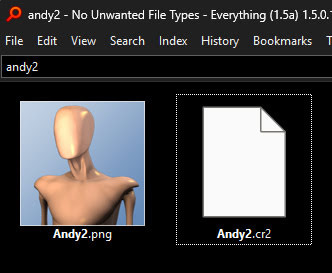
Or other Poser file-types or the DAZ equivalent to a .CR2. You do of course also need to know your Poser/DAZ file types. No use dropping a Poser .FC2 face file expression file on a static prop, for instance. That fire-hydrant prop won’t ever smile. You also have to get used to dragging the neighbouring file of the same name, and not the alluring thumbnail. It takes a bit of getting used to at first.
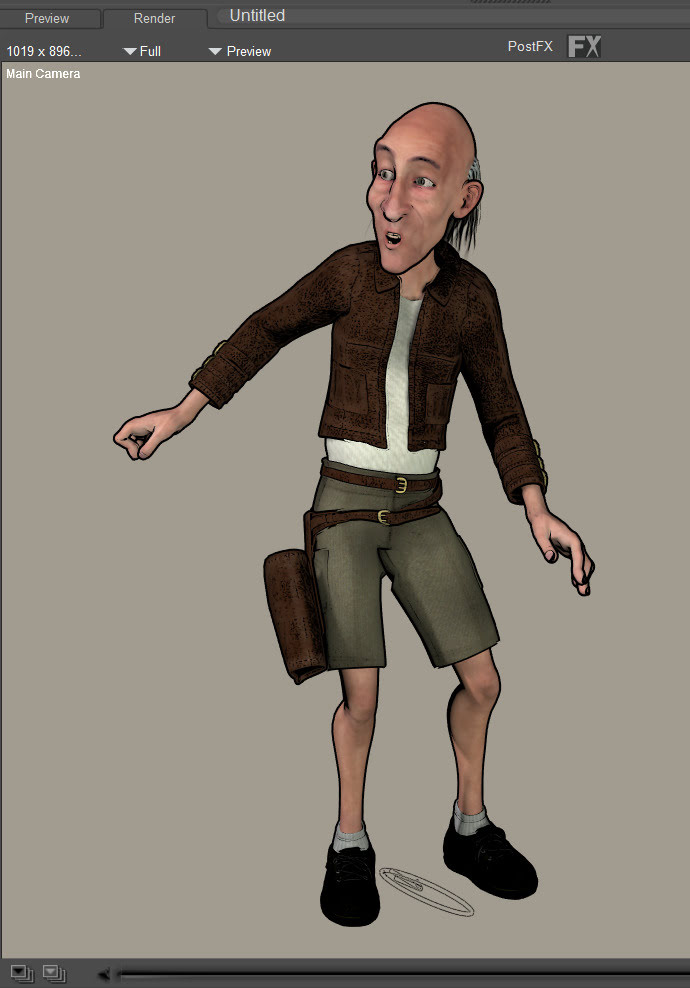
A test with Poser’s Pitterbill figure shows that one can quickly load the figure, add expression, clothes and pose. And do it far quicker than when wrestling with the Poser Library. One can also see more options re: clothes and hair.
Indexing is blazingly fast. Despite the name ‘Everything’, you can just index a folder and all its subfolders, if you know here to look…
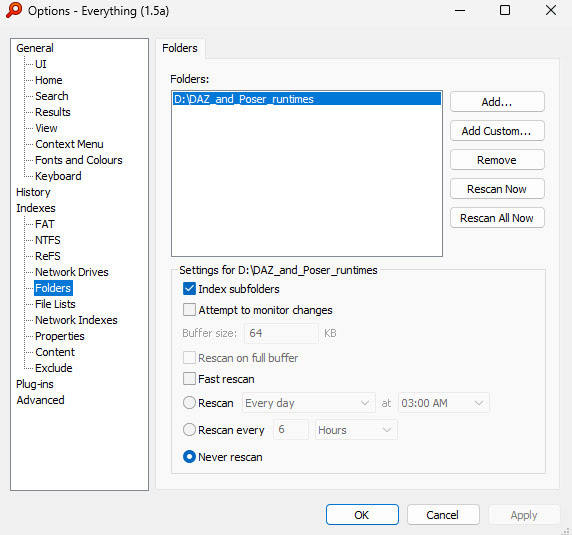
Set it up and then ‘Rescan now’ to do the first indexing of your chosen folder(s). I suggest ‘never update’, and then you can do manual re-indexing when you need to. There’s no need to have it re-indexing every day.
Then sorting your search-results by Date Created | Ascending should get you the main figure or prop at the top, then clothes, then extras such as expressions etc. Assuming you installed in that order, and that nothing has messed with your file datestamps. The sets of files should be clustered together in the results.
You can also reverse the search results order, for a quick scrolling view of what you’ve recently installed for Poser + DAZ.
You can try to set the default search-display results method (e.g. Date Created | Ascending) here…
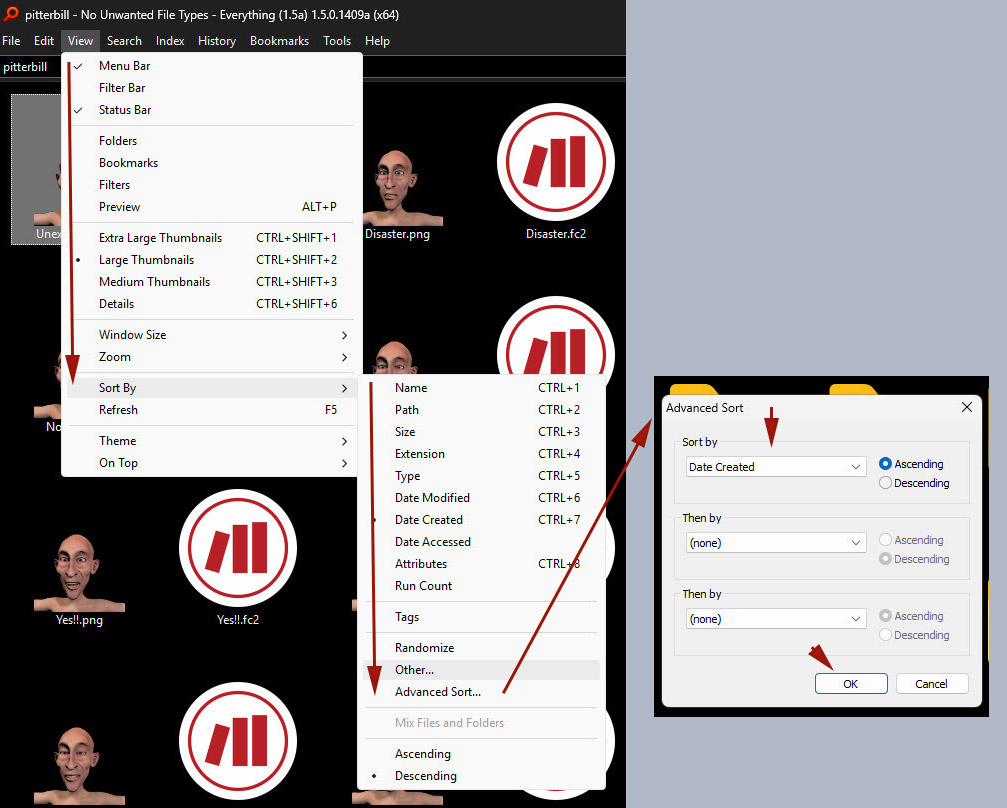
And also here…
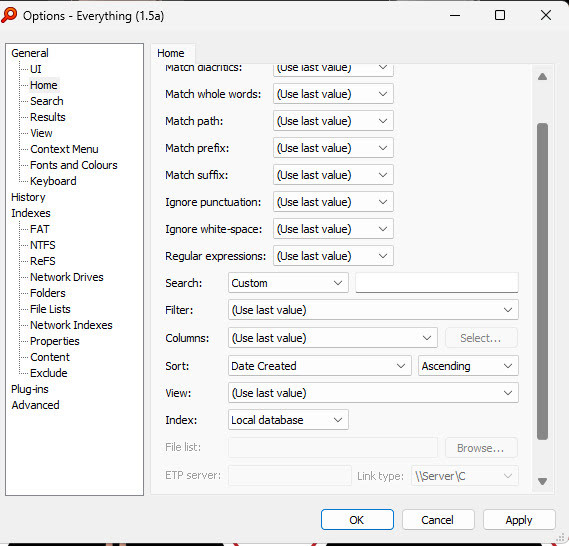
But your choice still isn’t respected. Search persistently defaults to ‘Date Modified’, which is very annoying because a Poser/DAZ user then has to switch it to ‘Date Created’. Restarting the software makes no difference. A bug?
Your Bookmarks can however have an embedded/fixed sorting method.
All this all assumes nothing has been tinkering with your ‘Date Created’ on your runtime files. These dates should carry over, even when porting the runtime to a new PC or external HDD.
Top Menu | Search | ‘Match Path’ needs to be ticked…
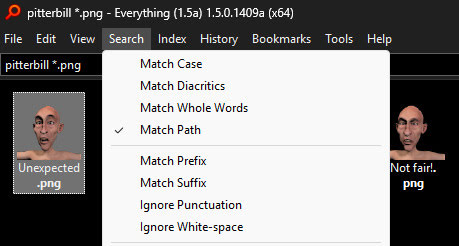
This lets the search pick up keywords in the file path, as well as from the file name.
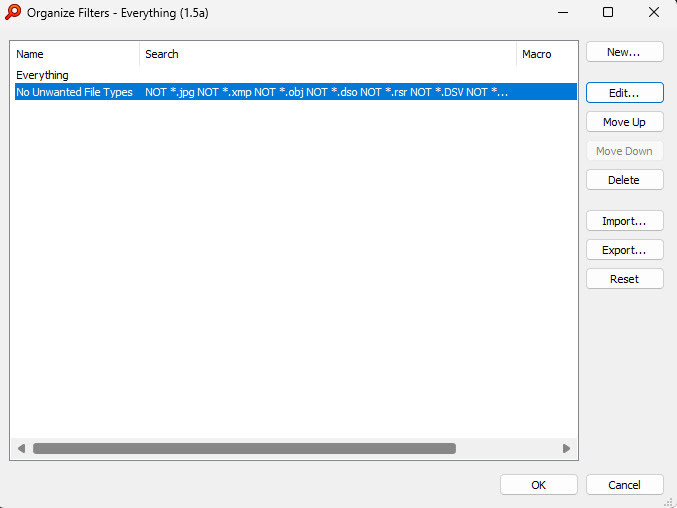
The best way seems to have this activated and then to search across everything, but have a negative search-filter always active… e.g….
NOT *.jpg NOT *.xmp NOT *.obj NOT *.dso NOT *.rsr NOT *.dsv NOT *.pmd NOT *.db NOT *.tif NOT *.dsd
… and so on. As you can see, the wildcard * can now be used. Just keep on adding unwanted file types as you find them, until all you see is what you need to see.
You can add this negative filter at Top menu | Search | Organise Filters. Then…
To get NOT working you need to do a one-time activation of Boolean search. This is not on by default. Go to Top menu | Tools | Options and enable the cryptic ‘Allow Literal Operators’…
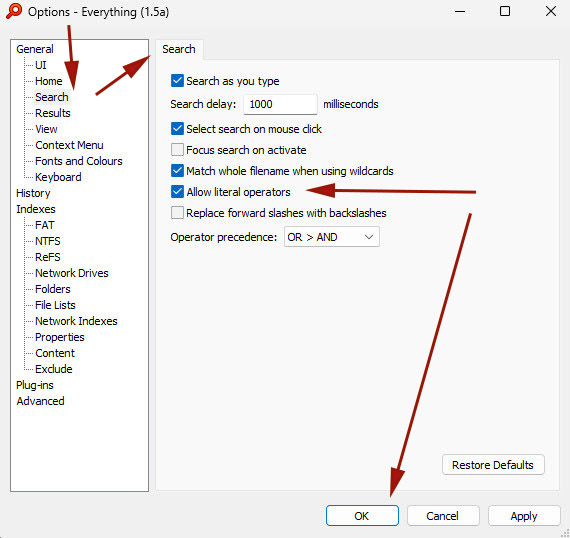
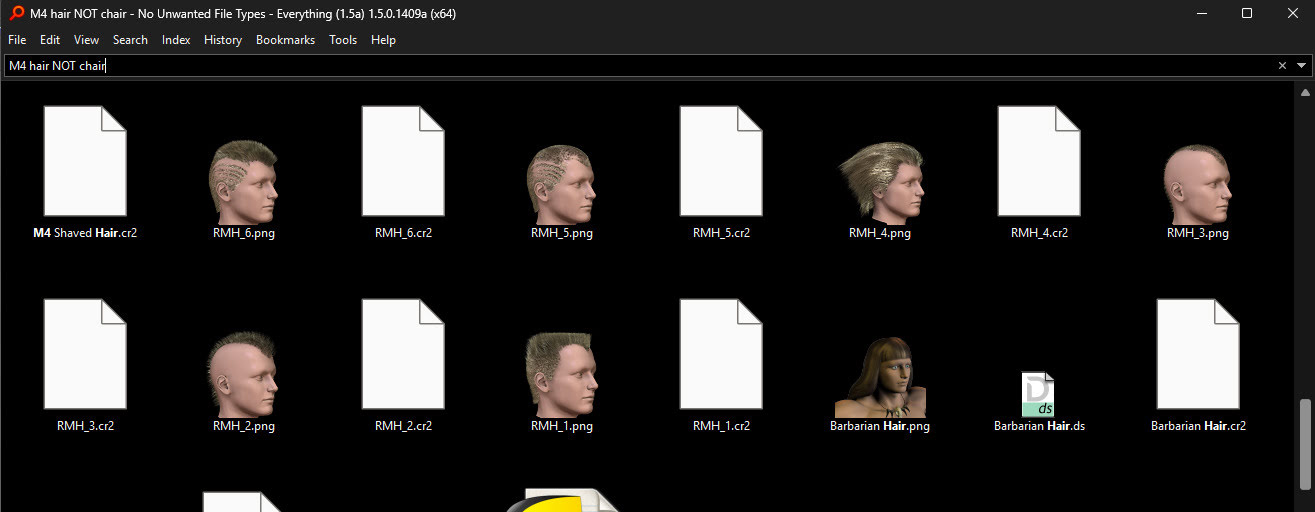
Despite there being no mention of NOT there, it is in use once enabled. With Boolean search operators activated you can use a search like M4 hair NOT chair and just get hair in the results. No chairs.
Some makers for Poser, e.g. great makers like Nursoda and 1971s, don’t use their maker-name in the either filename or file-path. Thus it’s difficult to see their range of installed content at one go. But now Everything 1.5 allows tagging.
It uses Windows own file-tagging system. You can thus tag in Windows without any extra software. Find a set of 1971s items by using Everything, shift-select all the .PNG thumbnails you want to tag, right-click them, then Properties | Details | Tags. Add a tag and… now they all have that tag in their Properties.
Everything can now read/find the new tag in the file properties itself. In Everything switch the search results to View Details, add there a new Column and choose ‘Tags’, OK. Now switch back to thumbnail view.
You can now search for tags:1971s and get only files you just tagged. It seems you can’t mix search methods with tag search, though e.g. 1971s tags:1971s Make sure the tag is unique, but you can also easily remember it.
Note that it can take a full closedown and reload of the software, in order for Everything to ‘forget’ about any tags you’ve just removed or changed.
An alternative to tagging would be to look at e.g. Nursoda’s online store at Renderosity, make a note of all the names of his characters, then use these to craft a positive filter for Everything. Then you’d search for nothing, with the filter enabled, and ‘Match path’ enabled, and the search results should just show you all your Nursoda characters. It would be more difficult for 1971s, and his names are more generic, and he has made more content. But it could be done.
So, there we have it. Everything 1.4 is still the version that’s being offered to the masses. But those in the know can get the latest Everything 1.5 alpha which adds drag-and-drop to both Poser and DAZ. Also tagging. Even faster search than before. It’s still completely free. With just a little customisation, and some user knowledge of Poser/DAZ file types, it’s now a reasonable replacement for the Libraries and also for the old and defunct PzDB.
Pingback: New for DAZ and Poser, May 2026 – MyClone Poser and Daz Studio blog