Steampunk: New History 3D Challenge, the winners…


Steampunk: New History 3D Challenge, the winners…
AI Video Face Swap, the first time I’ve seen a really easy offline desktop Windows AI tool for this. Yup, desktop PC, offline, TensorRT support, no watermarks, one-time-payment ($80, though no PayPal), and as simple to install and run as one of those Topaz AI software packages.
However it’s still 4,000 Python files sitting inside the bundled .EXE file. Users will need a good CUDA graphics card with 12Gb memory and CUDA installed, Windows 10 with 10Gb spare on the hard-drive, and the K-lite Codec pack for video input-output.
It seems to have obvious potential for making comics. Make a thirty-second set of all expressions you want, using your own face. Then use this to swop out the face for that of your character. Then extract the frames from the resulting video, for use in the comic. Or for pushing through a style-transfer AI.
Maybe only good for a front-view with a normal press-photo camera lens though, which is where 3D Poser/DAZ figures still have the advantage. Overhead, from the side, foreshortened lens… all no problem for Poser/DAZ.
Users of AI Video Face Swap report a high quality face-swap on a RTX 3080 card, transferring onto a three-minute 1280px video, takes about 30 minutes. Faster at standard quality. Multiple faces can be swopped at once. Edge-blending is good.
The dedicated alternative in free / open-source / offline software is the namesake Faceswap, but it looks like it may take a bit more setup. Still, not as much as most Python AI software does. It can also run on Linux.
With a lot more technical savvy and the right nodes you can also face-swap in general AI ‘Stable Diffusion’ image generation software such as ComfyUI and InvokeAI.
 Posted in Companion software, Freebies, Spotted in the News, The Animation Industry
Leave a comment
Posted in Companion software, Freebies, Spotted in the News, The Animation Industry
Leave a comment
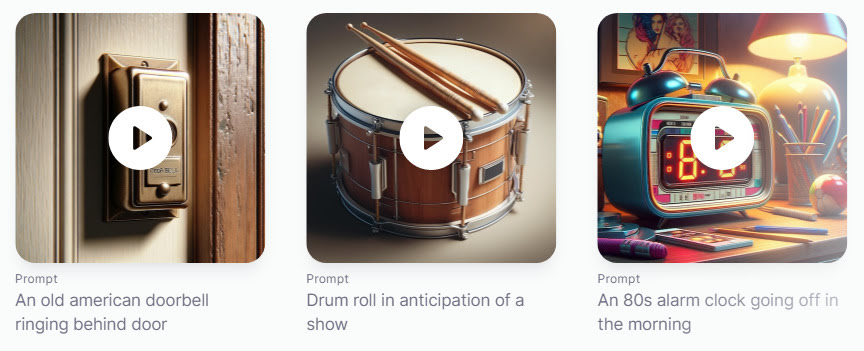
Leading audio generator ElevenLabs now offers an AI Text Prompt to Sound Effects Generator. Possibly useful if you can’t find what you need on the FreeSound website or similar. A 20 seconds limit, at present.
E-on has kindly released Vue 2024 “for free, including for commercial use”, perpetual and un-crippled, after owner Bentley Systems “decided to cease development” rather than sell it on. The final version improved clouds, improved viewport display, and added Blender’s Cycles as an experimental render option.
Apparently the free 2024 edition has all the subscription Vue’s superb export capabilities to C4D, Maya etc. And since its SDK still supports easy Poser import, it effectively replaces the old PoserFusion export from Poser. Export is done via a new Export Central panel in Vue 2024.
Python is supported, so theoretically a script could be devised to link Vue to AI image generation, taking quick rough-render Vue landscapes and depth-passes and sending them to AI for full amazi-fication.
Downloads are at https://www.bentley.com/software/e-on-software-downloads/ though the download links are currently 404. Presumably overloaded.
New users should keep in mind that Vue uses CPU rendering, and your monster graphics-card (GPU) will only be of use in accelerating the viewport.
Update: 19th May, download links still dead.
Update: 22nd May, download links still dead.
Update: 28th May, download links still dead.
Update: 1st June, download links still dead.
Update: 6th June, download links still dead. I give up.
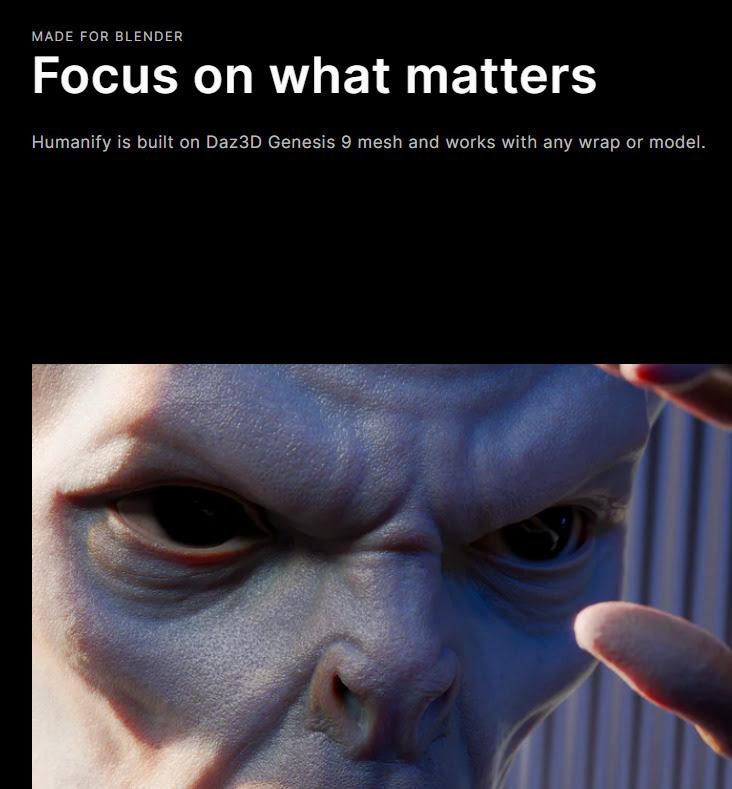
New $40 Blender add-on Humanify plugs the DAZ Genesis 9 figure mesh into Blender, automatically lays on photoreal skin textures suited to Blender, and makes the whole process of getting a high-res photoreal character easy. Not sure if you also get the G9 rig, but the aim seems to be to supply the mesh to Blender pros — who may have their own rig?
I know some readers still maintain older PCs, so they may be interested in r3dfox. A maintained fork of the latest Firefox browser for Windows 7, and now out of beta. Can work as far back as Windows Vista in 32-bit, apparently. Also “limited compatibility for XP using OCAPI”. I still have on an ancient rarely-used ‘backup’ Asus Eee mini-laptop from the mid 2000s. Maybe I’ll try it on that, though I should really scrub it and put Linux on it.
Your alternative here would be the worthy Pale Moon Firefox fork, which also works on Windows 7. For the latest Chrome browser on Windows 7, see the new Supermium browser.
A new and unexpected Poser update, 13.3.686 on 14th March 2024. I thought we we’re getting any more until 14 released. But this one has…
– Background Renders: Fixed issue with Background Renders failing.
– Talk Designer: Transcript correctly clears out previous supplemental text when loading a text file.
– Talk Designer: Updated default Viseme mappings, so all Cartoon Characters work.
– Parameters Dials: Locked the min max, and disabled the controls for geometry dials.
– Raytrace Preview: Added Denoise to the Raytrace Preview, when set to SuperFly render.
Nice, Supermium is the Chrome Web browser, but back-ported for Windows XP and Windows 7.
Airen 4D for Windows, a new $200 ‘AI renderer’ plugin for Cinema 4D. It’s Stable Diffusion and you’ll still need to text-prompt. So there’s no pre-rendering AI that’s classifying the image type and content, and then writing the SD prompt for you. Also, ‘jiggling boobies’ animators can relax… it’s just for stills.
AYON 1.0, an open source pipeline / workflow suite for 3D content / VFX creation and production for small studios. It connects your content-creation tools to project management widgets, and uses a unified Web-browser UI that looks a bit like Trello. It’s all Python, so theoretically it could talk to Poser. It doesn’t appear to do so at present.
AI for hair. HAAR creates 3D strand hair from text prompts. Evidently rather clunky at present, and still at the technical paper stage, but promising. Wouldn’t it be easier to just sketch a few flowing waves on the screen, rather than use text?

The latest iteration of Poser 13 has been released. The new Poser 13.2. Appears to be mostly a bugfix, error fix and a UI clean-up release. But two things that did catch my eye in the changelog…
* “Render Presets now include PostFX settings”.
* “Saving to Library with ‘Keep Thumbnails enabled’ now correctly creates a thumbnail on the first save.”
Apparently new features are being saved for Poser 14, and the developers anticipate a…
“version 14 in the new year”.
DiffusionLight. An AI looks at a 2D photo scene, and then it makes the HDR lighting ball (aka ‘light probe’) that would have produced the scene’s lighting. Using this new light probe, you can then seamlessly render a 3D figure against the backplate photo. The sort of thing that should be in Poser 14, I’d suggest.

Posted in Companion software, Spotted in the News, The Animation Industry
Leave a comment
Beware of integrating any AI face-swopping technology from the open-source InsightFace developers. Because they appear to be getting very screwy on the legal side of things, for instance issuing several takedown notices for benign third-party YouTube videos… in which a well-known and respected YouTuber simply shows the technology. InsightFace’s products are thus not something you would want to use in your animations or graphic novels, I’d suggest, in case of legal problems with future licencing and distribution of your work.
Poser has had its free monthly update for both the PC and Mac versions. Poser 13.1.518 adds…
* “Import and Export for Render Presets” (via Manage Preset for both Firefly and SuperFly rendering).
* “Disable Drag Docking For All Palettes” (as an optional toggle, via Top Menu | Window | Disable Drag Docking).
The earlier update added a number of PostFX fixes, and also rather usefully “Eliminated color shift at end of FireFly render”.