Clavicula 0.9.9.5, a new release for the free and innovative modelling software.

And in the comments, “export renders with a given screen resolution” may be coming by the end of 2023.

Clavicula 0.9.9.5, a new release for the free and innovative modelling software.
And in the comments, “export renders with a given screen resolution” may be coming by the end of 2023.
A brief note on Raffael for Poser, for the benefit of future searchers. I didn’t know this existed. Raffael is a flexible ‘base figure’ with several unique character morphs, and his Renderosity store page says he now ships free with Poser 11. He’s quite low-poly, but looks pleasing and ships with a great many sub-morphs.
To load after install, he’s not under !Raffael or Raffael or 3D Dream (the maker), in the Library listing. Actually buried deep, under…
Library | Figures tab || Figures folder | Raffael | 3Dream | Raffael
Also loads in DAZ Studio…
Poser | Figures | 3DDream.
To make the most of this freebie you should install his vital Raffael – Freebies collection 1, which among others includes neanderthals (male and female), a stylised doll, and two unique youth presets (unique for Poser).

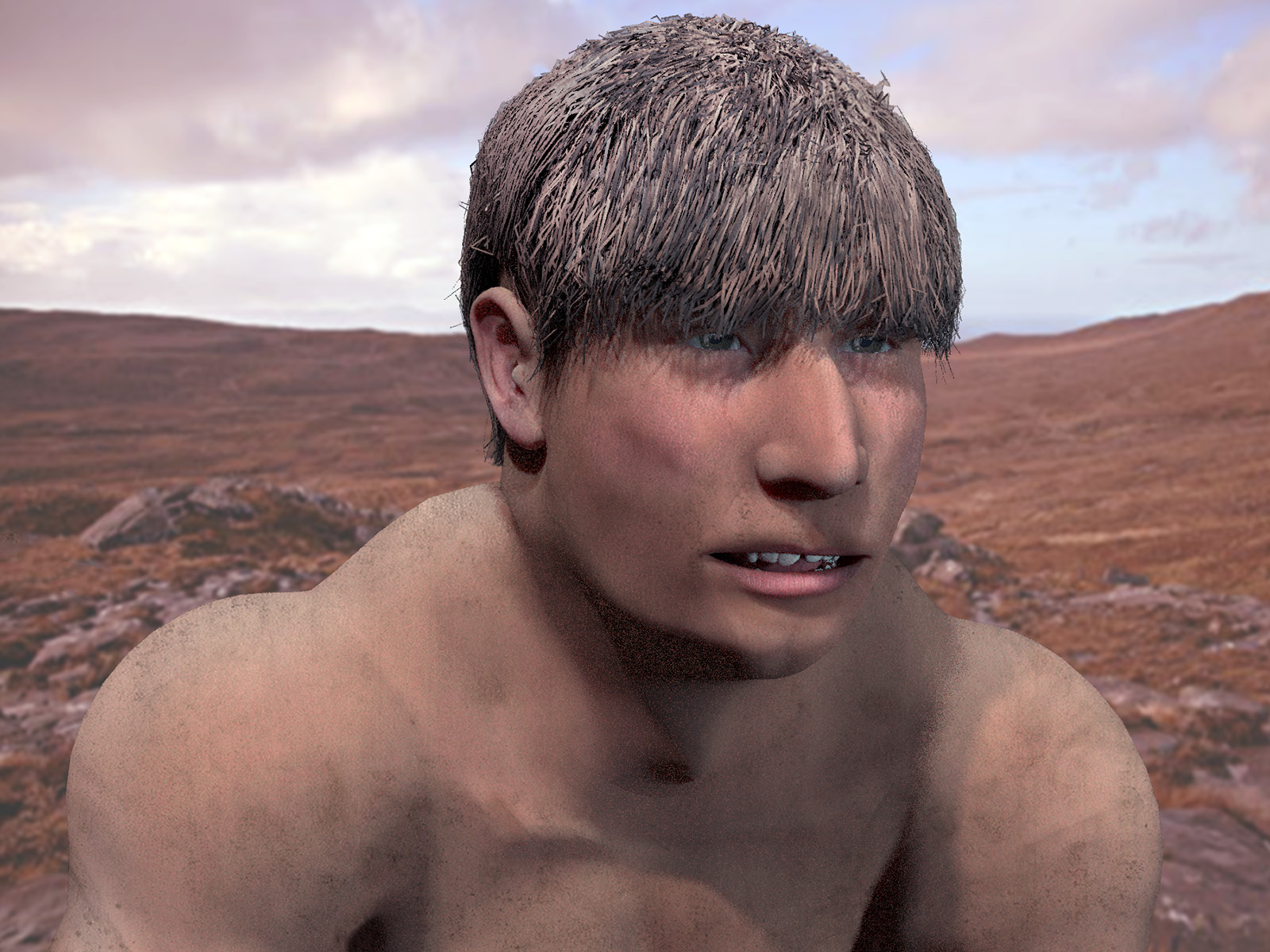
Here we see my quick render of the Neanderthal with Creepy Kid hair. Backdrop photo by Toby Speight.
After install, the freebies are then all found under Poses | ! Raffael with a good range of figure types as one-click morphs. There are also MATs and more, all nicely organised. Renders in SuperFly with no problems. Has a paid but rather fabulous male skin pack along with others.
Takes Hiro 3 action poses, I found, more or less. But make sure you first save a T-Pose to get back to. There’s no T-pose in the freebie pack. Elbow crease-bending is definitely not great on some poses, like many older figures. Otherwise anatomically correct, though.
Commercial renders OK on all content.
Raffeal appears to have a completely unique face rig, since none of my existing expression presets will move it at all. There are many face part control dials, but no dials for expressions (happy, sad etc).
What this (now free) figure totally lacks is clothing, other than a basic one-click photo-mapped body suit (to remove this, reload the skin MAT in Poses | ! Raffael). And there’s no CrossDresser licence for Raffael either, so clothing can’t be had that way. Only by wrestling with the Fitting Room. Ugh. Such a pity… what a waste of a nice friendly figure. There is one basic clothing maker’s ‘merchant resource’ for sale on Renderosity, though, for making basic clothing.
There are a couple of worth-having male freebies on the DAZ Store freebies page, at present. The boots are especially useful generic ‘superhero’ type boots, if you want to get away from ‘fat clomper’ type of boots and toward something more stylish.
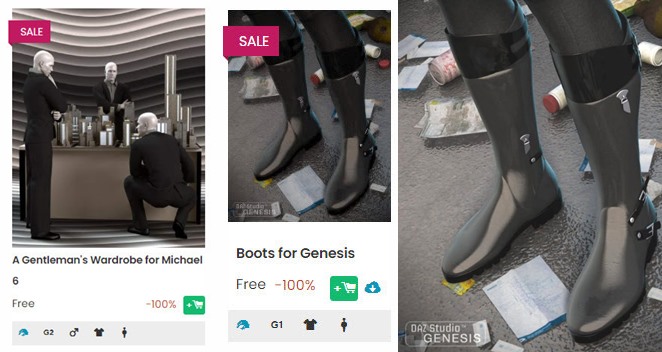
After install, the Boots for Genesis are found under: Genesis | Clothing | GnBoots.
Tested with Genesis 3 Male and Genesis 8 Male. Just choose Autofit | None and the boots fit nicely.
Obviously you’re going to ‘kitbash’ (or for 3D, ‘runtime bash’) with this, to make something unique. As I’ve done here. I don’t know of anything that’s specifically designed to work with the boots, and Ravenheart didn’t then make Genesis trousers/pants of a matching length. I can’t find any freebies that were made for the boots, and you only get one MAT with the boots themselves.

The base parts of ‘Sci-fi Guard Outfit’ for G8M seems to kind-of-work with the boots. But as you can see on a G3M there’s poke-through and you’d need to make an opacity MAT. I’ve quickly combined the boots/suit with other random stuff by grabbing some extra pauldrons and gloves from other content packs, and added the Armarni hair. Not great, but could work as a starting base for more character development.
 Posted in 3D Utilities, Companion software, Freebies, Spotted in the News
Leave a comment
Posted in 3D Utilities, Companion software, Freebies, Spotted in the News
Leave a comment
The open source Dust3D is alive again, after a long hiatus during the Covid years. The 1.0.0 release candidate 7 is now available. Dust3D is a…
“cross-platform 3D modeling software that makes it easy to create low poly 3D models for videogames, 3D printing, and more.”
Relatively easy, free, and under a full MIT open licence. Training Playlist on YouTube.

Posted in 3D Utilities, Companion software, Freebies, Spotted in the News
Leave a comment
A new release for GMic, aka G’Mic as GMic v3.2.1. Changelog. Highlights I noted are…
1) A new 3D handling feature, though possibly command-line only?
Command | extract_textures3d
“This will help you extracting textures from 3D objects directly as 2D images, that you can save or process and remap on the object.”
Probably not a replacement for dedicated tools used to get a texture atlas and/or seam templates, but it may be of interest to some.

In Poser Pro, a FBX or Collada export can also get you a single texture map (a ‘texture atlas’), output alongside the FBX output. The problem with a ‘texture atlas’ is that it then prevents drag-and-drop re-texturing of parts. It’s all or nothing. DAZ Studio also has a ‘texture atlas’ output command somewhere or other, with the location depending on which UI layout you use.
2) Better voxelisation of 3D…
“Improved the triangle voxelization algorithm even more. G’MIC is now really a quite nice tool to voxelize 3D meshes!”
Could be useful if you want to have your OBJ export from DAZ/Poser look like a hologram and, once it’s back on Poser or DAZ, put on transparency and glow? But don’t expect to animate afterwards.
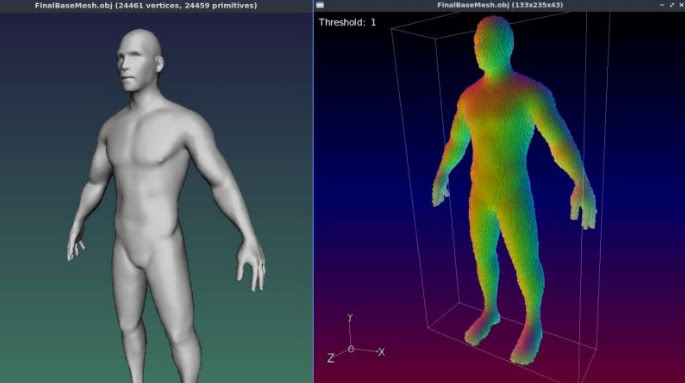
3) Basic subdivision of 3D object meshes. Again, you can do this natively in Poser and DAZ.
4) A new filter, to be found in ‘Testing’…
Garagecoder | Upscale [Recursive2x]
Appears to be a sort of ‘intelligent sharpening’ that preserves details better on low-res images? Again, you’d probably do this with AI Gigapixel or online with Base Ten or SWIN, though perhaps this (I’m guessing) is optimised for low-res images?
As always, beware of updating. Because if someone changed the name of their filter, then that breaks your custom preset. For instance, last summer GMic’s long-standing Artistic | Comic Book filter had its functionality updated and the name changed to Comicbook. All my custom presets based on this filter were gone in a flash, and some of the filter’s needed switches and sliders had also been removed. Filter makers really need to be told: “If you’re going to tinker to that extent, then keep the old filter the same and call your new one Comicbook_2″.
I made a 65,000 word Dictionary of British Pronunciation for the TTS freeware Balabolka, with pre-made IPA pronunciation tags alongside each word. It’s in Balabolka’s .BXT file format, which it can load and which can handle the IPA phoneme symbols.
Possibly useful for those using TTS for making clearly-voiced English tutorials or animations, using the British IVONA 2 voices, and who’re stuck on the pronunciation of a word that they can’t easily substitute. With this you can write freely, knowing that it’s unlikely you’ll have to substitute a dozen or more words with simpler or different forms that don’t quite express what you want to convey.

You can load it in Balabolka and then keep it on a tab in the background, for easy consultation. A good test is getting Ivona 2 Brian to say “mature” in a sentence. It’s very difficult unless you use the IPA coded tag.
For use with the abandonware British voices Ivona 2 Amy, Ivona 2 Ivy, Ivona 2 Emma & Brian. Neospeech Voiceware Bridget is also a very good ‘posh’ British voice, though after install will wrongly show up as ‘United States’ in the list of voice names. Most of the time these do a good job on their own, but sometimes you may need more precision — especially for short comedy animation — and the IPA tags give you that.
Posted in Companion software, Freebies, The Animation Industry, Tutorials
Leave a comment
It seems rather odd to consider old-school text-to-speech software and SAPI5 voices, at a time when Poland’s ElevenLabs is doing such great things with AI-generated voices. But I’m always one to cherish old Windows freeware, and at present all the new AI voices are online and require a monthly/yearly subscription. So I was pleased to find an alternative freeware to Balbolka for desktop PC text-to-speech using SAPI5 voices. Many such voices are also now abandonware on Archive.org, the key companies having since been sold on several times.
Made in Italy, the DSpeech TTS freeware used to be fairly basic, but it’s improved enormously since about 2016. Though this is not a fact reflected in its rather basic 1990s-style download page, which you’ll have to overlook. This freeware is now in version 1.74 (spring 2022), It’s genuine one-man freeware, made in Italy, and is feature-comparable with Balbolka though a bit rougher in UI and Help translation to English.
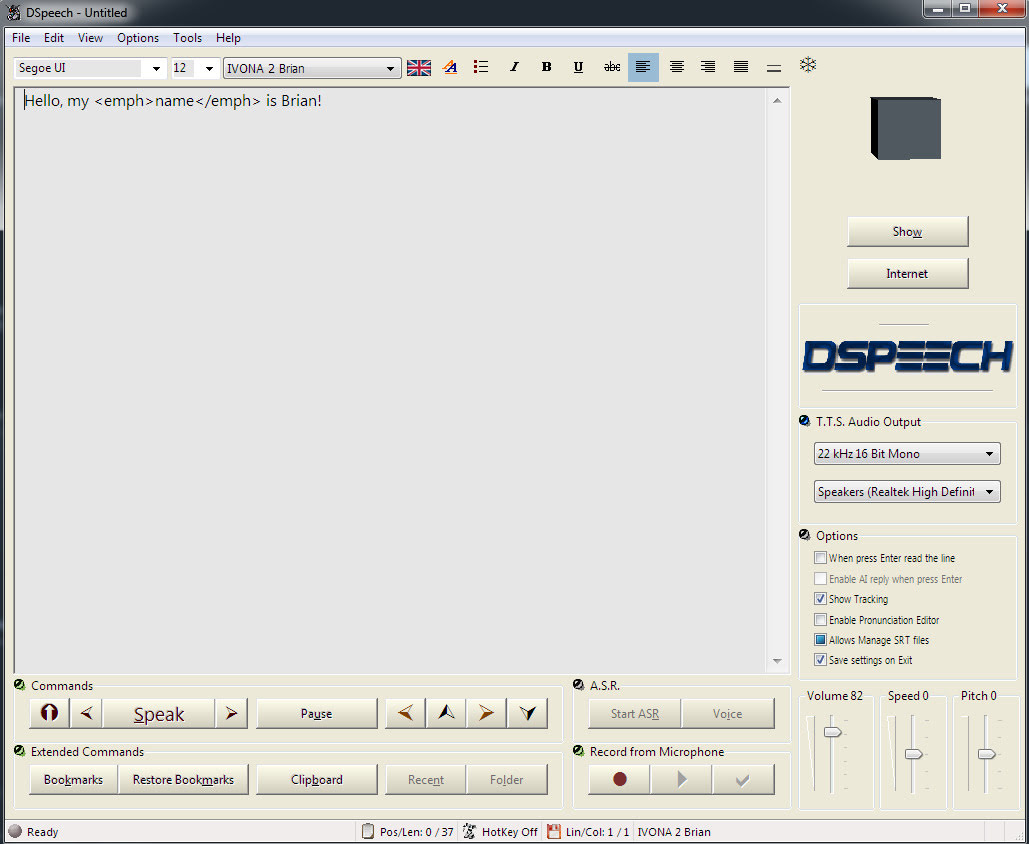
The DSpeech download link uses only a .GIF button, so if you have a .GIF blocker in your Web browser, then you instead right-click the page and ‘View Source’. You should then see a live working link to the download in the HTML…

The English manual is included in the software. There’s no Windows installer, just unzip where you want and run it.
SCRIPTING: Beyond the usual control tags, DSpeech supports basic scripting including voice-recognition and script loops. Which is unusual. Apparently it can even read out VLCplayer movie sub-titles in real-time, in a chosen SAPI5 TTS voice and speed.
TAGS: The tagging menus make switching voices easy. There’s better right-click support than in the latest Balabolka for adding tags, though that’s not saying much. When you highlight a word in DSpeech, and add a tag, the word is not wrapped with a closing and opening tag, it’s deleted. Urgh! Having right-click is great, but… the rest of the tag insertion system is not good.
LOQUENDO: DSpeech is supposed to support Loquendo ‘voice expressions’ (laugh, sigh etc) via the Italian Loquendo 6 Italian ‘Paola’ and ‘Luca’ TTS voices, combining words with special expressive tags such as \_Laugh and suchlike. Later the tag syntax was changed to \item=Laugh in Loquendo version 7 voices. But while these v6 voices work fine in any DSpeech, and v7 voices work fine in DSpeech v.1.72.29 (December 2018, not the latest 1.74.x), their expressive cues no longer vocalise in DSpeech. You just hear silence.
Spanish Loquendo 7 voices (not 6) can however ‘express’ when used in Loquendo’s own Java-based TTS Director, which came with the Loquendo SDK. See YouTube for examples and useful links.
Regrettably neither the Loquendo 6 or 7 voices can even be played in the other TTS freeware Balabolka, though they do show up on its voice menu. It thus seems that properly-working Loquendo voices are limited to…
* Loquendo 6 (any voice) on DSpeech 1.74.x or earlier. Loquendo 7 not supported on the latest DSpeech.
* Loquendo 7 (Spanish) on DSpeech 1.72.29 (or earlier?), or Loquendo 7 (Spanish) on Loquendo TTS Director with SDK and Spanish pack.
The Spanish version 7 voices do however have ‘expressives’ that work fine with Loquendo TTS Director 7, which was Windows freeware which shipped with the developer/API/SDK kit. This success at least showed me that the problem was not with my PC or a 32-bit / 64-bit Windows clash, at least for version 7 voices.
Yet it’s strange. Obviously DSpeech could, at one time, play the ‘expressives’ in the Loquendo 6 voices. But, no longer, it seems. Switching back to an older DSpeech 1.72.29 didn’t cure the problem, but it did usefully fix the playing of the Loquendo 7 voices. I suspect that Loquendo 6 voices now have a 32-bit / 64-bit problem on 64-bit Windows, despite the player and voices both being 32-bit.
Loquendo TTS Director voices have a complete list of expressives in the C:\Program Files (x86)\Loquendo\LTTS7\data\voices\Soledad\SoledadGildedParalinguistics.sde file (change name for each voice). Open it in Notepad++ to see the list in plain-text. For instance, Soledad has the following, and obviously you can also mix and match and tone-shift…
\item=Ah
\item=Ah_01
\item=Ah_02
\item=Ay
\item=Ay_01
\item=Breath
\item=Breath_01
\item=Buh
\item=Buh_01
\item=Buuu
\item=Buuu_01
\item=Cataplum
\item=Cataplum_01
\item=Click
\item=Click_01
\item=Click_02
\item=Cough
\item=Cough_01
\item=Cough_02
\item=Cry
\item=Cry_01
\item=Cry_02
\item=Cry_03
\item=Ehm
\item=Ehm_01
\item=Epa
\item=Epa_01
\item=Hey
\item=Hey_01
\item=Hiccup
\item=Hiccup_01
\item=Hiccup_02
\item=Laugh
\item=Laugh_01
\item=Laugh_02
\item=Mhmm
\item=Mhmm_01
\item=Mhmm_02
\item=Mhmm_03
\item=Oh
\item=Oh_01
\item=Ohoh
\item=Ohoh_01
\item=Ops
\item=Ops_01
\item=Prrr
\item=Prrr_01
\item=Shhh
\item=Shhh_01
\item=Sigh
\item=Sigh_01
\item=Sigh_02
\item=Singing
\item=Singing_01
\item=Smack
\item=Smack_01
\item=Smack_02
\item=Sniff
\item=Sniff_01
\item=Sniff_02
\item=Sniff_03
\item=Snore
\item=Snore_01
\item=Swallow
\item=Swallow_01
\item=Throat
\item=Throat_01
\item=Throat_02
\item=Throat_03
\item=Uff
\item=Uff_01
\item=Ups
\item=Ups_01
\item=Whistle
\item=Whistle_01
\item=Whistle_02
\item=Whistle_03
\item=Whistle_04
\item=Whistle_05
\item=Yawn
\item=Yawn_01
\item=Yawn_02
\item=Yeee
\item=Yeee_01
\item=Yuhu
\item=Yuhu_01
\item=Yuhu_02
\item=Zas
\item=Zas_01
Easier to just paste these all in and cut out what you don’t want. Rather than wrestling with menu-based insertion.
VOICEWARE: DSpeech has support for reading with a VoiceWare TTS, but not for a vital aspect of the voice. The first version of the TTS VoiceWare voices (e.g. VW Bridget, British) had different inflections on words if you added ! ?! or !? (again, see YouTube for demo and useful links). But this feature of the voice is not supported in DSpeech. It is supported in Balabolka. So this is another deal-breaker for DSpeech.
CONCLUSIONS: Despite what at first glance seems to be DSpeech’s more intuitive right-click tag adding, Balabolka is on several counts the superior tool for longer-form editing. It properly wraps highlighted words in starting/closing tags, which is vital if you’re TTS-coding something longer than a paragraph. It also supports VoiceWare’s ! ?! and !?, useful for one of the best British voices.
I thus suggest using the latest Balabolka for freeware TTS scripting and recording, and the old Loquendo TTS Director + its Spanish voices for creation of vocal FX, pitch and speed-shifted to match the voice being used in Balabolka. Then embed these vocal FX as audio clips in Balabolka. This is not as ideal as having Balabolka support Loquendo (it refuses to even read their voices), but it’s a viable workaround.
The ideal would be to have a standard SAPI5 voice that was ‘expressives only’, for use in Balabolka. A sort of audio FX bank, that could be reliably called with a simple tag (such as \_sneeze etc). But so far as I can see, that doesn’t exist, other than by chopping bits from my Dictionary of British Pronunciation for TTS.
Finally, note that TTS Director only ‘sees’ its own Loquendo voices, and is therefore no good as a general SAPI5 TTS script editor. TTS can be done in Adode Captivate (used for super-Powerpoint ‘e-learning’ creation) and in CrazyTalk / Cartoon Animator, but the editing is not at all comparable to Balaboka.
Excellent clear British SAPI5 TTS voices for short animations and tutorials are Ivona Voice 1.6 Amy 22kHz (aka Ivona 2 Amy). The other is the less common Neospeech Voiceware Bridget (demo). Yes, they’re still robo voices, but I’d say they’re the most pleasing and human of the female British voices released in the 2010s for SAPI5. And you can’t argue with free and offline. No subscriptions or data-gouging needed (though Eleven Labs are the best, if you want that). Both voices are now free on Archive.org, and work with the free Balabolka. Here’s how to control them with some simple markup.
1. Amy can be controlled using the normal SAPI markup (SSML) in the Balabolka editor. She also supports phenomes (visimes) symbols, a prosidy markup tag, and others.
|
1 |
<phoneme alphabet="ipa" ph="ɺʡʜʑʢ"/> |
|
1 |
<prosody rate="-20%" volume="40">prosidy</prosody> |
|
1 2 |
You say, <sub alias="tu-mah-toe">tomato</sub>. I say, <sub alias="to-may-toe">tomato</sub>. |
2. Neospeech Voiceware Bridget however does not support phenomes, prosidy etc and requires the following XML tags to add pauses and emphasis…
|
1 2 3 |
Here we insert a very slight pause. Here <silence msec="01"/> we insert <silence msec="01"/> a <silence msec="03"/> <emph>very<emph> slight <silence msec="03"/> pause?! |
Add ! or ?! to inflect and emote a word at the end of a sentence…
|
1 |
gosh! |
|
1 |
gosh?! |
Also working as XML tags with Bridget…
|
1 |
<emph>emphasis</emph> |
|
1 |
<volume level="50">quieter voice</volume> |
|
1 |
<rate absspeed="-6">slower speed</rate> |
|
1 |
<pitch absmiddle="6">higher pitch</pitch> |
No closing tag is needed for the following milliseconds pause tag…
|
1 |
<silence msec="300"/> |
Incidentally, Neospeech Voiceware Bridget shows up in Balbolka as “VW Bridget English (United States)”, when she should be “VW Bridget English (British, upper class)”.
Old-school ‘robot voice’ Microsoft Sam on 64-bit Windows. Tested and working with the text to speech freeware Balabolka. Archive.org only has the 32-bit installers, which is no good for 64-bit Windows. This one has been extracted from the original voice resources and a new installer created (WinXP_TTS_Voices_v1.3.exe). Still useful for robot/computer voices in a 3D animation. I read that meme creators (presumably animated?) also find a use for it.
Also installs Microsoft Mike, again good for an old-school robot voice.
Renderosity’s Free Christmas Gifts page. Get them while they’re hot! Here are previews of just a few…

Includes a fabulous .OBJ fantasy helmet by Poisen, which works very nicely with the aid of Poser’s Comic Book mode.

I dug up a free Windows GUI version of Intel’s CPU Denoiser, aka the open-source OIDN. This is standalone AI-powered desktop software made by a guy in Japan, and which no-one but some Lightwave guys seem to have ever heard about.
You feed it your partially-completed .PNG render, which has noisy ‘fireflies’ you want to clear. It works back to Windows 7, on SSE4.1 CPUs or better, and with most 64-bit OS’s.
So… no need to worry if Santa didn’t bring you an expensive $800 NVIDIA graphics card, or worry about wrangling with many dependencies on other bits of software such as ImageMagick.
It just works, and beautifully. Merry Christmas!
USE:
1. Download and unzip OIDN-gui from GitHub.
2. Run OIDN.exe and the simple graphical user-interface will appear.

Here you load the same target .PNG render into all three slots, “Beauty”, “Albedo” and “Normal”. Then “Run Denoiser”.
DAZ iRay can do the regular render (here called “Beauty”). But if you did also have additional auxiliary/buffer/canvas renders, then your “Normal” would help preserve subtle bump-mapping, while the “Albedo” would do the same for fine textures. And apparently these two work in tandem, so both would be needed.
But you may have already stripped most bumps with the DAZ Scene Optimiser, and have no complex fine-patterned clothes in the scene. If so, then you’re smiling.
There is however another way to add detail back into a denoised render. In Photoshop you drop the output over the original, as a new layer. Then you ‘paint the detail back in’, by running a soft-edged small Eraser brush over the bits where you need most details (eyes, eyelashes etc). This reveals the detail beneath… and hopefully doesn’t reveal any pesky fireflies.
In tests an old 32-thread Intel workstation took about 2 seconds on a single 1920px render, and gave great results even without having the proper “Albedo” and “Normal” auxiliary/buffer/canvas renders available. The denoised image is saved with the same file extension and type, in the same folder, but the filename will have ‘-denoised’ added.
It seems you can batch process a series of animation frames with this (untested by me). But here you should know that OIDN is not “temporally stable”. Which in plain English means that when the animation is run ‘you may see some slight waver or detail-popping’ across strongly denoised areas.
That’s it. There is a later version by the same maker, re-written for QT. But that has no regular Windows .EXE file, so far as I can see.
There’s another Windows GUI option here, but it’s drag-and-drop with no batch. The above software does batch.
Note: Not needed in Poser 12 and also the latest E-on Vue, as in both cases Intel’s OIDN is built-in. The above advice is mostly for DAZ and Poser 11 users.
Terragen’s easy sky generator is now available in Early Access, for Windows desktop PCs. Make “photorealistic CG skies” with “a simplified UI and workflow” using sliders. Also 360-degree HDRIs.

In Early Access it’s apparently not yet a standalone software, but will be. Currently it exports the sky into the main Terragen desktop software, and thus is only available to those who have a Terragen licence or subscription. If Terragen Sky will be free or low-cost and/or public, when it reaches its final release, is as yet unknown.
Slightly early due to Christmas, here’s my regular monthly survey of what’s new and interesting for artists using Poser and DAZ Studio. As usual, freebies are only linked if they’re ‘commercial use’ for renders, or are so obviously fan-art that no-one would try to use them commercially. Also I’m not trying to cover the new G9 stuff for DAZ, though there is a bit of that here.
Science-fiction:
A lovely retro GT Skimmer flying car for Poser. “Scaled to Poser figures”.

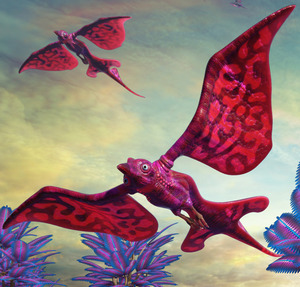
Flitting alongside your flying car, probably some Animal Jah alien birds. Note sure how Avatar-alike they are? Could class as fan-art?
Your space-opera lead hero has arrived. The stylish and subtly stylised PN August for Genesis 9.

Cryopod 3D Asset for Blender. I had success in exporting this to .OBJ from Blender 2.83.

A free Hex Floor scene prop. Could also make a wall. See also the new Architectural Wall Panels.
A new Sci-Fi Holographic Chess Set.
Steampunk:
Fallen Angel metal wings for M4, V4, G8.

Steampunk Sound Blaster by Cybertenko. Looks fun. “Drop that maguffin, HPL, or I’ll serenade you with a blast of ‘Yes, We Have No Bananas’!”

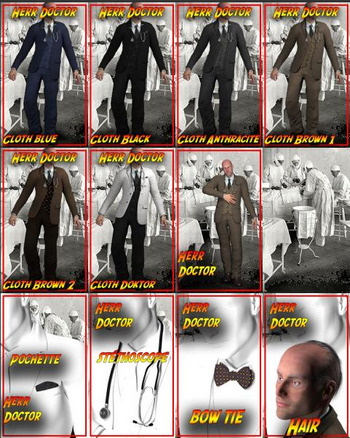
The free Herr Doktor for Michael 3, a 1920s style doctor-surgeon. With clothing, gear and hair. Also suitable for steampunk.
A free Magnifying Glass.

Alpen Express. Could also double as an undersea viewing carriage, with a bit of a dieselpunk texture makeover.
Halloween:
Yes, there were a few latecomers to the Halloween party. Such as the free LaVampire for LaFemme for Poser.

MortemVetus’s The Witching Hour Poser props. Looking fairly old now, it has to be said… but also looking suitable for Poser 11’s Comic Book line-art.

EArkham’s ZWorld Orb Beast of Many Arms. The beast is likely to come through one of the new SY Magic Portals.

Zombie Run Poses for G3, currently free on the DAZ Store.
Halloween Outdoor Decor, with a nice scarecrow prop.
Toon:
Meshbox’s Professor Santa for Poser. The description is confusing and seems to have been partly copy-based from a ‘Bedtime Santa’ figure. Suggests Chunk may be needed as the base figure, but this is not specified in the dependencies listing.

A free Dody Morph Preset For Aiko 3. This was released a few years back, I recall, but is now on Renderosity.
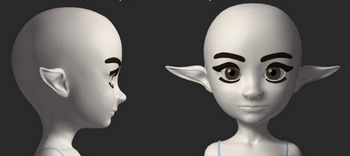
The same maker also has similar free V4 and M4 presets.

Vest 021 for G3. The hat has possibilities, re: runtime-bashing a Moebius style comics character.

The free Christmas for Nursoda’s Fen character.
Storybook:
A free traditional elf outfit for K4.

Judith Christmas – Cap and Judith AddOns for La Femme for Poser. Requires Judith and La Femme (who ships free with Poser 11 and 12).

V4/A4 Ankle Boots. Generic stylish boots, suitable for a more modern type of storybook tale.

Free Lipstick stick.

A free Alphabet Locker in .OBJ format.

Characters, clothing and accessories:
The free Indiana Jones for Michael 3 for Poser. Plus accesories. And for accomanying ‘extras’ scene fillers, Agent Civil 1940 low-poly for M3.

El Mariachi Guitar Case and gangster add-on.

Free iRay Sequins Shaders and Satin Dot shaders.
Some new freebies for the new makeover for the old Antonia base figure for Poser, Toni-Sweater for Antonia and Dynamic Frost Dress.
Genesis 9 Clones for All. Autofits to send G9 clothes and hair back in time, to work on all previous Genesis figures.
Animals:
Songbird ReMix Ostrich Sulky, for your ostrich-racing fun. This is just the carriage (the ‘sulky’) and harness, not the ostrich. Though you can buy one of those as well.

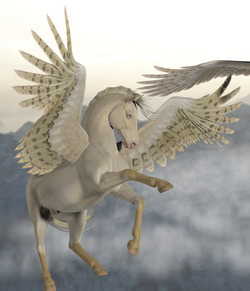
Beyond the Pale, a white horse makeover for the Hivewire Winged Horse.
Nature:
Photo Props: Swirling Tornado Effect by ShaaraMuse3D.

A free wooden bench with snow, perhaps suitable for human / animal interaction scenes.

Flinks Rolling Hills – Ground Snow props.
Easy Environments: ExoPlanet VIII, which I suspect is an Avatar-alike scene.
Currently free on DAZ, Hanging Vines – Ivy Plants. In my experience, anything “ivy” sends render times into orbit, but maybe these will be different.
Historical:
Effigy Builder Bundle for Genesis 9. Figures to statues, using geoshells and ‘stone hair’. Might be combined with the Underwater Relics Shaders for iRay.
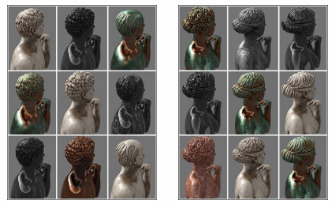

Ancient Roman Roman Artifacts III including a household shrine. Also a new Triclinium (ancient bed).

A free Mesoamerican Headress for G8, plus wearable presets. I’m unsure how authentic it is.

Bamboo Houses, also seen in the Florida everglades.

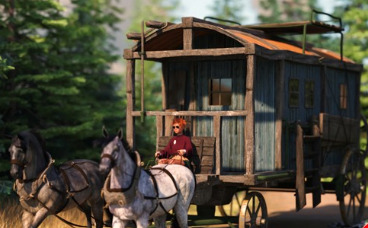
A free olde-time travelling wagon. He may be heading to The Sawmill.
Arah3D Holiday Hats Volume 01, in a European 1900s style, for G3, G8, G9.

The Paragon – Encore, a complete late 1920s / early 30s Deco nightclub. The same artist has earlier matching Deco items for sale. Looks superb.

Vintage 1930s/40s XI Microphones.
A detailed pre-war Fishing Boat, free in .OBJ format.

Universal Sailor U.S. Navy for G8M. A classic sailor suit.

A free 1960s type Carpet Sweeper Prop.

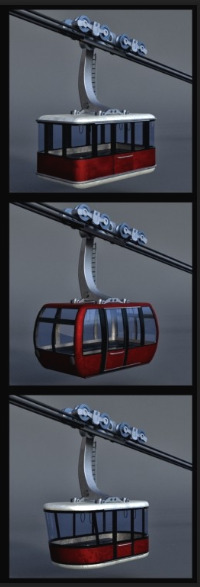
Free 1950s-70s type Cable Cars.
Sprinter, a sporty late 1970s car for DAZ Studio.

Scripts:
The free Genesis 1/2/3/9 pose converter for Genesis 8 script. Load anything that’s pose-tastic, to G8. Try it out with the free G9 Microphone Stand Poses 1-4.
You can also go the other way, with the free Genesis 1/2/3/8 pose converter for Genesis 9.
Spinaround for Poser 11. Automated setup of turntable renders.
Render Knight Script for Poser 12, to help out with the confusion many seem to feel when faced with the new Poser 12’s SuperFly (Cycles) settings. There are way more variables to consider in Poser 12. The basic thing to know is that “Branched Path” is for CPUs and does not play nicely with your super $1,000 graphics card — which may need something completely different.
Ok, that’s in. More in 2023.
Just launched, and said to be free after a sign-up, Rokoko Video. Capture webcam footage, an AI interprets the motions in the clip, and then outputs a motion-capture file.

If you need better then they’ll also be happy to sell you one of their full-body mo-cap wearable suits, specially fitted all over with sensors.
Epic has made public its RealityScan beta, which launched in closed form back in April 2022. It’s…
“a free photogrammetry app that turns smartphone photos of real-world objects into textured 3D models”
Only for iPhone and iPad, where it doesn’t appear to have too much free competition. I’m certainly no expert on Mac apps, and I didn’t look very hard, but this is surprising. You might have thought that Apple’s depth-sensing stuff would have cause developers to flock to such things. Or maybe “free” is just a dirty word in iPhone-land? Not being an iPhone or Mac person, I have no clue about such things.
Export is locked to uploading to Epic’s Sketchfab site. Models can’t be directly saved to local files. Also, since the models are said to be geared toward VR, they may well be low-res and perhaps not watertight for 3D printing (just my guess). A free Android version is pencilled in for release sometime in 2023.
Adobe is also gearing up to release its own photogrammetry software.
There’s also something called Polycam 3.0 coming down the pipe in 2023.