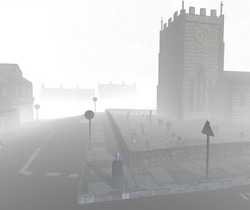
The thefantasiesattic Halloween freebies page, now live. One ‘reveal’ per day, from now until Halloween.
Category Archives: Freebies
Matcap for Poser 11
Matcap for Poser 11. You’re welcome.
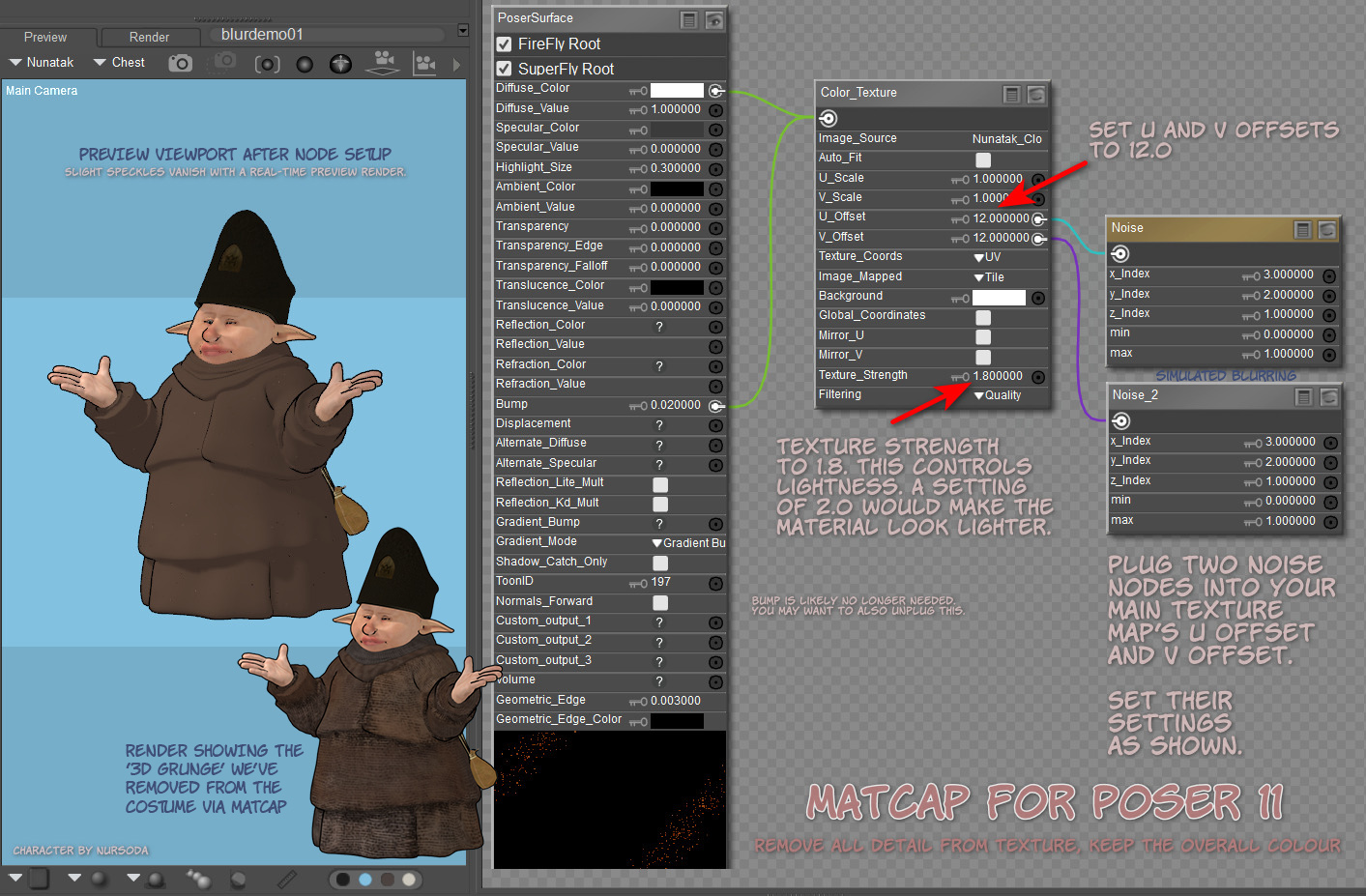
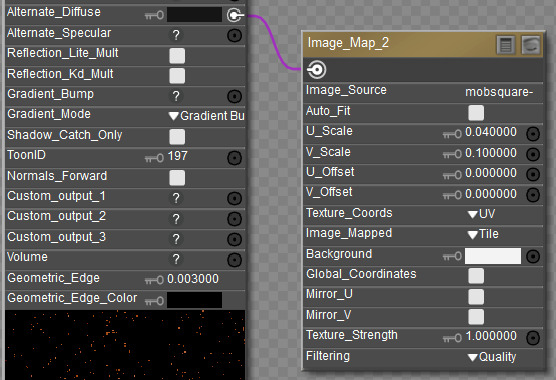
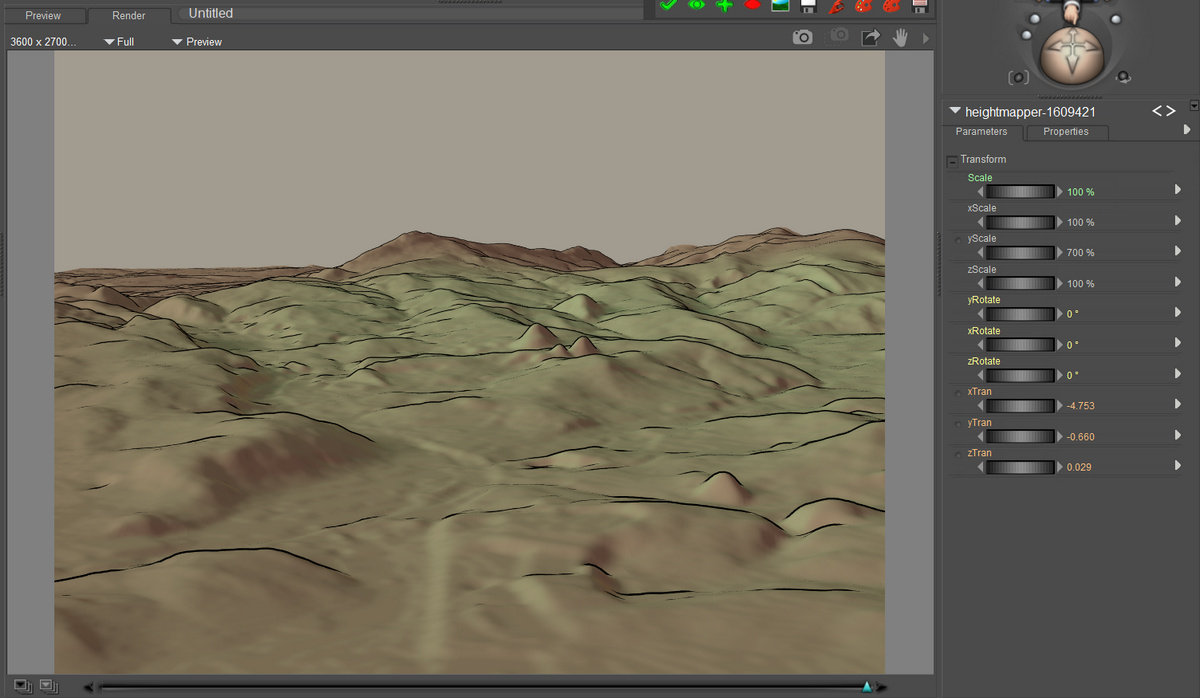
The material is de-grunged, but its overall intended colour is retained. A more suitably artistic texture (i.e. that doesn’t scream ‘3D speckly grunge’ to regular comics readers) can then be subtly added via plugging a hand-inked texture tile into the Alternate Diffuse. Ignore the hat, it’s raw and untouched as yet. And obviously there are some missing ink-lines, that would need hand-inking. And you’d want the inked lines on another layer in Photoshop, and then blend them in better. But you get the idea.
Not for use on eyes, of course, and skin may need a softer treatment. Thus we can’t just have a script blast the entire character.
Can’t think why I didn’t think of it earlier. A basic form of matcap by simply blurring out the existing textures, while keeping the intended colour. You can of course build on this base, and try to develop the more complex forms that the animation industry understands as ‘matcap’, which involve fixed shadows and suchlike.
|
1 2 3 4 5 6 7 8 9 10 11 12 13 14 15 16 17 18 19 20 21 22 23 24 25 26 27 28 29 30 31 32 33 34 35 36 37 38 39 40 41 42 43 44 45 46 47 48 49 50 51 52 53 54 55 56 57 58 59 60 61 62 63 64 65 66 67 68 69 70 71 |
### v.1.0 September 2021. # A quick degrunger script for Poser 11.x. Runs on the current texture # and removes grungy detail, while retaining their averaged base colour. # Not good for skin and eyes, but good for dark grungy and speckly # clothing etc textures. Intended for use with the Poser 11 Comic Book # Preview mode, to get colour flats to go underneath a seperate lineart # render from the same scene. ### import poser scene = poser.Scene() # Test if we have materials even present. mat = scene.CurrentMaterial() if mat: tree = mat.ShaderTree() root = tree.Node(0) # Test if we have a Diffuse_Colour node with something plugged into it. imgmap = root.InputByInternalName('Diffuse_Color').InNode() # Yes we do, so continue with the MATcap process. if imgmap: shaderTree = poser.Scene().CurrentMaterial().ShaderTree() root = shaderTree.Node(0) imgNode1 = root.InputByInternalName('Diffuse_Color').InNode() parameterU = imgNode1.InputByInternalName('U_Offset') uOffset = imgNode1.InputByInternalName('U_Offset') uOffset.SetFloat(12) texStrength = imgNode1.InputByInternalName('Texture_Strength') texStrength.SetFloat(1.3) # Create Noise node and set its paramaters and position noise1 = shaderTree.CreateNode(poser.kNodeTypeCodeNOISE) noise1.SetLocation(230,460) noise1.Input(0).SetFloat(3.0) noise1.Input(1).SetFloat(2.0) noise1.Input(2).SetFloat(1.0) noise1.Input(3).SetFloat(0.0) noise1.Input(4).SetFloat(1.1) # Plug the Noise node into the right slot. shaderTree.AttachTreeNodes(imgNode1,parameterU.Name(),noise1) root = shaderTree.Node(0) imgNode2 = root.InputByInternalName('Diffuse_Color').InNode() parameterV = imgNode2.InputByInternalName('V_Offset') vOffset = imgNode2.InputByInternalName('V_Offset') vOffset.SetFloat(12) texStrength = imgNode1.InputByInternalName('Texture_Strength') texStrength.SetFloat(1.3) # Create another Noise node and set its paramaters and position noise2 = shaderTree.CreateNode(poser.kNodeTypeCodeNOISE) noise2.SetLocation(230,600) noise2.Input(0).SetFloat(3.0) noise2.Input(1).SetFloat(2.0) noise2.Input(2).SetFloat(1.0) noise2.Input(3).SetFloat(0.0) noise2.Input(4).SetFloat(1.1) # Plug the Noise node into the right slot. shaderTree.AttachTreeNodes(imgNode2,parameterV.Name(),noise2) shaderTree.UpdatePreview() scene.DrawAll() else: print 'The current selection is not driven by an Image Map.\n\nThis means it cannot be MATcap-ed.\n\nTry making a selection in the Material Room.' else: print 'Please first select or set up a material in the Material Room.' |
A few G’MIC tips
Note that the free G’MIC will not launch in Photoshop if the layer being filtered has multiple areas of transparency, as you might get from a .PNG render of a 3D scene. In which case, right-click on the layer and ‘Convert to Smart Objects’ first. Then G’MIC will launch for that layer. Apparently the mighty Photoshop still cannot handle more than one area of transparency in a layer, without such a conversion being done. Other similar software has no such problem.
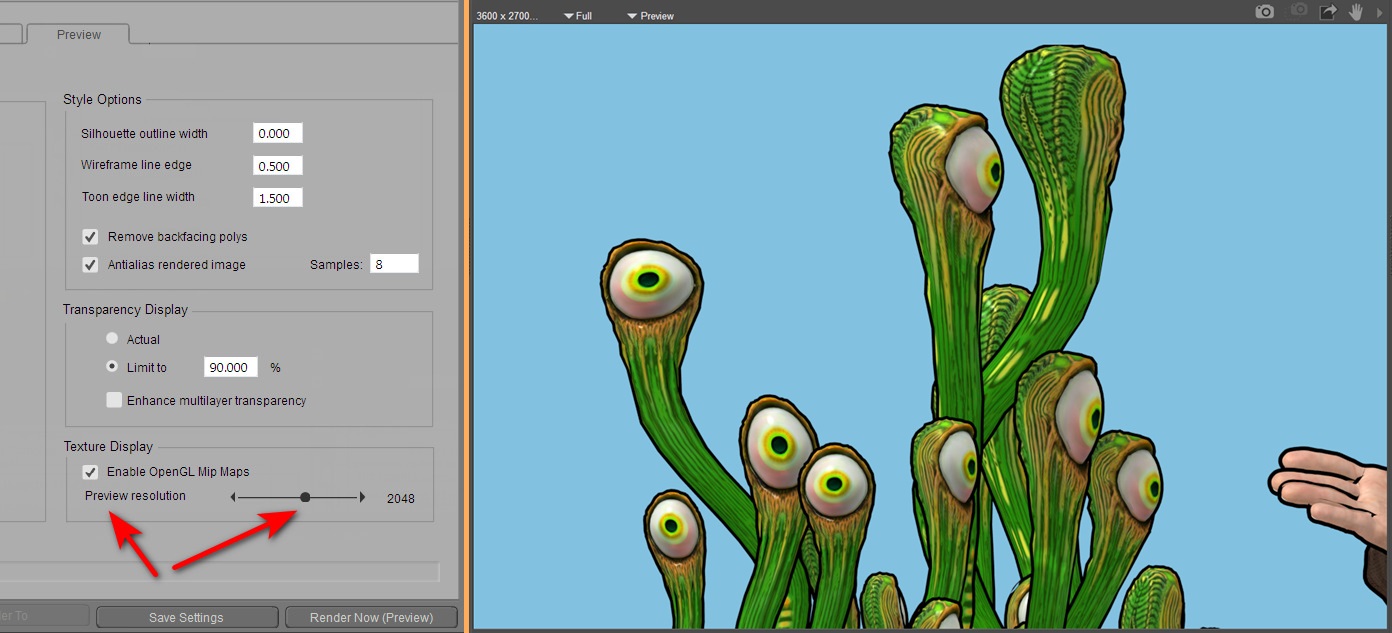
Also, when filtering real-time Poser Comic Book renders for detail, such filtering is usually aided by having good quality (rather than muddy / low-res) textures loaded. Here’s how you do that with a Preview render…
Obviously if you’re instead rendering for a Colour Flats layer in your Photoshop layer-stack, then the low-res textures don’t matter so much. Because you’re going to scour off all that unwanted grunge and noise with Topaz Clean 3.1 or G’MIC’s Comic Book filter. Ready to lay the Lineart layer on top.
Poser to Blender
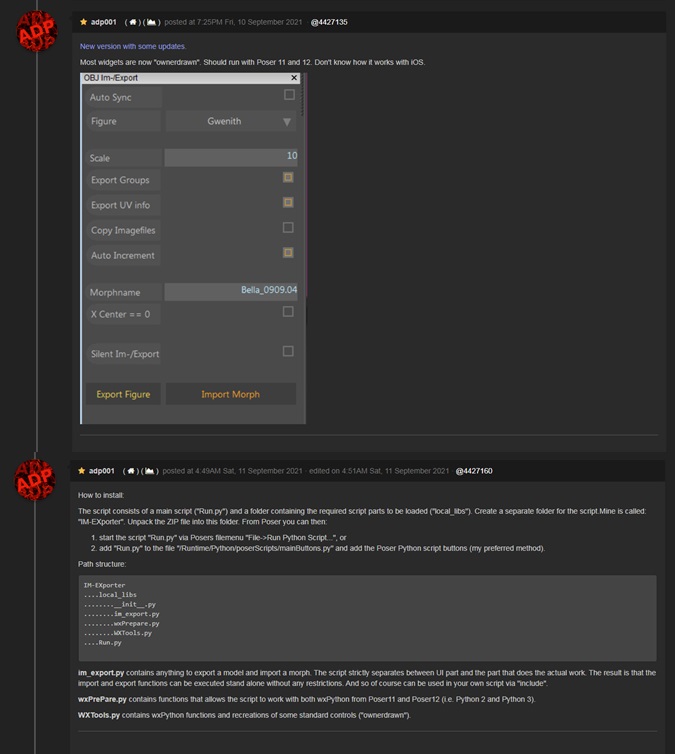
New version of ADP’s free Poser to Blender script, with new fixes to run in Poser 12. Scroll down to 10th September 2021 post and install notes…
There is also now an automatic Blender to Poser conversion script, that goes the other way. Quickly liberating the wealth of Blender content locked in .blend files, for use in Poser.
Free at DAZ
Freestuff update
The Renderosity Store has updated the ‘Freestuff Upload’ rules page.
Redeye Cat freebie .ZIPs
Redeye Cat retired in May and on her blog kindly gave permission to freely redistribute the .ZIP files and documentation for her freebies. The .ZIP file links on her blog have now gone at September 2021, and the Archive.org’s Wayback service did not catch them.
As a result, there is now a 500Mb mega-bundle archive on Archive.org. This is mostly of interest for Poser storybook and steampunk people, but also has some items of DAZ use such as the V4/M4 sci-fi poses. Those who still value Genesis 1 for its dynamic flexibility and Poser-import will also especially value the freebies here.
It has the following…
Clothing retextures
– dirty dress retexture for Rococo
– for the Harper Beanie hat
– for the Bossy Boots
– for the Sensible Shoes DS
Materials
– steampunk materials pack (merchant resource)
V4
– variety poses
– pulp retro sci-fi poses (several packs)
Dano
– Cardboard Box Boy, a standalone figure
Toon Tones
– toon hair shades
– Sam & Sadie toon tones MATs
Kids 4
– a wealth of Poser-friendly face expressions and pose presets made for K4
– winter fun sets, kids sledging, snowballing etc
Halloween
– texture makeovers for Patches the stuffed cat, Nursoda’s Bonga
M4
– Tragic Poet poses
– a half dozen male characters for M4
– a “motley collection of toonish dial morph characters for V4/A4 and M4/H4”
DAZ Genesis 1 – the first Genesis release
– statue poses
– art-doll makeover for Genesis
– pulp sci-fi poses pack
– parasol holding poses
Squee Dragon
– set of poses for the little semi-toon dragon
Baby Luna
– a couple of face dial presets to give a more realistic baby look
Scary Cherry (a girl’s toy doll figure)
– dirt masks, for ‘abandoned doll in the dirt’ type pictures
Hair fits
– a wide collection for many figures, in one .ZIP file
PDF page archives
– some of the more substantial content investigation-surveys, e.g. steampunk
– the relevant page for each .ZIP file
– details of the redistribution permissions
G’Mic as a Topaz Clean replacement
Update, June 2022: this solution is now broken in the latest G’MIC, due to regrettable changes in the required filter. Should work on G’MIC 3.0.x or lower.
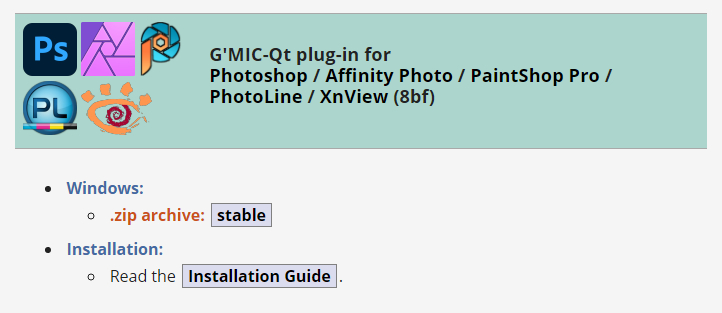
I’ve found a way to just about emulate the Topaz Clean 3 Photoshop plugin, using the free G’MIC filter set in its new Photoshop .8BF form. Since G’Mic also runs on Paint.NET and PhotoLine, it will also work there. I can’t vouch for Krita, as Krita bundles its own variant of G’Mic.
Why is this needed? Because Topaz Clean 3 is no longer sold. Clean was unique and useful for 3D comics people, old manga scanners, and those who wanted to perk up character screenshots from The Sims etc. My specific use case is filtering a ‘colour flats’ base render from Poser, which could be very nicely de-grunged with Clean 3.1 in Photoshop.
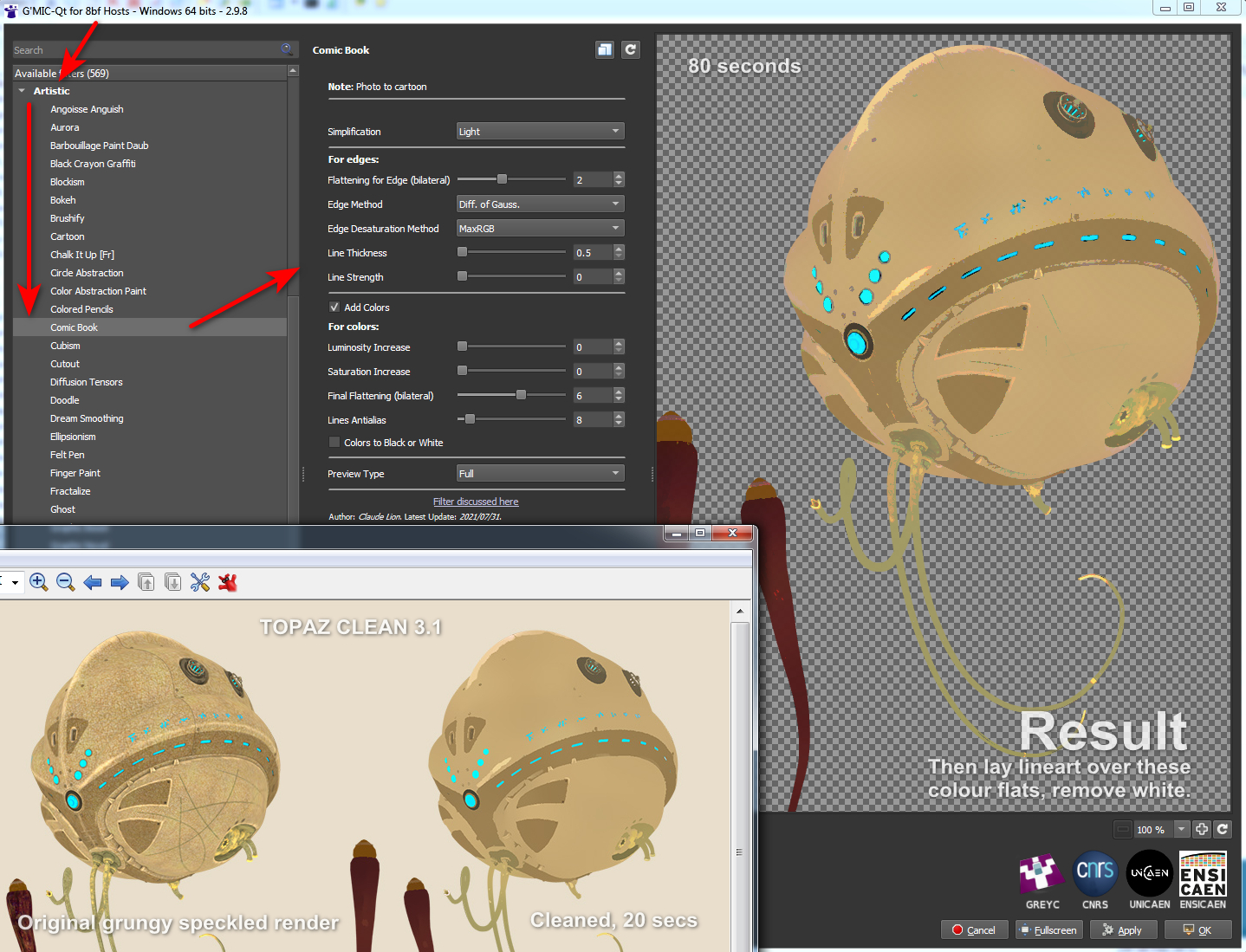
This is as close as I can get in 2021 to Clean 3. It uses G’MIC’s standard Artistic | Comic Book filter with the sliders tweaked as you see below. There is also a comparison with the original and the old Clean 3 result. The original render had already been taken some way by using a flat IBL light in Poser, but still had unwanted grunging and speckling.
Pretty close, but there are drawbacks:
1. It takes a long time to run, 60 to 80 seconds on a workstation. Compared to a much more nippy 15 to 20 seconds for Topaz Clean 3.1.
2. You cannot take the Comic Book lines off altogether. Their lowest setting is locked at 0.5. This matters little, however, as you’re going to drop a real-time lineart render on top.
3. There are still some artefacts, that seem like posterization of the colours, here and there. Topaz Clean smoothly cleans them away, but G’MIC doesn’t.
But there you go… if you need free and no longer have Topaz Clean 3 for some reason or can’t (cough) find a copy, then this should help with the degrunging job for 3D comics when using layers (colour flats / details / lineart / shadows, all on their own filter-able and editable layers).
And it can do so in a more satisfactory way than the obvious and cringe-y ‘Posterized in Photoshop’ look, or by applying some swirly-blurry mess-filter that destroys edge details. The aim here being to somewhat emulate the crisp ‘paint-bucket’ flats that a professional comic-book colourist might start the colouring process with.
“What’s that you say, Lassie…. Howler 2020 is free?”
Project Dogwaffle’s Howler 2020 has been released for free on Windows, although you are “encouraged to make a donation to fund future development”. As noted here on this blog, v.2020 saw… “a revamp of the legacy brush engine, new paper textures, and rationalised de-cluttered media presets”. The latest release is Howler 2022.1, which is several bounding doggie-leaps ahead of 2020. But still only $77 for a perpetual licence. Definitely worth a look, and you’re sure to find a use for it at some point.
Ajax Spaceman
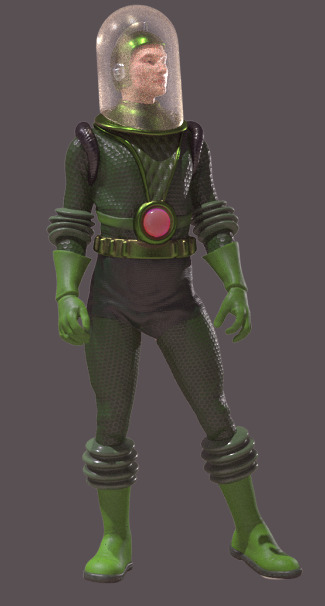
I forgot to mention this freebie in my monthly survey post. Ajax Spacemen were apparently the 1940s pulp space-opera figures that George Lucas played with as a kid on his carpet. The freebie is for Poser, designed for the free 3D&D Klingon standalone for Poser.
I did a little research on the copyright status. The line of toy figures was apparently introduced to the U.S. market in 1947 and then the Ajax Spacemen design in 1951, with “patent pending” noted on the boxes. A U.S. Design Patent then lasted 15 years. Thus I would suspect this design is now public domain, and has been since the 1970s, but don’t take my word for it if making commercial renders.
Snarlygribbly scripts for Poser 12
Key scripts for Poser 12 by Snarlygribbly, inc. a working EZDome, and in general looking as though they’re progressing nicely.
Note the new https://poser.cobrablade.net/ location for the downloads. It seems this is where these Python scripts are officially hosted now. I’ve fixed the sidebar link at this blog and the Poser Scripts page. I’ve also plugged it into my Technical Search Engine though it seems Google Search doesn’t know about it yet (the engine runs on a Google CSE).
On the same Cobrablade page you will also find his latest Poser 11 scripts. All free.
What’s new for DAZ and Poser – May 2021
It’s the end of the month again, time for another personal survey of new DAZ and Poser goodies.
Update: Thanks to Kevin M. I’ve solved my problem with the infinite scrolling on the DAZ Store, which after a while causes the thumbnail loading to freeze. This had caused me to have to skip some DAZ Store items that were too far back in time. Setting “Items Per Page” to 60 brings back the paginated browsing.
Science fiction:
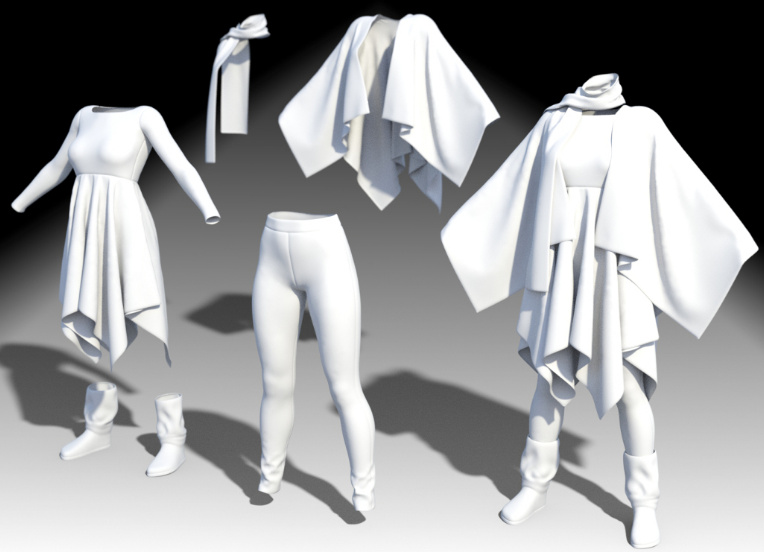
Android X02 for G8M AddOn which adds a cape and cowl to Android X02 for G8M. Also discounted at the CGbytes Store. Here we see it matte, without the shiny chrome plating.
Equally retro is Vintage SciFi Spacesuit for G8F. Nicely done, and it does look like something you might have seen on the cover of Marvel Tales in the 1930s.
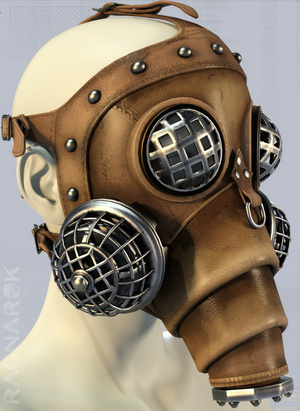
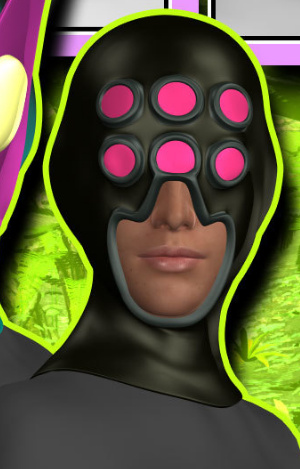
Liquidator Mask for Genesis 8. I assume it’s not ‘near fan-art’, but I guess it could be similar to something in a current TV series?
Steampunk:
Very little this month, but what there is is handsome. The first Russian submarine. No format specified, but I assume .OBJ?
Fantasy:
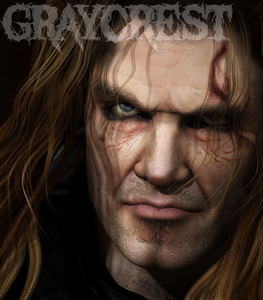
MortemVetus brings his classic Graycrest for Michael 4 back to the market. Was at RuntimeDNA, so veteran 3D-ers may already have him in the runtime.
When Greycrest is around you’ll be needing the new Conquerors Delight – Burnt to the Ground Hovel from Cybertenko.
Greycrest may also want to stride along Sixus1’s Viking Shores Scene and Props, currently just $7.50 at DAZ.
Cybertenko’s Wolf Skin for Poser and M4. It does not appear to come with a preset for Poser dynamic hair, but someone will surely make such a furry freebie for it. See also Cybertenko’s recent Mari Lwyd head-dress.
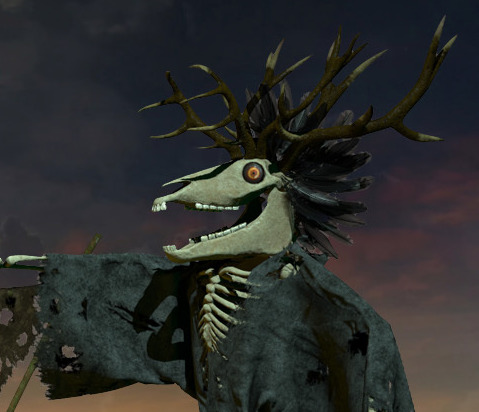
Oculus Guard from Cybertenko. A typical D&D style gate-guard monster. Probably lives in the new Ruined Tower.
Storybook:
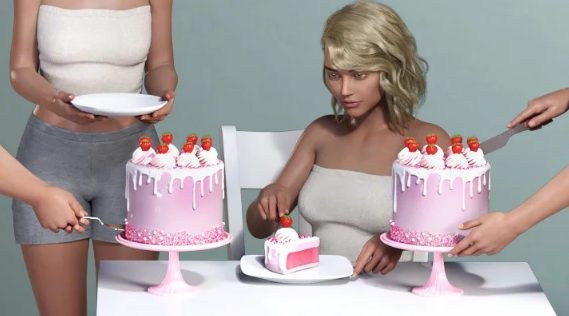
Free Cake for DAZ Studio. Also Donuts.
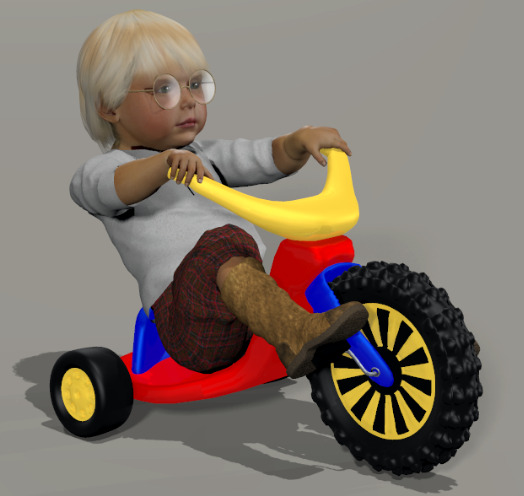
After junior has gorged on cake, he’ll be needing to burn off the sugar on the free Big Wheel for Baby Luna, a big ride-on toy bike.
Classic Fairy Poses and Expressions for La Femme, for Poser.
Toon and semi-toon:
MightyMite has a new pack of superhero/villain masks Kitbashers 087 for G3, several of which appeal. I think the second is fairly close to the karate guy in Marvel’s Inhumans, though.
A fine Retro Toon Car and Caravan (trailer-home). So far as I know it’s not fan-art. And there’s a Toon Fly for comedy interactions with the driver.
Another free Toon Car, a sort of off-road dune buggy. Also a Toon Zombie Van. Again, I assume these are not fan-art. Check before commercial use in a comic etc.
Snokulina8 for G8F, a semi-toon character.
Environments and plants:
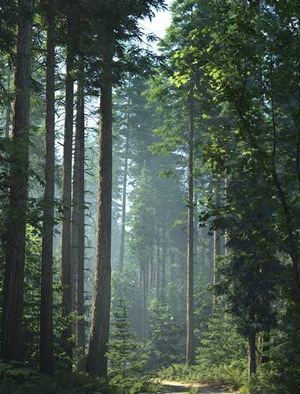
A complete Pacific Northwest Botanica forest for DAZ Studio.
Wetlands Low-res Plants, for large ponds and lakes.
A shallow-water offshore Oil Platform for Poser.
Animals:
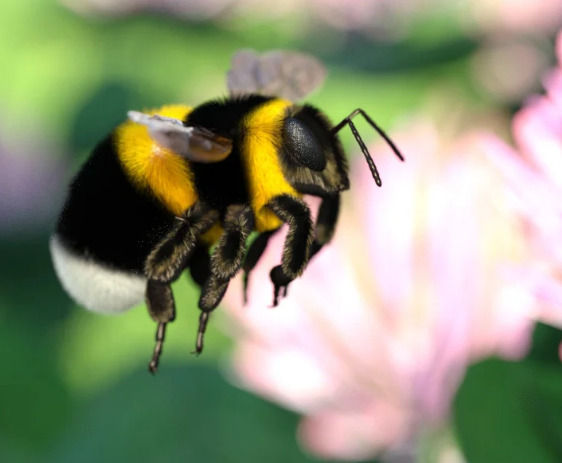
Little Friends Insect Bundle for DAZ Studio, including a bumble-bee.
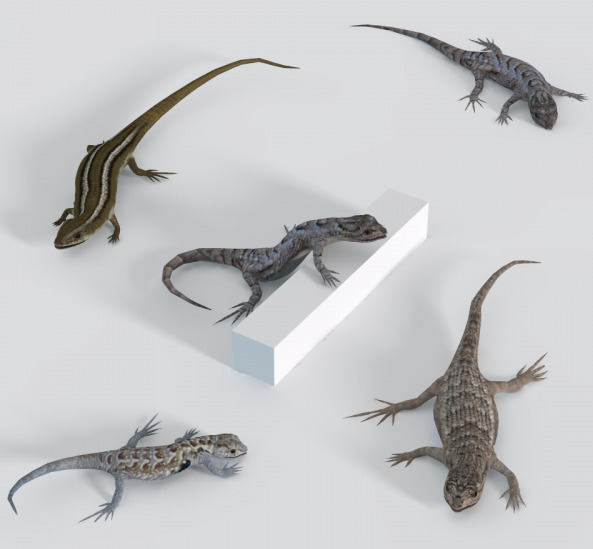
Free, Kerya’s Lizard Poses for DAZ Studio and Kerya’s Lizard Poses for Poser. For KenG’s Lizards.
Nostrils Down For Ken’s Tortoise for Poser. Because tortoise nostrils don’t look like terrapin nostrils. It could matter, if you’re making illustrations for an encyclopedia, pet-care guidebook etc.
Yard Things including bird-boxes. Or “snack-boxes”, as cats think of them.
Animations and Still Poses for AM’s Mouse. Video demo.
NM Seashells in 3D. Vue seashore and rock-pool artists may also be interested in these.
Historical:
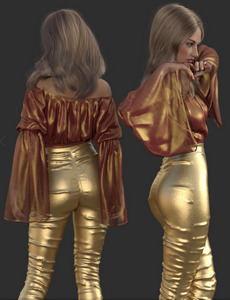
Faxhion – Fancy Day for DAZ. 1970s Abba-tastic pop-group textures for Fancy Day dForce outfit for G8F.
Now-Crowd Billboards – Roman Legion. Want 100 characters in the scene, and have no CERN-scale supercomputer handy? No problem, these are all 2D billboards.
Viking Spear and Spear Poses for Genesis 8. Looks like it has just about all you would need for spear hunting and warfare.
Characters and accessories:
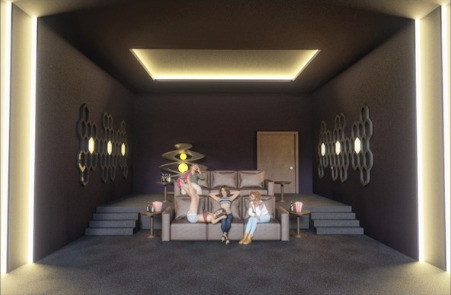
A free Private Cinema for DAZ Studio.
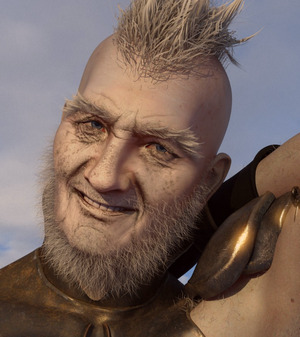
RawArt’s Bernie for Genesis 8 Male. Apparently not HD, which is a big plus.
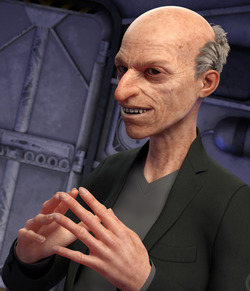
Free Old man grey skin for G8 and G3.
A free Yul Bnunner M4 ZBrush morph for Poser.
Big chunky Summer Style sunglasses for Genesis 8.
DAZ Carrara Presets for Genesis 8.1.
Can you feel ‘the goth revival’ building, among the yoof? Then you’ll be needing the DZ G8M GothZ 3 shorts and boots, and the dForce Dark Vamp Outfit.
Scripts and node maps:
SkinEdit for Poser 12. For Poser 12 only. One-click to make a Firefly character into a Superfly character.
Scripts Manager for Poser 12. For Poser 12 only.
Depth Cue for Poser 11 with Firefly, including a .MT5 material based on the work. I haven’t tried it yet, but it looks an interesting alternative to the z-buffers and is fully documented.
Tutorials:
Plugins: A Tutorial Exploring Utilities for DAZ Studio.
Community Art Workshops Using Stonemason Assets.
Reframing: Identifying and Reframing Limiting Beliefs for Artists.
Fantasy Taverns: A Workshop on Multi-Character and Atmospheric Scenes.
That’s it, more picks next month.
Release: new version of MeshLab
MeshLab 2021.05 has been released. Installer downloads are here. The leading free 3D mesh-wrangler can now do ‘pretty’…
“MeshLab now allows to load custom GL shaders”
And texture-map defragmentation, and multi-layer support on .3DS files. Plugins, too.
Free the squid…
OnlyFreeTurboSquid. A handy UserScript for your Web browser, that…
“makes it so you only see free things on TurboSquid.”
Release: ArmorPaint 0.8 (Jan 2021)
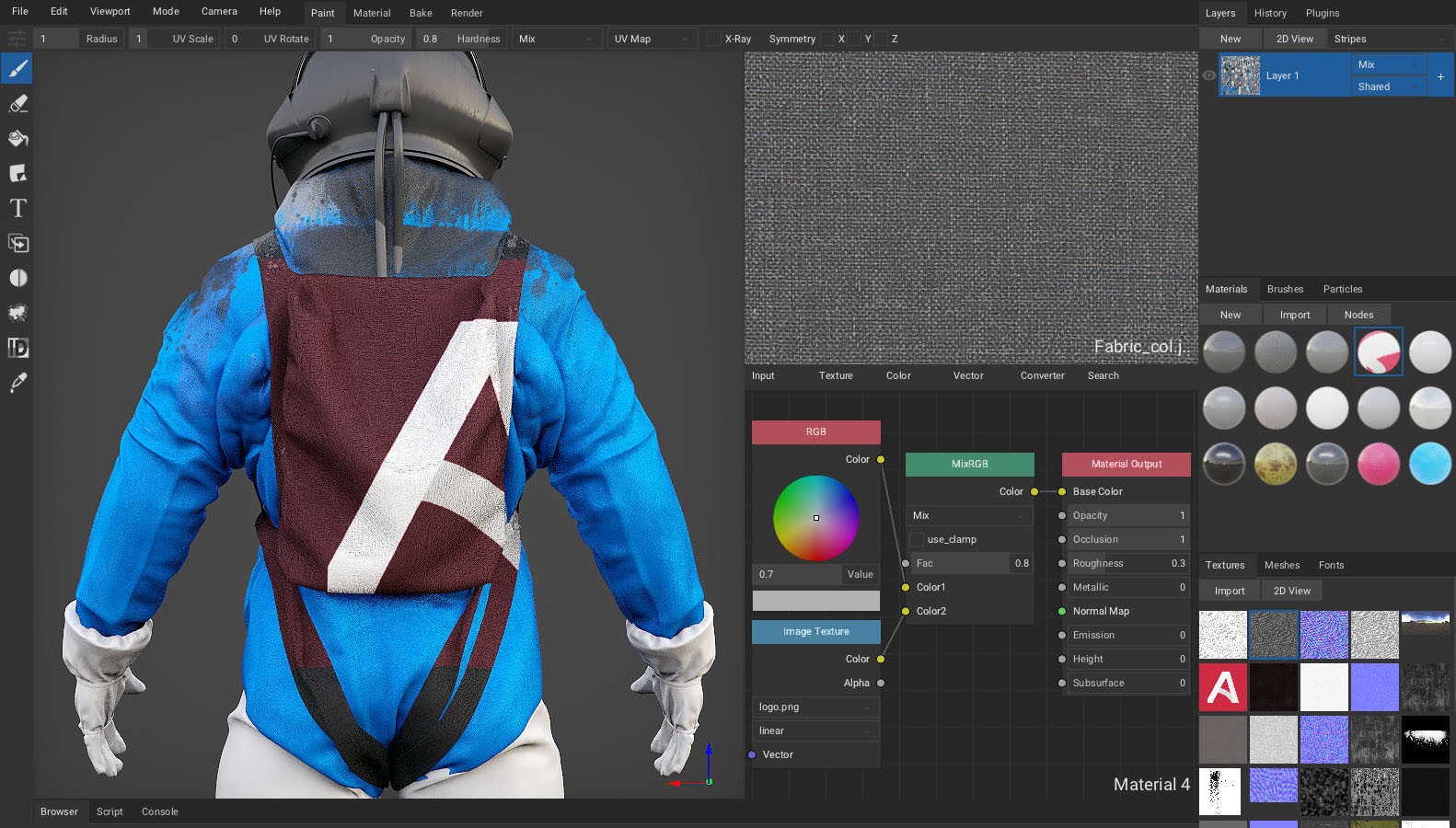
ArmorPaint (aka Armor Paint or Armour Paint) is an open-source standalone for painting on 3D models, including with PBR. Very like Substance Painter, but free and with no subscription shackle. Or… sort-of-free. It’s 16 Euros on GumRoad, where your $20 also gets you the latest builds dropped into your GumRoad Library. Or you can compile an .EXE yourself for free from the source-code — if you have a few hours to spare, a copy of Microsoft Visual Studio (free, when last heard of) and a YouTube tutorial handy.
ArmorPaint has had a couple of big updates, and the latest is now 0.8 (19th January 2021). There was another big update you may have missed hearing about, this time last year. There’s a YouTube video for ArmorPaint: Four key new features, January 2021…
“Added Viewport cel-shader plugin”.
Nice. It’s ‘two-clicks’ instant too, and it appears there’s no need to fiddle about with setting up special toon materials. No lineart on the edges, though you might paint along the seams. For the huge list of fixes and changes, including new .SVG import, see the Changelog.
There’s a Blender bridge, but as yet not ones for Poser or DAZ.
Apparently the freeware Materialize, from Bounding Box Software, is said to work well with ArmorPaint as a flanking ‘assistant’ software. Materialize can “create an entire material from a single image”…