Fantasy Attic’s 2021 Christmas Advent Calendar page is now online, for a month of Poser and DAZ freebies. Day 1 should be opening today.
Category Archives: Freebies
New for Poser and DAZ in November 2021
Time for another survey and pick of what was new for Poser and DAZ, in November 2021. As usual, freebies are only noted if the renders can be used commercially.
Science-fiction:
Grounds Add-On 1 and Grounds Add-On 2, both for Flinks Space 2 backgrounds + props set. A range of grounds for ‘moon landing’-type scenes and vignettes.
Wasteland Shop for Poser by 1971s, and there is also a DAZ version.
The Wasteland Shop is probably home to the guy who builds the Racing Cheetah robot NE-10-O. In OBJ, though, which is likely to only be good for static scenes. Still… good robot cats are rare, so I’ll mention it here.
Cyberpunk backstreet by 1971s, and there is also a DAZ version.
AJ Another World by AppleJack. Various useful additions to someone’s ‘alien foliage’ collection.
Sci-fi Desert Portals scene, in .OBJ on ArtStation so also good for Vue. Could be paired with the new Pharaonic Relics set for DAZ. Note also the excellent ‘tall ancient wall’ in the latter.
Fantasy:
Free Anime Slanted Eyebrows, also useful for faeries and Vulcans. These are LIE overlay images only, for the Layered Image Editor. Most people (including me until recently) have never heard of LIE, but it lurks within the Surfaces tab and for things like tattoos can be used as an alternative to a geoshell.
Head Monster for G8M, seven merchant-resource head-shape morphs.
Halloween:
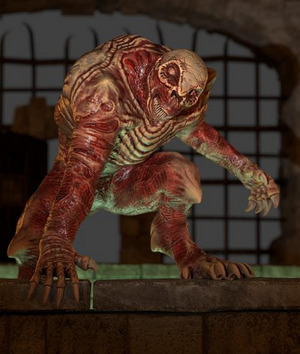
The free OsoS Hulking Horror for DAZ. I assume it’s not fan-art.
MortemVetus has his Ultima Mortis M4 back online at Renderosity.
Christmas:
Happy Holideer for the HiveWire Mule Deer
A free Xmas Roof setting with iced-up chimmney.
Clothing:
A free Nutcracker Hat, also likely to be useful for Moebius-style sci-fi character uniforms.
Related to clothing, a pack of Fashion Catwalk Animations for G8.
Storybook:
A free Zottelchen and Zottel.
A free Inflatable Dolphin.
Toddler – Ginger Outfit, a ‘gingerbread man’ toddler costume.
Fallen Leaves – Scatters and Drifts also seems useful for storybook-type scenes.
History:
Burial Sites: Mound for Poser, an Ancient British style burial mound from Cybertenko. The grass is removable, so you could add Flink’s or take it to Vue as a Poser scene and use an ecosystem on it.
The new Corbelled Stone Hut might serve as a mound interior.
Reed Huts 2 for DAZ Studio. ‘Laketown’ style primitive stilt-huts and fishing platforms.
Stranded Pirate Ship scene.
A Dutch 19th century Wooden Rowing Kubboat, which would also have been seen in the waterlands around New York City until the 1920s.
dForce Victorian Gentleman Outfit for G8 and textures.
Free 1950s room-sized computers for Poser.
A 1990s type Urban Skatepark. Might also match with the new Dynamic Destruction Vol. 1 for DAZ, an abandoned building with Dynamic Destruction morphs.
Animals:
Cat Zeus, a chunky ginger grimalkin or ‘top cat’, with poses and dForce hair.
Songbird ReMix: Hummingbirds of North America pack.
Animations and Still Poses for Woolly Mammoth. There’s a video demo at YouTube.
Prehistoric Amphibian Diplocaulus and Dragonfly Prey for DAZ.
Shaders and textures:
A free body/face Cycles shaders for A3. In Poser, Blender’s Cycles renderer is renamed SuperFly, so it might have been named as ‘SuperFly Shaders for Aiko 3’.
A set of Handmade Textures for Use with G’MIC’s ‘Artistic Stylize’ filter.
Useful scripts:
Blender to Poser automatic converter, a Blender Python script to quickly extract just the content-asset from a Blender .blend file, and nothing else. Also uses Poser-friendly settings. (For Poser only, as the results are not DAZ-friendly).
Chain Control for Poser 12, for flexible/animated tails, whips and suchlike. Note that Poser 12 has Windows OS requirements for downloading scripts from Renderosity. Windows 7 users may not be able to get the script, even if they purchased it.
Copy Dynamic Hair Room Settings now has a Poser 12 version of the script. Scroll down the freestuff page to see the link.
Tutorials:
Mandelbulb 3D : Power Tips for Creating Fractal Worlds. With Scappin Matteo who’s an expert in the free Mandelbulb3D.
That’s it for November, more after Christmas! Please consider keeping a little bit of your Black Friday spend back, to go toward my Patreon instead. Even a few extra dollars a month is a great encouragement and a help with my many different projects. Many thanks.
DAZ freebies page updates
The DAZ freebies page has updated. Three Genesis 2 everyday outfits, some pose packs, one Genesis 2 hair.
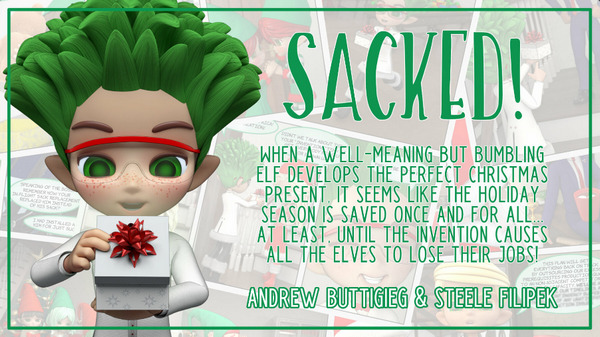
Sacked!
Sacked! was made with DAZ’s Cookie and Chip figures. It’s a “Christmas movie” in the form of a 3D graphic novel. Recently released free on the ArtStation Marketplace.
The maker is interviewed in VisNews #23.
Poly Haven
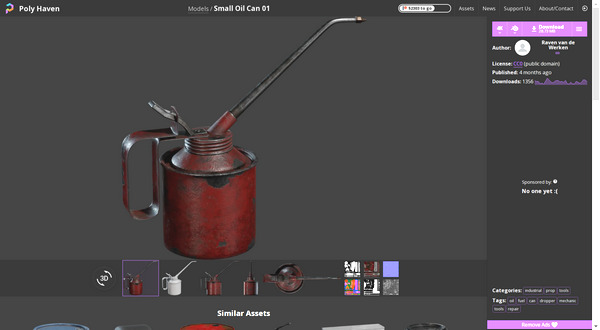
From South Africa, the new Poly Haven. A library website of free CC-Zero Blender assets with, at present, what appears to be some quality-control. A test of a small oil-can gave me an open public download (no sign-up needed). The polished and roomy new site seems to be from a small group of young Blender enthusiasts, who plan to run on a mix of crowdfunding and ads. It’s crowdfunding now.
Opening my test file failed in Blender 2.76, but succeeded in 2.83. Automatic Blender to Poser conversion then succeeded nicely, and the can was inside Poser in seconds and looking good.
Winging it…
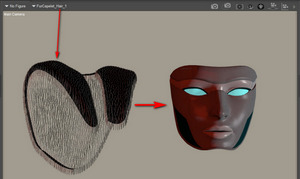
I stumbled on a couple of interesting alternative possibilities re: curing the DAZ-to-Poser ‘butterfly wing’ eyelash problem, at least for Genesis 1 and 3. Get rid of the lashes altogether in DAZ, first.
1) A free set of G3F Morphs. One of which is…
‘No Lashes’ – embeds the lashes deep inside the head and scales them to a near microscopic size
Once loaded, found under: Parameters: Actor : Head : Face : “Eyelashes Hide”.
2) A free ‘No Eyelashes’ morph for Genesis 1. G1 is still useful for comic makers due to its great many creature and other morphs, and the ability to easily go to Poser 11 via DSON.
Once loaded, found under: Parameters: Actor : Head : Face : Eyes : “No Lashes”.
Works on a test Poser 11 import via DSON, and no “Sub-division OFF” is then needed there to fix the eyelashes.
Release: MeshLab 2021.10
MeshLab 2021.10 has been released. If you’ve missed the last few releases of this free open-source 3D mesh ‘Swiss Army Knife’, here some of what’s recently new…
* support for *.gltf, *.glb, *.nxs, *.nxz, *.e57.
* a brand-new plugin for exact mesh booleans.
* a new Python library for mesh batch processing (replaces old meshlabserver).
* a new “Texture Map Defragmentation” filter.
* a new Extra plugins for MeshLab GitHub repository.
Clavicula 0.9
Lucian Stanculescu, maker of Neobarok, has released v.0.9 for his equally free 3D modeller Clavicula. “Clavicula supersedes Neobarok, with more functionality and PCVR support”. As innovative and open source and stylish as Neobarok.
ArmorPaint 0.8
Out now, a new version of ArmorPaint, the PBR materials maker and 3D paint-on-the-mesh painter. Think of it as ‘Substance Painter for $20, without the subscription shackle’.
0.8 is described as “a major update” and it apparently also now runs on Android and the iPad, and has a new Cloud-based assets library. It’s sort-of-free. Free to compile from source code, or buy it ready-to-install for $20.
Movmi
On the sidebar ‘directory’ of this blog, there’s now a new “motion capture” set of eight links. All in some way Poser/DAZ friendly. Some of this software has been around a while, in fact so long that it’s vanished from sale (mocap software tends to do that).
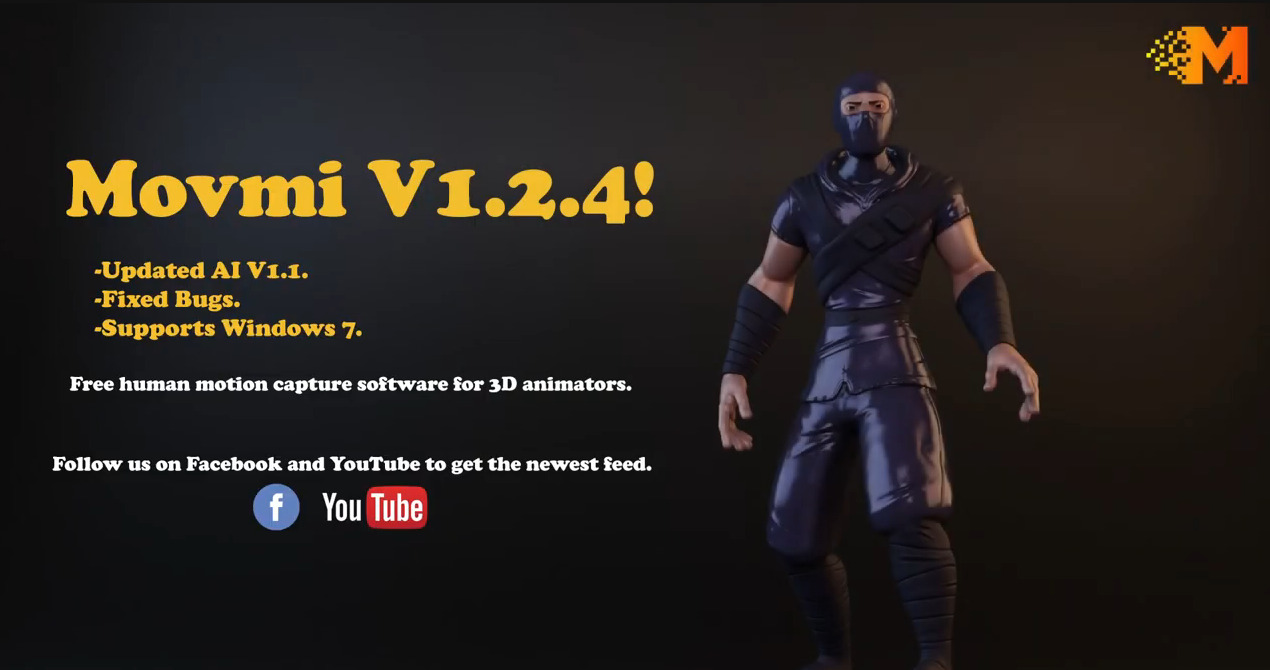
But the latest software is Movmi V1.2.4 (October 2021), which is freeware. From one-man developer Ahmed Askar, making a free AI-powered 2D video-based motion detector software for Windows 7. Movmi has had mocap extraction capabilities added in the last few weeks. Export appears to be to .FBX for now?
It’s AI, so the download is hefty at 1.1Gb. He probably needs to get it on a torrent, in time for when the masses arrive, but for now it downloads fast. The lad’s got the right idea: Windows 7 support, free, no sign-up required and ‘just download it’.
Halloween freebies
The thefantasiesattic Halloween freebies page, now live. One ‘reveal’ per day, from now until Halloween.
Matcap for Poser 11
Matcap for Poser 11. You’re welcome.
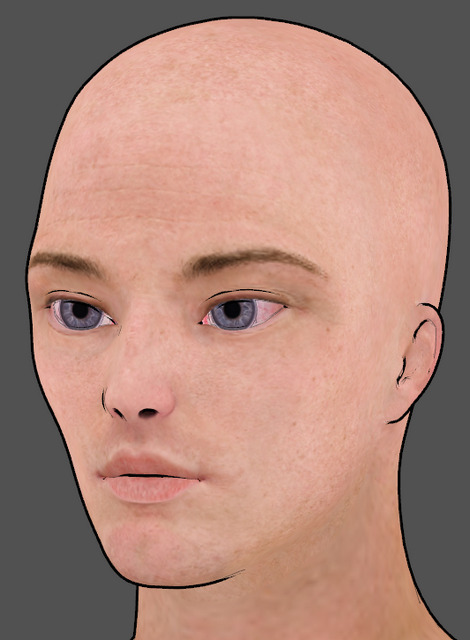
The material is de-grunged, but its overall intended colour is retained. A more suitably artistic texture (i.e. that doesn’t scream ‘3D speckly grunge’ to regular comics readers) can then be subtly added via plugging a hand-inked texture tile into the Alternate Diffuse. Ignore the hat, it’s raw and untouched as yet. And obviously there are some missing ink-lines, that would need hand-inking. And you’d want the inked lines on another layer in Photoshop, and then blend them in better. But you get the idea.
Not for use on eyes, of course, and skin may need a softer treatment. Thus we can’t just have a script blast the entire character.
Can’t think why I didn’t think of it earlier. A basic form of matcap by simply blurring out the existing textures, while keeping the intended colour. You can of course build on this base, and try to develop the more complex forms that the animation industry understands as ‘matcap’, which involve fixed shadows and suchlike.
|
1 2 3 4 5 6 7 8 9 10 11 12 13 14 15 16 17 18 19 20 21 22 23 24 25 26 27 28 29 30 31 32 33 34 35 36 37 38 39 40 41 42 43 44 45 46 47 48 49 50 51 52 53 54 55 56 57 58 59 60 61 62 63 64 65 66 67 68 69 70 71 |
### v.1.0 September 2021. # A quick degrunger script for Poser 11.x. Runs on the current texture # and removes grungy detail, while retaining their averaged base colour. # Not good for skin and eyes, but good for dark grungy and speckly # clothing etc textures. Intended for use with the Poser 11 Comic Book # Preview mode, to get colour flats to go underneath a seperate lineart # render from the same scene. ### import poser scene = poser.Scene() # Test if we have materials even present. mat = scene.CurrentMaterial() if mat: tree = mat.ShaderTree() root = tree.Node(0) # Test if we have a Diffuse_Colour node with something plugged into it. imgmap = root.InputByInternalName('Diffuse_Color').InNode() # Yes we do, so continue with the MATcap process. if imgmap: shaderTree = poser.Scene().CurrentMaterial().ShaderTree() root = shaderTree.Node(0) imgNode1 = root.InputByInternalName('Diffuse_Color').InNode() parameterU = imgNode1.InputByInternalName('U_Offset') uOffset = imgNode1.InputByInternalName('U_Offset') uOffset.SetFloat(12) texStrength = imgNode1.InputByInternalName('Texture_Strength') texStrength.SetFloat(1.3) # Create Noise node and set its paramaters and position noise1 = shaderTree.CreateNode(poser.kNodeTypeCodeNOISE) noise1.SetLocation(230,460) noise1.Input(0).SetFloat(3.0) noise1.Input(1).SetFloat(2.0) noise1.Input(2).SetFloat(1.0) noise1.Input(3).SetFloat(0.0) noise1.Input(4).SetFloat(1.1) # Plug the Noise node into the right slot. shaderTree.AttachTreeNodes(imgNode1,parameterU.Name(),noise1) root = shaderTree.Node(0) imgNode2 = root.InputByInternalName('Diffuse_Color').InNode() parameterV = imgNode2.InputByInternalName('V_Offset') vOffset = imgNode2.InputByInternalName('V_Offset') vOffset.SetFloat(12) texStrength = imgNode1.InputByInternalName('Texture_Strength') texStrength.SetFloat(1.3) # Create another Noise node and set its paramaters and position noise2 = shaderTree.CreateNode(poser.kNodeTypeCodeNOISE) noise2.SetLocation(230,600) noise2.Input(0).SetFloat(3.0) noise2.Input(1).SetFloat(2.0) noise2.Input(2).SetFloat(1.0) noise2.Input(3).SetFloat(0.0) noise2.Input(4).SetFloat(1.1) # Plug the Noise node into the right slot. shaderTree.AttachTreeNodes(imgNode2,parameterV.Name(),noise2) shaderTree.UpdatePreview() scene.DrawAll() else: print 'The current selection is not driven by an Image Map.\n\nThis means it cannot be MATcap-ed.\n\nTry making a selection in the Material Room.' else: print 'Please first select or set up a material in the Material Room.' |
A few G’MIC tips
Note that the free G’MIC will not launch in Photoshop if the layer being filtered has multiple areas of transparency, as you might get from a .PNG render of a 3D scene. In which case, right-click on the layer and ‘Convert to Smart Objects’ first. Then G’MIC will launch for that layer. Apparently the mighty Photoshop still cannot handle more than one area of transparency in a layer, without such a conversion being done. Other similar software has no such problem.
Also, when filtering real-time Poser Comic Book renders for detail, such filtering is usually aided by having good quality (rather than muddy / low-res) textures loaded. Here’s how you do that with a Preview render…
Obviously if you’re instead rendering for a Colour Flats layer in your Photoshop layer-stack, then the low-res textures don’t matter so much. Because you’re going to scour off all that unwanted grunge and noise with Topaz Clean 3.1 or G’MIC’s Comic Book filter. Ready to lay the Lineart layer on top.
Poser to Blender
New version of ADP’s free Poser to Blender script, with new fixes to run in Poser 12. Scroll down to 10th September 2021 post and install notes…
There is also now an automatic Blender to Poser conversion script, that goes the other way. Quickly liberating the wealth of Blender content locked in .blend files, for use in Poser.