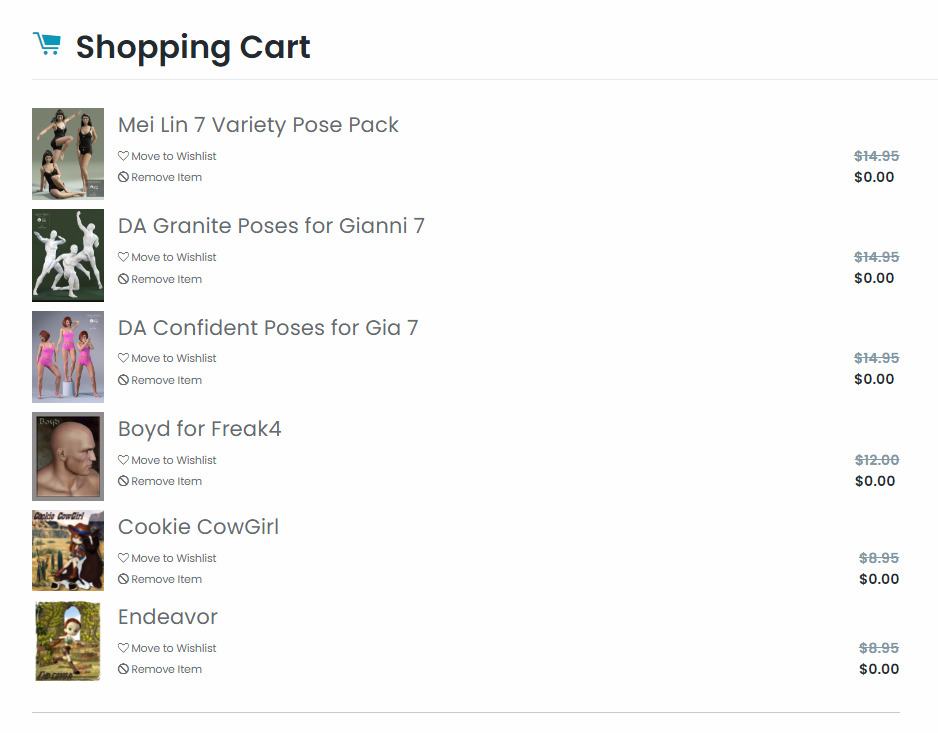
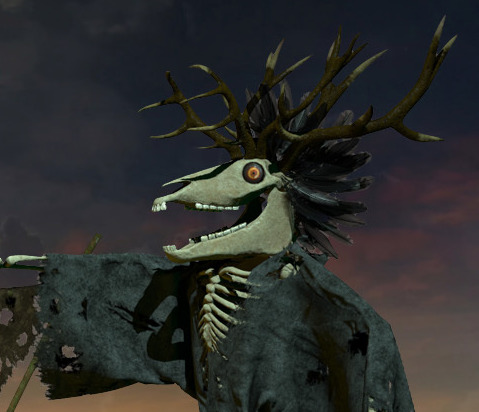
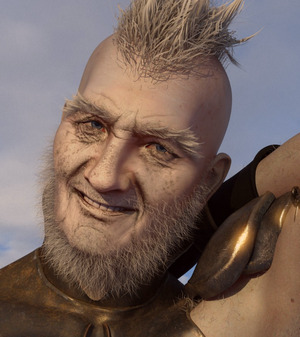
Currently free on the DAZ Store today. Three Genesis 3 figure pose packs, the Boyd character for the Freak 4 base, and two outfits for the Poser toon figure Cookie (a female Cowboy and Lara Croft / Tomb Raider).
Category Archives: Freebies
Freestuff update
The Renderosity Store has updated the ‘Freestuff Upload’ rules page.
Redeye Cat freebie .ZIPs
Redeye Cat retired in May and on her blog kindly gave permission to freely redistribute the .ZIP files and documentation for her freebies. The .ZIP file links on her blog have now gone at September 2021, and the Archive.org’s Wayback service did not catch them.
As a result, there is now a 500Mb mega-bundle archive on Archive.org. This is mostly of interest for Poser storybook and steampunk people, but also has some items of DAZ use such as the V4/M4 sci-fi poses. Those who still value Genesis 1 for its dynamic flexibility and Poser-import will also especially value the freebies here.
It has the following…
Clothing retextures
– dirty dress retexture for Rococo
– for the Harper Beanie hat
– for the Bossy Boots
– for the Sensible Shoes DS
Materials
– steampunk materials pack (merchant resource)
V4
– variety poses
– pulp retro sci-fi poses (several packs)
Dano
– Cardboard Box Boy, a standalone figure
Toon Tones
– toon hair shades
– Sam & Sadie toon tones MATs
Kids 4
– a wealth of Poser-friendly face expressions and pose presets made for K4
– winter fun sets, kids sledging, snowballing etc
Halloween
– texture makeovers for Patches the stuffed cat, Nursoda’s Bonga
M4
– Tragic Poet poses
– a half dozen male characters for M4
– a “motley collection of toonish dial morph characters for V4/A4 and M4/H4”
DAZ Genesis 1 – the first Genesis release
– statue poses
– art-doll makeover for Genesis
– pulp sci-fi poses pack
– parasol holding poses
Squee Dragon
– set of poses for the little semi-toon dragon
Baby Luna
– a couple of face dial presets to give a more realistic baby look
Scary Cherry (a girl’s toy doll figure)
– dirt masks, for ‘abandoned doll in the dirt’ type pictures
Hair fits
– a wide collection for many figures, in one .ZIP file
PDF page archives
– some of the more substantial content investigation-surveys, e.g. steampunk
– the relevant page for each .ZIP file
– details of the redistribution permissions
G’Mic as a Topaz Clean replacement
Update, June 2022: this solution is now broken in the latest G’MIC, due to regrettable changes in the required filter. Should work on G’MIC 3.0.x or lower.
I’ve found a way to just about emulate the Topaz Clean 3 Photoshop plugin, using the free G’MIC filter set in its new Photoshop .8BF form. Since G’Mic also runs on Paint.NET and PhotoLine, it will also work there. I can’t vouch for Krita, as Krita bundles its own variant of G’Mic.
Why is this needed? Because Topaz Clean 3 is no longer sold. Clean was unique and useful for 3D comics people, old manga scanners, and those who wanted to perk up character screenshots from The Sims etc. My specific use case is filtering a ‘colour flats’ base render from Poser, which could be very nicely de-grunged with Clean 3.1 in Photoshop.
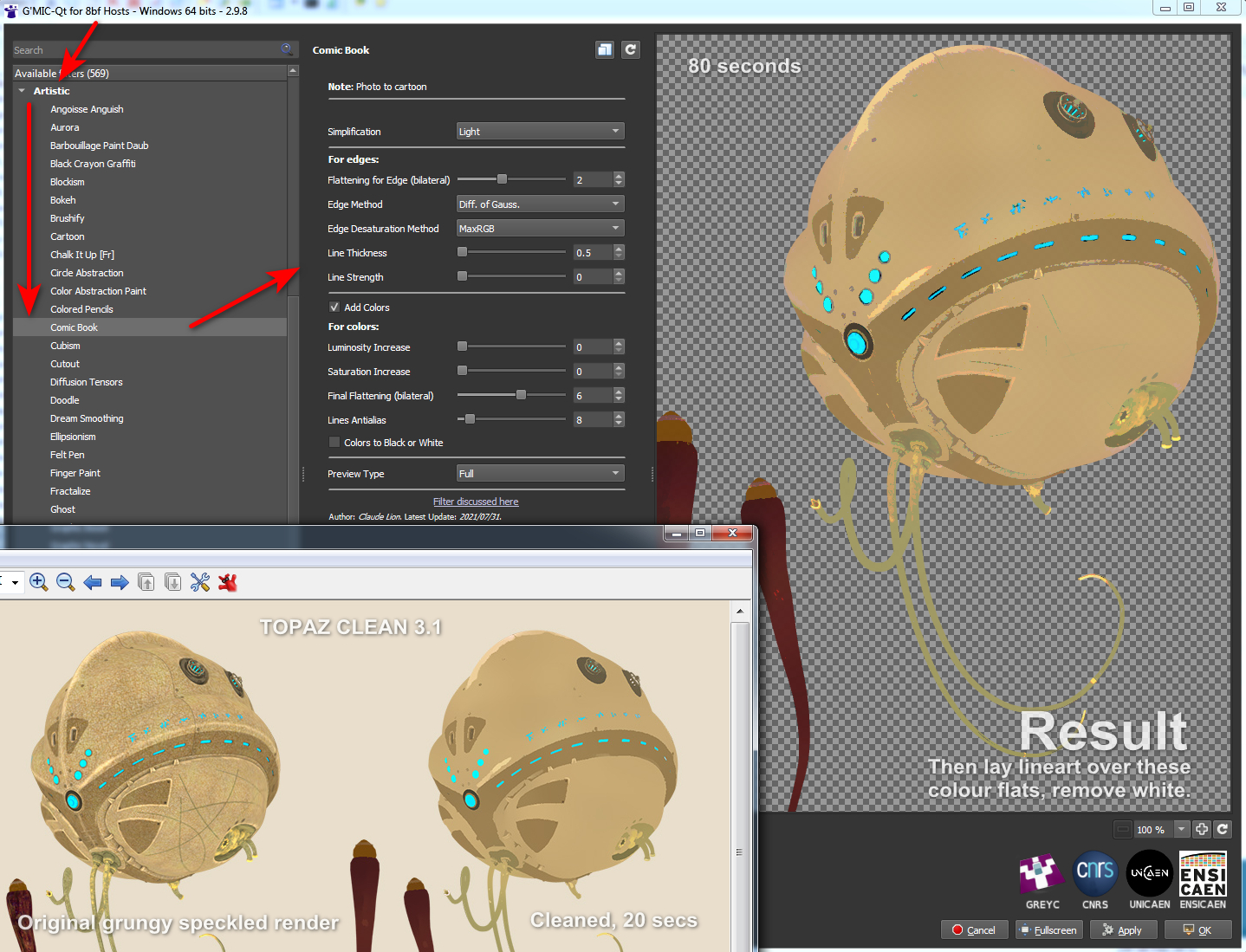
This is as close as I can get in 2021 to Clean 3. It uses G’MIC’s standard Artistic | Comic Book filter with the sliders tweaked as you see below. There is also a comparison with the original and the old Clean 3 result. The original render had already been taken some way by using a flat IBL light in Poser, but still had unwanted grunging and speckling.
Pretty close, but there are drawbacks:
1. It takes a long time to run, 60 to 80 seconds on a workstation. Compared to a much more nippy 15 to 20 seconds for Topaz Clean 3.1.
2. You cannot take the Comic Book lines off altogether. Their lowest setting is locked at 0.5. This matters little, however, as you’re going to drop a real-time lineart render on top.
3. There are still some artefacts, that seem like posterization of the colours, here and there. Topaz Clean smoothly cleans them away, but G’MIC doesn’t.
But there you go… if you need free and no longer have Topaz Clean 3 for some reason or can’t (cough) find a copy, then this should help with the degrunging job for 3D comics when using layers (colour flats / details / lineart / shadows, all on their own filter-able and editable layers).
And it can do so in a more satisfactory way than the obvious and cringe-y ‘Posterized in Photoshop’ look, or by applying some swirly-blurry mess-filter that destroys edge details. The aim here being to somewhat emulate the crisp ‘paint-bucket’ flats that a professional comic-book colourist might start the colouring process with.
“What’s that you say, Lassie…. Howler 2020 is free?”
Project Dogwaffle’s Howler 2020 has been released for free on Windows, although you are “encouraged to make a donation to fund future development”. As noted here on this blog, v.2020 saw… “a revamp of the legacy brush engine, new paper textures, and rationalised de-cluttered media presets”. The latest release is Howler 2022.1, which is several bounding doggie-leaps ahead of 2020. But still only $77 for a perpetual licence. Definitely worth a look, and you’re sure to find a use for it at some point.
Ajax Spaceman
I forgot to mention this freebie in my monthly survey post. Ajax Spacemen were apparently the 1940s pulp space-opera figures that George Lucas played with as a kid on his carpet. The freebie is for Poser, designed for the free 3D&D Klingon standalone for Poser.
I did a little research on the copyright status. The line of toy figures was apparently introduced to the U.S. market in 1947 and then the Ajax Spacemen design in 1951, with “patent pending” noted on the boxes. A U.S. Design Patent then lasted 15 years. Thus I would suspect this design is now public domain, and has been since the 1970s, but don’t take my word for it if making commercial renders.
Snarlygribbly scripts for Poser 12
Key scripts for Poser 12 by Snarlygribbly, inc. a working EZDome, and in general looking as though they’re progressing nicely.
Note the new https://poser.cobrablade.net/ location for the downloads. It seems this is where these Python scripts are officially hosted now. I’ve fixed the sidebar link at this blog and the Poser Scripts page. I’ve also plugged it into my Technical Search Engine though it seems Google Search doesn’t know about it yet (the engine runs on a Google CSE).
On the same Cobrablade page you will also find his latest Poser 11 scripts. All free.
What’s new for DAZ and Poser – May 2021
It’s the end of the month again, time for another personal survey of new DAZ and Poser goodies.
Update: Thanks to Kevin M. I’ve solved my problem with the infinite scrolling on the DAZ Store, which after a while causes the thumbnail loading to freeze. This had caused me to have to skip some DAZ Store items that were too far back in time. Setting “Items Per Page” to 60 brings back the paginated browsing.
Science fiction:
Android X02 for G8M AddOn which adds a cape and cowl to Android X02 for G8M. Also discounted at the CGbytes Store. Here we see it matte, without the shiny chrome plating.
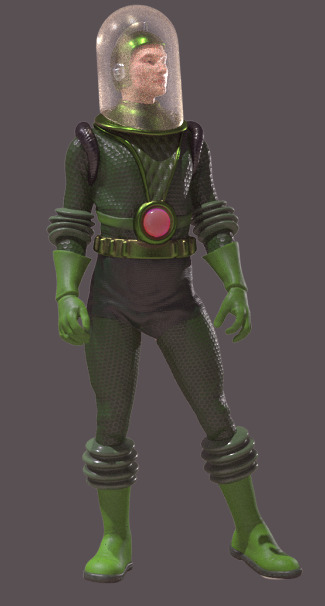
Equally retro is Vintage SciFi Spacesuit for G8F. Nicely done, and it does look like something you might have seen on the cover of Marvel Tales in the 1930s.
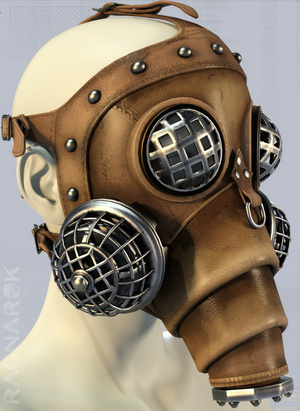
Liquidator Mask for Genesis 8. I assume it’s not ‘near fan-art’, but I guess it could be similar to something in a current TV series?
Steampunk:
Very little this month, but what there is is handsome. The first Russian submarine. No format specified, but I assume .OBJ?
Fantasy:
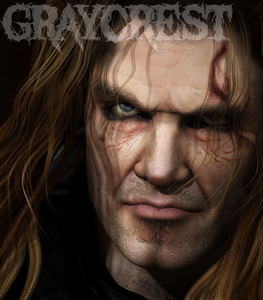
MortemVetus brings his classic Graycrest for Michael 4 back to the market. Was at RuntimeDNA, so veteran 3D-ers may already have him in the runtime.
When Greycrest is around you’ll be needing the new Conquerors Delight – Burnt to the Ground Hovel from Cybertenko.
Greycrest may also want to stride along Sixus1’s Viking Shores Scene and Props, currently just $7.50 at DAZ.
Cybertenko’s Wolf Skin for Poser and M4. It does not appear to come with a preset for Poser dynamic hair, but someone will surely make such a furry freebie for it. See also Cybertenko’s recent Mari Lwyd head-dress.
Oculus Guard from Cybertenko. A typical D&D style gate-guard monster. Probably lives in the new Ruined Tower.
Storybook:
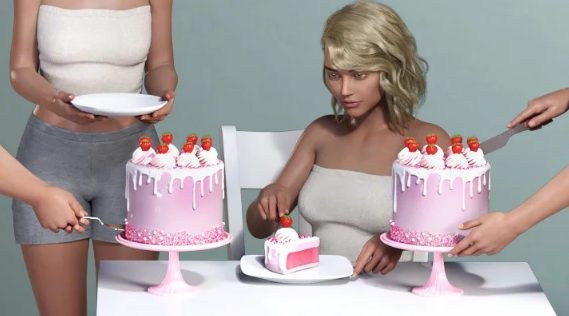
Free Cake for DAZ Studio. Also Donuts.
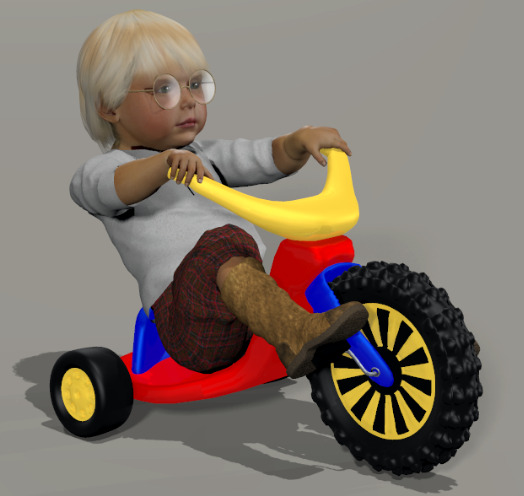
After junior has gorged on cake, he’ll be needing to burn off the sugar on the free Big Wheel for Baby Luna, a big ride-on toy bike.
Classic Fairy Poses and Expressions for La Femme, for Poser.
Toon and semi-toon:
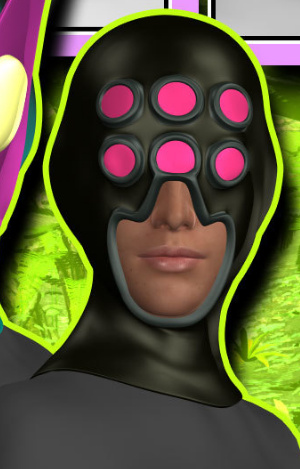
MightyMite has a new pack of superhero/villain masks Kitbashers 087 for G3, several of which appeal. I think the second is fairly close to the karate guy in Marvel’s Inhumans, though.
A fine Retro Toon Car and Caravan (trailer-home). So far as I know it’s not fan-art. And there’s a Toon Fly for comedy interactions with the driver.
Another free Toon Car, a sort of off-road dune buggy. Also a Toon Zombie Van. Again, I assume these are not fan-art. Check before commercial use in a comic etc.
Snokulina8 for G8F, a semi-toon character.
Environments and plants:
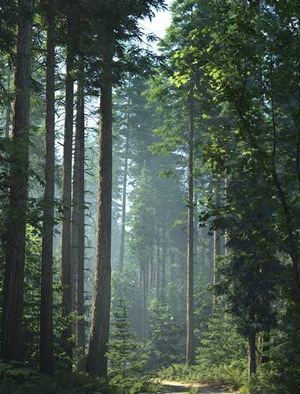
A complete Pacific Northwest Botanica forest for DAZ Studio.
Wetlands Low-res Plants, for large ponds and lakes.
A shallow-water offshore Oil Platform for Poser.
Animals:
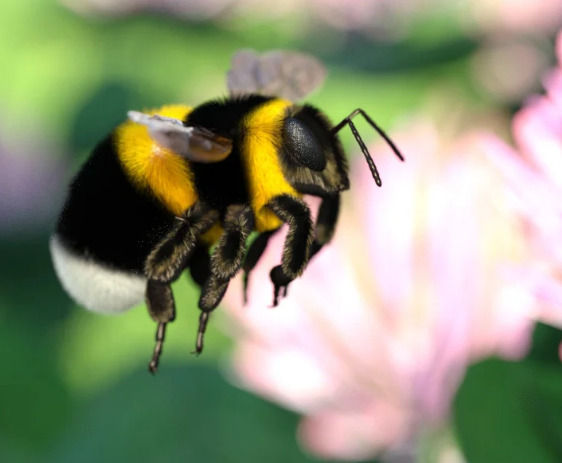
Little Friends Insect Bundle for DAZ Studio, including a bumble-bee.
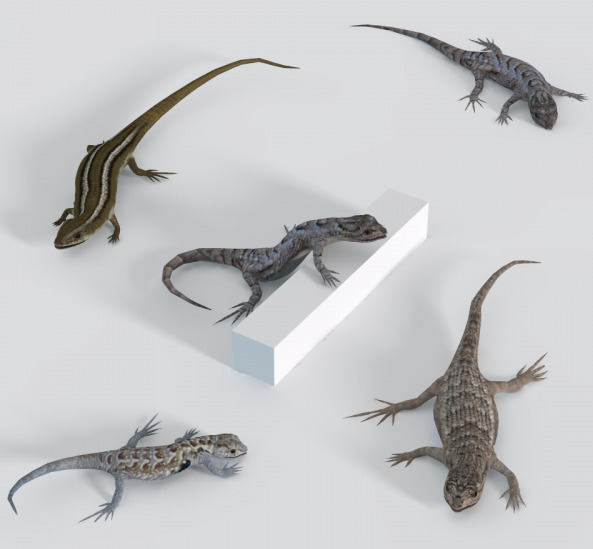
Free, Kerya’s Lizard Poses for DAZ Studio and Kerya’s Lizard Poses for Poser. For KenG’s Lizards.
Nostrils Down For Ken’s Tortoise for Poser. Because tortoise nostrils don’t look like terrapin nostrils. It could matter, if you’re making illustrations for an encyclopedia, pet-care guidebook etc.
Yard Things including bird-boxes. Or “snack-boxes”, as cats think of them.
Animations and Still Poses for AM’s Mouse. Video demo.
NM Seashells in 3D. Vue seashore and rock-pool artists may also be interested in these.
Historical:
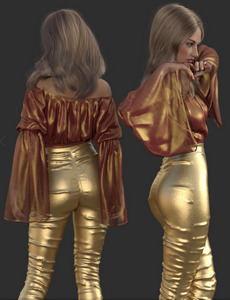
Faxhion – Fancy Day for DAZ. 1970s Abba-tastic pop-group textures for Fancy Day dForce outfit for G8F.
Now-Crowd Billboards – Roman Legion. Want 100 characters in the scene, and have no CERN-scale supercomputer handy? No problem, these are all 2D billboards.
Viking Spear and Spear Poses for Genesis 8. Looks like it has just about all you would need for spear hunting and warfare.
Characters and accessories:
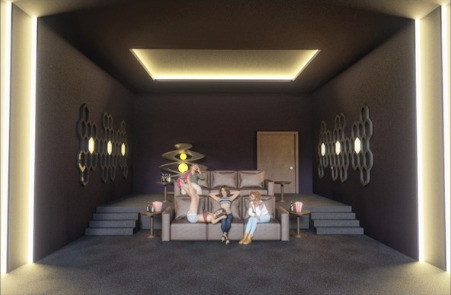
A free Private Cinema for DAZ Studio.
RawArt’s Bernie for Genesis 8 Male. Apparently not HD, which is a big plus.
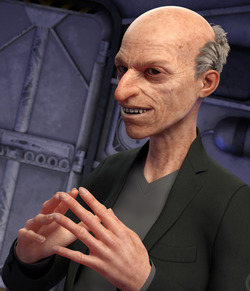
Free Old man grey skin for G8 and G3.
A free Yul Bnunner M4 ZBrush morph for Poser.
Big chunky Summer Style sunglasses for Genesis 8.
DAZ Carrara Presets for Genesis 8.1.
Can you feel ‘the goth revival’ building, among the yoof? Then you’ll be needing the DZ G8M GothZ 3 shorts and boots, and the dForce Dark Vamp Outfit.
Scripts and node maps:
SkinEdit for Poser 12. For Poser 12 only. One-click to make a Firefly character into a Superfly character.
Scripts Manager for Poser 12. For Poser 12 only.
Depth Cue for Poser 11 with Firefly, including a .MT5 material based on the work. I haven’t tried it yet, but it looks an interesting alternative to the z-buffers and is fully documented.
Tutorials:
Plugins: A Tutorial Exploring Utilities for DAZ Studio.
Community Art Workshops Using Stonemason Assets.
Reframing: Identifying and Reframing Limiting Beliefs for Artists.
Fantasy Taverns: A Workshop on Multi-Character and Atmospheric Scenes.
That’s it, more picks next month.
Release: new version of MeshLab
MeshLab 2021.05 has been released. Installer downloads are here. The leading free 3D mesh-wrangler can now do ‘pretty’…
“MeshLab now allows to load custom GL shaders”
And texture-map defragmentation, and multi-layer support on .3DS files. Plugins, too.
Free the squid…
OnlyFreeTurboSquid. A handy UserScript for your Web browser, that…
“makes it so you only see free things on TurboSquid.”
Release: ArmorPaint 0.8 (Jan 2021)
ArmorPaint (aka Armor Paint or Armour Paint) is an open-source standalone for painting on 3D models, including with PBR. Very like Substance Painter, but free and with no subscription shackle. Or… sort-of-free. It’s 16 Euros on GumRoad, where your $20 also gets you the latest builds dropped into your GumRoad Library. Or you can compile an .EXE yourself for free from the source-code — if you have a few hours to spare, a copy of Microsoft Visual Studio (free, when last heard of) and a YouTube tutorial handy.
ArmorPaint has had a couple of big updates, and the latest is now 0.8 (19th January 2021). There was another big update you may have missed hearing about, this time last year. There’s a YouTube video for ArmorPaint: Four key new features, January 2021…
“Added Viewport cel-shader plugin”.
Nice. It’s ‘two-clicks’ instant too, and it appears there’s no need to fiddle about with setting up special toon materials. No lineart on the edges, though you might paint along the seams. For the huge list of fixes and changes, including new .SVG import, see the Changelog.
There’s a Blender bridge, but as yet not ones for Poser or DAZ.
Apparently the freeware Materialize, from Bounding Box Software, is said to work well with ArmorPaint as a flanking ‘assistant’ software. Materialize can “create an entire material from a single image”…
Height Map to OBJ
I found another handy bit of simple old-school Windows freeware, Height Map to OBJ. Note that it needs a square height-map, not an oblong one, or it will give “out of memory” errors.
It does smoothing as it exports to a mesh, effectively removing the unwanted “terraces” which can be so difficult to remove from the greyscale heightmap itself. At the cost of smushing away fine details. But these could potentially be added back with software which can add erosion and other “re-detailing” to an OBJ terrain.
The resulting OBJ loads into Poser fine and fast at 20%, and then needs a 700% scale-up on the Y axis. Once in Poser it’s quite biddable. Here a 10-mile wide white terrain is being ‘textured’ purely by four lights in the Poser OpenGL viewport, with Comic Book mode providing the ink lines. On its own it won’t impress, but it would provide a good starting point for a hand-drawn tourist map, etc.
So far as I know there’s no Vue-like “show different texture types at different height elevations” material for Poser, aka a ‘distribution shader’. Possibly with Poser 12 such a thing will be enabled? Or could a script build such a thing on the fly, by inspecting the mesh?
With far more of a learning-curve, TerreSculptor is now wholly free and will also import a height map and export an OBJ mesh. The OBJ is far less biddable, though.
Poser/DAZ Content Survey: December 2020
Time for another monthly survey of the recent goodies released for DAZ Studio and Poser.
As usual, freebies are not covered here unless they have “commercial-use”, or are scripts which the maker doesn’t want sold by others, or are such obvious fan-art that everyone should know they can’t be used commercially.
Science-fiction:
All the sci-fi energy went into cyberpunk on the DAZ Store this month but — while they’re pretty — I assume they’re all ‘near fan-art’ for the big new 2077 mega-game. Which I hear flopped so badly it was taken off sale and buyers were refunded. Ouch.
Is your G8F working late at the lab, trying to get the new 2077 game working? She may be needing the free CyberGlasses 1 and 2.
Sci-Fi Debris Field. A simple foreground vignette scene, ideally for a vast structure looming in the fog behind. But effective and detailed.
Steampunk:
v176 Iray Cobblestone Textures for DAZ.
A Steampunk Ostrich and Cart Bundle.
Need a rest after your ostrich ride? Slump down in a free Armchair.
A free Steampunk Hat for Genesis 8 Female.
A free Drinking Fountain, of the sort you might find in the old streets of continental Europe. Useful street clutter for your steampunk scenes.
Not a Human Skull Morphs, which look ideal for unusual display-cases in your steampunk museum.
Fantasy:
The Living Doll Bonnet. I assume the pins, dollheads and candy could be removed, to allow it to be given it a more sci-fi / Moebius makeover. I also assume it’s not fan-art, but I guess it might be similar to something from a game or movie. As usual, do your research before you commit to using renders from a Poser/DAZ item for a commercial project like a graphic novel.
A new addition to the fine riverine / island props of 1971s, a Pirate watchtower.
And swimming beneath the watchtower? Definitely the new Fishsnakes.
When the Fishsnakes attack, you’ll be needing the new Archery Animations for Genesis.
Animals:
It’s plain Sparrows vs. fancy Pet Shop birds at HiveWire. The closing-down sale ends 4th January, when they load up the Ark and sail many of the animals over to Renderosity.
The Philosopher’s Egg store, that I haven’t been ignoring, just lost track of. Foxes, Wolves and Dog Breeds, all for the HiveWire Big Dog.
My Furry Friend Poses. Cat meets human, cat wins every time…
Storybook:
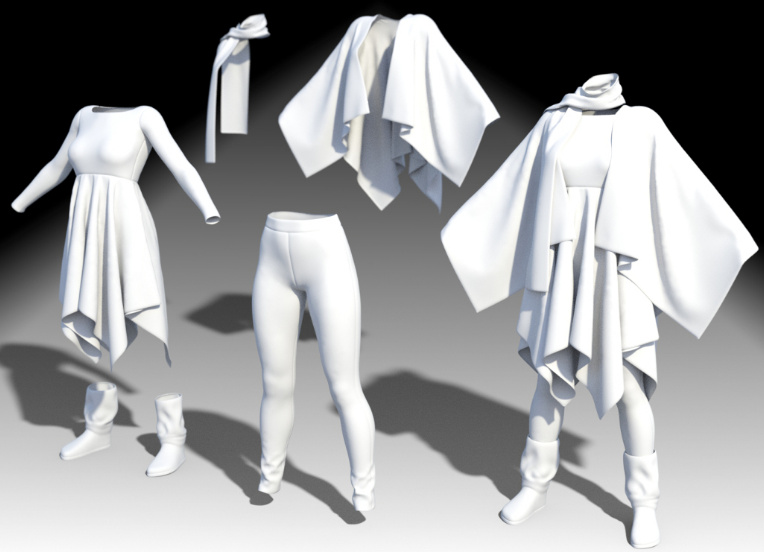
dForce Petite Style Dress and Scarf Set for toddlers.
A new Hr-240 hair by quality hair-maker Ali.
Cuddly Pillows and dForce Blanket.
Toon and semi-toon:
Race Car for Blender. Obviously only for Whacky Races fan-art.
Free Fancy Cats for Melody and Micah.
Mighty Mite’s Mega-Kitbashers’ Freebies 2020 for Daz Studio. With “stick-on” geometry that may be useful for those who use DAZ to produce “trace-over” renders for comics production.
Christmas:
Mix-n-Match Nativity Poses for Genesis 8.
Free Decorating the Christmas Tree poses for G8F and G8M. And a free Mistletoe prop.
Waiting for Santa, a free Christmas doggie-house.
New from quality scene-maker Raffy Raffy, a $10 Polar pack-ice mega-environment for Blender.
To get your shivering scientists across that lot you’ll be needing the new free Wooden Sledge. Possibly a new DAZ conversion from Bryce?
Historical:
dForce Rabari Tribe Outfit for Genesis 8 Male.
A Carrara Nightshirt for Genesis. DAZ Carrara can load the early Genesis figures.
Nonesuch Court 2 for DAZ.
A free Windmill of the farm water-pumping variety.
A worn Painting workbench for Blender.
dForce Sophisticoat Outfit for Genesis 8 Males and textures. By changing some of the fancy threading on the ties, it could probably become more of an 18th century seaman’s coat.
Textures for Snub-nosed P-40 Warhawk, for Poser.
Light Armored Vehicle Poses for Genesis 8 and Tank Crew Pose for Genesis 8.
Characters and figures:
Realistic Skin Shader for Keyshot. The latest Keyshot 10 apparently now handles hair/eyelash transmaps properly (I still haven’t had time to test that), and so some may want this for their DAZ-to-Keyshot experiments with figure imports.
Passiflora V4 by Tempesta3d, noted here because it’s a now-rare V4 offering and has a high quality skin MAT.
Copper Twinklefoot, a ‘late Michael Jackson’ a-like for DAZ, with a dash of Woebegone Alley for some of the morphs.
Free Spurs for Genesis 8 Female.
A simple free Mini-dress for La Femme. Possibly useful for recording YouTube tutorials where she needs to be covered up, but without looking either a frump or a floozie.
Scene addons, utilities and scripts:
Dreamlight’s Instant Fog for DAZ.
The free NVIDIA vMaterials 1.7 conversion set for DAZ Studio.
Feet Lock/Unlock script for ALL Genesis Figures. With a handy menu.
Three working scripts to load Poser’s saved render presets. For the first time, Poser’s Sketch .PZS presets can also be loaded by a script.
Restore Default iRay Engine Render-settings for DAZ Studio 4. It already has a “Defaults” button, but this may be of use for scripting-of-scripts.
Tutorials:
Eye Catching : A Tutorial on Character Eye Expression.
dForce Complete : Tutorial Bundle.
Tutorials for Poser 12 Early Access.
Ok, that’s it for 2020. Onward to 2021!
Renderosity Christmas Calendar – the concluding gifts
Don’t miss the nice final-days gifts from the Renderosity Christmas Calendar. Tempesta3D’s “Emiko La Femme” character and skin MATs (said to need Poser 11’s La Femme Pro v.2.0, but may work with the non-Pro?); 1971’s “House on Suburb”; and 3-d-c’s “FHM-110 Bounty Hunter Spacecraft”.
“House on Suburb” could be paired with the free “Aire de Lecture” set.
How to automatically open/close the sliding side-panels in DAZ Studio
How to quickly show/hide your Dock Area panels in DAZ Studio? Also known as “the sliding side things” that hold tabbed panels such as the Content Library, Materials Surfaces etc, and which can slide in and out from the sides in the “City Limits” UI layout preset.
There appears to be no keyboard hotkey already set up, for having these slide in and out. But this can be done in 12 milliseconds by using the free and official Dock Area Toggle script. Who knew?
Great, so how to install this script and get it working with one keystroke? Or better still, with a single mouse-gesture?
1. First, save the script by clicking on its name on its demo page. It will download.
2. Copy the downloaded script file and paste it to ..\Studio4\content\Scripts — and optionally make a 91 x 91px PNG of the same name, to give it a pretty icon.
3. Open DAZ and your Content Library, and navigate to your Scripts folder. The toggle script should be up above the other script folders. Right-click on the script and choose Create Custom Action…
Accept with the default settings.
4. Up in the top there is a now a new menu-bar item, called Scripts. The dropdown shows the newly added item there.
5. Nice, but it’s still a bit “reachy and clicky” for something you could be doing several hundred times while making a picture. So, next we press F3 to bring up the Customize panel. This used to be accessed via: Top Menu | Window | Workspace | Customize, but now seems to have been removed from there. Pressing the F3 key on the keyboard still does the same thing, though.
So F3 has opened your Customize panel. On the left we see up top a section called “Custom”. Expanding this we see the newly added script located down at the bottom of the list. If you want to start over, you can right-click it now and delete it, then click Apply then Accept.
However, also available via a right-click here is a very handy “Change keyboard shortcut”.
Try setting this to something like SHIFT + P which is a Weightmapping Brush shortcut that 99.9% of DAZ users don’t use. Don’t forget to then again click Apply then Accept.
Now, you might think, “SHIFT + P, that’s going to be an awkward of finger-yoga on the keyboard”. Ah, but we’re not going to use the keyboard, we’re going to be clever and use a mouse-gesture to call the keyboard shortcut, and thus trigger the toggle script.
6. Install the free StrokesPlus utility. I much prefer this older version of the freeware. Set it up as seen, to use the right mouse button. Go to its Actions | Global Actions section. Choose an easy-to-remember mouse-gesture like “P”…
And attach to this gesture the code command…
acSendKeys(“+p”)
Note that capitalisation is important. acSendKeys works here, acSendkeys doesn’t. Using normal quote marks rather than fancy “.” curly quote marks may also matter. This command triggers SHIFT + P on the keyboard when you do the gesture.
Ok, all the set-up is finished. You now right-click on the mouse, draw the “P” shape on the screen, and the DAZ script is called and toggles the Dock Areas open. Do it again and they close.
The DAZ setup will need to be repeated for each version install, as the new version of Studio wipes the Script menu item and and keyboard shortcut setup.
7. Optionally set StokesPlus to start with Windows, by placing its shortcut in your Start-up folder. Its mouse gestures are also very useful in simply going quickly back / forward in your Web browser for which you want…
acSendKeys(“{BROWSERFORWARD}”)
acSendKeys(“{BROWSERBACK}”)
… and you can set it to teach your mouse all sorts of other tricks.
8. Back up the downloaded DAZ script somewhere safe.
9. Now that you know how to do it, other scripts can be placed up top on the top menu bar. And potentially be given mouse-gestures.
10. You can also explore the F3 “Customise” menus and delete from the UI a lot of buttons you never use, and add in more useful items on your ToolBars. Never going to Convert TriAx Weight to Node Weight? Or Edit Dform Joints? Nope, me neither. Delete their buttons and add in some useful stuff.