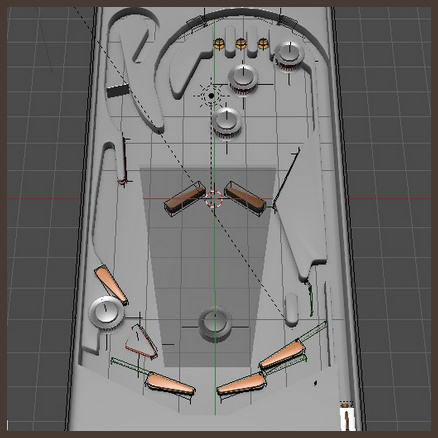
A free playable pinball table game, as a skin-able template for Blender. Creative Commons Attribution.
Update: the author of the .blend has been blocked, so the template can no longer be downloaded.
A free playable pinball table game, as a skin-able template for Blender. Creative Commons Attribution.
Update: the author of the .blend has been blocked, so the template can no longer be downloaded.
Google Nik Collection for Photoshop is now free. Personally I still prefer the older-but-similar plugin suite of tools called 55mm Digital Film Tools, but Nik can do all that 55mm does and a bit more.
“Starting March 24, 2016, the latest Nik Collection will be freely available to download: Analog Efex Pro, Color Efex Pro, Silver Efex Pro, Viveza, HDR Efex Pro, Sharpener Pro and Dfine. If you purchased the Nik Collection in 2016, you will receive a full refund, which we’ll automatically issue back to you in the coming days.”
The affordable and user-friendly CrazyTalk Animator is now in version 2.1…
* 64-bit version.
* Now has a Mac version.
* Masked PNG output, for use in Powerpoint.
* Support for semi-transparency on import (from Flash only?).
* Variable outline-width (but no Photoshop-style artistic-line Styles, yet).
Studio Ghibli’s former animation software Toonz is being made open source (100% free) from 26th March 2016. It has “the ability to combine the hand-drawn animation with the digitally painted ones seamlessly”. It was also used to make Futurama.
The current owners want to make it “a world standard for 2D animation”, hence it’s becoming a freebie. The new open version will be developed under the name of OpenToonz.
Check out especially the Plastic Tool, and think how one might use that with a Poser comic-book mode render to speed up comic book production. And “apply brushes along the line” on both raster and vector. Yum, this will be very interesting to explore.
More official training and features videos here.
I’d almost forgotten that Vue XStream 2015 added a new NPR (Non-Photorealistic Rendering, or ‘toon and paint’ to the rest of us) module, when it shipped last spring. I took a quick look at what people have been saying about it, and doing with it over the last nine months.


Unfortunately there seems to have been very little interest in this feature. Judging by the half-dozen 2015 NPR renders shown online, there was even less use of the feature. Just a few tests.
Here are the better ‘not-too-Photoshoppy’ demo pictures made with Vue 2015’s NPR: Vue’s own planes’ promotional picture; some trees by CG-Garlic; and (with some Photoshop) Dave de Kerf’s “Trench Run”.


This again confirms my general theory that the mass of 3D users only really want “photoreal, photoREAL, PHOTOREAL!”. Though we may may occasionally go “oooh!” at an NPR picture for five seconds, before going back to using the magnifying glass to get each of Genesis 2 Female’s individual SSS skin pores looking just right.
But I also have a theory that the professional artists — those who can massage these sorts of NPR effects up to the level where most paying clients can’t really tell if they’re 3D or 2D — they just don’t want to say anything about it or show it off in public. Because they’re making money off it. Mostly that’s just my educated guess, but I have heard various people say things along those lines. Did you know, for instance, that the artist Dave Gibbons extensively uses Poser and he made one of the all-time-great graphic novels, Alan Moore’s Watchmen? Yup, Poser. And I bet most readers can’t get a third of the way through a copy of ImagineFX, without muttering: “they must have used Poser or DAZ for the basis of that one…”.
Anyway, here’s everything I could find on Vue 2015’s NPR. There’s not much. Nothing official from Vue on YouTube, which is kind of amazing. But Vladimir Chopine of Russia has a good solid 35-minute tour of the NPR module for free on YouTube, part of his longer paid-for GeeksAtPlay video introduction to using Vue 2015. The NPR module looks very powerful and flexible, able to combine and merge multiple lines and effects. If this was a Photoshop plugin for sketching and painting over imported 3D models in Photoshop, there would be a mini-industry built around it by now…
GeeksAtPlay’s video tutorial continues in Part 2, Part 3 and Part 4, to get the full 35 minutes.
And 3D World magazine #196 (July 2015) offered a free downloadable preset (48Mb) for the NPR module, as part of its review of 2015. No-one else seems to have whipped up some cool presets for NPR in Vue 2015 and given them away free, so far as I can find. The same issue of 3D World also had a short Vue 2015 review, which said of the NPR…
“Vue contains a new, extraordinary NPR (non-photorealistic render) engine, which is simply awesome. There are several NPR engines in different applications, but e-on did something truly revolutionary and created a free and customisable tool for artistic abstraction. Here you can determine the full artistic style of the rendered image. This is a valuable addition because you have the opportunity to combine, for example, the brush weights with the colours of the pictures and other manipulators. […] For backgrounds in animation and feature films this could bring a strong uniqueness. Unfortunately, NPR engine only currently supports Vue xStream module.”
For artists to read that about a major 3D software in a major magazine review, and then give a collective shrug of the shoulders to it… it seems a bit sad.
Got some troublesome, flaky old SSS skin in Poser 11? Simply rub on a handy squirt of SnarlyGribbly’s EZSkin 3, and all your itchy skin problems are solved!
In a few clicks EZSkin 3 cooks up a neat little SuperFly and Firefly materials combo, using the original textures, and has your character’s skin looking right for rendering in Poser’s new SuperFly. SnarlyGribbly has kindly released it free as a robust beta, via Snarly’s Space: EZSkin. There’s also a ‘latest build’, if you want to trawl the thread on the official forums and scroll through to pinpoint the latest .zip for that.
Very simple to use, once you install:
1. You load EZSkin 3 and its set of Figure Definitions. These are found in the un-zipped folders…
For Poser 12 there are now two zips, and you need both for the presets and definitions.
In the definitions “DAZ Gen 4” = V4 / M4 / K4. These and many others are in the Figure definitions / Legacy figure defintions.defs file that ships with the script or can be found in the second download .zip file.
Poser’s flagship La Femme female figure is regrettably unsupported, but there is a third-party EZ Skin 3 Definitions for La Femme. Note also that the new La Femme figure has a different eye set-up.
2. Tell EZSkin 3 what the figure/character type is, if it can’t auto-detect that.
3. Select either Firefly or SuperFly rendering (the target renderer).
4. Click ‘Apply’.
5. Render.
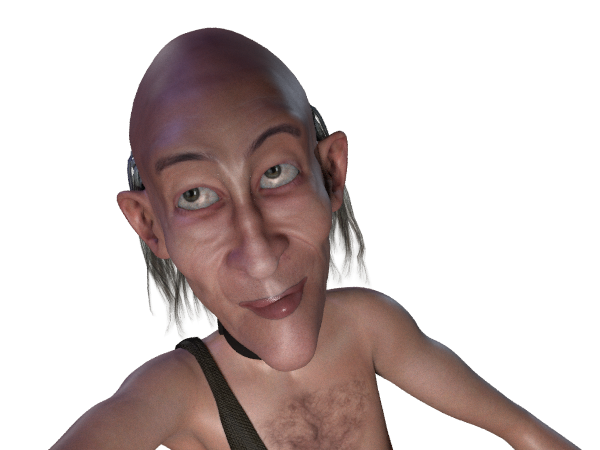
That’s it. Took about two seconds and four clicks for Dr. Pitterbill. Most popular figures are automatically supported for this, including the various DAZ Genesis variants.
Not working? It should not need AVfix, but that’s worth a try first. You may have an old EZSkin that requires it. You may also need to fiddle with EZskin a bit, for instance if it’s a V4 with a ‘Unsupported’ character and MAT already applied. Even then you may not have success. Ideally the vendor of the character will supply SuperFly materials.
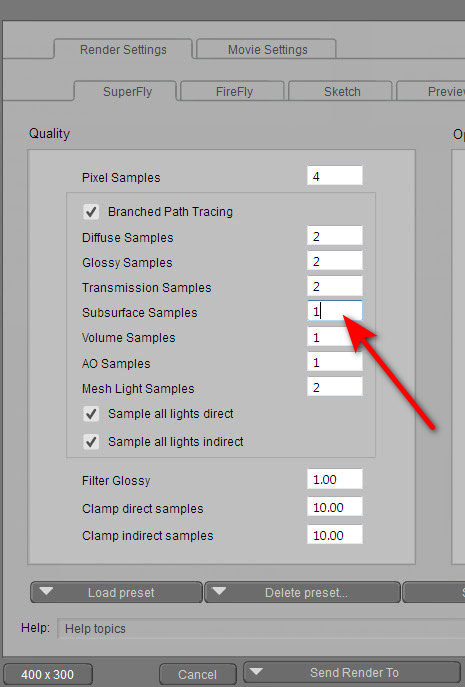
If you have the ‘black skin’ problem in renders, it may not be the Vendor. First check your SuperFly render preset. If Subsurface Samples is zero (often used for a very quick test render), then the skin will render black in SuperFly. Increase this setting to at least 1.
White eye pupils are fixed by going: Material Room | Pupil | Alternate Diffuse node | follow the wire to the Scatter node | turn colour there to a very dark grey. This does not apply to La Femme, which has a different eye setup.
Want to make something a bit more ambitious than a comic-strip, with Poser 11’s new Comic Book Preview mode? Squiffy 5.0 is a free Windows-based choice-based interactive fiction authoring system, from the UK.
“Squiffy is a tool for creating interactive fiction – that is, multiple-choice games that focus on text and story. Players navigate through the game or story by clicking links. Sometimes these kinds of games or stories are known as gamebooks. Squiffy is free and open source. It creates HTML and JavaScript, so you can upload it to your own website, or you can upload your games for free to textadventures.co.uk. You can also turn your game into an app using PhoneGap. A player’s state [their savegame] is automatically saved to their browser’s local storage, so they can always pick up from where they left off, just by going back to the same Web page.”
It uses a text-editor interface to make an old-school ‘choose your own adventure’ book. But, of course, these days they are often called ‘gamebooks’, and can come with phone-screen sized graphics, nice screen transitions and small bits of animation. Note that gamebooks are different from, and much simpler to code, than the older text parser-based ‘interactive fiction’ such as the famous Zork series.

The best example in English is the steampunk 80 Days (above), which the UK’s leading Daily Telegraph newspaper review called “the best novel of 2014”. 80 Days has a race-against-the-clock time-keeping feature, and a very simple item-trading and wallet feature.

As you can see, Squiffy is for creators familiar with using an HTML editor and tweaking Javascript.
It seems that Squiffy can’t get the finished book out to a plain ol’ Kindle ereader. Not in a way that the gatekeepers of the Amazon store can handle, since they and the Kindle ereader only support a fairly restricted set of HTML tags, and add some of their own tags for good measure. And Amazon’s Kindle store is where a great many dedicated novel-buying readers are likely to be found. I actually coded a complete working gamebook HTML template for the Kindle a few years ago, but never released it — so I know what the ereader version of the Kindle demands.
But if you want to get your gamebook onto an app store for phones and tablets, then Squiffy 5 is currently said to be the best authoring option with the most features. But I see that it has no flowchart feature — for doing the initial designing of how each section of your main story will branch off into short vignettes and then how those will loop back again toward the main plot. That’s something that’s still probably best done with paper index cards and a large wall, so you can see it all at a glance.
The makers of 80 Days have their own free Inklewriter (Web only), which can export to Kindle. In the summer of 2015 Inklewriter was also ported to the free Unity game production software. The 80 Days creators have this week announced their their next gamebook will be made in Unity, presumably with their own super-duper Unity implementation of Inklewriter.
Ok, so it’s 3.30pm on ‘Black Friday’ here in the UK. Which means its about 9am in the morning in the USA. So, what has Black Friday got to offer the 3D artist?
DAZ has 55% off nearly all Stonemason content, though not his most recent packs.
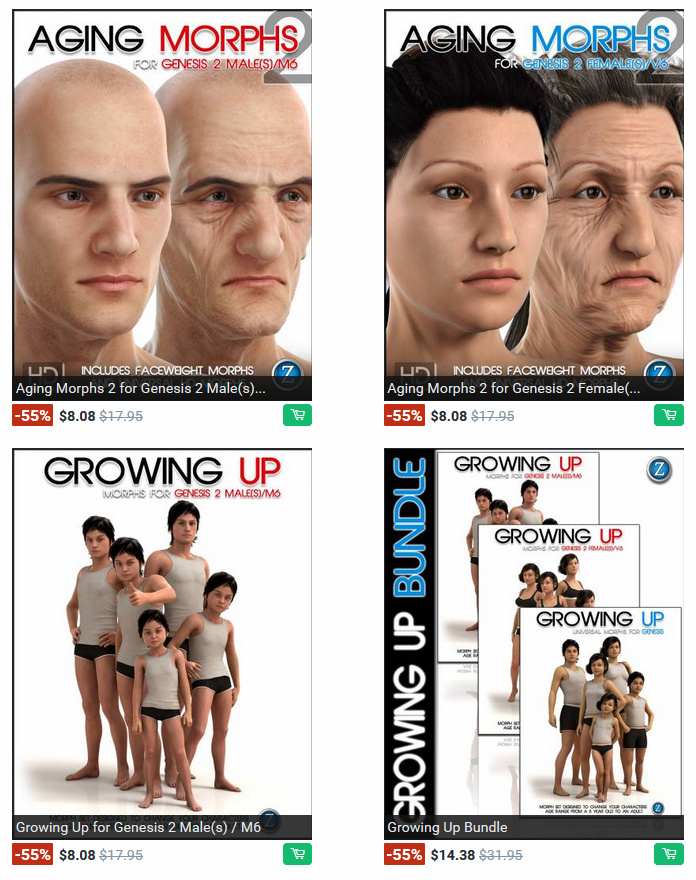
Also discounted by 55% are a wide variety of core sets of age morphs for DAZ Studio’s various Genesis base characters.
And most of Dreamlight’s catalogue is at 55% off, including the useful Light Dome Pro for $15.73.
Runtime DNA has a Black Friday Real Deals page. Lots of discounts, plus a 10% discount code.
1,700 Cornucopia 3D Vue models are 50% off. The Vue software itself is 50% off.
Renderosity just has a one-day one-use 35% coupon code offer, at their Black Friday Savings page.
Poser 11 Pro is of course 30% discounted, through 30th November. Only three days left to grab it! While you’re there, note that Manga Studio 5 (comics production software, with some of the best inking brushes in the business) is also a whopping 65% off.
HiveWire 3d has a “Save up to 70% with Black Friday / Cyber Monday” Sale. Not a big selection on offer, but I did notice Fluffy Cat (Poser only) for the Millennium Cat, for just $5.23. (Note that for some reason it requires the Java runtime to be installed on your PC ‐ for security I strongly advise un-installing Java afterwards, if it’s only needed for the installer).
HiveWire also have a horse-crazy CWRW Cloud Foundation Sale, which is a big sale of its superb 3D horses and stable-wear clothing.
It seems like everyone’s releasing everything! After Micheal 7, Poser 11, Keyshot 6, and SketchUp 2016… now it’s HitFilm 4 that’s just been released!
Well, it’s been a whopping week for software releases. Today we have SketchUp 2016 released.
It’s super-release Tuesday! After DAZ’s Micheal 7 and Poser 11 were released today, now comes KeyShot 6. I’d expected it sometime before Christmas, but Animation World News reported a few hours ago that it’s actually shipping now (note that there’s now a cheap £75 Educational version). My previous post on this blog has details of the new features.
The long-awaited Keyshot 6 is on its way soon, very probably before Christmas. It appears that users can expect a host of new goodies users in version 6, including:
* Ambient occlusion, albeit as a material type.
* A new “Product” preset setting — “useful for products with transparent materials illuminated by the environment and local lighting”.
* A new “Interior” preset setting — an easy way to convincingly light an interior scene with natural light.
* Basic editing of 3D geometry.
* File import, or at least linking(?), for Cinema 4D, Maya, 3DS Max.
* Save to a layered Photoshop (PSD) file. Sadly, there’s still no ability to have ground shadows render onto their own layer.
* Material editing and mixing via nodes, for those who like that sort of thing.
* An improved Move Tool for moving objects around the stage.
And much more. Sadly the clunky batch-rendering stack doesn’t get a usability overhaul, via some much-needed drag-and-drop .bip file-adding functionality.
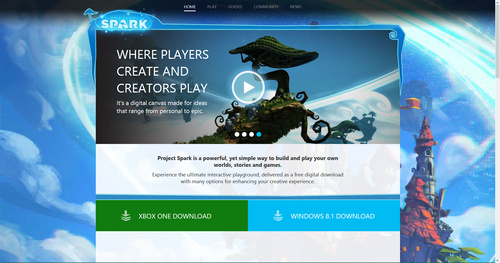
Microsoft’s Project Spark is now free. It’s a successful 3d game-making engine for advanced beginners, intended to nudge sparky young game developers toward Windows and the Xbox.
“Cosmos Laundromat – First Cycle”, a 12 minute short made by the Blender Foundation to showcase their Blender software.
The production and final assets are, as usual, Creative Commons and are on Blender Cloud. Though they’re sadly not as open as Blender Foundation assets used to be. A “This content is only available to subscribers” paywall pops up everywhere. Not sure how that move squares with the “Made with the support of the MEDIA Programme of the European Union” credit (translation from EU-speak: “paid for by taxpayers”) on “Cosmos Laundromat”, let alone the old-school open source ethos.
Even the Foundation’s old Big Buck Bunny and Tears of Steel Creative Commons assets repositories are now locked down and ‘subscription only’. Something has gone badly wrong in Blenderland, by the looks of things. What was once accessible to the planet to access and remix now appears to cost 45 Euros for three months, and to be basically limited to hardcore Blender users. Is that even ethical? Given that those who worked on the likes of Elephant’s Dream and Big Buck Bunny and Tears of Steel worked under the assumption that they were making genuine open source movies — open as in “accessible to the whole world, forever, always, including all the assets, instantly, and for free”?
Going away for the weekend, but leaving your PC running? Then the new Batch Renderer for DAZ Studio may interest you. It will churn out a series of renders, while you have fun. Works with Daz Studio 4.5 and higher, and is compatible with iRay renders.