A new $35 procedural fractals software that works inside of Blender, Vectron Fractals Blender Edition. You also need Octane for Blender, apparently, to do them justice when rendering.
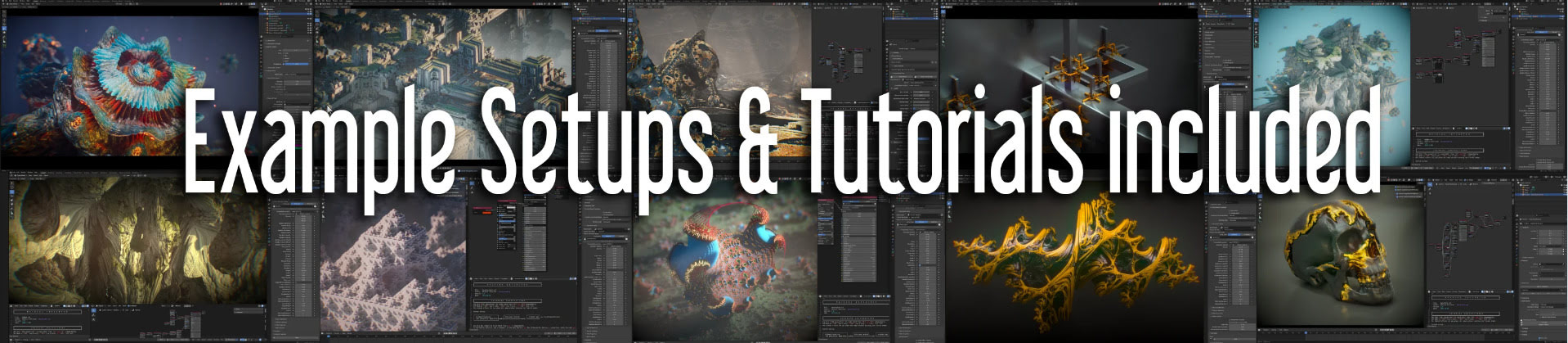

A new $35 procedural fractals software that works inside of Blender, Vectron Fractals Blender Edition. You also need Octane for Blender, apparently, to do them justice when rendering.
Brian Haberlin has a produced a Faster That Light 3D Treasury Edition. 3D here means ‘red-blue glasses’ 3D. It’s actually two new stories from his Faster Then Light sci-fi world, not a collection of the old Faster That Light series converted to stereoscopic 3D.

Presumably Brian’s sophisticated ‘Poser to comic-book’ method is used here as before, but now the Poser 3D models + scenes + a PoserPython script all give the ability to produce a stereoscopic (red and blue glasses) ‘3D view’. Aka ‘stereo anaglyph’.
Basically to get this effect you lower the camera dolly X value to something quite low (0.020) and then make a ‘right eye’ and ‘left eye’ render, then combine in software for making stereo anaglyphs. World of Paul has the details and the free PoserPython scripts.
Winxvideo AI 4.1, now greatly improved and speeded up. Basically, it’s a poor man’s Topaz Video AI for the desktop PC, for a reasonable $50. If you just want speedy upscaling from Wan2.1 480p to 720p with detail enhancement, it’s worth a look, though it can do more. There’s a free trial so you can test it out. You need to let it go online and then the AI upscaling models are fairly speedy to download, they’re not like multi-Gb in size. They have two main models, and there’s no hassle with graphic-card detection — it just works.
 Posted in 3D Utilities, Companion software, Poser, Spotted in the News, The Animation Industry
Leave a comment
Posted in 3D Utilities, Companion software, Poser, Spotted in the News, The Animation Industry
Leave a comment
Life moves fast in AI-land. Last month I blogged here about Microsoft’s New Ray Tracing AI. This month — courtesy of Paul Hansen of Germany — Microsoft’s new tech is now free in ComfyUI. Along with an outstanding install guide and documentation. All free. Currently, 2 seconds of finished raytraced animation takes 22 seconds on a 4060 card. Import of .FBX is coming soon.
Autodesk Unveils Wonder Animation. Interesting…
* Film your sequence as live-action…
* … then an AI translates what is sees to 3D polygons and rigs (3D scene, figures, mo-cap, cameras, camera movements)
* … then you can render the 3D consistently and quickly as a toon in 3D (Maya, Blender, Unreal game engine).
The drawback appears to be that it’s an online cloud service. Not local desktop software. Still, I like the idea.
AI for hair. HAAR creates 3D strand hair from text prompts. Evidently rather clunky at present, and still at the technical paper stage, but promising. Wouldn’t it be easier to just sketch a few flowing waves on the screen, rather than use text?

DiffusionLight. An AI looks at a 2D photo scene, and then it makes the HDR lighting ball (aka ‘light probe’) that would have produced the scene’s lighting. Using this new light probe, you can then seamlessly render a 3D figure against the backplate photo. The sort of thing that should be in Poser 14, I’d suggest.

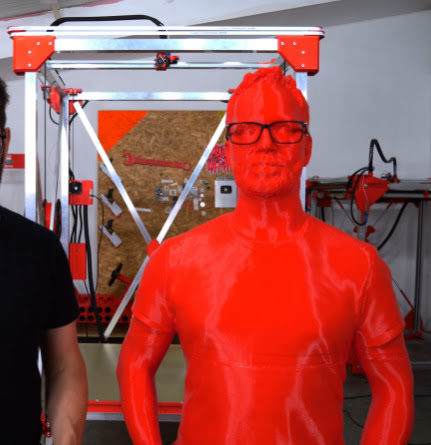
Want to cuddle your custom Poser or DAZ character? Or just make a shop-window ready ‘life-sized monster’ to attract customers? Giant 3D Printer Can Print Life-Sized Human Statues. Or creatures, presumably.
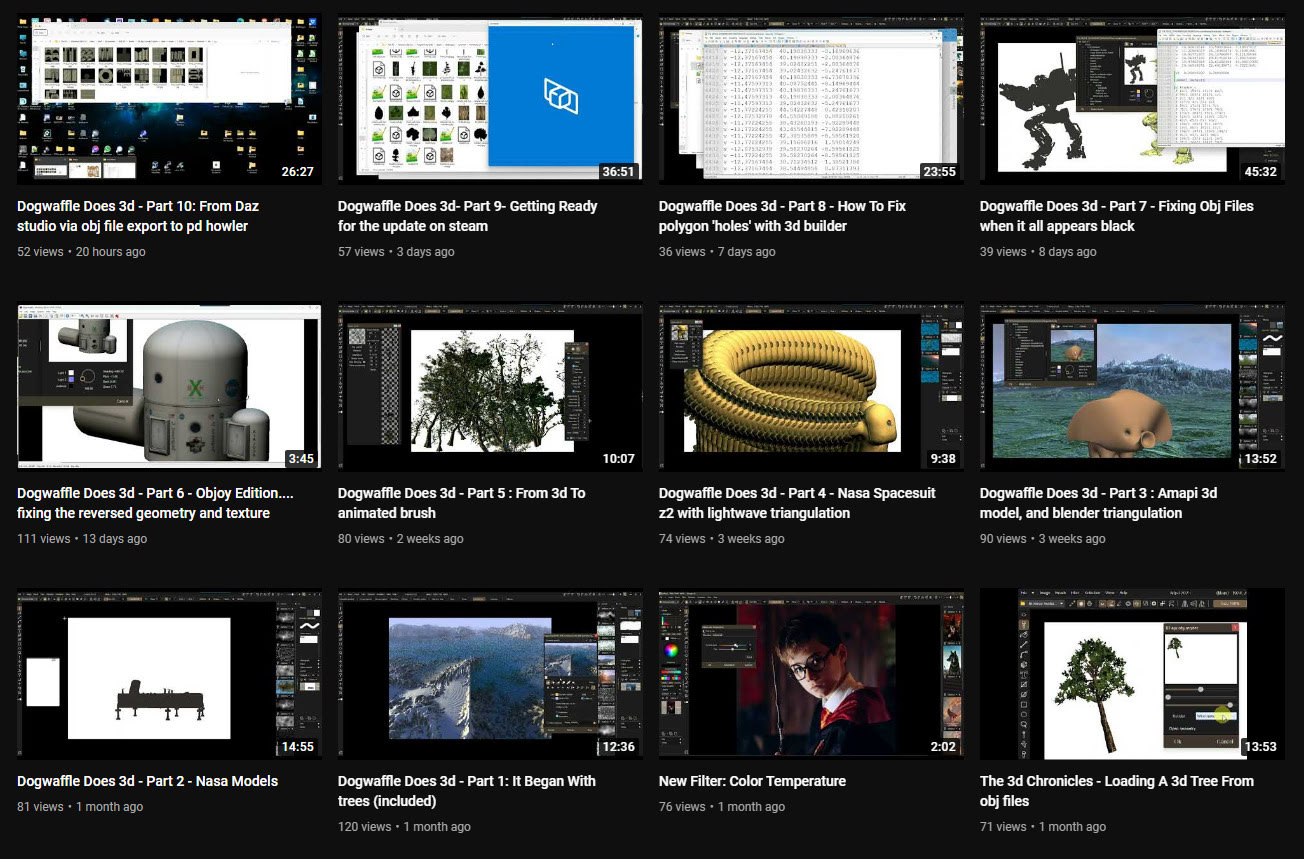
In the last month the PD Howler software (aka Dogwaffle) has been accompanied by ten new YouTube videos showing the new 3D capabilities in the latest version. The latest one is on working with DAZ Studio exports.
Posted in 3D Utilities, Companion software, Special Offers and Discounts, Spotted in the News
Leave a comment
The Windows desktop sculpting software Aartform Curvy 3D 5.0 final is now available, having been in beta since November 2020. Cost is $99 (around £92 in the UK), and there are further discounts available if you purchased an earlier version (check your email).

An important new feature in 5.0 is adaptive subdivision on the meshes. There’s no video trailer yet for 5.0, but the YouTube channel will likely have one soon.
Posted in 3D Utilities, Companion software, Freebies, Spotted in the News
Leave a comment
The open source Dust3D is alive again, after a long hiatus during the Covid years. The 1.0.0 release candidate 7 is now available. Dust3D is a…
“cross-platform 3D modeling software that makes it easy to create low poly 3D models for videogames, 3D printing, and more.”
Relatively easy, free, and under a full MIT open licence. Training Playlist on YouTube.

Posted in 3D Utilities, Companion software, Freebies, Spotted in the News
Leave a comment
A new release for GMic, aka G’Mic as GMic v3.2.1. Changelog. Highlights I noted are…
1) A new 3D handling feature, though possibly command-line only?
Command | extract_textures3d
“This will help you extracting textures from 3D objects directly as 2D images, that you can save or process and remap on the object.”
Probably not a replacement for dedicated tools used to get a texture atlas and/or seam templates, but it may be of interest to some.

In Poser Pro, a FBX or Collada export can also get you a single texture map (a ‘texture atlas’), output alongside the FBX output. The problem with a ‘texture atlas’ is that it then prevents drag-and-drop re-texturing of parts. It’s all or nothing. DAZ Studio also has a ‘texture atlas’ output command somewhere or other, with the location depending on which UI layout you use.
2) Better voxelisation of 3D…
“Improved the triangle voxelization algorithm even more. G’MIC is now really a quite nice tool to voxelize 3D meshes!”
Could be useful if you want to have your OBJ export from DAZ/Poser look like a hologram and, once it’s back on Poser or DAZ, put on transparency and glow? But don’t expect to animate afterwards.
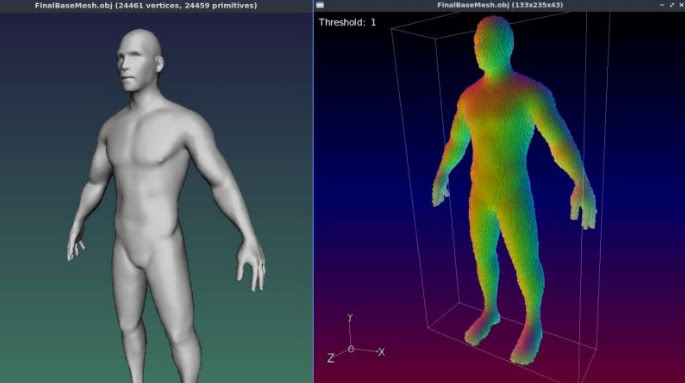
3) Basic subdivision of 3D object meshes. Again, you can do this natively in Poser and DAZ.
4) A new filter, to be found in ‘Testing’…
Garagecoder | Upscale [Recursive2x]
Appears to be a sort of ‘intelligent sharpening’ that preserves details better on low-res images? Again, you’d probably do this with AI Gigapixel or online with Base Ten or SWIN, though perhaps this (I’m guessing) is optimised for low-res images?
As always, beware of updating. Because if someone changed the name of their filter, then that breaks your custom preset. For instance, last summer GMic’s long-standing Artistic | Comic Book filter had its functionality updated and the name changed to Comicbook. All my custom presets based on this filter were gone in a flash, and some of the filter’s needed switches and sliders had also been removed. Filter makers really need to be told: “If you’re going to tinker to that extent, then keep the old filter the same and call your new one Comicbook_2″.
Posted in 3D Utilities, Automation, Companion software, Spotted in the News
Leave a comment
MiDaS uses trained AI to take a normal 2D image and output a 3D depth-map. In Poser-speak it’s like Poser’s ‘auxiliary Z-depth’ pass or render.
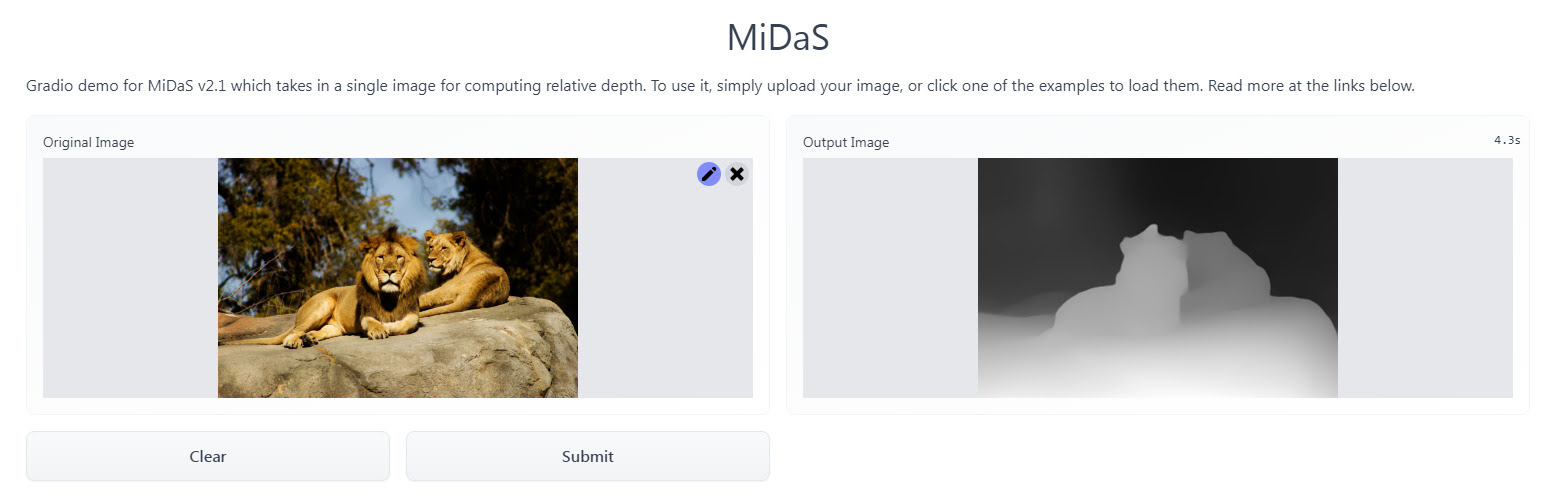
Free and public, no sign-up needed. Just drag-and-drop your image. It can probably also be installed locally, though I haven’t looked at the requirements for that.
Once you have it you can use the usual Photoshop layer inversion/blending-mode tricks to create ‘depth-fog’ in the scene, where there was none before.
I dug up a free Windows GUI version of Intel’s CPU Denoiser, aka the open-source OIDN. This is standalone AI-powered desktop software made by a guy in Japan, and which no-one but some Lightwave guys seem to have ever heard about.
You feed it your partially-completed .PNG render, which has noisy ‘fireflies’ you want to clear. It works back to Windows 7, on SSE4.1 CPUs or better, and with most 64-bit OS’s.
So… no need to worry if Santa didn’t bring you an expensive $800 NVIDIA graphics card, or worry about wrangling with many dependencies on other bits of software such as ImageMagick.
It just works, and beautifully. Merry Christmas!
USE:
1. Download and unzip OIDN-gui from GitHub.
2. Run OIDN.exe and the simple graphical user-interface will appear.

Here you load the same target .PNG render into all three slots, “Beauty”, “Albedo” and “Normal”. Then “Run Denoiser”.
DAZ iRay can do the regular render (here called “Beauty”). But if you did also have additional auxiliary/buffer/canvas renders, then your “Normal” would help preserve subtle bump-mapping, while the “Albedo” would do the same for fine textures. And apparently these two work in tandem, so both would be needed.
But you may have already stripped most bumps with the DAZ Scene Optimiser, and have no complex fine-patterned clothes in the scene. If so, then you’re smiling.
There is however another way to add detail back into a denoised render. In Photoshop you drop the output over the original, as a new layer. Then you ‘paint the detail back in’, by running a soft-edged small Eraser brush over the bits where you need most details (eyes, eyelashes etc). This reveals the detail beneath… and hopefully doesn’t reveal any pesky fireflies.
In tests an old 32-thread Intel workstation took about 2 seconds on a single 1920px render, and gave great results even without having the proper “Albedo” and “Normal” auxiliary/buffer/canvas renders available. The denoised image is saved with the same file extension and type, in the same folder, but the filename will have ‘-denoised’ added.
It seems you can batch process a series of animation frames with this (untested by me). But here you should know that OIDN is not “temporally stable”. Which in plain English means that when the animation is run ‘you may see some slight waver or detail-popping’ across strongly denoised areas.
That’s it. There is a later version by the same maker, re-written for QT. But that has no regular Windows .EXE file, so far as I can see.
There’s another Windows GUI option here, but it’s drag-and-drop with no batch. The above software does batch.
Note: Not needed in Poser 12 and also the latest E-on Vue, as in both cases Intel’s OIDN is built-in. The above advice is mostly for DAZ and Poser 11 users.
Amazon has open-sourced its Krakatoa VFX particle renderer and the associated shader system. Appears to be Maya focused, so I guess they were/are using this for the Amazon TV VFX. The VFX world has many particle-generators / particle-renderers by now, but this one is said to be especially “fast”. That’s the only claim made for it, at least on the GitHub. Still, if you were looking to plug a fast particle system into Poser 13, I see lots of .PY scripts in the Krakatoa GitHub and it might be something to consider.