Ah, well… that’s DeviantArt ruined. They’re now forcing the appallingly un-usable new ‘Eclipse’ interface on everyone, from 20th May 2020. The new look is somewhat prettier, but is absolutely vile to try to use. Its poor usability and layout is just so bad, and in so many places, that it’s amazing how it all got past the beta testers. I can only assume they were all using tablets, not widescreen desktops. It’s so bad that I’m considering moving. Are there any real alternatives to DeviantArt, that are not the dour and fun-free ArtStation?
Author Archives: jonahjameson
Release: Lightwave 2020
Lightwave 2020 has been released. The “what’s new” highlights for artists appear to be:
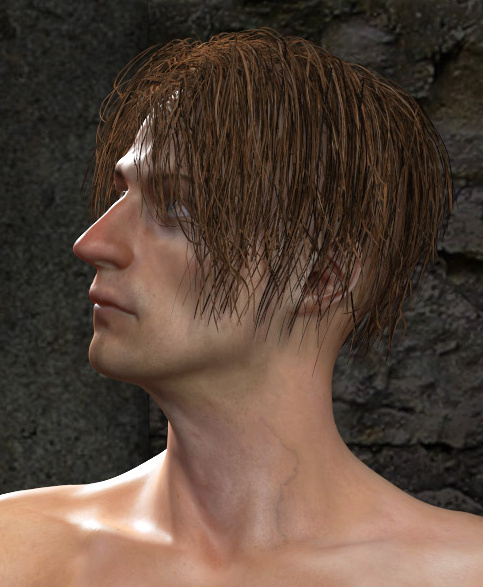
* Two new hair shaders in FiberFX, with “a simple artist-friendly shading option” which makes controlling and styling the strands easier.
* Tone mapping and better SSS.
* Improved workflow in the Scene Editor.
* “More features” are now supported in the FBX format.
* Updated OpenGL, for a “closer to final render” look in preview.
P3DO Explorer Pro 2.8, for $12.50
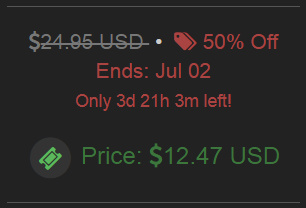
The Poser library manager/finder alternative P3DO Explorer Pro 2.8 is 50% off until 30th April 2020, including the upgrade. That makes it just $12.50 for first-time users.
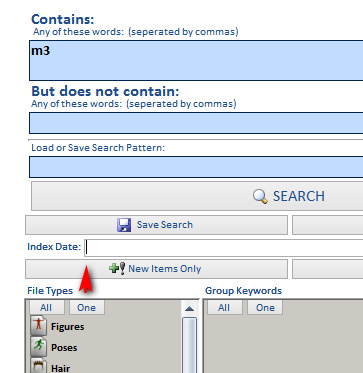
The last P3DO Pro update was December, with many new features added, and this new 2.8 is March/April 2020. Again, lots of new items added and other tweaks, on which the changelog is linked here. Much as I like PzDB as a Poser library manager, this new P3DO 2.8 has to be worth a mere $12.50 just to have as a backup. I believe it also works offline, whereas PzDB needs to ‘phone home’ occasionally, which may make P3DO useful for offline Poser creatives. P3DO’s main problem is that searches are so incredibly SLOOOOOOWWWWWWWWWW. Really, really SSSSSSSSSSSSSSSSSSLLLLOOOOWWWWWWWWWW. Like eight minutes for one search.
Curiously, the DuckDuckGo search-engine seems to heavily censor searches for the software (six results for “P3DO Explorer”, none relevant). Whereas Google Search is happy to provide 14,000 results. I assume that the word “p3do” is now on the Bing bad-words blacklist (DuckDuckGo is mostly Bing, with a bit of Yandex). Yes, it’s 2020 and advanced search-engines are still using clunky old keyword-based censorship. This is yet another reason why DuckDuckGo isn’t something you should use for serious searching, only for quick navigational searches and image searching (on which it’s actually quite good, mostly because it has less spam and fluff than Google Images).
Also, in other discount news, the main Reallusion Store has a coupon code for 50% off everything, also until 30th April 2020. Theoretically that brings the standalone conversion utility 3DXChange 7 Pro down to $99, which will be of interest even if you don’t want to get into the iClone ecosystem.
Furry fun
The iRay devs reported a few weeks ago that iRay “2020.0 final has just been released”. Strand fibers do “especially well” with the new iRay 2020 + an RTX graphics card, even fibres with dense intersections.
iRay 2020… “introduces native fiber intersection support! This delivers perfectly smooth hair, fur, carpet, and similar curve-based primitives out-of-the-box, without paying for extra memory and/or additional pre-computation time for tessellation to triangle-data!”
Good news for fur render speed and for Look At My Hair users. Though not quite yet, as the latest iRay in DAZ Studio is currently 2019.1.4. But it can’t be long until 2020.1 gets plugged in.
Several other major bits of software are also doing short hair, KeyShot 9 has its new “fuzz”, and Lightwave 2020 also adds new shaders and easier controls to its existing FiberFX.
Free cute cats
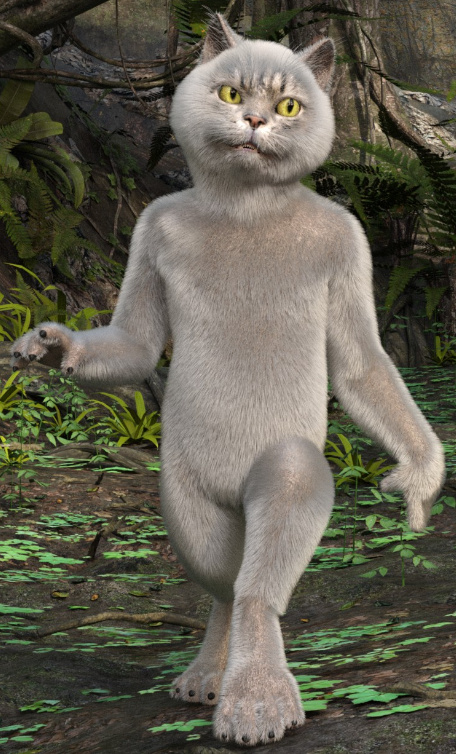
Free cute cats, delivered to your home! Nope, not an April Fools’ Day prank. HiveWire are giving away their high-quality Housecat for free until 31st May 2020, along with other goodies.
For fur also get their free LAMH Presets for the HiveWire House Cat, which are not on the new freebies page, but are free on the general store.
Release: Poser Pro 11.3 update
The Poser Pro 11.3 update has just been released. Congratulations on the team for getting it on time in the current difficult circumstances. 11.3 adds…
* support for RTX graphics cards on Windows, and apparently this has to be “20 series”. The added support is said to “significantly reduce render times”;
* improved content library search, with new Boolean “AND” and “OR” search-operators for the Library search-box;
* a new stand-alone male figure, L’Homme, who was previously only a morph of La Femme. But “they can still share morphs, textures and poses”;
* the La Femme figure has been updated to remove the L’Homme morph dial;
* users can now log in to “Renderosity accounts through the Poser Software interface” and download/install store purchases that way. Note that “Users will not have to “Install from Zip” unless they want to.”;
* Poser’s Python scripting is updated to Python 2.7.17;
* 11.3 adds the latest .FBX handling, and there’s a forum post that suggests this means FBX 2019;
* new “faster loading of default scene load time by using PMD”. (Never heard of it, but sounds good. Does it also speed up Poser scenes that are not the ‘default’?);
* and “hundreds of bug fixes”.
On the ‘store content installs’, I presume one can tell Poser which Runtime you want it installed in. Since Poser 11 has several, and users often have more and in strange places.
11.3 looks good, but I won’t be installing it just yet, and I might even prefer to wait until the summer and Poser 12. Poser 11.2 runs fine for me, and I’ll wait and see what scripts the Python update breaks before installing. I’ll probably update this blog’s ‘Poser 11 Python scripts page’ in due course for 11.3, in a few weeks, as and when stable fixes are noted and linked on the forums.
More automation, less clicks!
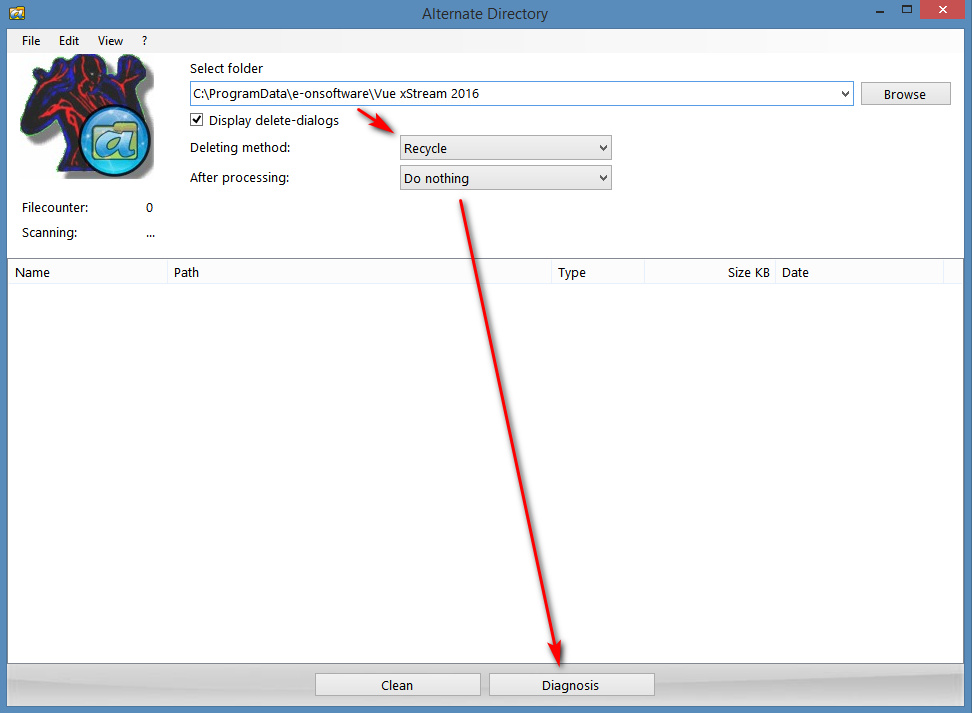
If you want to run a Python script each time when Poser starts, you can do so by editing Poser’s poserStartup.py file.
1) First locate your poserStartup.py file, which is what loads your chosen Python scripts whenever Poser starts. For me, in Poser 11.2, this startup file is located in…
C:\Program Files\Smith Micro\Poser 11\Runtime\Python\poserScripts
The location may be different for some, but poserStartup.py is very likely to be in Program Files folder. As such it may be protected by Windows. If so then you you need to copy it out in order to edit it.
2) Make a safe backup of the poserStartup.py file. Then copy it out to somewhere on your PC that allows file editing (e.g. the Windows Desktop), and open this copy with the free Notepad++. A .PY script file just a text file.
As shown below, as an example, we then add lines that start SnarlyGribbly’s AVfix script, and with this fix loaded we can then run the very useful XA – Toolbar plugin in Poser 11.2…
poser.ExecFile(“C:\\Program Files\\Smith Micro\\Poser 11\\Runtime\\Python\\poserScripts\\ScriptsMenu\\Snarlygribbly – fix Poser 112 errors\\avfix.pyc”)
poser.ExecFile(“C:\\Program Files\\Smith Micro\\Poser 11\\Runtime\\Python\\poserScripts\\ScriptsMenu\\FavoriteScripts\\XS – Toolbar and macros\\XA.pyc”)
It looks complicated, but it’s just a poser.ExecFile instruction followed by the path to the script we want to automatically start. Don’t forget to manually add all the double \\’s! PoserPython needs them on the file-path. Also, note that if you’re copy-pasting my example, PoserPython might not like WordPress’s fancy curly ” marks, and these may need to be re-typed as plain ordinary ” marks.
The above instruction lines are added one on each new line, and placed at the foot of the poserStartup.py file.
This also works for SnarlyGribbly’s poserStartup.py that is meant for Reality. Although that is meant to start AVfix on its own, both of the above lines still need to be added to the end of his poserStartup.py. This seems counterintuitive, after all: “if AVfix is started by SnarlyGribbly’s special poserStartup.py then why call it again?” Because that’s how Poser 11 likes it, and it won’t start XA.pyc without first seeing an explicit full-path call to avfix.pyc.
3) The file is then saved. You then copy the fixed poserStartup.py and over-write the original in C:\Program Files\..
4) Start Poser, and your chosen scripts should now start up automatically. In this example, Dimension3D’s XA – Toolbar starts automatically. This useful toolbar can be configured to do all sorts of things with a single click. For instance, you can drag-and-drop the new free Sketch Presets Manager for Poser script on it, and it automatically makes a button that starts this script with one click. More automation, less clicks!
If you get a “non ascii” error message, it is likely you copied the script path from a blog like this rather than from the Windows Explorer path. e.g ..\\ScriptsMenu\\FavoriteScripts\\XS – Toolbar and macros\\ is not the same on the this blog as \\ScriptsMenu\\FavoriteScripts\\XS – Toolbar and macros\\ copied from Windows Explorer and the extra \’s added. This is because the – bit of the path is encoded as non-ascii by the blog, and PoserPython can’t handle that.
It’s all gone Bendie!
If you haven’t been following Reallusion closely, you can catch up with a handy new 3-minute Reallusion 2019 video roundup. It briskly showcases all the new ‘big’ content made available for sale in 2019, in both 3D and 2D. Note that there will also have been content from smaller makers, and last time I looked they had a separate store for such items.
The show-reel usefully reminded me of Garry Pye Creations and through it I discovered new work from him that I hadn’t seen before: his The Bendies series.
The Bendies were first made for CrazyTalk Animator 3, then upgraded for Cartoon Animator 4 and its ‘360 head’ feature and new face puppeting. They also lack edge inking, which means webcomics artists could over-ink a bit to add their own look. They look excellent, and can be purchased individually at around $10-$12 each.
Sweet Apple
The Apple macOS version of CrazyTalk Animator 3 Pro (now Cartoon Animator 4) is free until the 1st of April 2020. Note that Pro is a limited version, compared to the full top-of-the-line Pipeline version. Pro lacks .PSD import/export, and vector .SWF loading.
I don’t imagine that there are many poor people with Macs. But for those who are short of cash, such as school students, then it’s a nice bit of creative software and is not tied to a subscription. Those who know schools that run on Macs might also point them in the direction of this offer, with a warning that Reallusion’s content-packs can be expensive.
Magic Object Mover for Vue
At last, there’s a simple “object mover” script for Vue! It’s the equivalent to Poser’s vital SnapTo script.
Select any two objects, run the script. With one click the second object moves to the location of the first, with a slight offset… so that it doesn’t land on top of the camera or inside a building/tree etc. The offset can be precisely adjusted in the script. Optionally you can also have the object scaled up at the same time, which may be useful if it’s a tiny object in a vast landscape.
Download Magic Object Mover for Vue v1.0. If you find it regularly useful, please note that it’s donationware.
Tutorial: How to create, find and position a billboard prop in Vue
How to create, find and position a billboard prop in Vue 2016:
1. First, render your prop and save it to the target .PNG file you intended for your Vue scene. If not using Vue itself then this means using software that enables the saving of a clean .PNG with an alpha, with no fringing at the edges. It may also mean approximately matching the lighting in your Vue scene. Or, if you have no idea of what lighting you’ll eventually end up using, then at least have fairly neutral lighting. The output size doesn’t need to be huge, maybe 1800px. I’ve no idea if DPI affects such things, but 300dpi may be a good standard to work with.
2. Launch Vue and go to the top menu. There go: Object | Create | Alpha. Shift + H will do the same on the keyboard, and can also be tied to a mouse-move gesture.
3. The Import window will appear. Those who learned their 3D with the old Bryce interface will be familiar with the cryptic mini-buttons look. Note that one of the tiny buttons also lets you change the gamma of the import image at this point. (I’m using Vue 2016 R4. Apparently R5, R6 and the new subscription Vue have changed the UI, and this may be one of the changes).
For some reason, this import operation will not always seem to work:
A. Works, and the result appears in front of the current camera: In some cases, the import window has behind it the ‘blank billboard’ plane. The new prop will then appear right in front of the current camera.
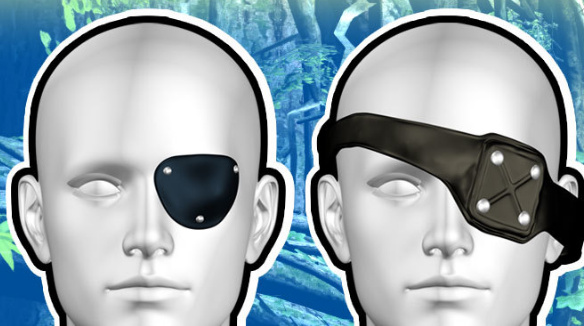
B. Appears not to have worked, but in fact has: Far more often this ‘blank billboard’ does not appear. It is in the scene, but it is either up above the camera viewframe or way off to the side. If this seems to be happening, just carry on as usual.
4. If the new billboard is indeed nowhere to be seen, and cannot be framed, then switch to the Top camera view and zoom way out. Most likely the billboard loaded miles away from the camera. This is the case, for instance, even with the default Vue ‘starter’ desert scene.
In the Top view, re-position the billboard in front of the camera. Then switch to the Side view, and do the same again.
To save such fiddling it would be nice to have a “place the selected prop directly in front of the current camera” Python script. But I’ve yet to find such a useful thing for Vue.
Update: I made a Magic Object Mover for Vue script, to help with this problem.
5. You’ll then probably also want to adjust the tilt and orientation of the billboard. It’s supposed to be automatically camera-facing and upright, and it sort of is, but will still often appear awkwardly tilted in the camera view and will need manual adjusting.
Note that…
* You can scale up the billboard like any other prop.
* It can cast shadows that look like its shape, not like the rectangular plane the shape is inside.
* You can also point a spotlight at it to adjust its brightness. Go: Lights icon on toolbar | Right-click and hold | Spotlight | Edit | Influence | ‘Only objects selected’…
* A very low-res placeholder may appear in the viewport, depending on the power of your PC. On doing the final render, the high-res image will be loaded.
* You can save the billboard to the library as a .VOB prop, by right-clicking on it and saving it.
Tutorial: seeing the light in DAZ Studio
Those new to DAZ Studio may be especially puzzled by one aspects of the lights. For instance, it is possible to light a scene with some light preset or other, found and loaded from a Lights folder…
“Hmmm.., nice, but too dark. Let’s find its controls and tweak them up…” you might think.
Yet… no light will then be found listed in the Scene item-list. Nor will one find any light when one switches into the Lighting/Cameras tab. And yet there is obviously a light in the scene.
Where is this mysterious light, and how can it be controlled?
This type of light’s controls are actually hidden away at the bottom of the Render settings, under “Environment”, a place whose name might lead a newbie to expect anti-aliasing settings for the edges of the leaves of trees and the bumps on rocks. Nope, it’s the controls for the missing light.
As you can see, there are all sorts of tweakable sliders here, including time-of-day and intensity. There are even more when you scroll down the panel.
Voice controlled comics software
Worried about your fingers getting creaky? By the time they do, software will likely be stuffed with AI-enhanced voice assistants and the old mouse and keyboard may be gathering dust in a drawer. This is suggested by a new article from Maxon, maker of Cinema 4D, which profiles Kye Young and her use of the software. She Makes Comics in C4D Using Voice Controls…
“after developing degenerative arthritis in her fingers … she figured out how to use voice commands to control C4D, dramatically reducing the need for her mouse and keyboard.”
Poser lineart webinar
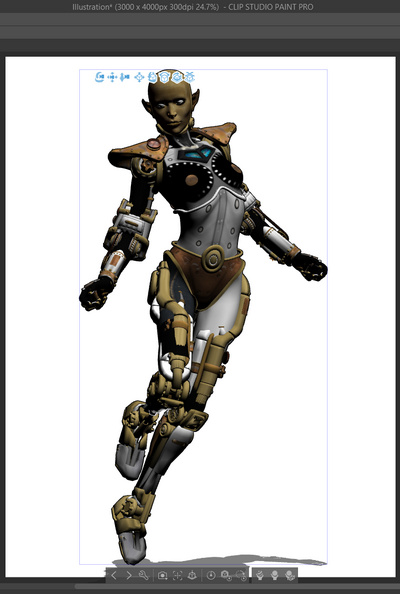
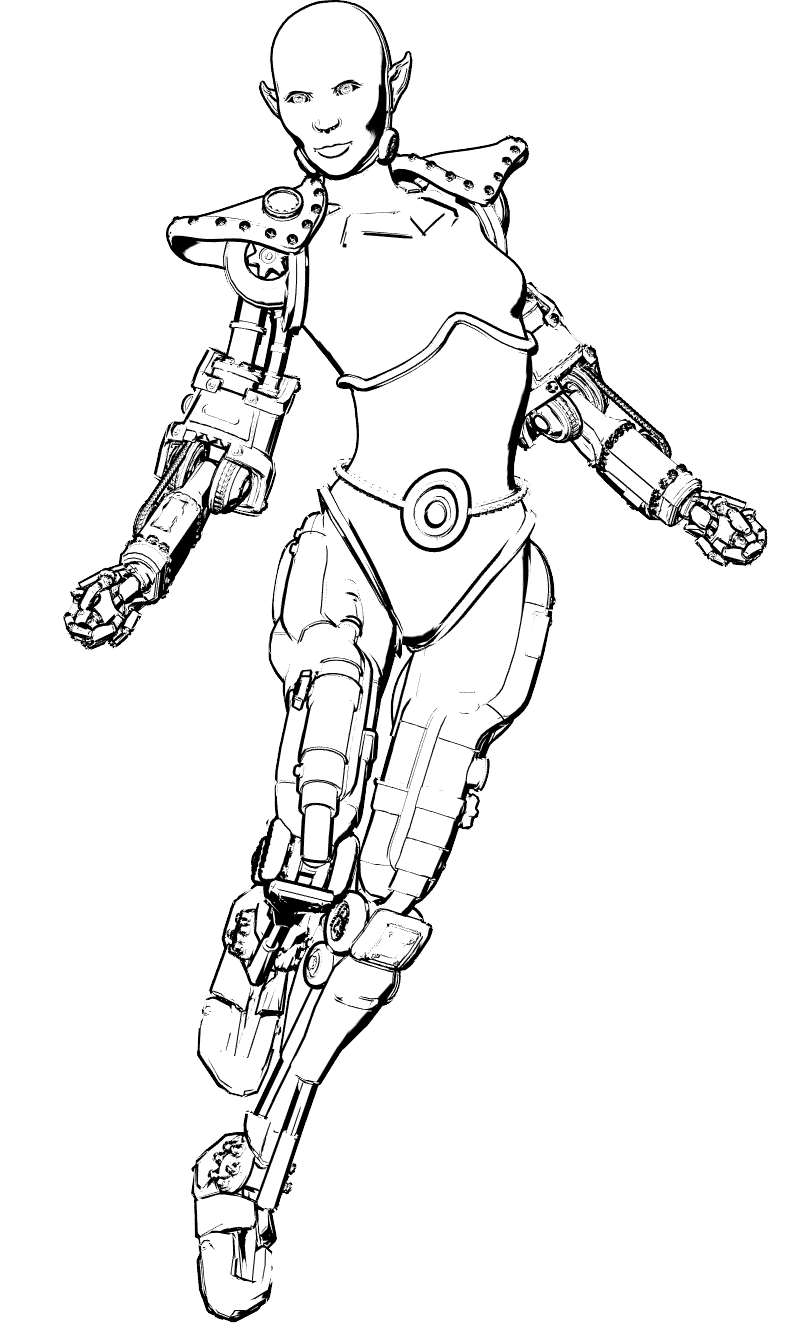
“Create a Signature Line Art Style with Poser”. A live webinar with Mike Mitchell in which he steps through his techniques, and shows how the renders are then worked up in the comics production software Clip Studio (formerly Manga Studio). Sunday 16th February 2020.
RTX for Poser 11.3
News today from the Poser developer team. The Poser 11.3 free update is officially dated as due at the end of March 2020, and it will also support RTX-capable graphics cards.
In the UK you’d currently be looking at around £400 for a good new RTX card, although it may also require a new power-supply unit too.
It’ll be interesting to see if this new feature can ‘drive’ the main scene-view window in real-time, thus optionally replacing OpenGL and making Poser 11.3 into a “what you see is what you get” software.