
An unusual bit of Windows freeware. FurMark will give your graphics-card a furry stress-test…
“FurMark OpenGL benchmark test will accurately measure the performance of the graphics card using fur rendering algorithms.”

An unusual bit of Windows freeware. FurMark will give your graphics-card a furry stress-test…
“FurMark OpenGL benchmark test will accurately measure the performance of the graphics card using fur rendering algorithms.”
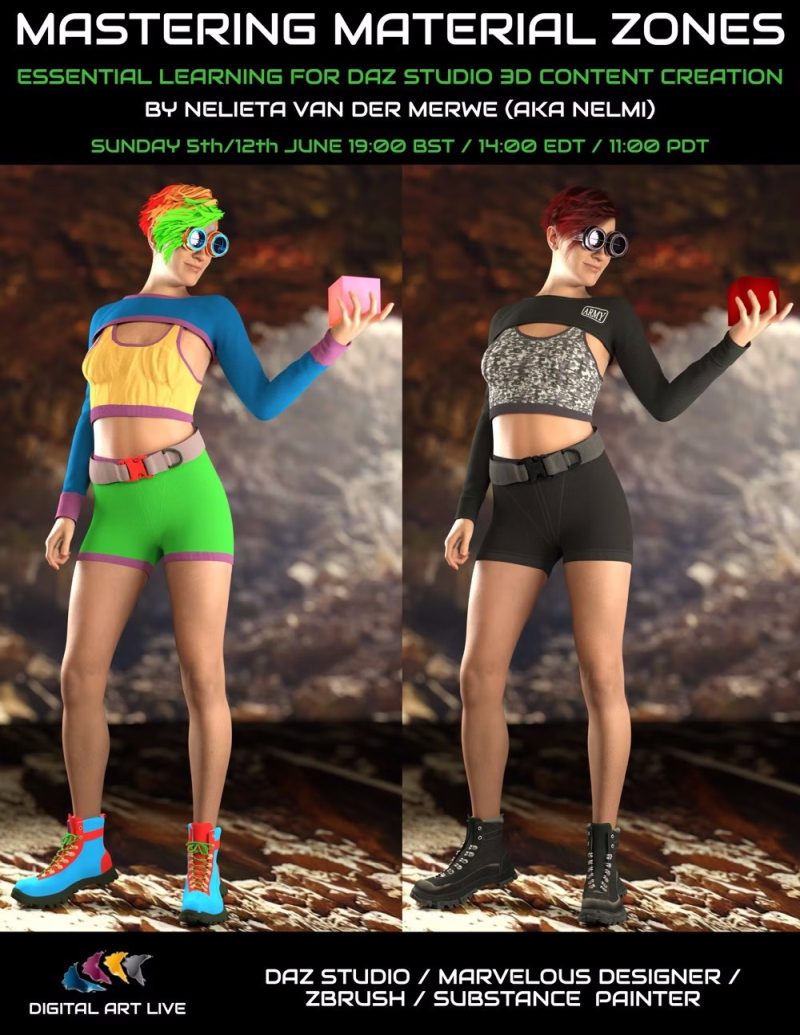
Coming in early/mid June 2022, a two-part webinar on working with material zones in DAZ Studio.
Dynamic Auto Painter 7 has been released. Will still run on Windows 7 and 8. The price remains at $89 + local tax. The key new feature is Feature Follow in which brushes can be set up to follow the direction of the picture’s structure. This gives a more believable look to the result. Some of the new DAP presets have this already enabled.

Also a new ‘True Mosaic’ maker which (while slow) gives nice results.
No UI makeover.
No introductory discount, but apparently the coupon code NEWYEAR2022 still works for now.
iClone 8 and its companion Character Creator are now out of beta and officially released. The vital additional and expensive importer/exporter 3DXChange is no longer needed, as its functions have been ‘mostly’ integrated. As is the animation Curve Editor. Static non-animating objects apparently now render twice as quickly in the real-time renderer, and there have been engine improvements such as volumetrics and the ability to tweak shadow strength. I took a look at other features on the v8 beta back in November.
Nothing in terms non-photoreal features, akin to Poser 11’s comic-book mode or Sketch rendering, so far as I can see. No mention of automation, akin to Photoshop’s record / replay Actions.
There’s a been a huge price hike. Together, even the entry-level iC 8 and CC will together now cost you a hefty $900, and that’s before any further costly add-on packs such as mo-cap or canned animation or 3D content. Both still work on Windows 7+, which is nice to see given the trend toward ‘Windows 10 only’ software. The free edition of Character Creator is reportedly being ditched.
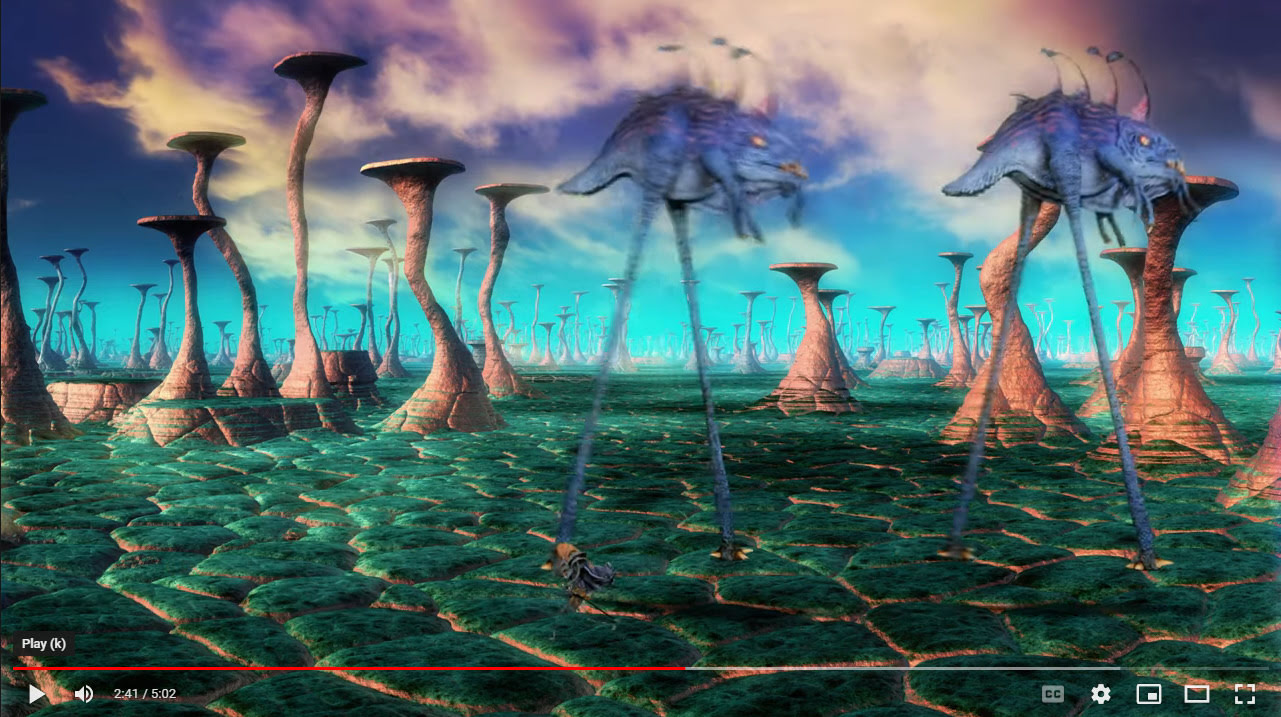
A fun new animation by the Lone Animator (Richard Svensson), combining expert stop-motion with 3D rendered backdrops, foregrounds, and grounds. Including fractals and flame-fractals in some cases. DM’s Egyptian temple for Poser makes an appearance, toward the end.
“The End of the Quest” on YouTube.
My Survey: Unusual K4 has been updated.

My EZ Skin 3 post, with mini-tutorial and advice, has been updated. Including links. It’s also now available in a version for Poser 12.
I’m pleased to discover Predaton’s original Goblin figure for Poser, with Goblin Cleric outfit and staff. Still available at DAZ, along with an armour pack. Old, but works fine in Poser 11.

The Comic Book mode is ‘on’ in Poser, then a 20-second Poser Sketch render (painterly) is made from this at 1800px…

The Sketch render is filtered in Photoshop and Smart Blurred a bit to remove some remaining frosting on the clothing textures. A Firefly ‘Lineart only’ render is added to add the fine pen lines. Another Poser Sketch render (hairy inks) is applied, and the eraser manually removes all ‘hairs’ except for those on the skin. A SuperFly render could have been added at the top of the layer-stack (set to colour blend to restore the original colours) but in this case it wasn’t and I went with a warmer look. As usual, belts and buckles have problems taking inking lines even in Firefly.
Technical notes:
The robes are misleading when loading, in that they will appear not to conform after loading. However, if you slightly move the base figure after manually conforming the robes, they do snap into place and will then follow the figure’s poses. This problem will potentially cause compositing registration problems if using renders from different sessions. The robes have their own poses which match the lower parts with those that come with the Goblin.
If you have a Poser 7 expressions folder, then the face can be randomised. And there are so many head morphs that all the randoms look good.
The Cleric Robes have non-rendering drape-control boxes that show up in Sketch and Firefly renders, if not made invisible in the scene. Here we see a box I missed, appearing in an old-school lineart render from Firefly.
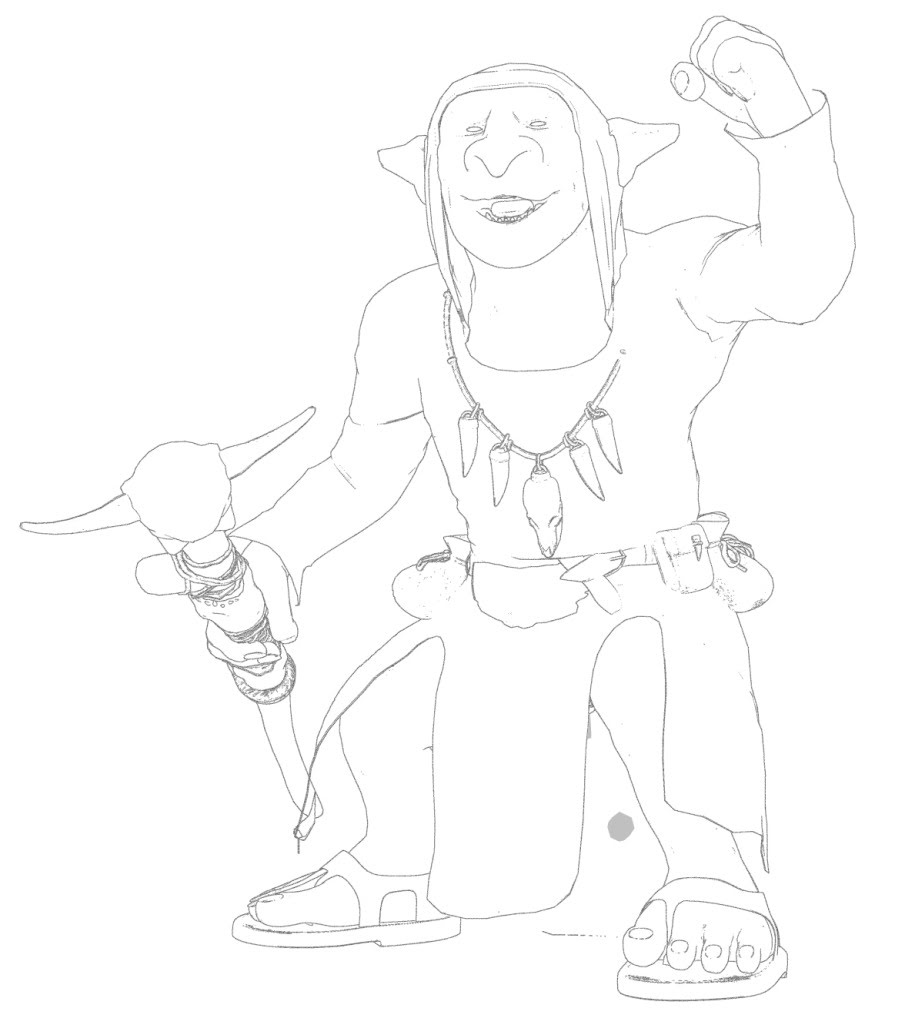
In the above, the bump-maps are auto-removed with a script to get rid of ‘the speckles’.
The Goblin also renders fine in SuperFly, though the eye pupils are reflective-white if light is shining into them. As you can see in this 20-second raw SuperFly (Cycles) render…

The Goblin accepts poses for older short figures such as Little Mummy, Sam and Sadie, NearMe, and the wealth of generics from Poser 1-8. So far as I recall, the latter still ship with the Poser native freebies bundle, so you won’t be short of poses.
The headcap of the robes can be removed, to test hair. Here we see that the free Troll Hair finally finds a use…
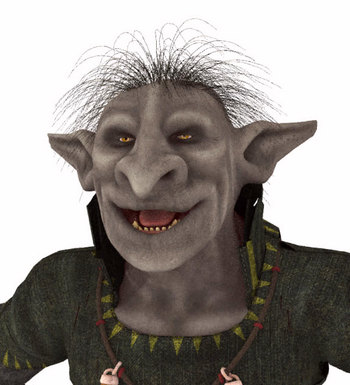
… and this hair also shows up in Comic Book mode. You can also add three such hairs for extra bulk. Or you could make some Poser strand hair as a simple mohawk.
No freebies, no Crossdresser licence. So the expansion possibilities are limited. But it’s a great little semi-toon figure with a ton of morphs, and a good story-opponent for some of the Nursoda figures. Predatron also has a matching and larger Troglodyte troll-like figure, with a large range of accessories, poses and armour.
More tinkering with my Technical Search engine, now at 120 sites and pages.
Newly added are the Synthetik Studio Artist addresses and Ning forum, a new site for Malt documentation (the rapidly maturing free non-photoreal toon renderer for Blender), Age of Armour tutorials, Laubwerk’s 3D Plants site, and an additional URL path for DAZ documentation, among others.
The DAZ installer 4.20.0.17 (latest installer) has been installed here and the new DAZ has had some testing.
1) I found I had to recreate my Scripts menu and re-assign a custom shortcut. The items were still there (F3 | left panel | Custom | expand) but there was no scripts menu for them and one vital item had lost the keyboard shortcut.
They had all lost their native ‘Scripts’ UI menu, off which they hang. This menu had vanished, despite the UI layout preset being the same.

2) The slightly older 4.20.0.2 had a bug which I found. This prevented it from fully returning to the UI after fullscreen (Shift + F11). This bug appears to have been fixed with the new 4.20.0.17 (latest installer), but for keyboard presses only.
‘Why would you want to fullscreen’, you ask? Because doing so with the Viewport set to iRay means you can save the largest possible iRay ‘File | Save Last Draw…’ render. You already have an iRay render in your Viewport, so why render it again? It’s there, so just save it out in a micro-second. Admittedly it may be far from perfect after maybe eight seconds or so of rendering, but good enough for use in a complex compositing mix over in Photoshop.
So, keyboard fullscreen is fixed with 4.20.0.17. However, the scripted automation is not fixed. Using the script commands…
MainWindow.goFullScreen()
MainWindow.exitFullScreen()
… has the same problem as before. It works, and as if you were pressing keys. But the Viewport is then found to be kaput on return, whereas it was fine for simple key-presses. After the scripted fullscreen the Viewport is found to have lost all its widgets, and the display hangs forever displaying a ‘uniform grey’. DAZ has to be closed to cure the problem.
This script bottleneck is cured in VisNews #30 (April 2022), when the reader is shown how to chain together DAZ scripts, custom keyboard commands, mouse-gesture freeware and a Python script, such that…
I can now draw a simple “N” mouse-gesture in DAZ… and 90 seconds later I automatically have an eight-layer Photoshop .PSD file of quality artwork, ready for further creative compositing work.
This timestamped .PSD, dropped onto the Desktop, also has a Viewport ‘Save Last Draw…’ iRay render in in, made in fullscreen.
I should say however, that the VisNews solution is Windows-only and all renders must be at 1681px by 1141px. The size is due to the impossibility of forcing the Viewport Draw to be larger than the 1200px-height monitor size being used.

What’s new for Poser and DAZ in April 2022? Time for another survey of the new items released for Poser and DAZ Studio users. As usual, freebies are only featured if commercial use.
Science fiction:
SpecOps Helmet by Cybertenko, for M4. With various MATs.

Shadow Market. I’m guessing this may be close to fan-art, and looks Star Wars -ish. So check before commercial use in comics etc.

Intercept for Genesis 8, a futuristic fighter-pilot outfit.
Cryo Stasis Deck for DAZ Studio, which might fit well with similar items.
No steampunk this month, but a fab dieselpunk super-villain, Juggernaut for G8M.
Fantasy:
Nursoda has released an unusual one, Servants Of Apollyon. They’re one of the various monsters cryptically mentioned in the Bible, and were probably large flying locusts likened by Near East folk tradition to “little horses” in speech. Here we get an unusual ‘horse-a-locust-a-scorpion’ for Poser.

There are also free Feltlocks For Apollyon, and Poses for Nursoda’s Fehn that fit with Apollyon.

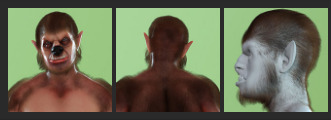
A wolf-man LoboMan for Genesis 8 Male.
Scyllah, a Scorpion Lady for G8F.

RDNA Victoria Bone Armor 1 for V4, currently free on the DAZ Store.
Meshbox’s Dungeon Halls, Walls and Doors construction kit for Poser. Old but new on the store and thus possibly now with a texture makeover?
EV Bonfire for Poser.

Iron Scale Armor for G8M, part of a range. Nicely done.
SWAN Song Violin Kit and SWAN Dance Costume Kit for G8F. Looks good, but I couldn’t get the picture previews to work on this for some reason, and the main promo is impossibly dark.
Storybook:
A free Stork Family for Central European rooftops, where they nest. Low-poly but that won’t matter to those who want to overpaint their picture-book renders.

Simple cute Easter Eggs and Fluffy Chicks.

Hr-250 from Ali, for Poser.
Animals:
Songbird ReMix: Puffins and Auks.

Also from Ken G., Songbird ReMix Australia Vol. 3, Songbird ReMix Pelicans (updated) and Songbird ReMix Jacanas. The latter being South American ‘lily trotter’ birds akin to the English coot.
Anniemation’s Flying Dove Animation for Songbird ReMix Gamebirds Vol. 3. Has a video preview and looks very well done.

Mountain Lion Poses for Big Cat 2 Cougar.
Landscape:


People:
Free L’homme Dark Glasses for Poser’s flagship male figure.
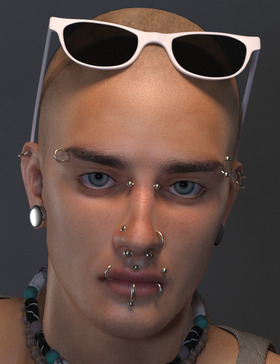
Ghostship Hair Shader System for Poser 12.
Martin Hair for Genesis 8 Males. Usefully generic and modern.

Pose Me Unique Vol.5 for G3F and G8F. Based on classic Japanese manga comic poses, and it’s building into quite a series.
French Horn and Poses for G8. Poses to have your character play the orchestral instrument.
Female Cat Walk Construction Set for fashion catwalks. Also an Animation Set. Jazz up your catwalk with the new Cyber Tunnels.
Generic G8F Walking Poses 21 to 25. Here they’re unusually modelled on idly kicking a ball about in a lacklustre manner.
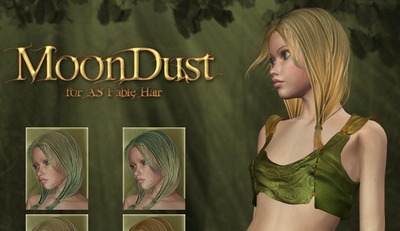
MoonDust for AS Fable Hair, an unusual release for 2022, as this Aery Soul V4 hair is now totally unavailable. These are just colours. Perhaps the pack was just something someone found in a dusty drawer and decided should be out there?
Props:
Sewing Machine, a complete set for Poser. Could be useful for those who want to make a instruction manual, together with Poser’s Comic Book mode.

Free G8F Hurdles Poses and Sports Ground: Hurdles props.
A free very Low Poly Umbrella Kit for a crowd scene in the rain. One of a number of similar freebies.
Historical:

A free Norman Helmet for Micheal 8.

A free Maciejowski Helmet and Knight armor, and a Helmet Kapalin.


Also free are Helmet Crusader 1 and Helmet Crusader 2.
dForce Seljuk Turkish Princess Outfit and iRay Medieval Fantasy Shaders (Merchant Resource).

Joseon Era Hanbok for G8M and hat. I think this is Korean. South Korea is having a heritage and museum boom, as their middle-classes mature. With a small makeover I guess the hat would also suit ye olde Welsh ladies.

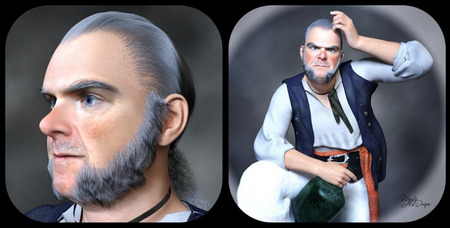
Mr Gibbs Hair, Eybrows and Beard for DAZ Studio, and the earlier Captain Barbossa returns. Not lawyered by the Disney megacorp, after all, but just removed by the maker for a fix. Both are free, and the beard and whiskers alone are worth having for use with other figures.

Vintage Navy Recruiting Poster Outfit for G8F. Probably needs to be paired with a skirt for the proper ‘1938’ feeling.
A complete 1960s Retro Bowling Alley for DAZ Studio.

Scripts:
Pose Me for G8F. “154 Morphs with sliders for total control of your character’s Arms, Shoulders, Hands, Fingers, Legs, Foot and Toes!”

Mesh to Volume… and Back for DAZ. Takes advantage of the volumetrics in the latest iRay, which needs the latest DAZ Studio.

Substance Painter Assistant. Said to help with sending DAZ content to Substance.
A free Collision Target Creation script for DAZ. “In DAZ you can only specify one collision target. But sometimes you want to target both skirts and shirts. Then let’s make the skirt and shirt into one object!”
Ken’s new script Figure to Prop for Poser 12. Also a DUF Morph Converter for Poser 12 (“DAZ Studio 4 DUF props/figures to existing converted PP2 files”).
Unimesh Exporter for Poser 12.
Blender to Poser automatic converter Python script.
That’s it for April. Strange how the trends go… no steampunk or toon this month.
There has been a certain cost in moving this blog from the .org domain to the .link domain, in money as well as time. If you could consider becoming my patron on Patreon then you would be very welcome. Even $1 a month is an encouragement in these difficult times. Thanks.
There are plenty of bits of software that will take this sort of lineart and filter it. This unfiltered example of source lineart is from Poser 11, with the real-time comic book option set to b&w and simple lighting.

Such lineart can be filtered by, for instance, the free G’MIC which has a big range of filtering options. The new G’MIC 3.1 will be out for Photoshop in a few days, and will add another comic-oriented filter. Then there’s Digital Auto-Painter (DAP), though only its graphic-novel preset is of real use for lineart — and with a bit of twiddling that can be emulated with the free G’MIC. A nice one I rate is Redfield’s Sketchmaster, especially if you want a kind of soft pastels look. Some people even work wonders with the native Photoshop filters, chaining them together in an Action. AKVIS Charcoal I tried some years ago, and though kind of nice it was slow. It may have improved since.
Topaz Clean 3 is also useful for cleaning off the bump-map and muddy-texture grunge, prior to any filtering. That can also be emulated with the free G’MIC. Though the sadly-discontinued Topaz Clean 3 is more than twice as fast, on what is a very slow process.
Now I’ve found another new way of filtering. I discovered that the maker of DAP had launched a new Style Animator 1.0 at $40. It vectorizes lineart, and can then apply a preset style. Kind of like SketchUp’s line styles, which many readers will be familiar with. I tried it, it’s nice, it works, but… is somewhat limited in its range.
Yet the idea of Style Animator 1.0 led me to discover software that’s been hiding in plain sight for the last 20 years. So much so that I don’t think it’s ever had a review. At least, I can’t find one. It’s Synthetik Studio Artist, which is from developer John Dalton and recently had a major update to 5.5.5. If the $40 Style Animator is a cute little furry Bush Baby, then the $200 Synthetik Studio Artist is a massive chest-beating 500lb Mountain Gorilla. And just as fearsome to approach, as it’s not easy software to learn despite the 560-page manual and a wealth of video tutorials. ‘Autopainter’ it may be… but it sure takes some getting used to. Yet recent intensive testing shows it has at least half a dozen great possibilities ‘out of the box’, when fed Poser lineart. When I say great I mean ‘looks relatively hand-made, without being cheesy’. The next edition of VisNews will have the details.
There’s a generous non-expiring free trial for it, and I’ve made two free preset actions for it which are on Dropbox.
1. Open File | New Source and Canvas (Ctrl + N), and select some Poser lineart.
2. Type number 100 in the h Mult box on the import parameters, to get the Canvas the same size as the Source image you’re loading onto it. Sadly this step can’t be automated.
3. Run one of my preset actions. If you loaded a .PNG with an alpha mask, then run the main action. If you loaded a render from Poser’s Sketch (no alpha possible), then run the Sketch one.
4. Either should result in the output of a cleanly masked .PNG file , when you use “Save Canvas as…” to save a .PNG file.

The Poser inks after my preset

A Poser Sketch render after my preset
There are of course just starting points. The idea is you bring the output into Photoshop. Output should be the same size as the source, and so easy to composite. Here G’MIC has added a finishing touch, seen most clearly on the toes. Not one line of this was inked by hand…

Figure is ‘BioBot’ by AntFarm.
The latest U-Render 2022.4 plugin is available for Cinema 4D. Think of it as the equivalent of Blender’s Eevee for C4D, a realtime “what you see is what you get” viewport. Sadly it’s now subscription only though, so it probably won’t be getting much attention here in the future.
In the latest free Digital Art Live magazine, I have a short survey. This covers Photoshop plugins for generating 2D star-fields, nebula, planets, suns and so on. One of those found is free, and doesn’t require the very latest Photoshop.


Download Free VDB Animations: Explosions, Fire, Tornado and more. Now that DAZ Studio support .VBD volumetrics files, these should theoretically be loadable and playable there. Licences are CC0, so you’re free to use these VFX your next mega-movie. The front-page takes an age to download, so here’s a screenshot of the effects…
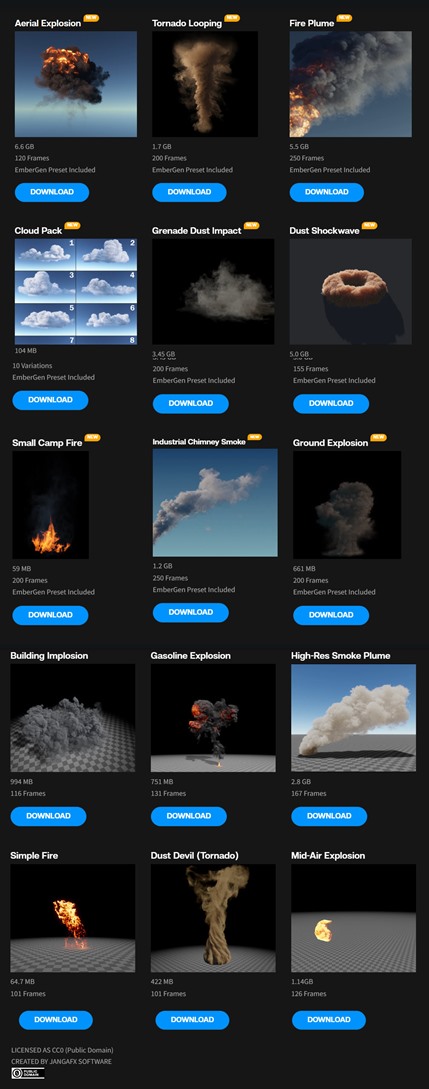
JangaFX is also readying its Embergen 1.0 tool for final release is about a year.