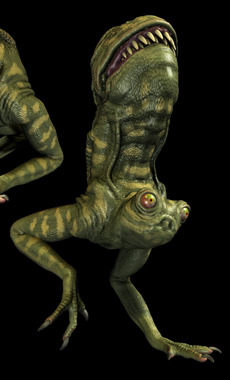
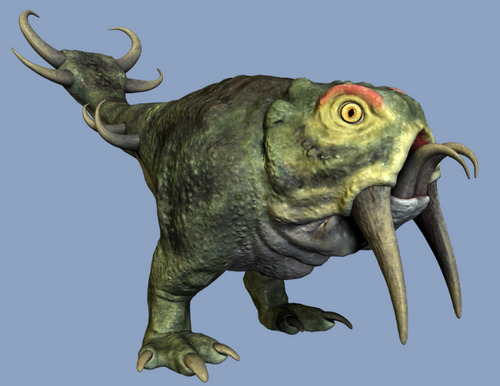
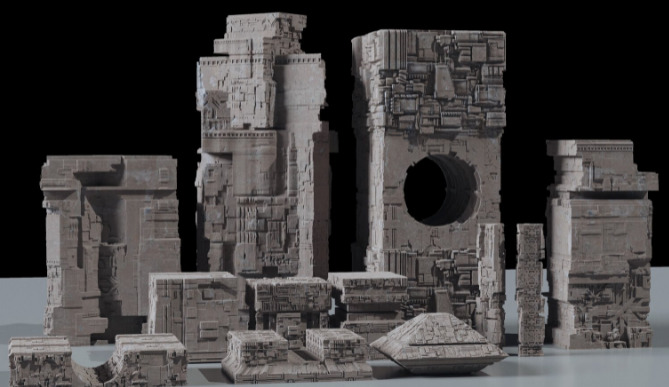
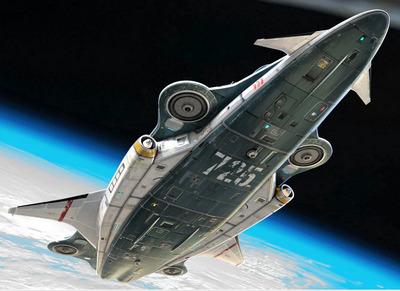
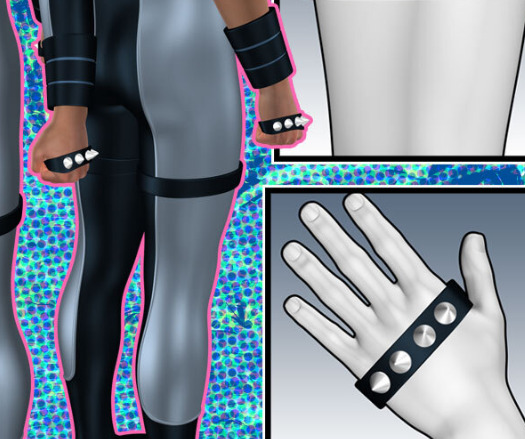
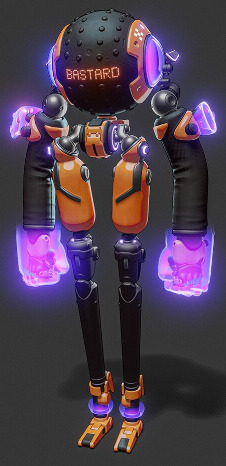
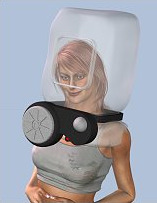
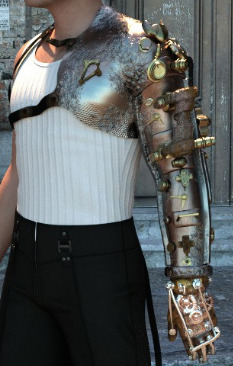
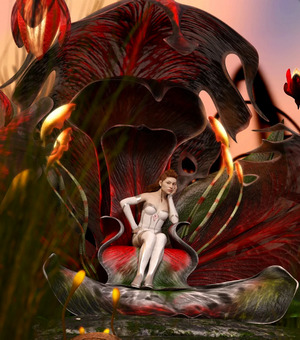
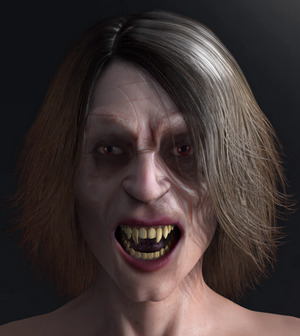
The thefantasiesattic Halloween freebies page, now live. One ‘reveal’ per day, from now until Halloween.
Fix the DNS ‘not found’ problem
I’m currently experiencing severe website-lookup problems, effectively blocking my access to about 20% of sites. Especially smaller sites such as David Revoy, HiveWire Forum, GreasyFork, Blender Nation, eTools, Major Geeks, Stack Overflow, Nitter and many others, completely ‘not found’ seemingly due to patchy DNS on all DNS servers. Some are complaining about being unable to register Corel software.
Users of commercial services such as Slack have been very annoyed about being locked out…
It appears to affect Chrome-based browsers only, and is continuing for many sites. So… installing a Firefox based browser (I recommend Pale Moon) should at least get you to the missing sites. No amount of jiggering about with clearing DNS caches and adding new public-DNS addresses will cure the problem, I’ve spent the whole of Saturday morning trying to fix it for the Chrome-based Opera browser.
Update: It’s due to dodgy free root SSL certificates on the sites. Firefox has its own store of these at my end, so it was unaffected. Fixed by installing fresh root certificates. (The Slack outage mentioned above actually appears to have been down to its own stupid DNS jiggering-about, rather than SSL certificates).
What was new for Poser and DAZ in September 2021?
It’s that time again. Here’s my monthly round-up of interesting or unusual new content for DAZ and Poser, and occasionally for other software. As usual the DAZ site locked up and became unresponsive after page 4, so I may have missed some. Also as usual, freebies are only linked if commercial-use or obvious fan-art.
Science-fiction:
Cybertenko’s Sci-fi Modular Helmet for M4, with lots of great variants.
Coflek-Gnorg’s Worm for Poser and DAZ. With a bit of wrangling two worms could also double-up as horns.
The Jar for DAZ Studio.
REX Hsu and his free mecha platforms in .OBJ format.
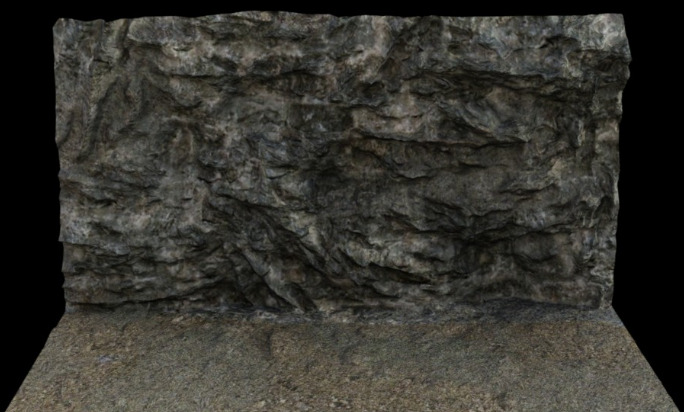
BackMatte Volume 1 – Desert Canyons.
Steampunk:
Steampunk Horse for DAZ Studio.
Steampunk Bird for DAZ Studio.
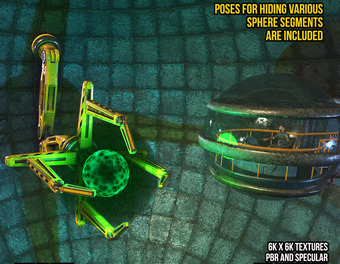
The free The Steampunk HeartGlass.
The 1900s dForce Bootstrapper Outfit for Genesis 8 Male.
Fantasy:
Monster Blades for DAZ Studio.
Fantasy Chess Set for DAZ Studio.
Aeros for the HiveWire Horse. A flying horse figure with animations.
Halloween toon:
Spooky Halloween for DAZ Studio. Appears to have a stylized broomstick/mop that would match well the DAZ toon goth-girl Lenore and the Raven. Just desaturate the textures and re-load.
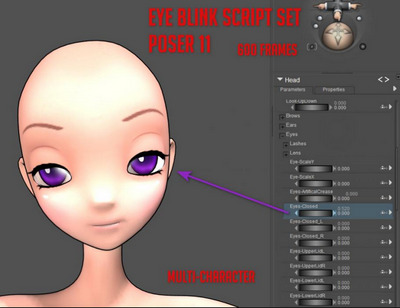
Spooky Halloween also has a Cauldron addon and a Cute Bat add-on and a Cute Owl add-on for DAZ Studio. Again, all suitable for matching with Lenore and the Raven.
FrankenNip props set, a toon Frankenstein’s castle lab.
Toon:
Is it a cat, or is it a That? Can be made into a shaggy ‘hippy raven’ variant. Free Arms for That.
The free Lolo Kitty for Lolo Hai.
A free Pose pack for Darkseal’s Iznt toon character, with 24 poses.
A free Pose pack for Darkseal’s Minotaur Asterion.
Storybook:
Cute Socks Set for G8F with wrinkle morphs.
Various ‘Putting coat on’ morphs for the Hoodie for Kids 4.
Creatures:
Felidae by AM – Lynx, which requires the Felidae by AM – Lion.
Songbird ReMix Amazon. Quality birds of the Amazon Basin, for Poser and DAZ. A wealth of lovely birds in a pack fully updated in September 2021.
Songbird ReMix Cool & Unusual 2, for Poser and DAZ. Including hummingbirds.
Pip the Chick. A just-hatched fluffy chick.
Free PiSong Tree Frog Poses and Poses for Poser 4 frog. Poser 4? Well, yes… still useful for artists’ reference. And who knows, they may just fit the Gecko and other PiSong toonimals, which for some reason have no poses today.
Landscapes:
Train Tracks Seamless PBR Texture.
A free Basilisk Den set for DAZ Studio.
Predatron’s Date Palm Trees for DAZ Studio. Realistic, with browned under-leaves.
Egyptian Elements for DAZ Studio. Ancient Egyptian desert ruins, un-painted.
Unusual clothing:
Almost Mermaid for La Femme for Poser. A mermaid tail.
Anime Jester for La Femme, with a somewhat-Moebius hat.
Women’s jumpsuit with embroidery and blouse for Marvelous Designer. Could probably be got to DAZ by a clothing expert.
Scripts, presets and node-noodling:
A basic de-grunging Matcap for Poser 11. Remove grunge and speckling from materials, while retaining the overall colour. To be used in combination with the Poser Comic Book mode, to get colour flats.
Capture the DAZ Studio ‘real-time rendered’ iRay Viewport, and speed up animation capture by over 80%.
Face To Face Autopose Arms for DAZ Studio. Confusing named, but basically: put a hand or finger in contact with a specific bit of the scene. You already have “Look At That!” scripts. Think of this as “Touch that!”.
MARSA Pipe Dream. Again, another script that’s a bit mis-named. Tubing and pipe creator scripts for DAZ Studio. Can be randomized.
MAT Edit for Poser 12. A fully-feature material editor and wrangler.
One-click ‘Easy Silhouette’ view for Blender 2.9 or higher. See how your scene ‘reads’, in terms of its silhouetted shapes.
Tutorials:
FlowScape: Paint 3D Animated Scenes in Seconds. FlowScape is the affordable and fun real-time landscape maker.
Second Skin: The Complete Guide to Geoshells in DAZ Studio.
How to create fog in Vue, as in “true volumetric fog” which streetlights and window-lights mistily glow through. Nice, but I’m guessing you may need a big render farm to render it.
And finally, DAZ Studio now runs on a Mac again.
That’s it for this month. More picks in October.
Cory 6
The DAZ freebies page has just updated. Note Cory 6, a quality Genesis 2 boy toon base. With Poser transfer files for DSON, and also a free pack of Island Boy Poses.
A quick test in Poser 11…
Butterfly-wing eyelashes on import. But this can be fixed with…
Scripts | DSON Support | SubDivision | Set SubDivision OFF
Still not great in terms of taking the Comic Book lines, but would be ok for the middle-distance or if filtering a lineart layer in Photoshop. Or for use as artists’ reference, if manually inking with the lines as a guide.
Poser Figure Creation – $2.99
A start-to-finish tutorial on exactly how to create and rig a working Poser figure, made in 2012 by one of my favourite toon makers Darkseal. Was at Content Paradise, and I’m fairly sure I never picked it up there in the big closing sale. Now at DAZ as Z Poser Figure Creation with Darkseal, and currently just $2.99 in the sale.
The “Z” in the title is for ZBrush, used for the figure sculpting. The seven hours of .MP4 videos are high quality, and there’s no alternative low-res version, and thus you’re in for about 8Gb of downloads on this after purchase.
The Alien Joe figure that results is also available. Obviously you’re then buying this to inspect how it’s made and how the rigging is done, with reference to the tutorial and to follow along.
Poser toon demos
A few quick Poser lineart/toon demos, for figures picked up this week in the bargain bins at the current DAZ sale.
Serpentallica for Poser. Shows up in Figures as “Metal Snake”, with a couple of poses under “M-Snake”. Also has wings.
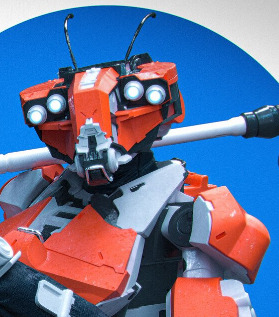
RBot for Poser. Takes Aiko 3 poses and probably other generation 3 poses. There’s a head morph to remove the antenna. Texturing is poor, but could be easily fixed up to be a slick robot companion for Cookie and Chip.
RDNA’s Thursday’s Child for Cookie, for Poser. The eyes alone get you a long way toward a toon goth Cookie. Here seen with other hair, glasses and top. Totally un-optimised here, I just spent a minute on it.
Matcap for Poser 11
Matcap for Poser 11. You’re welcome.
The material is de-grunged, but its overall intended colour is retained. A more suitably artistic texture (i.e. that doesn’t scream ‘3D speckly grunge’ to regular comics readers) can then be subtly added via plugging a hand-inked texture tile into the Alternate Diffuse. Ignore the hat, it’s raw and untouched as yet. And obviously there are some missing ink-lines, that would need hand-inking. And you’d want the inked lines on another layer in Photoshop, and then blend them in better. But you get the idea.
Not for use on eyes, of course, and skin may need a softer treatment. Thus we can’t just have a script blast the entire character.
Can’t think why I didn’t think of it earlier. A basic form of matcap by simply blurring out the existing textures, while keeping the intended colour. You can of course build on this base, and try to develop the more complex forms that the animation industry understands as ‘matcap’, which involve fixed shadows and suchlike.
|
1 2 3 4 5 6 7 8 9 10 11 12 13 14 15 16 17 18 19 20 21 22 23 24 25 26 27 28 29 30 31 32 33 34 35 36 37 38 39 40 41 42 43 44 45 46 47 48 49 50 51 52 53 54 55 56 57 58 59 60 61 62 63 64 65 66 67 68 69 70 71 |
### v.1.0 September 2021. # A quick degrunger script for Poser 11.x. Runs on the current texture # and removes grungy detail, while retaining their averaged base colour. # Not good for skin and eyes, but good for dark grungy and speckly # clothing etc textures. Intended for use with the Poser 11 Comic Book # Preview mode, to get colour flats to go underneath a seperate lineart # render from the same scene. ### import poser scene = poser.Scene() # Test if we have materials even present. mat = scene.CurrentMaterial() if mat: tree = mat.ShaderTree() root = tree.Node(0) # Test if we have a Diffuse_Colour node with something plugged into it. imgmap = root.InputByInternalName('Diffuse_Color').InNode() # Yes we do, so continue with the MATcap process. if imgmap: shaderTree = poser.Scene().CurrentMaterial().ShaderTree() root = shaderTree.Node(0) imgNode1 = root.InputByInternalName('Diffuse_Color').InNode() parameterU = imgNode1.InputByInternalName('U_Offset') uOffset = imgNode1.InputByInternalName('U_Offset') uOffset.SetFloat(12) texStrength = imgNode1.InputByInternalName('Texture_Strength') texStrength.SetFloat(1.3) # Create Noise node and set its paramaters and position noise1 = shaderTree.CreateNode(poser.kNodeTypeCodeNOISE) noise1.SetLocation(230,460) noise1.Input(0).SetFloat(3.0) noise1.Input(1).SetFloat(2.0) noise1.Input(2).SetFloat(1.0) noise1.Input(3).SetFloat(0.0) noise1.Input(4).SetFloat(1.1) # Plug the Noise node into the right slot. shaderTree.AttachTreeNodes(imgNode1,parameterU.Name(),noise1) root = shaderTree.Node(0) imgNode2 = root.InputByInternalName('Diffuse_Color').InNode() parameterV = imgNode2.InputByInternalName('V_Offset') vOffset = imgNode2.InputByInternalName('V_Offset') vOffset.SetFloat(12) texStrength = imgNode1.InputByInternalName('Texture_Strength') texStrength.SetFloat(1.3) # Create another Noise node and set its paramaters and position noise2 = shaderTree.CreateNode(poser.kNodeTypeCodeNOISE) noise2.SetLocation(230,600) noise2.Input(0).SetFloat(3.0) noise2.Input(1).SetFloat(2.0) noise2.Input(2).SetFloat(1.0) noise2.Input(3).SetFloat(0.0) noise2.Input(4).SetFloat(1.1) # Plug the Noise node into the right slot. shaderTree.AttachTreeNodes(imgNode2,parameterV.Name(),noise2) shaderTree.UpdatePreview() scene.DrawAll() else: print 'The current selection is not driven by an Image Map.\n\nThis means it cannot be MATcap-ed.\n\nTry making a selection in the Material Room.' else: print 'Please first select or set up a material in the Material Room.' |
Aiko 3 and morphs for $1.99
Aiko 3 base and morphs, in the current $1.99 sale at DAZ. Buried deep in the Made in Japan Bundle. A3 is a required base figure for the Furries Melody/Micah characters in Poser, which are very high-quality furry toons and skins.
Also of note for tooners, in the big $1.99 sale is O Sole Mio for The Kids 4. Not only a steampunk raggamuffin outfit and cap, but also toon morphs for the K4 base. Face and ears not great, but good toony hands and feet. Update: Sorry, I was misinformed. The store previews show the Morphlet morphs, and implies they are in the the purchase, but there’re not to be found in the pack. The Morphlet K4 morphs appear to be no longer available.
Also looking good at $1.99:
Demon Ray (DAZ, standalone alien manta-ray)
Super Power Poses for G2 (DAZ and Poser with DSON, part of the Scott 6 ensemble)
Michael 3 Mediterranean Tunic and Wrap (M3, Poser/DAZ)
Retro 1970s Doctor Who fan-artists may also want Dresscoat Italia (V3, Poser/DAZ).
A few G’MIC tips
Note that the free G’MIC will not launch in Photoshop if the layer being filtered has multiple areas of transparency, as you might get from a .PNG render of a 3D scene. In which case, right-click on the layer and ‘Convert to Smart Objects’ first. Then G’MIC will launch for that layer. Apparently the mighty Photoshop still cannot handle more than one area of transparency in a layer, without such a conversion being done. Other similar software has no such problem.
Also, when filtering real-time Poser Comic Book renders for detail, such filtering is usually aided by having good quality (rather than muddy / low-res) textures loaded. Here’s how you do that with a Preview render…
Obviously if you’re instead rendering for a Colour Flats layer in your Photoshop layer-stack, then the low-res textures don’t matter so much. Because you’re going to scour off all that unwanted grunge and noise with Topaz Clean 3.1 or G’MIC’s Comic Book filter. Ready to lay the Lineart layer on top.
Poser to Blender
New version of ADP’s free Poser to Blender script, with new fixes to run in Poser 12. Scroll down to 10th September 2021 post and install notes…
There is also now an automatic Blender to Poser conversion script, that goes the other way. Quickly liberating the wealth of Blender content locked in .blend files, for use in Poser.
Free at DAZ
Z800
A very nicely spec’d HP Z800 with “2x Xeon X5670@2.93GHz, 96GB DDR3, 400GB SSD + 9TB, Quadro K620, W10Pro”. Reputable UK refurbisher (I’ve purchased there in the past) and 29 bids. Bidding just ended at a touch under £360, which seems about right — and sets a fair benchmark for future pricing of such a Poser/Vue-friendly budget-behemoth.
Same Xeons as a well-spec’d HP Z600, but otherwise much better specs and a Win 7 serial on the case (because you don’t want to run Windows 10 on an HP Z.., unless you just want a cheap gaming PC — which would be a criminal waste of such a machine).
Freestuff update
The Renderosity Store has updated the ‘Freestuff Upload’ rules page.
Blender 3.0 release date
Blender 3.0 now has an official release-date, 1st December 2021. This will bring its asset browser, aka a Content Library. It will also have many Freestyle and Grease Pencil improvements nailed down (as much as anything ever can be, in Blender), and the new Cycles X renderer. “X-what?”. Think normal Cycles but…
* 2 to 7 times faster
* apparently gets faster with the complexity of the scene
* works like iRay, the speckled complete scene pops in and then the speckles are progressively refined. No more tiling squares running across the screen.
* it overhauls the underlying render architecture, which should lead to further advances in the future.
Poser 11 and 12 use Cycles (branded as ‘SuperFly’), and thus Cycles X seems likely in Poser at some point in the years to come.
But I’m guessing Cycles X is probably not going to be CPU / GPU agnostic, like iRay is. Contrary to all the NVIDIA marketing ra-raa, any recent version of iRay will run perfectly well on CPUs alone. If you have enough CPU cores/threads for it. But it sounds to me like Cycles X will need a hefty and expensive GPU / graphics card.
“We’re going to need a bigger bucket, Doreen!”
In Poser 11, you may have long relied on your trusty old CPU-rendering Firefly custom render-presets. But they may not have kept up with what your PC can do.
For instance I have a 12-core PC, and so in Edit / Preferences I tell Poser 11 I have 24 threads available for its use (12 cores = 24 threads) when CPU rendering with Firefly.
To speed Firefly up enormously in such a case, I switch the Bucket Size on an old Firefly render preset up to 512. Most likely you have some old presets hanging around too and they are a decade or more old and are perhaps running at a Bucket Size of 32. Or you followed some advice that was that old. 32 was a good safe setting for the days when most people had only 1 or 2 threads available for rendering. Think of it as the size of each bucket of paint that Poser ‘throws’ onto the render canvas, in order to render your picture. Small processing power = small buckets each time.
If your PC can’t handle a big fast Bucket size of 512, I’m guessing you could perhaps try 256 for a 6-core / 12-thread PC with enough RAM. 256 also works well for a modern post-2010 graphics-card render. But beware of setting 512 for a graphics card, as it may well crash your driver on older cards.
“But I use SuperFly now”, you may say. Ah, but can SuperFly do the old-school Firefly lines, or the Firefly ambient occlusion? Here are two presets made very fast on a 12-core PC. Obviously you’re going to choose CPU not GPU on your render settings panel, for these.
Lines:
Ambient Occlusion (turn AO on for scene lights, first):
“Fast” as in… two or three seconds at 1800 pixels. For lines or AO. Obviously if it’s a character with hair and complex bits and inefficient lighting, then it’s going to be a lot slower. But still quicker than otherwise.
The probably applies to other software such as MojoWorld. Make the ancient default bucket-size bigger.
Update: Poser 12 is a bit different, with the move to Cycles 2. CPU users of “adaptive sampling” rendering with SuperFly will apparently paradoxically see better results from quite small bucket sizes.