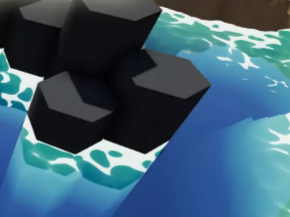
The development of the $10 FlowScape landscape-creation software is back on track, now that Australia is recovering from lockdown and the kids are back in the schools again. There’s a preview video of the next version of this real-time tool. Lots of new stuff for makers of isometric dungeons (think all those Diablo-like dungeon-crawler videogames) which though fun is presumably mostly for RPG makers. But also, later in the video, we see ‘flocking’ fish shoals underwater, fast auto-growing grass and ground-cover plants that automatically follow the terrain without any ‘painting’ being needed, while auto-culling happens on terrain slopes and hollows. Plus there’ll be a configurable “stick it where you want it” user interface.
Category Archives: Spotted in the News
Releases: AKVIS Decorator 8.0 and Charcoal 5.0
There’s some interesting movement from AKVIS, makers of rather over-priced but robust single-purpose graphics plugins.
1) Their AKVIS Decorator 8.0 is now finally ready for prime-time, having introduced a 3x speed boost with version 7.0 just before Christmas 2019, and their version 8.0 in early 2020 polished that up even further. It works as a Photoshop plugin and replaces clothing and wallpaper while retaining shadows, folds etc…
I’ve given the Photoshop plugin version a good test in PhotoLine, and it now works fine and fast, having previously been very slow. It can now take only seven seconds to replace a dress at 2400px, compared to many minutes before. Just remember to tweak your material scaling up to 150% or above, for a huge speed boost. The higher the scaling, the faster it runs.
2) Their AKVIS Charcoal 5.0, which I’ve not been impressed with in the past, now runs on a completely “new photo-to-drawing conversion algorithm” as of the new 5.0 (29th July 2020) version. A change which kind of confirms my feeling that previous versions were lacking something. Again, I’ve tested the latest version, since they have ten-day demos. As you’d expect from the name, it tries to convert your cute cat / boyfriend / selfie photo etc into a mixed charcoal/chalk drawing. It’s fast and on my test Poser comic-book render I found a few of the thirty or so presets that I could just about imagine making a stylised horror comic with. Most were too scribbly and the scribbles had no respect for the eyes, though, and did little better than the free G’MIC. AKVIS needs a “detect and partly protect the eyes” module in the algorithm, I’d suggest. Still, I was able to brew a pleasing custom preset fairly quickly…
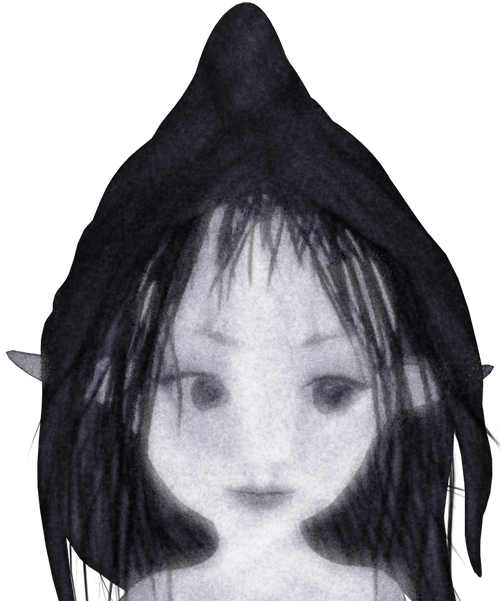
…and I like the software far more than before. This picture is still sharp at the edges, because Charcoal was running on a masked PNG render. Provided you want heavily ‘smudged and gauzy’, with a little work it could give you a style that could work for a Halloween ghost tale. There may also be some potential for hatching into shadows, but I didn’t immediately see it other than in some promisingly-labelled sliders. Otherwise, for charcoal also look at the free G’MIC plugins before you spend $50 to buy this. The only drawback there is that, last time I heard, the G’MIC suite is for Krita, GIMP, Paint.NET… but not for Photoshop. G’MIC for Photoshop will likely happen, but it could be a while yet.
The cost is the main drawback with AKVIS, with each plugin costing around $50. $49 for Charcoal, and $54 for Decorator. And even at that price, neither are commercial-use and amazingly they’re feature-restricted unless you go for the even more expensive Business version. For example, the $49 standard version of Charcoal won’t let you select an earlier frame unless you have the $89 Business version.
It’ll be interesting to see if AKVIS Watercolor gets the overhaul treatment next, as the February 2020 changelog suggests it’s about where Decorator and Charcoal’s changelogs were a while back.
Release: latest U-Render is now in the C4D viewport
The real-time engine U-Render can now run in the Cinema 4D viewport. Just released, U-Render 2020.07.6 is a “really real-time” WYSIWYG render engine for Cinema 4D and runs on OpenGL. It costs around $350.
With 2020.07.6… “it is no longer necessary to install the Windows-only standalone renderer” as everything is integrated into Cinema 4D as “a viewport renderer, making it possible to see a live render directly within Cinema 4D”.
This change apparently also makes U-Render accessible to Mac users, at least for now — Apple is widely said to be set to ditch OpenGL entirely from Macs. However, Windows users should also note a problem — U-Render only appears to work on the toxic tangle that is Windows 10. Which means I can’t test it, even though there’s a demo available. But I wonder if the viewport integration has now solved this Windows problem for Windows 8.1 users?
All this is theoretically interesting to me as there’s still a way to get Poser 11 scenes to Cinema 4D, via the free PoserFusion plugin. That still works fine, for those who have the required bits to hand. The other question is, will the latest U-Render run in the older version of Cinema 4D required by PoserFusion (which was R19, when last heard about).
The other question is… how much extra the U-Render’s OpenGL real-time would actually add to an imported Poser scene… who knows? By that time the materials would have been through two conversion processes: Poser to C4D (automatic) and then C4D to U-Render (automatic). It might then be more trouble and cost than it’s worth to fiddle about for hours fixing skin and eyes and the like.
Still, if we could get a direct Poser 12 to U-Render plugin, ideally at a sub $100 price, that could be an interesting thing to have in terms of making Poser 12 work more like iClone. I haven’t heard anything about that happening, it’s just my complete guess. The less expensive route to WYSIWYG full-viewport real-time might be to plug some sort of stable ‘Eevee port’ from Blender into Poser 12. It would presumably be no use to ‘send Poser scene to Blender, for real-time display in Eevee’, since Blender is such a fast-moving target and the UI is still very daunting even now.
But judging by the recent call for Poser 12 beta-testers, it’s Unity that’ll be the real-time destination, not Blender. Unity is also free. It remains to be seen if Poser 12 users will be sent into a full “OMG, I have to learn to drive yet another nuclear submarine!” Unity UI, or into a “we’ve cunningly hidden all the complex bits” Poser-friendly Unity viewport.
BEER flows
BEER is now moving ahead again, having moved past the half-way point on its crowdfunding journey. BEER aims to make a relatively easy-to-use Blender plugin for stylised rendering output. That means render types that emulate hand-drawn and hand-painted art, ultimately. They’re now into week 8 of a 10 week development cycle, after a long period of fund-raising. The drooling masses want photo-real babes and few people are interested in arty rendering, so it appears to have been a long-haul for the BEER team. But to reach the half-way mark is a good sign. They hope that the other ten weeks of work can be input when BEER is fully funded at $20k. Instead of nodes, in BEER there are building blocks that make sense to artists…
BEER runs with NPR features as the building block of a material. Diffuse [basic material] is a feature, hatching is a feature, rim light is a feature. We stack these NPR features to make a final material.
Adobe Research previews Structure
Adobe Research has given online demos of a possible new Adobe application called Structure. It’s working now in a basic way and is generative iterative software that works directly on a 3D model. Take a 3D model of a sofa, and randomise it — plumper cushions, more cushions, make it wider, less cushions, curvier arm rests. There is no need to edit the mesh directly. The user selects which of the new random variants they like, then runs the process again. Thus they can more or less work toward generating their “ideal sofa”. Sounds fun, like some of the old generative Kai-type tools but for 3D, though currently it’s still an R&D project from the labs.
They’re also experimenting with rendering from 3D straight to vector graphics, for Adobe Illustrator to then apply a line-stroke to it. But why not just do the lineart in the 3D application, in real-time, like Poser 11 does? I guess the answer is that Illustrator gives you more line-type choices. This would be most interesting to me if I never had to see/learn the Illustrator UI, and instead Illustrator’s line-stroking services were just called in to the 3D software. To be exposed there as a little user-friendly panel — Illustrator as just another possible render-engine.
Line stroke types would be an interesting thing to add to Poser 12, actually — allow the user to make basic changes to the type of line being used by Comic Book Preview mode to “ink” the 3D figure. One can sort of do that already, by using the sketch render on lineart in Poser, and it can get so fast that it is almost real-time. But it would be nice to have a choice of line-types for inking, from within a neat drop-down placed on the Comic Book Preview mini-panel. Perhaps: plain black ink; dotted line; coloured ink (red, blue, rainbow); fat and curvy; basic rough pencil; and basic rough charcoal.
DazToBlender8 is the new DAZ Blender plugin
Ah, so the $15 Japanese DAZtoBlender8 plugin is the new official DAZ Blender plugin.
It’s been taken off sale at Gumroad, and the maker states there that… “DazToBlender is now available for free in DAZ 3D.” He also reports that there’s been a slight change due to the swop-over and name-change, and… “Props from Renderotica cannot be [used with] the version published on the DAZ 3D site.” The trade-off is that in DAZ’s hands the plugin appears to have been quickly extended to supporting transfer of Genesis 3 as well as 8.
The last non-DAZ developer version was 2020-07-01 | Version 1.9.3.4, then newly supporting Blender 2.83.
Another interesting item to note is that, now this is with DAZ… “This project is open source.” That’s from the DAZ Store page.
Comics from Unity – via Poser 12?
Renderosity is calling for beta testers for Poser 12 and they specify Unity knowledge as one of the skills they’re seeking. Which makes it sound like there will be a Unity bridge in Poser 12. That would make a lot of sense. Unity is one of the two big free game-engines (the other is Unreal), and it’s reasonably well-supported by third-party add-ons. The free Unity Personal Edition allows commercial use, as long as you don’t make more than $100,000 per year in your business from using it.
The ideal would be, at a guess, an integrated three-click “Poser 12 to Unity” workflow that’s as easy as getting a Poser scene into Vue. But which also sends Poser’s current camera and framing to Unity. The other useful thing to get, either in Poser or from Unity itself, would be some form of Matcap. For the pros ‘Matcap’ is about basked shadows, but the basic involve a process that inspects the existing texture, then automatically tries to replace it with a best-guess toon material. So a red shiny dress becomes a red toon shader with ramping and highlights and a baked shadow, for instance.
The other possibility would be a live-link via a websocket, to drive real-time mo-cap of figures and faces in the Poser viewport. F-Clone, built on Unity, shows it’s possible.
In which case, what is available in Unity-land for tooning? Below is my initial survey of this. Please don’t go buying these yet. Not least because some of them are rather expensive (“‘Cos yur gonna make big bucks on your game, guys…” Yeah, right…). But mainly because a three-click fiddle-free ‘Poser 12 to Unity’ process is just my hope at present, based on very slim evidence.
Shaders in Unity:
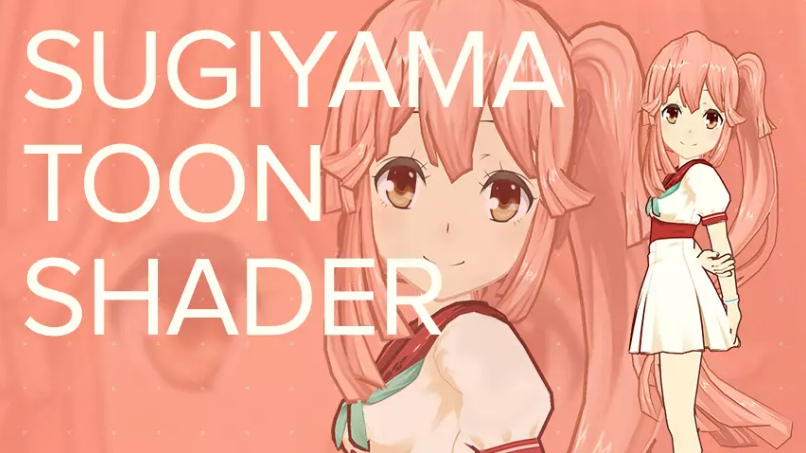
Sugiyama Toon Shader, aka SugiyamaToonShader. An early success in 2016, but said not to work with newer Unity versions?
TypeA AnimeShader. Said to work especially well on hair.
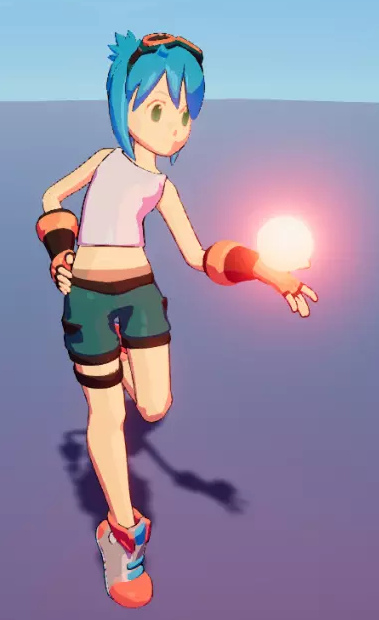
VaxKun’s Anime/CelShading Shader. Includes emissive glow and toon-reflective glass. I suspect the demo pictures are being a bit more honest than the other packs, re: what you’re likely to get.
However, you don’t need to go to Unity to get the above looks. With a bit of setup, re-texturing and the right IBL lighting, they can be had now in Poser 11.
There are two competing suites or kits for Unity…
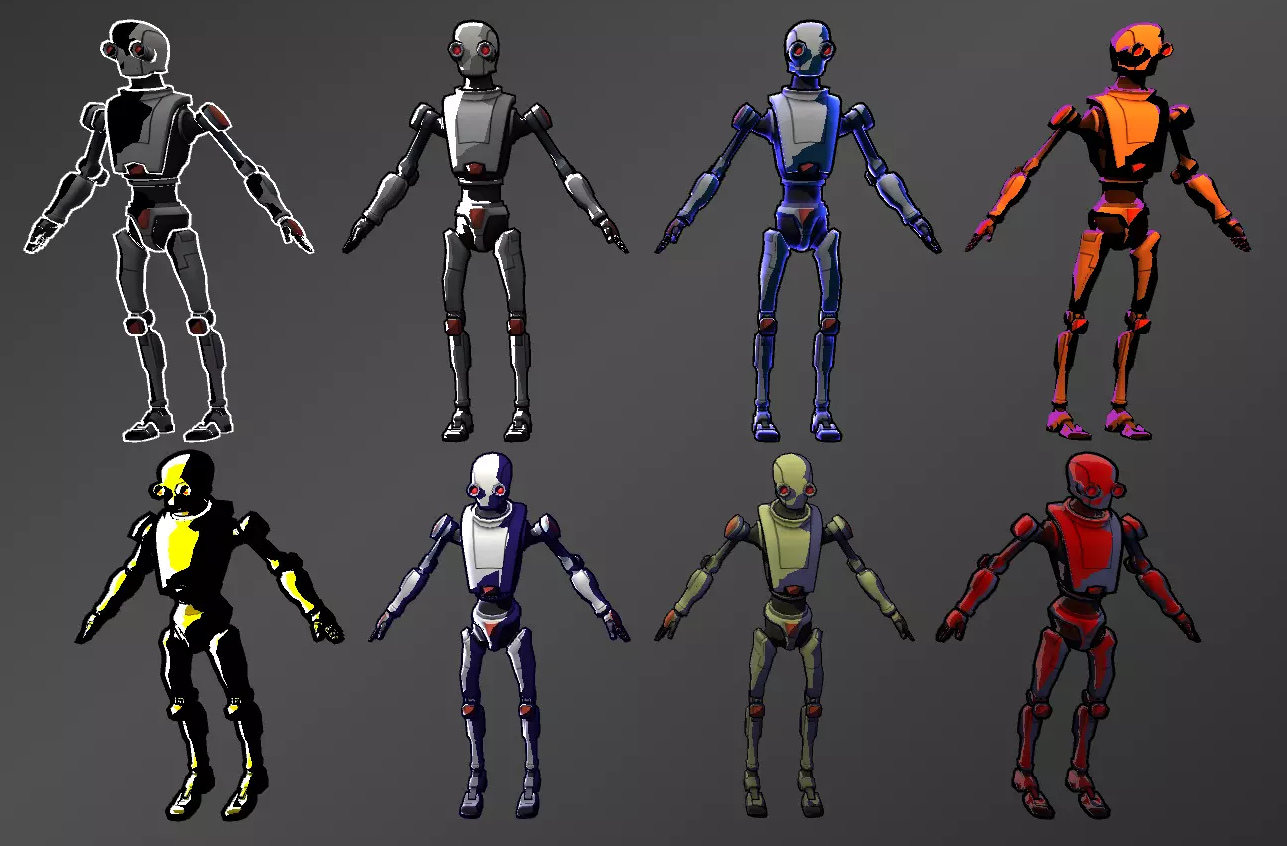
Toony Colors Pro 2 shaders set, with basic lineart.
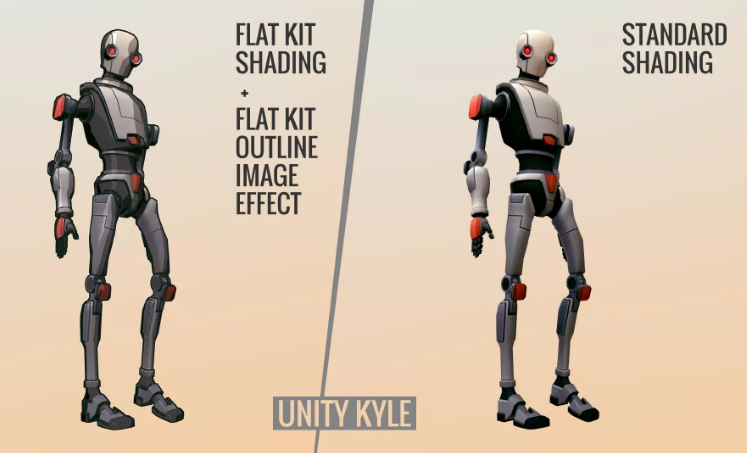
Flat Kit: Cel / Toon Shading. Also with basic lineart plus a depth-fogging effect. This might be your best starting-point, though Toony Colors Pro seems to have been out longer.
Flexible Cel Shader. Possibly an additional useful set to have, in combination with one of the above two kits.
Nice Water Shader, adjustable and with a toony edge-ripple preset.
And lastly, RealToon shaders set. Seems to be older but is apparently quite flexible, and you might brew up a more unique look?
Lineart:
Jiffycrew Post Process Line. Seems to be outstanding, and thus has left little place for others in the market? The monopoly position has made it rather expensive. Update: withdrawn from the store.
The slightly more stylised NPR Contour Drawing and Sketch may also be worth a look.
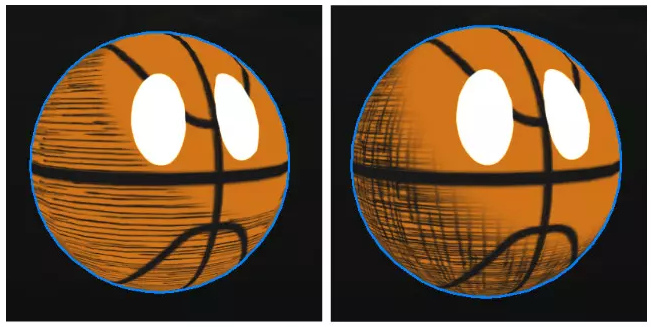
Contour-hugging hatching on 3D models:
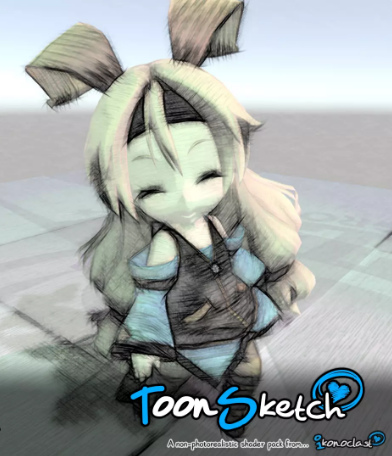
ToonSketch Core. A bit too grungy, and may work best on models with big flat surfaces?
NPR Cartoon Effect. Unappealing demo images, but scroll through to the simple hatch-shading demo.
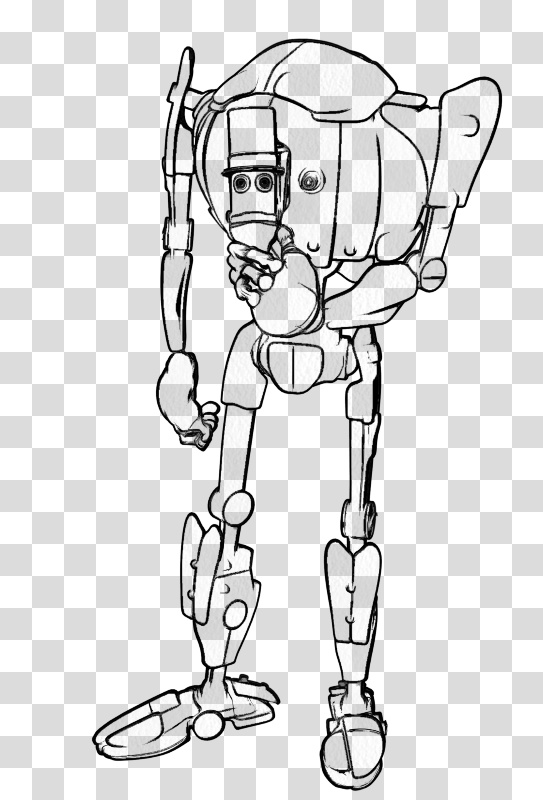
Jiffycrew Hatching. Not very convincing, but with a bit of wrestling I guess it might produce dash-shading that looks cleaner and a bit more Moebius-like?
Obviously hatching still has some way to go in Unity. There are also some rather ikky attempts at manga halftone shaders.
Painterly:
Flockaroo’s full-screen camera effects Aquarelle, Colored Pencils and Sketchy effects filters. It looks like you could cook up a reasonable ‘storybook look’ with these. These are full-camera effects and, by the time Poser 12 is released, Unity should support… “Camera Stacking, enabling users to layer the output of multiple cameras in rendered output.”
Watercolor Painting effect. The first picture seems a bit questionable, re: what you’re likely to get. As all the other demo pictures look very different.
Hand-painted skyboxes, inc. clouds:
Hand-painted toon sky-boxes include: Toon Sky, Toon Night Sky, PDG Cartoon Sky, Cartoon Skybox – Red moon. There’s also a starry night-sky in the Toon Skyboxes pack.
Toon Clouds is a dynamic cloudscape generator. Though they’re not as nice as the hand-painted ones seen above.
Amplify Impostors seems likely to be useful here, for quickly duplicating content to fill backgrounds that have large views with skies. There’s also a free SVGimporter which brings in a vector shape as a tessellated mesh.
You can also find packs of other “quickstart” Unity files on Gumroad, although they appear to be just skeleton set-ups and to lack art assets.
Vivify/re-colour:
Amplify Color seems the best option, enabling in-engine colour grading and saturation. Free.
Exporting big, hi-res, and nicely anti-aliased screenshots:
MadGoat SSAA & Resolution Scale. Because the aim here is not to make games or animations, but to get output for comics frames. A short endorsement of this by an architect is encouraging, re: getting clean hi-res output that’s then usable in graphics editors.
Visual novel engine:
And if you did want to make a game, Naninovel is quite capable. It’s for making a Japanese style ‘visual novel’, where the game elements are nearly all in the story choices. (Though note that the similar Ren’Py Visual Novel Engine standalone is free, and has a much larger user-base).
Having said that many Unity addons are expensive, the starter kit for ‘comics with Unity’ seems more reasonable. I’d start with the TypeA AnimeShader ($10), the Flat Kit ($40), Amplify Color (Free), and MadGoat SSAA & Resolution Scale ($16) for export. Total: $66. Though even then you’re probably not going to get a dramatically different look than you could get inside Poser and with a couple of filters applied to the renders. You’re not going to get realistic sketch pen-hatching or a sophisticated shadow-puppets/silhouette effect with light-leaks. What you might get that’s unavailable from Poser, if you want it, is a sort of pixellated Minecraft or low-poly look.
There you have it. These seem to be options for getting big comic-book frames from Unity in late Summer 2020, and mostly with a look that regular comics readers won’t cringe at.
Renderosity is hiring
Following their DAZ announcement, Renderosity are “Now Hiring Community Moderators” more generally for the forums and other community aspects of the site. It seems a good time for this to be happening, since the forums have become a much nicer place to be than they were seven or eight months ago, and there are also many indications that Poser 12 is coming fairly soon.
My hunch is that 90% of the former problems in the forums were actually caused by one person, who was using a variety of aliases and sock-puppet accounts to aggravate and annoy. I assume the troll has now been detected and ejected. Just my guess, but things seem much better there now. Sign up, and help to make it even better!
Poser Pro 11 for $80
Poser 11 Pro 11.3 for $80, a current offer at Neowin Deals. Vended for Bondware/Renderosity. Ends in four days. Seems legit.
More details here.
It’s also 25% off at Renderosity, which currently puts it at $149 there.
DAZ Studio Moderators wanted
Renderosity want DAZ Studio Moderators. There’s actually pay and perks involved, amazingly.
Freebie: Ronk and roll
Ronk Aednik, Nursoda’s free add-on pack for his new Ronk figure. Commercial use.
New Kitbash 3D packs
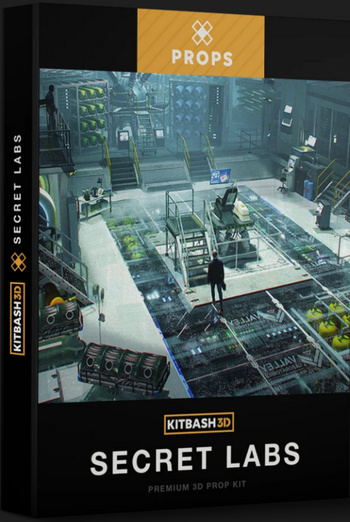
I see that Kitbash 3D have recently produced three appealing new themed packs: Props: Secret Labs; Vehicles: Spaceships; and the big Heavy Metal world-building kit.
Freebie: Dody for Aiko 3
There’s a quality new free Aiko 3 character. Dody Character Preset For Aiko 3. This requires the Aiko 3 base figure, which most people will have in their runtime, and also the Aiko 3 Morphs and Maps pack (also found in various Aiko 3 bundles and Anime bundles). Also its dependent, Capsces’s Kioki morphs and faces pack for Aiko 3. If you have all those, you’re set.
Once installed this is what you do in Poser…
1) Figure | CDI Koiki (not Aiko 3!) | load.
2) Poses | CDI Koiki | and inject head and then body into the CDI Koiki figure. (You thought you just loaded Koiki in Step 1? Nope, think again…)
3) Then go find Dody under Poses | Ethin. Inject the Head first, then Body.
4) Select body, apply an Aiko skin MAT of your choice.
5) Head dials | ‘OpenMouth’ slightly, so you get an inked line in Poser’s Comic Book mode under flat lighting.
Looking good already in Poser’s real-time comic book inks…
Nursoda’s Kali hair fits well, with just a little scaling. But it does not toon well. Nursoda’s Fehn Hat proved to be better, but is difficult to position. Nursoda’s Anceata hat/hair combo was the best and needed only minimal fitting for a ‘Brian Froud look’.
A storybook combo, combining a saturated Sketch render from Poser using my custom Incredulize! preset, and an inks-only Comic Book render from Poser that was faded out to look like pencil…
Total render time for both renders at 1800px, about 20 seconds.
Yes, I know, “this is 3d, so where are the shadows?” They can be put in too (and there’s an ugly spodgy one on her neck already, ouch), but they weren’t for this quick demo. She probably also needs a more mud-rolled and rain-dropped skin MAT to be a convincing forest spirit.
Shiny Python slides into Poser 12
A new article on PoserPython at Renderosity reveals Poser 12 will go to Python 3…
“When we move to the newer version of Python it will almost certainly break the DSON [early Genesis versions import] plug-in and other scripts. We simply can’t hold back the needed updates any longer. Poser needs to move forward, and we can’t wait for DAZ to update a 10-year-old plug-in,” he said. If user want to use Genesis figures in Poser, DAZ Studio has a PZ2 (Poser format) exporter that allows the export of figures that can load from Poser’s library system.
The latter is news to me. Does he mean the store, rather than .CR2 export from DAZ Studio? They do have a $7 ‘Poser Format Exporter (PFE)’ .PZ2 exporter for getting poses and animations and the like to Poser, but I’ve never heard it could be used for complete clothed pose-able early-Genesis figures. If that was possible I’m sure I would have heard about it. Perhaps .CR2 and .PZ2 are being confused here? You can do .CR2 to get a Genesis 1 or 2 figure, but not G3 or G8.
But if one really must have an early Genesis figure one can always i) export as a posed plain old .OBJ (pray the textures load back on); or ii) render the posed figure with similar lighting, save to a masked image format, and use inside the Poser scene as an alpha-masked billboard (only good for background crowds, admittedly); iii) render the figure to a masked PNG and composite into the Poser scene in Photoshop, PhotoLine, Krita etc. So far as I’m aware it’s not possible to export a posed .FBX from Poser, and that’s probably also the case for DAZ though I’m not sure.
As for other scripts and Poser 12, I guess we just have to see what breaks. It happened for Poser 11 and 11.2, and stuff got fixed in due course. Perhaps Renderosity could dedicate a tiny fraction of the Poser 12 profits to recompensing the script fixers. How about offering small bounties for fixed scripts? I mean, there’s only going to be a dozen or so. $100 per = $1,200.
ZBrushCoreMini
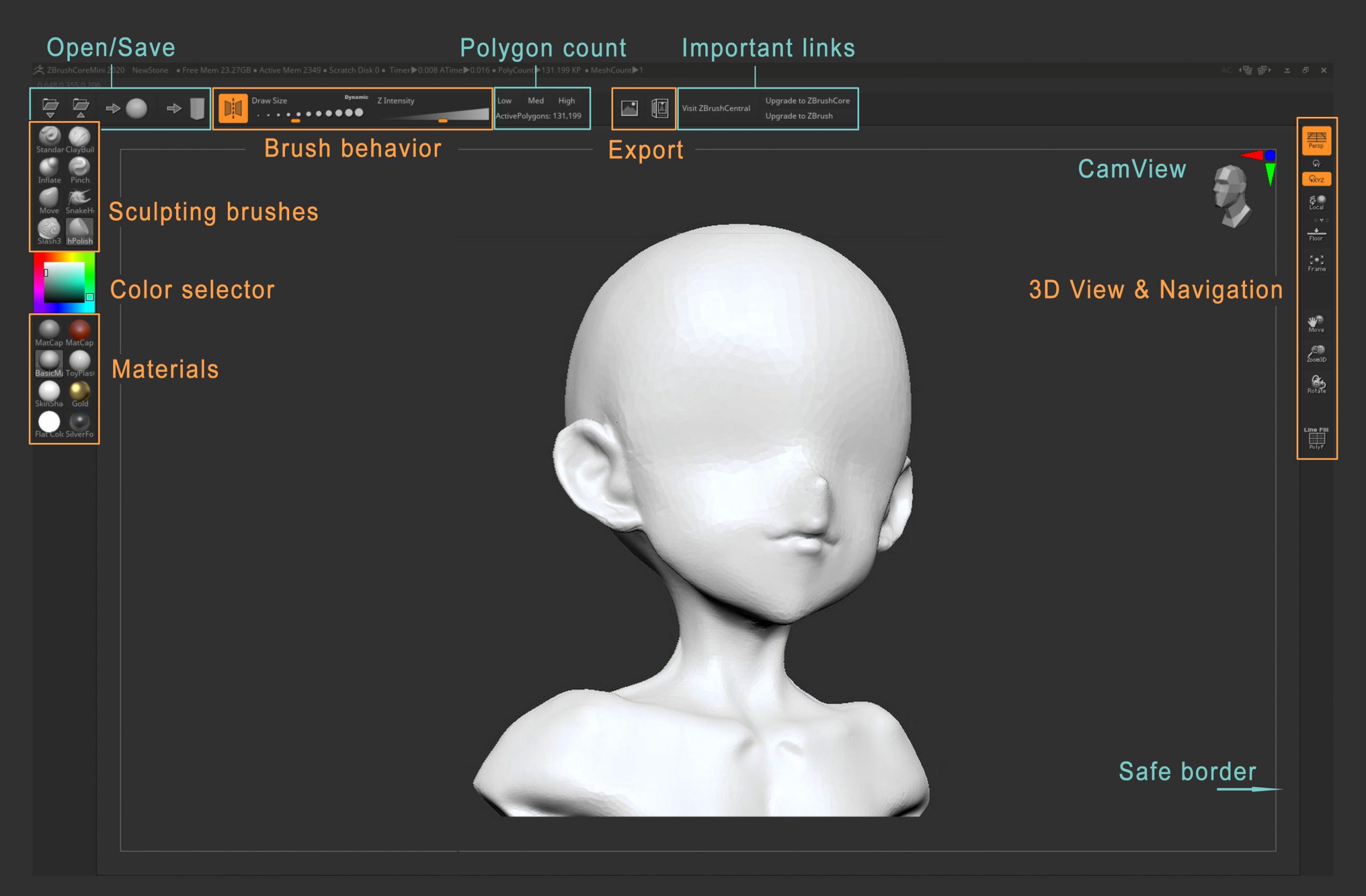
ZBrushCoreMini is a new entry-level free version of Zbrush, sitting below its budget ZBrushCore in the Zbrush range. It’s relatively confusion-free, with just eight sculpting brushes and a few basic materials. There’s also .OBJ export, with no watermarks. Downloading ZBrushCoreMini requires a sign-up, and it appears to be perpetual free desktop software.
It would be interesting to see if this could be hooked into GoZ or an equivalent, for round-trip calling from DAZ Studio, Poser etc like the big ZBrush.