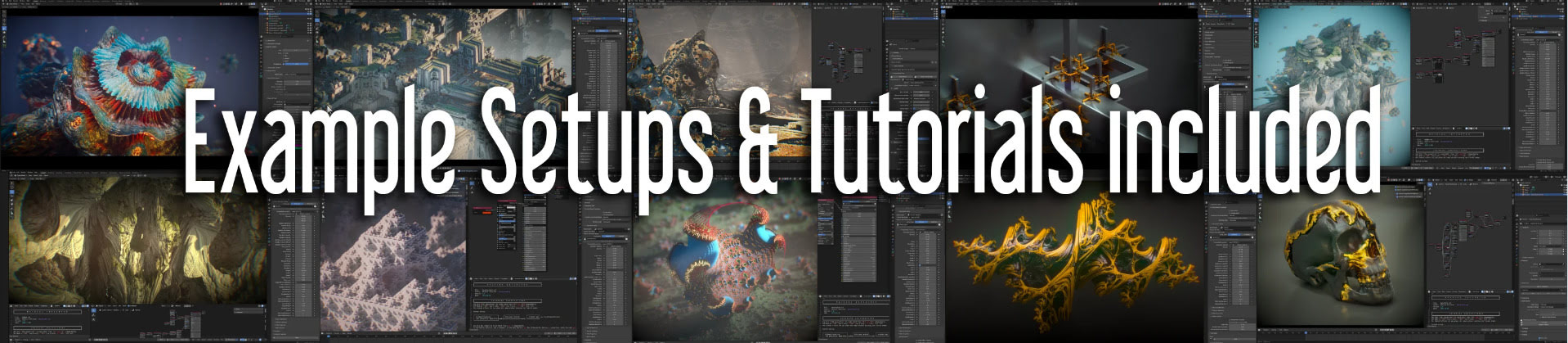
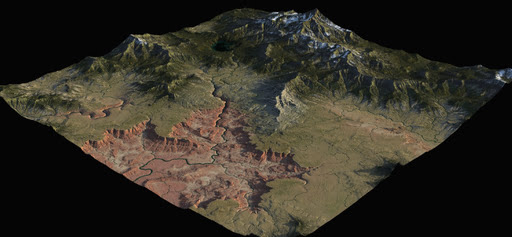
A new $35 procedural fractals software that works inside of Blender, Vectron Fractals Blender Edition. You also need Octane for Blender, apparently, to do them justice when rendering.
Category Archives: Spotted in the News
Contest: Clip Studio Global Comic Awards 2026
Pixiv & Clip Studio Global Comic Awards 2026, with a submission deadline of 31st March 2026.
Contest: $3.5m Future Vision XPrize film-making contest
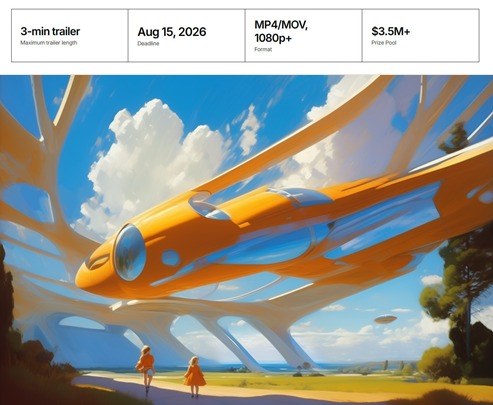
The Future Vision XPrize is now live, a $3.5 million film-making contest. Submit a three minute trailer for a film that tells a story about an optimistic future. Specifically, show how good things will become real in a technologically-advanced future that is happening because of us (not being done ‘to us’). Animation and AI tools can be used. Deadline: 15th August 2026.
Release: LTX Desktop Beta
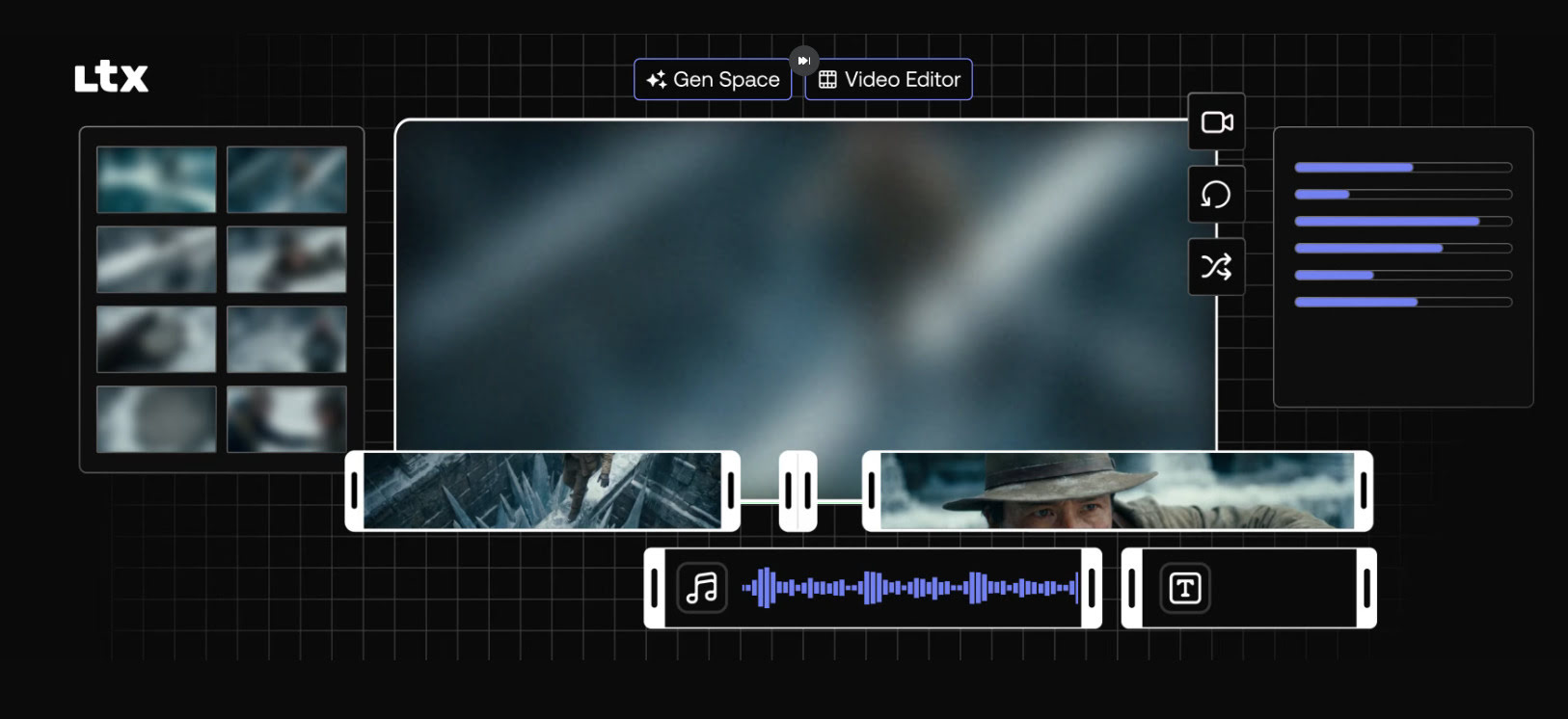
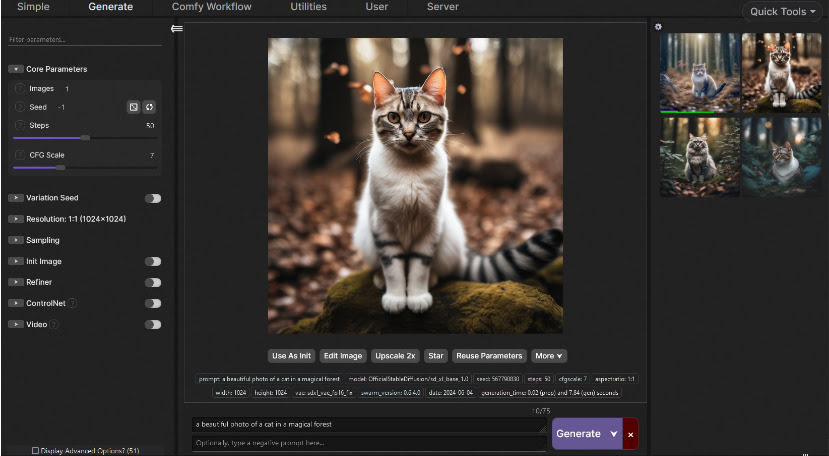
LTX Desktop Beta has been released. It’s a free video generator and non-linear video editor, with a slick but simple GUI. Under the hood it’s powered by the new LTX 2.3 model. It’s the official LTX desktop software, open-source (Apache2.0) and fully local. No proprietary layers, full access to the models and their weights.
A simple interface, but with a powerful and cutting-edge AI video generation model underneath it. Can do ‘image to video’ as well as ‘prompt to video’, so the AI-haters don’t have to freak out about copyright. Just drop in your 3D render and watch it being restyled and/or animated. If you have the required VRAM of course. 32Gb is apparently optimum.
Expect long one-time downloads of the required multi-Gb models, once you have the LTX Desktop software installed.
It will need a powerful graphics-card to run it, of course, as well as masses of hard-drive space. 24Gb of VRAM on the graphics-card is usually thought of as needed for worth-having video generation, and 32Gb(!) is recommended here. Though note there’s also a mention of the option in LTX Desktop to use “an API key”, which suggests the software can also hook into a paid LTX cloud service. In that respect, those familiar with the ComfyUI node-based interface should also look at Comfy Cloud — which does not lock you into the LTX model only.
Release: Free Tier for Comfy Cloud
Free Tier Arrives in Comfy Cloud, with a simple no-fuss Google login/signup. 400 credits a month, no roll-over. Apparently that gets you about 20 minutes worth of generation on a fast GPU. Enough to try the latest ‘hot new’ model each month, maybe even a couple of times, and see if it’s for you or not. Or perhaps very slowly generate a short film, a bit each month. There are no free workflows/models, everything consumes credits.
Alongside the usual it offers tools useful for the 3D crowd, such as ‘sketch to 3D model’, or relighting of a rendered scene without re-rendering. Note also the presence of ElevenLabs TTS in there, via a partnership agreement.
Drawbacks: your favourite local custom-nodes may not be available; you may not be able to run very long workflows; possible wait-times and queues.
2,600 Carnegie Mellon .BVH files for Poser, as animated .GIF previews
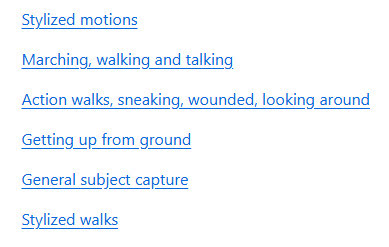
I see that Shriinivas has an animated directory for the 2,600 Carnegie Mellon .BVH motion capture files. Released November 2023, you get little munchkins in .GIF animations which show each motion-capture.
The .BVH files are linked with a named link alongside each animation, but note that these don’t lead to the Poser versions. For Poser you want the cmu-ecstasy-motion-bvh-poser-friendly-2012 freebie archive. But the names in each set are the same. Thus Shriinivas’s “90_09” means that in the Poser files you need to look in folder “90” and there find the file “90_09.bvh”.
Scroll down his page to see the link to sub-pages for named ‘Animation Categories’, e.g.
Instructions for loading .BVH to a Poser figure, here. Sadly there’s still no drag-and-drop of .BVH in Poser.
Release: Poser 14.0.227, with the new ‘Poser Cloth’
Poser 14.0.227, now with ‘Poser Cloth’ which is the replacement for the old Cloth Room. The old Cloth Room had to be removed before Christmas, due the expiry of a long-standing licensing agreement. Usage Tutorial for Poser Cloth.
Lightwave 26 – due soon
The venerable LightWave 3D software… still alive, and still free for education users. An open beta for the forthcoming Lightwave 26 is reportedly set for spring 2026, with “speed increases for rendering and interface” along with…
“over 50 new features and 30+ interface changes, alongside under-the-hood improvements for speed. Planned features include SDF (non-polygon geometry), glTF, Ripper 2, OpenColorIO, Ocean Boat and Wake, Motor Rig, Chronoscope, USD True Fillet, Rig It tidy-up, a quadruped system, Octane updates, snow and lightning generators with animatable controls, flame fractals, a new fracture tool, Construct update, an asset browser, and AP (physics-based object placement)”.
However it sounds like the Poser 11 -> E-on Vue route to exporting Poser scenes for recent versions of Lightwave could be bjorked…
“due to 26’s focus on utilizing newer technologies, potentially cutting off older systems.”
Though that might just mean it won’t run on older PCs and older graphics cards? My guess.
What’s New for Poser & DAZ & AI – January 2026
Welcome to my regular pick of goodies for Poser and DAZ, and my round-up of other interesting software.
Science fiction:
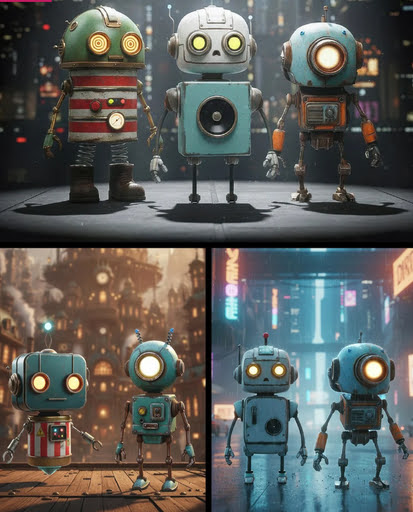
Robo Pack. Lovely looking bots, and currently a lovely $14 price too. But… then you find out that they’re “props” and not rigged, which explains the price. Still, very nice designs.
Need your Area 52 UFOs repairing? dForce Tech Engineer Outfit.
Fantasy:
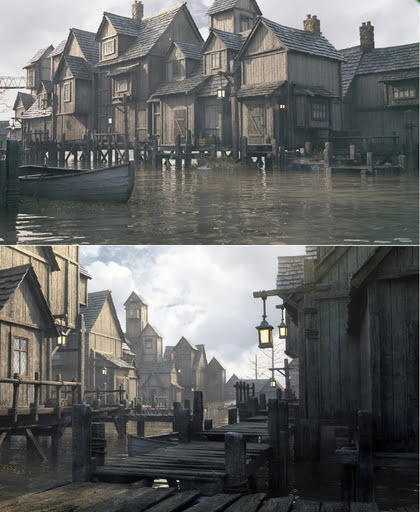
Stonemason’s Lakehaven, which could make a pretty good Laketown in Middle-earth.
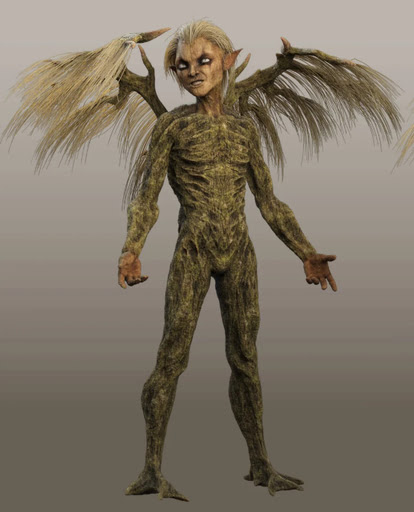
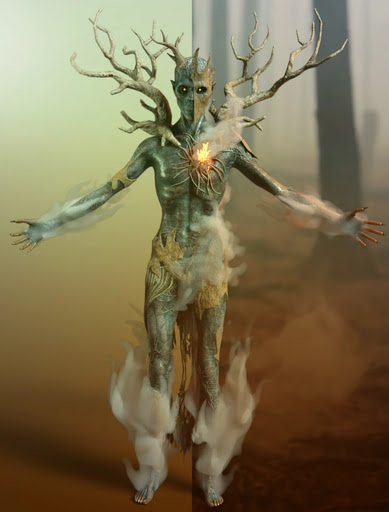
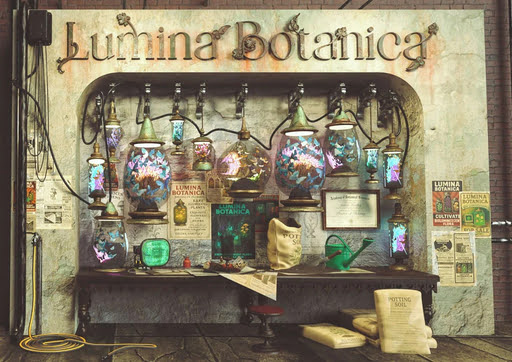
Ashkin and Arboriel probably run the new Lumina Botanica market wall-stall.
Gothic and horror:
Gharton for Poser. Not sure if it’s a D&D monster, so beware of commercial use.
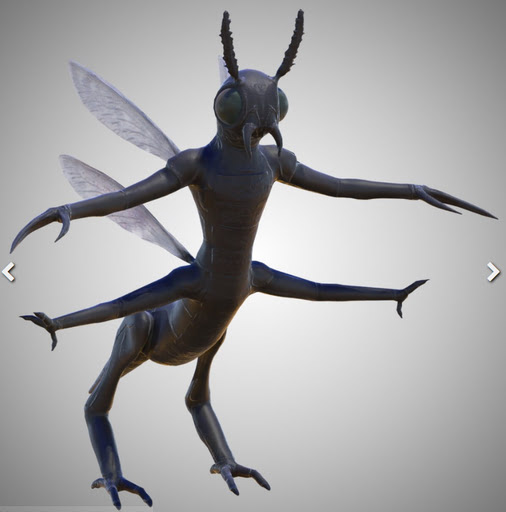
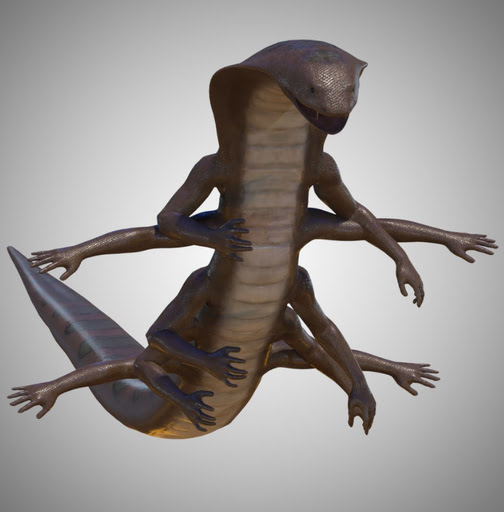
Snake Man for Poser and Blattodacid for Poser. Again, possibly D&D monsters?
Steampunk:
Elven Zeppelin by 1971s. For Poser and DAZ. I don’t recall seeing this one before, and I don’t think it’s a re-release?
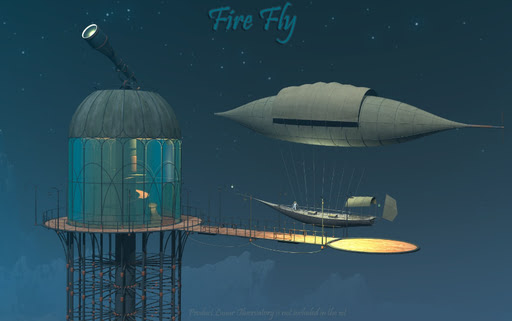
Fire Fly by 1971s. Another new release? Moon Observatory not included but it’s here.
Steampunk Operator HD Stylized Clothes for Genesis 9. It seems you don’t also get the stylised hair and beard, so I guess they’ll be in another pack yet to be released?
An unusual Tinheart Clockwork Set.
Storybook:
Cooking Kitchen, a semi-toon kitchen.
The Cog Regime Tinsel Void Automaton. A mechanised helper for Santa.
Toon:
Christmas Delight toon props for Poser.
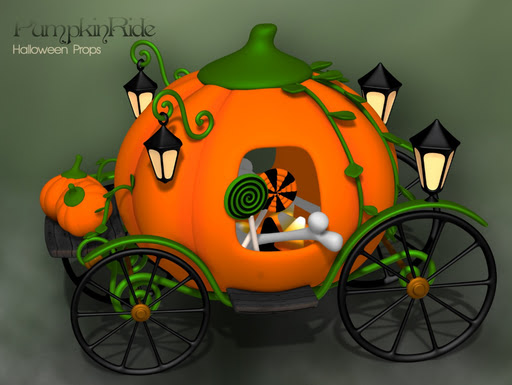
Pumpkin Ride toon prop for Poser.
Free, Skylab’s Complete Collection of poses and morphs for Nursoda characters for Poser.
Free, Poses for Gruggle Monk from 3D Universe.
Figures and parts:
Free, a collection of Skylab’s pose sets for Poser, that were on the old ShareCG website.
Currently free at DAZ, two large sets of G3 male poses, i13 50 Essential and i13 Elite Collection.
Free, Update: G3/G8/G9 Pose Converter Plugin for DAZ Studio.
Landscapes, seascapes and environment props:
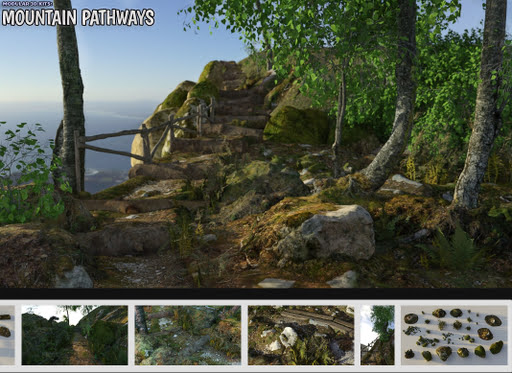
A modular Mountain Pathways set for Poser.
Free, 3D .OBJ models of raindrops on windowpanes.
Animals:
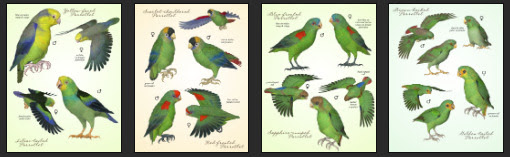
Songbird ReMix Parrots Vol 7 – Parrotlets of the World 2. For Poser and DAZ.
Nature’s Wonders Slugs & Snails. For Poser and DAZ.
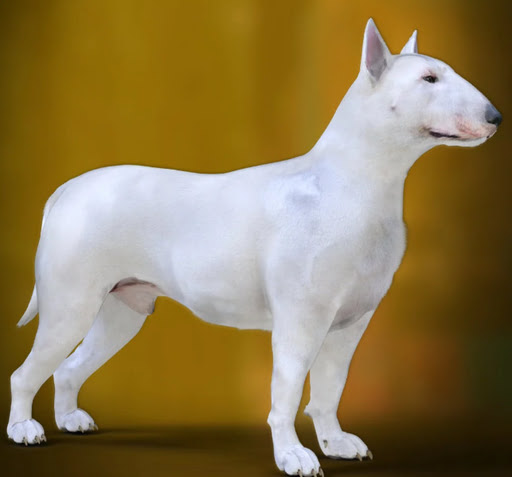
DA Bull Terrier for Daz Dog 8.
Torajin for Big Cat 2. A giant fantasy kitty.
Historical:
Free, Skylab’s Decade of Bible Themed Poses, formerly at ShareCG.
Free Holy Spirits for G8F+G8M.
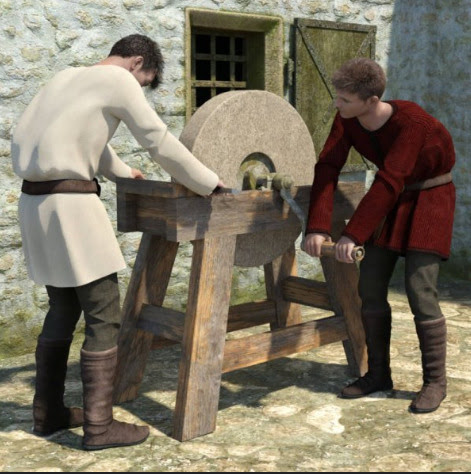
Mediaeval Grindstone, rigged and with two G8 poses.
LOWREZ People 17th century, low poly baroque people.
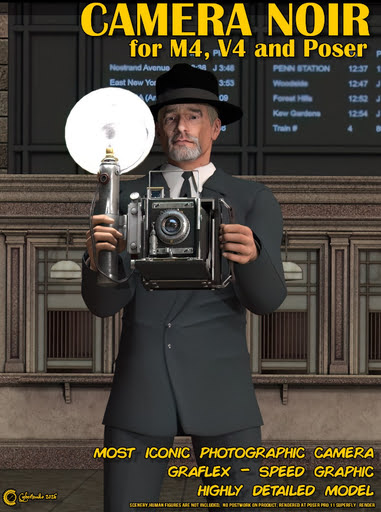
Camera Noir for Poser, a classic 1930s newspaperman camera.
A Moebius / 1970s style VYK La Pouf for Genesis 9.
Scripts and other auto-helpers:
LowPi Formations Builder. Auto-build formations of military men (low-poly), for large scale battle scenes.
KBXF Slow Motion Player for DAZ. Seems to be a helper for animators.
Software:
* Alpha-Trimmer, a new free… “Windows tool that automatically trims excess transparent areas from .PNG images, via the Windows context menu (i.e. the right-click menu)”.
* Nikse is a free open-source subtitle editor / extractor / converter, able to convert between 300 subtitle formats.
* Blender v5 is now at v5.1. Also note the free Blender-ComfyUI-Bridge, promising… “real-time, bidirectional communication between Blender and ComfyUI” in a round-trip. Python, so one wonders if it could be adapted for Poser.
AI and similar helpers:
All free, as is the way with local AI.
* SD-ppp one of the best known ways to connect Photoshop to ComfyUI, now updated to a late December 2025 version. Sadly it requires the very latest version of Photoshop. There appears to be no ComfyUI connector for Photoshop versions lower than CC 2019.
* Collection of simple fixed user-interfaces for ComfyUI, for the node-phobic.
* Flux2 Klein is the latest hot Edit model. It’s a marvel, and its 4B GGUFs (working workflow) can be run fast on low-spec hardware. See also the vital Official prompting Guide for Flux.2 Klein.
* Flux2 Klein can do face-swaps on its own, with a simple prompt (e.g. “Extract the face from image 1 and paste it into Image 2, completely replacing the face. Retain the exact facial features in image 1.”). But there’s also a dedicated Face-Swap and Head-Swap(!) assistant for Flux2 Klein 4B, with workflows.
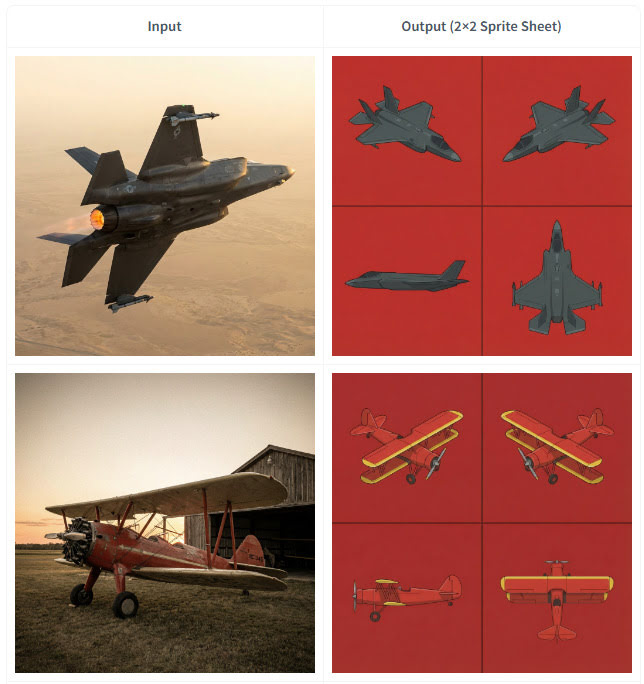
* Also for 4B. Flux2 Klein 4B Spritesheet generator, which looks like it may be of interest to those in the early stages of modelling an object in 3D. Since it outputs top-down and side views from a simple photo of an object…
* SAM-3D-Pose-Analyzer is a Python software with GUI. Drop in a photo of a pose, get a .BVH pose output that will then pose a 3D figure in Clip Studio. The possibilities for adapting this to do the same for Poser figures are obvious.
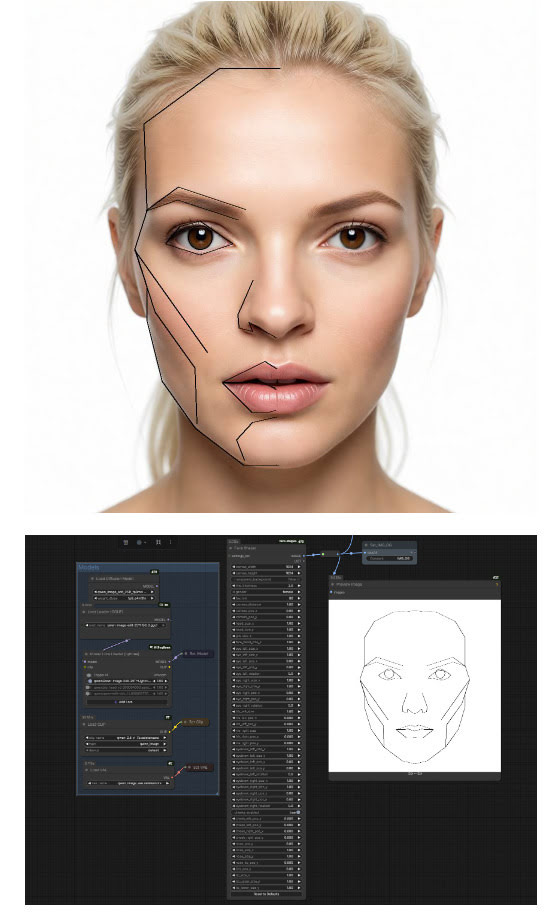
* ComfyUI-face-shape. Detects the face shape/features in a 2D image, then sets these up for your warping. Offering… “extensive control over individual facial features including outer head outline (with separate jaw and forehead controls), eyes (with independent rotation), irises, eyebrows, nose (single merged object), and lips (upper and lower with direction-specific scaling)”. I’m fairly sure there was Windows face-morphing funware that did this, back in the day. But it’s good to see AI catching up.
* “Inochi2D is an open standard for real-time 2D puppet animation”, and it now has ComfyUI-Inochi2d nodes. Never heard of it, but possibly useful for 2D puppeteers.
* ComfyUI nodes for “overlay alignment, colour correction based on a reference image”. In Russian, but easily auto-translated. Related is FluxKontextImageCompensate, an attempt to fix the problem of unwanted image shifting, cropping and zooming. The problem is not unique to Flux Kontext, as all Edit models suffer from it to an extent.
* A huge Celebrity LoRA browser with preview images and links to the whereabouts. Sadly it uses .PNG for images, so loads very slowly.
* ComfyUI-Align, a simple intuitive way to straighten up your messy ComfyUI node workflows.
* And finally, Fixed Clean Styles – DAZ Studio, a LoRA that renders your Z-Image Turbo images like it’s 1999 and you just made a DAZ render that took four hours.
Coming soon:
* TeleStyle, when implemented for ComfyUI. Complete style makeovers for video files (e.g. live-action to rotoscoped-style drawing) with temporal stability (i.e. no flicker / wobble between frames). Some say this can already be done, but this appears to make it much easier to do. Probably in ComfyUI within weeks.
* Intel OIDN 3. Already integrated into Poser, OIDN nicely denoises grainy 3D renders and thus reduces render times. The new 3.0 version promises temporal stability for de-noising of video frames rendered from 3D, which should interest Poser animators looking to render quickly. Due in Q3 2026.
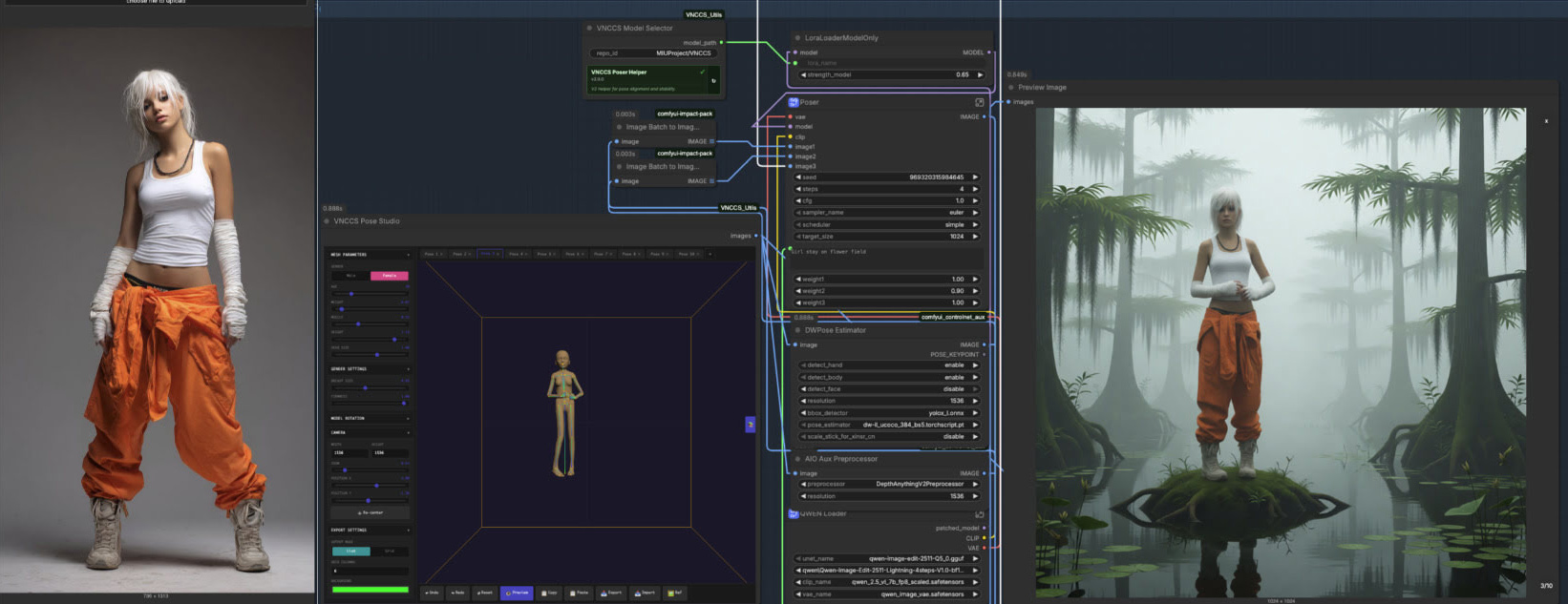
* VNCCS Pose Studio node for ComfyUI. Currently in early beta (see the 0.4 release) and untested by me as yet, but potentially it looks like having a basic mini-Poser inside ComfyUI. Could be a game-changer?
Character reference -> ‘pose and position’ window -> generated image with posed character in the desired position.
That’s it for now.
Pre-release: Clip Studio 5.0 due in March 2026.
CELSYS News brings news of Clip Studio 5.0, the complicated comic-book production software from Japan, which is set for a March 2026 release.
* A new and better 3D hand model, and it seems to be able to scan a photo of your hand and apply it to a 3D figure’s hand.
* “Group 3D models”, a recently integrated tweak.
* “3D head models […] have been added” as a new feature.
Their 3D models are of the basic ‘car-crash dummy’ type, meant as guides for hand-drawing over. Not Poser-like models.
Qwen3 TTS – install and test in ComfyUI
Qwen3 TSS has been released, and it allows local ‘prompt to custom character’ voices. This adds a whole new dimension to local text-to-speech (TTS). It’s also a pleasingly small model at around 5Gb total (if you already have many TTS Python requirements), so is very feasible for those with older graphics cards and slower Internet connections. It has an Apache 2.0 license, so is fully open-source and available for commercial use. All the below requirements are free, as is the way with local AI.
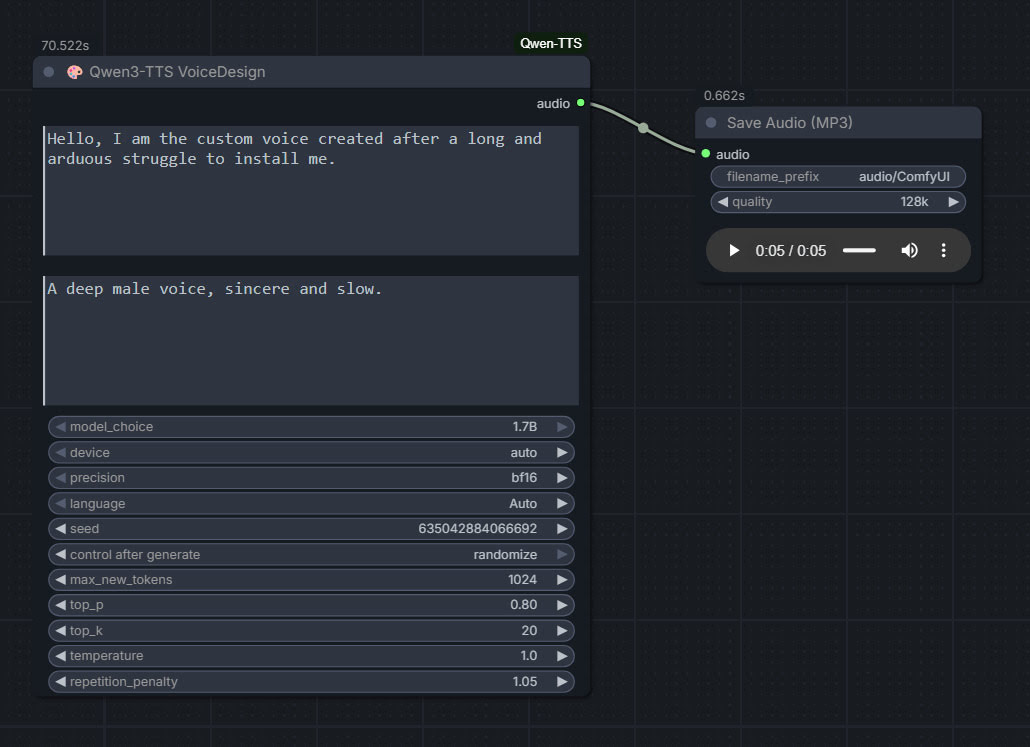
As you can see, you can describe your exact voice and the audio generated conforms to the description. Voices can be described with great detail, far more than shown above, and their modulation over time also (e.g. “rising excitement”). There are obvious uses here for unusual character voices for animation, games, audio drama, vocal additions to audio soundscapes, etc.
Tested and working, after a lot of work. Here’s how to manually install for ComfyUI portable:
1. In ..\ComfyUI\models\ create the new local folders ..\ComfyUI\models\qwen-tts\Qwen3-TTS-12Hz-1.7B-VoiceDesign\ and its subfolder ..\speech_tokenizer\
2. Download the required models Hugging Space at Qwen3-TTS-12Hz-1.7B-VoiceDesign and speech_tokenizer.
Put the downloaded files into their locally pre-prepared folder and sub-folder.
3. Now get FlybirdXX’s ComfyUI-Qwen-TTS custom nodes to run these models. Windows Start button, CMD, cd into the ComfyUI custom nodes directory, then…
git clone https://github.com/flybirdxx/ComfyUI-Qwen-TTS
4. Install the requirements for the new custom nodes. Start, CMD, cd to the ComfyUI embedded Python directory, then…
C:\ComfyUI_portable\python_standalone\python.exe -s -m pip install -r C:\ComfyUI_portable\ComfyUI\custom_nodes\ComfyUI-Qwen-TTS\requirements.txt
(Replace ComfyUI_portable with whatever your local path is).
There should be no conflicts, as yesterday’s patch for these custom nodes fixed the official Qwen TTS demanding transformers==4.57.3 which could have killed Nunchaku (which requires a lower version).
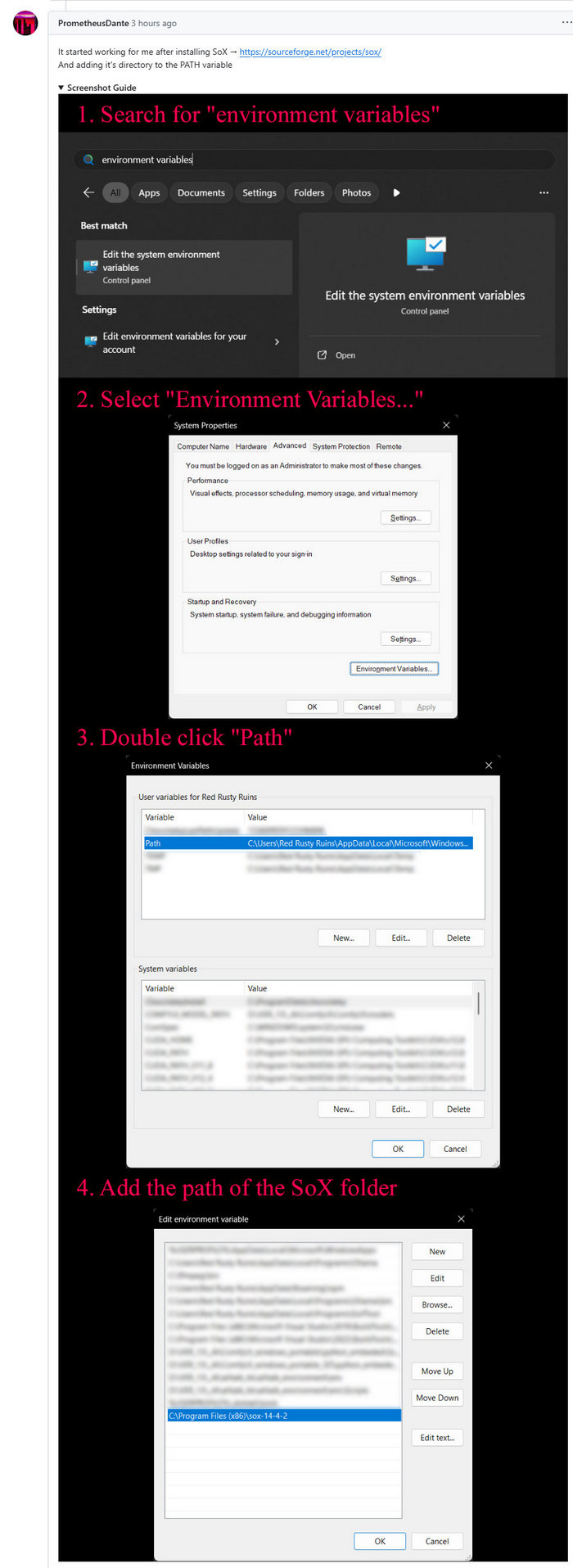
5. These Custom Nodes require a download of SoX which is an .EXE installer. Sox is a venerable freeware sound-exchange code library, kind of like ImageMagik… but for sound. After install you must add it to your Windows PATH. Thanks to Promethean Dante for the fix here…
Looking at the node code it seems SOX is only needed if you try to generate on CPU rather than GPU, but the lack of it prevents the nodes from loading in ComfyUI. It seems you need both the Python sox module installed (it installed along with the requirements.txt – see above), and its Windows framework via the .EXE installer.
6. Start ComfyUI, and set up a simple workflow thus with the new nodes…
Time: 70 seconds for a five second clip, on a 3060 12Gb card. Reasonable, not super-turbo but workable.
The basic requirements of Qwen3 TTS are compatible with a ComfyUI portable install — Python 3.8 or higher, PyTorch 2.0 or higher, so the above custom node set won’t bjork your PyTorch by trying to upgrade it. Beware others similar custom nodes for Qwen3 TTS in ComfyUI that will try to upgrade Pytorch to 2.9 (not good, for a portable Comfy).
In mid 2026: QuadSpinner’s Gaea 3.0
Details of QuadSpinner’s Gaea 3.0, for professional 3D landscape generation. “Your terrains are no longer restricted to a single square. You can craft worlds that encompass huge regions where you can zoom out, move around, and fully explore the world you’re creating.”
Sand, snow and river simulations. Vector tools. Ecosystem tools. New renderer tailored to terrain rendering. And more. Set for release in “mid-2026”.
Contest: Design for Space Urbanism
The Aurelia Institute has launched the $20,000 Aurelia Prize in Design for Space Urbanism seeking ‘bold and creative” best space base, moonbase, Martian colony, or other space-based human settlement. Deadline: 30th January 2026. 3D and AI acceptable, but you have to specify exactly what was done.
Contest: Internet Archive’s Public Domain Film Contest 2026
The copyright release season approaches. The Internet Archive is running a contest for creative short films that use public domain material, especially the releases due on 1st January 2026.
Make a 2-3 minute short film, and add an equally open soundtrack. No ban on the use of AI, which is especially notable since good-quality local AI Video2Video generation has become accessible/affordable in the last year. But I’d image that the original footage is what the judges will be looking out for. The 1930 date suggests obvious linkages with early pulp science-fiction. Deadline: 7th January 2026.
Here’s a survey of what’s entering the public domain in 2026, with a focus on fantasy, science-fiction and horror.
E-on Vue, now free, could go open-source
E-on Vue, now wholly free, has a further opportunity. There’s the option to make it open-source and with some backing… “making the source code of these products available under a free software license, sponsored by the Academy Software Foundation”. Input from potential developers is welcomed. Recall that it runs Python, so simply adding in the ability to do quick seamless “AI rendering” would be a great addition.