
Yes! I’ve now coded a working automated multipass render script in PoserPython, and it’s debugged and working. It can switch between Preview and Sketch render modes, and can also control the real-time Comic Book Preview toggles (though it can’t adjust the dials). I never thought I’d have such a thing, but it’s amazing what can be done with enough Bournville dark chocolate and a sufficient supply of mugs of Yorkshire tea on a rainy Saturday night.
Category Archives: Poser
M4 Horror Investigator
A quick test of VanishingPoint’s M4 Horror Investigator outfit I picked up in the Black Friday sales. This is just a raw Preview screenshot in Comic Book mode. I was going for a sort of “a 1920s Columbo, as a troll-elf”, with the help of the M4++ head and monster morphs.
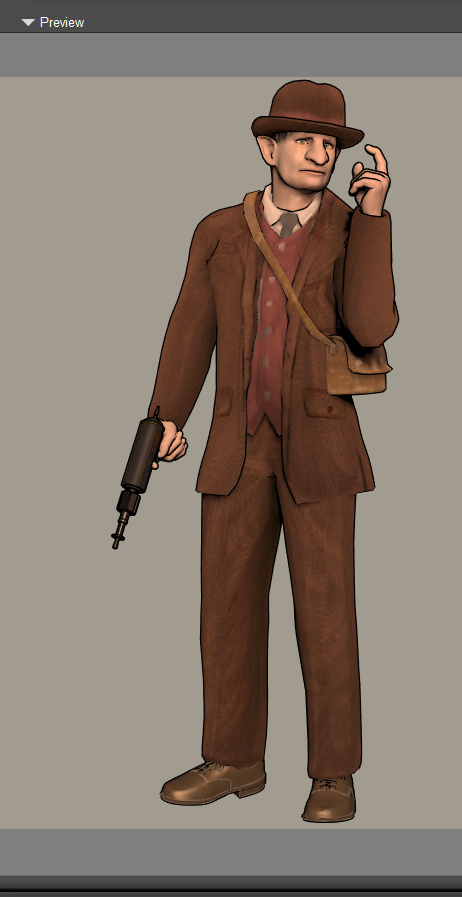
The shoes in the set are very poor, and were replaced by P3DA’s M4 business shoes with their brown MAT. The gun is the ElectroCalcinator from a ray-gun set, which paired to M4’s hand automatically and perfectly. The dark textures on the suit were lightened with a gamma lift, plus a suitable light.
It’s not too bad for mild non-‘action movie’ poses suited to a Lovecraftian investigator. But the clothes don’t take ink lines all that well (even in toon outline) and you’d have to be prepared to over-ink manually in Photoshop or Krita. The hat, however, takes lines crisply and is authentic for the 1920s — H.P. Lovecraft’s friend Morton often wore one like it.
How to reindex your runtime in Poser
Poser users who are getting around to installing their Black Friday haul may want to re-index their runtime(s). Reindexing occurs automatically when you make a keyword search using the internal Poser content library, and the ongoing process is then indicated by a pulsing yellow CD icon…

But those who mostly use a third-party search database like PzDB, will almost never use the search box in Poser. This means their content folders will not be showing their newly installed content yet. For folder-based searchers inside Poser, wondering why their new Poser content is not showing up in a folder-by-folder manual search… you need to do a search for something, and this will set the yellow icon pulsing.
On a large runtime the reindexing process may take a while, but you can still use Poser while it’s ongoing.
Koit
A quick test of Nursoda’s Koit for Poser, picked up in the Renderosity Black Friday sale a week ago for about $3.50 (or thereabouts).

Default textures under a simple IBL light. Poser’s Comic Book mode, which was then Sketch rendered with my custom “Incredulize” Sketch preset at 1800px (ten seconds). In Photoshop, some Surface Blur and then Smart Blur, to get much but not all of the grain off. Then some finishing touches with toning and paper-effect in Photoshop.
Gloworm
Just a screenshot promo for the old Poser Glowworm or Gloworm for Poser, a sophisticated ‘no longer available’ Python script for doing multipass renders and glows. This is just so that curious folk can see what it once offered…
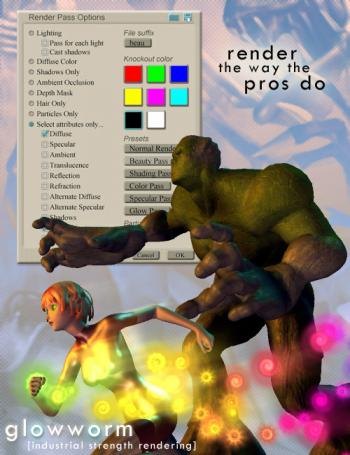
Update: now in the public domain with downloadable source code.
A Firefly method was disovered by Connatic in 2014 and polished by 3dcheapskate (same forum page, lower down)…

From here, light intensity was further set to 0.02 and the edge blend-inner color to 192,192,192, outer to bright green.
So it can be done, but with several off-putting limitations:
* A fiddly set-up for ordinary users. No script to handle it all automatically.
* Not all that controllable, re: needing to carefully balance several ‘drivers’ of the effect in the scene.
* Only appears to work if the light has a ground in the its background.
* Can’t seem to have a surface emit the light, only the point light.
This is Firefly of course. Which can do emission that affects other objects, as can SuperFly, by ticking “Emissive” and rendering with “Indirect Light” ticked. SuperFly can’t yet do ‘spillover’ or ‘bloom’ glow.
Poser script: render each figure/prop separately
Here’s how to get MarkDC’s 2002 render_separate.py Poser Python script working in the latest Poser 11.2.
What it does: It looks at your Poser scene, hides everything, then selectively shows each figure (character) and prop to make a render of it. Then it moves on to the next. One figure or prop, one standalone render. Once the script’s run has completed, it restores the visibility of all the scene elements. “Child props and conforming clothes are rendered with the figure” says the author’s info, but I haven’t tested this bit.
1. First, download and extract the script. The above links are Archive.org links and should be durable.
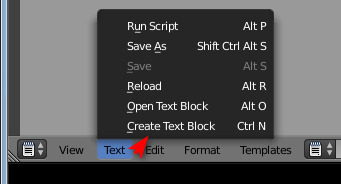
2. Open the script with Notepad++ and remove the © copyright symbol in Line 3. This symbol is non-standard and it’s what’s causing the fatal error message in Poser 11.
3. Then find the section…
dirPath=”C:\\Program Files\\Poser 4\\PoserFiles\\naoko\\naoko\\”
ext=”tif”
… and change it to something like…
dirPath=”C:\\Users\\YOUR_USER_NAME\\YOUR_OUTPUT_DIRECTORY\\”
ext=”png”
This needs to be a directory where Windows is happy to let scripts save stuff. We want .PNG because we need the masking and transparency.
4. Save. Install the Python script as usual.
5. Build your scene in Poser and set a Main Camera. Then on the top menu go: Window | Animation Palette.
Change the settings to a single frame and keyframe, thus…
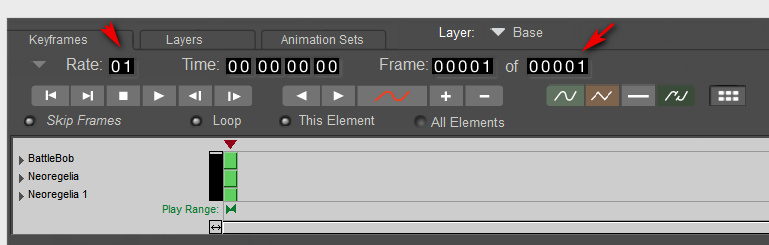
If you don’t do this you get 30 renders of each prop or figure, and it’s going to take a looonnngg time to get all the renders for the scene. And there’s no way to stop the script once it starts running, short of Crtl + Alt + Del.
If you’re absolutely sure you have no animation in your scene, or cameras set to render from later frames in the timeline, then you can add this line to the script. It will use the SetNumFrames command to force 1 frame only on the timeline, rather than 30…
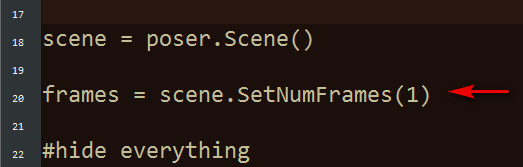
6. To see it in action, switch render settings to something quick, like Preview mode and 900px. You’re now done with setup.
Once invoked the script will do its thing, running through the scene’s figures and props one by one and making a standalone render of each.
For some reason it will also make a FocusDistanceControl_0.png render of the camera. Because of this, on completion this will lay a big black X across the live scene. This X is the focus distance assistant in the camera. To clear it, simply switch to the Main Camera parameters tab and turn the focus_Distance dial back to “0”.
7. Now you can use Photoshop 64-bit to go… File | Scripts | Load Files into Stack | Browse…
Do not tick “Attempt to Automatically Alight Source Images”, as these are PNG files with transparency and Photoshop will make a mess of them. They’re all the same size and thus will align fine by themselves.
Note that “Load Files into Stack” does not work in 32-bit Photoshop, and never has.
That’s it. This script works in Preview as well as Firefly, making it useful for comic book work. Run in Preview it can also effectively serve as a ‘mask outputter’ for Photoshop postwork on a full render made with FireFly / SuperFly / Reality, or even with Sketch (though in that case the mask-edges may not quite line up). One can also make a ‘ground shadow’ for a character, by duplicating their render, making it black and then skewing it into the approximate position of a cast shadow.
MarkDC (Markcus Dunn)’s script should probably be included as standard in Poser 12, with a pop-up dialogue added to help newbies set the file path and type, and a reminder to set the scene’s animation frame length to “one” before starting to render.
M4, V4, H4 and A4 base figures – all for $6 in a bundle
M4, V4, Hiro 4 and Aiko 4 base figures, currently on the DAZ Store for $6 in the Black Friday sale. They’re in the “Anime Manga Starter Bundle”. Also, the ++ morphs packs are over in the Victoria 4.2 Starter Bundle and Michael 4 Starter Bundle, both $5 each. Also down at $5 is the M4/V4 Creature Creator Bundle.

News on Poser 11.3
A new official post today on “What’s planned for Poser Pro 11.3?”. The gist of it is…
* Wizards, to help ensure that your render settings are efficiently set up.
* In-software help for newbies to install new content in the runtime.
* The L’Homme male character, as a partner for the new flagship female La Femme.
* Improvements to the clothing fitting tools.
* “You’ll be able to buy Poser on DVD through Amazon” before Christmas.
* A key maker of the early Poser software, Larry Weinberg, has returned as a senior developer on Poser.
Sounds good, and the DVD will be good news for those in places such as the wilds of Australia or Canada with slow broadband or only metered connectivity. Good for gifting, too.
On the new render Wizards, I’d suggest that the Sketch Designer render Wizard should offer a one-click button to… “Turn off all sketching into the scene’s Background”. Since that’s the thing that either makes Sketch rendering very slow and/or crashes Poser.
Black Friday: Poser Pro 11 for $164
Renderosity has just launched their 50% store-wide sale for Black Friday, so there’s a chance to get items that didn’t feature in the rolling 70% selected-vendor sales over the last month.
A few items are omitted, such as PhilC’s $30 Python for Poser manual. A pity, as I’d have gone for that at $15. I guess it was counted as “software” and thus not included.
Still, they managed to ding me for another final $15…

Even the Poser software itself is down in price, by a small amount. Poser Pro 11 is now $164 (was $199). Upgrades from $82.
The marketing text on the page is a bit weird. The software is prominently classified under “La Femme Pro – Female Poser Figure”, and the page text opens “Please go to PoserSoftware.com/store to download this free update for Poser 11 owners!”. That double-confusion is likely enough to make newbies back off, wondering if the page is actually selling the software itself or not. But the price shows it to be Poser Pro 11.

Over at the DAZ Store they have 20% off Gift Cards, for one day only. My Wish List there is also still showing plenty of 50%-70% discounts, though nothing compelling at the low end. The Look at My Hair plugin and RSSY 3Delight to Iray Converter are both 50% off.
Black Friday 2019 – the round-up
The DAZ Store and Xurge 3D, maker of top-quality armour and uniforms for M4 and V4.
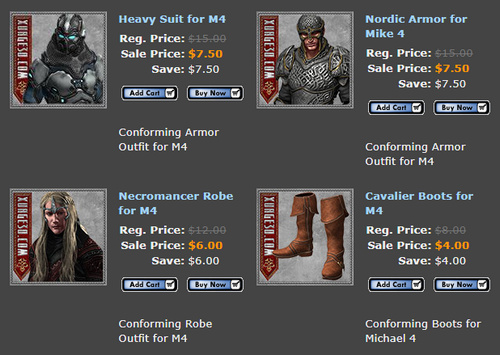
Heavy discounts and a $59 ‘all-you-can-download lifetime offer’, at Teknology3d. Sadly they have a new-look site and my old log-in from a few years ago no longer works.

A small sale at Hivewire including AniBlocks for the HiveWire House Cat. Also ‘Ants of the World’ for Poser, which I don’t think I knew even existed. They can presumably be scaled up into house-sized 1950s atomic-mutant ants…

CGTrader has lots of 30-50% off items (but keep in mind that they add local Sales Tax at the Checkout!):

Poser & DAZ | Sort by Lowest Price
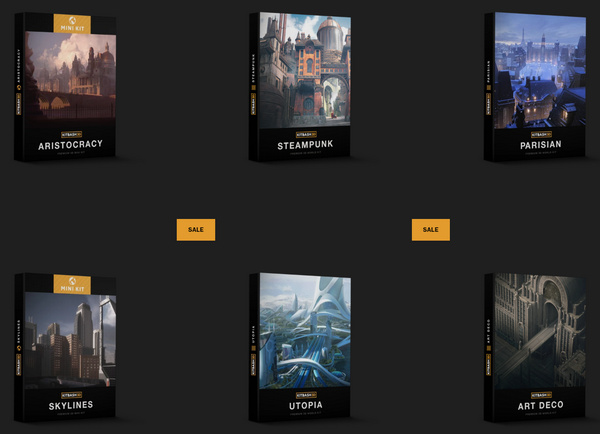
KitBash3d has 50% off its store.
The XFrog store has 60% off. Contrary to the name, they make quality realistic 3D trees and plants not frogs.
An “up to 70%” sale on around 5,000 game assets in the Unreal Marketplace. There may well be some stuff that can be got out to .OBJ, of interest to those who need large lightweight landscapes done in geometry rather than as domes / backdrops.
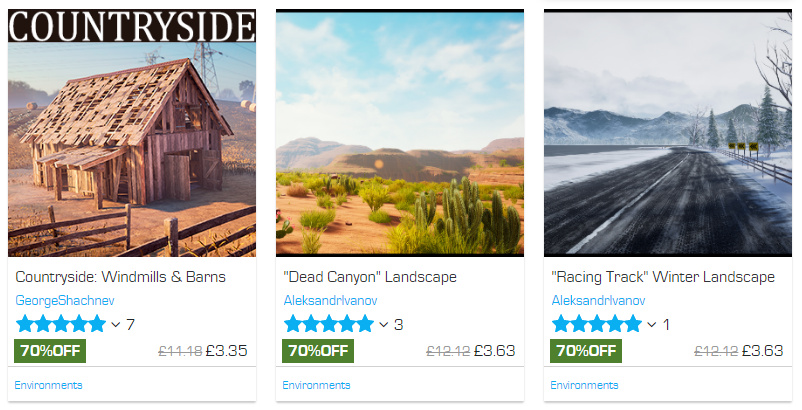
And “up to 50% off” at the similar Unity store. The Diesel machines constructor kitbash kit apparently has 220 items, for instance.

No sign of anything happening at the ArtStation store.
GarageFarm.NET has “up to 40% extra” render credits for its render farm. They support Vue 2015 and 2016, but not the new subscription Vue.
The similar RebusFarm also has extra render credits.
Blambot comics lettering fonts have a 30% off Cyber Monday sale coming up. No sign of anything happening at ComicCraft.
Slight discounting on PzDB with 1.2 down to $32. Highly recommended if you have a huge Poser runtime.
Corel has 15% off Corel Painter 2019.
Serif / Affinity has 30% off its budget “Adobe-killer” products, including Publisher and Designer.
Marvelous Designer’s “personal perpetual” licences are reduced to $340 until 31st December.
No signs of any movement on the price of Comic Life 3 or JitBit Macro. But Clip Studio Paint is now 50% off. Keep in mind that only the EX version has multi-page support, and that Comic Life has multi-page and is far easier to use.

And lastly, completely free… the new Krita 4.2.8! Krita is also good for comics production, if you jiggle it a bit.
If you’ve found this and other recent posts useful, please consider supporting me on Patreon. Thanks!
Updated script – ReplaceTexture
I’ve just spotted that Semicharm’s free Poser script ReplaceTexture V1.1 had a May 2019 update. Now works with older versions of Poser.
Just a few easy in-situ clicks to replace a texture and all instances of it, with the option to shift Gamma too.
Not sure that it works with Poser 11, though. It doesn’t give errors in Poser 11, but it only lists one material on a selected character rather than the expected enormous list.
Daedalus Sky Mercenary
I’ve had time to toon-test a recent purchase, the Daedalus Sky Mercenary for M3. Picked up for $3 from the DAZ Sale.
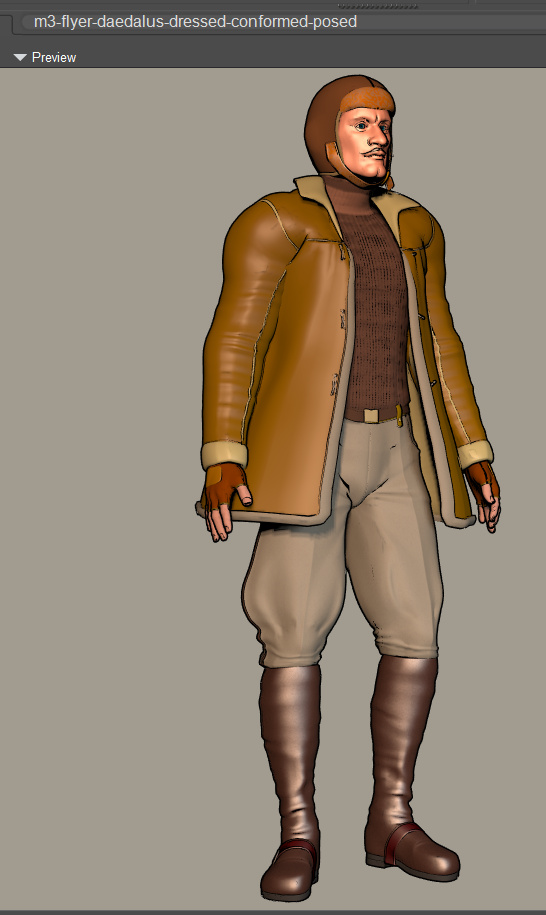
It all worked fine except for the inner uniform-jacket, which has un-solveable problems at the neck on even a standard t-posed M3. Possibly it was made for an earlier version of M3? Or for an M3 with a particular set of morphs applied? I replaced it with a sweater from the UziliteM3 BAM set, and did the “apply the b&w bump map to the diffuse” trick to lighten it up and show ribbing in Preview. Standard Poser 11 “Basic Materials” were dropped on the trousers and boots, these being linen and leather, so it looks better in real-time Preview. Predatron’s M4 Max Muscles mustache was added as a final touch, also picked up for $3 in the sale.
Still in need of an inner waistcoat, and a lot more optimisation of materials for Comic Book Preview mode.
Some useful tips when searching for steampunk menswear: the Americans call a waistcoat a “vest”, a jumper a “sweater”, and trousers “pants”. Similarly, “mustache” and “moustache” are easily confused.
Dante78 70% sale
Posted on
by
 Posted in Poser, Special Offers and Discounts, Spotted in the News, Vue
Leave a comment
Posted in Poser, Special Offers and Discounts, Spotted in the News, Vue
Leave a comment
Posted in Poser, Special Offers and Discounts, Spotted in the News, Vue
Leave a comment
It’s the Dante78 70% sale at Renderosity. While you may think that your bulging Runtime can’t take any more medieval stuff, this is top quality and the prices are very low.
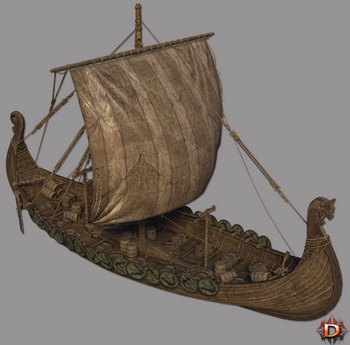
Advice from FSMCDesigns on the forums for DAZ users of these Poser models, re: iRay rendering of these in DAZ Studio…
With Dante78 products, turn down the Specular and change the color in the Diffuse channel to white” for iRay.
How to easily combine and merge selected sub-folders in Windows
Problem: You have a massive .ZIP or .RAR file, perhaps an old archive of Poser content you archived a decade or more ago. It has a structure that looks like this:
MyAmazingContent1
| Runtime
|Textures
|Libraries
|Geometries
MyAmazingContent2
| Runtime
|Textures
|Libraries
|Geometries
MyAmazingContent3
| Runtime
|Textures
|Libraries
|Geometries
What you want to do: You want to extract just the sub-folders named “Runtime”, combining them into a single new folder named Runtime, while keeping their lower directory structure intact-but-merged. Because that’s what you’re going to need to do, to merge them back into your main Poser Runtime folder and thus make them usable.
The solution: It can be done quite simply in Windows, and without freeware or command-line code or PowerShells. And without several-hundred tedious manual click-copy-merge operations.
1. First, simply extract the entire .ZIP file. (Don’t waste time messing around with tricky command-line controls for the like of 7-Zip and WinRAR, trying to extract just the Runtime folders. You may be able to do that, but you won’t also get the merged sub-folder structure you want).
2. Now open the resulting extracted folder with the standard Windows Explorer. Add there a new empty sub-directory called Runtime, as a newly added folder among all the extracted folders. We’ll be using it a few steps later.
3. Now use Windows Explorer to keyword search inside your huge extracted mega-folder for the word “Runtime”. A huge list of sub-folders will appear as the search results…
4. Shift-click and scroll on these found Runtime folders to select them all. Then right-click and copy-paste them into the top level of your newly extracted folder. NOT directly into the new Runtime sub-folder we just created. Windows 8’s mighty cyber-brain then spots the empty Runtime folder and thinks… “so that’s where all these same-name folders should go, ok let’s merge ’em all in!”
This method works and takes advantage of an auto-merge feature in Windows, which many Poser folks used to manually dealing with installing to runtimes will be aware of. If you copy-paste a folder with the same name, it merges without any fuss. Thus, in this case, your 250+ Runtime folders become one, while retaining their sub-folder structure…
| Runtime
|Textures
|Libraries
|Geometries
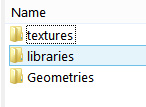
All our Runtime folders are now nicely amalgamated, and ready for a final check and then to be copy-merged in the same way into the main Runtime used by Poser.
Just note that those still on Windows 7 may get a prompt about merging. On Windows 8, you won’t, it’ll just go ahead and do it. I’ve no idea about Windows 10, but I assume it behaves much the same as Windows 8.
New DAZ and Poser items for November 2019
My blog’s last monthly survey of new DAZ/Poser content was 27th October. I’m conscious that Black Friday is coming soon, and I don’t want to collide too closely with that. So… here’s a slightly earlier-than-usual survey-pick of November 2019’s newly released store items and freebies. As usual freebies are only covered if they’re commercial use.
Science fiction:
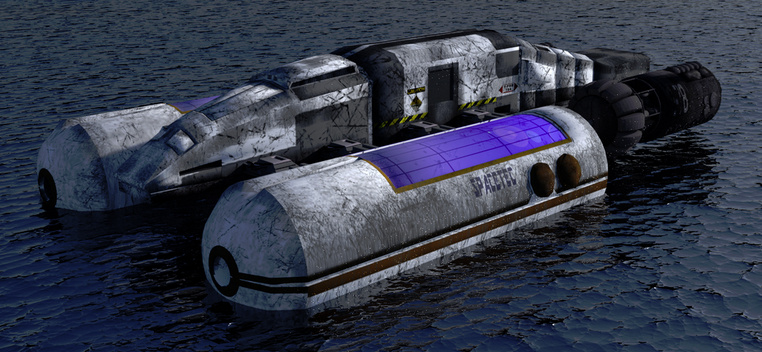
Astromaster. Nice, with a Star Trek vibe but not fan-art.
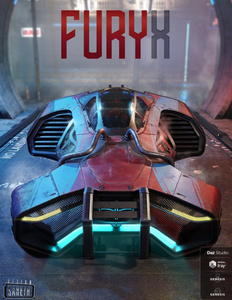
The FuryX future-car for DAZ Studio.
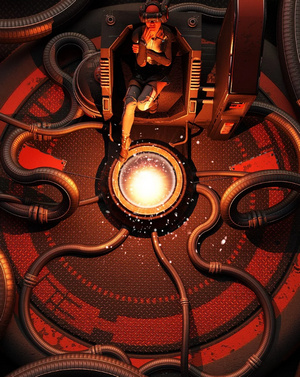
My Place for Poser and Daz Studio, an unusual sci-fi window scene. The dystopian distant scene could be easily replaced by something more likely at that level of technology.

Need more pipes for My Place? The new Flex Pipes set.
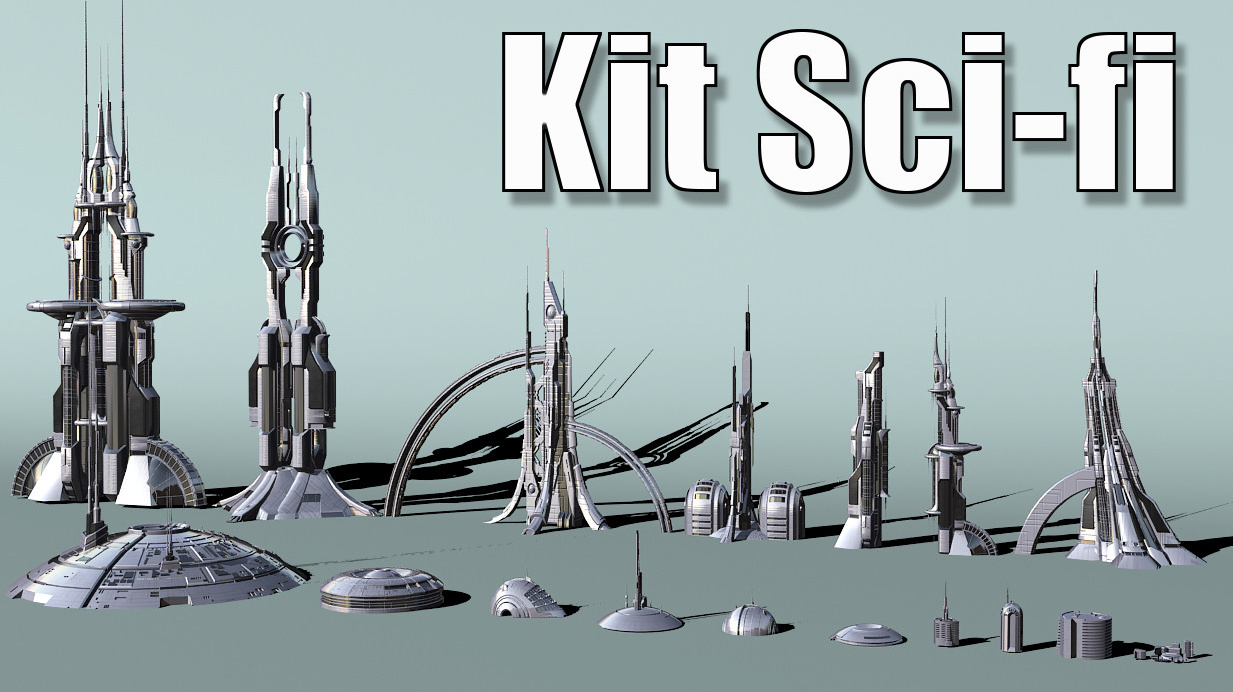
A cool sci-fi assets kit for a mere $10 from Jean-Francois Liesenborghs. Sadly only for 3DS Max, though.
Crew of Solaris 2019 bundle. One of a growing series of pose bundles targetted at popular DAZ Store sci-fi ships and vehicles.
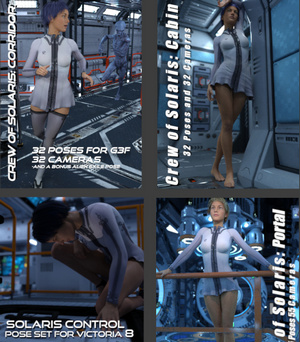
Note that Predatron also has four of his own Solaris pose sets on the DAZ Store, though only for Genesis 8 Male.
Vanguard IV for Poser, a Thunderbirds-style car which kind-of recalls the old Gerry Anderson supercars. But, so far as I can tell, it isn’t fan-art.

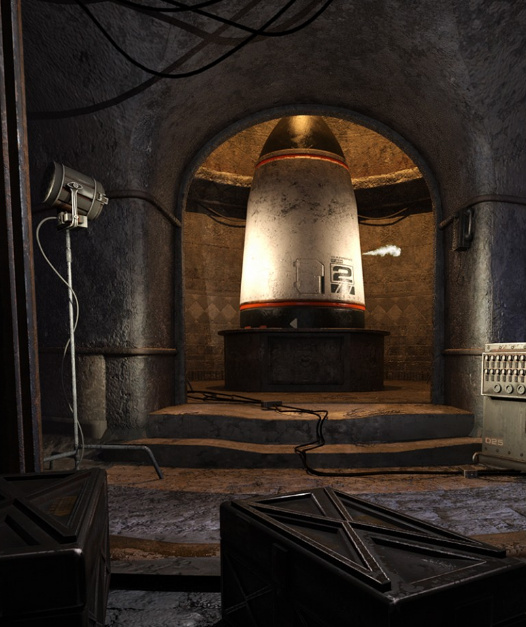
A Planet of the Apes style Underground War Room with doomsday warhead. Again, not close enough to be fan-art.
Steampunk:
Steampunk Classic for Genesis 8 Male.

At The Helm poses, a free set for G8 and a recent airship model.

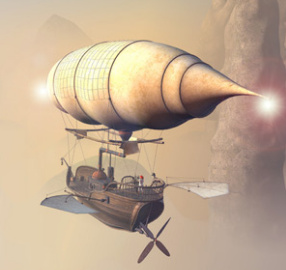
Merchant Airship for Daz Studio by 1971s. 1971s is getting his large Poser range converted for iRay materials, and has some others already converted.
Victorian Microscopy set.

The Raypunk Santa for Poser, being Santa in a steampunk spacesuit. From Meshbox, and now also on Renderosity.
Free Bus Poses for G3 & G8 for the Maxis Bus.
Dieselpunk:
A free Wedell Williams Model 44 Air racer for DAZ Studio. A nice classic late-1930s racing plane for your dieselpunk scenes.
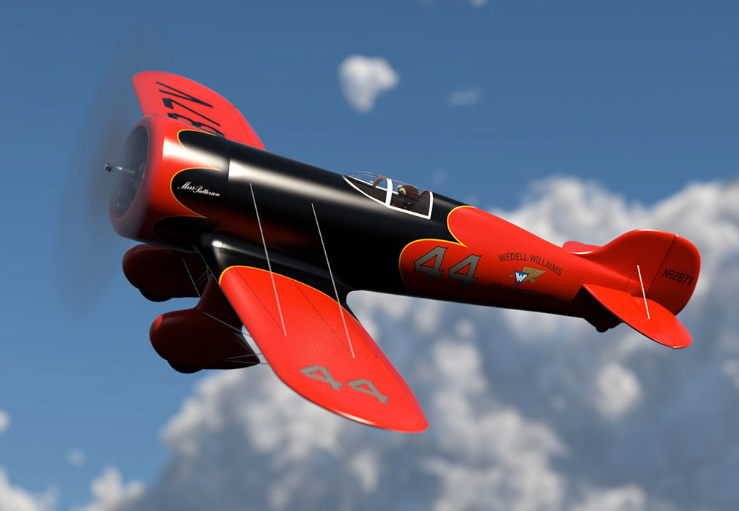
And a free Vintage Style Hanger for DAZ Studio to go with the plane. There’s even a free pilot pose.

A 1920s/30s SW LadySmith revolver.
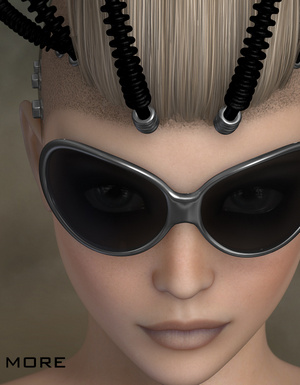
Mafia Environment Bundle for DAZ Studio and a Vintage Slot Machine from the same era.

Halloween:
A few late Halloween items which I didn’t catch on my last survey.
The Obelisk for DAZ Studio with iRay. An adaptable eldritch marker, for free.

Highly detailed Vampire coffin suited to close-ups.

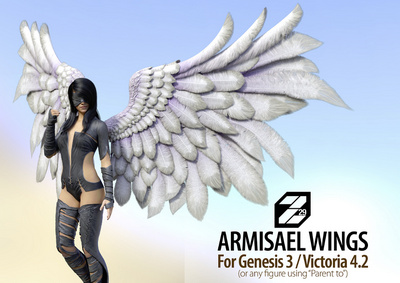
Fleshy Demon Wings for Genesis 3 and Genesis 8. 45 morphs, and judging by the previews they can be somewhat folded up at the back.
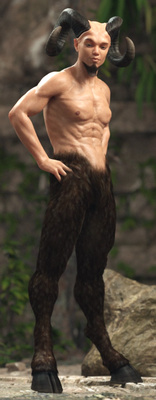
Satyr with dForce Hair for Genesis 8 Male. Not thick enough on the thighs for a classical faun, but that’s likely fixed with a few tweaks.
Storybook:
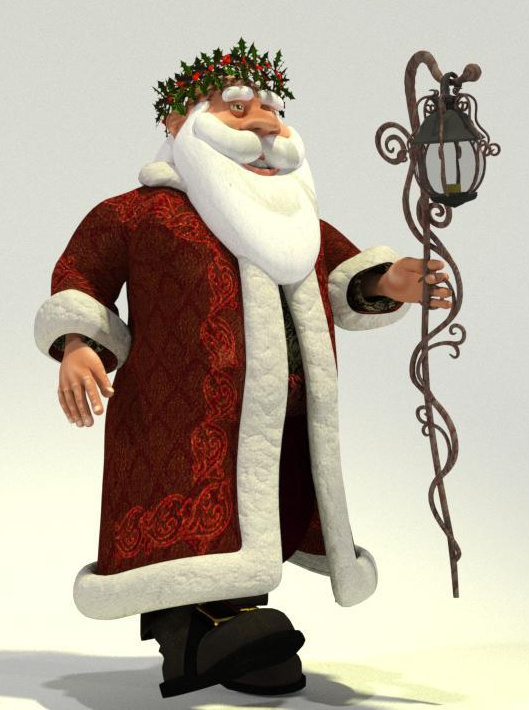
Father Christmas for Poser. The Meshbox character, now on Renderosity. For an alternative staff, there’s also a Young Santa for Poser from Meshbox.
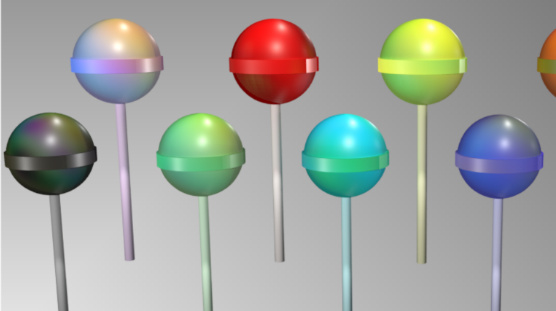
A free set of Colourful Lollipops for Poser.
Genesis 8 Young Child Pose – Baseball (a free G8 bat is here), and Grazed Knee pose. Both free for G8. BBarbs also has a new line in free toddler poses, which may be useful if your storybook is for very young children, or requires the star to have baby siblings.

Free Realistic Curtains, for DAZ Studio. Has wind morphs, but no ‘draw-up the stage-curtain’ morphs. But you could simply raise the curtain behind a hidden facade, to make it a dark-red front curtain for a puppet-theatre stage etc.
Landscapes and scenes:
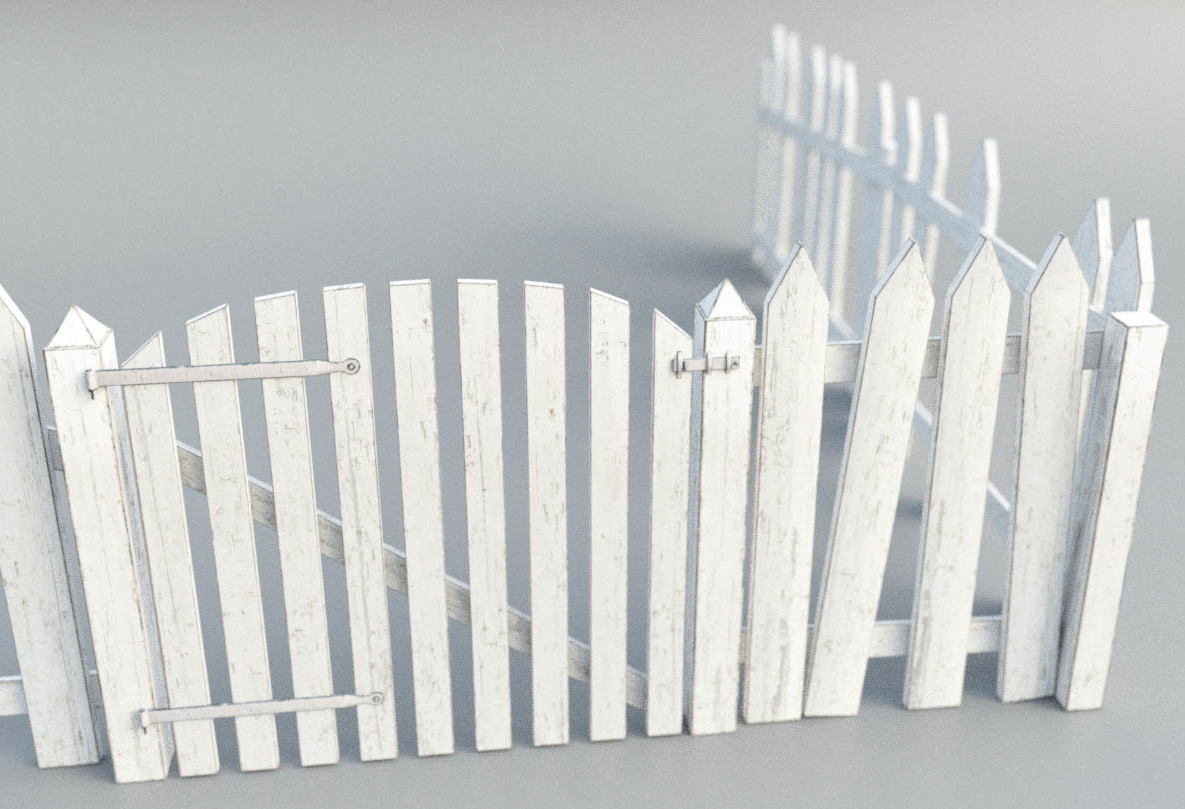
A simple Picket Fence for Poser, with nice micro-detailing and HD textures for close-ups.
Flinks Snow Crystals for Poser and DAZ.

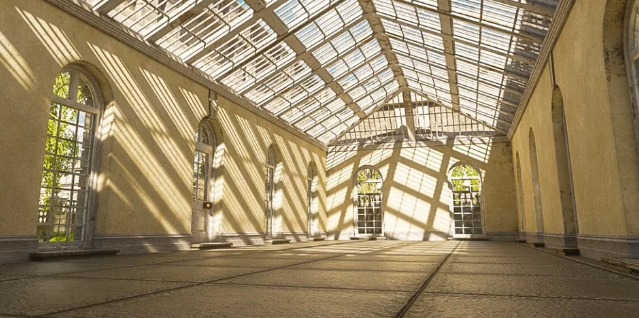
The Orangery. A classic British orangery, a large warm glasshouse for growing citrus fruit in the winter. Of course it could also be filled with Dr. Barmpot’s Barmy Bananas, for a more steampunkish setting.
Heavy haulage:
Need some heavy haulage across your landscapes? Have a look at these new items…
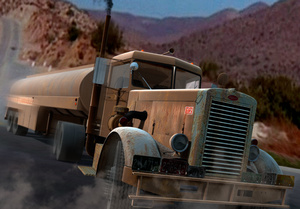
Peterbilt 281 1955. While there are trucks a-plenty elsewhere, often for free, this mid 1950s classic is nicely grunged up with plenty of highway mileage.
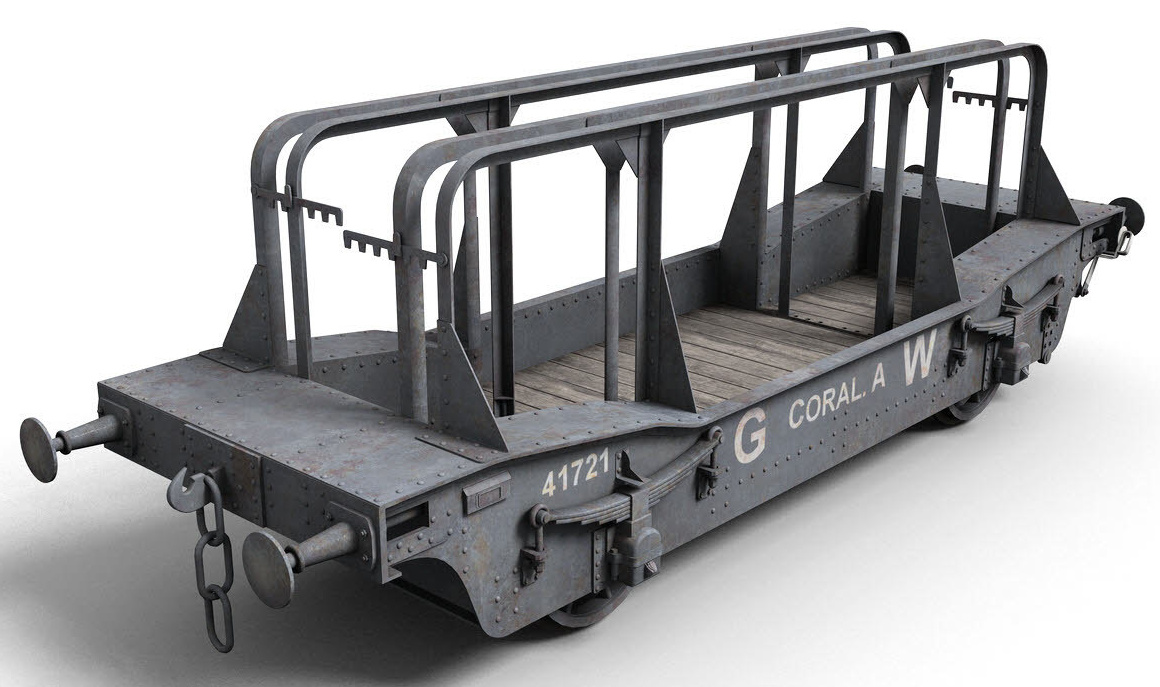
A finely detailed GWR Coral A Wagon, a heavy-load rail wagon from DryJack. Apparently intended for shipping plate-glass, but possibly also useful if you need to transport your special alien-destroying whizzbang to the launchpad.
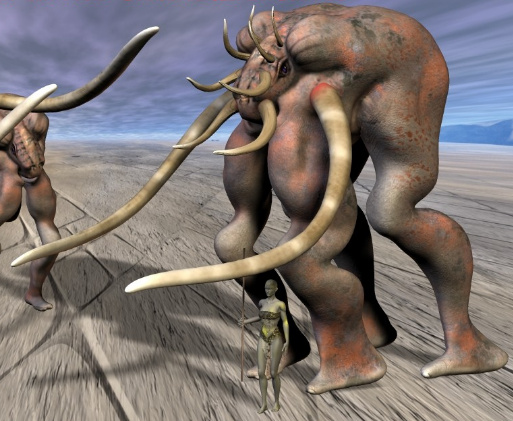
Carrier for Poser, a heavy-load carrier for your desert planet scenes, by Beckhausen. A bit bare on the legs, but Poser’s Hair Room could shaggify the lower legs fairly easily.
Animals:
Underwater Wonders for Poser. A variety of creatures and plants plus a scene-builder. Could be used to help populate the new v176 Iray Coral Reef.
CWRW Silver Stag for Poser and DAZ. Nice but it has a large list of dependencies, requiring HiveWire Horse, HiveWire Mule Deer Buck, and HiveWire Antler Pack.

History and prehistory:
The Colosseum. A complete Roman Arena.
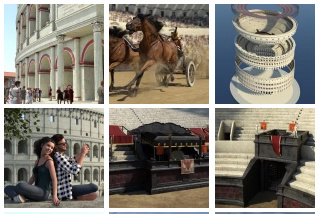
The new Wild Journey Poses Part 1 and Part 2. Human G8 poses for battling wild animals hand-to-tooth, perhaps also useful for gladiator scenes in the Colosseum.
Pirates, All Aboard! Bundle for DAZ Studio. Looks like this has just about everything you’d need to make a pirate epic. Also available in a half dozen or so packs. You may also be wanting the new Photo Props: Wooden Barrels set.
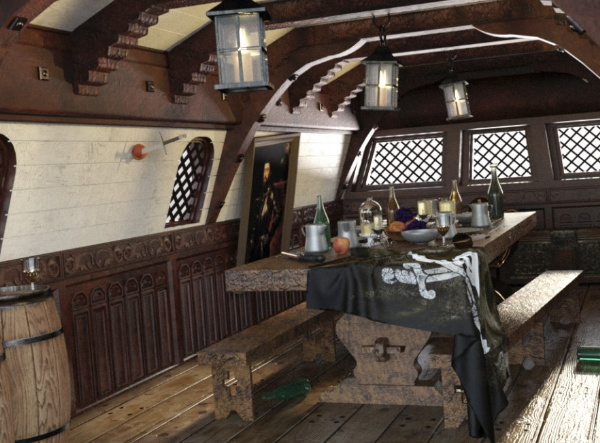
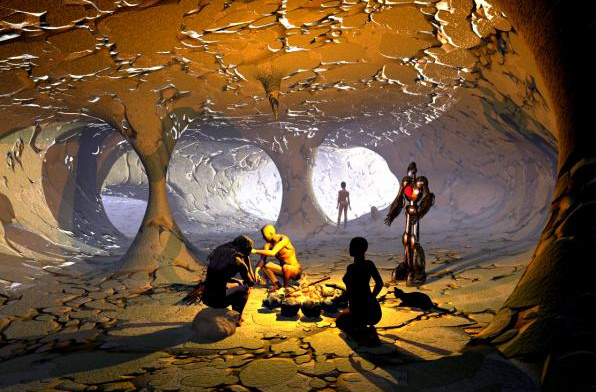
Cave. A nice free stylised pirate-y cave in Bryce and .OBJ format.
A traditional South Sea Islands style dForce Tropical Leaf Outfit for Genesis 8 Male.

People and Animations:
Real Facial Animation for Genesis 8 Males and Females. Expensive but excellent. So far as I know, unique in being quality motion-capture for faces.

Free Fibermesh eyebrows for G8M, and beard stubble.
Utilities and tutorials:
Character Converter from Genesis 8 Male to Genesis 3 Male and Hair Converter from Genesis 8 Male to Genesis 3 Male.
DAZ to Blender 8 at Gumroad. Looks like the best current option, if all you want to do do is take G8 to Blender for sculpting.
FlowScape Tutorial with the maker of this great new $10 landscape software.
That’s it, more pick next month!