The Poser Pro 11 for $80 offer has been extended another seven days. It currently has six days left to run. A bargain, even if you only want the incredible bundle of free royalty-free content that comes with it.
Category Archives: Poser
Hatching in MotionArtist
Here’s a quick demo for Tom, who asked about the automatic hatch-shading of Poser imports in MotionArtist…
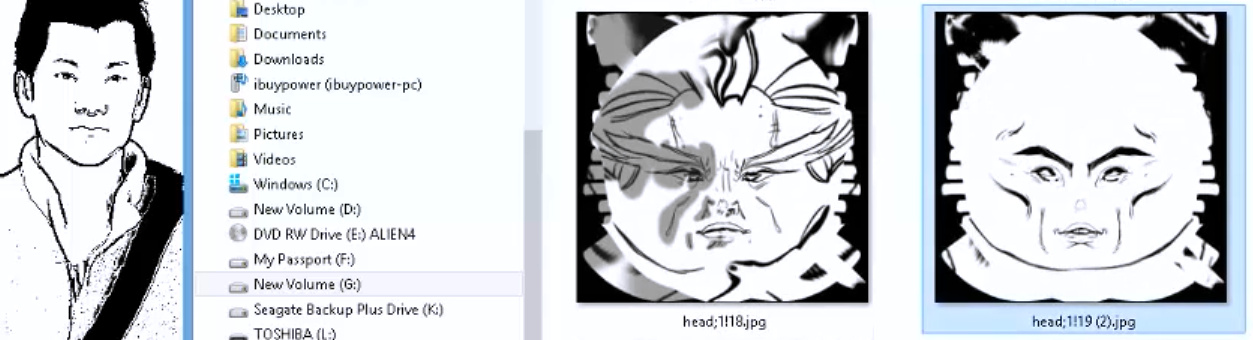
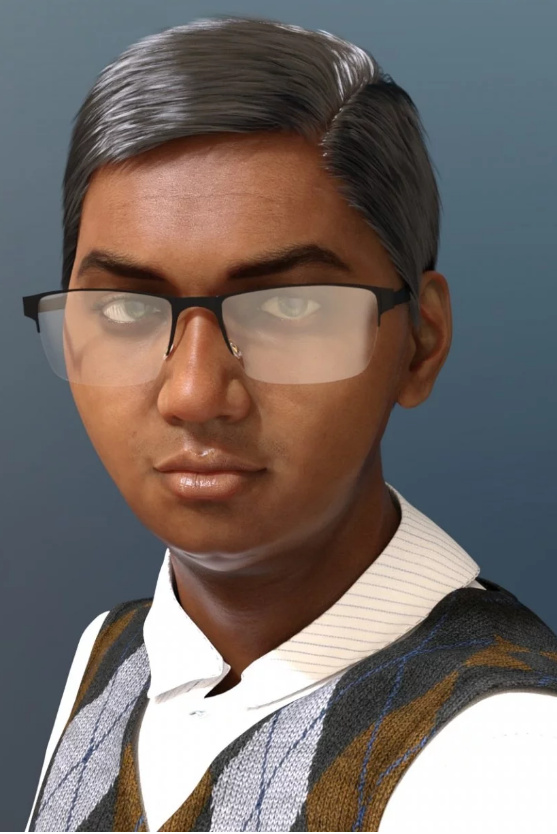
This is my new “Captain Bromley” M3 head, and you can see that MotionArtist has added hatching in the right places, but it’s not very convincing. Here is a screenshot of the basic controls you have on import…
Basically, you make a 2048px screenshot from this rather clunky little Poser scene mini-viewer. There appears to be zero control over lighting. The screenshot gets inserted into the timeline and.ore the current comics panel, and then you exit the mini-viewer. Fine for making up a quick ‘motion storyboard’ to a deadline, as a guide for filming a scene with human actors, but not for a finished motion-comic. For that you would render in Poser, and import the render, not the raw scene.
Bromley
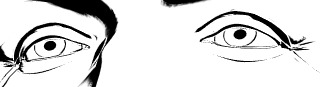
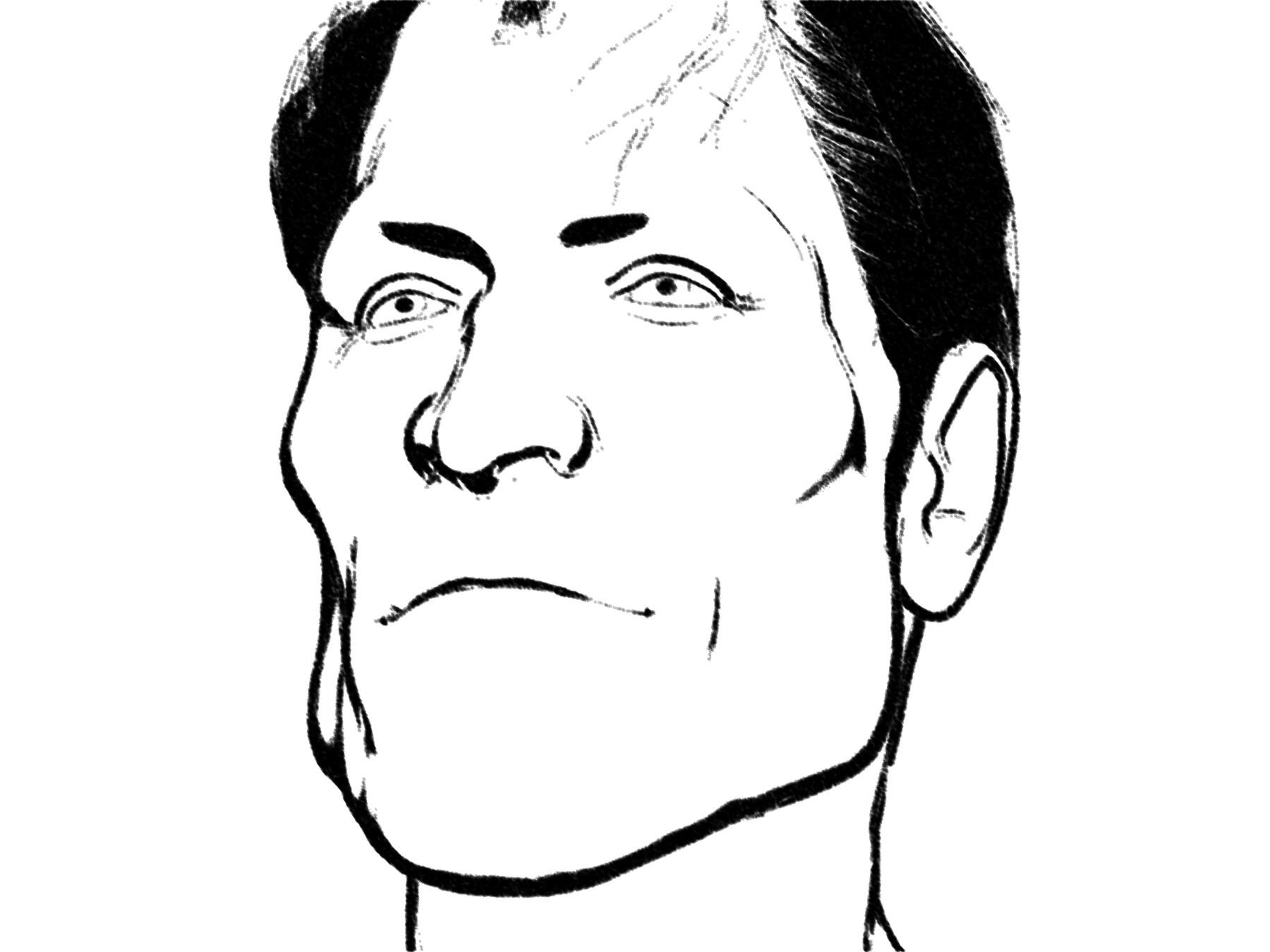
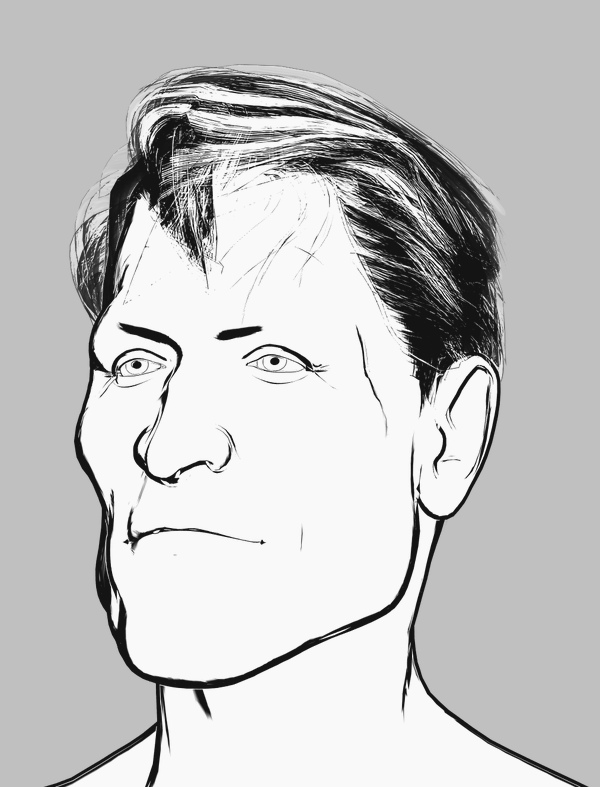
I’m quite pleased to have crafted this slightly-stylised and distinctive custom M3 head with the morphs and Brom injected, seen here auto-inked by Poser’s Comic Book mode under a simple two-light preset. The Hair is Neftis’s Mature Mark, with no retexturing, and it’s inking reasonably well — although the comic book inks are actually doing nothing to it and it’s all coming from the display mode. The eyebrows would need to be further inked in manually, and some bits of hair added if it was going in a comic frame.
Could be called “Captain Bromley” perhaps, which is a British placename that also gives the nod to the Brom morphs.
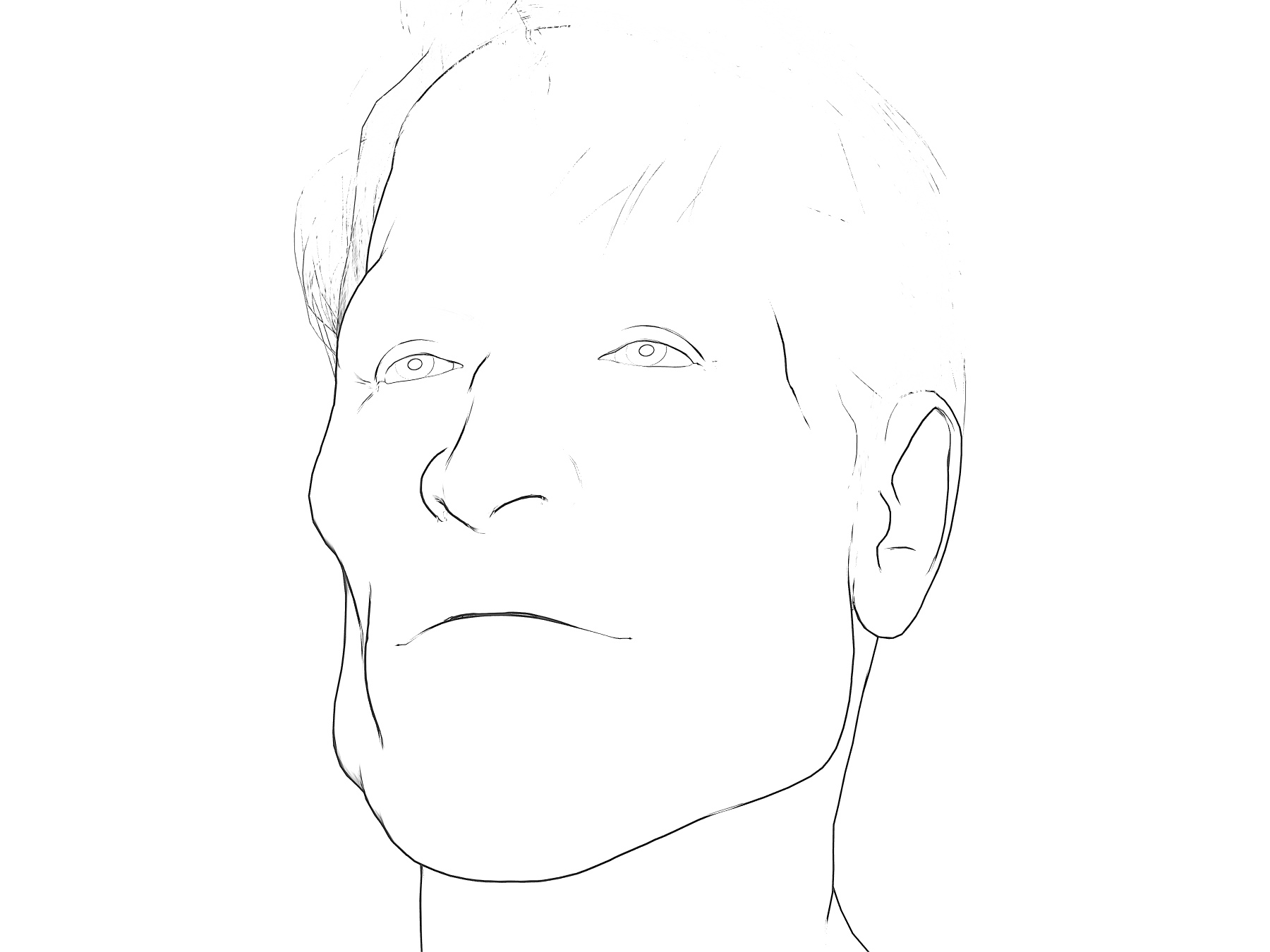
His face also looks good from the sides, which is not always the case. The inking would need to be cleaned up, as there’s some doubling of lines and there are breaks on the nose.
However some of these problems go away in PhotoLine, with a plugin and a 3 second custom filter preset I call “Commando Comic 1974″…
It could, of course, be blended with other Poser renders adding colour, shadow etc.
Regrettably, it appears that the Brom morphs for M3 are no longer sold. Hope you got them when they were $10, recently, and were featured here.
Comics from Unity – via Poser 12?
Renderosity is calling for beta testers for Poser 12 and they specify Unity knowledge as one of the skills they’re seeking. Which makes it sound like there will be a Unity bridge in Poser 12. That would make a lot of sense. Unity is one of the two big free game-engines (the other is Unreal), and it’s reasonably well-supported by third-party add-ons. The free Unity Personal Edition allows commercial use, as long as you don’t make more than $100,000 per year in your business from using it.
The ideal would be, at a guess, an integrated three-click “Poser 12 to Unity” workflow that’s as easy as getting a Poser scene into Vue. But which also sends Poser’s current camera and framing to Unity. The other useful thing to get, either in Poser or from Unity itself, would be some form of Matcap. For the pros ‘Matcap’ is about basked shadows, but the basic involve a process that inspects the existing texture, then automatically tries to replace it with a best-guess toon material. So a red shiny dress becomes a red toon shader with ramping and highlights and a baked shadow, for instance.
The other possibility would be a live-link via a websocket, to drive real-time mo-cap of figures and faces in the Poser viewport. F-Clone, built on Unity, shows it’s possible.
In which case, what is available in Unity-land for tooning? Below is my initial survey of this. Please don’t go buying these yet. Not least because some of them are rather expensive (“‘Cos yur gonna make big bucks on your game, guys…” Yeah, right…). But mainly because a three-click fiddle-free ‘Poser 12 to Unity’ process is just my hope at present, based on very slim evidence.
Shaders in Unity:
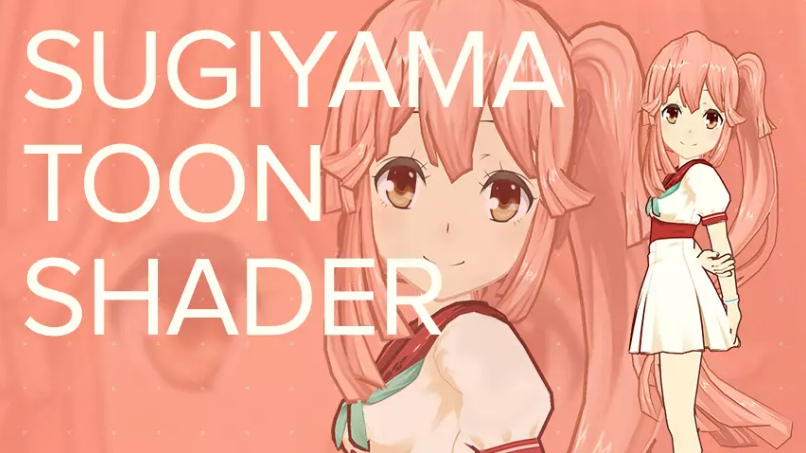
Sugiyama Toon Shader, aka SugiyamaToonShader. An early success in 2016, but said not to work with newer Unity versions?
TypeA AnimeShader. Said to work especially well on hair.
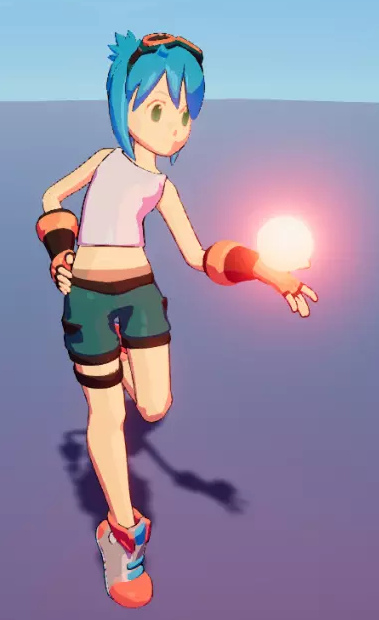
VaxKun’s Anime/CelShading Shader. Includes emissive glow and toon-reflective glass. I suspect the demo pictures are being a bit more honest than the other packs, re: what you’re likely to get.
However, you don’t need to go to Unity to get the above looks. With a bit of setup, re-texturing and the right IBL lighting, they can be had now in Poser 11.
There are two competing suites or kits for Unity…
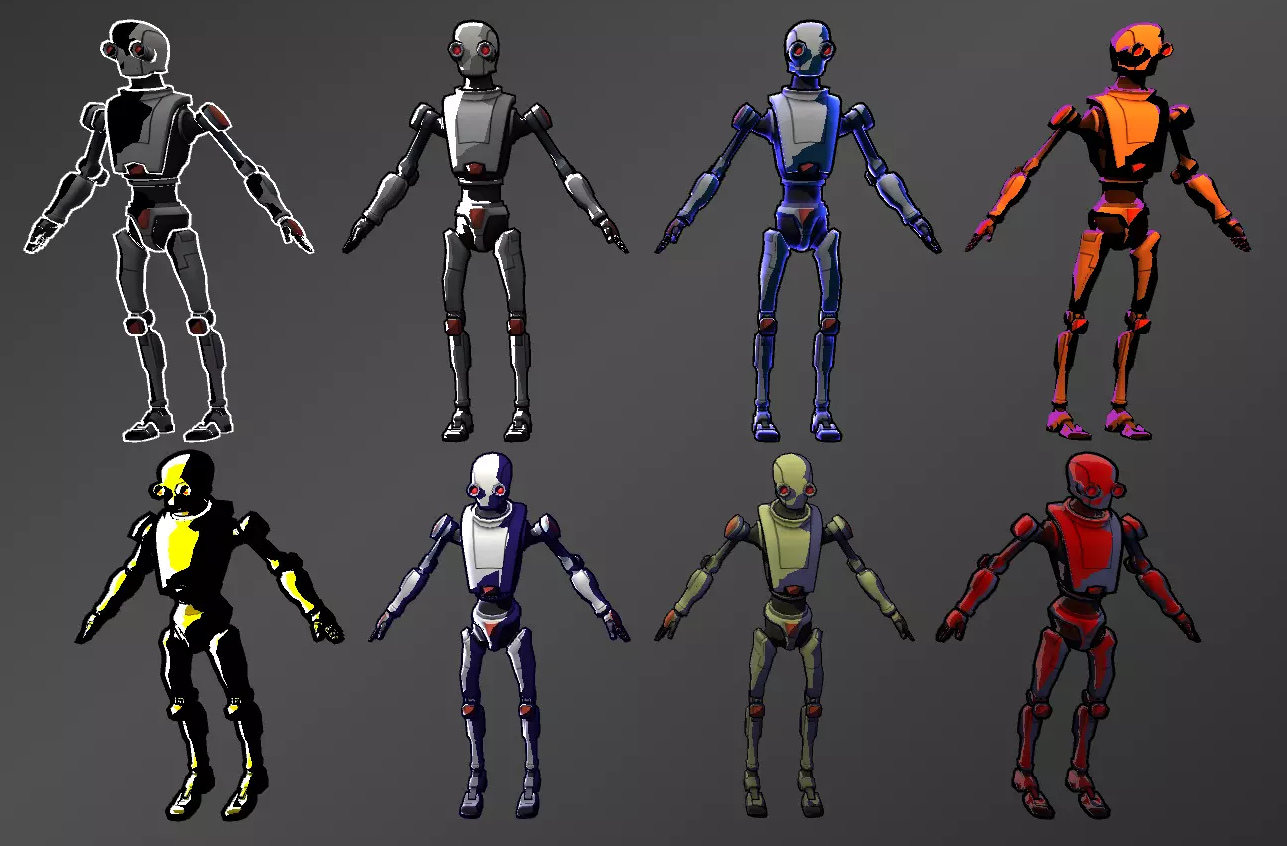
Toony Colors Pro 2 shaders set, with basic lineart.
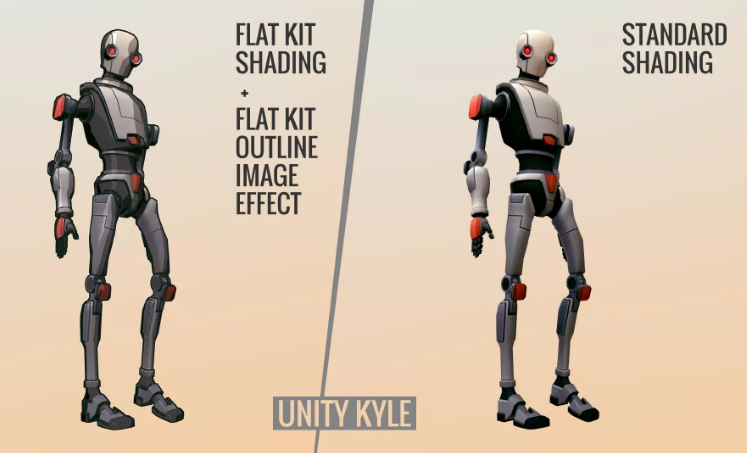
Flat Kit: Cel / Toon Shading. Also with basic lineart plus a depth-fogging effect. This might be your best starting-point, though Toony Colors Pro seems to have been out longer.
Flexible Cel Shader. Possibly an additional useful set to have, in combination with one of the above two kits.
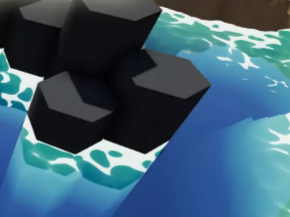
Nice Water Shader, adjustable and with a toony edge-ripple preset.
And lastly, RealToon shaders set. Seems to be older but is apparently quite flexible, and you might brew up a more unique look?
Lineart:
Jiffycrew Post Process Line. Seems to be outstanding, and thus has left little place for others in the market? The monopoly position has made it rather expensive. Update: withdrawn from the store.
The slightly more stylised NPR Contour Drawing and Sketch may also be worth a look.
Contour-hugging hatching on 3D models:
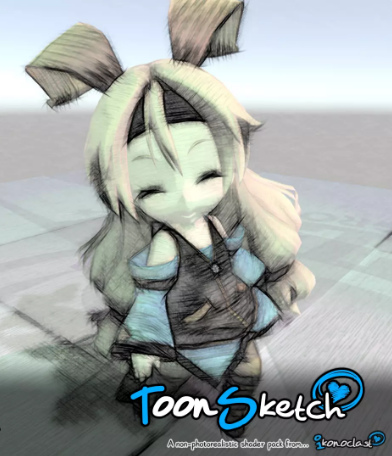
ToonSketch Core. A bit too grungy, and may work best on models with big flat surfaces?
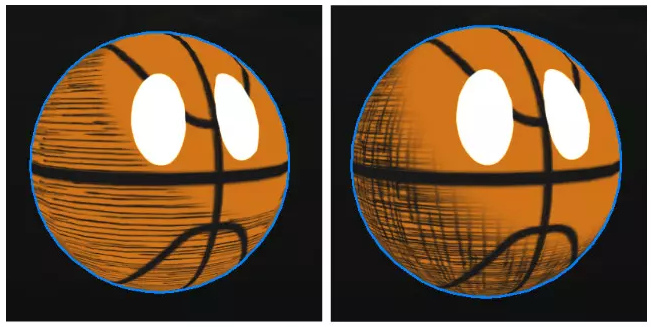
NPR Cartoon Effect. Unappealing demo images, but scroll through to the simple hatch-shading demo.
Jiffycrew Hatching. Not very convincing, but with a bit of wrestling I guess it might produce dash-shading that looks cleaner and a bit more Moebius-like?
Obviously hatching still has some way to go in Unity. There are also some rather ikky attempts at manga halftone shaders.
Painterly:
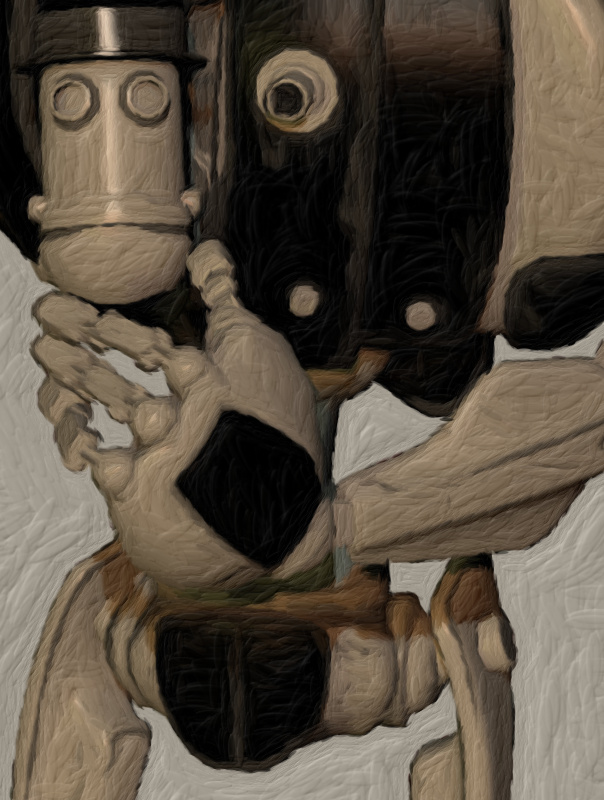
Flockaroo’s full-screen camera effects Aquarelle, Colored Pencils and Sketchy effects filters. It looks like you could cook up a reasonable ‘storybook look’ with these. These are full-camera effects and, by the time Poser 12 is released, Unity should support… “Camera Stacking, enabling users to layer the output of multiple cameras in rendered output.”
Watercolor Painting effect. The first picture seems a bit questionable, re: what you’re likely to get. As all the other demo pictures look very different.
Hand-painted skyboxes, inc. clouds:
Hand-painted toon sky-boxes include: Toon Sky, Toon Night Sky, PDG Cartoon Sky, Cartoon Skybox – Red moon. There’s also a starry night-sky in the Toon Skyboxes pack.
Toon Clouds is a dynamic cloudscape generator. Though they’re not as nice as the hand-painted ones seen above.
Amplify Impostors seems likely to be useful here, for quickly duplicating content to fill backgrounds that have large views with skies. There’s also a free SVGimporter which brings in a vector shape as a tessellated mesh.
You can also find packs of other “quickstart” Unity files on Gumroad, although they appear to be just skeleton set-ups and to lack art assets.
Vivify/re-colour:
Amplify Color seems the best option, enabling in-engine colour grading and saturation. Free.
Exporting big, hi-res, and nicely anti-aliased screenshots:
MadGoat SSAA & Resolution Scale. Because the aim here is not to make games or animations, but to get output for comics frames. A short endorsement of this by an architect is encouraging, re: getting clean hi-res output that’s then usable in graphics editors.
Visual novel engine:
And if you did want to make a game, Naninovel is quite capable. It’s for making a Japanese style ‘visual novel’, where the game elements are nearly all in the story choices. (Though note that the similar Ren’Py Visual Novel Engine standalone is free, and has a much larger user-base).
Having said that many Unity addons are expensive, the starter kit for ‘comics with Unity’ seems more reasonable. I’d start with the TypeA AnimeShader ($10), the Flat Kit ($40), Amplify Color (Free), and MadGoat SSAA & Resolution Scale ($16) for export. Total: $66. Though even then you’re probably not going to get a dramatically different look than you could get inside Poser and with a couple of filters applied to the renders. You’re not going to get realistic sketch pen-hatching or a sophisticated shadow-puppets/silhouette effect with light-leaks. What you might get that’s unavailable from Poser, if you want it, is a sort of pixellated Minecraft or low-poly look.
There you have it. These seem to be options for getting big comic-book frames from Unity in late Summer 2020, and mostly with a look that regular comics readers won’t cringe at.
Poser Pro 11 for $80
Poser 11 Pro 11.3 for $80, a current offer at Neowin Deals. Vended for Bondware/Renderosity. Ends in four days. Seems legit.
More details here.
It’s also 25% off at Renderosity, which currently puts it at $149 there.
Skin and G’MiC
I’d forgotten that the G’MIC filters have a “Colors: Detect Skin” filter, in my recent quest for a skin-extractor. I’d never saved a preset for it, so I’d rather forgotten about that particular filter among the long list. Here it’s tested using the free Paint.NET, which now runs the G’MIC filters and loads up far more quickly than Krita (which also runs them). Once installed they’re found under “Effects”.
The filter’s method of targeting of the skin is fairly clunky, by sliders than move a green target patch about. There’s no “one click to set”. It’s clumsy at best, but simple and relatively quick.
Once your target is set, you then have three sliders with which to try to capture the mask…
Here’s my first quick preset. If this will work well on other Poser Comic Book renders… I’m not sure. But it’s likely to be a reasonable starting point.
Above we see the mask returned by G’MIC to the Paint.NET canvas. We’d only be using the layer colour-blending mode with this, to bring colour back to a filtered Poser render. Thus the clunkiness of the cut-out is not really all that important. It’s an interesting alternative to know about, but if you’re in Paint.NET then its free Color to Alpha v2.2 plugin is preferable, faster, and a bit neater (less fringing) and seems the overall best solution. It’s also nice that it’s totally free.
That said, it would still be nice to have a native real-time Poser solution, for automation purposes. While you could theoretically plug the skin into an auxiliary render node in Firefly, you would not get the masking of the skin by the hair, etc.
Open the hatch
This is for Tom, showing one of my custom Sketch presets at work in Poser’s Sketch Designer, biting into the shadows of the Smooth Shaded display mode. In the comments, Tom asked about what MotionArtist’s 3D auto-hatching looked like, and I said a render from Poser’s Sketch Designer would be more acceptable to regular comics readers.
It was a bit more faint on the actual 6 second Sketch render at 1800px, and here I’ve tweaked contrast for clarity. In Smooth Shaded you don’t get the eyes, but you’d be compositing those in via a line-art render. The problem with this kind of fine hatching is that as soon as you start to reduce it in size, it smushes down into a smudgy haze. For a comic one would have to spend a lot of time fine-tuning it and making it consistent for, say, a 10″ Kindle screen. Still, nice for one-off illustrations, and a bit of smart blur gets you a pencil-smudged effect without damaging the linart.
Here’s an earlier attempt, with a more Bernie Wrightson look. This was on a straightforward figure, so it can also be done on normal display modes.
These are a bit hatched or whorled, but Sketch Designer will also emulate cross-hatching.
Polished Python page
My Python scripts for Poser 11 page on this blog has been checked by hand, and its links and information fixed and updated.
Links Directory checked, fixed and updated
I’ve gone through the sidebar Directory on this blog, by hand. The whole list has been checked and repaired if needed. About a dozen links have now been sent to Archive.org, mostly old freebies pages, where you may or may not also find the freebie .ZIPs you’re looking for. The trick there is to start with an early date, and keep clicking through the dates until you find a capture in which the .ZIP files were also saved. As for the rest of my Directory, there should be no dead links for a while yet.
I’ve also updated some link descriptions on the Directory (e.g. the Smith Micro Poser forums are now “Official (Old)” while the Renderosity ones are “Official (New)” and fixed some versioning (e.g. “Reality 2.0” now “Reality (Open Source)”). If business names have changed these have also been swopped over.
My new Poser/DAZ Technical Search engine has also had another ten URLs indexed. It’s pretty fab and nearly 100% comprehensive now, enabling robust Google searches uncluttered by scams, spam and irrelevant results for Maya, Lightwave, Adobe etc, or forums for more general Python scripting. Sadly the old Runtime DNA forums don’t appear to have been archived online to be indexed, although Archive.org has bits of them hidden away.
Next on the list is to check and update the Web links on the Poser 11 scripts page.
Got MotionArtist 1.3
I’m pleased to have bagged MotionArtist 1.3, at some 65% off. It’s Smith Micro’s motion-comics production software with HTML5 output, which was left relatively polished at 1.3 (2016) but which has not been further developed.
It requires Poser Pro 2014 (not 11) to interface with, for importing Poser’s great range of 3D content. This even enables you to drag and drop a .PZ3 scene into the MotionArtist canvas. Apparently MotionArtist can also import from the older Anime Studio 9 and 10 (not Debut), and import layered .PSD files, and vectors(?). Though the latter forum-claim on vectors is not documented in the manual. Anime Studio 11 has a date on it that suggests it may well work, but that’s just a guess. I assume it would work, and probably also Moho 12 (the renamed Anime Studio 12) when that was still under Smith Micro ownership. Then…
“When you update the [MotionArtist] assets in the creation application [i.e. Anime Studio], they will automatically update in Motion Artist.”
Which means you can work with placeholders, initially. I’ve no idea if it could also interface with the sister-software Manga Studio (now Clip Studio).
Anyway, the trick to getting such a hefty discount on the software is to hang around eBay for the search terms “motionartist” and “motion artist”, waiting for these to reveal a sealed retail DVD copy at a bargain price. There seems to be a couple of sellers with a warehouse stacked high with such DVDs, but they just repeat-list them at crazy-high prices. I guess they looked at the Renderosity page, where it used to be sold for $50, then thought “hrurh, unawailable software, haz sum rarity value… sell fer £70!” I doubt they get many sales. But occasionally a sealed copy pops up at far less than the $40 that Smith Micro currently charge. The software never goes to a discount at the Smith Micro store these days, even on Black Friday.
Anyway, my sealed DVD of v.1.0 arrived and its in-box serial-number was accepted at Smith Micro. The download of the latest free 1.3 update was then 150Mb. The only problem was that the download from Fastspring was extremely slow, and is probably best done overnight. Fastspring live up to their name by offering a nice fast checkout, without need for membership sign-up… but a fast download it is not.
I’m not especially interested in making actual motion-comics with MotionArtist, partly because they can and do induce motion-sickness. But…
* the ‘infinite canvas’ idea seems interesting [find it via: Director View, click-drag Magnifying Glass/Pan], perhaps useful simply for flexible planning of comics pages and devising comics page-layouts;
* it can produce another kind of toon render from Poser, and even tries to do automated hatch shading on 3D (though not very well);
* it looks like it can do “the Ken Burns effect” (slow pans and zooms) and in HTML5, as an alternative to Slideshow Studio and YouTube. While adding a cool parallax depth-effect too. But can the output for that retain the quality needed for 1920px viewing of vintage photography, while also providing a reasonable final file-size?
* it can do interactivity. Regrettably I don’t think MotionArtist has any basic and-or-if ‘game logic’ built in, and thus can’t be made into a sophisticated point-and-click 2.5D game with inventory, crafting, fiendish puzzles etc. However the HTML5 export can have clickable hotspots and labels leading to a new scene or frame, which is something. What you can’t seem to do is export to a single interactive magazine-like flipbook file, other than by taking the HTML5 to an .EXE with other software, which is not ideal.
This feature suggests that a small “choose your own story” walking adventure-story could be possible, with careful planning of the loops and arcs. Something along the lines of the simple Zork “you are standing at a crossroads, which of three roads do you choose?” type. Or a Japanese-style ‘visual novel’ where the game element is all in the story-choices. Though there would be no “save game” feature other than browser bookmarking. Still, a bit of third-party javascript on each chapter-start page might do that in a style fitted to the game.
All of which definitely makes it worth the £10, in my view.
Some ideas on quick-sketch ‘explainer videos’ with Poser
You remember those “whiteboard animation” videos, in which a hand super-quickly drew a sketch, words get laid down, while there’s a voiceover? They were the ‘hot new thing’ circa 2014, and generally now go by the name of “explainer videos”.
Production of them is now a Cloud or tightly Cloud-locked subscription thing, and there appears to be no desktop-only software worth having for making them quickly and easily. The leading $40+ a month names are Sparkol VideoScribe Pro and Easy Sketch Pro, among others. There’s obviously a lot of money in such services, and the Web is very intensively astro-turfed with page after page of spam and misleading marketing on such things. It’s almost impossible to find reliable information. Anyway, they exist, and the market leader VideoScribe has impressive capabilities, yet is fairly simple to use.
Their lustre has faded, as a media form. ‘Explainer videos’ were very hot in 2015-16 as we came out of the Great Recession, but they became over-used for mundane purposes — often purchased off the shelf for $20 from quickie providers in the back-streets of India, via Fivver. Such indifferent use has turned them into the humdrum Powerpoint slides of 2020. Meaning a superficially fancy presentation of fuzzy or half-baked ideas, done in a manner that’s then difficult to question or challenge. Thus making the format one that people now wince at, when they see it hove into view in a business meeting, teachers’ meeting or in a marketing context.
But that doesn’t have to be the case, and with a good story to tell and some creative flair they still have a place in education, especially for children and in lower-level work training. That set me wondering about how one would get a Poser line-art render to animate as if it was being drawn line-by-line by a human hand. Being able to output such a thing might be an attractive feature for Poser 12.
The basic method is fairly simple. Lineart as a vector .SVG is just a bunch of vector paths, usually laid down by hand in a certain order. A good .SVG keeps note of the order in which the ink lines were laid down, and apparently it then embeds this information in the file. Javascript can then be run on each vector line to “dash” it. Make these dashes long enough, then cycle through them with a bit of maths so that the dashes appear to “slide along the line”, and that’s the basic way you can give the illusion of lines being revealed. That, apparently, is how the trick is done.
As first I wondered if Smith Micro’s MotionArtist could do this sort of “reveal a drawing effect”. Nope, seems not. Reallusion’s Cartoon Animator? Nope. You’d think that such a sales-worthy feature would be a natural one to add, but it’s not.
What about the vector tools? Surely there’s an Inkscape plugin? Nope. Clip Studio? Nope, seems not. Paint.NET? Nope.
Then I thought about Poser’s ability to output a Corel Painter script, for playback in Painter. But my in-depth look at that nearly forgotten Poser feature shows… that it does not actually lay down “strokes and lines”, whatever the end result may appear to be. Like I said above, a lot of this stuff is in the realm of “smoke and mirrors”, in terms of how it’s actually done vs. what it actually looks like.
But could a Python script in Poser go through a figure and selectively turn off the Geometric Edge line, stepping through the body parts according to a set “feet to head” list, and saving to each step to a movie-frame as it went along? That would give a certain effect, but it might look a little weird in terms of not looking “hand drawn” when played back. For instance, the long leg lines would be drawn in “all at once”. One would have to also have the script generate shaped white geometry at certain co-ordinates (placed in front of the leg) to prevent the complete line from being seen all at once. It’s a very complicated possibility, for someone with a few weeks to spare and ninja Python coding skillz, but it doesn’t seem likely to happen.
Perhaps then what’s needed is for Poser 12 to whip up some maths that saves Comic Book Preview edge-inking lineart to SVG, and have that SVG embed pseudo “pen stroke” information based on mesh names. For instance, tell the SVG that: this set of ink line come from the head mesh | therefore when drawing = reveal main head outline first | then eyes, nose, mouth | then neck | then reveal hair and hat lines. Or: this leg line is a long line from the leg mesh | therefore drawn it bit by bit | first to that on one side of the leg and then the other. It would probably still not look convincing.
The other way might be an AI that “knows” about the order of head, hands feet, eyes, etc. It would look at any vectorised Poser lineart and identify the body parts and it then “knows” the order in which a human would draw them, and how. It then saves a new SVG with that drawing information embedded it it. Clip Studio already has AI pose recognition, which transfers the pose from a photo to a 3d figure, so it’s not going to be impossible in future. It’s probably the future of this sort of thing, but it’s still some way off.
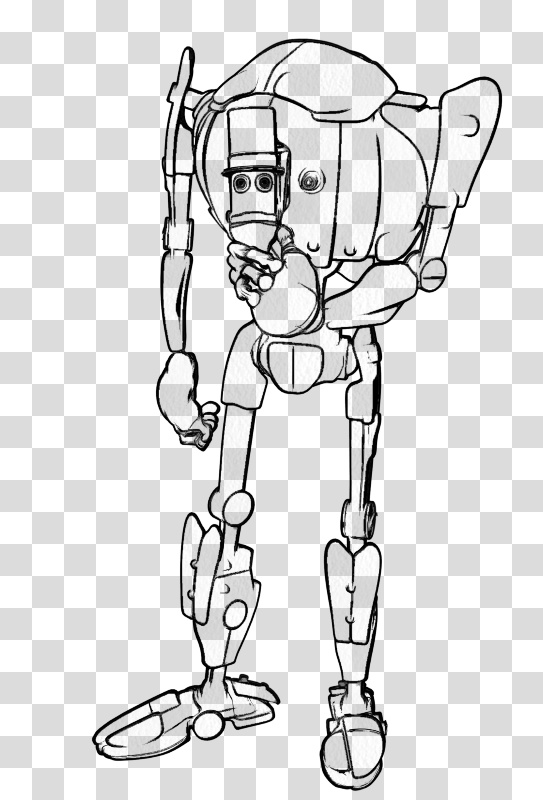
Alternatively, if you like the Poser Comic Book inking/rendering style and want to keep it, the best option can be simply to import your lineart to VideoScribe. It will actually automatically vectorize and you then choose the reveal style…
The bottom-left one is the best. It might appear that VideoScribe is preparing to draw ugly blodgy lines over your lovely lineart, but that is not the case. What it’s showing is where your lines will be revealed, not drawn.
What appeared to work best for this import was a 600px PNG with a plain background. On playback the hand and pen darts about all over, since there is no “order of laid-down lines” to follow, but if you set the draw time to sub 5-seconds then the flickeriness is not going to be too wearing on the audience (though a few may be on the floor having a flicker-induced epileptic fit). It’s also possible to remove the ‘drawing hand’ or just use a pen-nib instead. For reveal times, the best VideoScribe scene/video settings are said to be…
Another possibility is that you vectorise in Inkscape, set a new top layer, then quickly paint over it with a brush in an approximation of hand sketching. You then make these drawn lines fat enough to cover the lower drawing, and set the top layer to have an opacity of zero. When brought into VideoScribe, you can apparently tell the reveal “hand” to follow only the lines on the top layer, thus cunningly revealing the already-done layer beneath. That would given you a more realistic “drawing by hand” effect, on playback. Like I said, it’s all “smoke and mirrors” in this corner of graphics-world.
Freebie: Ronk and roll
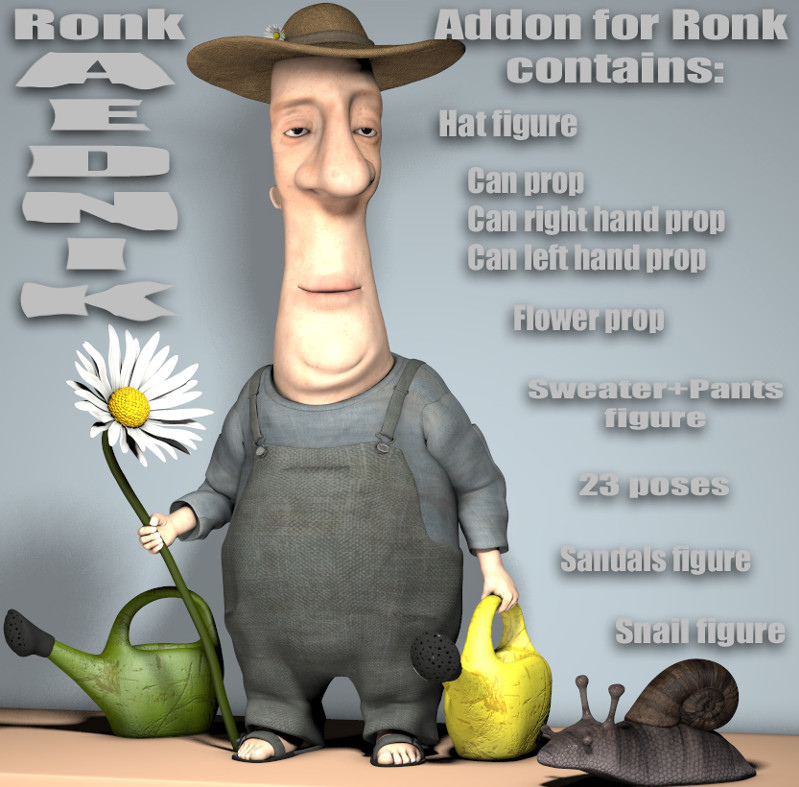
Ronk Aednik, Nursoda’s free add-on pack for his new Ronk figure. Commercial use.
Millennium Cat animations packs
Two unique animation packs for DAZ’s Millennium Cat are currently discounted by 55% at Renderosity. Both packs have a .ZIP of Poser .CR2s and a .ZIP of AniBlocks for DAZ Studio.
Animations for Millennium Cat for Poser and DAZ. Video demo.
There’s also more dramatic animations (prance, a jump up, an arch back and arch back and walk away) as Animations and aniBlocks for Millennium Cat 2. Meaning the second such pack, not that there was a version 2 of Millennium Cat.
Even if you don’t want to do animations, there are effectively hundred of static poses to be had here, currently for just $9 for the two packs.
Lots more animated animal pack-demos at AnnieMation’s YourTube channel.
The latter pack is also stated to be “Also compatible with DAZ House Cat with dForce Hair”. I wonder if the first is also? I’ll have to test that, and also see what else can take these animations.
It appears that DAZ have removed the original Millennium Cat from sale in favour of the DAZ House Cat, but I see that the Millennium Cat LE is still listed as being in the 3D Starter Pack. LE offered the same cat but without so many morphs embedded. Many will however already have the original Millennium Cat in the runtimes. While now somewhat superseded for close-ups by the DAZ House Cat and the Hivewire House Cat, Millennium Cat is still useful for artist reference, painterly Sketch renders and Poser Comic Book renders, and it can of course also take Poser dynamic fur and has two Look At My Hair presets. Incidentally, this LAMH presets link also has presets for House Mouse, Squirrel, Lyne’s Fox, an Arctic Rabbit for Lyne’s Domestic Rabbits, Silverkey’s Giraffe and others. All free.
MilCat with LAMH preset, 3Delight render.
A new search-engine
During my recent PoserPython script hacking and bodging I felt the need for a unified search box of the relevant core websites and forums. As such there’s now a new Technical search page on this blog. It’s early days with 20 sites indexed, and in due course I want to add a few more smaller Python sites. But it’s fairly good already. It’s not meant for finding goodies to buy, but rather for finding helpful technical information without spam, scams or sellers of snakes.
Skin and eyes-only render from Poser
Following on from my recent “How to extract skin and eyes for colour blending” post, I think I’ve now successfully cracked the ‘skin and eyes-only render’ problem for Poser 11. The extreme use-case is: how is your graphics software going to select just the skin on this render, by colour, without complex fiddling around in Poser with setting Toon_IDs for each material, setting up a Firefly render and masking?
Instead of trying to render just the skin from Poser, which does not seem possible in a form partly masked by clothes and hair, there’s another option. I instead have Poser render everything except the skin as black or dark grey.
To do this my Python script scampers through the Poser scene in a few seconds and looks for hair, props, conforming clothing. For anything that isn’t the figure itself. For what it finds, the script sets the diffuse colour nodes to black. A preview render is then made. As this is obviously a destructive script, after running the script the user is prompted to revert the scene to the last saved state.
The resulting real-time Preview render then has skin that can be easily selected and masked in a graphics programme, even if in the original scene the figure had red hair and was wearing a red outfit. Which would have confused the heck out of the software’s skintone selection process.
In PhotoLine (which I now prefer to Photoshop) an Action can automate the ‘Channel to Selection’ process and in a microsecond it has whisked out the skintones and eyewhites to their own layer…
Her eyes have also been selected, but that was because they were a soft skin-like hazel colour to match the outfit. This layer can then be used to restore colour to the skin after a render has been run through several filters and plugins to make it look hand-painted.
Photo.Net can also extract the skintones, using the Color to Alpha v2.2 plugin. Which is probably better if you need fine control over the eye-white selection. It’s very likely Photoshop also has such selection capabilities in its newer subscription version, though readers will have to discover those elsewhere.
Your (only) choice for a third-party Photoshop plugin appears to be Imagenomic Portraiture 3, which has automask of skintones, but which doesn’t return a selection mask (it all happens inside the plugin). It also fails on dramatically-lit pictures such as this…
The advantage of a scripted Poser render is that even if you have a dramatically lit ‘sunset forest’ scene like this, you’re still going to get a relatively easy mask. Because you’d just tweak the colour in the script from black to bright green, and render against a bright green plain background (hide all other elements). The masking out of the bright green should then be very easy, leaving only the skin and eyes.