The new free “All Purpose Strand” is a SuperFly ‘universal shader’ for Poser 11’s Hair Room strand hair and fur.
My saved PDF copy of the instructions. New textures can be easily plugged into the shader.


The new free “All Purpose Strand” is a SuperFly ‘universal shader’ for Poser 11’s Hair Room strand hair and fur.
My saved PDF copy of the instructions. New textures can be easily plugged into the shader.
It’s the start of the month, and here’s my pick of what was new in September for DAZ Studio and Poser…
Science fiction:
Overkill HD for Genesis 8 Male.

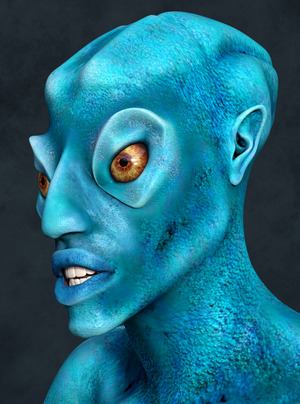
Ceremony HD for Genesis 8 Male, an alien creature who might benefit from a space-suit exo-skeleton. A less photoreal and more stylised alien is the new Amphen, an alien standalone for DAZ Studio.
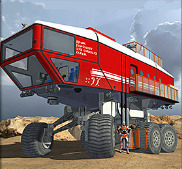
FA FireBlade MEEV, exploration vehicle for Poser. Also has free Agency textures (NASA etc).
An Easy Snap Space Habitat for near-future space stations.
A Sci-fi Hospital for DAZ Studio.

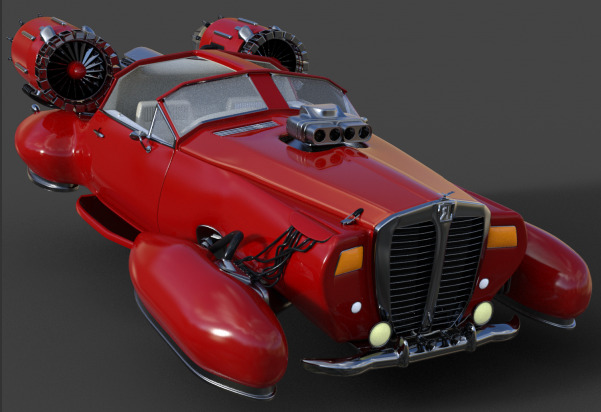
The free Retro Sci-Fi Hover Car.
Steampunk:
The Streets of Steampunk by Stonemason.

Bastien Curly Hair and Beard for Genesis 8 Male.

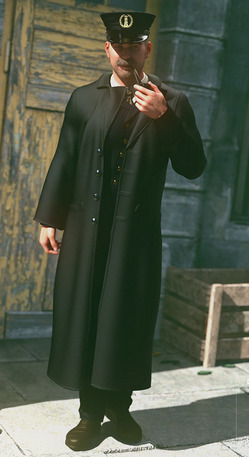
dForce Lighthouse Keeper for Genesis 8 Male.
Some of the Weird West items on DAZ this month could work for steampunk.
Figures:
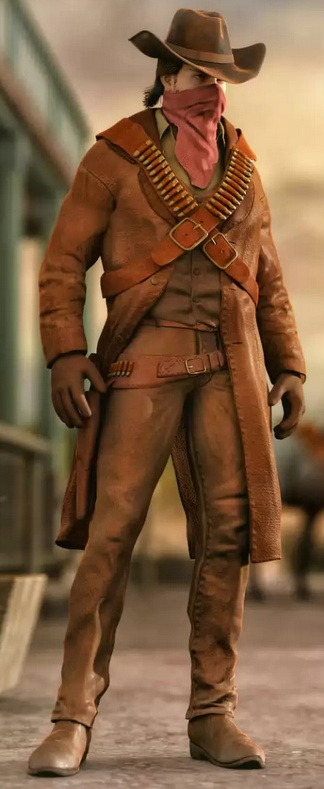
Dhani for L’Homme, a character makeover for the L’Homme male figure that ships with Poser 11 and 12.

Toon:
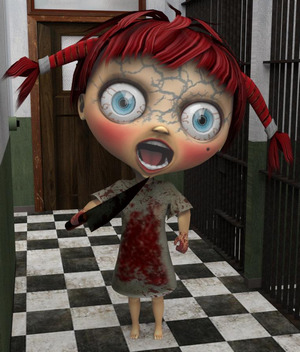
The free 4 Little Robots set.

Eyeballs for Sakura and Genesis 8.

The free Better Fur Bump Maps For Melody & Micah.
The free Headphones 2, semi-toon headphones.
Storybook:
Straw-hat-with Hair for DAZ Studio.
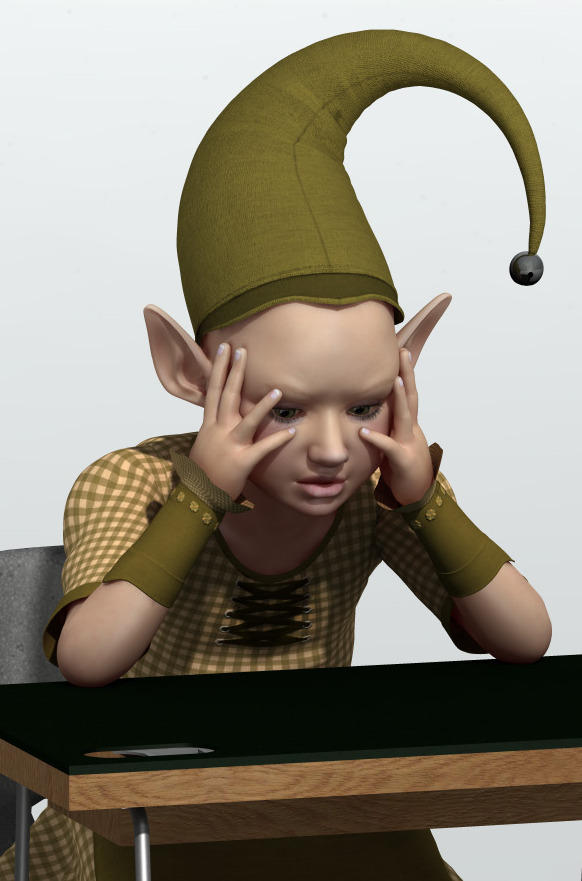
Just PreSchoolers Pose 04 for G3 and G8.
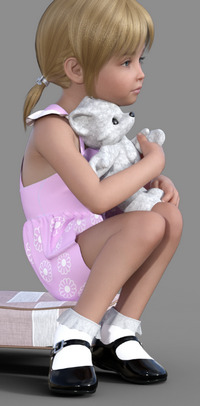
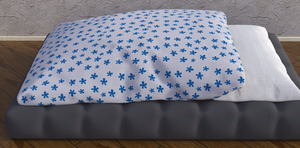
dforce Blanket 3, free for DAZ Studio, and an Airbed for DAZ Studio and Poser.

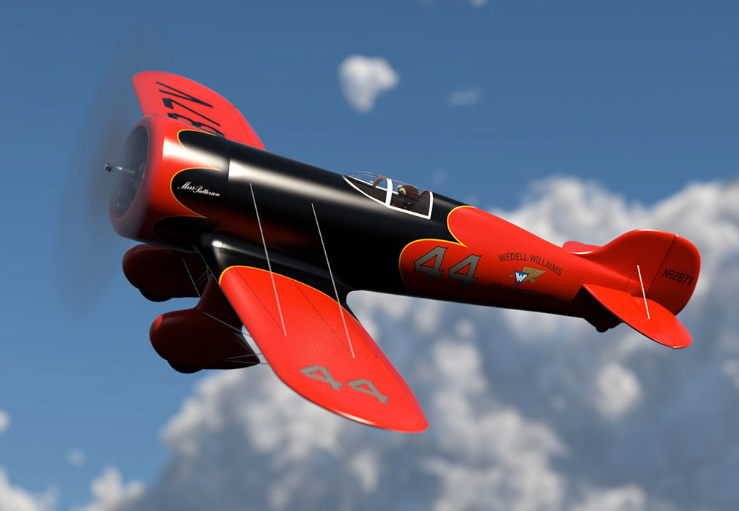
A free Toy sit-on plane in .3DS format.
Historical:
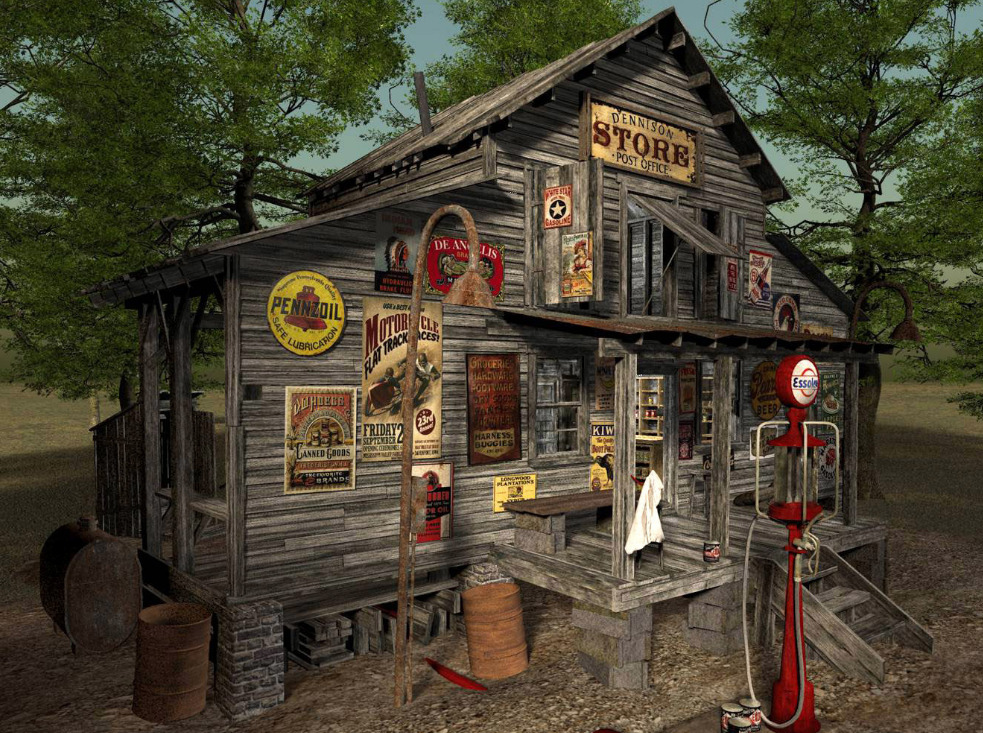
MS20 Country Store for Vue and OBJ. And the new Seb HD for Genesis 8 Male and Old Jeb HD for Genesis 8 Male to manage the store.
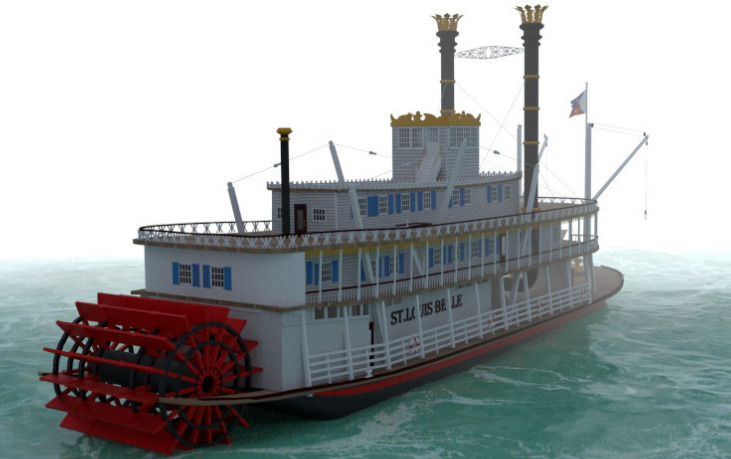
A free classic American River Steamer paddleboat. There has been a host of very fine looking Wild West items on the DAZ Store this month.
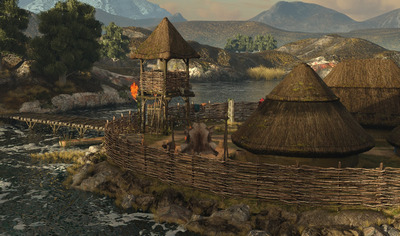
A Celtic Crannog on Lough Ea, a fortified lake-town.
Egyptian Chariot Warfare for Daz Horse 2. There’s also been a host of Ancient Egypt items on the DAZ Store, including some mummies.

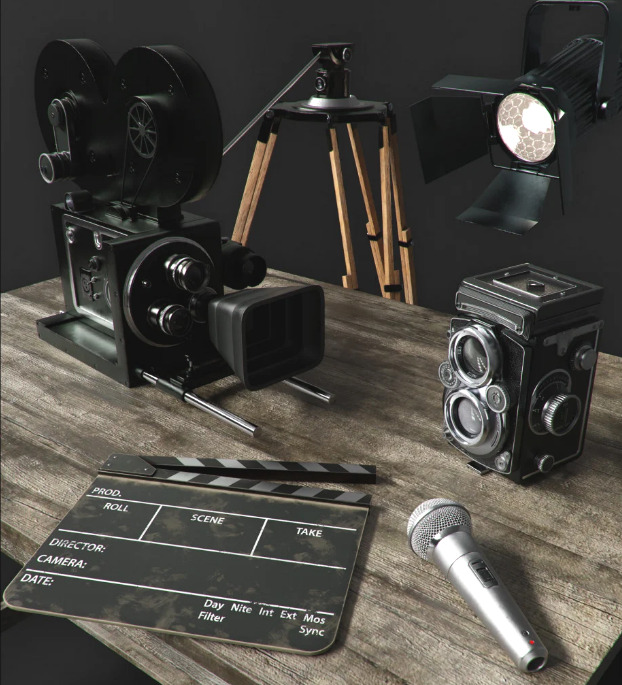
Vintage Film Props and Shutterbug Pose Collection for Genesis 8 Female.
A grim communist city set for Blender, from LightArchitect.

Landscape:
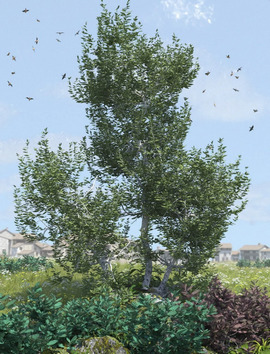
Olive Grove – Ancient Olive Trees and Mediterranean Shrubs Vol. 1.
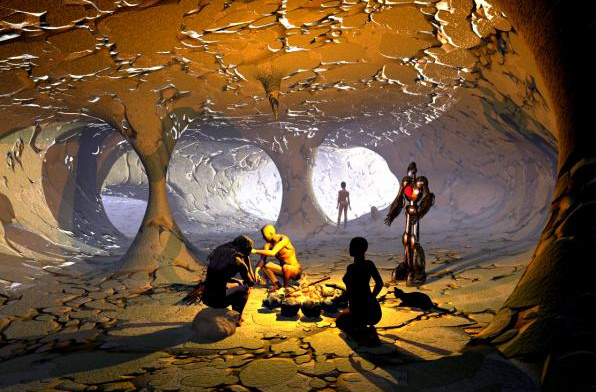
The free Skull Cave & Expansion
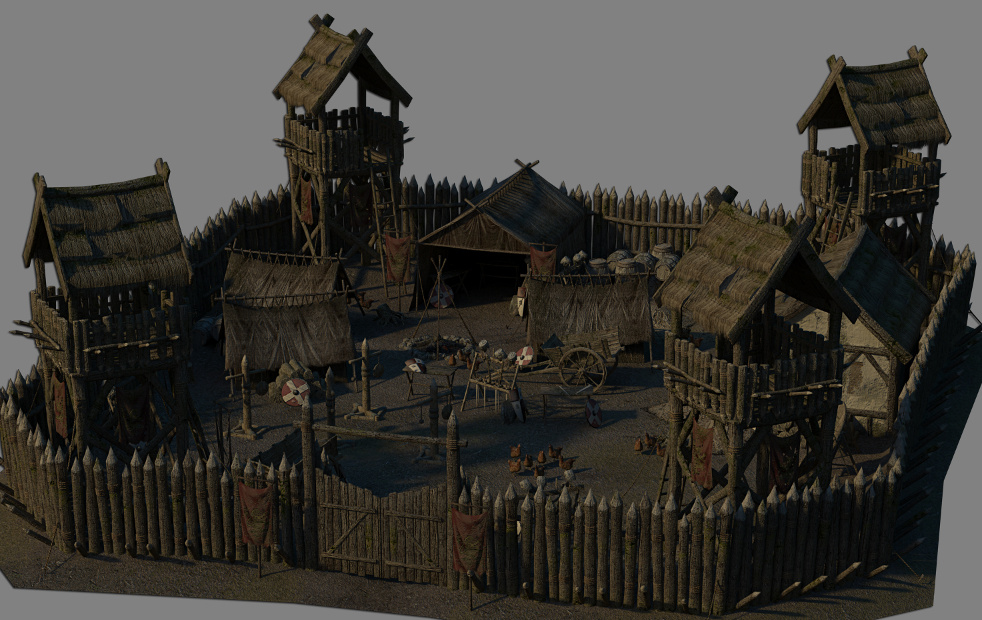
Mountain Pathways kit by ShaaraMuse3D.
Photo Plants: Bamboo World by ShaaraMuse3D.

Corals 2 for Unity. The maker also has a nice line in other semi-toon asset packs.
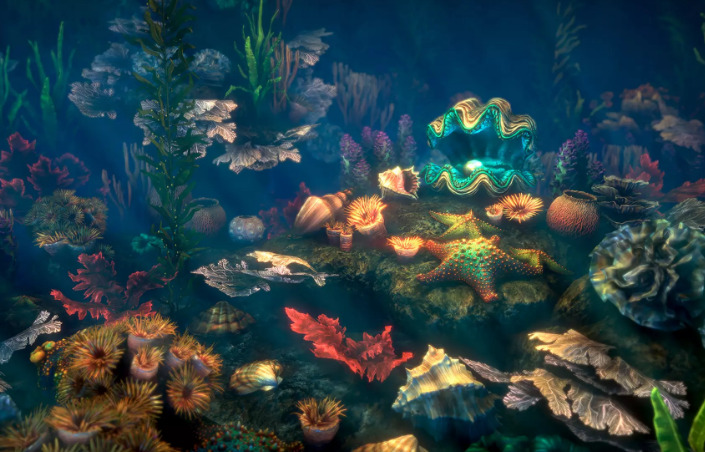
Raffy Raffy has gone from CGTrader, which is a pity, as he was really the only reason to buy from them. A limited range of his Vue work is still available on the ArtStation Store and CubeBrush.
Animals:
Tetracovine Original Creature with Fur and Accessories for DAZ Studio, from Sixus1. Very nice.
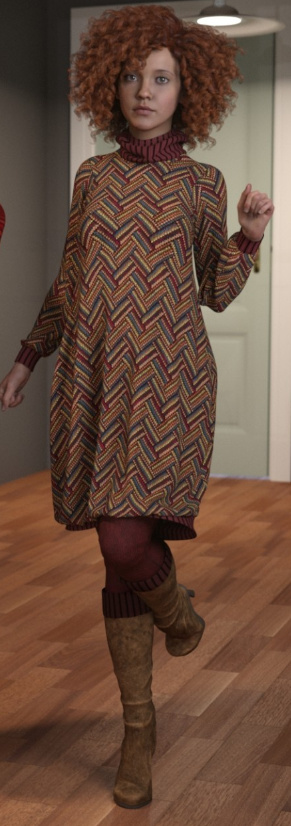
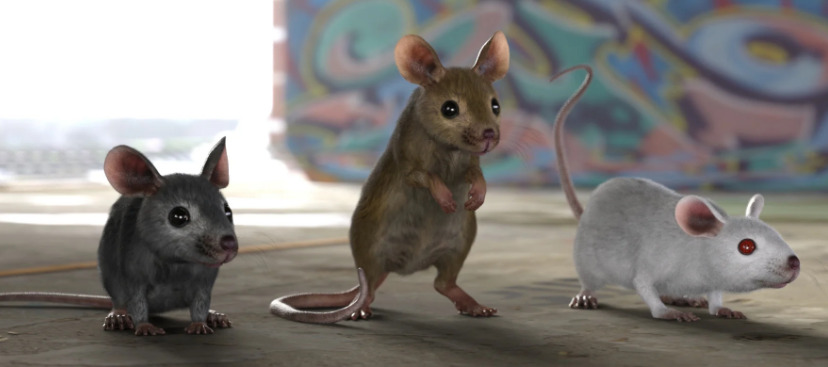
Mouse by AM with LAMH presets, a Hollywood-quality photoreal mouse.
African Elephant Updated, “a reworked version of the African Elephant for Poser, in HD for DAZ Studio.” Appears to require the original African Elephant.

Scripts and utilities:
Face Mojo – Facial MoCap Retargeting for Genesis 3 and 8. Supports facial motion-capture from the iPhone X, iPhone 11, or iPad Pro series 3.
Automatic OBJ Exporter. A free streamlined way to get a posed and dressed figure in the Genesis range over to Poser for use with the Comic Book mode, with speedy poly-reduction along the way. Requires the $50 Atangeo Balancer.
Genesis 8 Clones for Genesis. Fit G8 stuff to the original Genesis figure.
A free Avatar GF8 With Bones for Marvelous Designer.
Tutorials and learning:
Vital Tips in Getting Started with DAZ Studio and Managing DAZ Studio Content.
ZBrush Sculpting Project for ZBrush, ZBrush Core and ZBrush Mini.
And finally, the Smith Micro Forums complete in keyword-searchable form, and a partial Runtime DNA forums archive too. Vast stores of community knowledge, especially for Poser.
That’s it for the picks, more next month!
Fantasy Attic’s Halloween Freebies 2020. 31 days of freebies, one per day to Halloween, starting on the 1st of October.
What’s that you say? You want semi-automatic speedy export of any Genesis figure from DAZ Studio, to use with Poser’s real-time Comic Book mode? What? And you also want it posed and clothed?
And you’d like to add fast and stable poly-reduction to about 200,000 polys, to make the figure wieldy inside Poser in real-time? And you want all but the unwanted specular textures loading back onto the OBJ, when you load it in Poser?
Oh, and you’d also like the poly-reduction to be done by an efficient stable super-fast third-party decimator that doesn’t crash or stall (i.e. MeshLab), or take forever to produce a crumpled mess (i.e. DAZ Decimator), or which needs three hours of wrangling and head-scratching to even start to make work (i.e. Blender)?
You’d also like this done in less than four minutes?
So… you want a miracle, right? Well, it’s here. All this is available in the new free Automatic OBJ Exporter suite of scripts, which provides a step-by-step and highly-automated way of getting posed/clothed Genesis figures to Poser for tooning. Works in Windows only, and to be so fast it requires the $52 Atangeo Balancer — which a script will launch from an icon inside the DAZ Studio Library.
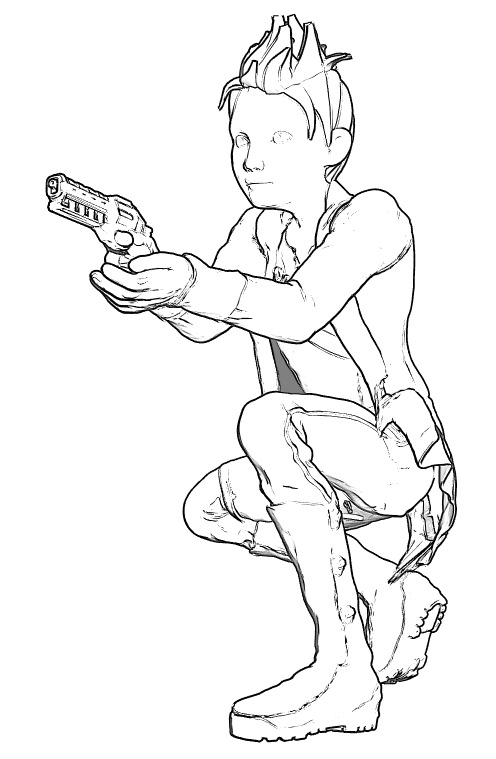
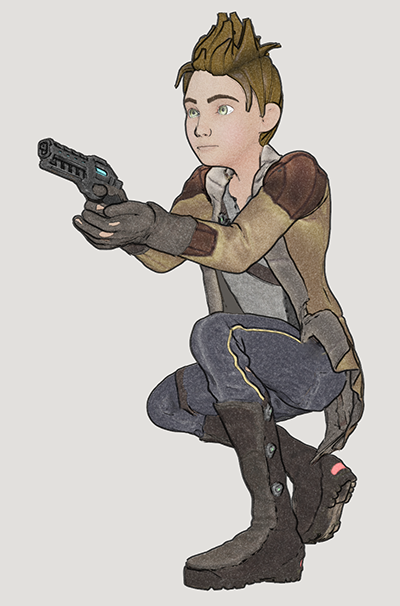
G8M, with lineart and toon in Poser 11. Yes, with extreme poses / tight clothes you may have to fix some poke-through via Photoshop’s heal/clone brushes. And yes, you’ll also likely want to blend in a shadows render too, which hasn’t been done for this demo.
There’s a clear read-me, but here are a few extra tips on use:
1) On importing to Poser, there will be a message that the Specular materials cannot be found. They’re not needed for toon and are not available because they were deleted earlier by a script. Just carry on loading and the rest of the textures will load on fine.
2) Once you’re happy with your reduced OBJ in Poser, obviously you then re-name its export sub-folder to something meaningful like Export_0001_Kid_Bounty_Hunter_01 and also delete the larger original OBJ in that folder (it’s the one that now has a -bak file-name). The next time you run Automatic OBJ Exporter, you rename the final created export sub-folder as Export_0001_Kid_Bounty_Hunter_02. And so on. Otherwise Automatic OBJ Exporter will over-write your older exports.
We have more news on Poser, giving a price and an approximate release date.
The date given is still a bit vague, at “Late Fall”. Which would put the release-window between Renderosity’s store discount cut-off of 24th September and the 31st October (which would be the last point that one could reasonably call “late Fall” or Autumn). You can understand that they don’t want to be more specific, since competitors could launch a big ‘must have’ 80% sale a week before and thus drain everyone’s PayPal at just the wrong moment. But it seems possible Poser 12 may be here quite soon now, perhaps even as early as the end of September. I assume there will be a generous free trial, like there is for Poser 11, which should allow for testing and thus allow for some facts to calm the forum hysterics.
So, on price there will be a $129 upgrade price from versions of Poser 11, which is quite reasonable seeing as this is for Pro with its additional features, not the old Standard. In the old days you’d have been happy to pay $129 just for Poser Standard. Also, you can currently get Poser 11 Pro for just $80 at Neowin Deals. ‘Five days to go’ on that, as of today. Given the possible release dates for Poser 12, it could be your last chance to get that deal.
But there won’t be any upgrade path from the old Smith Micro versions prior to Poser 11. That’s fair enough, as it’s something that greatly lessens the programming and help-desk load for Renderosity. People can hang on to antiques like Poser 6 and Poser 2014 forever, for some backwards compatibility, because these versions don’t “phone home” and thus should last as long as Windows. But there comes a point when users can’t expect their antiques, made by another company, to also be perpetual golden-tickets to a shiny new Poser 12.
Slightly worrying is the lack of a crossover period, and an apparent abrupt change…
“Poser 11 will no longer be available for purchase after the release of Poser 12”.
Worrying because that opens the door for some forum trolls to slyly suggest to newbies that their Poser 11 will stop running in a few weeks’ time. A forum clarification would have been useful in that respect, to the effect that Poser 11 will keep running and that 11 will continue to be supported at the help-desk.
In the meantime…
“The full version of Poser 11 is also discounted at 40% off” at the Renderosity Store.
Though note that the $80 Poser 11 Pro version still available via Neowin Deals for the next five days.
There’s also some misleading forum-mongering about a “replacement” render engine. This claim is not at all justified by the official announcement. The announcement says Blender’s Cycles (aka SuperFly) will have its version updated, not be junked and replaced. A Cycles upgrade for Poser 12 should be great news, as Cycles has come a long way since 2012 and it will likely mean rendering speed improvements for SuperFly.
Some additional Poser 12 information has been released by Renderosity, include a hint at the release-window.
* “The Blender Cycles (Superfly) render engine updated”.
I suspected they would do that. If they go to the latest version then that should mean faster rendering times.
* Python updated
As previously announced. I assume they will go to the latest stable version, and then keep it stable rather than trying to keep pace with the latest .point versions. A number of PoserPython scripts may have to be updated for Poser 12, but that’s quite usual for a new Poser version and forum people are already working on that. A few forum freak-outs are happily proclaiming it’s the end of the world and that Poser is about to burn to the ground, as usual. But as usual… the useful scripts will get fixed by hard-working people who roll up their sleeves and do the required work, rather than crying doom! on the forums. The only real uncertainty is DAZ’s DSON Importer plugin, which brings in DAZ-format props and also G1 and G2 figures.
* “Post Render Effects, to speed or embellish renders for single frame or animation renders”.
Interesting, if they’re useful and not just a half-dozen cheesy filters. I wonder if Poser 12 will plug in something really powerful, like G’MIC, somehow? Just my guess.
* FBX import/export improvements. … Unimesh support features sprinkled throughout the code base.
Yes that would be needed for export to the Unity game engine, which is not in the list but which was effectively a feature announced in the recent call for beta-testers. Will this prevent the usual “exploding FBXs” which so hamper use of the FBX format for clothed characters? Will we be able to get clothed and posed FBX’s out of Poser, rather than T or A-pose? We’ll have to wait and see.
* “Material Room overhaul, with material-assignment power tools”.
Excellent. Anything that makes materials stripping / swapping / tweaking easier will be welcome. It would be nice if this was integrated with the Comic Book Mode, by enabling what the animation industry calls “MAT capture”… which means that Poser looks at the colours of the underlying diffuse and its texture, computes and averages them, then strips them out and replaces them with a newly generated flat toon material… of the same colour shade. Ideally you’d then get a quick pop-up colour wheel appearing next to the character and carrying all the new colours on it, thus enabling the user to make quick micro-refinements.
* Poser Reference Manual in HTML as well as PDF.
Nice, and it would enable search engines to get into it. Which might lessen the helpdesk and help forums burden by perhaps 20%, at a guess.
* Deprecated features will include: Face Room (better third-party tools exist); Path Palette (ill-conceived); Kinect support (unsupported); Flash support (obsolete).
Path palette was for animators, and probably only about a half-dozen people have even heard of it. The required Microsoft Kinect hardware can still be had from eBay, but you’ll need to be targeting an earlier version of Poser to use it. Fair enough that it’s going, and I think it was fairly bad at face capture anyway and only good for bodies. It will be interesting to see if there’s real-time face expression/animation capture via a webcam in Poser 12, which would give Poser 12 some parity with other software, but that’s just my guess. As for the Face Room, it is at least free and I’m always loathe to see still-usable free stuff vanish. Will it be pulled entirely, or just left as is and no longer supported at the helpdesk or poked at by the techies?
* “There is a strong likelihood of a 12.1 release in Q1 of 2021 with more unimesh support and new content options.”
Super, so that sounds like we can presumably expect the Poser 12 release between now and Christmas. Which was the expected release window. That would make sense, targeting the “back to school / university” university crowd while they still have some budget or grant money left, and also prepping Poser 12 to be picked up in the Black Friday spend and the Christmas gift market. Start saving double-hard in your PayPal balance for Black Friday, and with the Poser 12 upgrade price factored in, seems like good advice. One way for users of older Poser versions to prepare would be to pick up Poser 11 Pro now for $80, and thus unlock the Poser 12 upgrade price.
Two vintage Poser forums are now on the Internet Archive, in newly searchable form: one (threaded, complete with images, 2016-2020) and two (a substantial archive of posts, but not complete and no images). Get ’em while they’re hot.
Once downloaded and extracted these can be searched with desktop-search software such as: DocFetcher (free and the best, but was broken by the very latest Java update); Multifind (free but has limitations); Copernic Desktop (nice but subscription-ware); or dtSearch (for pros, very expensive but you may find an old copy somewhere). Or, possibly there’s something in Windows 10 that bypasses the need for such extra software. I’m running on Window 8.1.x (thank goodness), so Windows 10 is a mystery to me.
Durn it, the old Smith Micro forums have been erased. Taking with them not only the old Poser forums, but also Manga Studio (Clip Studio) and MotionArtist forums. The my.smithmicro.com/docs/poser/ PDFs have also gone.
Update: Now un-shmushed…. You’re welcome.
 Posted in Companion software, DAZ Studio, Poser, Special Offers and Discounts
Leave a comment
Posted in Companion software, DAZ Studio, Poser, Special Offers and Discounts
Leave a comment
PzDB 1.2, now just over $20. Nice. There’s also a free trial of 1.3, if you just want to test PzDB first. For indexing a huge runtime you’ll also want to run this freebie first, which will fix any missing thumbnails before you then index with PzDB.

Only via the Store link above. Those who just splug down onto the main landing page see a higher price.
Posted in Companion software, DAZ Studio, Poser, Special Offers and Discounts, Spotted in the News, The Animation Industry, Vue
Leave a comment

The DAZ Studio fur-and-hair plugin Look At My Hair 1.6 is currently on a 50% off deal at the DAZ Store. Its companion LAMH 2 iRay Catalyzer plugin is also 50% off at around $7. Note that the latter iRay addon only works with a few “LAMH models [creatures] compatible with the Catalyzer”, so it you want LAMH for some other use than DAZ LAMH-enabled creatures then the extra iRay addon may not be needed.
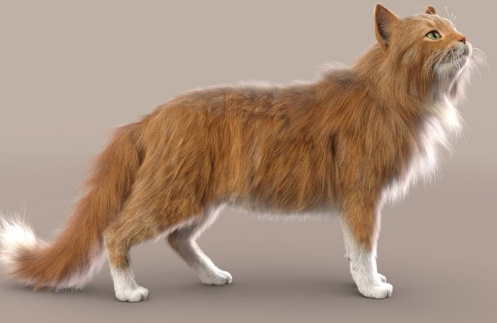
Just be warned that it’s well known that LAMH is extremely crash-prone, and it needs to be learned fully and worked in the correct way if you’re to try to avoid some of the crash points. I can confirm that it’s crash-prone, and that it will usually take down DAZ with it. Check the forums for advice and some possible workarounds for such common problems. One of the worst problems is when it crashes DAZ on trying to load a finished scene that was saved with LAMH hair in it — users might save two versions of such a file just in case, one with the preset applied and one with it removed from the scene.
That said, when LAMH can be made to load/render, a preset is simple to operate in terms of fur colour and density and it renders reasonably quickly in 3Delight. Very quickly in default lighting, less quickly in complex lighting. For instance here I have dear old DAZ Millennium Cat with a black cat texture MAT (Classic Cats pack?), a fairly tough ‘Caressed by Light’ light preset #05, and the LAMH short preset for the MilCat ramped up to 260,000 hairs. Even with the tough lighting and many hairs, this render is done in five or six minutes for me. And that’s with me not using the Xeon workstation, just the normal desktop PC.

3Delight. Raw render, no postwork.
Since version 1.5 LAMH has also offered easy export for Poser and Vue and even .OBJ…
New in 1.5: LAMH will now create optimized FiberHair for rendering in Poser and Vue … applies compression to the fibers to control the size of the exported hairs. … LAMH will include the UV’s and custom textures with the FiberHairs, providing a complete asset” for export. Also… “provides the option to write the FiberHairs to .OBJ format.
… and export is relatively straightforward (provided you can actually load the LAMH preset and pose, without DAZ crashing-to-desktop). Such exports alone may thus be worth the $25, when LAMH is on a 50% discount. Indeed, it may even enable iRay (I’ve yet to test that myself) as Kendall in the forums gives some possibly good advice re: taking LAMH FibreHair exports to iRay…
“Do not generate the FiberHair until right before render. [Because FibreHair doesn’t auto-follow the pose]. The FULL version’s FiberHair export will put the generated hairs DIRECTLY on the model in the DAZ Studio viewport.” I also read a little later that “It is no longer necessary to export out FiberHair specifically for iRay … LAMH takes care of determining the rendering engine and adjusting accordingly.
Nice, if that’s the case. And apparently FiberHair exports can also inherit the colouring of the base diffuse texture (.OBJ export of strands don’t).
And I guess that if one then intends to do a lot of iRay rendering with FiberHair, DAZ 4.12.1.83 is current minimum — as that was updated to include “NVIDIA iRay RTX 2020.0.0 (327300.2022)”. That’s important because the iRay devs reported in the early Spring that their new iRay… “2020.0 final has just been released” and strand fibers do “especially well” with the new iRay 2020 + an RTX graphics card. Even fibres with dense intersections do very well, they said. Thus I presume that DAZ running iRay 2020 should help with the speeds on LAMH strand hair, if you have the required graphics card type. Possibly even if you only do CPU rendering, though that’s another guess. According to the forums this ‘Speed’ setting, in particular, might also help…

The current public beta of DAZ Studio is at 4.12.1.117 for the very latest, which is what I’m now running on. As well as the addition of iRay 2020, in recent 4.12.1.x releases the technical Changelog notes several dForce version updates and .OBJ import/export improvements.
For people looking at fur options I should note that Poser 11 Pro has a Hair Room built in, in which basic fur is relatively easy to make and quick to render. I seem to recall that Hair Room fur colouration can automatically take up from the diffuse material’s pattern, if needed. But I hear that LAMH can also do that, though not for .OBJ exports.
There’s also the new DAZ Studio Strand-Based Hair Editor, which is similar but more stable than LAMH. But the problem there is… it has no cat presets! In the meanwhile, LAMH has excellent cat hair, both the old MilCat and the new Hivewire HouseCat. And actually, thinking about it… I have yet to see a single animal preset produced for the native DAZ strand hair. You’d have thought that, a year after release, we’d have fifty or more animals furred by now. Is the absence because such hair can only be saved if there’s a base mesh to ‘grow on’? And that mesh can’t be redistributed, as it’s part of the commercial model?
It’s getting near the end of the month, and so here’s my pick of the new Poser / DAZ Studio items that have appeared since my last round-up.
Steampunk:
Vampire Hunter for M4, for Poser and DAZ Studio.

Your hunter probably rides the new Steam Motorcycle.
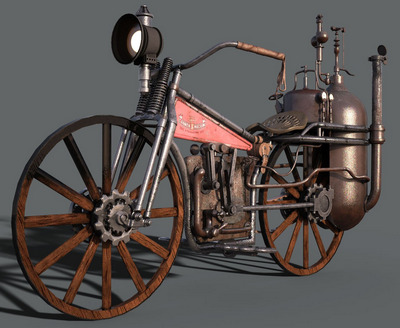
Where’s he going to chase a vampire? Could be the Steampunk Arboretum for Poser, now at Renderosity. Formerly known as the Great or Grand Arboretum and part of the Steampunk City Volume 1 set from Meshbox. Be aware that their models are older, but well made. Check your Vue content to see if you already have it there under the name “Grand Arboretum”. If not, there’s a Vue version at Mirye.
All that glass may need a defence force, so you may also want the Zeppelin Station for Poser.
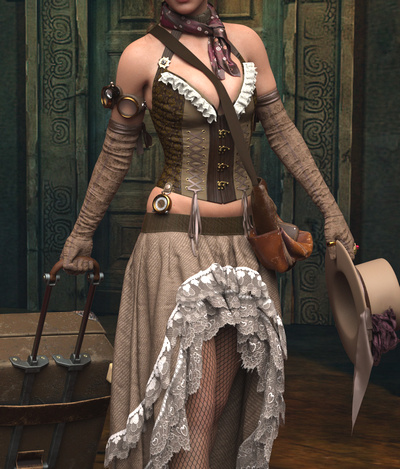
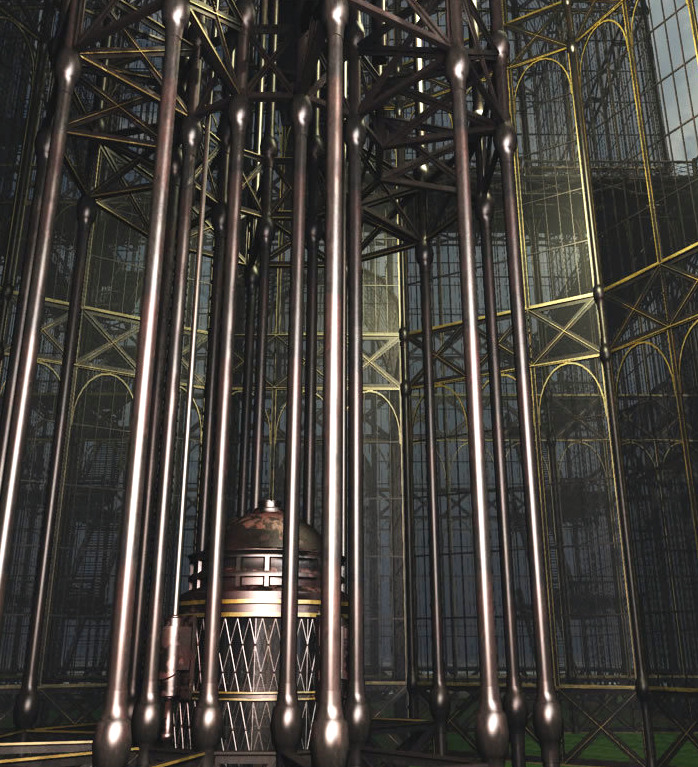
For lights for the Steampunk Arboretum, see the hanging lamps and low-poly Antique Street Lights which both match the Arboretum.
Science-fiction:
The free MC saucer add ons for Alien Invasion Saucer.

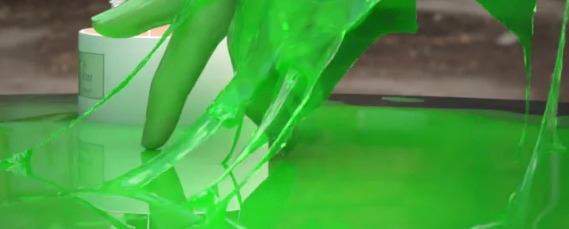
Got aliens landing their UFOs on your lawn? You may need the new dForce Slime and Goo.
City Container Houses Set from 1971s, for Poser and DAZ Studio.
The Saturn System for DAZ Carrara and DAZ Studio. Saturn and its system of moons, useful for scientific illustrations as well as pictures of of robo-kitties surfing the rings.
Storybook:
Hr-237 hair by Ali, with a suitably storybook look to it.

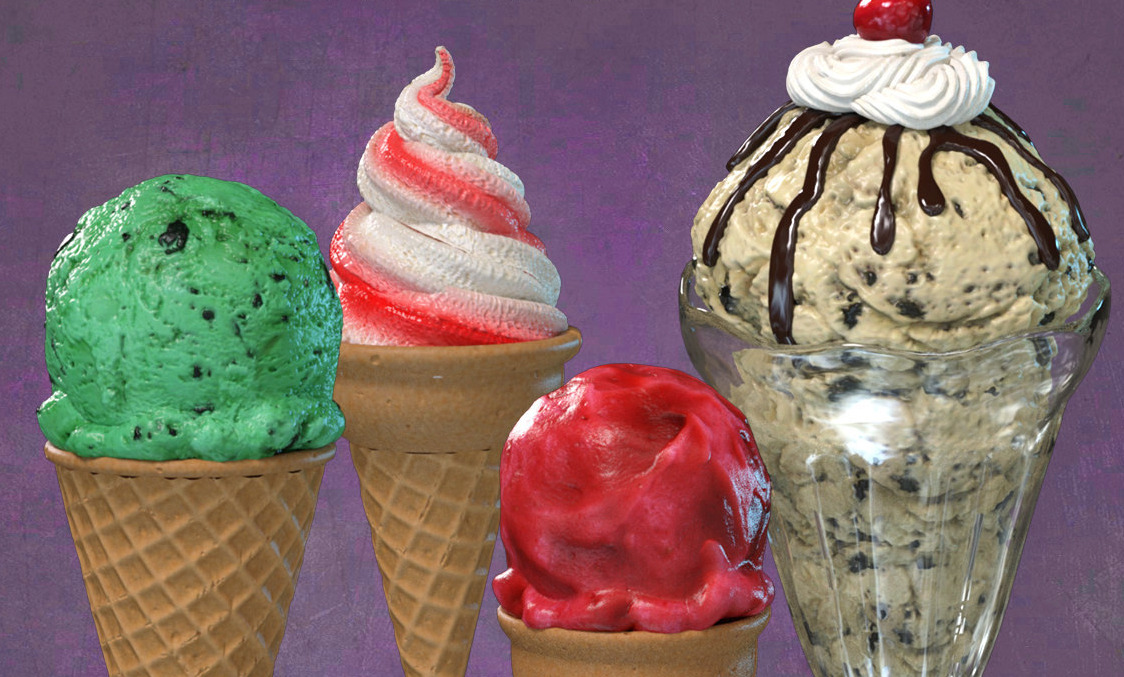
Exnem Ice Cream Props and cones for DAZ Studio, as “fit to hand” smart props and poses.
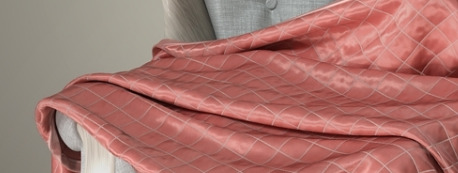
Realistic dForce Blankets for DAZ Studio. Could also serve as ‘magic carpets’, perhaps.
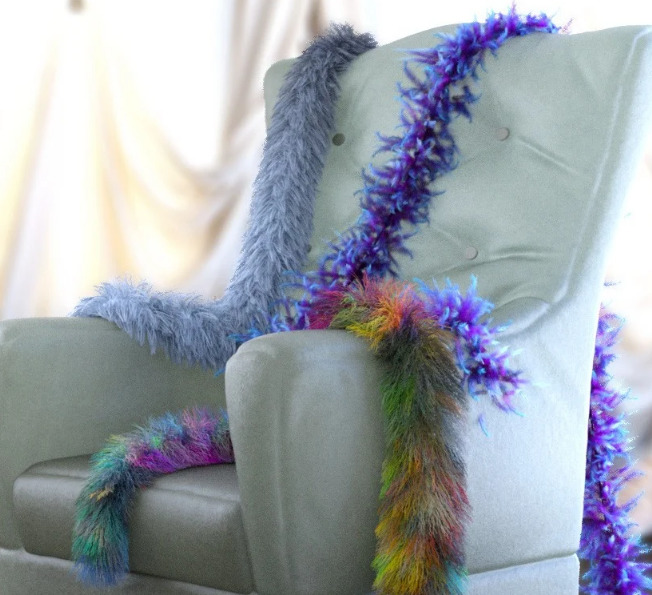
dForce Fur and Feather Boas for G8F.
dForce SY Capes II for Genesis 8. This second set has a more superhero look, but could also be used for storybook characters such as a wicked queen.
Historical:
A free Temple of Venus in .OBJ and for DAZ Studio.

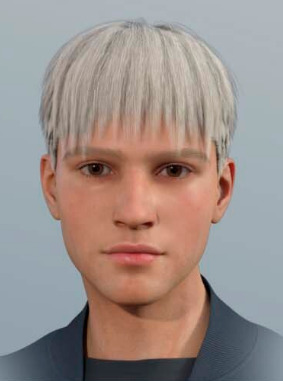
Deepsea Adam HD for all Genesis types. Appears to be very suitable for renders that recreate classic ‘old master’ paintings and Biblical scenes.
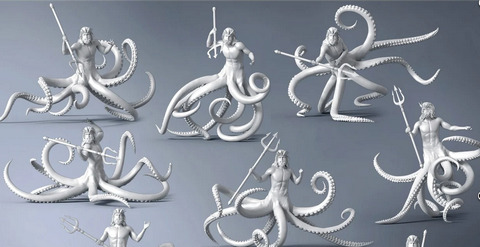
God Of The Sea Tentacles Props and Poses for Genesis 8. Again, very suitable for renders that recreate old mythic scenes. Not that I recall seeing octopuii men in old paintings, but you never know…
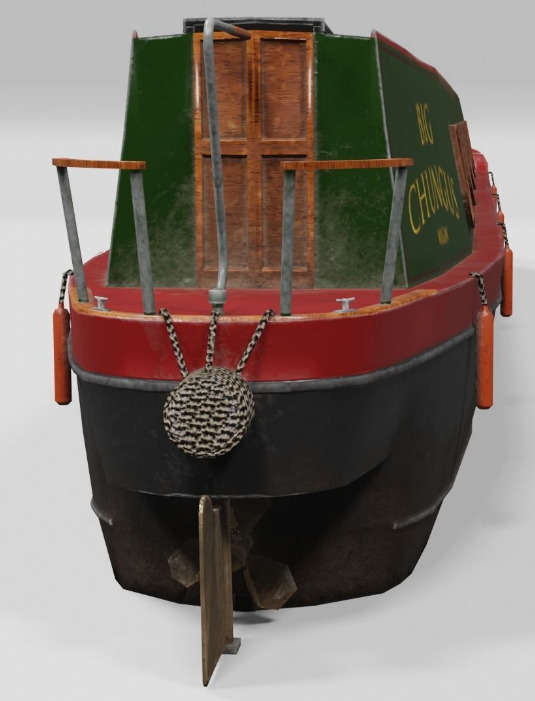
A British canal 3D canal narrowboat. In low-poly, so you could have an armada of them converging on Dunkirk.
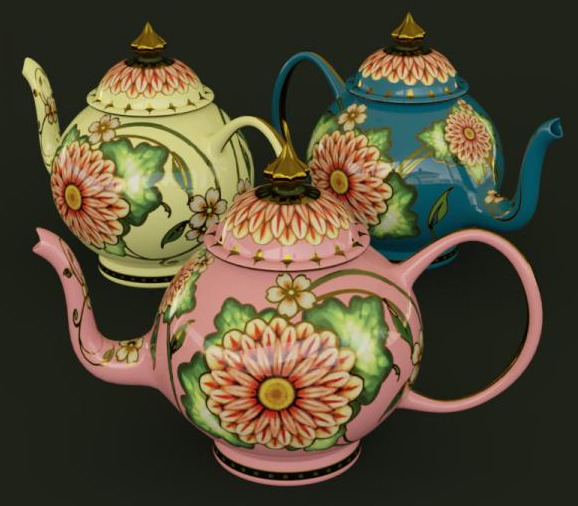
A free Painted Teapot, circa 1895, for DAZ Studio. Not canal-ware matching the narrowboat, but close.
15th Century for M3 is available again.
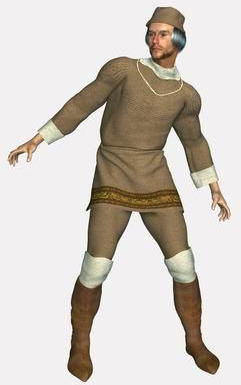
A vintage Letterpress Case for Poser. Metal letters were sorted into this, ready to be picked out and assembled to make a page for a printing-press.
Animals and nature:
The HiveWire Tiger for Poser and DAZ. This requires the HiveWire Big Cat as the base. There are also Tiger LAMH Preset and Animations for the HiveWire Big Cat.

There’s a new Cat Rig for Cinema 4D.

A new Peregrine Falcon for Deepsea’s Eagle.
Ken Gilliland’s new Nature’s Wonders Bee Swarms & Nests.
A free pack of Bubbles and Rays for underwater Poser scenes.
Landscapes:
Pebbly beach for Vue 11 or higher, from RaffyRaffy who makes a welcome return to Vue after a run of Blender scenes. Very nice. I’ll be picking this up on Black Friday, along with a few of his others for Vue.

ShaaraMuse3D’s HD Shrublands, a dry setting suitable for smaller desert cats and the like. Though possibly the uplands of India has areas that look like this, where tigers roam.

Olive Grove with Ancient Olive Trees and Mediterranean Shrubs Vol 1 for DAZ Studio.
The free Easy Terrain in .OBJ, suitable for Halloween or First World War winter battlefield scenes.
For figures:
Free Vellus Hair for Genesis 8 Female, this type of hair being faint downy cheek hair.
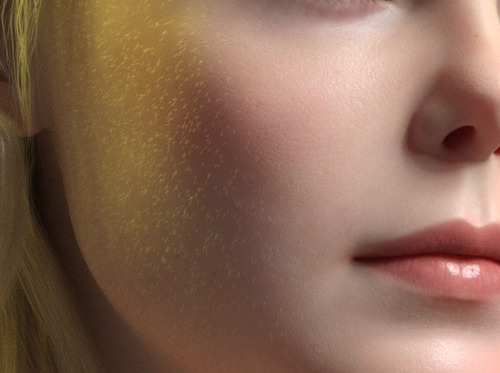
A free morph set, Gone LF for La Femme. Removing eyes, or nose or mouth. Possibly useful for those who manually intend to ink or paint in these features on the render. Possibly also interesting starting-points for a science-fiction or horror makeover.
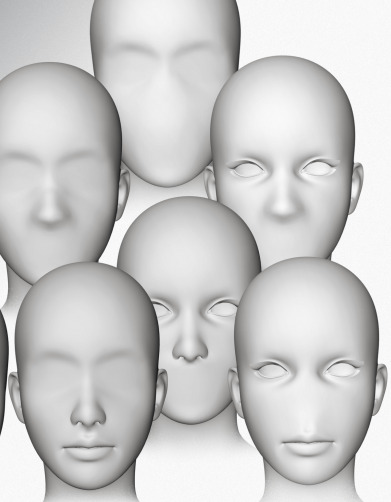
A free supermodel body type for La Femme and a younger body type for La Femme for Poser.
A free pack of chest morphs, EMB for La Femme for Poser.
A free Ball Joint Doll for G8F in DAZ Studio.
Shutterbug Pose Collection for Genesis 8 Female. Being an unusual set of “making pictures” poses for a SLR photographer.
Obvious fan-art:
For non-commercial fan-art use, obviously.
The Man Without Fear for G8M, a Daredevil-alike for DAZ Studio.
Free Star Trek Uniforms for G8F.
Fur, shaders, materials, geo-shells:
Hair settings transfer for Poser. Fairly easily build a preset library for fur, and apply these in the Hair Room.
Me195’s free but WIP mt5 and node screenshots for cat hair in Poser. Don’t just grab the first link, you need to read the whole thread and notice that there are later updates to the freebie based on tester feedback. It’s still not complete.
Basic Shader Pack for Poser, possibly useful for comics work with the real-time Comic Book Preview mode. “30 open source shaders for you to use. Develop yours for sale or as freebies, using this set.”
RAMWorks ShinyShaders for Poser. Mottled and shiny, perhaps especially useful for natural things like shells.
Geoshell Skinz for G8F. “This pack is sure to be a major resource for your artistic renders. Utilizing DAZ’s Geometry Shell feature, this product is a simple, one-click solution … problems with extreme poses and clothing layers becomes a thing of the past.” Even if you don’t care for the presets, it’s presumably fairly easy to build your own on top of this by replacing textures etc?
Tutorials:
A useful Vital Tips in Getting Started with DAZ Studio webinar recording.
Edgy to Smooth with Subdivision Surfaces for Primitive Objects in DAZ Studio. Smooth the edges off cubes and the like.
How to make custom Poser thumbnails, with Windows freeware and a free Python script.
Change Shadow Intensity of Selected Lights in Poser.
Making billboards in Poser, with auto-masking.
Offers:
I see there’s a “50% off” moving sale at Teknology3d.
That’s it, more picks next month!
I can now report on my experiment with a gig on Fiverr that offered to “Download an entire website from the Internet Archive Wayback Machine”. You can only choose one date to grab, and hope for the best. I had picked a date in late 2015.
Joseph came through and provided a 310mb .ZIP containing 1.1Gb of archive that Archive.org had backed up from the RDNA forums. 3,000+ forum threads, plus individual posts, back to 2005. It’s something I’d have never have obtained otherwise, since it involves typing in command lines and other ikky stuff. He knows how to do it, and is happy to do so for just £6. I’ll use him again for this sort of thing.
I didn’t expect Joseph to re-link everything, and make the RDNA forums ‘as if on a working site again’ — because it was a .PHP driven site. For that reason, it’s highly unlikely to ever go online again as a working site.
Once the delivered .ZIP was extracted I then had dtSearch index all text in the files, thus providing desktop keyword-search across the archive. If you’re following in my footsteps, and need a free desktop search tool, then DocFetcher is a good freeware equivalent to the paid dtSearch.
Here’s what I get on a test search across the archive. Definitely worth $6 to save this sort of knowledge, I’d say…
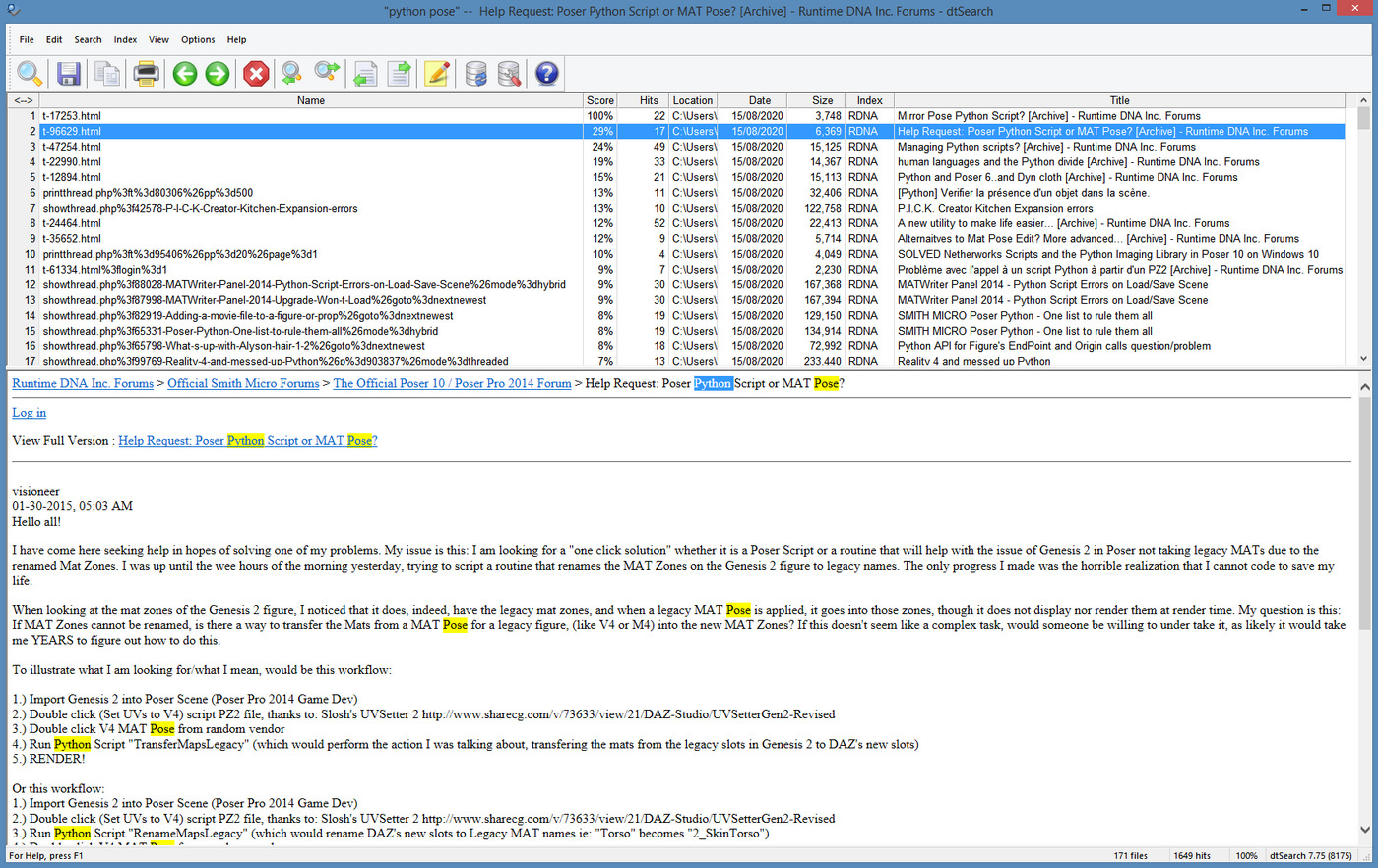
Possibly some of the Poser official forum was later ported to Smith Micro, but I also see Okham stuff back in 2005, on this search. It’s likely only a partial capture, but it’s pretty large.
Update: Community archive of the old Runtime DNA forums at the Internet Archive.
Heavy Vue users may also be interested in grabbing the old and vanished Cornucopia forums. Does anyone have the URL which those used be located at? Update: found it at cornucopia3d .com / forum / index.php — but Archive.org does not appear, at any point in time, to have archived any of the actual posts. Just the names of the forum threads.
I found gnuThumbnailer 1.2. It’s a free thumbnail generator and batch image-processing tool from 2015, in English and German.
What can it automatically apply to a batch of thumbnail renders?
Images can be stained (sepia effect, grayscale, user-defined color).
The colors of images can be overlaid.
Can make images lighter or darker.
You can add a colored or a transparent border to your images.
You can add a watermark to your pictures.
Very nice, especially since I can’t get the Netherworks Thumbnail Designer to work, which I bought a couple of years ago. gnuThumbnailer appears to do more or less the same thing as Designer, albeit working outside of Poser.
gnuThumbnailer is free for non-commercial use, and is pay-what-you-want if you use it for commercial work. It’s for Windows and Linux and requires Java, but it has a portable version (which means, if a future Java upgrade breaks the software, as can happen, the Portable should still keep running because it bundled the required Java runtimes).
So, Poser content makers reading the above description will see the options here, for helping to automate the making of standard 91 x 91 pixel Poser thumbnails in 16-bit .PNG, but… with your own border and brand overlay easily added via an automated batch process.
Ah, but how to get a nice set of uniform thumbnails for gnuThumbnailer to work on? What you want there is D3D’s batch “Render Content” script that ships for free with Poser 11, as an ‘official partner’ script. This is found at… Top Menu | Script | Partners | Dimension3D.

This script appears to be a expansion of what used to be his “Batch render poses” script (which no longer loads for me in Poser 11, even with AVfix). The new “Render Content” can make batch renders from a set of Poser poses, and there’s also a slot to load a reset pose in…
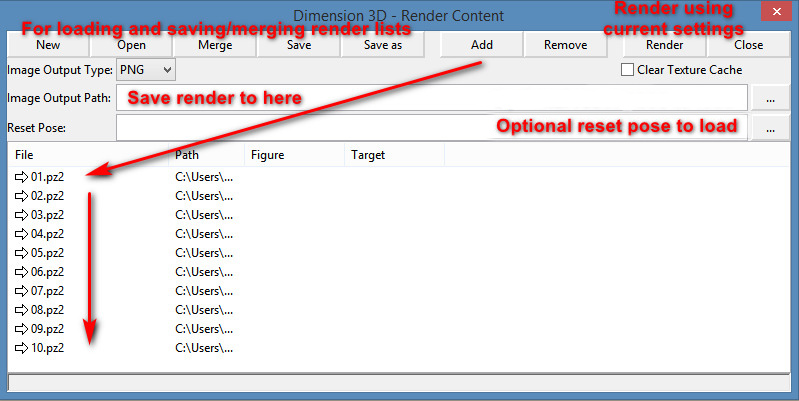
There’s no Help or entry in the Poser PDF manual for this, but it’s fairly easy once you’ve spend 20 minutes figuring out what the buttons do and testing it. Your Poser pose sets should be found down on the folder path…
..\content\Runtime\Libraries\Pose
… though a few freebie makers may have used ..\Poses But I guess if you’re a maker you have have saved out the finished poses saved out elsewhere, in a production folder.
The script does not also move the camera to frame the applied pose, which means some poses may fling the figure out of view of the camera. You might want to hack it, so that the figure is placed back at the scene origin before rendering.
The batch “Render Content” script then uses your current render settings, so be sure you don’t set it running on 100 SuperFly renders at 4000px, or your PC will be running through that for days. The script has no QUIT! option, once the renders are underway.
Right, so after more research I find that there are in fact two ways to have Photoshop play “spot the differences” across an image stack, and to extract those differences. This solution relates to my previous post on Poser 11’s Comic Book Preview lineart, and the desire to fix small breaks and missing ‘chips’ of inked line.
I had discovered that a click of the current Display Mode’s ball-icon subtly randomises the coverage and break-patterns of the line-art available from Comic Book Preview in Poser 11. I was thus looking for a Photoshop plugin to combine multiple PREVIEW renders made in this way, but I now find… the feature is already native in Photoshop and can be done via two different methods!
First you’d assemble your slightly variant lineart renders, made as described here. 1.png through 6.png should do it, though you could go to twelve renders if you wanted to be really thorough.
METHOD ONE:
Top Menu | File | Scripts | “Load files to Stack” (Stack is 64-bit only, do not tick “Automatically Align”). Shift-select all layers in the Layers Palette. Top menu: Edit | Auto-blend Layers | Stack Images. That’s it. Photoshop will then whizz through the stack as fast as a whizzly weasel, spot the differences, and produce a single unified image containing all those small differences.
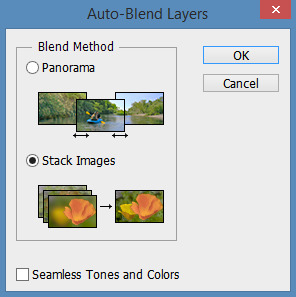
The result is not as adjustable later, since Photoshop does it a weird way and you don’t get discreet cutouts on new layers, each containing ‘just the bit that was different’.
I never knew this feature existed. Never heard it mentioned in umpteen years, or had cause to use it. It’s generally though of as a focus-stacker for macro photographers.
METHOD TWO:
1. Top Menu | File | Scripts | “Load files to Stack” (Stack is 64-bit only, do not tick “Automatically Align”).
2. Select top layer in the Layers Palette. Set its layer blending mode to Difference. Invert. ‘Select Colour Range’ – white. White highlights the bit(s) different from the layer beneath it.
3. ‘Copy merged’ and ‘paste in place’ your selection to a new layer at the top of the stack, invert it to return it to black. Ensure the new layer’s blending mode is set to Normal.
4. Delete the source layer and have the Action move down to the next layer in the initial stack. Repeat.
Eventually you have a base layer and all the differences are isolated, extracted and stacked on top. This stack of differences is more adjustable than the results for method one, for instance allowing you to delete a layer with a manky eye if needed. However, it’s probably not as computationally precise compared to Method One, because the process can only ever compare with the layer beneath it. Fragments may also have slight unwanted fringing around them.
In terms of speed, once you have Method Two as an Action they’re both about the same speed.
Either method is still not going to automatically fix tiny hairlines running across eyeballs, or noses that have double lines or broken ridges when seen at certain angles.
A free Python script Copy Dynamic Hair Room Settings…
Prompts the user to select a dynamic strand-hair prop as a template, and copies its parameters to the currently selected dynamic strand-hair prop. If no HairProp is chosen from the list, but OK is clicked, the script defaults will be applied.
Great. So to try it out I recalled that Rosemary kindly has free Fur Caps for M4 and a Dynamic Fur Capelet for M4. These can, effectively, work with the script as a mini library of hair presets.
1. Install the fur items from Rosemary. I had decided to amalgamate the M4 props under the fur cape location. Thus they were all found at…
..\props\Dynamic Clothing
2. Load one of her furred items, and place it alongside a target prop. In this case my target was a mask.
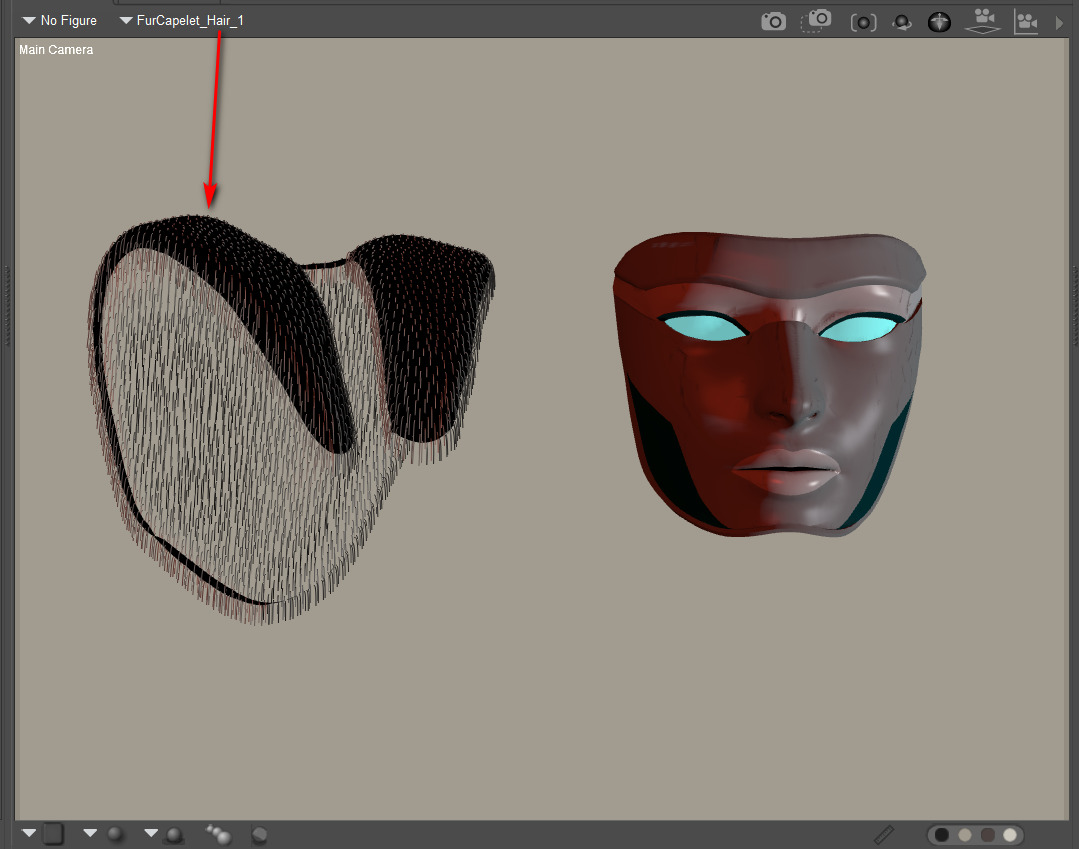
3. The hair to hair settings-transfer script of course requires… hair. Any old hair, so to add it to the mask: Select Prop Hair Room | ‘New Growth Group’ | ‘Edit Growth Group’ | Select All | exit panel | Click ‘Grow Guide Hairs’ with default settings. Your mask prop should instantly be super-sprouting with default guide hairs!
I don’t know of any PoserPython script to do all of the above basic hair setup automatically, though it should be possible. Thus a visit to the Hair Room is still needed with this script.
4. OK, now I selected the group of default guide hairs on the mask. The script was run. The other hair groups in the scene became available for selection for transfer, via a simple drop-down list.
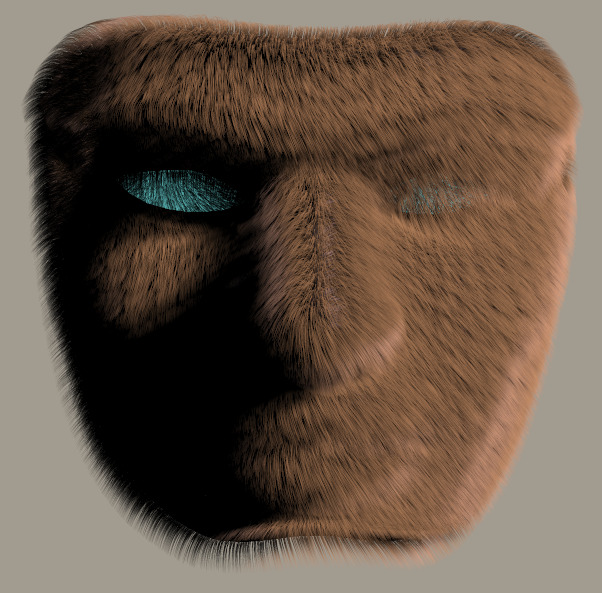
5. In an instant, the script then copies over the selected hair’s settings to the mask. Here we see the rendered result of a transfer from one of the hair groups used to make Rosemary’s hats. Only one was copied but several were used to make the hats, meaning that the results were a little sparse. That was solved by simply cranking the Hair Density Setting to 300,000 and giving the hair a slight ‘Pull Down’ of 0.00008.
Hurrah, a hairy mask…
Now what’s needed is an auto-setup script to run step 3 on any selected prop, even if you’re not in the Hair Room. And a handy library of 50 hair setting presets, each growing on a simple ball prop, to transfer from.