NeoWin Deals still has Poser Pro 11 for $80. It’s starting to look like it’s a perpetual offer from Bondware, the new top-level owners of Poser. You buy the licence there, then take it over here for the downloads.
Category Archives: Poser
G’Mic as a Topaz Clean replacement
Update, June 2022: this solution is now broken in the latest G’MIC, due to regrettable changes in the required filter. Should work on G’MIC 3.0.x or lower.
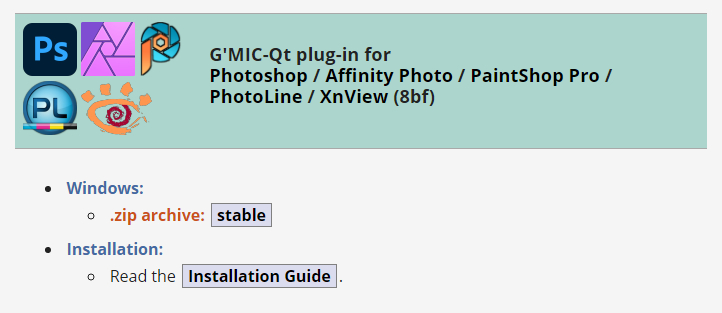
I’ve found a way to just about emulate the Topaz Clean 3 Photoshop plugin, using the free G’MIC filter set in its new Photoshop .8BF form. Since G’Mic also runs on Paint.NET and PhotoLine, it will also work there. I can’t vouch for Krita, as Krita bundles its own variant of G’Mic.
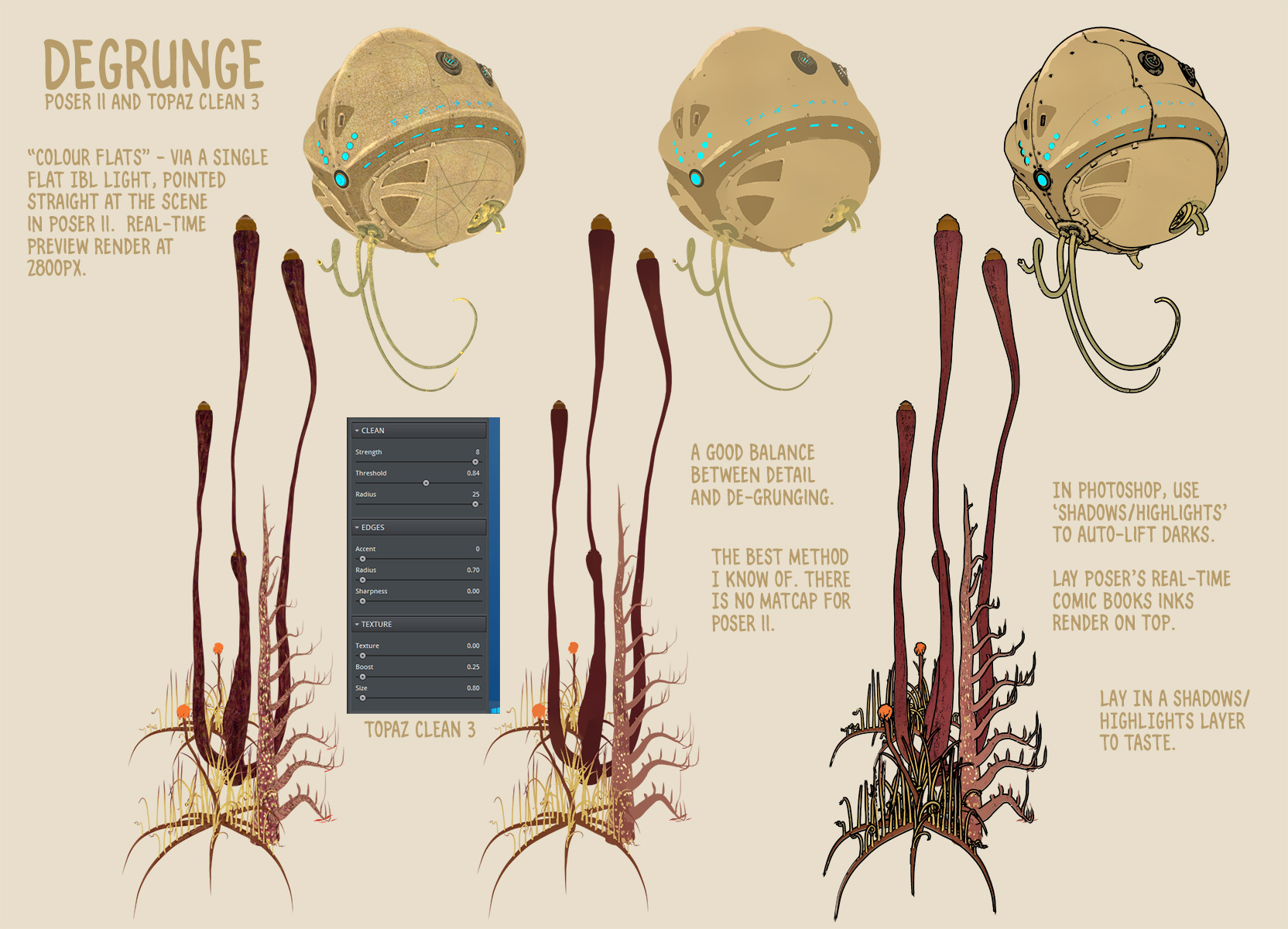
Why is this needed? Because Topaz Clean 3 is no longer sold. Clean was unique and useful for 3D comics people, old manga scanners, and those who wanted to perk up character screenshots from The Sims etc. My specific use case is filtering a ‘colour flats’ base render from Poser, which could be very nicely de-grunged with Clean 3.1 in Photoshop.
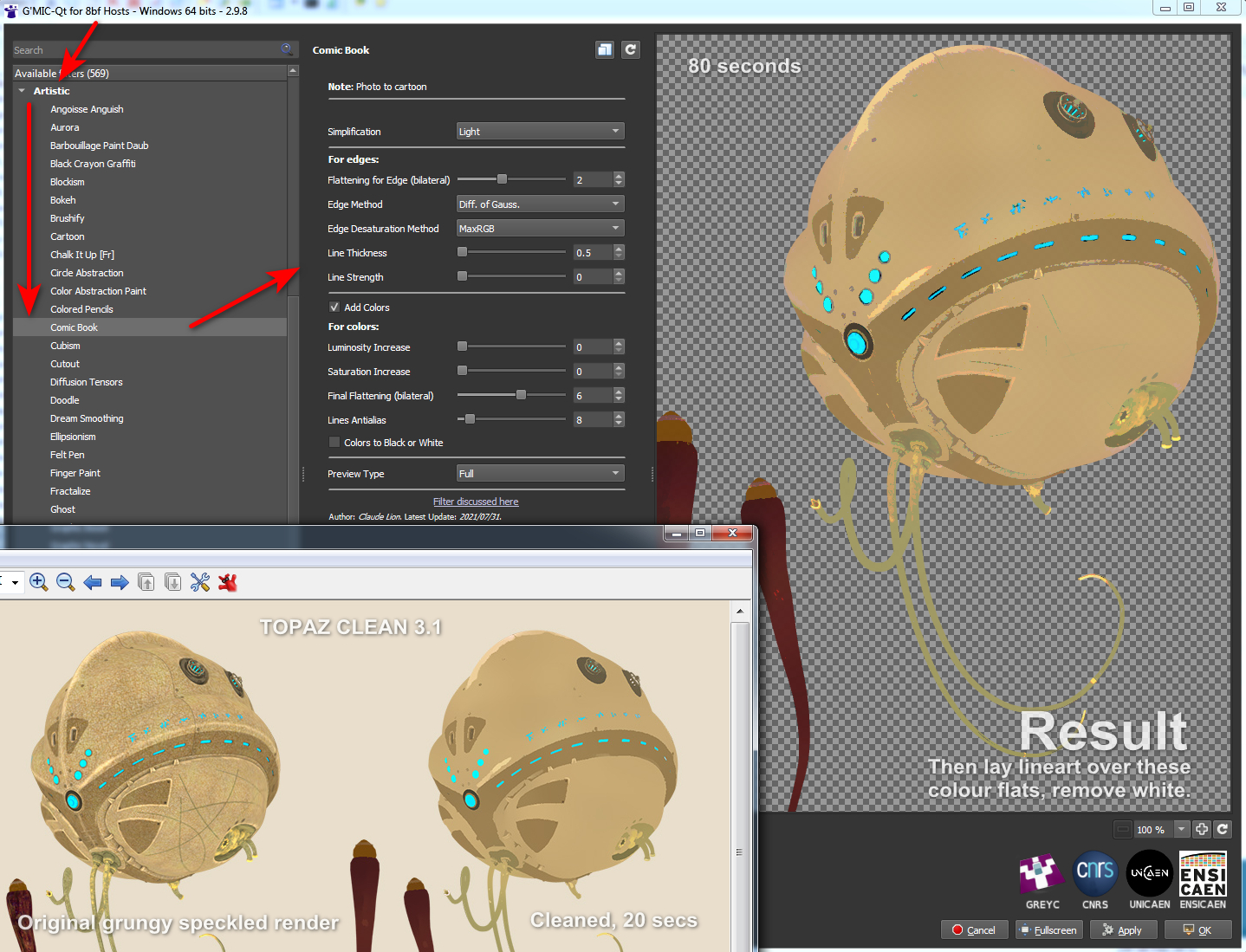
This is as close as I can get in 2021 to Clean 3. It uses G’MIC’s standard Artistic | Comic Book filter with the sliders tweaked as you see below. There is also a comparison with the original and the old Clean 3 result. The original render had already been taken some way by using a flat IBL light in Poser, but still had unwanted grunging and speckling.
Pretty close, but there are drawbacks:
1. It takes a long time to run, 60 to 80 seconds on a workstation. Compared to a much more nippy 15 to 20 seconds for Topaz Clean 3.1.
2. You cannot take the Comic Book lines off altogether. Their lowest setting is locked at 0.5. This matters little, however, as you’re going to drop a real-time lineart render on top.
3. There are still some artefacts, that seem like posterization of the colours, here and there. Topaz Clean smoothly cleans them away, but G’MIC doesn’t.
But there you go… if you need free and no longer have Topaz Clean 3 for some reason or can’t (cough) find a copy, then this should help with the degrunging job for 3D comics when using layers (colour flats / details / lineart / shadows, all on their own filter-able and editable layers).
And it can do so in a more satisfactory way than the obvious and cringe-y ‘Posterized in Photoshop’ look, or by applying some swirly-blurry mess-filter that destroys edge details. The aim here being to somewhat emulate the crisp ‘paint-bucket’ flats that a professional comic-book colourist might start the colouring process with.
Bypassing the scroll-bars problem in Poser and DAZ: with Pointix Scroll++ 2.02
Call me ‘delicate’, but I’m not so keen on painful swollen fingers and hurty-squinty eyes. Thus I went in search of a way to bypass the thin dark scrollbars in Poser 11 and DAZ Studio. Of course you can always ignore them and click into a panel/window to get ‘focus’ on it, then scroll and scroll again using a central mouse wheel and big twisty finger-movements. That’s not ideal, and such clunkiness is compounded by mouse-wheels that tend to become gunked up and anything but free-wheeling.
But imagine you could just hover your mouse over a Library window pane in either DAZ or Poser, auto-focusing the mouse into that window. Then with a single ‘right-click and hold’ (anywhere) start elegantly scrolling the window’s contents down or up. With the scrolling all then under the control of very subtle mouse movements. No need to shift focus to a different Library pane, by first clicking inside it. No need to then scrollwheel and scrollwheel again and again to get down a long list.
There’s a surprising lack of Windows helper software to do this. Some of the functionality is built into modern mice, but while they sort-of work well on browsers they can’t do what I describe above. Nor can they distinguish between different Library panels in DAZ and Poser. Is there software that can? Well, Google Code has kept the old abandonware MoScroll_0_7 beta around, but I found it very basic and so far as I can tell no longer does anything at all after install.
The best option that can is the equally old Windows abandonware called Pointix Scroll++ 2.02. Basically its unique function can be summed up as “right-click anywhere to smoothly scroll, under the control of subtle mouse-movements”, and it can handle focusing into subtly-different Library panels with ease. This software has now turned up at at WinFiles Mouse and Keyboard Utilities. There is also a slightly different copy of 2.02 on Archive.org in an old cover-disc bundle of freebies and shareware titled ‘(Czech) PC World 1999-06 CD-ROM.’ Yes, it’s that old. But… like many old bits of Windows shareware it still works fine!
After getting it (ideally from WinFiles, which is what worked for me) you then visit Carlton Bale’s page “How to Scroll if Your Mouse has No Scroll Wheel”. There he has the Netplaque and zeroes you need to enable this old abandonware. He also offers some useful settings screenshots. Tested and working for me on the WinFiles download of v.2.02. He also hosts an archive of the slightly more advanced 2.05 version, but so far as I can tell neither his Netplaque or regfix work on that.
So… 2.02 is still working fine, is stable and doing a lovely job (though I can’t vouch for it on Windows 10). Version 2.02 may thus be enough for you, especially if you need scrolling on a scroller-free device. It works very nicely with auto-focusing on and scrolling the Poser and DAZ UIs, and does the same with the PzDB 1.3 external content library manager. Very useful when scrolling past 463 similar MAT files. It’s also said to be especially unique and handy for handling scrolling and zooming on large 3D CAD files, which may also interest some readers. A commenter on the Carlton Bale page linked above said…
in CAD its function is to zoom in and out wherever you place the cursor. This is currently done with the wheel in jumps, as you can zoom only to the extent the finger can turn the wheel. And the wheel gets ruined very often. It’s a delight to just press the button and get to the required zoom at fantastic speed.
Which kind of suggests it may also be of use for things like Google Earth, though I’ve not tested it with that. I know it also works nicely with Trello, as it can also scroll sideways. A normal mouse will only scroll up and down on a Trello column. The original market was business people with big spreadsheets to navigate, hence it had to go sideways as well as up/down.
Back in Poser 11 it does not affect or work on the Poser dials, which is good, though it will scroll down a big list of morphs like any other long UI panel. It will not scroll up and down a long list of render presets in Poser, regrettably. Nor will its side-scroll work with the Poser 11 side-scrolling Material Room.
You can still make a static right-click and get the usual Windows context-menu.
Now my main problem was that it uses the right-click button, a problem possibly unique to me. Because using Scroll++ meant my trusty old StrokesPlus mouse-gestures software was bjorked, and StrokesPlus is vital for things like Back / Forward in a Web browser and in Explorer. Eek! Could StrokesPlus perhaps emulate the unique Scroll++, I wondered? Well, while it can assign things like a clunky PageUp key as acSendKeys(“{PGUP}”), its ‘local’ scrolling commands all now fail to work (not because of Scroll++, I might add). So no, StrokesPlus is not going to do what Scroll++ can do.
The most obvious solution, for me, was to…
– run StokesPlus set to a right-click.
– run Scroll++ set to a middle-click.
… and thus they don’t conflict and fight over the right-click. It’s easy to swop them over, if that proves more convenient for long periods of either 3D or Web work.
But this meant that my trusty five-year old and somewhat gunked Microsoft mouse was no longer up to the job of the middle-click. Even a cleaning and a generous squirt of WD40 would not fix it. Thus a new mouse was needed… with a highly sensitive middle-click (unlike the old one). Thankfully I had picked one up in a sale a while back, and it had been stashed in a drawer ‘waiting for the day’. It’s HP’s perfect wired clone of my previous and also perfect wired Microsoft mouse. I presume they’ve licensed this very affordable re-brand of Microsoft’s usually very expensive mouse. Get them while they’re hot.
So there, for those who need it, is the obvious additional solution to running StokesPlus (old LuaScript version) and Scroll++ 2.02 in tandem. A new mouse. The middle-click button is now a pressing-only button, although can also finesse the scroll with a slight nudge, and is thus less likely to become gunked up too quickly.
Get a bigger Sketch Designer in Poser 11
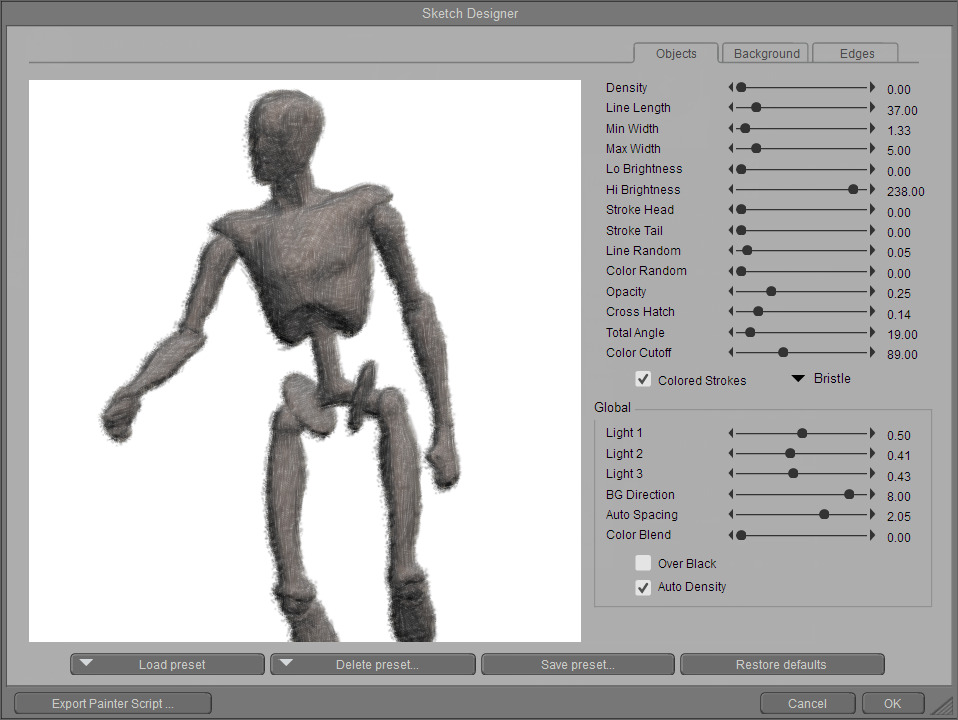
Here’s how to get a bigger Sketch Designer window in Poser 11, on a big widescreen desktop. The Sketch Designer default window and its internal preview window-size has not increased since the old days. You can of course, drag the corner…
…and thus enlarge the window. But you have to do that every time. And it doesn’t ‘stick’ between sessions. It’s not ideal.
Let’s fix that, with a perma-fix for those with PCs fast enough to run the larger real-time Sketch preview window.
1. Close Poser 11, if open.
2. In Windows Explorer open the path C:\Users\USER_NAME\AppData\Roaming\Poser Pro\11
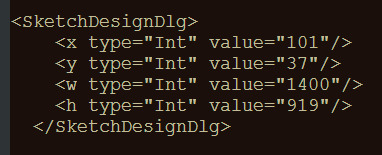
3. Find there the file Poser UI PrefMap.xml and copy a backup somewhere safe. Open the original file with Notepad++ and you will see the section…
This is fairly self-explanatory. Set the x and y screen co-ordinates where the Sketch Designer window first pops into existence. Then set how wide and high it draws out onto the screen.
4. Now take a look at how wide your current Sketch Designer window actually is. Here I have 958 x 720…
… but that’s not the XML’s default 799 x 600 settings. Ah, but I have a general UI scaling set in Poser Preferences to 1.2. Therefore you will want take this scaling into account, as most users with large desktop monitors will have scaling on. The easiest way to work it out is to grab your calculator and x 1.2 or whatever the scaling you have set. With a 1.2 UI scaling, 1000px becomes 1200px, for instance.
5. But that’s not all. Now we have a larger window opening, the initial window-loading location co-ordinates also need to be changed to re-centre it. In practice, Poser can do this for you. Open Poser with your new settings and position the larger window where you want it on the screen. Close and re-open Poser 11. You will then see that Poser UI PrefMap.xml has changed and Poser has done the added calculations for you…
With 1.2 scaling, the above gives you nearly full screen on a 1920 x 1200px monitor. But not too much, and nicely centred. But you can have it whatever larger size you want. I guess you could even have it smaller, and appearing in a corner of the monitor. Those with an ‘extended’ desktop in Windows, and two monitors, might even be able to get it to appear on the second monitor. But that’s just my guess.
The re-sizing you set in the XML is persistent across sessions. Or it is if…
i) you never try to manually resize by dragging on the corner. In which case the magic mega-size sketch window goes “pooot!”, and the factory defaults on the Sketch Designer will be automatically re-instated by Poser.
ii) if you re-run a Sketch preset via Top Menu | Render or Crtl + R, without going back into Sketch Designer first. Not sure why you would want to run the same Sketch preset twice on the same scene, though.
iii) if Poser crashes, then the same thing will happen. It reverts to the old size.
Sadly a Python script cannot re-write the Poser UI PrefMap.xml with the big settings while Poser is running. Once the software has reverted to its hidden internal defaults for Sketch Designer, due to one of the above conditions, no scripted rewrite of the relevant XML block can persuade it to go back to the big window for that session.
So there you go. No more peering into a relatively small Sketch Designer preview window, or having to manually drag and re-size it every time. Just be careful not to revert it. If you do you need to close Poser and fix up the XML again. I now have a Windows .BAT which calls a script that patches the XML automatically.
The other trick to know is to make a quick Preview render and then go straight into Sketch Designer. You then get a Sketch Designer Preview mini-window which ‘looks into’ the render size you just rendered to, which is what you need for designing custom Sketch presets. Because the Sketch effect is render-size dependent. What looks great at 800px wide will look quite different at 1800px, and may have a cut-off edge on the render. Thus you need to design presets at the size you want to render to, and then note the target render size in your saved custom preset (e.g. 1800px_fast__painterly001_run_on_smooth_shaded_with low_lights). As you can see here, it’s also useful to note the speed on your PC, veryfast, fast, 1min, slow, and so on.
My Poser 11 scripts page, link-checked and fixed
This blog’s Python scripts for Poser 11 page and guide has had its annual link-check (by hand), and has also been updated and clarified a bit. Please update any local copies you may have been keeping.
All sidebar links checked by hand, repaired
All sidebar links on the blog have had their annual check by hand, and have been updated or deleted if necessary. A half-dozen more of the many old freebie site links now go to an archive at Archive.org, and I cannot guarantee that the .ZIP files will also still be accessible via Archive.org.
Smith Micro links are now fixed, among others. The MotionArtist link still goes to Smith Micro, because the download links for the final version are still hot — if you dig into the ‘farewell’ page.
Vue link also fixed.
3D&D’s wealth of free Poser D&D monsters and fanart is gone, but many of these are now starting to turn up on ShareCG.
Lost:
The greatest loss is Nursoda’s older freestuff at klopfholz .de. His newer freebies are all at Renderosity, but his older freebies are gone. The Free page was never saved by Archive.org (I checked). Or, almost gone… as the cunning multi-search-engine wrangler (eTools is your friend there…) can find at klopfholz…
Sleepy Hein
Psili ‘shrooms
Kali Underwear
Zwoggel
… and more.
If you like Nursoda’s figures, get the .ZIPs while they’re hot. The front page is ‘domain parking’, but the freebies are still there. For now. Sadly Archive.org still refuses to capture the Free pages, so I’m assuming a robots.txt file is still also active somewhere.
At summer 2021 we have also lost the software Topaz Clean 3.x, the best solution for de-grunging renders. Especially useful with Poser 11 for comics work… degrunge a colour flats render with Clean and then lay the pure lineart on top in Photoshop. It appears to have been taken off the market, so that Topaz can focus on their AI line of software. The last version is at Softpedia and was 3.1 (not 3.3, caused by Softpedia misunderstanding “3 3.1.0”; or 3.2, caused by a misunderstanding of “3.0.2”). Redirects at the Topaz site give the impression 3.x could be bundled in the $99 Topaz Studio 2, but there’s no mention of Clean on the Studio 2 page. Studio 2 does have an ‘AI Clear’ (not Clean) but the forums suggests it is weaker than Clean and aimed at RAW photographers and is not comparable. The old Clean 3 does appear to have been in the partly-free early editions of Topaz Studio 1.x (where the standalone version could do batch, interestingly) but was removed in the later Topaz Studio 2 and perhaps before. Topaz Studio 2 was a paid upgrade from a free Studio 1, to something not comparable. Sadly the free 1.x is no longer viable (installer stub only, modules, online log-in barriers after install) and there appears to be no viable replacement for Clean 3.x, just stuff for pro photographers with 48-megapixel SLR camera RAWs to process. As if they don’t already have enough tools to do that.
Added to the sidebar:
Mandelbulb3D. Can’t think why this was not on already. But it is now.
Several printed Poser books, now scanned and on Archive.org to ‘borrow’ as if from a public library.
Poser 2014 Reference Manual. Only a stub was installed with the software, you then had to get the full 950-page manual from Smith Micro.
Poser 12 Early Access – 12.0.617
There’s a new Poser 12 Early Access version, available now. The last one looked at here was Poser 12.0.498 (dated 29th April). It’s now 12.0.617 (dated 3rd August 2021). The latest Poser 12 is still in Early Access, but the changelog shows a lot of activity and I also know there’s been even more behind the scenes.
So, looking at the Changelog, what do users have…?
Startup:
A number of fixes for quicker and smoother startup and “Fixed startup select to ‘Body’ when a main figure is loaded”. The default factory launch-state figure is now clothed… “Default scene launches La Femme figure with clothes.”
Library:
Lots of fixes and tweaks, things like “Library Search no longer returns duplicate results” and “Crash avoided on launch when library search set to NONE”.
Materials:
“Material Room significant speed improvements when displaying texture previews.” Nice, probably especially so if you’re developing clothing or materials makeover sets for Poser.
Real-time Comic Book:
Looks like some unspecified back-end change slightly dinged Comic Book Preview, but it’s now been fixed…
“OpenGL Comic Book Preview no longer clips to black [when] adjusting the camera hither/yon parameter.” and “Comic Book Preview’s Geometric Edge Line is no longer turned off, when Draw Last is checked.”
Plus many repairs of temporarily broken bits (some broken by Windows 10 updates, rather than the developers). One small Mac fix. More tweaks on the “Poser 12 Japanese localization”, no doubt useful for the large cohort of Japanese users.
Ajax Spaceman
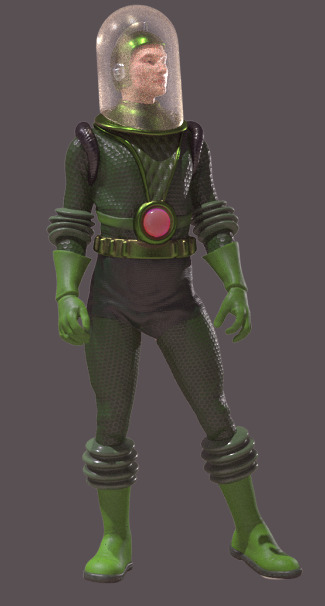
I forgot to mention this freebie in my monthly survey post. Ajax Spacemen were apparently the 1940s pulp space-opera figures that George Lucas played with as a kid on his carpet. The freebie is for Poser, designed for the free 3D&D Klingon standalone for Poser.
I did a little research on the copyright status. The line of toy figures was apparently introduced to the U.S. market in 1947 and then the Ajax Spacemen design in 1951, with “patent pending” noted on the boxes. A U.S. Design Patent then lasted 15 years. Thus I would suspect this design is now public domain, and has been since the 1970s, but don’t take my word for it if making commercial renders.
New for Poser and DAZ in July 2021
It’s that time of the month again. What new items did I notice for DAZ Studio and Poser, in July 2021? Mostly DAZ and Poser, though this month there’s also a few Vue, Carrara and Blender items.
The DAZ Store is still giving problems even when paginated and with only the one tab open — ‘out-of-memory’ crashes on a workstation with masses of RAM. No other site acts like this. There came a point where I had to give up on browsing back through the store, so a few items may have missed consideration this month. Maybe the problem is the Opera browser, but it shouldn’t be as that runs on a standard Chrome base.
Science-fiction:
Stonemason’s Core.
A holo-stimbed for Poser and DAZ.
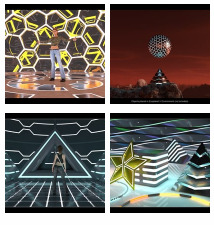
A synthwave scene maker for Poser and DAZ. Unusual, and presumably you could make your own extender kits.
1971’s new Sci-Fi Modular Hangar for Poser and also separately for DAZ.
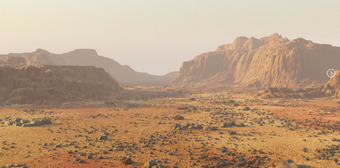
RaffyRaffy’s new Martian surface for Blender.
Tigaer’s free Abstract Organic Alien 3D Shapes and you can also buy commercial-use.
SY Liminal Pools, suitable for sci-fi scenes.
Steampunk:
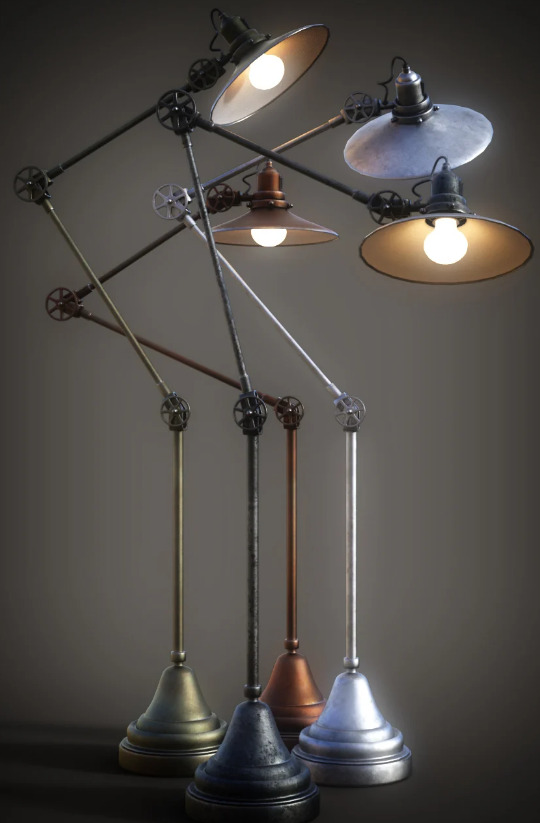
A free Love Seat for DAZ Studio.
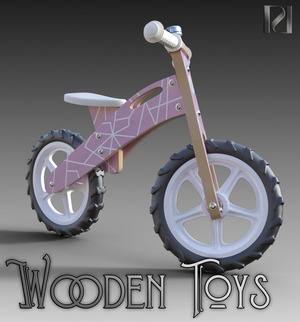
A free Steampunk unicycle, possibly fan-art.
A mid 19th century period Stockroom.
Halloween:
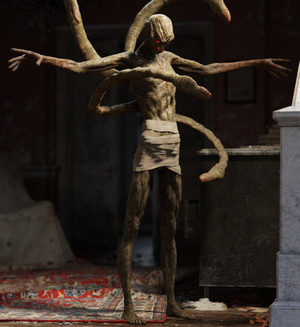
Android Mummies in .FBX format.
Fantasy:
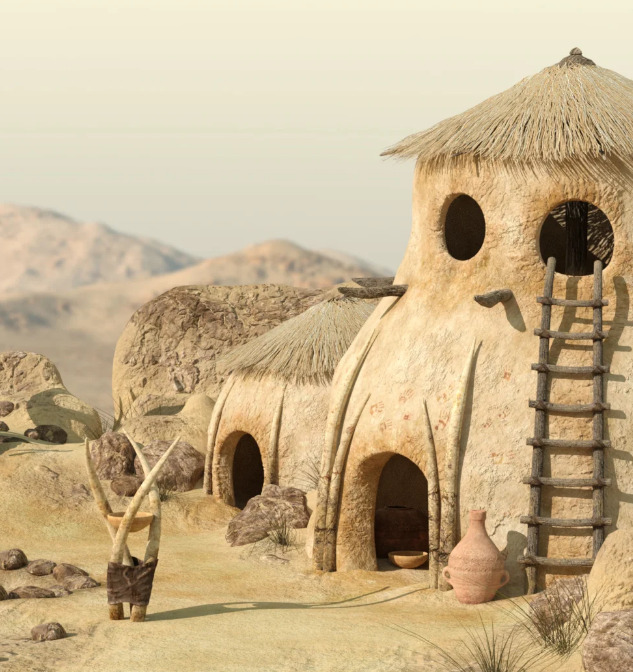
TheAntFarm’s new Fantasy Tents set and Textures.
Yee-haw… T-Rex with a saddle for Poser.
A Feligalodon, a fantasy flying-fish to accompany your travellers on a sea voyage to the Nethermost Rim of Yaan.
Toon:
A new 3D Universe figure Stylized ’21 Character and Hair. There’s also a larger male/female bundle.
16 quality free poses for Darkseal’s Fire Sprite Demon.
Storybook:
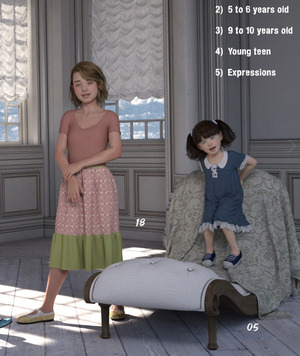
Child fashion magazine poses and expressions for G8F. Requires the ‘Growing Up’ pack(s) for G8F.
Fairy Tale Props including a gingerbread house.
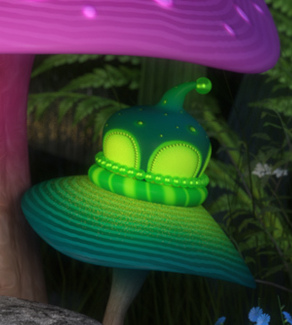
A free Travel Snail for DAZ Studio.
Landscape:
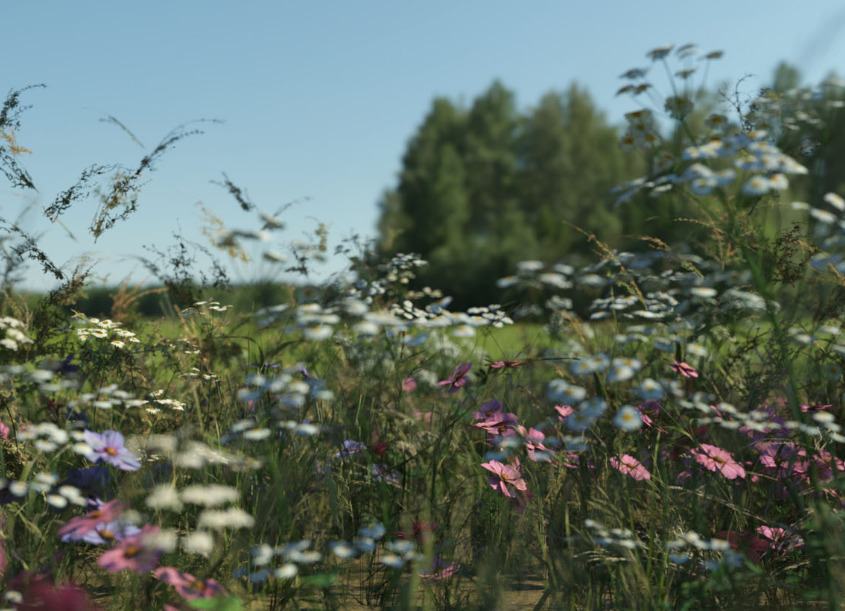
Flinks Rolling Hills – Translucent Grass for Poser, and he has several similar packs this month. Also ShaaraMuse3D’s Photo Props: Baseplant Construction Set with 75 Poser plant props at a very reasonable price.
Captain Jack’s Little Island, with hammock. You may also be wanting Martin J. Frost’s Vue Seaweed Bundle for Vue, for this.
AppleJack’s AJ Abandoned Place 5.
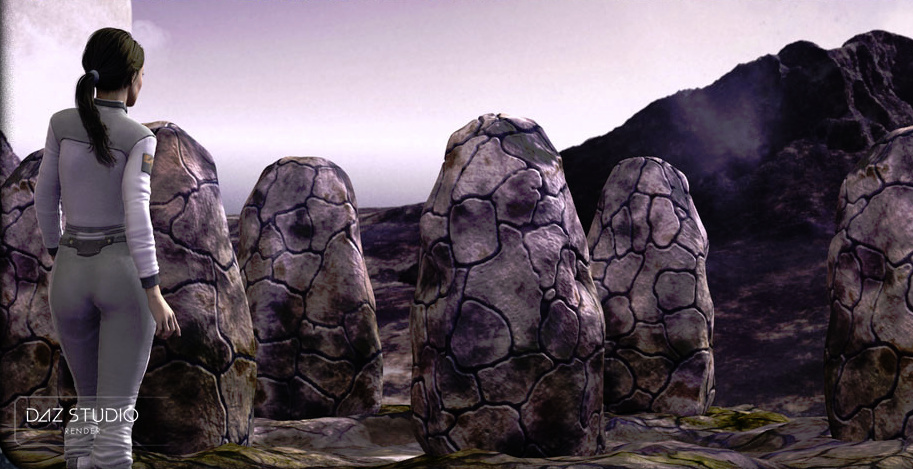
Ancient Stones – Rock and Moss Shaders.
Docking position presets, Dock My Boat for Smugglers Yacht and Two-Boat Dock.
Animals:
Great Horned Owl for DAZ Studio.
Ken Gilliland’s Nature’s Wonders: Cicadas of the World.
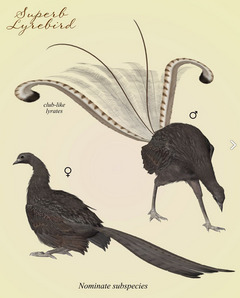
Ken Gilliland’s Songbird ReMix Australia Vol. 4.
The Alchemist has released four packs for fly-fishing anglers – poses, clothes, fish and gear.
Historical:
Wolfgang 8.1 Scallywag Bundle for DAZ Studio. Loads of other pirate items on the DAZ Store this month, and also masses of mermaids.
A dForce Priest G8M in full ceremonial robes. They look authentic, though I’m not sure if they are. Also a matching Church interior.
A free 1930’s Microphone for DAZ Studio.
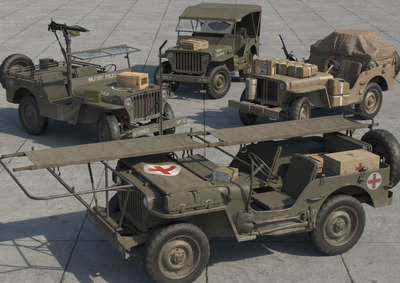
Classic U.S. Army Jeep for Poser and add-ons.
Predatron has new Second World War planes and ground support.
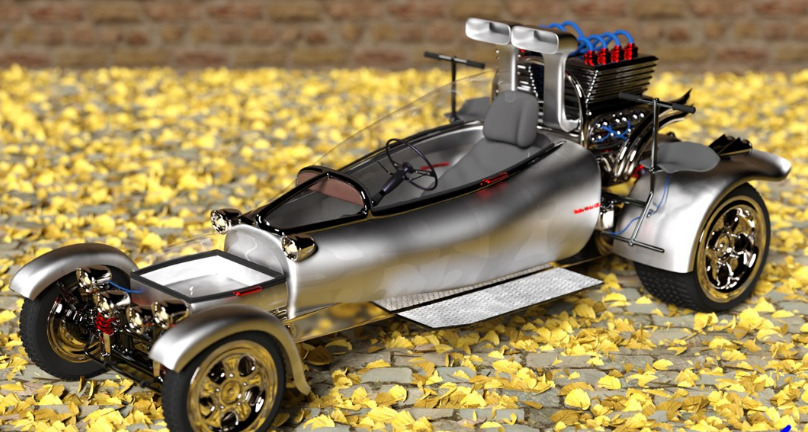
A free 1950s hot-rod Statler V8 8.6 CSC and G8M poses.
A free vintage Gasoline Pump.
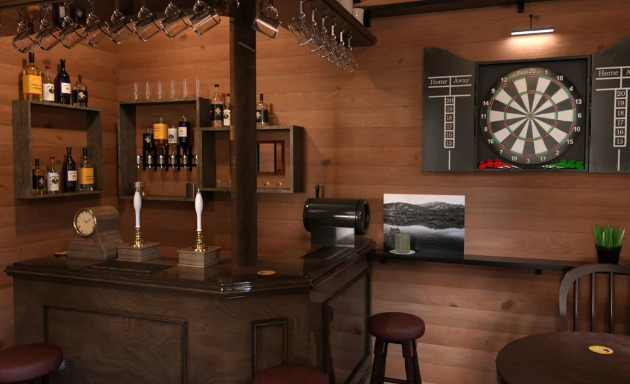
The Drunken Crab, a small and rather too shiny British pub interior. Needs a worn makeover texture set.
Characters and clothing:
Standalone Egan with Hair and Outfit and DAZ Carrara files. Also fiber-brows and “built-in anatomical elements”.
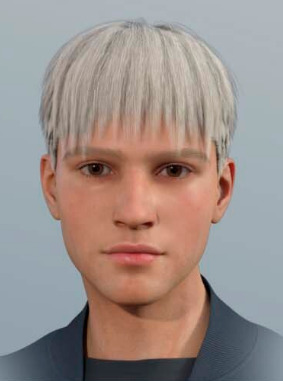
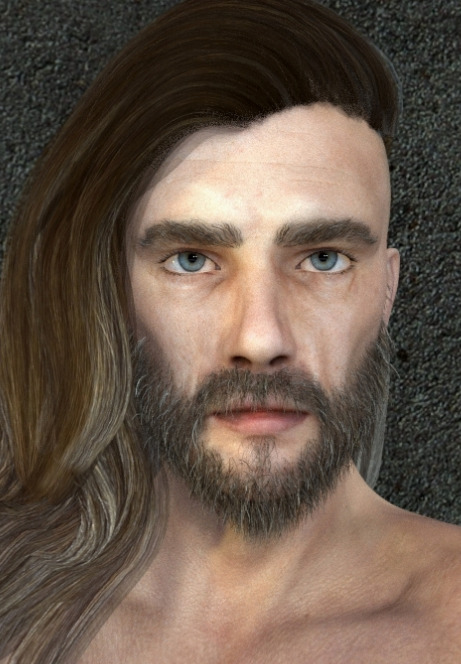
A usefully generic modern NM Hair Adam. Anyone know which face preset is being used here?
HD Violin and Poses for Genesis 3 and 8. Also Chinese Erhu and Poses for Genesis 3 and 8.
Emphasized Visemes for G8F. These are the mouth shapes made when speaking, and it looks like this pack would be useful for those who do lip-sync and want more enunciation.
A usefully generic dForce Track Suit outfit for G8F.
Clothing Wrinkles Alphas for ZBrush.
Scripts:
Mac Poser users now have an equivalent of the famous Snap To mover script, and working on both Poser 11 and 12. Ockham’s earlier Snap To script was previously Windows only due to the use of Tkinter in the script (blame Apple, not Poser). Thanks to adp001 for the finished new script, who invites feedback at this forum thread.
Cloth Presets Script for Poser 11 and Poser 12.
At last, a Quick Scripts access addon for Blender.
A fun Cactify cactus-generator for Blender.
Tutorials:
Artbreeder for Visual Storytelling.
Lighting Up the Night: Special Lighting for Dark Scenes in DAZ Studio.
Sci-fi Scene Building: Exploring Sci-fi Art Creation in DAZ Studio.
That’s it for this month, more picks soon!
All fired up
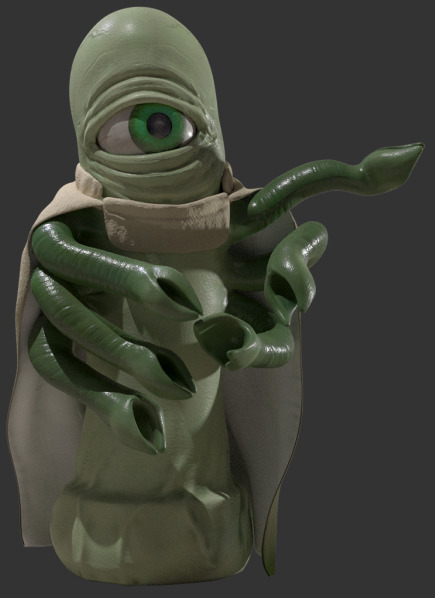
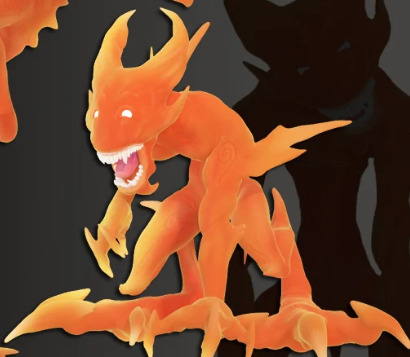
Darkseal’s Fire Sprite Demon is currently on a heavy discount at $4 at the DAZ Store and, though it’s lacking in poses, there are now 16 quality free poses for it. It toons quite nicely in colour, and has some impressive morphs for a custom figure.
Note that tests show that these do not work well with Darkseal’s similar Lynx cat figure. I think that was perhaps made by someone else (Versus, who did a few standalones back in the day) and then Darkseal bought him out and he put a new rig in the Lynx and reshaped it to become his own Fire Sprite Demon. Thus the rigs are not the same, though the figures are similar.
A custom painterly Poser Sketch preset render, with Poser’s standard real-time Comic Book lineart dropped on top, then the lineart filtered with a custom G’MIC preset. Only the top-right arm has had a few strokes of extra manual inking, to firm the holding-line…
Ryzom in Poser
Ken Gilliland webinar
A webinar on excellence in Digital Nature with the leading maker-expert on 3D birds and other creatures, Ken Gilliland (SongBird Remix series). Booking now.
New for DAZ and Poser in June 2021
Ok, we’re nearly at the end of June, so here’s my quick pick of some of the DAZ and Poser items noticed this month. Plus a few in .OBJ or .FBX on ArtStation.
Thanks to Kevin M. I’ve solved my problem with the infinite scrolling on the DAZ Store, which after a while causes the thumbnail loading to freeze. Setting “Items Per Page” to 60 (rather than All) brings back the paginated browsing.
Science-fiction:
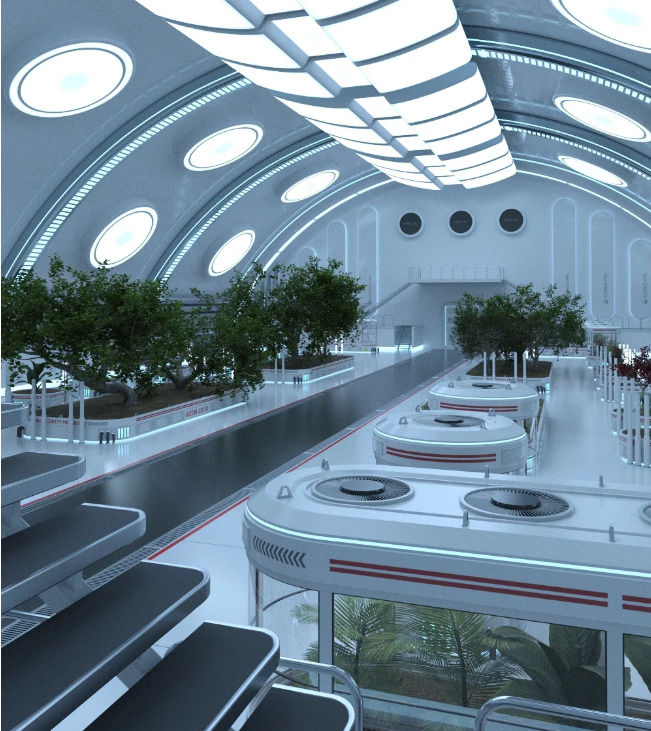
SC20 Botanical Garden and Material Add-on.
Volt Bot by TheAntFarm.
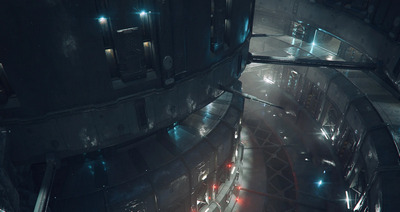
Dreamlight’s Cyberpunk Hall.
Vorlon from Babylon 5. Obviously fan-art, so no commercial use.
A Tomorrowland-style Window to the New World base. Currently free.
Steampunk:
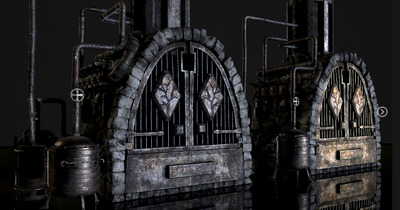
Medieval Alchemy Forge, which feels more steampunk than medieval to me. The seller itemises everything except the actual file format, so I’m only guessing you could get this into .FBX.
Catnips Anonymous, a fun steampunk style cat-feeder and hypno-fan (or cat-warmer?).
Fantasy:
New from 1971s, Swamp Cottage for Poser. Also available for DAZ Studio.
Enigmatic Ancient Stones in .FBX.
Forlorn Forbidden Place, a desert pagoda.
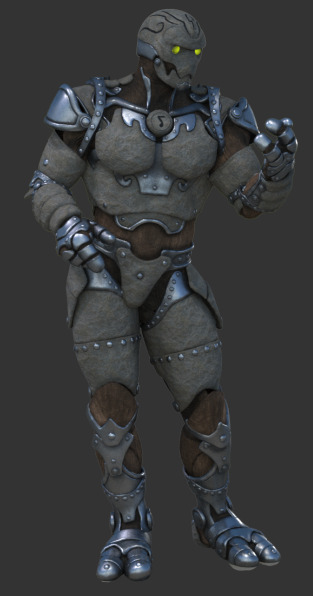
The free Warforged from Warhammer. Obvious fan-art, so no commercial use.
Genesis 8 Female (G8F) Ring The Bell poses, for bell-ringers of the “sound the alarm” type.
Storybook:
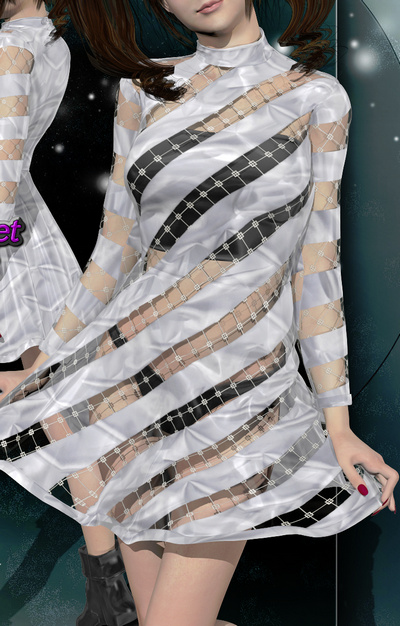
Ingenue Dynamic For La Femme, a classic storybook type dress for the flagship female Poser figure.
A free Childhood Fantasy outfit for DAZ Studio.
A free classic candy Lolly Pop for DAZ Studio. Too much sugar from all the lolly pops? You’ll be needing the child run and jump pose set, targeted for 5-6 year old G8s.
dForce Petite Style Dolly Dress and Pufflet The Bunny.
Toon and semi-toon:
The free semi-toon Hartford Morph for Gen 8.1 Male. I assume it’s not game fan-art, but it might be Team Fortress or similar.
A free Vogon, the loathsome poetry-spouting race from The Hitchhiker’s Guide to the Galaxy. Obviously fan-art, so no commercial use.
A free Moustache suited to toon figures.
Free pose presets for S. Cargo by 3D Universe.
Animals:
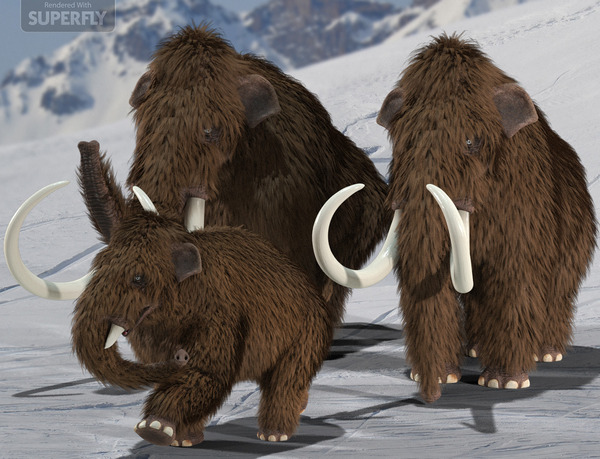
HH Colossadon, a colossal mammoth, as a standalone.
Songbird ReMix Australia Vol 1.
Landscape:
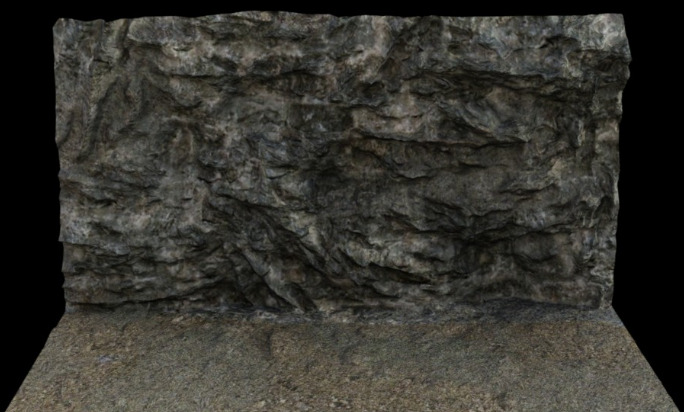
3D Cliff Construction Set: Overgrown Walls.
Need sea-spray coming over your cliff wall? ShaaraMuse3D’s Photo Props: Water Effect Maker. Specifically splashes. And Panoramic Texture Resource: Parched Ground 2 for the sort of parched/salted ground you’d find if you hopped over a sea-wall.
Skydome – Northern Lights 5 on ArtStation. High-res 360’s.
Raffy Raffy’s new Tree-lined avenues for Blender.
Plains and Mountains for big Wild West scenes.
Historical:
23 Roman Gladiator Action Poses for G8M.
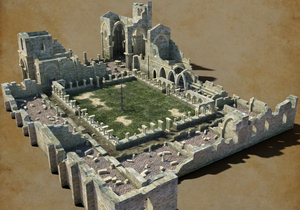
Desert Ruin. Simple, but effective and a potentially more photogenic site for gladiator battles than an arena.
Now-Crowd Billboards – Barbarian Warriors Bundle.
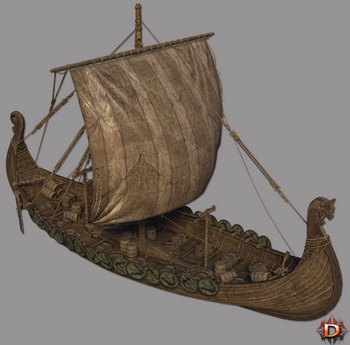
Free Viking Age Props for DAZ Studio. I don’t normally feel the need for yet more medieval items in my runtime, but these are very good.
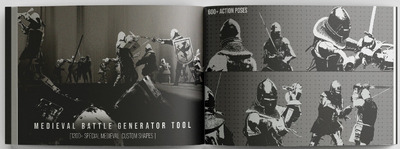
Medieval Battle Generator for Photoshop. An unusual item that may interest those seeking to plan ideas for 3D scenes.
A 1930s style Show Girl Outfit for G8F.
A classic 1940s style Wood Fishing Boat.
Another fine 1950s British railway item from DryJack, the GWR Tool Van.
Quark Station Wagon, a flying station-wagon for 1950s retro sci-fi.
A 1960s Vintage Toy Car and materials.
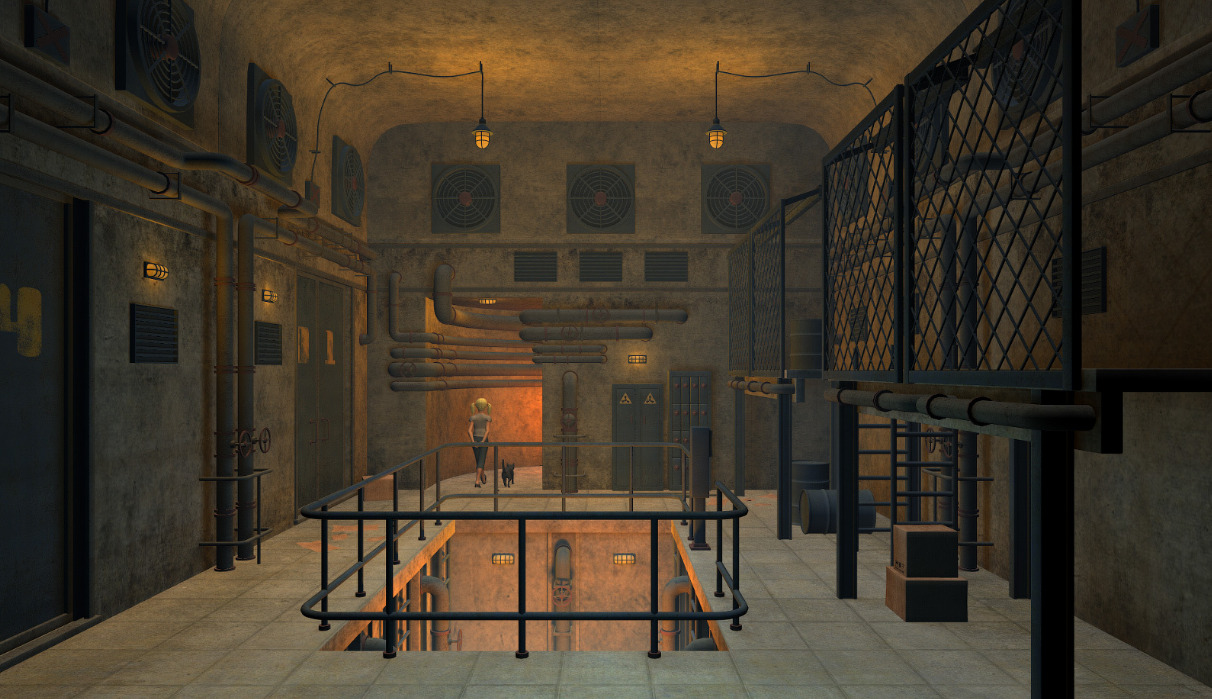
A classic 1980s movie type Military Tunnel entrance.
Characters:
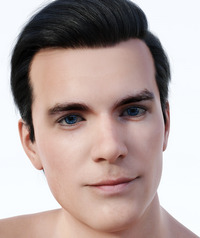
Scott For G8M, a good newsreader type, who could also be Tarzan or Clark Kent at a pinch.
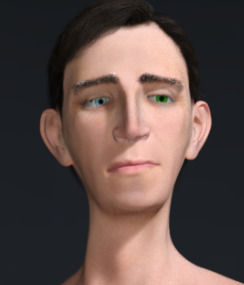
Tempesta3d’s Apollo L’Homme, a soulful artist type for the flagship Poser male figure. But appears to need the L’Homme Pro – V.2 paid version, currently at $15.
Scripts:
A free DAZ script to select the root of the current figure. Save as .DSA format.
Easy Simulation Script Generator for Poser 12. Easy dynamic clothing creation in Poser.
Tutorials:
Skin Workshop, with loads of tips about how to work with skin in DAZ Studio.
Ok, that’s it for now. Don’t forget that Renderosity has a 50% store-wide sale until 1st July 2021. DAZ also have a major summer sale on now. Check your wishlists and the bottom-price end of the store for freebies!
Snarlygribbly scripts for Poser 12
Key scripts for Poser 12 by Snarlygribbly, inc. a working EZDome, and in general looking as though they’re progressing nicely.
Note the new https://poser.cobrablade.net/ location for the downloads. It seems this is where these Python scripts are officially hosted now. I’ve fixed the sidebar link at this blog and the Poser Scripts page. I’ve also plugged it into my Technical Search Engine though it seems Google Search doesn’t know about it yet (the engine runs on a Google CSE).
On the same Cobrablade page you will also find his latest Poser 11 scripts. All free.
Get Poser 12 snail-mailed to you
Do you live in the wilds of Whereizitagin, hundreds of miles from the nearest telephone pole? And is satellite Internet prohibitively expensive? Now you can have Poser 12 Early Access officially mailed to you on a USB key, along with its gigabytes of free content.
Once installed you would still have to be online to activate Poser, and of course it will also ping the registration server periodically. Thus the USB key method should not be thought to be a wholly offline solution, for someone with no regular Internet connection. Still, it could be useful for some with a slow and/or tightly-metered mobile-phone connection. Though bear in mind you may need to order another USB in the Autumn, if Poser comes out of Early Access then. I’m guessing U.S. software export restrictions may also kick in if you want it sent to dodgy nations such as Iran, Cuba, Syria etc.
The outback or mountaintop-dwelling Poser artist who prefers Poser 11.3 will instead want the $80 Poser Pro 11 serials from NeoWin (resellers for Bondware, the new top-level owners of Poser). Then you’d get someone to do the downloading of 11.3 to a USB and the snail-mailing of it to you. Again, there would be online activation needed, and it also pings home periodically.