
Post lost in the move, but there’s a backup PDF file with links.


Post lost in the move, but there’s a PDF backup of it with links…

Post lost in the move, but there’s a PDF backup of it with Web links…
Just a ‘heads up’ for a 25th Anniversary, for those inclined to plan a year ahead (museum curators, magazine editors, software developers, etc). Poser 3.0 appears to have shipped May 1998, which makes summer 2023 the 25th Anniversary of the Poser software that we know and use today. By the end of the year the street price was around $120, and the mass-market 3D figure revolution was underway.
It’s getting toward the end of the month, so… it’s survey time for new Poser and DAZ content. As usual freebies are only noted if they are also commercial use, or are such obvious fan-art that no-one would think of using them commercially.
Also, no ‘HD’ items are covered here since they adjust your render settings without asking (and in ways that are difficult for newbies to reverse), and are only useful for a few people with incredibly powerful PCs.
At risk of sounding like a moaner, I have to say that the DAZ Store is still very slow to browse for me, despite the new smaller thumbnail previews. Even scrolling down the Wishlist too far now stalls loading for 20 seconds or so. This is the only such site that has these problems for me. I try to bypass this problem by bookmarking into my Wish List, but may still have missed a few at the DAZ Store.
Science-fiction:
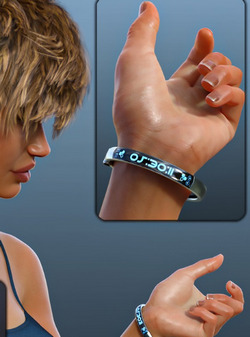
A useful free tech Display Band for DAZ and with wearable presets for G8. It also seems fairly easy to add your own wording.
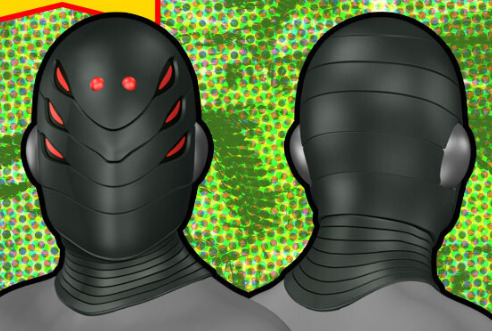
A cool super-villain Helmet 048 for G3. Not fan-art, so far as I know.
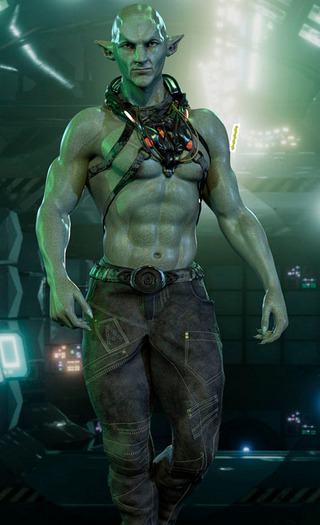
Dubrock for G8M. Not fan-art, so far as I know. Though it looks a bit Guardians of the Galaxy.
The free Dystopia Props and Dystopia Props 2, good for cluttering the middle-distance of wide and city scenes.
Steampunk:
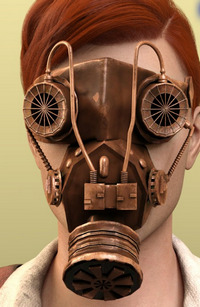
A free Steampunk Mask for G8.
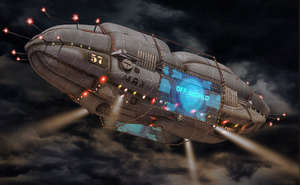
Add Blimp, a middle-distance cyber-city blimp that could be fairly easily adapted for steampunk. Just replace the advert-hoarding with hydrogen-tanks.
FPE Tentacle Arms for G8M, good for a Captain Nemo-type submarine or airship crew. The crew probably hail from the Pirate Shipping Village.
Toon:
Little Mummy for G8F and poses and expressions. Somewhat similar to the old RDNA toon Ancient Egyptian mummy-boy, but not the same.

A free set of toony String Lights (Christmas Lights) for DAZ.
Storybook:
Christmas Pixie for La Femme for Poser.

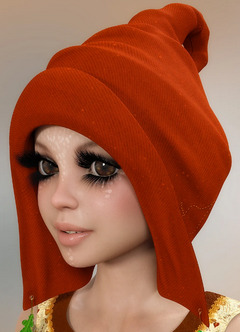
Disco Stomp Trainers for G8F. Requires the base Stomp Trainers.

Animals:
3DU Toon Mouse Fur Long, a Look At My Hair preset.

Songbird ReMix Hummingbirds v3 for Poser and DAZ.

Love Kitty, 28 3D cat props of various types (bowl, toy mice, dangler, etc).
Landscape elements:
A free Wooden Cross for DAZ and also in .OBJ, ‘Boot Hill’ style and with Wild West style bootlaces.

A free Hang-Glider for DAZ and G8.

Let’s hope your hang-glider pilot doesn’t land in the Stinging Nettles for DAZ. Definitely not a British stinging-nettle, and so perhaps an American variety? Quality and also in .OBJ, so likely to interest Vue users.

Historical:
Primitive Norse Structures 2 including two ramshackle windmills.
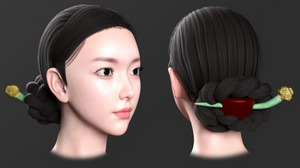
Joseon Era Hair for G8F. What a girl might wear in the 1400s-1900s in Korea. Also a paid dForce Hanbok dress from that era.
The useful and adaptable free medieval Headscarf Outfit for G8F. Not dForce but has some control morphs. Previews suggest it’s capable of turning into a sort of short cape, so may also be of interest to makers of super-heroine comics.

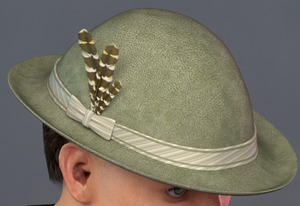
L’HommeHat 2, a sort of German / Austrian / Swiss / Italian hat of the type that might be seen on an Alpine summer guide in the 1920s and 30s. Also L’HommeHat 1 which is more of a classic British workman’s flat-cap.

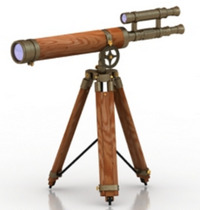
A free Antique Harbour Telescope in .OBJ format.
A Royal Opera Stage from the early/mid 19th century, with side boxes.

A Fountain Pen Ink Bottle, Pen Accessories, and 1916 Fountain Pen Prop. See also the new Cardboard And Paper Shaders pack.
British vintage 3D railway expert Dryjack has a new Sopwith Pup biplane, a classic British plane.

dForce Aran Sweater Outfit for G8M, of the sort a Scottish crofter or early pilot might have worn.

A somewhat 1960s K-Roller petrol-scooter, free. Also note the helmet which could be used in other types of retro scenes. I guess it may actually be a modern electric scooter, with a retro design?

Figures:
The Corinna La Femme character/skin makeover. Appears to need La Femme Pro, rather than the free La Femme which ships with Poser?
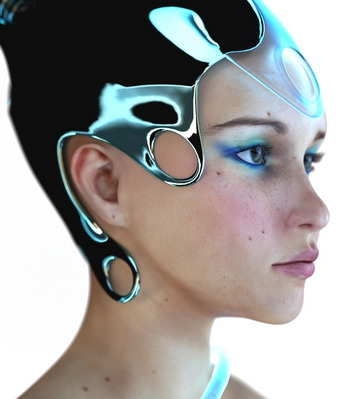
A more basic but free alternative look for Poser’s flagship La Femme, to nudge her away from the Princess Di look, is the new Helena for La Femme.
Still prefer V4? A free SuperFly Skin shader for V4, so V4 can render in SuperFly, and with a bit of automatic ‘sweat gloss’ too.
Genesis Clones (aka ‘Genesis Clones for Genesis 8 and 8.1 and Vice Versa’). Genesis 8 Male and Female Clones for Genesis 1, so you can fit G8 clothes and items to the original Genesis figure. Shows in the fitting list for G1 as ‘Vyusur…’.
Straightforward Catwalk Animations for Clothes Presentation for G8F. It seems this is not the same as last month’s “Runway Animation” pack from the same maker.
Hair:
Free 1950s ‘The Fonz’ style strand based hair for G8M. With front cow-lick.

Free SBHBeards for G8M. Strand-based hair and eyebrows and moustaches. Looks useful.
A simple free Genesis 1 skull cap. Shows up in the Library under My Library | People | Genesis | Hair | Willq, not under People | Genesis as you might expect.
Scripts:
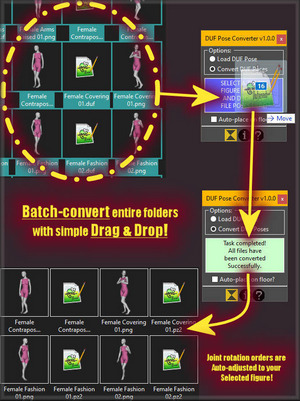
DUF Pose Converter for Poser 12. Convert your DAZ .DUF poses to Poser 12 and apply them “to any figure you may have on stage”, apparently. Not tested by me.
FlockIt for DAZ Studio. Looks similar to ‘Send in the Clones’ and the various Scatter scripts for Poser.
ArchangelFirewolf’s free Pose Control Converter for G3 and G8. Seems to add a set of sliders that allow tweaking for fine adjustment of poses.
Installing PIP in Poser 11. PIP is a package manager for installing further Python packages that have components needed for scripts to run. So… if you had a need for some specialist Python module that doesn’t already ship with Poser, this might get it installed.
Tutorials:
A three-part in-depth Comic Book Creation Kit Bundle of tutorials and guidance, which seems to be aimed at photoreal comics makers using DAZ.
Noted elsewhere:
For Blender, Grease Pencil From Mesh, with an edge-sharpener.
3D maker Sixus1, also a fine digital painter, has a new Platinum Brush Pack for Photoshop and PaintStorm. It appears to be his current working brushes set, honed and weeded over many years.
Ok, that’s it for December 2021 and for 2021. Onward to 2022!
So, what are the top items on Renderosity? Rendo provides a page where you can find such things out. The top four are pretty much as you might expect.
Followed by a superstore’s-worth of skimpies and silkies, page after page, and just a couple of other quality G8 female characters. You have to scroll a long way down to get to something like “STZ Cleaning accessories”. It takes a while to puzzle that one out, but then the penny drops: hardware accessories for the maid costumes.
Way way down after many pages you start to see occasional other things, like “Photo Props: Fire Effect Maker” and the “Poser 12 – Upgrade”. Eventually, after a very long time of scrolling the first male item appears. G8M realistic body-hair strips, and then after another few pages another in “Karl for Genesis 8 Male”. Hurrah for Karl, but… he has no other mates down there.
Eventually we start to get a couple of animals, with the HiveWire Horse, Songbird ReMix Corvus (crows). Also a few very scattered sci-fi sets. Even further down up pops La Femme Pro V.2, along with more Hivewive Big Cats, Hivewire Housecat. Also Poser 11 at the Renderosity price.
So basically it seems that if you want to sell to the masses, G3F and G8F is where it’s at. Specifically clothing and the slinkier and more enticing the better. However, it’s obviously a very crowded market. I’m guessing the ‘work to hit product’ ratio might be high, and you could have to produce and shout about twenty or more items of new clothing to get one breakthrough product that sells well. The rest are likely to be lost in the tidal waves of similar items, because back of these best-sellers must be thousands of others that didn’t get the traction.
Hair obviously has to be really really good to make it up the charts. I guess many people already have their favourite go-to hairs. Also, hair is a risky buy, so buyers may be averse.
There’s a surprisingly lack of scripts and add-ons, but I guess such things are beyond the ability of the mass market and so don’t sell a lot.
Of course, all this does not necessarily mean that the kind of stuff that sold twenty years ago is no longer selling. It probably is. It’s just that such things are being drowned out in the charts by the new mass market.
What of the DAZ Store? So far as I can tell the DAZ Store’s “sort by most popular” is not an all-time or yearly tally, and only seems to give you the most popular this week.
I did an experiment with speckle-removal in a Poser Firefly “toon lines only” render. One of the problems of that special kind of render is, the closer you go in with the camera, the more speckles. Until a character can look like they have the measles. Using a Poser script to auto-remove all bump-maps often solves most of the problem, but not always and not entirely.
Anyway: I rendered and took the render into a leading vectorizer, Vextractor 7.x. I had found that this has a useful and very easy ‘remove isolated spots’ filter, of the sort needed after scanning hand-drawn line-art. If a spot has x number of empty/white pixels around it, it’s removed.
This works on the above very subtle example. But the problem is that the lineart produced is then inferior to what you would get from the other non-vectorising method, which involves the free Paint.NET and two free plugins.
But it occurs to me now that, back in the day, Poser’s Firefly lineart speckles were not considered a problem — because it was thought that people would vectorise the lineart and thus be able to easily clean off the specks. If you’re doing animation, this may well still be viable. In a 30 FPS cartoon seen across a living-room, that vector line ugly-fication is going to be far less noticable. But it’s not much good for comics.
So the best method for comics is Paint.NET and it’s wholly free and should run on Windows back to XP. But… it’s Paint.NET and not Photoshop. So I took another look for such a ‘remove stray pixels’ filter in Photoshop, something that would be very useful for automation of the whole process. But nothing in that line has appeared since my last such search. There are zillions of photographer plugins for correcting grain and ‘hot pixels’ on the camera sensor, but nothing for this ‘scan artwork and clean’ task. The native ‘Median’ and ‘Dust and Scratches’ are useless because they nibble into or erode the fine lineart from Poser, and lack sensitivity.
What’s needed is a computational plugin solution that says… “that dot can be deleted, because it has only white all around it and its diameter is 2 pixels or less”. The free G’MIC might have the capability to build that, but I don’t see anything there at present.
Update: new directory page for free Poser 12 scripts.
‘Tis the merry season of releases. Blender 3.0 tomorrow, Rebelle 5.0 on the 15th, and probably more to come as the various dev teams steam toward their Christmas deadlines.
Poser 12 Early Access also has a new version online today. 12.0.752 (24th November) is ready for download.
The last version noted here was 12.0.703 in October, so there have been four internal updates since then, and now this public release. There’s a full changelog on the download page, but here’s my digestion of the highlights. There were three broad areas of focus this time around: general Library and UI usability; the PDF manual and Python documentation; and some tweaks to get ready for unimesh.
* The Poser 12 manual now documents new features in 12.x, and a handy 108Mb PDF version is newly available here. Here’s how to get the PDF downloading for you.
* “Pydoc browsing for Python developers” (see the PDF manual). It appears that Poser 12 users can go to the Python console within the software, from there get a browser-list of modules and then click on the poser module in the list. I could be wrong but it seems that this then lists all the other Python modules currently available under poser and that a Python 3 script can run in Poser 12. Also other Python items.
* Fixes for the drag dock option in the UI.
* Various Content Library palette fixes, including “Content Library search/locate feature now jumps to selected item so the user no longer needs to scroll for it”.
* Various Hierarchy Editor usability fixes.
I see that the third-party Poser Library software PzDB is currently in the ‘no longer sold’ category. The Payloadz payment system refuses. The software’s ‘ping’ server is still working though, the ‘ping’ being required on loading the software. My installed 1.3 version is thus still working. So there’s hope that the problem may just be with the payment processor.
The problem may be…
1) the Payloadz payment system is kaput for PzDB and other items too, for some reason;
2) that the hefty monthly PayLoadz seller’s account payment of $29 (!) has somehow ceased, and the maker of PzDb hasn’t yet noticed;
3) the maker has turned off purchases because his MS Access reseller licence (PzDB is build on MS Access) doesn’t support the latest Windows 11. However, that is unlikely, since I read that…
“MS Access database can be sold as a standalone [custom] application with a runtime edition of Access which is licence free, if you have Developers edition of the Access/Office”.
Which was what was happening with the back-end of PzDB. However it’s said that Microsoft does not love Access and that it becomes more and more difficult to run Access on newer versions of Windows. One user of the 60-day trial (still available) reports crashes with PzDB on Windows 10, but he also has the full MS Access installed, so there might be conflicts.
Anyway, just my guesses. Let’s hope it’s just a payment system problem and that sales processing can be easily switched to Gumroad instead.
On the other hand, if it is to become abandonware then I’d suggest that perhaps what’s needed first is a small crowdfunder to raise enough to unlock the ‘ping’ and make it free + charity-ware. Even as freeware for Windows 7 and 8, it might help raise some money for charity — perhaps especially if it ran a discreet banner ad and a link inside the UI.
What are the alternatives?
1) There’s the affordable P3DO Explorer, but I find that’s impossibly slow on searches (eight minutes for a simple search for the Pitterbill keyword). Results are then mediocre. I can’t see any way, in the utterly confusing and labyrinthine interface, to speed it up.
2) There’s the native Poser 11 Library interface, which is far better than it was. It’s now reasonably fast, but still very far from ideal in terms of the UI or triggering of indexing. The Search over in DAZ is not much better or faster on a large runtime. Poser 2012 users may be able to bypass the loss of Flash and use Air instead. There was apparently a Service Release for 2012 Pro that added the ability to set “Library Launch Behaviour to External”, and then if Adobe Air was installed that would be used for the Library.
The main drawback for Poser 11 (and now Poser 12) is that the Library feature “Show Folder Thumbnails: When checked, a thumbnail of the first item in the selected folder will appear on the folder” has never worked. This often leaves you looking at a wall of grey identical folders in the search results.
In contrast PzDB just finds so much more stuff, and shows everything individually. For instance try a search for Aiko 3 in Poses. PzDB just finds more, presumably because of the character-based cross-referencing and clustering it does on initial indexing of the runtime. It can also show you just what you just installed. The difference is not because Poser’s indexing is set to Shallow or Full.
3) Everything is free and useful for quick searches, when set to Large Thumbnails / View By Path / Search for Picture. It’s lightning fast because it builds an index first, and as such it’s probably the best sort-of substitute for PzDB for casual Poser users, in combination with RSR to PNG and the native Poser Library. It can sort by Date Created in the latest 1.4 but this needs to be manually turned on. Yet Everything is still not ideal, because you then still need to open the likely folder in Windows Explorer, and find the non-picture Poser file that can be dragged and dropped to Poser. You thus need to know what you’re looking at and the difference between your .MT5s and your .PZ2s etc. Ideally the makers of Everything would add a half-dozen features geared for Poser and DAZ content discovery.
4) If you have it, then Semideu’s Shaderworks Library Manager 2.6 still works in Poser 11, including drag-and-drop from the search results. It’s abandonware from circa 2016 and Semideu (often mis-spelled as Semidue) has long departed the scene following the closure of the RDNA store. But it searches quickly and elegantly on a large runtime. A few seconds longer than PzDB perhaps, but quite bearable. Or, it does when it doesn’t crash. It’s very unstable on Poser 2014, and iffy on Poser 11. Good results though, once you puzzle it out in the very cryptic interface. It may need the free AVfix on some iterations of Poser 11.x. Library Manager itself doesn’t like to be run at startup of Poser 11, so you need to manually start it each session. It’s ‘all Python’, so can dock with the Poser 11 UI (also Python) and replace the Library. If docked you may also need to close it before closing Poser, and return to the normal Library. There’s no Python Tkinter being used in it, so I guess it should theoretically run on a Mac. The PDF manual is here, but the software is currently unavailable unless you can dig it out of an old backup drive or DVD-r. Useful to have as a backup for when (if) PzDB dies, and you find it’s stable for you.
5) There’s also the old Advanced Library for Poser standalone freeware, in version 1.9.2.x. Nice but it totally lacks drag-and-drop to the Poser stage (it used the old defunct PRPC method involving scripts and server .exes). It is however a quick finder tool, with full image thumbnails and easy filtering.
6) The best and most stable solution in the event of a PzDB failure might actually be the Adobe AIR Library that officially shipped with Poser Pro 2014. It can drag and drop to Poser 11 and 12, and can run as an external Library on a second monitor (though Poser 2014 does need to be running). It also knows about DAZ folders and can filter for just the Poser-friendly content there. Presentation is simple but effective. Search is fast, perhaps slightly faster than PzDB. Give it a try if you have 2014.
7) From Poser 13 you can also drag-and-drop Library content to older versions of Poser, if running at the same time. For instance, click and drag from Poser 13 and drop onto the Poser Pro 2014 stage.
Fantasy Attic’s 2021 Christmas Advent Calendar page is now online, for a month of Poser and DAZ freebies. Day 1 should be opening today.
Brian Haberlin’s Lighthouse is now out in collected trade paperback and Kindle ebook. It’s a fine science-fiction graphic novel when you put all the issues together. The adaptation of Jules Verne’s The Lighthouse At The End of the World (1905) is fairly loose, and transfers the setting into the far-future and remote space. But the story grips right to the end.
A couple of the initial reviews of the first issue, by fly-by comics critics who have not returned to review the full run, were a bit sniffy and grudging. But I found Lighthouse great fun when read together as one completed graphic novel. It’s a little talky near the beginning, and you have to suspend disbelief. But it’s a good story, well told.
The art is made with the aid of Poser, which I suspect may have put a dampener on some reviews of #1.
In contrast, the one amateur reviewer who made it as far as issue #4 noted, in a long and positive review…
The interiors here are mindbogglingly gorgeous. I love seeing how detailed and extraordinary computer artwork can be nowadays. The linework is exquisite, and the varying weights and techniques being used to create this level & quality of detailed work are astonishingly brilliant. The use of backgrounds [and their creation of a] sense of scale and overall sense of size and scope is phenomenal.
That said, be warned that you might be put off by the trade paperback’s half-hearted front-cover. It seems as though the publisher for some reason wanted potential buyers to think it’s set at sea and underwater. On the website the additional background graphic also implies it’s a historical adaptation of Verne. It isn’t either.
There’s currently one short review of the October 2021 trade paperback, from poet Bernie Gourley, and he was pleased with the quality of the story…
I found the story compelling. The source premise of being far from help and at a severe disadvantage is thrilling.
I looked long and hard for proper reviews that stepped beyond a glance at #1. There are none from publications, though the couple of amateur reviewers (see above) are positive. It’s a bit sad that a comic of this scope and quality (not to mention technical innovation) can be all-but ignored by the comics establishment. But that is what seems to have happened here.
Time for another survey and pick of what was new for Poser and DAZ, in November 2021. As usual, freebies are only noted if the renders can be used commercially.
Science-fiction:
Grounds Add-On 1 and Grounds Add-On 2, both for Flinks Space 2 backgrounds + props set. A range of grounds for ‘moon landing’-type scenes and vignettes.

Wasteland Shop for Poser by 1971s, and there is also a DAZ version.

The Wasteland Shop is probably home to the guy who builds the Racing Cheetah robot NE-10-O. In OBJ, though, which is likely to only be good for static scenes. Still… good robot cats are rare, so I’ll mention it here.

Cyberpunk backstreet by 1971s, and there is also a DAZ version.
AJ Another World by AppleJack. Various useful additions to someone’s ‘alien foliage’ collection.
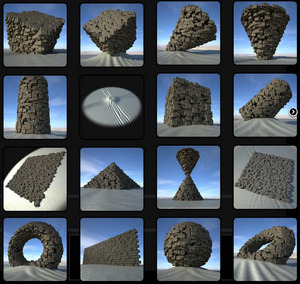
Sci-fi Desert Portals scene, in .OBJ on ArtStation so also good for Vue. Could be paired with the new Pharaonic Relics set for DAZ. Note also the excellent ‘tall ancient wall’ in the latter.

Fantasy:
Free Anime Slanted Eyebrows, also useful for faeries and Vulcans. These are LIE overlay images only, for the Layered Image Editor. Most people (including me until recently) have never heard of LIE, but it lurks within the Surfaces tab and for things like tattoos can be used as an alternative to a geoshell.

Head Monster for G8M, seven merchant-resource head-shape morphs.
Halloween:
The free OsoS Hulking Horror for DAZ. I assume it’s not fan-art.
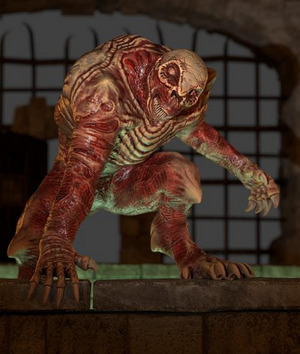
MortemVetus has his Ultima Mortis M4 back online at Renderosity.
Christmas:
Happy Holideer for the HiveWire Mule Deer

A free Xmas Roof setting with iced-up chimmney.

Clothing:
A free Nutcracker Hat, also likely to be useful for Moebius-style sci-fi character uniforms.

Related to clothing, a pack of Fashion Catwalk Animations for G8.
Storybook:
A free Zottelchen and Zottel.

A free Inflatable Dolphin.

Toddler – Ginger Outfit, a ‘gingerbread man’ toddler costume.
Fallen Leaves – Scatters and Drifts also seems useful for storybook-type scenes.
History:
Burial Sites: Mound for Poser, an Ancient British style burial mound from Cybertenko. The grass is removable, so you could add Flink’s or take it to Vue as a Poser scene and use an ecosystem on it.

The new Corbelled Stone Hut might serve as a mound interior.
Reed Huts 2 for DAZ Studio. ‘Laketown’ style primitive stilt-huts and fishing platforms.

Stranded Pirate Ship scene.

A Dutch 19th century Wooden Rowing Kubboat, which would also have been seen in the waterlands around New York City until the 1920s.

dForce Victorian Gentleman Outfit for G8 and textures.
Free 1950s room-sized computers for Poser.
A 1990s type Urban Skatepark. Might also match with the new Dynamic Destruction Vol. 1 for DAZ, an abandoned building with Dynamic Destruction morphs.
Animals:
Cat Zeus, a chunky ginger grimalkin or ‘top cat’, with poses and dForce hair.
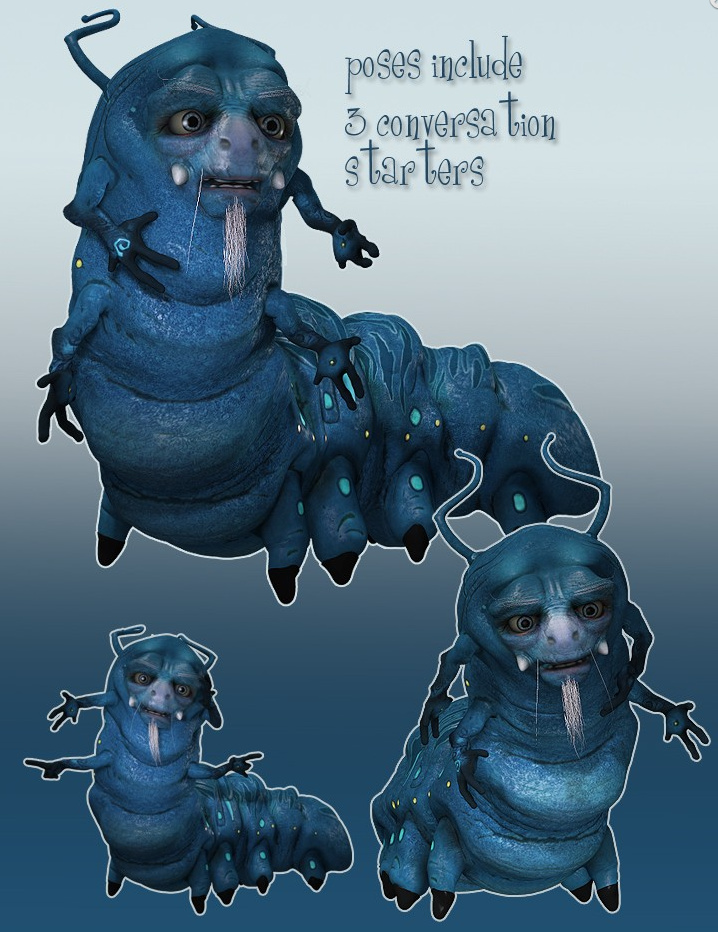
Songbird ReMix: Hummingbirds of North America pack.

Animations and Still Poses for Woolly Mammoth. There’s a video demo at YouTube.
Prehistoric Amphibian Diplocaulus and Dragonfly Prey for DAZ.
Shaders and textures:
A free body/face Cycles shaders for A3. In Poser, Blender’s Cycles renderer is renamed SuperFly, so it might have been named as ‘SuperFly Shaders for Aiko 3’.
A set of Handmade Textures for Use with G’MIC’s ‘Artistic Stylize’ filter.
Useful scripts:
Blender to Poser automatic converter, a Blender Python script to quickly extract just the content-asset from a Blender .blend file, and nothing else. Also uses Poser-friendly settings. (For Poser only, as the results are not DAZ-friendly).
Chain Control for Poser 12, for flexible/animated tails, whips and suchlike. Note that Poser 12 has Windows OS requirements for downloading scripts from Renderosity. Windows 7 users may not be able to get the script, even if they purchased it.
Copy Dynamic Hair Room Settings now has a Poser 12 version of the script. Scroll down the freestuff page to see the link.
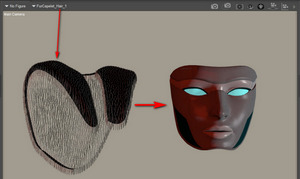
Tutorials:
Mandelbulb 3D : Power Tips for Creating Fractal Worlds. With Scappin Matteo who’s an expert in the free Mandelbulb3D.
That’s it for November, more after Christmas! Please consider keeping a little bit of your Black Friday spend back, to go toward my Patreon instead. Even a few extra dollars a month is a great encouragement and a help with my many different projects. Many thanks.
Fantasy Attic’s Christmas Gift Page for 2021 is seeking nice donated Poser/DAZ freebies to give away, in the ‘Advent Calendar’ style page (one reveal per day, through to Christmas). Also 2D backgrounds etc.
 Posted in Companion software, Poser, Spotted in the News, The Animation Industry
Leave a comment
Posted in Companion software, Poser, Spotted in the News, The Animation Industry
Leave a comment
The venerable indie animation software Moho, now back with its original developers, has released a YouTube preview of a new CrazyTalk-like ‘Live Mesh’ feature. Apparently this is…
coming with the free Moho 13.5.2 update for Moho 13.5 owners
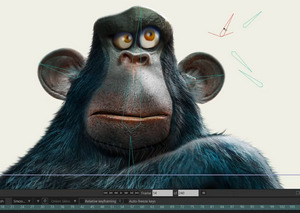
Looks like you can relatively easily add face-rigging to a 2D image, for a 2.5D animatable look, something other software can also do. Though here it looks nicely professional, is integrated into the all-in $400 software (i.e. no $1,000+ of extra plugins to buy), and it obviously gives good results.
Sadly it’s probably not an alternative way to rig a Poser face, and thus perhaps have an older Poser figure fake the look of having ‘real stretchy muscles’ under the skin. Other than as a 2D rendered from Poser. That’s because Moho (formerly Anime Studio) had licencing problems with the Smith Micro / Renderosity switchover, and that caused the drop of the Poser import feature with Moho 13. My guess would be that there was a big script doing the work and that was by Smith Micro and had not been labelled as public domain (as DAZ tends to do with key scripts, presumably to prevent such future problems). So far as I know 12.5.x was the last Moho to officially support Poser import, and there have as yet been no experiments to see if the following is possible:
Poser 11 -> Moho 12.5 -> save file -> open in Moho 13.5.
From South Africa, the new Poly Haven. A library website of free CC-Zero Blender assets with, at present, what appears to be some quality-control. A test of a small oil-can gave me an open public download (no sign-up needed). The polished and roomy new site seems to be from a small group of young Blender enthusiasts, who plan to run on a mix of crowdfunding and ads. It’s crowdfunding now.
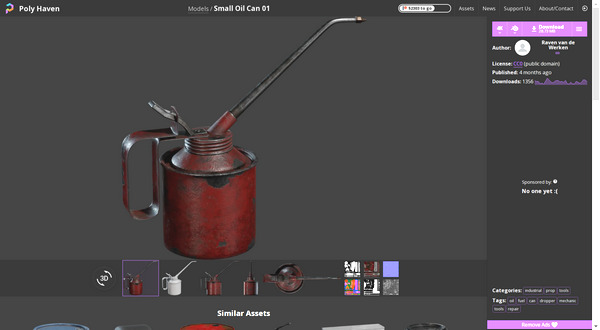
Opening my test file failed in Blender 2.76, but succeeded in 2.83. Automatic Blender to Poser conversion then succeeded nicely, and the can was inside Poser in seconds and looking good.