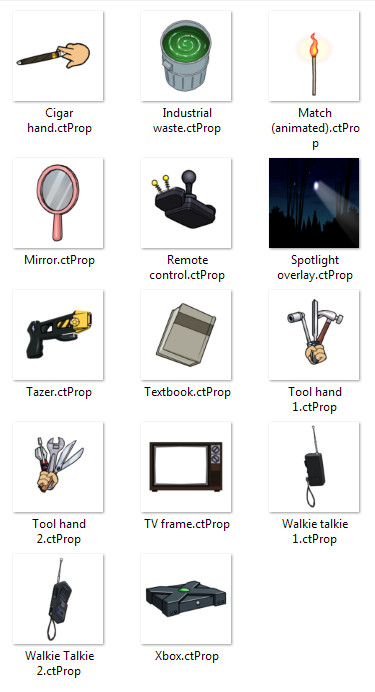
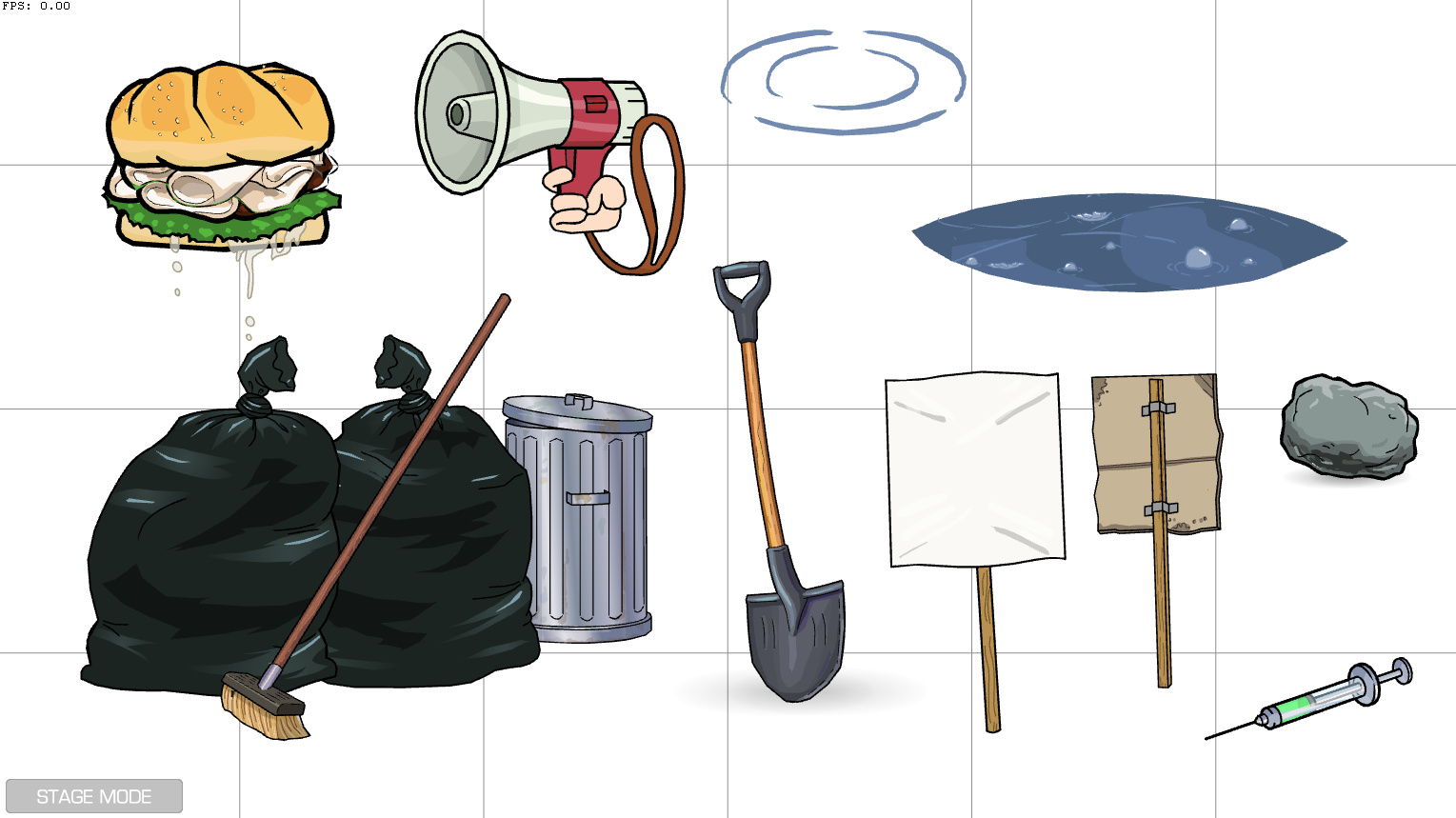
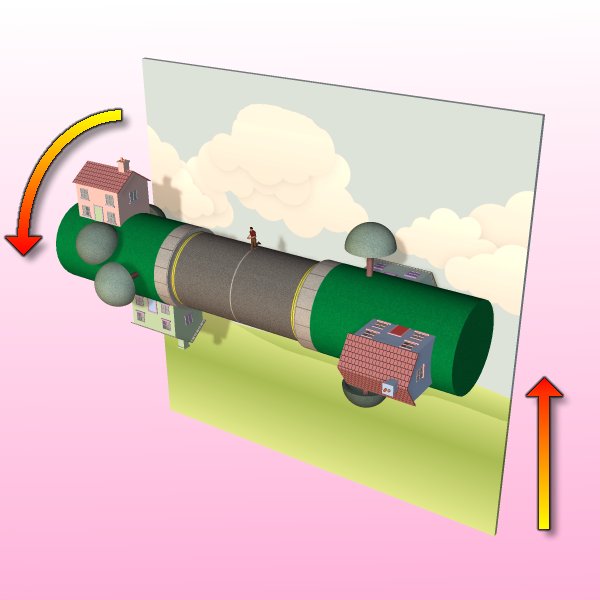
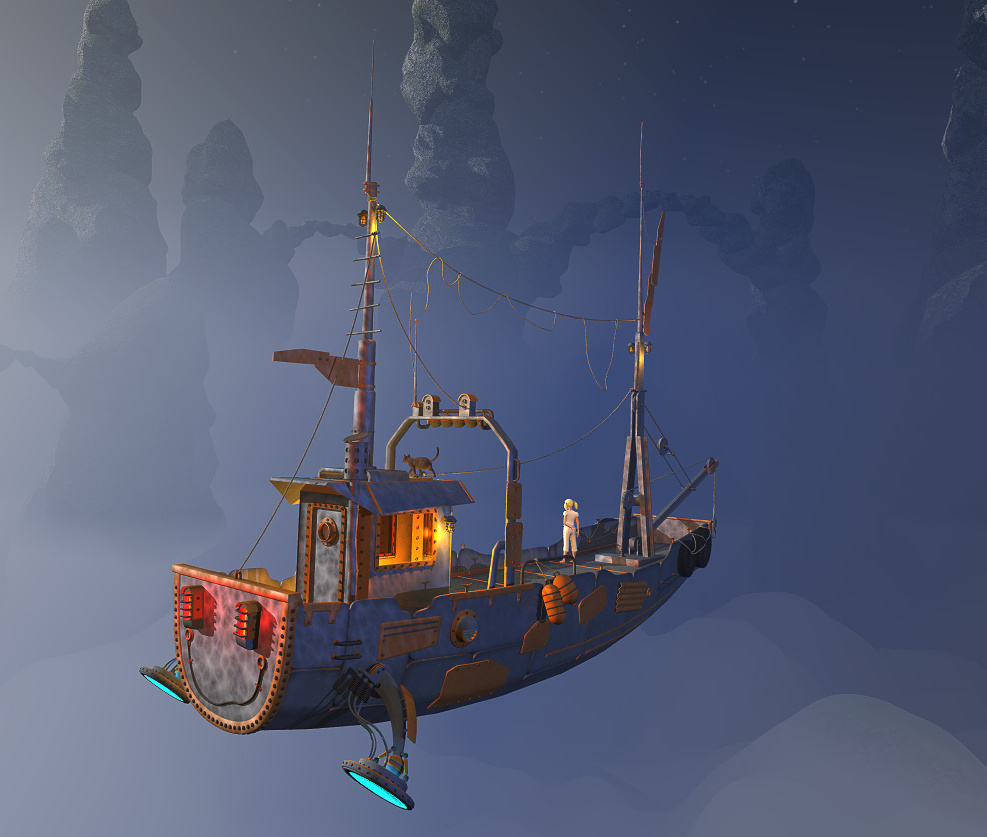
Two classic animation concepts, ready set up in Poser. “Rolling Road” and “Parallax Scrolling” systems, both free from Sparky at PoserDirect.
Category Archives: Freebies
Scripted snow for Christmas
Need snow in your Poser scene for Christmas? Snarlygribbly’s free Snow Machine 2.3 works in Firefly and Preview. Also in Sketch, though it tends to get rather ‘lost in the shuffle’. The snow is really easy to apply, just choose your settings (depth, colour, reflectivity etc) and watch the snow appear on your prop or even all across your scene…
How to strip your Poser characters
How to strip your Poser characters… to clay.
1. Download SnarlyGribbly’s free EZmat, unzip. Inside there is another EZMat.zip. Unzip that too, and copy the ..\runtime folder there to your usual main ..\content\runtime folder by copy-merging.
2. Then copy the rest of the EZMat folder content to ..\content\ezmat and use Windows Explorer to clipboard-copy the filepath for the \plugins\ folder. e.g.: C:\Users\YOUR_USER_NAME\YOUR_PATH\content\ezmat\Plugins
3. Load Poser. Under the top “Window” menu, and then right down at the bottom, you now find the main way to launch the core EZMat panel…
4. In this core panel you paste in your path to the many EZMat plugin scripts. These are a wide variety of helper scripts, doing things such as adding rust overlays and even special ‘furry moss’ textures for standing stones, all explained in the PDF documentation.
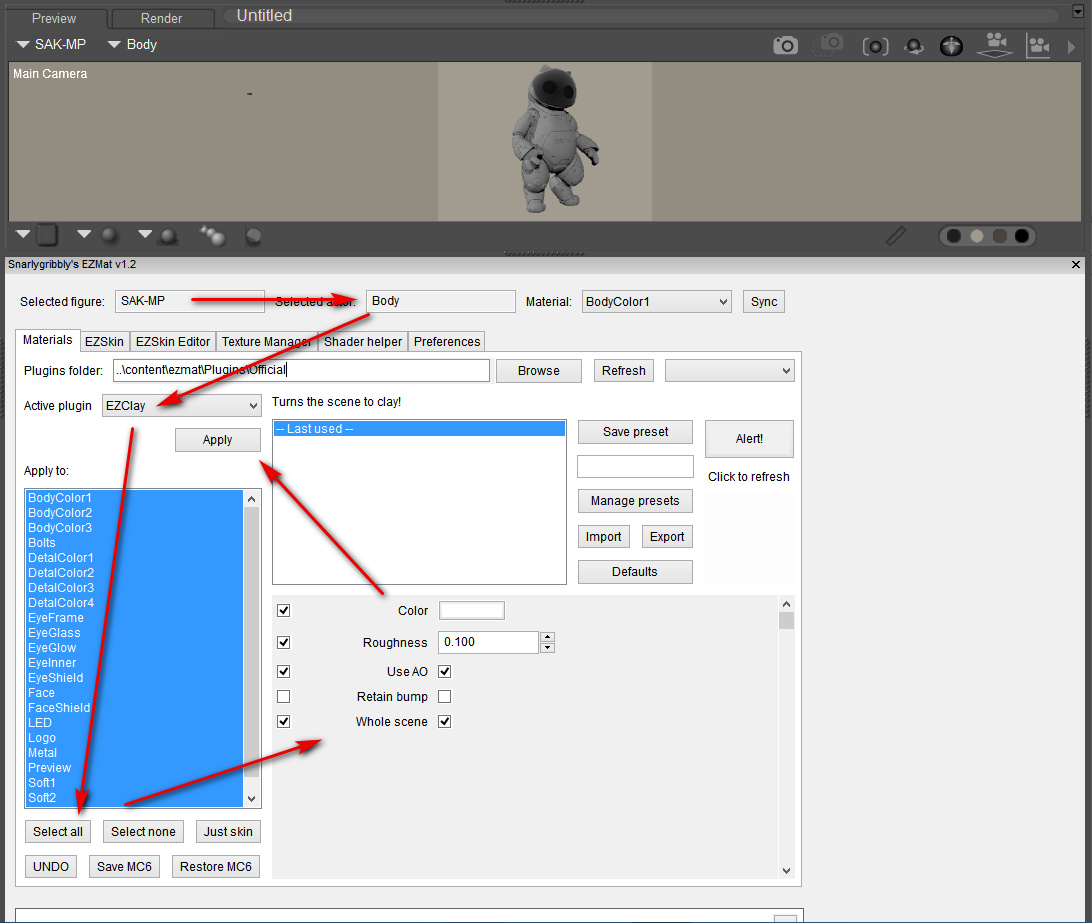
In the screenshot below I have the truncated path ..\content\ezmat\Plugins\Official shown for security, but your own full path will be required in your install. You may then need to reload Poser to get the plugins-list loading into EZmat. Choose the EZClay plugin from the selection in the EZmat panel.
5. The workflow on the EZmat panel is then fairly straightforward, if a little roundabout…
Be warned that ‘apply to “whole scene”‘ is ticked by default.
6. If your translucent or glass materials are then looking jaggy in Preview, such as on Robo-kitty’s visor, then set the shadow quality on your scene lights to 1024 instead of 512.
Enjoy your test Robo-kitty in grey clay. This particular kitty ships for free with Poser 11.2, and once installed is found under Figures | Toys | SA Kitty.
Update: Further testing seems to show a small problem with EZmat in Poser 11.2.x: to load it for a saved Poser scene, its panel first needs to be opened briefly on an unsaved Poser scene. After that it will load fine on saved scenes, but will otherwise refuse to fully do so.
A mine of PoserPython source code in the public domain
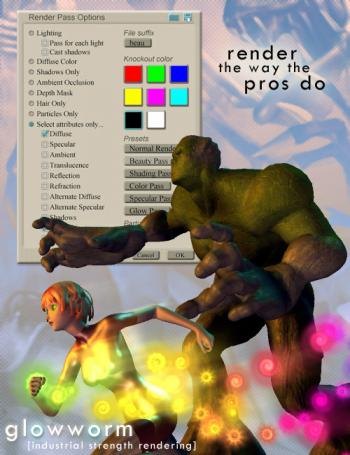
Source code for the GlowWorm, a PoserPython multipass rendering plugin. Highly advanced, but changes in Poser Pro both overtook many of its functions and also fried its code, though I find it can still work on an install of Poser 6 with the SR3 patch applied. Possibly also Poser 7 as “GlowWorm has been updated for Poser 7 and Poser 6 SR3” and presumably the public domain code was the last version.
I find it was kindly placed under a full open source licence and released to the world by its maker, after it became defunct. It might be fixed up and made to work again in a modern version of Poser, but the main value today seems to be as a PoserPython code-mine of highly advanced code in its many scripts and sub-scripts. Sadly it’s not commented, so anyone tackling it will need to be an advanced Python author.
Equally sadly it lacks the manual or a Help button. But here are some basics and a guide to how to install…
To install and get running on Poser 6 SR3, first install the Poser 6 SR3 patch or ensure you have it already. Unzip the source code zip. Find the \runtime folder under \trunk and copy it. Paste-merge this into C:\Program Files (x86)\Curious Labs\Poser 6 such that it merges with the main runtime. Your GlowWorm can now be run from: C:\Program Files (x86)\Curious Labs\Poser 6\Runtime\Python\Poseworks\GlowWorm and the GlowWorm.py script launcher.
Poser 6 may not work with a modern installation of OpenGL, and you will have to set Preview to the fallback SreedD and then set this as the “Preferred State”. Good luck!
Even for those who can’t run it, the code is interesting. For instance, in its gwrRender.py we appear to have Python getting a list of Poser’s Sketch render presets by name, and selecting one to load to Glowworm’s default settings as presented to the user…
As you can see, it seems far more advanced that the crude “LoadPreset” function in the current PoserPython methods PDF, a function which anyway appears only to work with Firefly rendering, not with Sketch…
Poser Script – Duplicate and Scatter
Bagginsbill’s Load and scatter script for Poser. Specifically, it loads a school of 150 fish and places them in semi-random positions within a natural tight distribution.
Currently it’s set, via a line in the LoadFishes.py script, for the freebie fish loaded from :Runtime:Libraries:props:TrekkieGrrrl:Fish.pp2 — which is a free Poser prop.
Once the script has spent about 15 seconds making the shoal and returned UI control to you, select Fish_1 and move it, and the shoal will spin and tilt as if it were a single prop.
Tested by me, and it works fine in Poser 11.2. It should presumably also work for fireflies, pollen floaters, asteroids, moment-of-explosion debris clouds (“Hulk… SMASH!”), perhaps even a “distant low-poly star-fighter mega-battle”, etc… provided you load up Notepad++ and change the path to the base prop. For a flock of birds, though, one of Ken G’s paid-for scripts is probably going to be better, re: the required variety of wing-flaps within a flock.
If you need to do something similar but constrained within a container and fully random (e.g. fireflies in a jar), then see my recent test of the free ‘Props in a container’ script.
Current DAZ Freebies – updated
The Current DAZ Freebies page has updated with new items.
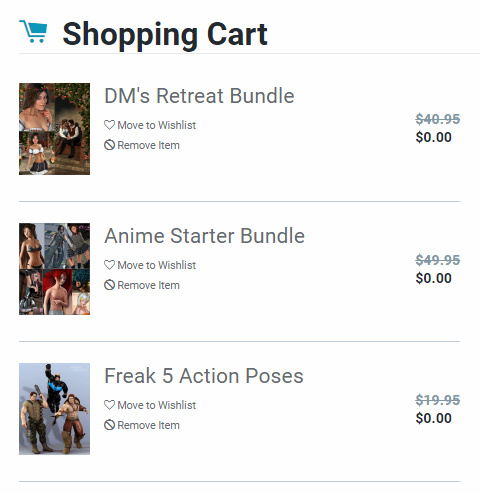
DM’s scene/lights combos are always worth having, especially the lights. And free here is his garden-nook DM Retreat (inc. Poser version), plus a matching storybook Genesis 2 outfit with matching hair — the hair includes both a Poser .CR2 and Poser CFs.
Also, the Anime Starter Bundle gives you the Aiko 4 Base and Hiro 4 Base figures for free, these being for V4.2 and M4 respectively. Plus some interesting-looking stylised anime Xell hair that I hadn’t noticed before.
Also the Freak 5 Action Poses. Which, being Genesis 1, will presumably also be taken more-or-less by other G1-G3 ‘big lad’ characters and robots. Includes Poser CF .zip.
Three new desktops for free
Crowded desktop? Jealous of Windows 10’s extra desktops? You want the free Windows Desktops 2.0 utility for Windows 8, from official Microsoft developer subsidiary Sysinternals.
The extras desktops can be set up purely for creative work, such as one for 2D, one for 3D, one for creative writing or music production. You can’t drag icons between them, so each has to be set up purely as a standalone desktop.
It’s a tiny utility that gives Windows three new desktops for free, with simple keyboard command to switch between them. Alt + 1, 2, 3, 4 seems the keyboard command(s) least likely to overlap with other software. Alt + 1 is always the main desktop you have already. If you have mouse-gesture software like StrokesPlus you can tie these keyboard commands to mouse-gestures, and so forget about doing hand-yoga on the keyboard to switch between desktops.
You can also right-click the icon on the taskbar, and select the required desktop from there.
Tested by me, and works fine on Windows 8.1.x. Doesn’t appear ‘at first test’ to interfere with a two monitor setup (e.g. a draw-on-the-screen pen-monitor such as the Ugee).
Poser script: render each figure/prop separately
Here’s how to get MarkDC’s 2002 render_separate.py Poser Python script working in the latest Poser 11.2.
What it does: It looks at your Poser scene, hides everything, then selectively shows each figure (character) and prop to make a render of it. Then it moves on to the next. One figure or prop, one standalone render. Once the script’s run has completed, it restores the visibility of all the scene elements. “Child props and conforming clothes are rendered with the figure” says the author’s info, but I haven’t tested this bit.
1. First, download and extract the script. The above links are Archive.org links and should be durable.
2. Open the script with Notepad++ and remove the © copyright symbol in Line 3. This symbol is non-standard and it’s what’s causing the fatal error message in Poser 11.
3. Then find the section…
dirPath=”C:\\Program Files\\Poser 4\\PoserFiles\\naoko\\naoko\\”
ext=”tif”
… and change it to something like…
dirPath=”C:\\Users\\YOUR_USER_NAME\\YOUR_OUTPUT_DIRECTORY\\”
ext=”png”
This needs to be a directory where Windows is happy to let scripts save stuff. We want .PNG because we need the masking and transparency.
4. Save. Install the Python script as usual.
5. Build your scene in Poser and set a Main Camera. Then on the top menu go: Window | Animation Palette.
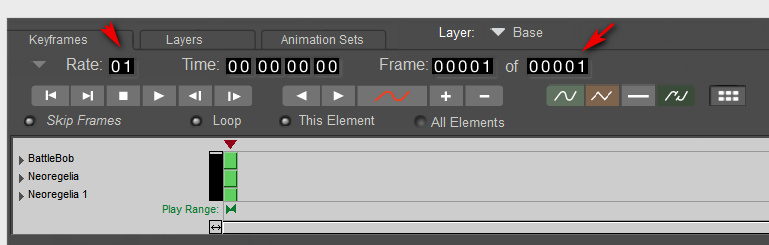
Change the settings to a single frame and keyframe, thus…
If you don’t do this you get 30 renders of each prop or figure, and it’s going to take a looonnngg time to get all the renders for the scene. And there’s no way to stop the script once it starts running, short of Crtl + Alt + Del.
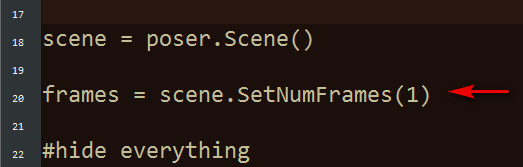
If you’re absolutely sure you have no animation in your scene, or cameras set to render from later frames in the timeline, then you can add this line to the script. It will use the SetNumFrames command to force 1 frame only on the timeline, rather than 30…
6. To see it in action, switch render settings to something quick, like Preview mode and 900px. You’re now done with setup.
Once invoked the script will do its thing, running through the scene’s figures and props one by one and making a standalone render of each.
For some reason it will also make a FocusDistanceControl_0.png render of the camera. Because of this, on completion this will lay a big black X across the live scene. This X is the focus distance assistant in the camera. To clear it, simply switch to the Main Camera parameters tab and turn the focus_Distance dial back to “0”.
7. Now you can use Photoshop 64-bit to go… File | Scripts | Load Files into Stack | Browse…
Do not tick “Attempt to Automatically Alight Source Images”, as these are PNG files with transparency and Photoshop will make a mess of them. They’re all the same size and thus will align fine by themselves.
Note that “Load Files into Stack” does not work in 32-bit Photoshop, and never has.
That’s it. This script works in Preview as well as Firefly, making it useful for comic book work. Run in Preview it can also effectively serve as a ‘mask outputter’ for Photoshop postwork on a full render made with FireFly / SuperFly / Reality, or even with Sketch (though in that case the mask-edges may not quite line up). One can also make a ‘ground shadow’ for a character, by duplicating their render, making it black and then skewing it into the approximate position of a cast shadow.
MarkDC (Markcus Dunn)’s script should probably be included as standard in Poser 12, with a pop-up dialogue added to help newbies set the file path and type, and a reminder to set the scene’s animation frame length to “one” before starting to render.
Releases: Audacity / Krita
It’s always nice to see a new release of the free workhorse audio-editor Audacity, now in 2.3.3 (22nd Nov 2019). The developers have mostly been bug-stomping, but “leading silence is now preserved in exports” and the .M4A export gets new quality presets.
Also open source and free, the excellent new painting and inking software Krita 4.2.8, with faster loading and even more work on the speed and autoprecision of the brush presets.
Up in the Attic
I hope readers have benefited from my Black Friday / Cyber Monday posts over the last week. If your groaning DAZ/Poser runtime can take any more content, there’s Fantasy Attic’s 2019 Annual Community Christmas Gifts. An Advent Calendar for December, currently on the Day 2 reveal.
Updated script – ReplaceTexture
I’ve just spotted that Semicharm’s free Poser script ReplaceTexture V1.1 had a May 2019 update. Now works with older versions of Poser.
Just a few easy in-situ clicks to replace a texture and all instances of it, with the option to shift Gamma too.
Not sure that it works with Poser 11, though. It doesn’t give errors in Poser 11, but it only lists one material on a selected character rather than the expected enormous list.
Blambot comics font sale
Blambot will be having a sale soon. They specialise in digital comic book fonts, quality but at a significantly lower cost than ComicCraft.
Their sale will start next Monday, albeit only as a 30%-off sale, and will run through 6th December 2019.
I like the look of the $20 Big Bad Bold, although my Black Friday PayPal stash has already been drained by sub $5-ers at Renderosity and DAZ.
In the meantime, Digital Strip 1 and Digital Strip 2 are free. Also Milk Mustache which is a more causal webcomic font.
BodyPix 2.0
Google has released the free BodyPix 2.0. This offers automatic identification of people against a relatively noisy background, and then spots and tracks each person’s twenty-four body parts. It then segments, ID’s and colours each body-part. It can do this even while being fed around 20-25 frames per second, on fairly standard hardware such as an iPhone.
Version 2.0 adds “multi-person support and improved accuracy”.
They also offer the sister-software PoseNet, enabling a basic emulation of what a Kinect does but via standard Webcams…
both BodyPix and PoseNet can be used without installation and just a few lines of code. You don’t need any specialized lenses to use these models — they work with any basic webcam or mobile camera. And finally users can access these applications by just opening a url. Since all computing is done on device, the data stays private. For all these reasons, we think BodyPix is easily accessible as a tool for artists, creative coders, and those new to programming.
So… how to plug this stuff into a nice little DAZ/Poser-friendly Webcam utility? One that, at the flick of a drop-down menu, will happily real-time puppet and animate any stock figure from an Aiko 3 up to a G8 or La Femme?
DAZ Studio to Blender: the options
DAZ Studio to Blender 2.8 is a somewhat interesting possibility, re: getting “free real-time rendering” of a static scene in open source software. Without the $1,000 cost of an RTX graphics card + new PSU for real-time ray-tracing (now supported in the latest DAZ Studio). Or the faffing around and cost of converting figures for real-time in iClone.
Another reason you might want to do this it to get the real-time NPR comics-making possibilities of Blender’s Eevee. Although Eevee-with-toon-shaders is still very much a work-in-progress, and seems likely to remain so for a few years yet. I suspect that “really real-time” options like U-Render may yet overtake Eevee, using OpenGL real-time rendering that’s i) not shackled to a game-engine; and ii) is graphics-card agnostic. While advanced OpenGL may never give iRay-quality results on DAZ characters, even with a good texture conversion-script, one imagines that the NPR tooning capabilities should be comparable to those of a mature Eevee.
DAZ to Blender:
Anyway, the best three DAZ to Blender bridge options I can find at the end of 2019 appear to be:
* The Japanese DAZtoBlender8 is $15 on GumRoad and also on Booth priced in Japanese Yen. Dated August 2019. Is specifically designed to take Genesis 8 figures into Blender 2.8 and higher. Seems to be made by a very dedicated Japanese guy, looks like it works well, and can handle animations and geografts. Has some basic English translation on the videos and there’s a PDF manual in English with screenshots.
* The free Diffeomorphic: Daz Importer version 1.4. Import static .DUF scene/character files into Blender, though some texture tweaking is to be expected after import. The 1.4 version is dated August 2019, and is said to work with Blender 2.8.
* The free mcjTeleBlenderFBX, dated 6th October 2019. But it’s not ideal. Note that the maker admits that… “By default the FBX import/export process messes the animation and the materials are poor”.
One could also do a simple OBJ export of a posed character. Then spend lots of time wrangling materials in Blender.
MangaName 2
Japan’s MediBang released their updated MangaName 2.0 Android app, back in the summer. Available free on Amazon, it works on the Kindle Fire HD 10″. Also available on Google Play.
It’s a fine simple tool to create a rough comics storyboard, and is unique in being geared to multi-page comics storyboarding rather than screen animation. It appears to be ad-free. It’s a little temperamental on the Kindle HD, but you get used to how it needs things to be done.
Sadly they appear to have removed the multi-page manager feature from their main MediBang Paint desktop Windows software. But this little app still works fine for multi-page planning and re-ordering.