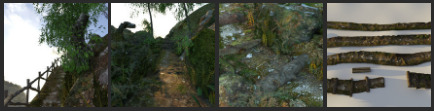
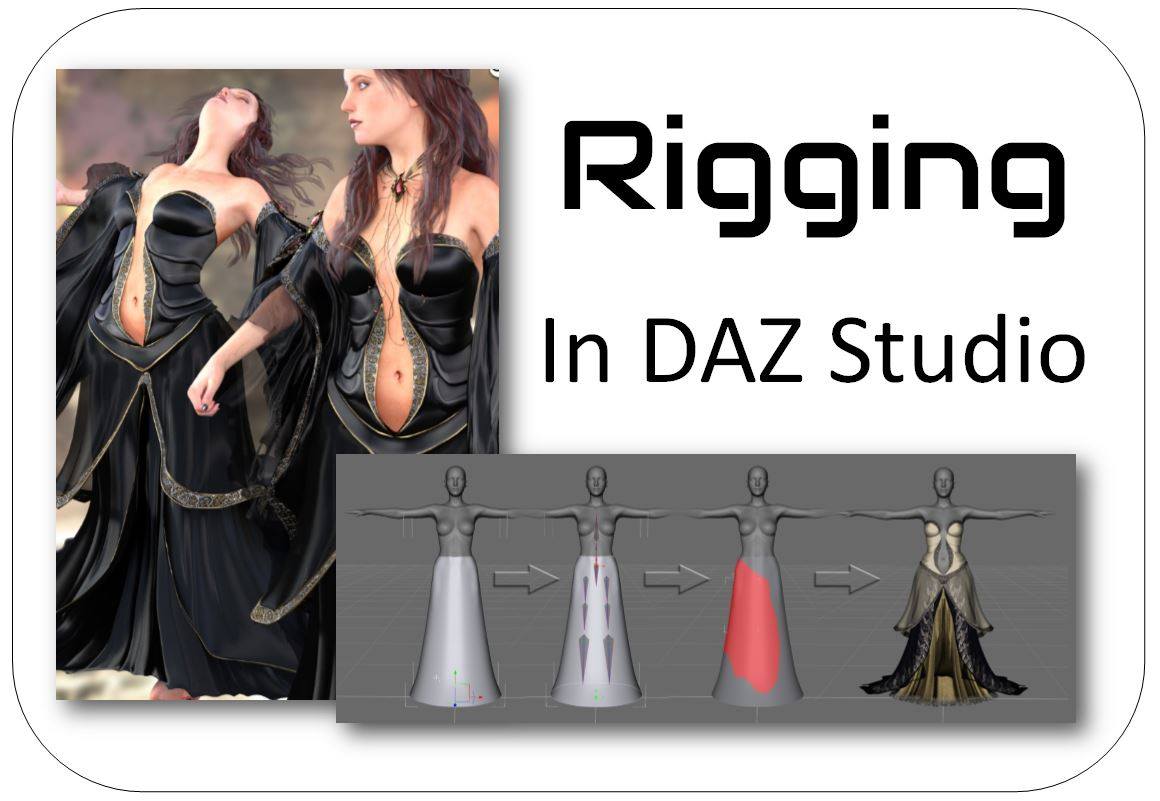
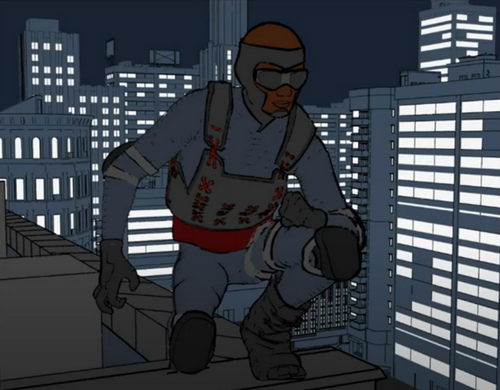
A great opportunity to learn the efficient workflow and advanced techniques of DAZ Store content-creation, one-to-one with one of the best, and in a small selective group. An opportunity like this doesn’t come up every day. Recruiting now.
Category Archives: DAZ Studio
Halloween Freebies 2020
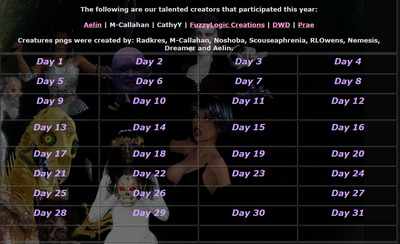
Fantasy Attic’s Halloween Freebies 2020. 31 days of freebies, one per day to Halloween, starting on the 1st of October.
Freebie: Automatic OBJ Exporter
What’s that you say? You want semi-automatic speedy export of any Genesis figure from DAZ Studio, to use with Poser’s real-time Comic Book mode? What? And you also want it posed and clothed?
And you’d like to add fast and stable poly-reduction to about 200,000 polys, to make the figure wieldy inside Poser in real-time? And you want all but the unwanted specular textures loading back onto the OBJ, when you load it in Poser?
Oh, and you’d also like the poly-reduction to be done by an efficient stable super-fast third-party decimator that doesn’t crash or stall (i.e. MeshLab), or take forever to produce a crumpled mess (i.e. DAZ Decimator), or which needs three hours of wrangling and head-scratching to even start to make work (i.e. Blender)?
You’d also like this done in less than four minutes?
So… you want a miracle, right? Well, it’s here. All this is available in the new free Automatic OBJ Exporter suite of scripts, which provides a step-by-step and highly-automated way of getting posed/clothed Genesis figures to Poser for tooning. Works in Windows only, and to be so fast it requires the $52 Atangeo Balancer — which a script will launch from an icon inside the DAZ Studio Library.
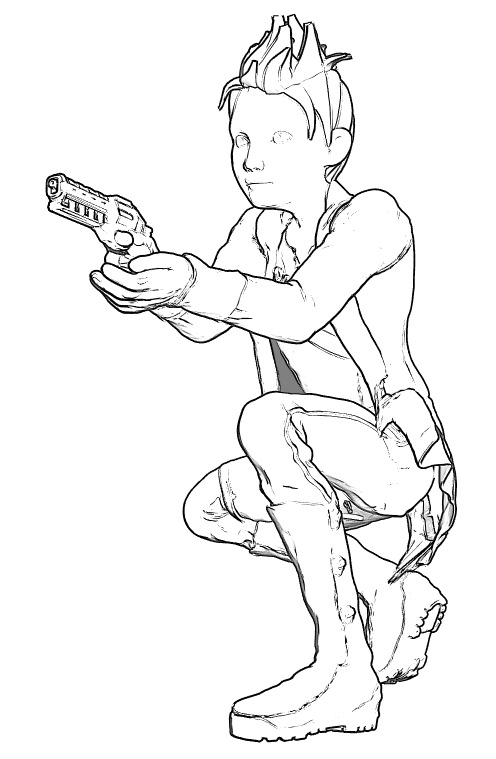
G8M, with lineart and toon in Poser 11. Yes, with extreme poses / tight clothes you may have to fix some poke-through via Photoshop’s heal/clone brushes. And yes, you’ll also likely want to blend in a shadows render too, which hasn’t been done for this demo.
There’s a clear read-me, but here are a few extra tips on use:
1) On importing to Poser, there will be a message that the Specular materials cannot be found. They’re not needed for toon and are not available because they were deleted earlier by a script. Just carry on loading and the rest of the textures will load on fine.
2) Once you’re happy with your reduced OBJ in Poser, obviously you then re-name its export sub-folder to something meaningful like Export_0001_Kid_Bounty_Hunter_01 and also delete the larger original OBJ in that folder (it’s the one that now has a -bak file-name). The next time you run Automatic OBJ Exporter, you rename the final created export sub-folder as Export_0001_Kid_Bounty_Hunter_02. And so on. Otherwise Automatic OBJ Exporter will over-write your older exports.
Autofitters
DAZ currently have a wide sale on for the U.S. Labor Day holiday, and it’s still on. For $7 for both I picked up Sickleyield’s Genesis 2 Female Clone for Genesis and Genesis 2 Male Clone for Genesis. I already had Sickleyield’s earlier Genesis 3 Clones for Genesis. I note there’s also a new male/female duo of Genesis 8 Clones for Genesis for $7 at Renderosity, though I didn’t get that.
Put them all together and the very flexible Genesis 1 would have compete Genesis autofit compatibility. Why Genesis 1? Because it has loads and loads of half-human creatures, aliens, toony etc, all very easily applied. So, although lacking the bends and subtler facial expressions of G8, it’s still useful. Especially if you can get it to Poser to toon it.
Of course Genesis 1 also came fitted with clones for backwards compatibility to V4, M4, A4 etc. With a few more paid autoclone packs it would also be possible to go the other way and add V3, M3, A3 etc clones, which are needed as 3 series autoclones did not ship with the original Genesis. It looks like now is the time to pick up such things, cheap and before they (possibly) start to vanish from stores.
Fix the fin…
Does your base early Genesis figure always load into DAZ Studio with a head ridge / fin morph on her head, like she’s all set to audition for the next Aquaman movie?
Here’s the simple fix…
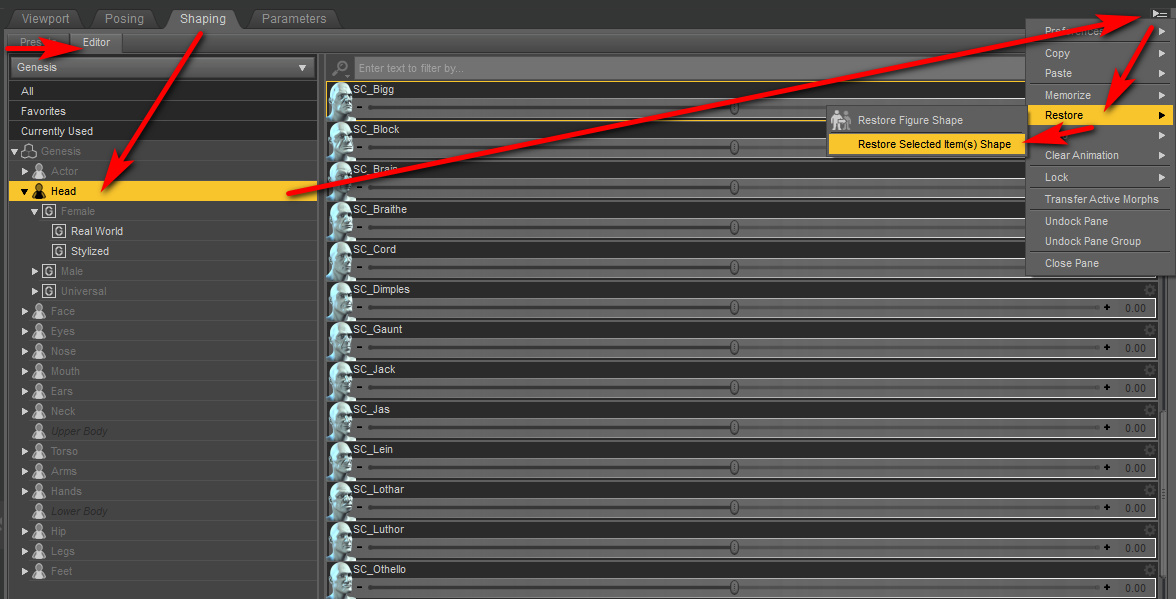
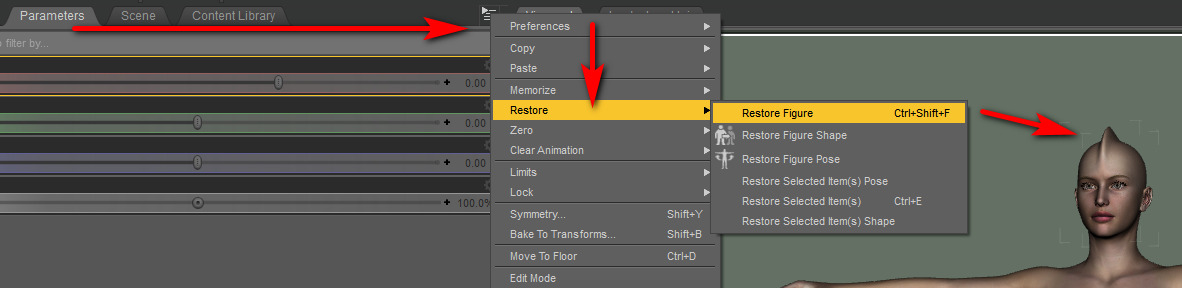
Right-click the top of the Parameters tab | Restore | Restore Figure. If you don’t see the Parameters tab anywhere, to open it you go: Top Menu bar | Window | Panes.
If it’s impossible for you to find this menu command, amidst the tangled and confusing DAZ Studio interface, then the keyboard command is…
Ctrl + Shift + F
… and this will fix the selected figure. Think of it as “F for Fin”!
However, this doesn’t fix it for good. It re-appears when you open a save scene (i.e. a saved scene on which you thought the fin had been removed) in which you have a dressed and posed Genesis 1 figure. Once you have your figure dressed and posed, what you need to do to “fix the fin” is to go to the Shaping panel, Select Head, and Restore Selected Item…
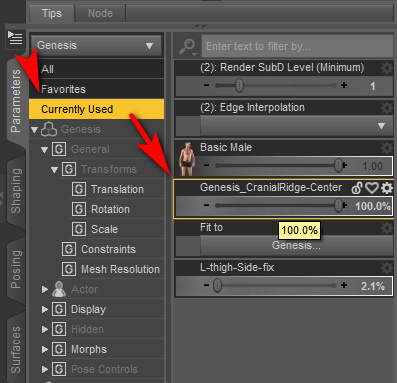
It’s caused by “CranialRidge” loading with Genesis at 100%. This is from the free pack Genesis Head Morphs…
Judging by the comments on the freebie page, others have also had this problem. Deleting the file from ..\content\data\DAZ 3D\Genesis\Base\Morphs\Agent 0013\Genesis_CranialRidge-Center_Morph fixes the problem, and a new Genesis 1 will load with no problem. Though any saved Genesis 1 scene files will load with a “missing files” freak-out from DAZ Studio. Simply re-save the scene to also fix this secondary problem.
NVIDIA announce next-gen RTX graphics cards – shipping October
It’s now official that NVIDIA’s RTX graphics cards will move to a next-generation ‘RTX 30 series’ in October, with the most affordable model there being the $499 | £469 GeForce RTX 3070.
Their older ‘RTX 20 series’ GeForce RTX 2080 Super is said to be the current best for iRay, a card which in the UK will set you back at least £625 for the cheapest such brand on Amazon UK, which will make it unaffordable for many. So I guess the question is… will this new RTX 3070 match the RTX 2080 Super, while shaving £150+ off the price and bringing “the iRay card” below £500? Maybe not, but it’ll be interesting to see the first not-just-videogaming reviews and bench-tests, and learn how well they do with iRay renders. Including, ideally, a relatively complex scene tested with a real-time viewport iRay view.
NVIDIA will also ship the beta of its own Omniverse Machinima movie-making software, originally designed for architects but now also being touted for entertainment…
“Users will be able to import assets from games or from online marketplaces for stock content, or from content creation applications”
Set for October. Update: it’s now December and it thus appears to have been heavily delayed.
Incidentally, for future reference for those wanting to turn on the faster Interactive mode of iRay in the very latest version, it’s here…
I seem to recall it used to be up top, under the Engine: drop-down, so people upgrading from older version may be wondering where it went.
Render settings can be saved to a preset via the top menu | File… then the saved presets can be loaded back to the scene by drag-and-drop from their folder. For some reason, for me the saved presets never show up in the UI.
PzDB for $20
PzDB 1.2, now just over $20. Nice. There’s also a free trial of 1.3, if you just want to test PzDB first. For indexing a huge runtime you’ll also want to run this freebie first, which will fix any missing thumbnails before you then index with PzDB.
Only via the Store link above. Those who just splug down onto the main landing page see a higher price.
‘Look At My Hair’
The DAZ Studio fur-and-hair plugin Look At My Hair 1.6 is currently on a 50% off deal at the DAZ Store. Its companion LAMH 2 iRay Catalyzer plugin is also 50% off at around $7. Note that the latter iRay addon only works with a few “LAMH models [creatures] compatible with the Catalyzer”, so it you want LAMH for some other use than DAZ LAMH-enabled creatures then the extra iRay addon may not be needed.
Just be warned that it’s well known that LAMH is extremely crash-prone, and it needs to be learned fully and worked in the correct way if you’re to try to avoid some of the crash points. I can confirm that it’s crash-prone, and that it will usually take down DAZ with it. Check the forums for advice and some possible workarounds for such common problems. One of the worst problems is when it crashes DAZ on trying to load a finished scene that was saved with LAMH hair in it — users might save two versions of such a file just in case, one with the preset applied and one with it removed from the scene.
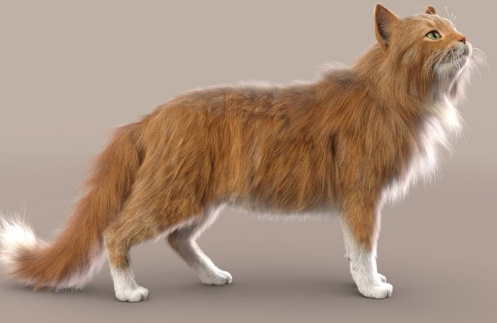
That said, when LAMH can be made to load/render, a preset is simple to operate in terms of fur colour and density and it renders reasonably quickly in 3Delight. Very quickly in default lighting, less quickly in complex lighting. For instance here I have dear old DAZ Millennium Cat with a black cat texture MAT (Classic Cats pack?), a fairly tough ‘Caressed by Light’ light preset #05, and the LAMH short preset for the MilCat ramped up to 260,000 hairs. Even with the tough lighting and many hairs, this render is done in five or six minutes for me. And that’s with me not using the Xeon workstation, just the normal desktop PC.
3Delight. Raw render, no postwork.
Since version 1.5 LAMH has also offered easy export for Poser and Vue and even .OBJ…
New in 1.5: LAMH will now create optimized FiberHair for rendering in Poser and Vue … applies compression to the fibers to control the size of the exported hairs. … LAMH will include the UV’s and custom textures with the FiberHairs, providing a complete asset” for export. Also… “provides the option to write the FiberHairs to .OBJ format.
… and export is relatively straightforward (provided you can actually load the LAMH preset and pose, without DAZ crashing-to-desktop). Such exports alone may thus be worth the $25, when LAMH is on a 50% discount. Indeed, it may even enable iRay (I’ve yet to test that myself) as Kendall in the forums gives some possibly good advice re: taking LAMH FibreHair exports to iRay…
“Do not generate the FiberHair until right before render. [Because FibreHair doesn’t auto-follow the pose]. The FULL version’s FiberHair export will put the generated hairs DIRECTLY on the model in the DAZ Studio viewport.” I also read a little later that “It is no longer necessary to export out FiberHair specifically for iRay … LAMH takes care of determining the rendering engine and adjusting accordingly.
Nice, if that’s the case. And apparently FiberHair exports can also inherit the colouring of the base diffuse texture (.OBJ export of strands don’t).
And I guess that if one then intends to do a lot of iRay rendering with FiberHair, DAZ 4.12.1.83 is current minimum — as that was updated to include “NVIDIA iRay RTX 2020.0.0 (327300.2022)”. That’s important because the iRay devs reported in the early Spring that their new iRay… “2020.0 final has just been released” and strand fibers do “especially well” with the new iRay 2020 + an RTX graphics card. Even fibres with dense intersections do very well, they said. Thus I presume that DAZ running iRay 2020 should help with the speeds on LAMH strand hair, if you have the required graphics card type. Possibly even if you only do CPU rendering, though that’s another guess. According to the forums this ‘Speed’ setting, in particular, might also help…
The current public beta of DAZ Studio is at 4.12.1.117 for the very latest, which is what I’m now running on. As well as the addition of iRay 2020, in recent 4.12.1.x releases the technical Changelog notes several dForce version updates and .OBJ import/export improvements.
For people looking at fur options I should note that Poser 11 Pro has a Hair Room built in, in which basic fur is relatively easy to make and quick to render. I seem to recall that Hair Room fur colouration can automatically take up from the diffuse material’s pattern, if needed. But I hear that LAMH can also do that, though not for .OBJ exports.
There’s also the new DAZ Studio Strand-Based Hair Editor, which is similar but more stable than LAMH. But the problem there is… it has no cat presets! In the meanwhile, LAMH has excellent cat hair, both the old MilCat and the new Hivewire HouseCat. And actually, thinking about it… I have yet to see a single animal preset produced for the native DAZ strand hair. You’d have thought that, a year after release, we’d have fifty or more animals furred by now. Is the absence because such hair can only be saved if there’s a base mesh to ‘grow on’? And that mesh can’t be redistributed, as it’s part of the commercial model?
Solution: fix the DAZ Studio “Error during rendering” problem
There has long been a persistent and out-of-the-blue problem periodically had by a few users of DAZ Studio, that appears to stump forum helpers every time. It’s often wrongly assumed to be a graphics drivers problem. That can be true if the user recently upgraded to a new version of DAZ Studio that requires new card drivers for CPU rendering, but does not apply if no such change was made.
Symptoms: The user has not recently upgraded DAZ Studio to the latest version. An unspecified “Error during rendering” has caused iRay to fail, with that rather unhelpful message. If the user tries to close rendering and render again, they are told that iRay is already in use (even though it has definitely closed). Other render modes are still possible.
Solution: A little digging with my handy new Technical Search Engine suggests that the only one who got it right was one ‘JaeAlexisLee’ in 2015, who painstakingly went through every damn thing that could be wrong with the wayward scene. At last it was found…
“Found it! Occurs if the Render SubD level is higher than 1!”
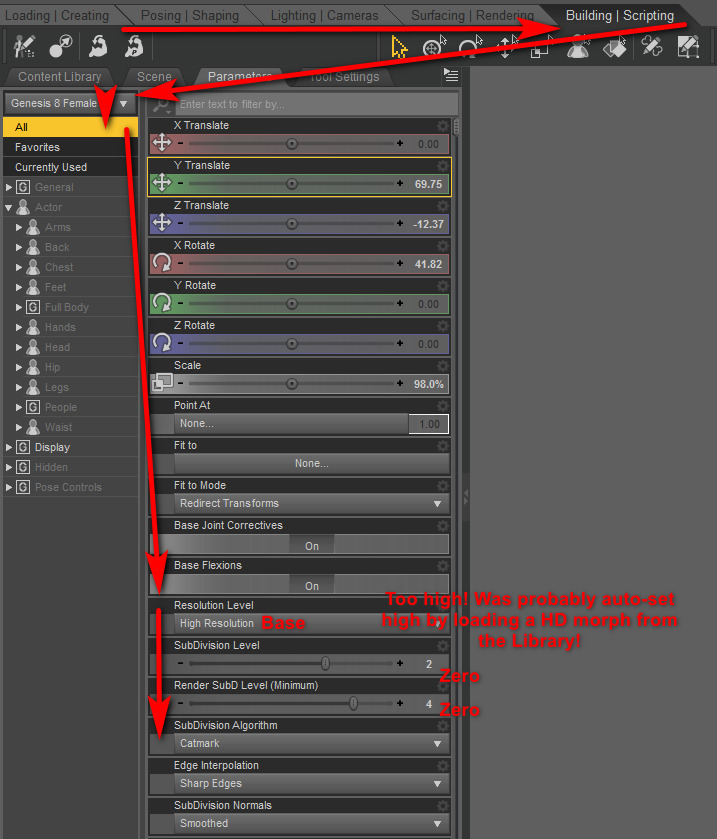
Where to find these settings: I’ve tested this solution, and it does indeed cure the problem instantly and perfectly. So, here are where you find the settings you need to change in DAZ Studio 4.12…
Manually putting the above settings back to Base | 0 | 0 and saving the scene then enabled an iRay render to run again fine. I then switched them up to High Resolution | 1 | 1 for better resolution, saved the scene again, and once again DAZ Studio rendered fine in iRay. The “Catmark” setting appears to be harmless.
Fixed.
HD morphs presets as probable cause: I suspect these settings were silently changed on loading one or more HD Morph presets from the Library, and that such things need high settings in order to accommodate the morph dial’s need for lots of polygons in the Genesis figure mesh. Possibly those with amazingly powerful graphics cards can handle such HD things, so it may indeed be a RAM problem ‘of a kind’. But many DAZ Studio user will not be able to run their figure at that high level. Ongoing nuke-from-orbit solution: just shun all HD figures on the DAZ Store, at least until you get an $800 graphics card.
What’s new for Poser and DAZ: August 2020
It’s getting near the end of the month, and so here’s my pick of the new Poser / DAZ Studio items that have appeared since my last round-up.
Steampunk:
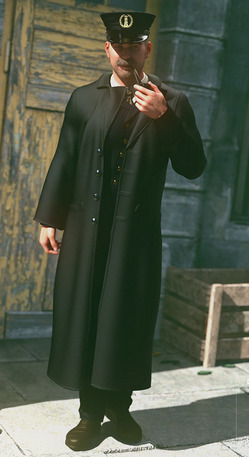
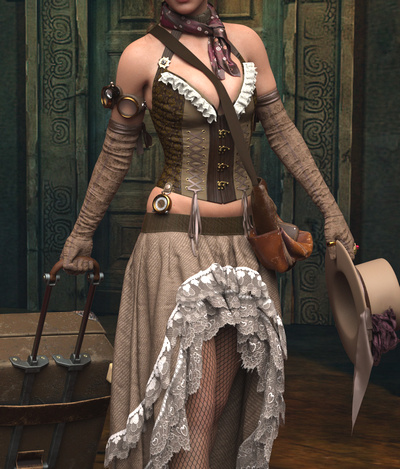
Vampire Hunter for M4, for Poser and DAZ Studio.
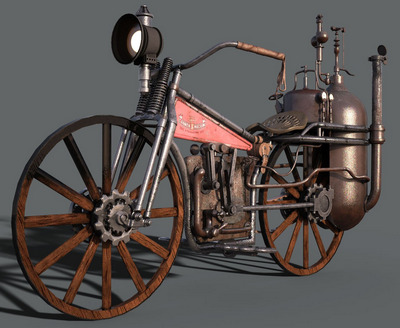
Your hunter probably rides the new Steam Motorcycle.
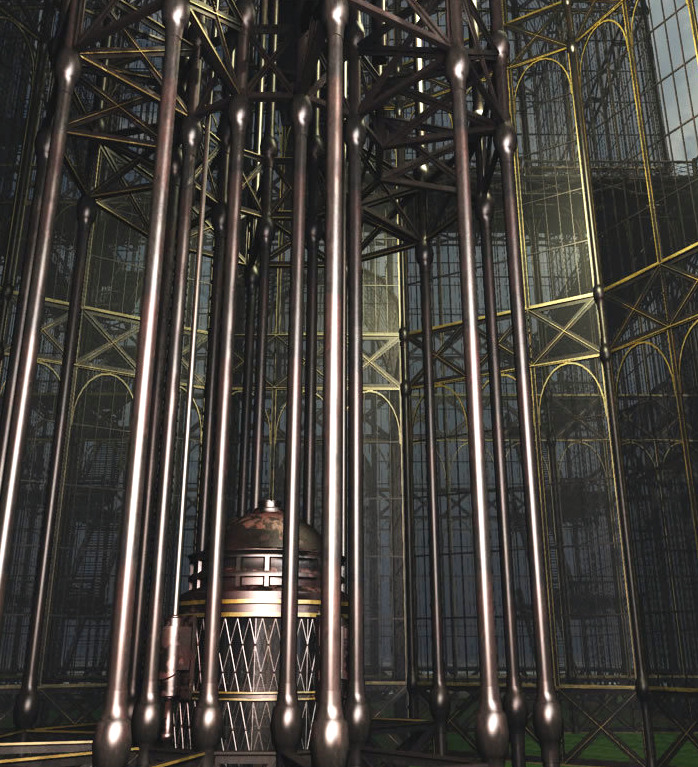
Where’s he going to chase a vampire? Could be the Steampunk Arboretum for Poser, now at Renderosity. Formerly known as the Great or Grand Arboretum and part of the Steampunk City Volume 1 set from Meshbox. Be aware that their models are older, but well made. Check your Vue content to see if you already have it there under the name “Grand Arboretum”. If not, there’s a Vue version at Mirye.
All that glass may need a defence force, so you may also want the Zeppelin Station for Poser.
For lights for the Steampunk Arboretum, see the hanging lamps and low-poly Antique Street Lights which both match the Arboretum.
Science-fiction:
The free MC saucer add ons for Alien Invasion Saucer.
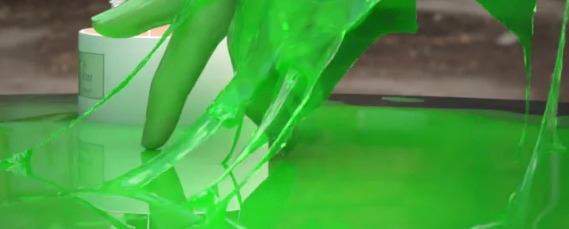
Got aliens landing their UFOs on your lawn? You may need the new dForce Slime and Goo.
City Container Houses Set from 1971s, for Poser and DAZ Studio.
The Saturn System for DAZ Carrara and DAZ Studio. Saturn and its system of moons, useful for scientific illustrations as well as pictures of of robo-kitties surfing the rings.
Storybook:
Hr-237 hair by Ali, with a suitably storybook look to it.
Exnem Ice Cream Props and cones for DAZ Studio, as “fit to hand” smart props and poses.
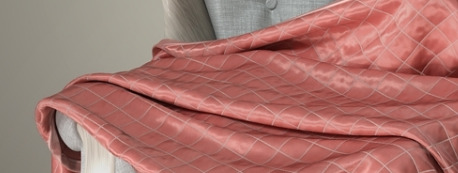
Realistic dForce Blankets for DAZ Studio. Could also serve as ‘magic carpets’, perhaps.
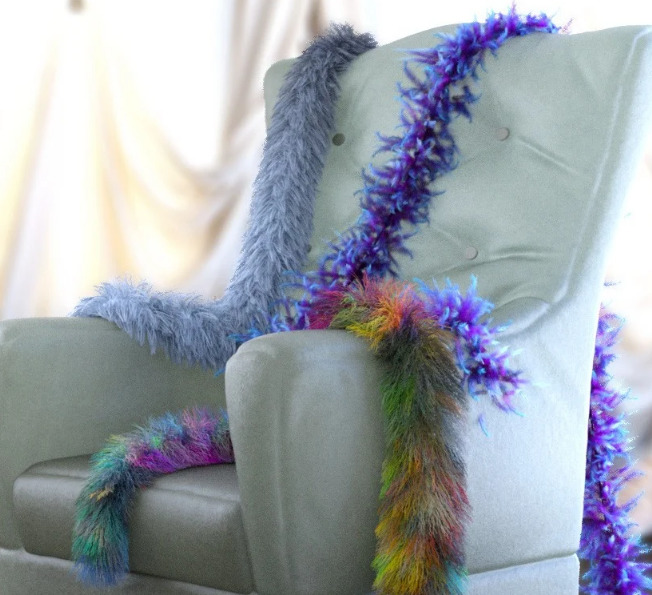
dForce Fur and Feather Boas for G8F.
dForce SY Capes II for Genesis 8. This second set has a more superhero look, but could also be used for storybook characters such as a wicked queen.
Historical:
A free Temple of Venus in .OBJ and for DAZ Studio.
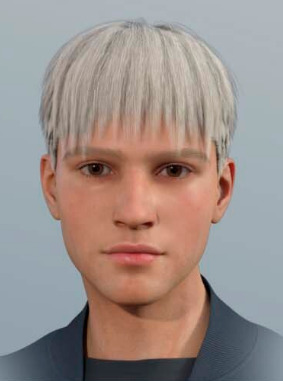
Deepsea Adam HD for all Genesis types. Appears to be very suitable for renders that recreate classic ‘old master’ paintings and Biblical scenes.
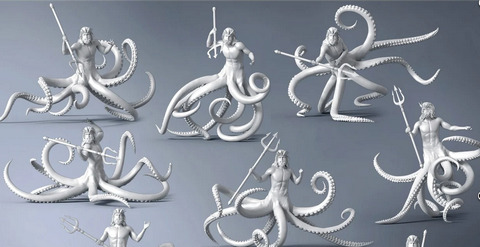
God Of The Sea Tentacles Props and Poses for Genesis 8. Again, very suitable for renders that recreate old mythic scenes. Not that I recall seeing octopuii men in old paintings, but you never know…
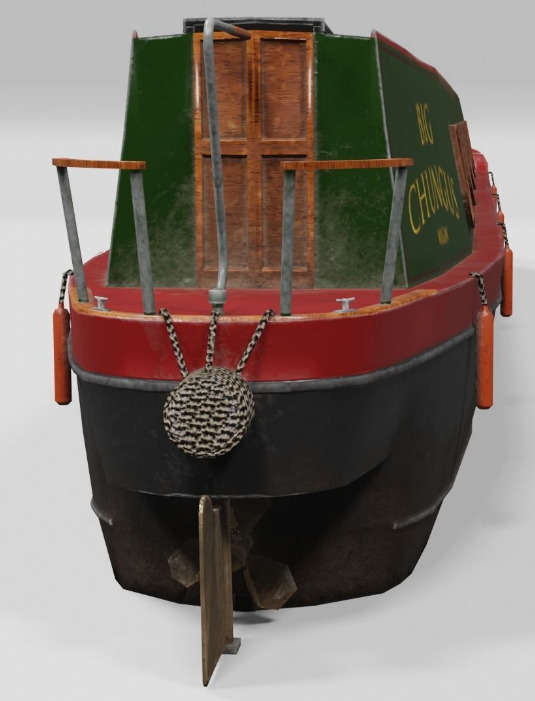
A British canal 3D canal narrowboat. In low-poly, so you could have an armada of them converging on Dunkirk.
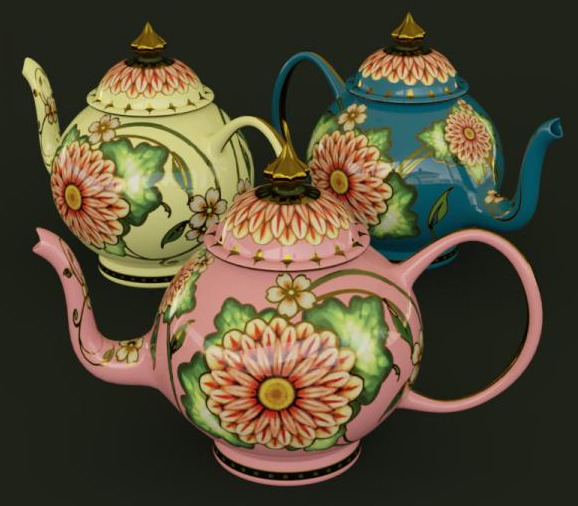
A free Painted Teapot, circa 1895, for DAZ Studio. Not canal-ware matching the narrowboat, but close.
15th Century for M3 is available again.
A vintage Letterpress Case for Poser. Metal letters were sorted into this, ready to be picked out and assembled to make a page for a printing-press.
Animals and nature:
The HiveWire Tiger for Poser and DAZ. This requires the HiveWire Big Cat as the base. There are also Tiger LAMH Preset and Animations for the HiveWire Big Cat.
There’s a new Cat Rig for Cinema 4D.
A new Peregrine Falcon for Deepsea’s Eagle.
Ken Gilliland’s new Nature’s Wonders Bee Swarms & Nests.
A free pack of Bubbles and Rays for underwater Poser scenes.
Landscapes:
Pebbly beach for Vue 11 or higher, from RaffyRaffy who makes a welcome return to Vue after a run of Blender scenes. Very nice. I’ll be picking this up on Black Friday, along with a few of his others for Vue.
ShaaraMuse3D’s HD Shrublands, a dry setting suitable for smaller desert cats and the like. Though possibly the uplands of India has areas that look like this, where tigers roam.
Olive Grove with Ancient Olive Trees and Mediterranean Shrubs Vol 1 for DAZ Studio.
The free Easy Terrain in .OBJ, suitable for Halloween or First World War winter battlefield scenes.
For figures:
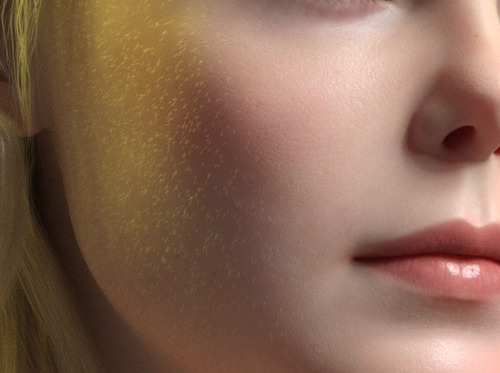
Free Vellus Hair for Genesis 8 Female, this type of hair being faint downy cheek hair.
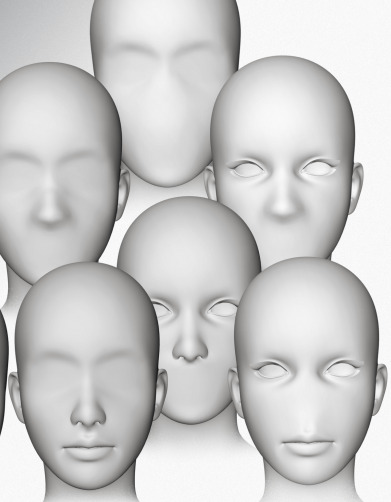
A free morph set, Gone LF for La Femme. Removing eyes, or nose or mouth. Possibly useful for those who manually intend to ink or paint in these features on the render. Possibly also interesting starting-points for a science-fiction or horror makeover.
A free supermodel body type for La Femme and a younger body type for La Femme for Poser.
A free pack of chest morphs, EMB for La Femme for Poser.
A free Ball Joint Doll for G8F in DAZ Studio.
Shutterbug Pose Collection for Genesis 8 Female. Being an unusual set of “making pictures” poses for a SLR photographer.
Obvious fan-art:
For non-commercial fan-art use, obviously.
The Man Without Fear for G8M, a Daredevil-alike for DAZ Studio.
Free Star Trek Uniforms for G8F.
Fur, shaders, materials, geo-shells:
Hair settings transfer for Poser. Fairly easily build a preset library for fur, and apply these in the Hair Room.
Me195’s free but WIP mt5 and node screenshots for cat hair in Poser. Don’t just grab the first link, you need to read the whole thread and notice that there are later updates to the freebie based on tester feedback. It’s still not complete.
Basic Shader Pack for Poser, possibly useful for comics work with the real-time Comic Book Preview mode. “30 open source shaders for you to use. Develop yours for sale or as freebies, using this set.”
RAMWorks ShinyShaders for Poser. Mottled and shiny, perhaps especially useful for natural things like shells.
Geoshell Skinz for G8F. “This pack is sure to be a major resource for your artistic renders. Utilizing DAZ’s Geometry Shell feature, this product is a simple, one-click solution … problems with extreme poses and clothing layers becomes a thing of the past.” Even if you don’t care for the presets, it’s presumably fairly easy to build your own on top of this by replacing textures etc?
Tutorials:
A useful Vital Tips in Getting Started with DAZ Studio webinar recording.
Edgy to Smooth with Subdivision Surfaces for Primitive Objects in DAZ Studio. Smooth the edges off cubes and the like.
How to make custom Poser thumbnails, with Windows freeware and a free Python script.
Change Shadow Intensity of Selected Lights in Poser.
Making billboards in Poser, with auto-masking.
Offers:
I see there’s a “50% off” moving sale at Teknology3d.
That’s it, more picks next month!
DAZ/Poser content survey: June/July 2020
Time for another survey of new content for Poser and DAZ Studio, and also to see if there’s also anything interesting for Vue, Unity, Blender, Cartoon Animator and suchlike. The last such survey here was 15th June, so it’s been nearly eight weeks. What goodies have those weeks brought? Read on…
As usual, freebies are only covered here if they’re commercial use, or are such obvious fan-art (e.g. Star Trek) that no-one would accidentally slip them into a comic or suchlike.
Science-fiction:
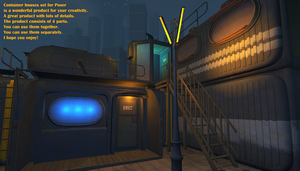
Sci-Fi Abandoned Outpost and Sci-Fi Reactor Room.
Container Houses Set from 1971s.
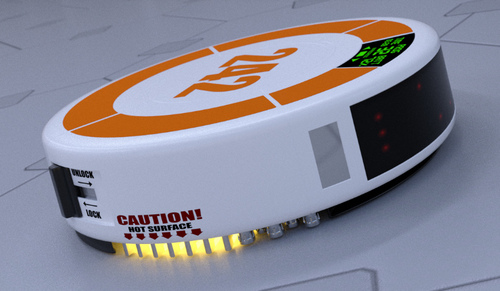
Coflek-Gnorg’s free Vac U Bot.
A free Cyberchair.
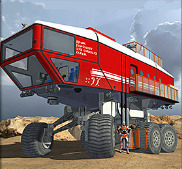
Landtrak Explorer Transportation for Poser. Verging on the ridiculous, but at the same time believable.
Sci-Fi Industrial Complex for SketchUp.
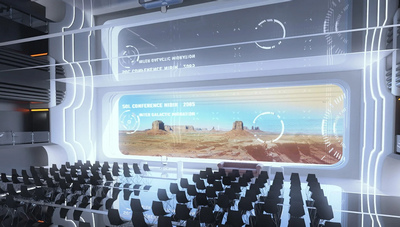
Nibir Auditorium. I’m fairly sure this is a re-listing. But a good place to observe your herd of Elder Gods from.
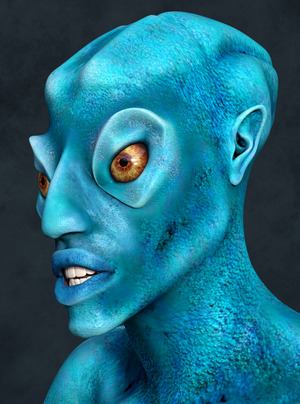
GP Elder God HD. Definitely not a Lovecraftian Elder God, but a pretty good monster or alien herd-beast.
Steampunk:
A free Prohibition Corner. A 1930s gangster distillery, but also useful “clutter props” for a steampunk mad scientist lab.
MS20F Tower of Time. Also available for Vue.
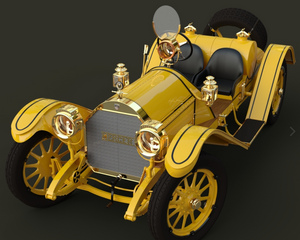
Mercer 1911 for Poser.
Toon:
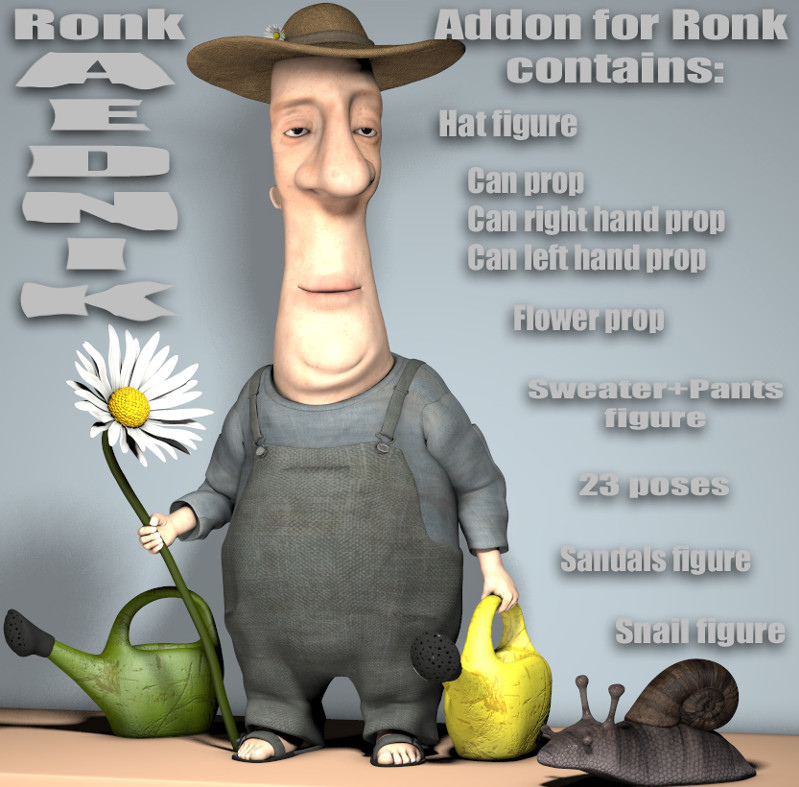
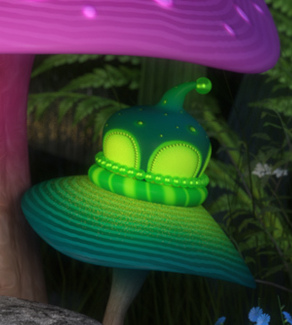
Ronk Aednik. Gardening addons and a cute snail, for Nursoda’s Ronk. Also free from Nursoda, his Brom Blackberry.
Need strange alien intruders in Ronk’s garden? Alien Toon Plants for Unity. I have no idea if it’s possible to get these out of Unity and into Poser or DAZ, but they’re cute enough to try.
SVs Whimsical Mushrooms, now also for DAZ iRay.
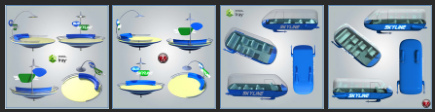
A Moon Modern Bus Stop and bus, in a 60s retro toon style. See also the matching Moon Modern Astrial Glider and Moon Modern Skypads.
All Stars Prospector and All Stars Hunter for CrazyTalk Animator.
Poncho, a toon donkey for Poser and DAZ. Also has an animations pack.
Frogol HD which requires Bullwarg HD for Genesis 8 Male and you’ll probably also want Bullwarg’s Alternate Skins.
Gand for Hiro 3. Brother of Dody for Aiko 3.
A free Basic Pure Shader Pack for Poser. “Color shades are resourced from searches to make sure they were as pure as I could find.” These look like they might be useful for the Poser Comic Book mode. Open Source, so you can tinker and release your own variants.
EasyPose spring and hand for DAZ Studio.
Storybook:
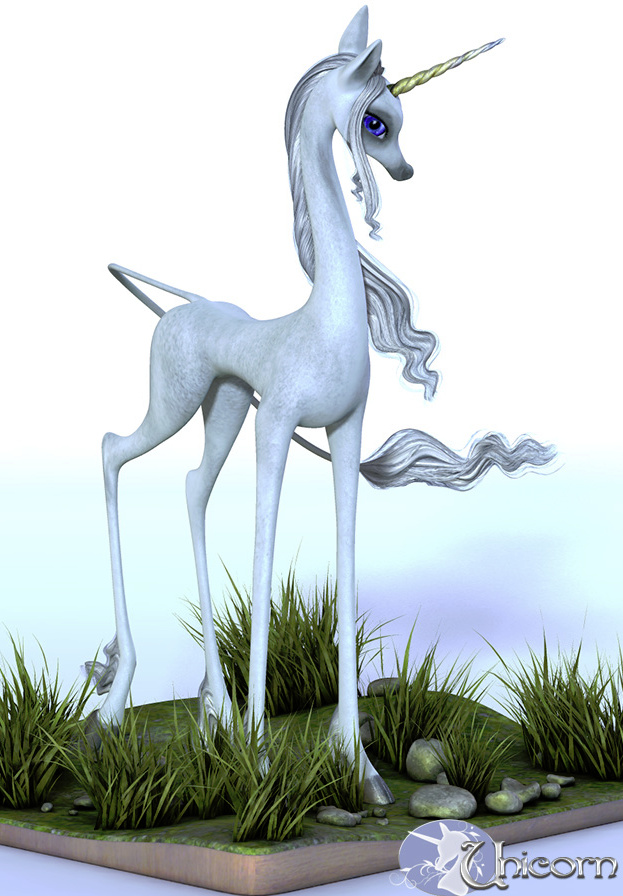
HiveWire Unicorn for the HiveWire Horse.
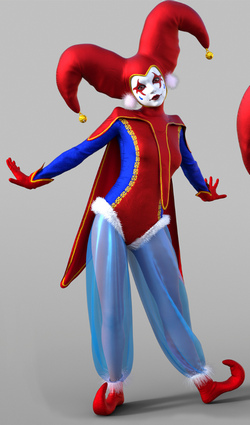
DForce Moon Harlequin for G8F.
Free EA Balloons for G8F.
Historical:
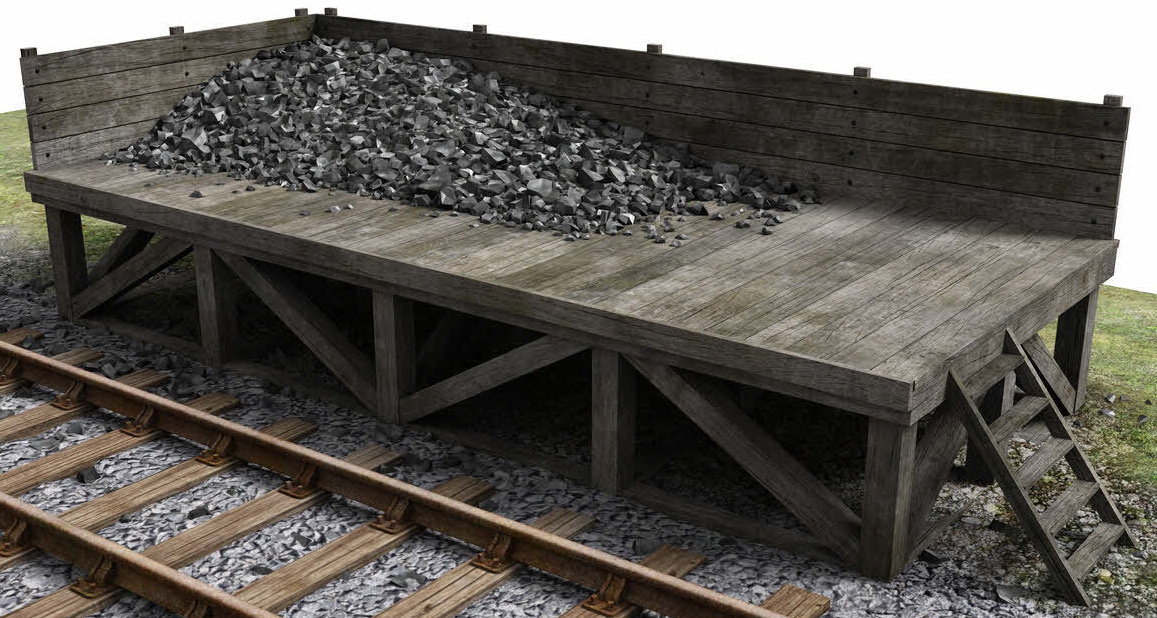
A photoreal Railway Coaling Stage from DryJack. Also useful for mines, and perhaps for re-fuelling your giant steampunk airship.
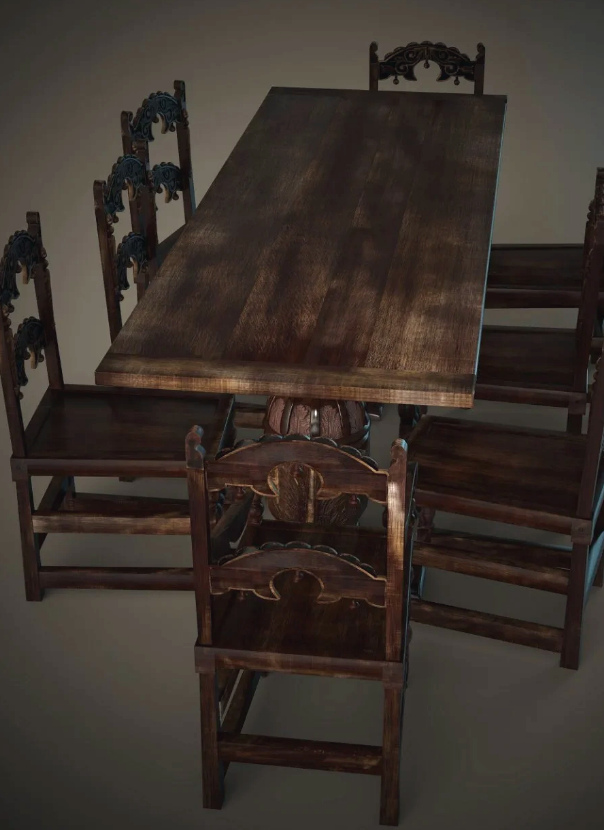
Jacobean English Dining Table Set for DAZ Studio.
Architectural Glass Shader Presets for iRay.
Victorian and Edwardian Staffordshire-style tile pattern shaders.
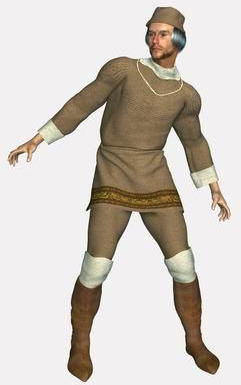
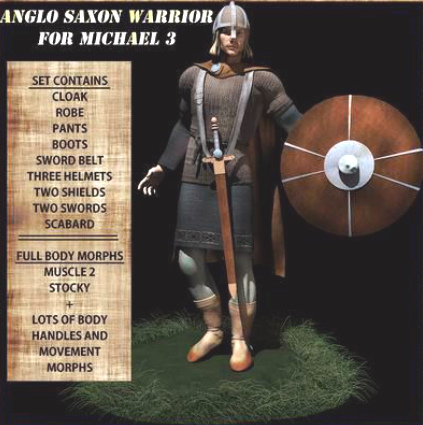
The restored Poserworld store has the Anglo Saxon Warrior for Michael 3 back on sale again, and at a mere $5.
dForce Tundra Wanderer for Genesis 8 Male.
Oktoberfest Waitress for G8F, a Bavarian beer-cellar type outfit.
A free Deutscher Fischkutter (Small German fishing trawler) for Poser. And ze secret spy radio.
First World War listening platform. Because it was kind of useful to know when there was a fleet of Zeppelin airships on the way.
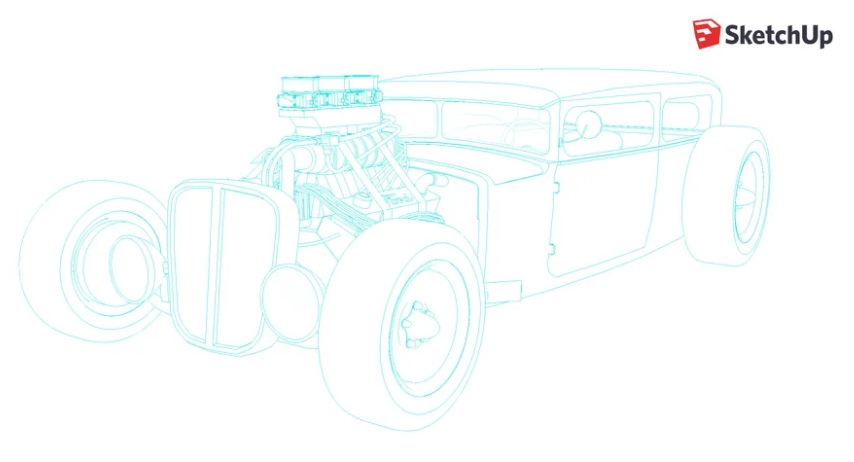
1930s Ford Rat Rod and Buggy for SketchUp.
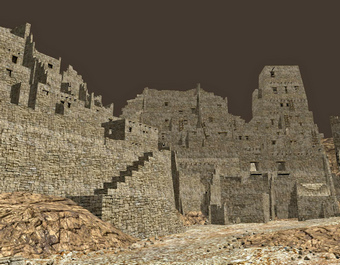
MS20F Lost City in OBJ by London224.
Animals:
iREAL Animated Flocks of Birds.
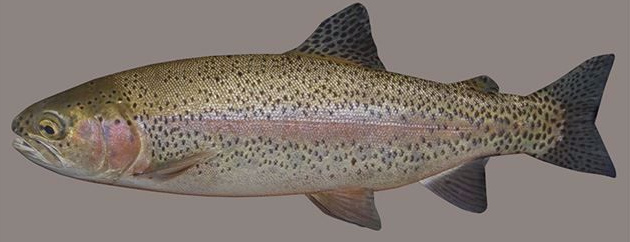
Rainbow Trout Fish Model for Poser.
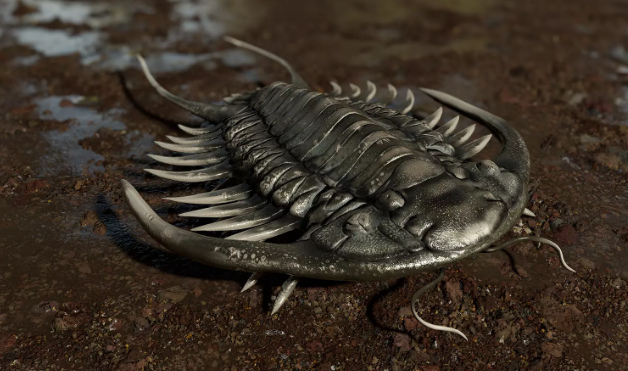
A prehistoric trilobite set for Unity.
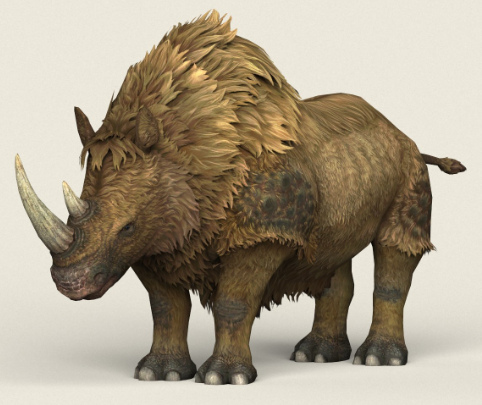
Stylised Ice Age Rhinoceros in OBJ. Said to be “game-ready”, but no mention of being rigged. I guess game-makers want to rig their own way.
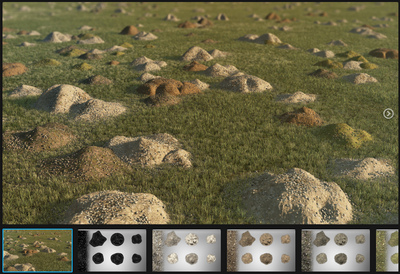
Gopher hills for Poser, with detailed spoil heaps.
Nature’s Wonders Beekeeping and Nature’s Wonders Bee. Need a place for your beehives? Simply Grass – Grass Plants and Clumps.
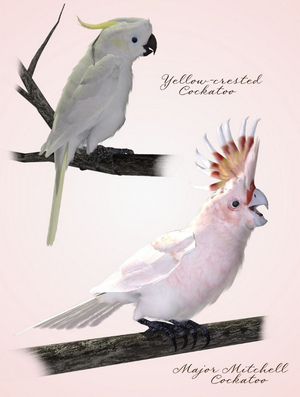
Cockatoos of the World and there are also three other packs.
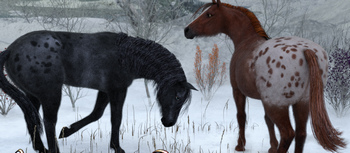
Appaloosa Overlays for the HiveWire Horse and Appaloosa Overlays 2.
Figures:
A free Ball Joint Doll for G8F.
Skydive M4 V4 poses. Not easy to motion-capture!
Free new face shapes for La Femme and L’Homme, the base figures that ship with Poser 11.
Also loads of Chinese wrestling, and yet more pirates, on the DAZ Store.
Scripts:
Toggle Visibility All Lights for Poser. Instantly make any guide-wires for lights invisible in Preview, without actually turning any lights off.
Poser to Clip Studio – the solution. Send a posed clothed figure from Poser to Clip Studio, with no hassle at all.
The free FreeBass MAT Palette. “A tool to catalog / compare up to 36 individual MATs on a single prop”.
Render Doctor for DAZ Studio. Very confusingly explained, but at its core it appears to be for those times when you have a big scene with 50+ cameras set up all over it. Then you want a script to automatically make a render from each camera in turn. Not for animation, and perhaps most useful for comics makers?
Tutorial:
Building Poses To Market, a 30 minute tutorial on making poses that will pass inspection on the stores. For DAZ Studio.
Poses That Stand Out : Posing in DAZ Studio.
HAIR : Community Workshop Tutorial.
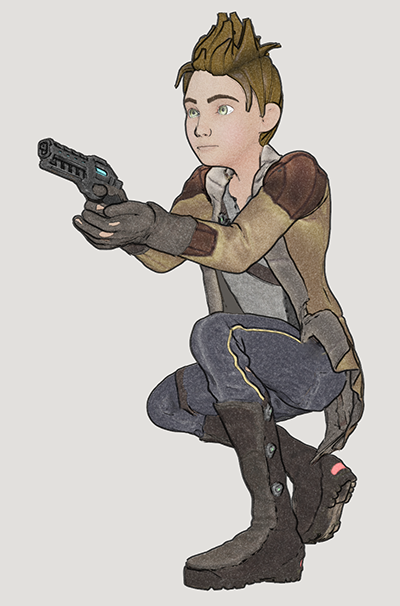
Visual Storytelling : Essential Building Blocks.
That’s all my picks for now, more in due course. Possibly at the start of September.
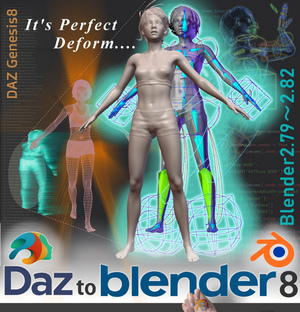
DazToBlender8 is the new DAZ Blender plugin
Ah, so the $15 Japanese DAZtoBlender8 plugin is the new official DAZ Blender plugin.
It’s been taken off sale at Gumroad, and the maker states there that… “DazToBlender is now available for free in DAZ 3D.” He also reports that there’s been a slight change due to the swop-over and name-change, and… “Props from Renderotica cannot be [used with] the version published on the DAZ 3D site.” The trade-off is that in DAZ’s hands the plugin appears to have been quickly extended to supporting transfer of Genesis 3 as well as 8.
The last non-DAZ developer version was 2020-07-01 | Version 1.9.3.4, then newly supporting Blender 2.83.
Another interesting item to note is that, now this is with DAZ… “This project is open source.” That’s from the DAZ Store page.
DAZ to Freestyle
I was pleased to find a new YouTube video from the 3D Comic Creator, “DAZ Studio To Blender To Freestyle For Inking Your Comic”. He shares an in-depth 90-minute workflow for taking a DAZ Studio character into Blender and wrangling Freestyle lineart onto it. It’s clearly explained and he’s a good presenter.
I’m not sure I’d want to go through all that pain and intense fiddly-ness, though. Just to get what Poser 11’s Comic Book mode / Sketch Designer can output ‘at the drop of a hat’ in real-time. But it’s interesting to see how the most advanced DAZ users are trying to make artwork for comics. And as Freestyle is currently something of a “moving target”, along with the rest of Blender, there’s always the possibility that Freestyle and other NPR aspects of Blender will start to become easier and more automatic to use, in future. But for now the problem with Freestyle is that it’s old, and thus can only use one CPU thread. It’s not multi-threaded. Nor can it work with alpha-channels.
It’s very early days, but a better option might be a project called BEER/Malt that intends to try making NPR easier to get from Blender. Another hopes to add an easy SketchUp-like ‘sketched outlines’ capability to the default install of Blender (something you can only do with a paid plugin at present). Although both have very primitive demos at present.
New free Bridges from DAZ to C4D and Blender
DAZ now has a new open-source DAZ to Cinema 4D Bridge, and it’s free. It transfers “Genesis 8 and 3 content” from DAZ 4.10 onwards, into seemingly any version of Cinema 4D from R15 onwards. It will also “Transfer Figures/Props/Environments”, but judging by the description it sounds like the poses don’t get sent. Facial morphs do, though. With the Poser equivalent, the whole scene is sent to C4D, poses and all.
Scrolling down the page a bit reveals a family of such plugins, also free. Maya, Blender, 3DS Max.
The Blender one is interesting, potentially making a DAZ figure real-time in Eevee? Yes, it seems so…
“Supported Blender Render Engines: Eevee …”
There’s no manual download of these new Bridge plugins, and the install has to be done through the DAZ Install Manager. Once installed they’re then found under: Scripts > Bridges. YouTube has new tutorials on their use.
DAZ Studio Moderators wanted
Renderosity want DAZ Studio Moderators. There’s actually pay and perks involved, amazingly.