New to me, Richard Rosenman’s $50 IK Studio – Inverse kinematics plugin for After Effects (February 2025). Apply IK to the joints of your 2D cutout cartoon characters. He also has a survey of The Best Rigging Tools for After Effects for 2D characters and props. Probably far easier to do such animation in Moho or Cartoon Animator. But if you have to use After Effects, this appears to fill a gap.
Category Archives: Companion software
Release: Nomad Sculpt 2.3 for Windows
The popular Android digital sculpting tool Nomad Sculpt is now available for Windows and Mac as a free 2.3.5 beta. No expiry, but limited tools at present. Video tutorial.
Script completed
I’ve now completed an automated Python script for the bulk of the Poser to Stable Diffusion workflow…
The one-click automated output is the .PNG files, plus the same .PNGs automatically stacked into a Photoshop .PSD file and saved.
For later work in Photoshop: Firefly AO (Ambient Occlusion pass, adds subtle shadows if needed), a real-time Preview faux ‘clown pass’ (aka ToonID) (easy masking, though the Meshbox HP Lovecraft figure doesn’t have much to mask here), and a Preview colour render (for blending back colours, so they’re consistent from panel-to-panel in a comic, and for dropping in a backdrop). Their folder is datestamped and also has the name of the Poser scene file. Then the Poser scene is reverted to where it started, safe and sound.
The Comic-Book Preview and the Firefly lineart layers are then merged in Photoshop, with an Action, and the result is then dropped to the desktop and from there manually dragged over to be used as the Img2Img source in SD.
The SD result then gets saved and manually opened in Photoshop, and an automated Action takes over and restores the Poser Preview render colours. After that it’s optional to add a holding line, mask areas, add very subtle 3D shading of the ligne claire (clear line) comic style, or cut out the plain backdrop and add a new one.
Had to go back to Poser 11 for this script, because Poser 13 doesn’t appear to support options.BucketSize(256) in Python. Without having Firefly set a big bucket size, the three passes of Firefly rendering are rather slow.
New for Poser and DAZ – May 2025
Welcome again. Here’s my pick of what was new for Poser and DAZ in May 2025, plus links to selected other useful software and tutorials.
Science-fiction:
dForce Elite Squadron for DAZ. Motorcycle, outfit and poses.
SE Animal Osa, a space insect. Also a less convincing but cuter SE Animal Strubyn.
Moonbase Alpha Uniform for G8M. I’m guessing this is Space 1999 fan-art, or close to it. Thus only for use in non-commercial renders.
A free 1953: War of the Worlds Martian for Poser. Fan-art from the 1950s movie.
A Stargate-like Cosmic Gate for DAZ. Again, probably risky to use in commercials renders.
A futuristic Spider Chair with GF8 poses. So far as I know, not fan-art.
Steampunk:
With the new Renderosity Steampunk Contest in view, you may be wanting an Antique Bicycle (a ‘Penny Farthing’ type).
Useful for cycling to the Steampunk Lab, perhaps.
Halloween:
A high-res cemetery for Poser.
The Cemetery Keeper probably lives in Ash’s Cabin for DAZ Studio, a creepy olde wooden cabin.
And perhaps he turns out to really look like EArkham’s ZWorld Otherworldly Abomination.
Fantasy:
Monster Tree likely to be walking through the new Gate Of The Ancients.
Naga, a Harry Harryhausen style snake-monster for DAZ Studio. See also the new Medusae for Genesis 9.
A Tom Bombadil-like Father Mushroom – Character and separate clothing pack. The blurb on the Character page is misleading, implying he comes complete with clothing. It seems he doesn’t, and it’s a paid extra?
Storybook:
1971s’s Quiet pier for Poser, and there’s also a separate DAZ version.
Modular 3D Kits: Overgrown Mansion Garden for Poser.
The mansion possibly surrounded by the new High-res Hedge Maze for Poser.
Animals:
Nature’s Wonders. Moths of the World Vol. 4 for Poser and DAZ. Includes delicate white ‘plume moths’. I never knew what they were called, before now.
Interiors:
FG Packing Warehouse Bundle, possibly useful for making training videos.
Historical:
Another MD Greek Warriors Bundle for DAZ. Plus Props and Poses.
GNBD Indian Wooden Masks Props, from India.
Tutorials:
New YouTube videos on Changing Poser’s interface scale and How to create a simple looping animation in Poser.
Also on YouTube, a look back at 12 Months of The Creative Cart.
The UK’s Art Squirrel blog has a new in-depth review of the TourBox Elite Plus, a hardware controller device aimed at digital creatives. The review is so in-depth that it counts as a tutorial.
Stable Diffusion:
Free, CRM Preprocessor For Poser, a node for ComfyUI. Not for our Poser, but seemingly for use with general 3D posing applications (there are several ‘car-crash dummy’ -type posers for Android, for instance) which produce 3D renders destined as source images in AI image generators. This pre-processes them by making sure they’re the right size etc.
On YouTube, “We Asked a Skeptical Illustrator to try Invoke. Here’s his honest take”.
An official Invoke video on how to Fix the “CUDA Error” on Invoke AI. This has been happening with some of the brand-new 50 series NVIDIA graphics cards, which Invoke supports from 5.12 onwards.
C4D to ComfyUI, a video trailer for new Cinema 4D generative AI plugin. Appears to be available here, though with very uncertain pricing (what does “$13, 4 per month” mean?).
Software:
LowPi PathTool Extension for DAZ. Send your Low-poly Crowd Generator people along paths you lay out for them.
Easy Geometry Hider for DAZ.
Another Pose Transfer Manager for DAZ Studio.
Maxon has discontinued ZBrushCore and ZBrushCore Mini, their free ZBrush ‘digital sculpting’ offerings. To be removed today, 30th May 2025.
A free Userscript for your browser, to backup all your Reddit comments to a local .TXT or .CSV file. Tested, and it works well. The GitHub is here.
The UK’s Linux Format magazine (July 2025) has a vital and detailed multi-page tutorial for those planning to move from Windows to Linux Mint (or its variant Winux7) in the near future.
That’s all for now, more next time!
Final Lovecraft
I think I’ve hit the final balance in my Poser to Stable Diffusion workflow. The H.P. Lovecraft head, formerly too shaded and photoreal looking, now better matches the rough drawn style of the suit and body. Without getting too sketchy or losing the likeness. The lovely expressive eyes are kept. The result is 1024px and replicable.
Lovecraft hails a New York taxi-cab, or something…
As before, I should state that this was a deliberately bad pose and hands, to test the styling capabilities of SD 1.5 in Img2Img. Thumbs are obviously a problem at this level of denoising, and would ideally be artfully hidden.
The result can have colour consistency from panel to panel. It can be greyscaled, overlaid in Photoshop with a colour Poser render, and then colour-blended. The suit will thus darken down, so the crease-lines and dotted-line lapels won’t be so obvious.
Details, details…
More progress with my experiments with style changing from a basic Poser real-time render. Up the CFG to 9, up the Embedding strength to 1.2, up the Img2Img Denoising to 7. Keep Canny at 87%. Specify dotted_line in negative, and change Steps to 42, with together remove some of the granulation of the lines that would otherwise occur.
Apart from the thumbs and a stray line below the buttons, the layer registration with the original is exact. Meaning easy re-colouring in Photoshop, via a normal Poser render and the ‘Color’ layer blending-mode.
The face is now too chiselled, and a H.P. Lovecraft character LoRA may be called for. But worth the extra work, since the eyes now especially benefit. There is a slight painterly smudge on the white, which you may be able to see here on a good monitor. But the original outline should be able to be selected in Photoshop. If not, one could use a mask from Poser. Or just do the scene with a backdrop straight from Poser.
The subtle 3D shading being auto-added could interfere with any light-direction shading you wanted to add later (perhaps by dropping a Smooth Shaded Poser render into the layer stack, in Photoshop).
Comics & AI – one-day conference in London
Comics & AI: Critical Prompts, an academic conference in London, 4th September 2025. Could just be hand-wringing about ethics, copyright, political theory etc + angsty anti-AI students hijacking the Q&As. But I guess it may have some practical ‘make comics’ side to it. The programme has yet to be announced. The venue is in Clerkenwell, north London, so should be fairly easily reachable by train and tube.
Poser 13 on Linux with Wine – some findings
Windows 10 support is ending on a cliff-edge, and 11 appears to be a nightmare of privacy intrusion + ads + hardware requirements + wonky updates.
Thus, many will be thinking of getting a new PC and installing Linux as the OS. It would be nice to stay with Windows 7, but the paucity of local AI support is going to be more and more annoying in the next few years.
Here’s what I found out, which may also help others.
The PC? Here in the UK, I see that one can now get a perfectly reasonable new PC, inc. a Saturday delivery, for a relatively modest £435 (Intel i5-14400 10-core CPU, 32Gb DDR4 RAM, 650W PSU – as specced at pcspecialist.co.uk). Then, on arrival, fit your existing SSD drive and graphics card. Then install Linux. I can’t afford that much at present, but it might be possible by September. So I’m thinking ahead here. Apparently a recent Intel i5 10-core CPU and 32Gb of system memory is perfectly adequate for Stable Diffusion AI work on Linux, since it’s the graphics card that matters for SD. I’d also like to try various other local ‘AIs’ such as speech/music generation, creative writing assistants, maybe a Python code-writing assistant etc.
Poser? But what about the 3D rendering in Poser, which I hope to pair with Stable Diffusion by using SD as a ‘style renderer’? The WineHQ directory – Poser information page(s) unhelpfully stops at Poser 2014 on Linux. But in the Renderosity forums in 2024, one usefully reads…
“I have installed Poser 13 successfully on Linux Mint Cinnamon with the latest version of Wine. Everything works perfectly fine, even the Firefly render engine does, which was not functional in Poser 12. The only downside is the dependency on CPU rendering only, because Wine isn’t able to pass through to the GPU.”
So, it sounds like Poser 13 should be fine… if you only want renders from Poser’s Preview, Comic-Book Preview, Sketch and Firefly. Fine by me in this case, as Stable Diffusion doesn’t need to be fed a Superfly render.
Wine runs Poser 11 too, according to a 2019 forums comment…
“newest Poser 11.2 worked right out of the box [with Wine, though also restricted to CPU Firefly rendering]”
11.2 was the first Bondware edition, and restored the .PSD output from the Firefly rendering panel. Meaning you could potentially maintain a Poser running old Python 2 scripts, DSON import of Genesis 1 & 2, E-on Vue compatibility etc.
Linux version? ‘Linux Mint Cinnamon’ is one of the most popular versions for Linux newbies, and has the slight variant Winux7 (which makes Linux Mint 20.3-Una look and feel exactly like Windows 7). Like Linux, Winux7 is free and comes with Wine pre-installed. Wine lets you stay inside Linux, but still run a large range of Windows software. Apparently the Linux version doesn’t matter, for running Wine. Winux7 also includes a “Windows 10 VM”, or ‘virtual machine’ (which requires a valid paid Windows key to activate). This allows Windows 10 and Linux to run at the same time, and to have basic things like clipboard cross-over with Linux-native software. Apparently vital for things like Microsoft Word, Excel and Publisher, since Wine doesn’t handle MS Office software well. And I assume a VM could also run Poser with Windows driver access to the GPU, for SuperFly renders. Update: an article in The Register suggests that’s not the case, and the VM can’t natively ‘see’ the graphics card. Thus a dual-boot Win/Linux system would be required, which is not ideal.
Drivers? Apparently the Linux NVIDIA graphics-card drivers were iffy and sniffed-at a few years back, but that’s changed in 2025. They’ve since embraced both Linux and open source. So I should be able to use the latest drivers, which have Stable Diffusion enhancements. Presumably the Windows 10 VM installs its own Windows NVIDIA drivers.
RAM: Linux OS ideally has 8Gb, a Windows VM a further 8Gb, and then add the software and extras on top. It thus seems like 32Gb would be the ideal, especially for those working with 3D + AI (who knows what may come along in a few months, that will need the extra?).
Photoshop? No longer a problem, apparently, as long as you’re happy to stay with Photoshop CC 2018. Which I am. Photoshop CS6 is apparently the fallback option, and works fine under Wine.
DAZ Studio too? Yes, apparently it mostly works on Linux. Install with Wine then also install nvidia-libs so it can see the GPU for iRay rendering. The downsides are said to be that the Viewport is sluggish when using iRay, and dForce clothing doesn’t use dForce. You also need to make Linux’s file-system not be case-sensitive (e.g. Dog is understood to be the same as dog and doG), since your runtime is likely littered with content creators who didn’t bother about case-sensitivity. It’s never been a problem on Windows, but can be on the default Linux (depending on version).
I’ve no idea if nvidia-libs would also work for Poser and Superfly rendering. I guess it’s “try it and see”.
Update: Also found wine-nvoptix which is… “a library to be used with Wine. It aims at allowing Linux users to launch Windows software using the OptiX API”. The maker also recommends installing nvidia-libs (see above, already mentioned). Also a couple of others, plus “WINE-NVML for hardware function detection from NVIDIA GPU”.
Release: Pencil Pro, for Blender
I’m all for natural media emulation from 3D scenes. So I was pleased to see the new $15 Pencil Pro add-on for Blender, allowing your 3D scene to emulate a pencil drawing. The result is obviously not great at long distance (e.g. a city scene), where it looks like a point-cloud with the points mapped to tiny graphite strokes. Better for medium and close animation shots, though there’s still a distinct Rhubarb & Custard-style wobble. Which is charmingly old-school in its way, and would be acceptable to young kids watching shorts.
Suitably rough and sketchy and believable, if you overlook the polygonal angles from the 3D. No per-frame autocolour, but something that auto-colours greyscale (e.g. Akvis Coloriage AI) might give colourisation that is not too wobbly, when run frame by frame.
Successful test – the background
Definitely getting there, in the quest to use Stable Diffusion 1.5 like a Photoshop filter. This is another follow-on from my two previous tutorials for Poser with SD.
The final result
To obtain this final result, for the Img2Img source I started again with exactly the same Poser scene, camera and light as before, but this time I dropped AS’s Hanyma Platform for Poser (now no longer sold) to the scene as a background prop. Poser’s Comic Book inking applied to both.
Raw scene in the Poser UI.
Then I made a quick Preview render of this scene at 768 (remembering to boost the texture sizes from 512), and then in Photoshop used the Glitterato plugin to add a quick starry sky.
In InvokeAI this replaced the previous figure-only Img2Img image, but the Firefly lineart Controlnet image stayed the same, thus giving a fixed figure outline that matches that of the Poser render — possibly important for later consistent colouring.
In this experiment I also added a Moebius LORA, which knows what our hero Lovecraft looks like. No additional prompting is needed to account for the backdrop, since the CFG is so low.
The final result at 1024px
It’s all going a bit ‘black on black’ (arrgh!) for this quick demo, but a non-background SD generation of the figure alone can then be used in Photoshop to mask (Crtl + click on layer, invert) and then fade or lighten the background a touch (as I believe Brian Haberlin does) so as to make the character stand out a little more. And ideally your comic script would try to avoid ‘black cat in a coal cellar’ settings, for this reason.
Simply using the new Img2Img as the Controlnet, replacing the Firefly outlines render? Nope, that doesn’t keep the detailing on the character or keep him consistent across a quad of generations. The Canny Controlnet needs to be focused just on the character, in the same way the comic reader’s eye is. Going from 768px to 1024x in the Img2Img seems to give SD some creative wiggle-room, despite the low CFG. Since it’s a low CFG for the Img2Img, there’s not much shifting in the details of the background. This seems to be the sweet spot: good model, Img2Img with a low CFG but slight upscale, and use the Controlnet with pure Poser Firefly lineart to keep the figure stable and in lockstep with your Poser renders. Presumably all this would also work for two characters interacting.
By having both character and backdrop generated by SD, there’s some SD gloop and later a loss of flexibility when putting the frame together in Photoshop. But one also avoids the need to mask, extract, defringe, colour-balance etc. It may be possible to prompt for lighting and get it, but I haven’t tried that yet.
Obviously for a comic you’d also start breaking free of the stock camera lens and use foreshortening etc for a more dynamic look. Poser has a special camera dial that makes that very easy.
Successful test – the ‘proof of workflow’
Here’s a follow on from last night’s Successful test – Poser to Stable Diffusion enhancement, a proof-of-concept (or perhaps more accurately proof-of-workflow for the compositing. It’s crude, and he’s meant to be on an airship which isn’t shown, but it shows it can all work.
1. Rerender the Poser Firefly line-art at 4 x the original 768px (i.e. 3027px square) as a .PNG file.
2. In Photoshop I then run this render through GMIC and a custom filter for line-art (very similar to Dynamic AutoPainter’s Comic filter, but free). This turns the thin lines into chunkier ‘inked’ lines. Takes about 40 seconds, but does the job.
3. Size the GMIC result back to 1024px and place it over our final 1024px outcome from the successful test. Set the new layer to Multiply blending mode, and adjust opacity to suit. Flatten, and then select and cut out the figure from the white background. Defringe. Then have Photoshop add a thick ‘holding-line’ around the figure’s outline (Stroke 5px, black). This latter item helps subtly isolate the figure from the background it’s going to be pasted onto.
4. Reselect the resulting cutout figure and drop over a suitable backdrop. Here for speed I’ve merely selected a SD landscape experiment and given it a very crude tooning effect via a Photoshop filter — a final frame would have a much better lineart background. But it serves for now. Make a white layer behind, and fade the background a little by simply opacity-blending it with the white. This is why, ideally, you want figures and backgrounds as separate elements.
5. Colour balance the figure with the background. Flatten layers, tweak the Curves in Photoshop to add contrast and ‘pop’ (without things getting all ‘black on black’). Slot into the page-layout’s frame and add a text box. You’re done.
The demo is very basic and crude, especially the pose and background. But it proves that one can go from a Poser render to a finished comics panel and have it look somewhat acceptable for storytelling purposes. Especially considering the start point was this…
The workflow may sound fiddly, but once nailed down a Poser Python script could handle the renders in one click. Then a set of custom Photoshop Actions would handle much of the rest. Regrettably Stable Diffusion software, despite being built on Python, omitted to add Python scripting for UI and rendering automation.
Successful test – Poser to Stable Diffusion enhancement
Another experiment in using Stable Diffusion on a Poser render, as if it were a Photoshop filter.
1. Load and pose the figure and any figure-props in Poser. Here the standard Meshbox H.P. Lovecraft figure is being used, with a brass telescope from Steampunk Balloon. The M4 pose applied is meant to be gripping some rigging rope (not visible here) on a steampunk airship.
2. In Poser, use the Materials python script that ships with every copy of Poser, to lift the scene’s Gamma to 1. For comics you might also apply, as I did here, a good bright even light that tends to flatten things out (a ‘flat light’ as I call them). These measures means the dark suit can now be seen properly — one of the most fatal problems in making comics from 3D is the unfathomable tendency for makers to accept lots of ‘black on black’. Add a Comic Book outline via the Comic Book Preview panel, and render in Preview. This will help the Canny edge detection later on. Output to .PNG format at 768px square.
3. In Poser’s good old Firefly renderer, use my lineart-only render preset to just get the lines. This type of render gives you all the lines, not just the ones Comic Book Preview chooses to show. Render to 768px square, .PNG file. We do lose the hair, which is just an image texture. But the next step will bring it back.
4. Combine the two .PNGs in Photoshop. Do this by dropping the Firefly lineart on top of the Gamma-lifted Preview render, set the layer to Multiply, and adjust to taste. Here I also set a white backdrop layer, since the PNGs otherwise have embedded transparency. To lighten things up a bit more, I also blended a little into the white background.
5. Now start the free InvokeAI. Import your final Step 4 .PNG and use it for both Img2Img and also in the Canny Controlnet. Use the settings seen in the screenshot-combo above, making sure to get them all. You may of course need to juggle the prompt and negative prompt, if using your own test render. The Stable Diffusion model being used is the free Another Damn Art Model (ADAM) 4.5, available at CivitAI.
That’s it. Upscale the best 1024px result 2x so you can mask, cutout and defringe cleanly in Photoshop, if planning to composite the character onto a background. The intended destination is as part of one frame in a comic-book page, thus the roughness and a few imperfections (visible when the image is scrutinised at a large size) don’t really matter. The lack of contrast and colour vibrancy is also a good thing, as it can be tweaked up later on — it would be trickier to try to subdue garish colours / high contrast.
Should also work nicely (not yet tested) if you start with a figure + lighting-matched backdrop render. But obviously having the figure and backdrop separate could make adjustments on the comics page easier in Photoshop (slightly blur or lighten the background, to make the characters stand out etc). You may also want two very different characters interacting, and thus would likely want to deal with them separately and then bring them together in Photoshop.
The Stable Diffusion result is of course not perfect, but you can pick the best from 4 or even 8 image-generations. Here he’s acquired a ring on his finger, and the jawline is too ‘1930s heroic’ and not really ‘Lovecraft deformed’ enough. But the silhouette of the figure and prop match perfectly with the Poser renders, which means you can get consistent colour throughout a comic-book page (here’s how: greyscale, get a full colour render from Poser, size it to fit and lay on top, then set Photoshop’s blending mode to Colour).
One thing I tried along the way was prompting for Cary Grant (the 1930s movie actor). It does pretty well, and SD must have been trained well on his images. Consider using an M4 with a ‘somewhat-Cary morph’ and just prompting for the old movie star, for a more or less consistent head. Or try some other big movie star of the 1920s and 30s. I think the difficulty I had with getting an exact (Lovecraft) was that the ADAM model doesn’t really ‘know’ him well. But it’s the best I’ve yet found for this sort of ‘SD as Photoshop filter’ workflow, being very strong and thus working well at low Img2Img settings.
Part two: Successful test – the ‘proof of workflow’.
Release: Lightwave 2025
LightWave 2025 has released. Includes…
– new real-time Viewport preview rendering system (NVIDIA cards only)
– a new Toon Filter “for cel-shading effects”
– OctaneRender plugin upgraded
– a move to using Python 3, but keeps support for Python 2
The toon filter looks basic, and is definitely not as pleasing as Poser’s Real-time ComicBook.
New for Poser and DAZ – February and March 2025
Welcome to another page of my judicious ‘picks’ from the wealth of new releases, for use with the Poser and/or DAZ Studio software. My last such survey was in mid February, so here I cover six weeks.
As you may have heard, the large freebies website ShareCG is about to vanish. The new owners no longer want it around. Indeed, it had appeared to vanish earlier today, in a welter of PHP error messages… but is now back up. How long it will stay up is unknown. As such it’s being archived as a partial archive at Archive.org. Among other freebies, all Poser Python scripts have been archived. Including those of the master-scripter Structure, who did not put his scripts under the ‘Scripts’ category. See below for links to the rescue archives. I’ve also fixed the ShareCG links in my scripts directory pages for Poser 11 and Poser 12/13.
Science fiction:
Stonemason’s new Arctic Outpost scene.
Sci-fi Force Field with a number of variants.
Multi Purpose Pick-up, also working via anti-gravity, for your spaceport loading-bays. Similar in design to those in Sky Captain and the World of Tomorrow.
Corruption Builder for DAZ, alien plants for a creepy planetscape. Or perhaps a subway infestation.
Need to blast those nasty corrupt pods? Currently free on DAZ, Secret Underground Props.
Gothic and horror:
Gargoyles of Notre Dame – Set 1: Northwest Tower and Old Stone for Gargoyles of Notre Dame Set 1 (requires the other set). Nice.
Need a gargoyle-master, who sculpts/controls the gargoyles? Weird Neighbour for G8.1M.
Need to destroy the gargoyles? Just pop ’em in the RuralCottage Oven for Poser for a bake-to-smithereens.
Steampunk:
Steampunk Mask-goggles for G8F.
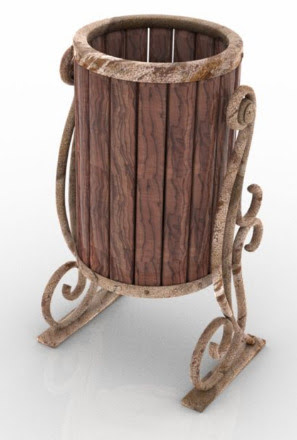
Free, a Curious Street Bin in .OBJ format.
Fantasy:
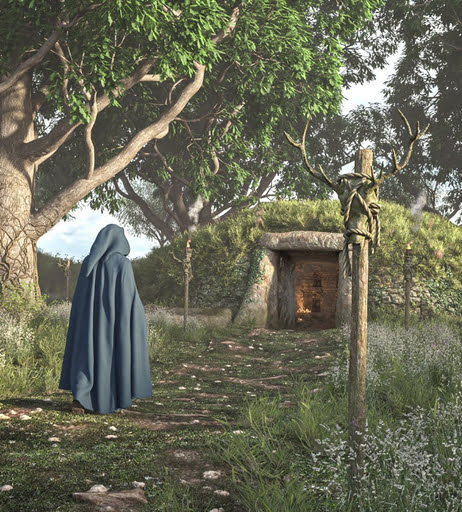
Round Barrow for Simple Grasslands Expanse (requires Simple Grasslands Expanse).
Currently free on DAZ, Giant Lore for Genesis 3 Male. Body and head presets for giant trolls etc.
A free Wreath Decor Crown in .OBJ format. Possibly useful for wood-gods, etc.
D&D Book with cover, clasp and simple open/close.
EArkham’s ZWorld Vile Crawlers II: Dungeon Monsters. Various forms of snake-monster.
Toon:
Veggies Collection for DAZ. I assume this isn’t close to fan-art, but check before commercial use.
A simple low-poly Cartoon Spaceship, free. Suitable for backgrounds, not close-ups.
Cozy Cartoon World – Kitchen Props.
Figures and parts:
Hair Pack for G9 Male, strand-based for DAZ.
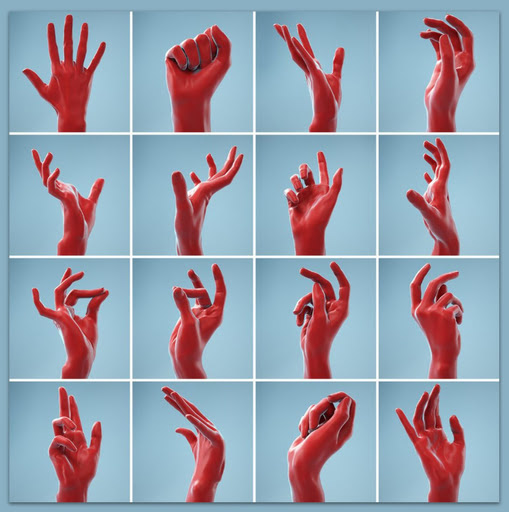
13 Single Hand Poses, props scanned from real hands and packaged in a high-res .FBX format.
V4/M4 still rocks! Free, V4-M4 Rockstar Poses – Guitarists.
Show and Hide Partial Body Poses for G8 and G9.
Lon for M4, a distinctive male head-morph.
Currently free at DAZ, David 5 for the original Genesis figure.
Klyngar for Genesis 9. Fairly obviously a Star Trek Klingon male, so non-Trekkies beware of accidental commercial use.
Landscapes and environments:
Japanese Garden and see also the free Japanese Shrine maiden costume for G9F.
Need moss for your Japanese garden? The new Moss System for DAZ.
EVERYPlant Rope Bridge for Vue. Also available for Poser and DAZ. See also the new freebie Jungle Bridge for DAZ, with its own HDRI file.
Animals:
Nature’s Wonders Beetles and Nature’s Wonders Beetles of the World Volume 1. Plus the free Nature’s Wonders Beetles – Extras.
Songbird ReMix Cool & Unusual Birds 4. A pack of the most attractive and fave birds.
Anniemation’s Capybara. Similar in look to the one in the new must-see Blender animated movie Flow, but one can’t copyright a Capybara… so commercial use should be ok.
A new DA Sheep for DAZ Horse 3. Looks as though it’s suited to flocks rather than close-up cuddles.
flLittle Leopards for the Hivewire Housecat. DAZ iRay ‘spots and stripes’ materials for the Hivewire Housecat.
Historical:
A complete and detailed Medieval War Camp for DAZ.
Retro 1930s pulp sci-fi Ajax Spacewoman for La Femme 2.
Rooftop Base, which with a little adaptation could be 1940s Hell’s Kitchen in New York city. Most of Brooklyn’s kids didn’t have rooftop access, but Hell’s Kitchen kids did… and they often made the rooftops their ‘gang HQ’.
Archives:
On 28th March 2025 it was announced that the long-running freebies website ShareCG was soon to close. It appeared to have closed today 4th April 2025, but is now back up again. How long it will stay available is unknown, but it looks like it’s teetering and may be going down very soon. Save anything you want locally, now.
Given this, the site has been selectively archived and is currently uploading (hopefully) to Archive.org as a 1.6Gb .torrent. This includes the Web pages associated with the freebies (often giving vital instructions for use), plus the thumbnailed category-browsing pages (with page URLs, which will perhaps enable the WayBack Machine to show the full page). Here: SHARECG Backup 1.6Gb. Please note this is a new upload, being attempted via .torrent upload, and thus may take a few days to be ingested. Then it should ‘seed fast’ via Archive.org’s servers — though you should still be able to get the .torrent running, just over several days rather than downloading in 30 minutes. The rescue collection as such is Creative Commons Attribution, which seemed the best balance among Archive.org’s limited options. But please note and respect restrictions for individual items.
Also separate bundles for PhilC’s ShareCG Poser scripts and software and Flufz’s ShareCG freebies and Poser scripts. These enabled me to fix the Poser scripts directory pages at this blog.
Tutorials:
SHARECG Backup 1.6Gb has a backup of the site’s Poser and DAZ tutorials.
How to attempt taking a Poser Firefly line-art only render, to Stable Diffusion 1.5, in InvokeAI. With settings.
Make Things Look Handcrafted in Blender (Blender Geometry Nodes Tutorial).
Optimize iRay Renders Guide for DAZ.
Using AI to Texture 3D Blockout Renders & Transform into Key Art, for the free InvokeAI.
ArtSquirrel tests the state of 3D digital sculpting in the latest Blender.
Also, note that it’s been discovered that Library drag-and-drop works from Poser 12 and 13 across to the Poser 2014 stage. Since Poser 12 is only $29 now (from Clip Studio’s Graphixly store), effectively this means old-school users of Poser 2014 have an alternative library option. Install both, run both, then use Poser 12 simply as an efficient drag-drop Library.
Scripts and other auto-helpers:
SHARECG Backup 1.6Gb has a full backup of the site’s Scripts pages and files.
My pages for Poser 11 scripts and for Poser 12 and 13 scripts have been updated. ShareCG links, likely to be broken very soon, now point to archived versions. Not much I can do about older ShareCG links in my content surveys etc. But at least you can still plug the URLs into the Wayback Machine and see what the page looked like.
A survey of tools for extracting individual panels from comics in an automated way. It’s a surprisingly knotty AI/computer problem.
New software releases:
VoicePal, Windows freeware with quite reasonable offline text-to-speech (TTS) in US and UK and other free voices, plus the promise of more advanced AI voices ‘coming soon’. Tested, and it does what it says. But… no advanced AI voices yet. Still, perhaps of use to animators and YouTube tutorial makers.
Test review: AKVIS Coloriage AI 15.x. Basically, it now offers the DeepAI Image Colorizer… but locally and for the Windows desktop with no Python-hassle. Which is nice. Interestingly, it also understands b&w comic-book pages that have a reasonable amount of greyscale on them, and keeps the page-gutters white at the same time. There’s a hefty price tag on it though, $90 + local sales tax. And the Black Friday discounts are usually paltry.
“Diffusion Self-Distillation for Zero-Shot Customized Image Generation”, a paper demonstrating another large step towards AI-generation for comics, which for regular comic-book readers will require hyper-consistent characters, hair and clothing. Though given ChatGPT’s new method of using AI like a Photoshop stylising filter (not yet released as local open source), such things may be moot fairly soon. On that you’ll likely have heard the headlines about all the ‘President Trump, Studio Ghibli-style’ memes ‐ that was the new AI-filter in action. Once that AI-tech hits local PCs, comics-makers sitting on vast Poser/DAZ runtimes are going to be very happy.
The fiddly but very capable comics production software Clip Studio 4.0 has been released, with an underwhelming “Draw directly on 3D models” feature. Which is not like Grease Pencil in Blender, it turns out. Pity.
That’s for now, more later in the springtime!
Another Poser Library option
Library content drag-and-drop works from Poser 13 to the Poser Pro 2014 stage, when both are loaded at the same time. I assume drag-and-drop will also work from Poser 12, which means that old-school Poser Pro 2014 users now have another option for a runtime indexing-and-finding Library, at relatively low-cost (Poser 12 is currently $29 from Graphixly, and will install happily alongside older/newer versions).