I’ve been having fun with a new (new, to me…) fractal programme called Mandelbulb. It’s free. Here’s some space art I made with it.
Original Mandelbulb render…
My space art version, with a lot of Photoshop and a Vue planet…
“Calling the stars”
I’ve been having fun with a new (new, to me…) fractal programme called Mandelbulb. It’s free. Here’s some space art I made with it.
Original Mandelbulb render…
My space art version, with a lot of Photoshop and a Vue planet…
“Calling the stars”
The external render engine Octane 2.0 has been released for various 3D software, and has added…
* Displacement mapping.
* Faster hair and fur rendering.
* Better sky backgrounds.
* Motion blur.
* Region rendering (for making small test renders)
* Network rendering.
…and more.
Octane 2.0 is available for Poser 9 or 2012 or higher, DAZ Studio 4.5. Last I heard, a Carrara version of Octane 2.0 version is being worked on. All Octane users will need a newer CUDA-capable GeForce NVIDIA graphics card slotted into your PC, which for many will require fitting a more powerful Power Supply Unit than the puny one that shipped with the PC.
Free to students with a valid .edu or .ac.uk email address. Note that students are currently limited to the 1.2 version.
Missing the survey of free brushes and brush sets, for Autodesk Sketchbook Pro, that I posted here the other day? I decided that Sketchbook deserves its own blog and so moved the post over there.
A new Firefox feature is rather cool…
“You’ll soon be able to stream and play highly realistic three-dimensional video games from within the Mozilla Firefox [Web] browser. … Firefox’s gaming capabilities don’t even require a Web browser plugin to function … ability to run the Unreal Engine, even the new Unreal Engine 4”
Firefox joins Google Chrome in this, as Chrome has had the same HTML5 3D gaming ability for a while now.
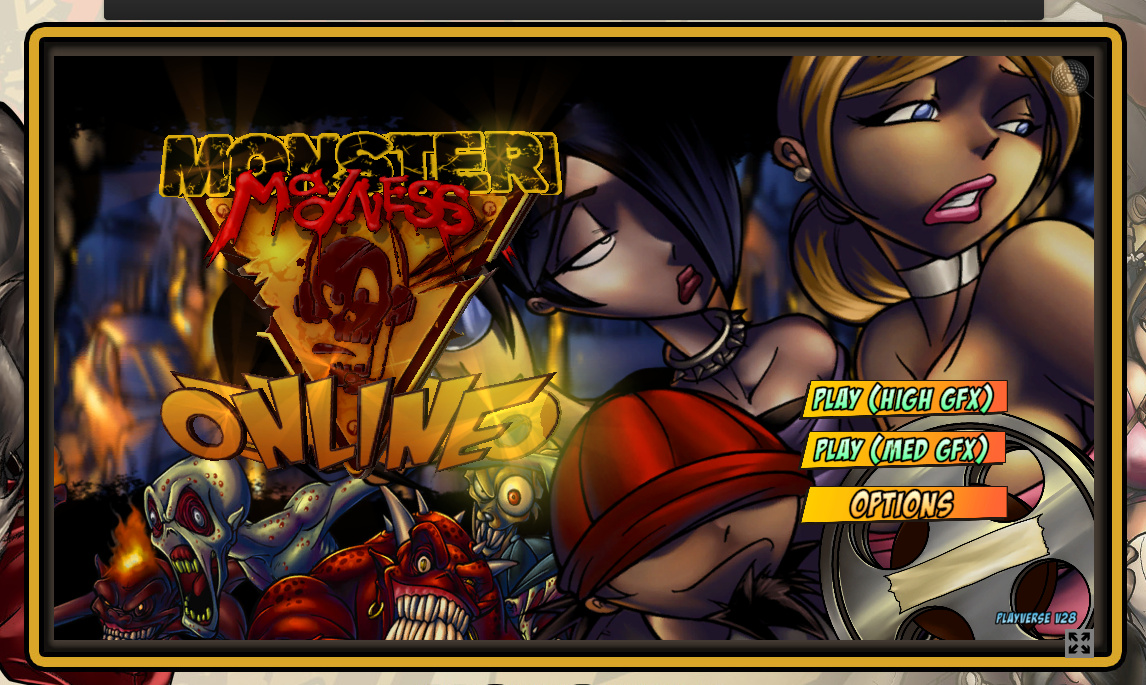
Given the pace that Firefox is developing it can’t be long until we see it in the latest Firefox downloads. In fact, those with the 64-bit developer Nightly build of Firefox can already play Monster Madness. Or, they can if they play it if can get past the dreadfully unintuitive UI interface which serves to hide the buttons that actually starts the gameplay. I clicked the main play button, but was then presented with nothing that would actually start the game. Though the game’s interface elements loaded fine…
Such teething problems aside, we’ve come a long way from those far-off years when a clunky Java browser applet would load… and load… and then… crash and freeze your entire PC.
DAZ Carrara 8.5 Pro users will shortly get an Octane renderer plugin in “Windows 7 & 8 … 64-bit”. Apparently it’s now only “a few weeks away”.
Those interested in 2D animation should go grab my re-release of 500 free props and backgrounds intended for users of the new CrazyTalk Animator 2.
Update: now on Archive.org in perpetuity.
I’m pleased to see continuing development on the PzDB DAZ/Poser content library management software. (My review of PzDB). Version 1.3 is currently in public beta testing…
“We’ve expanded to PzDB to work with more of your favorite CGI programs, so many in fact, we have introduced a new File Types window to enable you control which files PzDB indexes for you. You can now index more kinds of bitmaps and CGI Content files from Anime Studio, Corel Creative Suite, Google Sketchup, iClone, Maya, Quindam, Softimage, Wings3D, and even movies and audio files.”
Yep, iClone content indexing, as well as DAZ/Poser! Nice. Plus better indexing of those annoying new-fangled DAZ 4.x file types. It has a new and more polished look, too…
Part one of the tutorial is more generally useful for those who need to export FBX files for non-standard toon characters from DAZ…
Part two shows you the steps needed in 3DXchange Pro 5 and iClone…
There’s now a free Personal Learning Edition of the new Plant Factory Producer, from the makers of 3D landscape software Vue. It’s a…
“3D vegetation modeling, animation and rendering software [to create] fully custom intricate 3D plant models.”
Users of free never-expires version can apparently…
* Create complete projects and save their work
* Export their plants to other applications as standard geometry [standard .OBJ, .FBX]
Like most Eon/Vue freebies it’s also heavily crippled. Model exports are crippled in the free version because…
“Exported geometry removes 1 polygon out of 5”.
Although I’m guesing that those willing to experiment with smoothing (3DXchange), repairing (PolyTrans), remeshing by adding polys (I think the latest Poser can do that) or decimating (DAZ Decimator) the .OBJ models might make the plants acceptable for middle-distance use in DAZ or Poser?
Now available is Decimator for DAZ Studio for DAZ Studio “4.5.0.114 or higher”.
I bought this a few years ago as part of the set of Game Developer Kit suite of plugins for DAZ Studio 3, to get DAZ content to iClone. I used it a lot and it’s excellent, and does the job: reducing huge 3d meshes down to a much lower number of polygons. It’s very flexible and easy to use (once you find how to launch it in the menus), and its great to see it being kept updated to work with the latest versions of DAZ Studio.
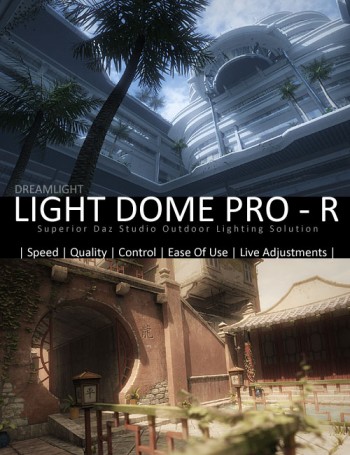
It’s great to see that Dreamlight has released his new outdoors lighting and compositing system Light Dome Pro -R for DAZ Studio 4. This updates his old Light Dome Pro 2 and appears to combine it with parts of his old Mood Master 2 (both of which only worked in DAZ Studio 3.x until now). There’s also a welcome speed boost.
The new Light Dome Pro -R looks like a “must-have” for those who use DAZ Studio to create large outdoor scenes and then tweak them with Photoshop. I know from past experience that Light Dome is fairly simple to use once you learn a few easy steps, and that it gives great results. Light Dome Pro -R comes with a handy Photoshop Action which automatically loads all your seven render passes into Photoshop layers, where they can be automatically blended and adjusted with filters in real-time — thus cutting DAZ’s render-time dramatically. Since it’s only an Action, I’m guessing it’ll work with any version of Photoshop above about CS3?
Here’s the new video showing how it’s done (the intro sequence ends at 1:00 minute in, when the step-by-step tutorial begins)…
There’s also a longer 23-minute version of the video.
Of course, there’s nothing to stop you adding a render from the same camera with more dramatic lighting applied, to throw another flavour into the Photoshop mix of layers.
Also worth mentioning is the “glow effects” in the features list for Light Dome Pro -R. Be aware that this is just a whole-scene videogame-like high-contrast ‘bloom’ (yuk), rather than the ability to add per-object glow spillover of light into the air.
Included in Light Dome Pro -R is the old Mood Master 2’s simple Depth Fog / Haze, for easily adding a nice Vue-like z-depth fog to your landscape or cityscape. The fog effect alone is a good reason for getting Light Dome Pro -R, even if you’re not impressed by the other features. But we do appear to have lost Mood Master 2’s weather effects layers, such as rain etc. Possibly a new weather-tastic Mood Master 3 for DS 4.x will be coming along next from Dreamlight, along with time-of-day and night presets? Just my guess.
This works with 3D Delight as a renderer. There was also a later iRay version, but it was nowhere near as automatic or seamless.
Update:
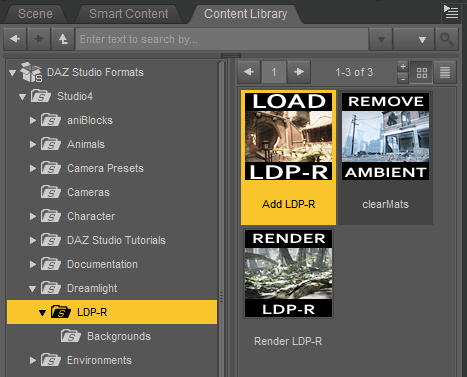
Note that “- R” version 1.0.5 changes where you find it in your runtime. Instead of having to burrow around to find it down in My Library, it’s now up on Dreamlight | LDP-R, and is thus more easily found…
The basic workflow for “- R” is now…
1. Dreamlight | LDP-R | right-click on Load icon, “Open as New”.
2. Select the Skydome in the Scene tab. Then in the Content Library, drop down a level to find Background images, and apply a suitable sky to the Skydome.
3. Save the basic scene file. Load in your objects and arrange the scene artistically using the special LDP-R camera to view and frame it.
4. Ensure the scene’s render settings are as in PDF. This version of Light Dome Pro only works with 3Delight, not iRay.
5. Approximately set sun position by looking through Sun camera.
6. In the Scene tab, look through the Parameters LDP-R, set fog-depth – default is likely to be too far away. Try 2000 instead of 20000.
7. In Parameters, ensure set Ray-tracing is set. This is independent of the main Render setting.
8. Render, pick folder to save the output. ( C:\Users\YOUR_USER_NAME\Documents\DAZ 3D\Studio\Render Library\.. ) Close render windows when FOG finishes rendering, as it’ll be the last of the set. Save scene file and close DAZ. Load Photoshop, load renders into a single file by using the LDP-R Action.
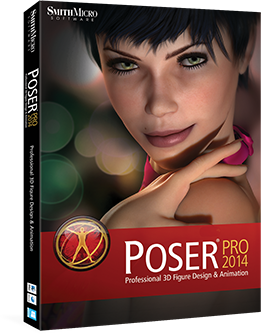
Smith Micro have just officially announced Poser Pro 2014, and they’ve even priced and dated it: 21st May 2013!
Here are the new features, with my comments on each:
* There’s a new Pro-version only “Fitting Room”… “to convert your existing clothing and props to fit any figure”. Useful, although third-party software such as CrossDresser (my review) already does that quite well and also works seamlessly for DAZ Studio too. Plus a related… “Morph Brush now supports Sag, Tighten and Loosen so clothing works better”. Poke-through, begone! Maybe.
* “Pixar Subdivision Surfaces for fast and efficient scene building” This means you can change the density of the surfaces on your model, by making the mesh looser or tighter. Looks like an on-the-fly polygon-reduction system, and one you can apply to any bit of a 3D model. Nice. Not sure how many times I’d use it. If I ever had a scene that heavy then I’d break it into background, foreground, character, and then composite their multiple renders together in Photoshop.
* “Bullet Physics for Soft Body Dynamics, Rigid Body and Hair.” Nice, for the small handful of serious Poser animators.
* A new “Comic Book Preview Mode” for color and B&W cartoon illustration and animation. A bit more on this one: “This feature will enable you to create comic art with fantastic line control and color, or clean black and white outlines with persistent shading even when rotating or animating your point of view.” Plus some new semi-toon characters which will ship with the software.
Sounds cool, especially if we can tweak it and can make share-able presets. The existing sketch mode in Poser can be made to produce rather nice effects. But I’ve yet to see a useful straight comic-book filter from any software, and I’ll be surprised if Poser 2014 manages to finally get it right.
* “Interactive Raytrace Preview.” Grainy real-time preview in a tiny window, but it looks really useful in terms of seeing what your render is actually going to look like, and as such could save a lot of time. Reducing the amount of wasted “fiddle-about-with-it time” can only be good, since that’s a real drawback in using DAZ Studio or Poser compared to iClone.
* “OpenGL Speed Optimization.” Nice. It was a bit sticky and slow, for me, so improvements are welcome. Not sure it’ll be as lovely-looking and responsive as DAZ Studio 3’s implementation of real-time Open GL, but we can hope.
And of course, the ever-present promise of faster rendering…
* “The Firefly render engine has been optimized for faster performance when Raytracing.”
So for me, the new version boils down to: it may render a bit faster, it has a useful real-time preview, and the comic-book filter might be cool. The real-time preview window looks like the must-have “killer feature”.
Anyway, judge for yourself. Here’s the official video for the new features of Poser Pro 2014…
The slick new DAZ Studio 4.5 hair-growth plugin Look At My Hair now has a new free player that integrates right into DAZ 4.5…
“integrated in the DAZ Studio interface, the Look at my Hair Player allows you to load most pre-made Look at my Hair presets or .duf scenes, modify color and shader properties, hair count, thickness and render!”
3d fantasy artist DeeDee has a very interesting real-world comparison between Poser and Vue as a render…
There’s a new 3D Art magazine podcast: an interview with Paolo Ciccone, author of the new Reality 3 rendering plugin for Poser, which links Poser to the free LuxRender rendering engine.
After a long wait Reality 3 for Poser is actually available to buy now, with a $20 discount until the 5th of May 2013!
DAZ Studio users already have Reality 2 available now, with Reality 3 for DAZ Studio announced but not yet dated as far as I know. I’m guessing possibly August 2013?