Vital Kinect accessories are officially discontinued by Microsoft, and the technology downplayed. If you rely on Kinect for your body-tracking / motion-capture workflow, now might be the time to hop on eBay and grab a couple of replacements for some vital components.
Category Archives: Companion software
Release: Lightwave 2018
Just released today and available now, LightWave 2018. Free 30-day demo. New basic cel-shading engine, built-in. I’m guessing that Poser integration will be coming, at some point, via a new version of the PoserFusion plugin for Lightwave.
Survey: 3D to 2D tooned, the software options in 2018
Here’s a concise list of the current toon options for 3D-to-2D comics at 2018, sorted by price.
* Free. Blender has a Freestyle toon module. Powerful but inevitably unfinished even after a decade, and Blender has a very steep learning curve. Apparently Freestyle is easier to obtain good results from if you already know how to model and texture in Blender. May be improved and changed in future.
* Free. Formerly from Google, Sketchup has a small range of impressive sketch render presets suitable for things like buildings and gadgets, and a simple sketch style-mixer so you can make your own. Widely known among visualizers in architecture and product design, quick to render and fairly easy to use. But it doesn’t play nicely with Poser, DAZ etc and is not very friendly to OBJs either.
* Free + modest $s for plugins and content/shader packs. Public videogame engines such as Unity and Unreal. Very steep learning curve, but well supported. Possibly the best choice if you also seriously want to get into making games and have $100 for the relevant plugins. Be aware that output from game-engines may not be print-res.
* $40. The free DAZ Studio has some native but rather fiddly cartoon capabilities, and the paid shader packs Manga Style Shaders and Visual Style Shaders packs ($40, together). But in my experience these are so fiendishly difficult to apply and control and combine, that I just can’t recommend them to anyone who has the easy real-time comics capabilities of Poser 11 (see below). Visual Style Shaders does however offer very nice bases for rendering colour flats of your character’s skin and hair, and these are relatively easy to apply. They would thus provide good bases for drawing ink lines on by hand, perhaps guided by a basic toon outline render. And Manga Style Shaders should still be considered and tested if you’re intent on serious comics production in the traditional ‘zip-toned b&w manga’ style. Note also that DAZ has a well-hidden shader-free ‘Cartoon Render’ setting, but it’s not impressive. There are also lineart rendering plugins such as pwToon and Lineart9000, but these are also said on the DAZ forums to be rather difficult and fiddly to set up and control.
* $80 up (when discounted). Smith Micro’s Poser 11 has an excellent Comic Book Mode (aka Comic Book Preview). This is very easily applied to a vast range of content, and is rendered out in WYSIWYG real-time using the Preview OpenGL renderer. Interesting additional line types are obtainable via pushing Sketch Designer output into just the Comic Book Mode ink lines. Poser also has the P.A.S.S. watercolour shaders [update: now available again, for free]; some good toon cel shader materials (if you dig around a bit, to find them); and the older toon lines mode and some helper scripts can help you to obtain even more toon lines. Professional studios should also note that the Pro version of Poser 11 has a mature PoserFusion plugin to easily send your Poser scene and textures over to Cinema 4D (up to R19). C4D has advanced ‘sketch and toon’ capabilities built in, but you’ll still need to spend a week developing your own custom presets and even then scenes take quite a while to render in C4D.
* $150. DAZ Carrara and either the older and limited $40 Toon!Pro plugin or the newer (2013) free YAToon 2.0. This seems to be the best option for DAZ Studio users, as Carrara handles most DAZ files nicely and can open (nearly) all Poser content and some of the early DAZ Genesis content. Note that 64-bit and multipass render-passes are ‘Pro version only’ in Carrara ($285).
* $200 upwards. Reallusion’s iClone 7 has a very limited Toon Effect filter, which was broken/wonky in iClone 6, but has now been fixed in iClone 7. Fixed as in “it was broken, and now works again”. Works in real-time, but then so does Poser’s Comic Book mode and Poser is by far the better and more fully-featured option. Cheaper too, if you can grab Poser on a discount.
* $400 upwards. The latest Vue 2016 has a fairly sophisticated toon-lines and paint module built in. I’ve spent a few hours with it and although it’s not ideal, it’s a welcome effort at this price point and could certainly be useful for those who overpaint their Vue renders, such as matte painters and concept illustrators. Vue can also elegantly import Poser scenes, with auto material conversion including skin.
* $Lots. There are strong toon capabilities in the “big guns” in 3D, such as Cinema 4D (‘sketch and toon’ is included in the Studio and Visualize versions only) and 3DS Max (toon as various plugins, last time I looked). The latest Lightwave 2018 has a basic cel shading functionality, which is new. I don’t know much about Maya, but I assume it has toon and cel-shading and plugins. 3DS Max always had good CAD lineart output, for the engineering crowd. Third-party plugin renderers can also often do a basic CAD-style lineart render.
Release: Pixelberg for Cinema 4D
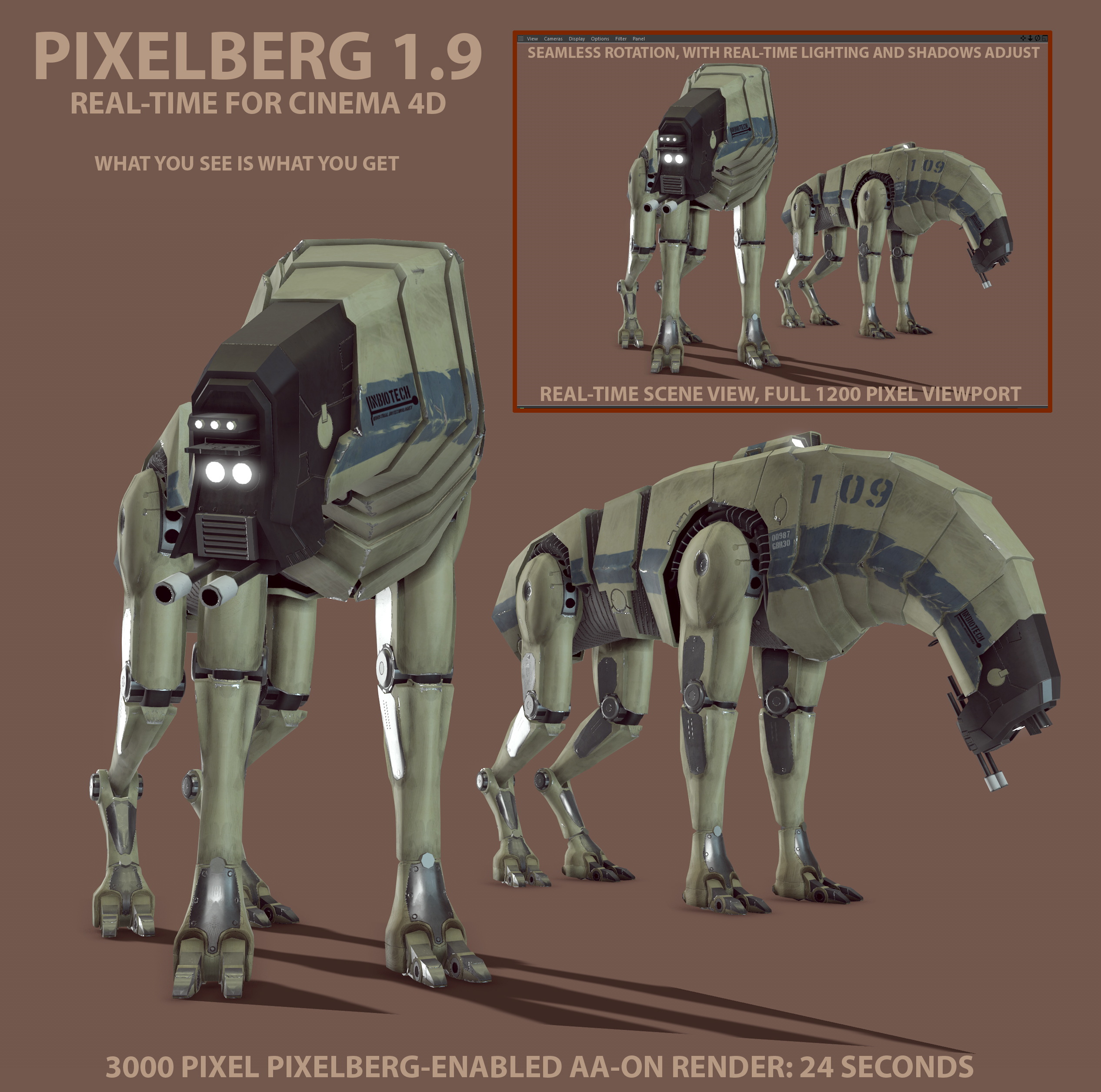
There’s an interesting real-time PBR viewport for Cinema 4D, PixelBerg which is now in a stable 1.9 beta. It seems to be genuine full-scene real-time, and doesn’t need a powerful graphics-card to run. Which might make it an alternative real-time option to consider before you plunge into an iClone purchase and the Reallusion content/upgrade ecosystem.
Here’s a side-by-side render demo of Pixelberg running in real-time as the main viewport, using a HDR for lighting, alongside the turbo-charged 24-seconds final render. It seems to be genuinely What You See Is What You Get (WYSIWYG)…
Pixelberg may be especially interesting to Poser Pro 11 users, as Poser interfaces smoothly with Cinema 4D via Smith Micro’s PoserFusion plugin. Only the Pro version has the PoserFusion plugins which seamlessly and quickly take your Poser scene to Vue, Cinema 4D etc.
Nice price for PixelBerg, too. $1!
“PixelBerg is available to buy and download now at Pay What You Want Price. (minimum $1)”.
Cinema 4D itself is sadly a lot more expensive, with the cheapest version being $995. But depending on your ‘destination configuration’ for iClone, that may be price-comparable with iClone Pro + extras (provided that you can do things like roll your own figure-animations, or can bring them in from Poser). If you’re in education, note that Cinema 4D has an 18-month student and teacher license which comes in two flavours: free (full featured, but no plugins will run) or £140 (can run plugins in it). Running PixelBerg would require the £140 Educational version.
Update: I hear that Cinema 4D also supports the Indigo renderer, part of which provides a GPU-powered large supposedly real-time preview window. But it costs a hefty 200 Euros, and according for their forums the “real-time” interactive preview window is still limited and buggy at December 2017. The new Cinema 4D R19 also reportedly has a new fast native viewport built-in.
How to move from Flickr to 500px.
So you want to move from Flickr to 500px? This step-by-step guide assumes that the idiots at Yahoo have lost your Flickr login details to hackers, which means you no longer have access to your account there.
1. There are a few initial hurdles to get over. First, sign up to 500px, which to me seems the best alternative to Flickr and is run by photographers. Their free account only lets you upload six pictures a week, last time I looked. They have periodic sales on upgrades to an annual subscription.
You pay annually by PayPal, recurring. Given that payment is via PayPal rather than a credit card, it should be fairly easy to cancel in the future, if you need to trim back your subscriptions for some reason. If you can’t afford a 500px subscription, then also look at a free WordPress.com blog with the excellent free Dyad 2 theme. If you make imaginative digital art rather than photos, then of course DeviantArt is your go-to place and is also free.
2. You need to install the Adobe Air framework on Windows, and then get the excellent Bulkr (which runs on Air). Bulkr is very easy to use and lets you download from Flickr in bulk. There’s a free version of Bulkr which is only slightly crippled. But if you have thousands of photos on Flickr then you’ll probably want to purchase the license key which upgrades Bulkr to the full version, so that you can auto-download the largest versions of your pictures.
Bulkr doesn’t require you to be logged in to Flickr, in order to view and download entire folders of your pictures. If you can log in to Flickr, then the 500px uploader may be of use to you. See step 5.
3. Point Bulkr’s elegant user interface to your Flick home URL. Marvel at how fast it loads, compared to the bloated Flickr in a Web browser. Work down your Flickr folders, saving their contents out to your desktop PC as the largest versions. Be aware that Bulkr only shows 100 pictures per screen, which means if you have 200+ pictures in a Flickr folder then you’ll also need to move to Bulkr’s “page 2” etc. You can also download tags and descriptions, or embed them in the picture file.
Several thousand photos, across 50 or so folders, might take 90 minutes or more to download. Usefully, Bulkr fixes the filename to reflect the title you gave the picture, e.g.: Kelly, watch the stars_2622682267_o.jpg Sadly, it can’t also embed tags and Creative Commons license info.
4. Now you’ve mirrored your old Flickr photos on your hard-drive, you can make a safe archive copy. You can then use a bulk file re-namer, such as the free ReNamer Lite, to remove the _2622682267_o bits. 500px will then use the filename as the picture title on the upload, complete with original capitalization, commas etc.
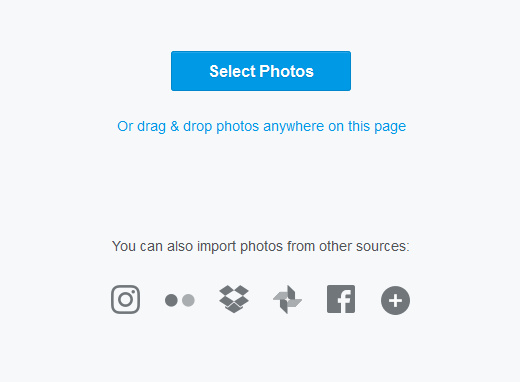
5. Now upload them to your chosen new photo gallery service. 500px has an easy browser-based uploader with bulk upload capabilities (feature details). It can also integrate with Dropbox etc. You just drag and drop the pictures to upload. If you have slow broadband and slow upload speeds, you’ll probably want to do it in small steps — uploading a couple of small folders a day.
The 500px uploader seems to work best with six photos at a time, and can choke when you give it more. Obviously it’s not a service suited to the wedding or commercial photographer who has 600 photos to upload in 10 minutes, so that the client can see them. If I had known about the repeated upload failures, I’m not sure I would have chosen to pay for 500px. One failure on one picture means the whole batch can’t be uploaded! Anyway, I’ve paid for it now.
6. Rather than laboriously re-tagging pictures, tagging folders is probably easiest in terms of adding back some public find-ability. You can download the tags with Bulkr, but only as either a .txt file or as an embedding in the EXIF data. The other big annoyance of 500px is the amazingly dumb auto-suggest of keyword tags for your photo. They auto-fill the tag box, and there appears to be no way to turn off this feature.
If you were putting your Creative Commons pictures in their own folders on Flickr, or using their title to declare them “- Creative Commons”, then it shouldn’t be too difficult to set the CC licenses on 500px in bulk. Descriptions are tricker, and it may well be that you will have to manually copy over the more important of the explanatory descriptions on Flickr.
7. If you run Stylish as an addon/extension in your Web browser, it’s free to get a new dark theme for 500px, even with the cheapest level of subscription. Such as 500px Quite Dark. Also useful is the “Add download pictures” button.
That’s it.
Guide: setting up your new Amazon Fire 10″ HD tablet
Welcome to my hands-on guide to wrangling your new 2017 Amazon Fire 10″ HD tablet, after you first unbox it. The guide is especially geared to creatives who want things like: the best sketchbook apps; comic-book readers; and the right DeviantArt app.
Update, Jan 2019. I’ve added a few more nice apps I’ve found since this post.
1. On unboxing your new Fire 10″ tablet, for your own security first stick a tiny blob of Blu-tack over each of the two camera holes. Then power up the tablet, set your wi-fi password, and sign-in to your Amazon account. The Blu-tack can come off the camera later, once you’ve settled down with a range of apps you trust.
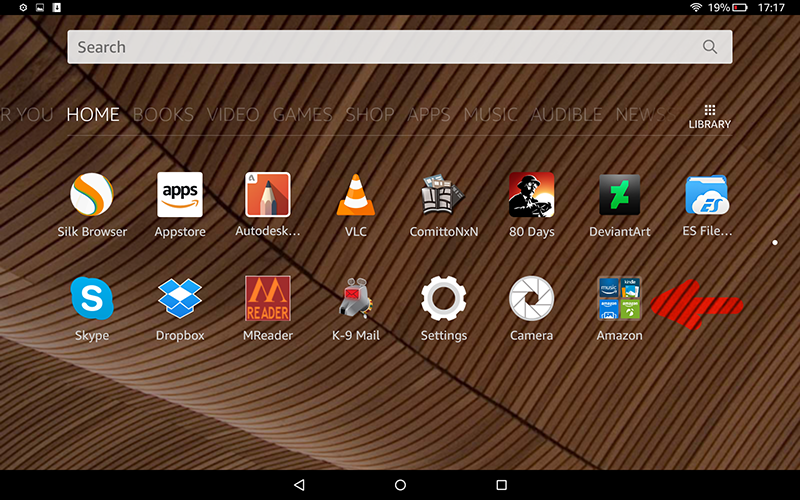
2.Then you can hide all the pre-loaded Amazon apps you’ll never use. You do this by hold+dragging one of the Amazon app icons on top of another one. When this is done the two icons automatically form into a folder, into which you can then drag all the other icons for the Amazon apps you don’t intend to use. Creating this single “Amazon” folder goes a long way to cleaning clutter off your tablet screen. Because… you can’t delete any of the apps the tablet comes pre-loaded with.

(Tidier, but still not prettier. I’ve yet to find out if naff app icons can be switched out for nicer ones).
3. Now dive into the tablet’s “Settings” menus for thirty minutes (there’s a lot to find, down there) and turn off a whole lot of things — such as tracking, recommendations and ad-like notifications. Reboot.
4. OK, now you have the basics sorted and the tablet is 90% tamed. If you purchased the most affordable 10″ HD version you still get ads on the tablet’s lock-screen, but you can set these to be ‘family friendly’ in “Settings”. I found these lock-screen ads quite fun, being a random mix of best-selling kiddie games, interior design apps, and travel gadgets. None of which I’d ever buy, but I admire the slick artwork as I flick past it and into my Kindle ‘Home’ screen. Which, incidentally, still features the occasional Amazon ad in “New items”. If you really don’t like that happening then you can either find instructions online on how to remove them, or pay Amazon £10 to get them off.
5. Note there’s no Google Play store on the Fire tablets, and Amazon’s Kindle app store can be a bit of a pig. The quality apps are in there, but often all-but-hidden under a mountain of rubbish.
Firstly, note that not all apps are equal in the store. Some apps will show up in search results even when using a partial name. For instance, “Sketchbook” will find Autodesk’s official ‘Sketchbook – free drawing app’. But typing “Tayushi” or “Comitton” will not find either ‘Tayushi Sketches +’ nor ‘ComittoNxN’. Amazon obviously deems these to be ‘lesser’ apps, that can only be found by typing their exact store name.
Secondly, note there’s no “Creativity tools” category in the Store. Nor can you bookmark a WishList, which seems odd since a WishList would surely help Amazon to boost sales.
The apps:
* Best art app: Autodesk Sketchbook is on the Kindle app store for free under the name ‘Sketchbook – free drawing app‘. The free version works fine, but there’s also a one-time £2.49 upgrade purchase which gets you things like smudge blending, markers, etc. Sketchbook on the Kindle Fire 10″ is wonderful, and big loaded brushes are fast and smooth even with a large canvas size. Everything you expect is here. All you lack is pressure-sensitivity. But even with fingers or a capacitive pen/brush it’s perfect for quick conceptual thumbnails, the best of which can be worked up later in a full pen-monitor (such as the Ugee or Cintiq) albeit as flat .PNG file. You get seven layers on a decent canvas size.
Hardware reviewers say the new Fire 10″ is nearly as fast as a 9″ iPad in bench-tests, and the way Sketchbook works seems to bear this out.
* Alternative art apps: I spotted the following worthy alternatives to Sketchbook on the Kindle app store: ‘ArtRage for Android‘ and ‘Tayushi Sketches +‘. Tayasui is very elegant app at £2, and well worth having to complement Sketchbook, since it has several fantastic unique features. But it only has three layers on the Fire, and saves to a flattened .PNG file. The other drawback is there’s no Smudge/Blend tool (as it seems there is on the iPad), but you can export a good size .PNG to Sketchbook where you do have Smudge.
Update: the fine Krita 4 is also said to have a tablet app version, but it’s not on the Amazon store.
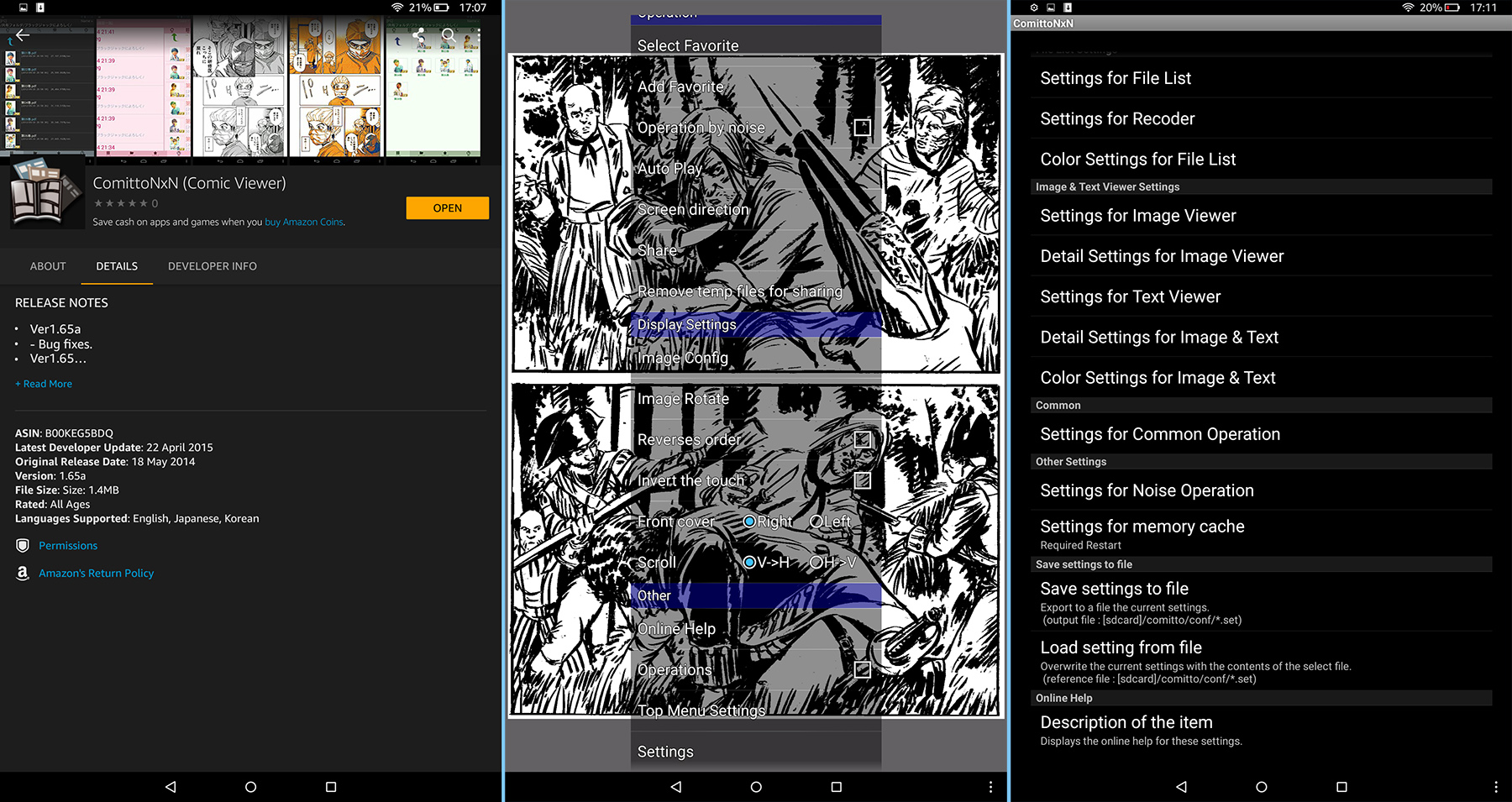
* Comic book reader: I was delighted to (eventually) discover that ComittoNxN 1.65 is on the store, at £1.50. Ignore all the other comic book readers, ComittoNxN aka Comitton is what you want. If you know how to ‘sideload’ apps then you can even officially get it for free as an .apk (sort folders by date, show full filenames, then download v1.65 as a .zip). Personally I thought that giving £1.49 to the creator was a worthy act, so I paid for it in the Kindle AppStore and saved myself some sideload-ing hassle. Just ignore the app’s very naff icon and Japanese language screens (shown in preview on the App store) — this is a top-quality app in English, just ‘made in Japan’ by one guy — who lacks a massive English-language marketing operation.
The only slight drawback is that, while it will load PDF files, it doesn’t show text on layered PDFs. Just the artwork. That can actually be quite an interesting feature, though, allowing the pure artwork to shine (if you have the correct sort of PDF). Incidentally it also works as a fine PDF viewer for scanned PDFs, but it seems you can’t tell the Fire to “always open PDFs” with it.
After the install of ComittoNxN you are first presented with a file navigator view of the full Fire system, which can be a bit daunting. On the Fire 10″ you then need to go to: /storage/emulated/0/.. to get to your usual media content and download folders. Or drill down to your SD card. After loading your first .CBR or .CBZ comic / graphic-novel you then go into ComittoNxN’s “Settings” and set ‘Image Viewer’ to ‘Fit Width’ / ‘AutoRotate’ / ‘Not to Sleep’. You can also set the app to ‘operate by noise’. Then you’re pretty much good to go.
Update: Comic Time is another fine free reader.
* Media player: ‘VLC for Fire‘, the free ad-free Kindle Fire version of the well-known and trusted media player. This loaded and played a 2.4Gb .MKV test movie with no problems at all, not even the slightest stutter or hesitation. Wonderful.
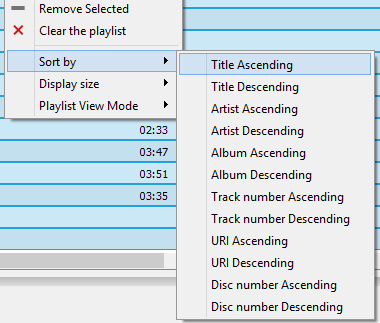
Update: Playlist-creation handling in VLC 3 for Android is still very basic, with VLC not even able to make a playlist from ‘all files in a folder’ and then allow the user to manually re-sort files into their correct order by select-and-drag. Thus you need to ensure the files are correctly named before sending them over (001-to-100 format) from the PC, so that ‘a sort by name’ in VLC will then place them all in the right playing order. If you have 400 video files in a big video tutorial, doing that is not a lot of fun — which is where Windows utilities such as Winsome File Renamer come in handy.
Update: OneCast is the best free podcatcher for podcasts.
Update: Screen On is the best free app to keep your Kindle from dimming or rebooting while you listen to music. It has a curious way of being turned on. To start it it, first you stop it (even though you think it’s not running), then you restart it.
Update: to send links to things like YouTube videos, without some Cloud sharing service, just set up a Trello board for your links and drag/drop them there.
Update: AIMP is now my preferred audio player on both Desktop and Kindle. AIMP has a fine free Android app that can be ‘sideloaded’, and has good playlist creation features. NX Player is also good re: playing the audio streaming from your PC over wi-fi, using the desktop freeware “Stream What You Hear”.
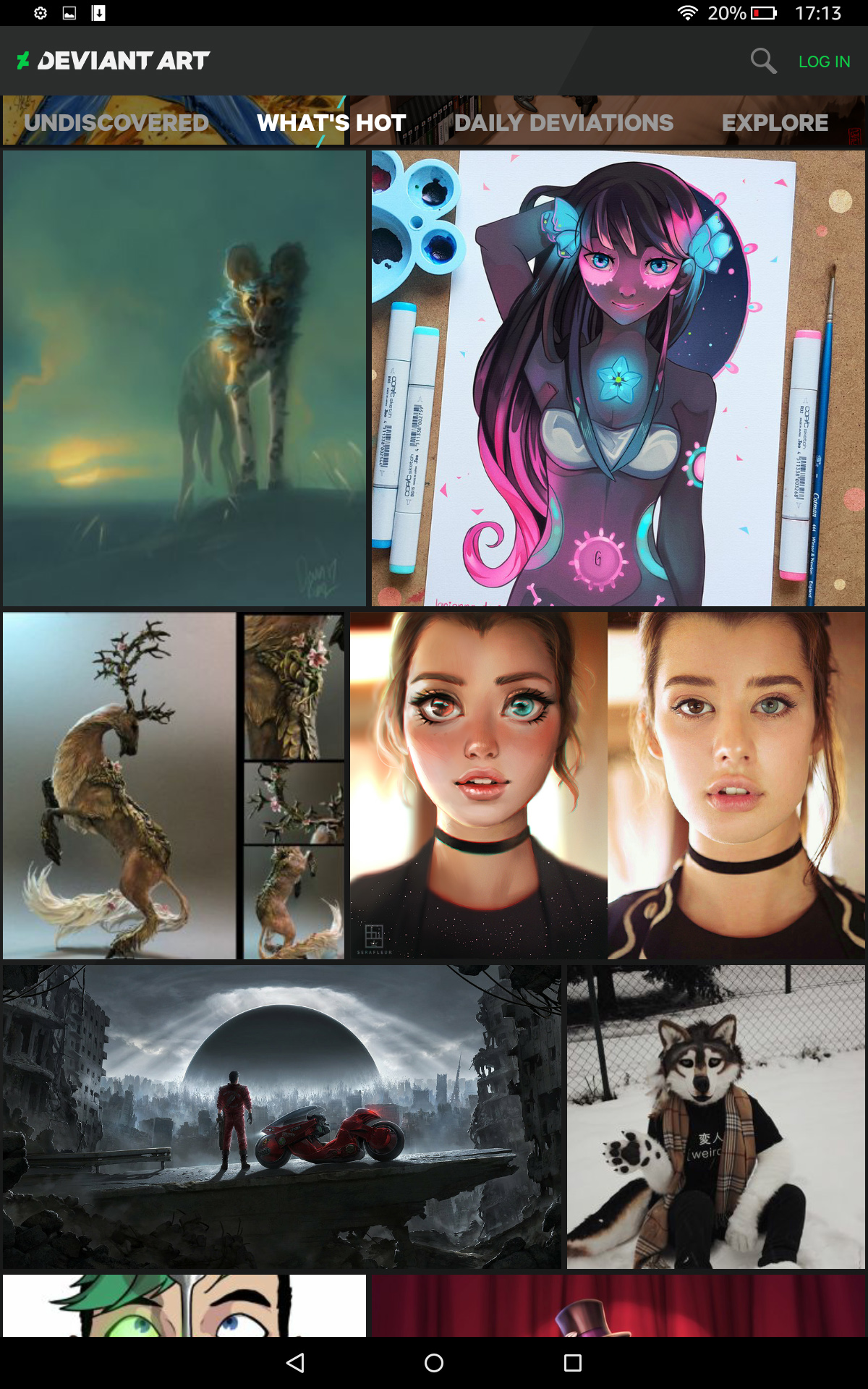
* DeviantArt: Yes, DeviantArt has its own free app, and as you’d expect it’s a beauty. This is what the luscious 1920px Kindle Fire 10″ screen was made for. Be aware that there are a lot of con-apps pretending to be DeviantArt, and it’s rated “Adult” so you won’t even see it in the Store if your Kindle’s Child-Friendly Settings are turned on. The official app you want is this one. You don’t need to log in, to browse DeviantArt’s pictures.
Update: It’s now actively censored by a team of moderators (as the similar ArtStation app). What is censored goes far beyond the ‘Mature content’ filter, in order to conform to the Google Play Store’s extreme prudishness. What you’ll get with the app is no longer the same as what you’ll get with a Web browser.
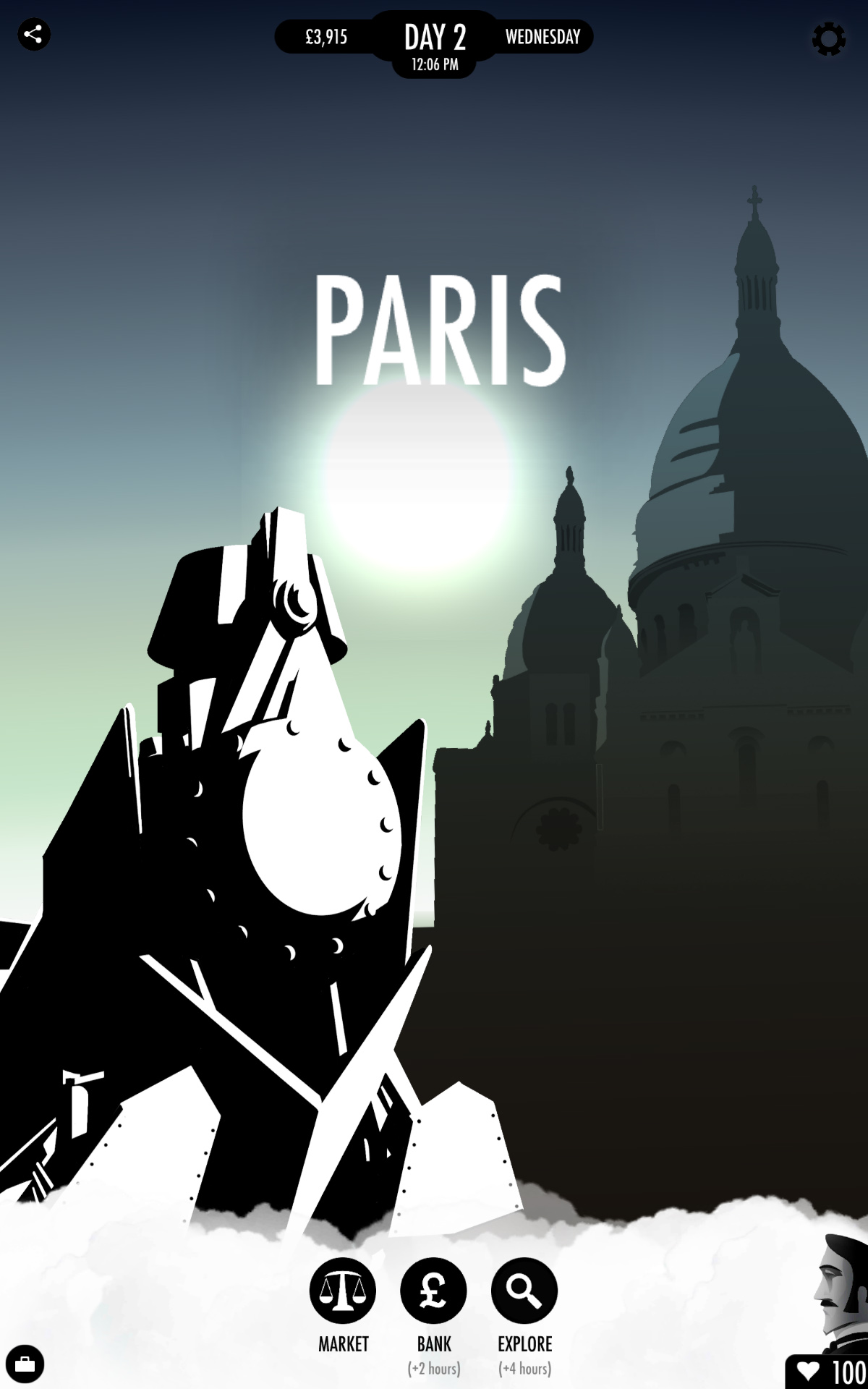
* Games: be warned that the Kindle store has a lot of drek and shady look-alikes. I wanted just one game on the tablet, and so I plumped for the acclaimed gamebook ‘80 Days‘ by Inkle, in its robust/expanded v1.3 version. Its vector graphics adapt very crisply to the screen size, and everything worked very smoothly.
A quality game more suited to young children would be the steampunk point-and-click Machinarium, available on the Kindle.
Interactive graphic novels:
There are just a couple of these in the app store, both quality.
The famous Anomaly: Interactive Graphic Novel with music, voice-cast, and autoplay. Made with Poser, and this is a special Kindle Fire HD edition of the book. A bargain at 59p (about $1), but it will eat 600Mb of your tablet’s space.
Also Niko and the Sword of Light, which was later made into a TV series by Amazon Studios. The first three chapters free, then currently £2.51 (about $5).
Both of these are from 2013/14, and it’s sad to see that nothing followed them on the Kindle Appstore. I guess the ratio of time-spent vs. profits was not enticing to other entrants. There are also a few Alexa-based 2017 ‘interactive audio adventures’ available, but one suspects the format will suffer much the same fate — too expensive to make, too few sales.
* PDF Viewer: Installing the free Dropbox app will also give you a good trusted free PDF reader. It’s a very basic and infinite-scrolling (rather than per-paging) PDF reader, but is perfectly adequate for looking at occasional academic papers or think-tank reports from the comfort of a sofa. You don’t even need to sign-in to Dropbox, to use their free PDF viewer. I found that Amazon’s native Kindle app can also open PDFs, and in a more ebook-y manner, but the rendering wasn’t as good as Dropbox. I’m not sure I’d want to read a full ebook from either, and unless it had lots of pictures and graphs I would prefer my dedicated e-ink Kindle ereader for reading a book (re-flowing / larger / crisper text, and it’s not as heavy to hold).
* .ePub reader: Obviously the Kindle reader won’t be opening your .ePub e-books, as ePub is “the competition’s format”. The best .ePub reader I tried was MReader, perfectly good, free and ad-free. You may need to turn on its “Autorotate” option after install.
* .mobi reader: Of course the native Amazon Kindle app will open your .mobi ebook files. There’s no third-party .mobi reader here, such as the excellent ALreader on Google Play. If you find that the Kindle reader refuses to load a .mobi for some reason, simply use desktop software such as the free Calibre to convert it to .ePub.
* Email: ‘K-9 Email’. Yes, this trusty old community-built warhorse (or war-dog) email client is available on the Fire, free. A good alternative to the email app that comes pre-installed.
* Web browsing: The Kindle’s own pre-installed Silk Browser seems perfectly adequate for light Web browsing. If you plan to do heavy browsing, and need ad-blocking, then you probably want to ‘sideload’ the mobile version of the Opera browser.
* Folder browsing: I installed the free ES File Explorer File Manager, but I’m not sure I’ll keep it. It’s overkill, but does the job until I can find a solid free + ad-free alternative.
* Wi-Fi file transfer: If your Kindle-PC USB connection dies (in my case, through Windows utterly refusing to load/reinstall the USB drivers) there is another albeit slower option to send files over Wi-Fi using an app and desktop FTP software. After much research I settled on two options here, free and paid.
i) the free Easy WiFi FTP Transfer.
ii) the paid ES File Explorer 4 in combination with desktop FTP software such as WS-FTP. The free ES File Explorer is not to be recommended.
For security you may also want to use a wi-fi FTP app in combination with the free Wifi Turn On, Wifi Turn Off app.
* Screenshot maker: You already have one built-in. Locate the Kindle’s Power button and Volume-Down button, then press down both buttons together for one second. That takes a screenshot, and saves it as a .PNG to a Screenshots folder in ‘Pictures’.
Other thoughts:
The Fire 10″ tablet is a touch heavier than I though it would be, but I’ve very pleased to find it doesn’t even get warm (let alone hot).
If you have hard floors that it might drop on, or plan to take it out-and-about, then a protective tablet case is going to be a must-have. Also useful for propping it up.
Be careful if you turn on “One-click apps purchases” and also have the Alexa voice-control on. I found that Alexa was useless for me, as she would consistently mistake what I was saying, and without pre-warning would start doing something I never intended. The risk of accidental purchases seemed too great, so: “Alexa, off”.
If you already have a dedicated e-ink Kindle 3 ereader, and want to keep using that for your “Send to Kindle” delivery from your desktop PC, then you’ll need to delve into device settings at the Amazon website. Otherwise Amazon will initially assume that your desktop’s “Send to Kindle” items go to your new Fire and will then clear them from the queue. Your ebook purchases, on the other hand, should be available from any tablet with Kindle installed. New ebook purchases and samples should show up on your Kindle Fire ‘Books’ screen.
That’s it, I hope these observations were helpful for those getting a new tablet for Christmas.
Cyber Monday – a round-up of the bargains
Right then, let’s have a quick look at newly-spotted ‘Cyber Monday’ bargains:
Rocketship 3D’s excellent PzDB Poser content database is down to $37. There’s also a Trial version at PzDB Downloads if you want to see how well it makes an index of your Poser runtime. My review is here.
CrossDresser License sale. 75% off, excellent. This is Poser clothing conversion software. If you have a paid pack of licenses in your CrossDresser 3 clothing conversion software, an upgrade to the 4 bundle is currently just $3.75.
Most CrossDresser licenses are down to $2.75 each. The store is a bit confusing: you might find it useful to start with my CrossDresser 4 test and review which has Web links at the bottom which take you straight to the license pages for the core/leading Poser figures.
Comic-book and webcomic artists may also be especially interested in licenses for NearMe and the Nursoda line of characters. You can also just say “what the heck”, and get all the licenses in a big bundle for $25.00.
I see that a couple of new items are at 60% off in my WishList at the DAZ Store, this morning. You might want to check your WishList to see what’s updated.
Content Paradise. No movement on my extensive WishList of older Poser content. I guess there’s no sale there this year.
Judging by my Vue WishList, there’s still been no general sale at the Cornucopia store (for Vue content). But there are the excellent personal sales there from two vendors, Geekatplay Studio and Tony Meszaros. No sign of any discounting on the Vue software itself, this year.
That’s it.
Black Friday: 50% off 500px membership
500px, the worthy Flickr alternative for photographers, has a Black Friday sale. Coupon code: BFRIDAY
It’s $28 (after a 50% discount) by PayPal (recurring annually, note). That gets you a basic 500px membership, for which the main benefit is an unlimited number of uploads. There is a free account, which I was on previously, but it only allowed something like ‘four uploads a week’.
If you want to swop to 500px from Flickr then Bulkr Pro is your best option for bulk/automated download of the full-size pictures. I see they also have a discount currently, from $60 to $39. That’s a one-time purchase of a license key for the desktop Windows software. It appears that the license key delivery for Bulkr Pro isn’t automatic, and you may have to wait a while before the maker manually sends the email with the key.
DAZ Hexagon 3D for free
DAZ Hexagon 3D for free, from DAZ. It’s still a useful 3D modeling software, interfaces nicely with DAZ and Poser, and has a wealth of accessible tutorials and webinars.
VUE 2016 R4 update – available now
The VUE 2016 R4 update patch has just been released. A few of the selected highlights of the 480Mb patch…
* Stereoscopic rendering and VR180 Panoramic rendering.
* Better multi-pass masking, re: semi-transparency (“For instance, cloud passes or tree leaves masks won’t show the sky in the background”).
* You can now embed the alpha channel for each mask pass, when the output format supports it.
* Path Tracer Renderer improvements.
* VUE now supports CPUs with more than 64-cores on Windows. [Meaning that Xeon users with multi-workstation render farms will be happy]
* Added Cinema 4D R19 support.
Release: SketchUp Free
SketchUp Make, the free desktop version of SketchUp, has reportedly been canned in favour of “SketchUp Free, a free browser-based version” of SketchUp. Users get only “10MB of free storage”, so it looks they’re planning to monetise it via the “add extra storage” angle.
The lack of a free desktop version is going to be rather annoying to:
1) The nearly 40% of rural Americans who still lack access to fast broadband Internet. Many in Canada are also in the Internet boondocks. Australia likewise.
2) Kids whose Internet time is heavily metered and restricted by net-nanny software.
3) Anyone who, for whatever reason, does not have access to the Internet. Prisons, the military, merchant ships etc, all usually with heavily locked-down or no personal Internet access.
4) The rest of the world, re: poor or no viable Internet access in many places in developing nations.
And so on. For the next few days (maybe weeks) you can however still download the free SketchUp Make which is the free desktop version for Windows and Mac. For the benefit of future searchers, sketchupmake-2017-2-2555-90782-en-x64.exe will be the Windows install file you’ll need to search the FTP sites for.
Release: Manga Studio for the iPad
Clip Studio Paint (formerly much better known as Manga Studio) has just been released for the iPad.
Release: Lumion 8
Lumion 8 has just been released. Mostly intended for architects working with CAD models of buildings for construction clients. Which makes it very very costly, but as a result, also very fast and streamlined — if you have the ninja workstation needed to run it. In terms of the tools that readers of this blog are likely to have access to, it only interfaces nicely with SketchUp and (apparently) Cinema 4D. As such it’s probably not for most people who read this blog, but it’s interesting to at least see what the architects have at their disposal these days.
Here are all the new features in Lumion 8. I like the look of the “softening of hard edges” filter, which smooths some of the razor-sharp edges that 3D renders often have…
Release: Audacity 2.2
The popular free audio-editor Audacity has just released version 2.2. Audacity is used by many creatives, from animators to podcasters. Now handles MIDI files, autosaves-on-crash when recording, and has lots of bugfixes. Also new UI themes, found at: Edit | Preferences | Interface. Such as this one…
New release: Storyboarder 1.0
A new free ‘open source’ software, Storyboarder. Lets you sketch storyboards, with lots of helper widgets and do-dahs. Nice clean user-interface, too.
Sadly it also has one of those “give us your email and we’ll send you a download link” things. Meh. So I haven’t downloaded, installed and tested. But it looks good, and you can’t argue with free.
According to a third-party blurb it apparently…
“allows the user to type a description in the sidebar and instantly get properly positioned 3D models, over which details can be added.”
Interesting, but there’s no info about things like 3D model import on the website? I couldn’t find anything there about 3D, importing .OBJs or their being some sort of 3D posing dolls inside the software. You can however change cameras to different shot types, and doing so forces your scene into a sort-of tilt to match the camera shot. Perhaps that was what was misunderstood to be “3D”?
For those less inclined to sketch by hand just to get rough storyboards, also look at DesignDoll 4.0, which definitely does work with 3D. Imagine a streamlined ‘Poser for comics artists’, dedicated to making the rough pencils for each frame.
So far as I recall Manga Studio also handles 3D well.
Of course there’s also Poser and DAZ Studio, and their real-time OpenGL previews, and Poser 11’s real-time Comic Book mode.