
I’m pleased to see Renderosity content-maker and digital comics maker Sixus 1 has a new podcast at YouTube. Sixus1 Uncensored #1, #2 and #3.

I’m pleased to see Renderosity content-maker and digital comics maker Sixus 1 has a new podcast at YouTube. Sixus1 Uncensored #1, #2 and #3.
More great news for Poser, there’s a new La Femme CrossDresser License. “Convert clothing from any supported figure to La Femme”. For those who don’t know, La Femme is the new flagship female figure for Poser, and the equivalent to the G8F base in DAZ Studio. She ships for free with Poser 11.2. One of the big drawbacks she had was a lack of clothing, and now… relatively easy access to a vast range!
I have a review and test of CrossDresser 4 here. The software is free, and you only pay to plug in a character licence.
Ever installed new Poser or DAZ content from an .EXE installer file then been unable to find where the content actually installed to? It’s in your runtime somewhere, but where?
FolderChangesView is a free Windows utility that monitors your runtime folder and sub-folders, and shows you what’s changed in there. It needs to be running while you do your installs, as it doesn’t work retrospectively.
I found an Ockham Python script for Poser, that doesn’t appear to be on his usual page, but is on Renderosity freestuff: “Swarms, leaf piles, etc”.

What it does: Select a container, then have the script fill it with your selected Particle props. A container such as a jam-jar, and a filling such as fire-flies. Of the container it’s said that “Where it’s denser, more Particles will tend to concentrate.”
What it used to be: It’s a 2006 script “descended from Swarm”. It still works fine in Poser 11.2.
How to install: I had success with the following in Poser 11.2…
1) Unzip and find “libraries” then its “props” sub-folder. Merge this folder with your main ..\content\runtime\props folder.
Make sure you get the proper Props folder, as those with large runtimes will have acquired half a dozen over the years. The correct one is…
..\content\Runtime\Libraries\props
NOT
..\content\Runtime\Props or ..\content\Props
Remember that Poser may need to re-index (“Refresh” icon, starts the “yellow CD” icon pulsing) to see the new folder in its Library.
2) For top-menu Scripts access in Poser, place the .PY script in…
C:\Program Files\Smith Micro\Poser 11\Runtime\Python\poserScripts\ScriptsMenu\
Operation:
Load a suitable container from the Props folder. “Leafpile container” and “Jar” seem the most useful provided containers here.
Use your library software to find your target prop (e.g. a firefly insect with a Superfly glow material applied) in Windows Explorer, and copy the path to it to your clipboard.
Run the script, paste in the path to the prop (this saves a huge amount of time ferreting through your various Props folders at this stage).

You can run the script again on the same container, to add more. Here I have 75 glow-enabled Fireflies, with a further 25 smaller ones. They appear to have escaped the container somewhat, but they’re going to go in a more ornate steampunk jar for this demo, so no matter. Now it’s done the job, select the container and make it invisible.

Placing 100 of them by hand would have taken ages, but the script did it in seconds.
Load a better container and size it up to your fireflies.
There may be some nice emissive lights, lurking in the Materials section of your official Poser 11 Library…

These are Vince Bagna’s light emitting materials for the SuperFly render engine. I’m not sure if some of these shipped with the Poser 11.2 freebies bundle or not (I still haven’t found a full list of exactly what ships with Poser 11.2), but I have the materials/shaders in the main Poser 11 runtime.
Despite several hours of trying I just cannot figure out how to get something realistic out of them, though. “Light Emission” works great, but makes the sphere it’s applied to invisible every time.
 Light Emission.
The “Light Neon” material keeps the sphere visible, but lacks the realistic ground surface light-spread which “Light Emission” has.
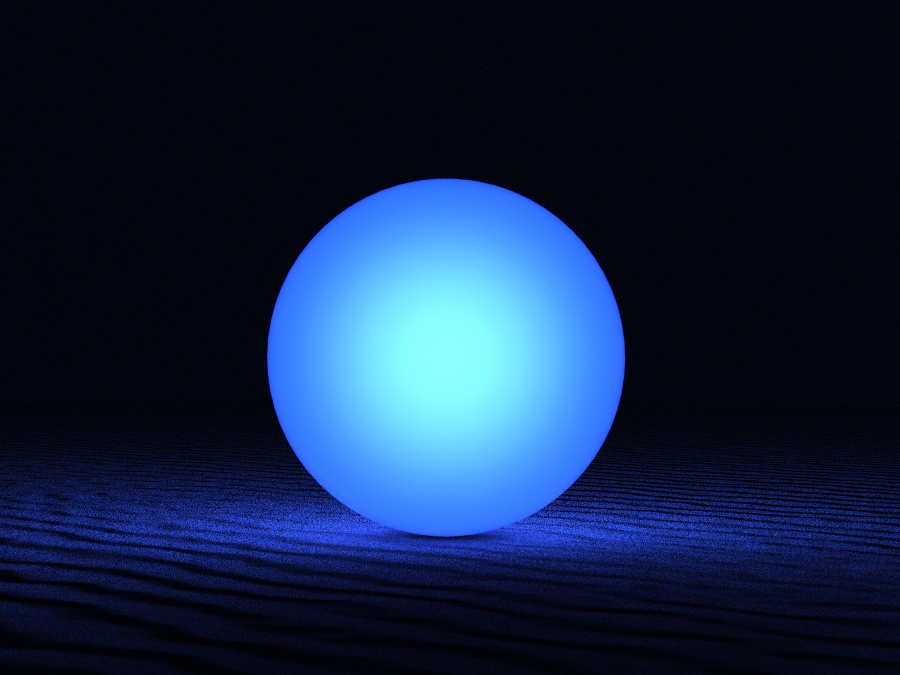 Light Neon.
Neither offers light-spill at the edges of the sphere, and nor can this be faked by duplicating and having sphere-in-sphere — because the materials have no transparency settings at all. Nor can the two be combined in-scene in any useful way.
Getting something nice thus entails clunky mashing together of two such renders in Photoshop, then apply a slight rim haze via filters. Still, it can be done…

After my earlier test I had partial success with three further M3/M4 hairs, in terms of having them work in the real-time Comic Book Preview in Poser.

Here M3 wears Boxer Hair Simple. This works and is a nice fit, though is rather retro in style. It has no textures other than near-solid black, but loading the bump map into the main texture channel gives a good blonde look. The colour of this can then be controlled by the normal diffuse colour chip. Taking the Alt Specular colour chip back to black also removes the 3D gloss.
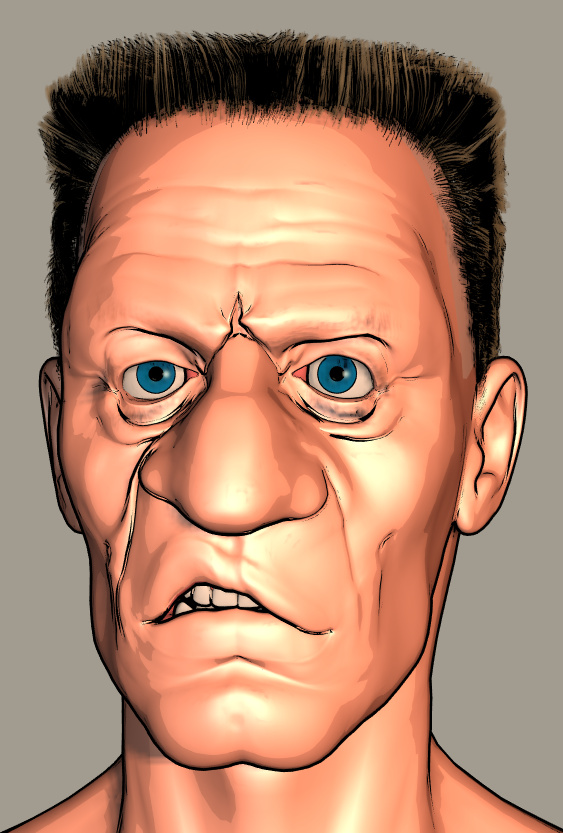
Neftis’s fibermesh Flat Top Hair for M4 also works fine as it had a Poser .CR2, which I assume is still included in the installers along the DAZ Genesis hair? The Xavior Hair by Neftis, male and made at around the same time, look like it’s also fibre-mesh and might do something similar. His Guillaume hair is also said to be fibermesh. Perhaps the older FiberMesh stuff (produced for both Genesis 1 and Poser .CR2) is the way to go, as long as it has a Poser version?

Far more basic, here M3 wears “Slickhair” for M3 and Freak. This is the hair in the M3 “SuitPack” for Poser, now sold as Roaring 20s Gangster set for M3. This is far more “helmet hair” than M4 Hero Hair, but Commercial Use and better than nothing. It also comes with its own textures, but these are not ideal due to transparency. But applying Studio Maya’s free Monk Hair materials does something, going in the right directions and the strands are adequate with the UV scaling taken down from 1.0 to 0.5. Perhaps suitable for an old grandfather.
So neither Boxer or Slickhair are as ideal as the M4 Hero Hair, in terms of being generic and unobtrusive, but I’m pleased to find Neftis and his Flat Top and possibly a couple of his others.
I was looking for possible H.P. Lovecraft hair and I was pleased to find that the free generic M4 Hero Hair is about right and that it shows up nicely in Poser 11 in real-time Comic-book Preview mode. The hair requires only slight teaks to give it a tight fit from all angles on a Michael 3 head…

In Smooth Shaded display mode + Comic Book it even shows quite nice hair-strand lines, which is excellent. For a comic one would just need to fix the front inked hairline in Photoshop, which would be easy if one had ink-lines and colour-flats as two separate renders.

This look is had without applying any of the MATs made for it. Applying a MAT turns the hair back into Hair Room ‘strand hair’ in Preview, which is no good.
Without a MAT, in a colour display-mode the default hair colour is green, but that’s easy to change in the Material Room…
The hair can also look good, showing the same brushed strands, in standard Texture Shaded display mode + Comic Book onto Colour. Here’s another Michael 3 head showing the look…

Yes, this is M3 in Poser in real-time. While the hair’s strands can “bubble” in certain lights, this problem is greatly reduced when the Preview is then anti-aliased.
So, M4 Hero Hair is your go-to base choice for generic male hair in Preview in Poser 11. It’s found under: Figures | ice-boy | hero_hair in your Library, not under Hair.
Another choice is the ancient Ben Hair (ships free as legacy content with Poser) has sections that can be re-positioned to taste. Provided you don’t delete the invisible folliclebase base section the hair-parts are attached to, the Ben Hair shows up quite nicely as dense stranded hair in Preview. Perhaps that’s the secret — Hair Room strand hair shows up in Preview if it has connection to a normal hair base?

Poser users could do with a pack of hairs specifically made for the real-time Comic Book mode, especially as M4 Hero Hair is “non-commercial use”.
The Reality plugin for Poser and DAZ has kindly been made open source by its developer Paolo Ciccone, who has worked on it so long and diligently…
“…I decided to release Reality as an Open Source Software (OSS) covered by the very permissible BSD License. I hope that this will inspire other developers to pick up the project and update it.”
Does this mean the current plugin is now free? No, the existing retail packages and their licencing serials / ping-server stay in place for now. But Paolo continues…
“I hope that over time new versions of Reality will be made and that the first thing that the developers will do is the removal of the DRM [digital rights management, i.e.: serial numbers] code. Once that is done and everybody will have a chance to download the DRM-free version, then I will shut down this website.”
So free versions are coming, if someone with super-skillz is willing to spend a long weekend making, compiling and testing them. Hopefully this will mean a working Reality plugin for Poser 11.2 (it broke with 11.2, though I hear there was a third-party Windows fix) and the forthcoming Poser 12. In fact, Renderosity might consider bringing Reality into Poser 12 as a standard-issue render plugin, now that it’s fully open. It shouldn’t be that much work to fix it for 11.2, even if they don’t want to hook it up to the latest version of the free LUX renderer.
Update: free Poser 11.2.x fix available to run Reality.
Nearly the entire DAZ Store is having a sale this weekend. Most at 40% off, but I see discounts up to 67%. The Look At My Hair plugin is down to $30. Looking at my “Wish List”, not quite everything is on sale, but most is.
Which reminds me to remind readers of this blog that they might start to consider building up their PayPal balance, ready for the Black Friday (29th November 2019) and Cyber Monday (2nd December) deals.
On a quick test, the free The Many Faces of Moggadeet for Poser. Most are for Michael 3.0 character (M3) with “Michael 3 Head & Body Morphs”, and in terms of expressions they benefit from having additional M3 head morphs INJs found in the Brom pack. Sadly for others, the rather vital “Michael 3 Head & Body Morphs” pack appears to no longer be on sale.
But many will still have them in their runtimes (likely to be in your runtime as !M3 All Morphs INJs), and a few of Moggadeet’s Faces require other stock Poser characters. The Moggadeet sets’s four visual previews show which base characters are required.


ShareCG says “Non-commercial use”, but the file in the Moggadeet download says “File has no restrictions … Commercial use is at your own risk.” The file was rescued from oblivion and uploaded to ShareCG by a third-party, so I guess the uploader played safe with the licensing. The pack does after all contain living actors, as well as deceased. Fair enough, but be aware that the original maker had “no restrictions”.
In Moggadeet we have 3D faces for, among others…
Edgar Allen Poe.

Innsmouth denizen.

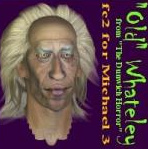
Whateley (a character in Lovecraft’s famous fun story “The Dunwich Horror”).
H.P. Lovecraft himself.

Hair and skin, as seen in the rendered previews, is not included. Once installed in your runtime the faces/heads show up under…
.. | Expressions | Famous
As you can tell it’s mostly H.P. Lovecraft and his idol Poe that I’m interested in, but there’s a wealth of other items. Including the Cheshire Cat for the Millennium Cat, which might be rather fab with a suitable Poser Hair Room fur preset if someone can make one. (Since there are “no restrictions”, the cat could theoretically be re-distributed as a freebie with suitably coloured fur – Tenniel coloured, not Disney coloured).
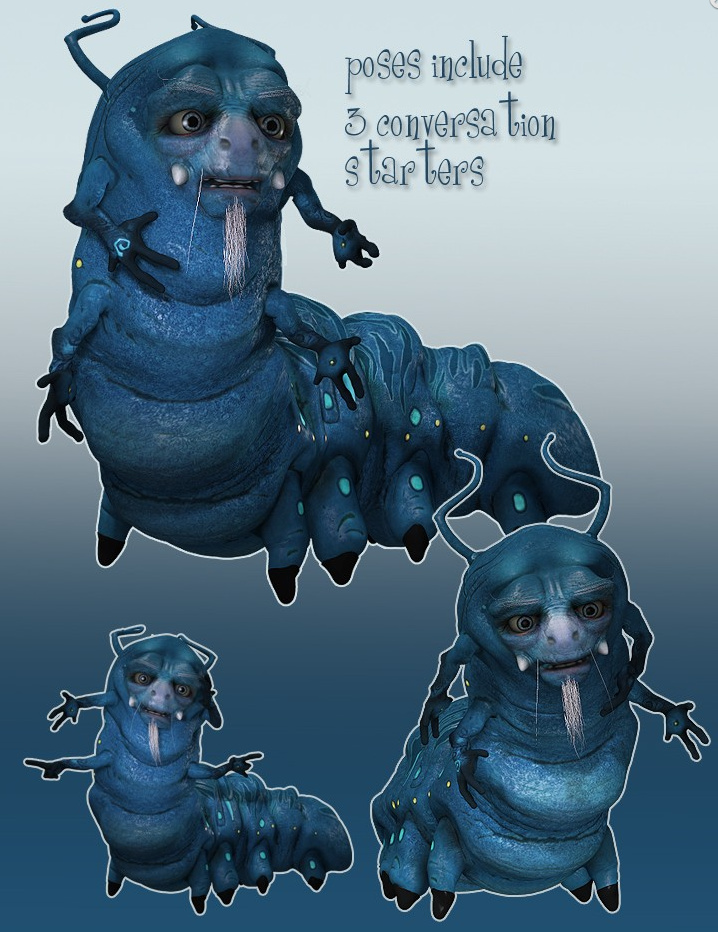
Suitable textures for the pack’s “Innsmouth denizen” and others can also be found at Inmate – Faces for Michael 3, David & The Freak. The pack is paid, but the same Web page has a free body and head M3 texture suitable for Innsmouth with a bit of green tinting. Another suitable M3 texture is “Lord Moldyshorts”, available free at TrekkieGrrrl.dk (second or third page).
The workflow in working down your runtime folders:
.. Figures | DAZ people | M3
.. Pose | !M3 All Morphs INJ
.. | Pose | CDI Brom | Head morphs INJ (optional)
.. | Expressions | Famous
I tried the H.P. Lovecraft and found him to be a bit of disappointment, as I had a few years ago. I had hoped that my having the Brom morphs might improve matters, but not really. And he doesn’t look good in the Smooth Shaded display mode I was hoping he might look good in. For some reason he just doesn’t have the lines that other Moggadeet characters have. Just too smooth I guess, and lacking crags and wrinkles to catch a nice graphic “drawn ink” look. However Wizard Whateley looks interesting in Smooth Shaded with real-time Comic Book inking turned on, as does the Innsmouth frog-man denizen. As you can see here…


Looking again at the thumbnail sheets above, it seems that the user is meant to elongate the Innsmouth head to get the full effect. Oh well, too late now. It’s more “Gollum” than “Innsmouth”.
Poe also looks good, but is not recognisable as Poe without the trademark hair. And with the M3 base character, popular though he was, one of the main difficulties today is finding hair that’s: i) suited to a more unusual character; ii) fits well and; iii) shows up and toons nicely in Preview mode. There’s Poser’s Hair Room of course, but that type of hair doesn’t show up in the Preview display/render mode.
I did some further tests to see if the Brom morphs are needed, and find they only seem to make a difference in terms of the expressiveness and tweaks you can apply. They appear to make no difference in terms of M3 simply taking the initial face preset of at least one of the faces…

So there’s obviously a huge amount of comic-book toony-face potential with M3 + head morphs, when in the real-time Smooth Shaded display mode and with Poser’s real-time Comic Book turned on and the right light. It may be worth continuing to tweak the Lovecraft character to get something as toonable as the other faces, but I think the Meshbox Lovecraft is going to be the 3D choice for those doing over-inking. Here’s a comparison to the Meshbox Lovecraft 3D figure (reviewed in detail in Digital Art Live #35), which does nothing in Smooth Shaded display mode, but which in a very low light in Texture Shaded display mode can be made somewhat useful…
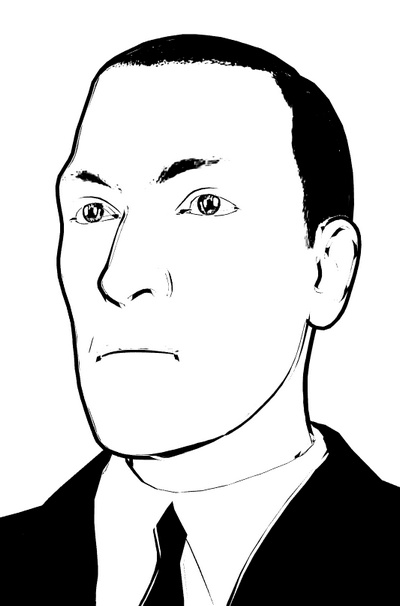
Definitely not ideal, though. I had to force the Comic Book effect up quite high, which resulting in doubled ink lines on the nose and part of the upper chin. The old gent is just too smooth.
There’s a new free billboard import script for DAZ Studio users, Load Image as Plane. This automatically imports your image and places it on a correctly sized 2D billboard. (Doing it the old way was a bit complicated and fiddly).
I couldn’t quickly find a good picture to illustrate them in DAZ, but here’s an indicative visual from SketchUp. They look much the same in DAZ…

As you can see here, you need to ensure a clean cut-out, and that you don’t have a colour fringe lingering around the edges of your cutout.
I see that the DAZ Store also has the Billboard Plugin currently on sale at $10. This has your billboards “always align to the user. Works automatically with all cameras”. In other words, your billboards will always face the camera.

Since billboards are flat 2D and are ready-rendered, they can speed up scenes. They’re also known as “2D cutouts”, “alpha planes”, “faceme elements”, “camera-facing planes”, and as “fog planes” when their picture is of semi-transparent fog. Commonly used for render-time hogs such as trees or waves, to have big crowds in the back of your scene, for fog and mist, or FX such as lightning bolts.
They tend not to play nicely with Preview (OpenGL) mode, as I seem to recall that the box around the element is usually shown. But Poser Comic-book Preview users might experiment there, re: pre-tooned hair as a 2D plane.
Details of KeyShot 9.0 have been revealed. For the first time it will support graphics cards, and in that mode will require a suitable Nvidia RTX graphics card.
No other changes of interest, other than a vaguely trailed new “RealCloth”. I’m guessing that might be a material type that takes advantage of the physics in the Nvidia cards, and which you can drop over or drape around your objects?
A Poser or DAZ Studio user may find they want to un-zip multiple .ZIP files. Such as, for instance, a mix of store-downloads and freebie .ZIPs accumulated over a period of several weeks. The default behaviour of most ZIP utilities is to extract each .ZIP into its own folder. You may thus end up with 50 new folders. This is fine, if you want to carefully cut-paste from each folder to assemble a unified runtime, checking things as you go, and then merge that with your main runtime. That’s the best way to do it if your new content is from a wide range of sources, and you need to visually check each one for packaging problems.
But… let’s say you have all the Poser 11.2 free content .ZIP files downloaded. In this case you know that their folder structures are all going to be viable and all be the same. So you don’t need to manually check and re-sort. In that case you may want the popular WinRAR utility, because it can do what 7-Zip can’t — extract multiple .ZIPs into a single unified folder. Here’s the setting to tell it to do that…
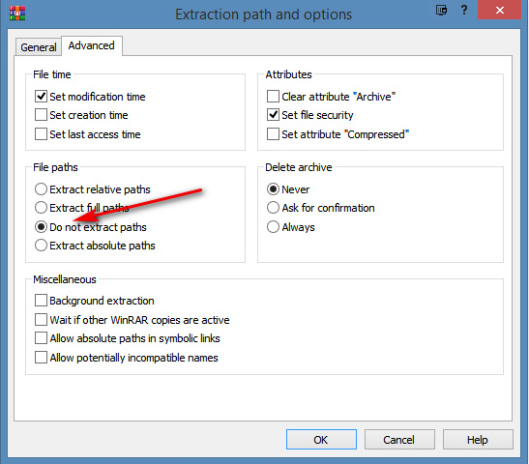
(For multiple 3D Warehouse Collada .ZIPs you also need to tick “Rename” when the ‘overwrite?’ prompt appears, as many use the same model.dae file-name).
Then, once you have the unified mega-runtime containing your new content, you simply copy the ../runtime (or in some cases the ../content folder containing the ..runtime below it) and paste it into your existing main ../runtime or ../content folder as required. My main ../runtime folder is under My Documents, which means that Windows is happy to merge stuff into it.
Sadly it’s impossible to have a single .zip extract just its multiple runtime folders, combine them into one, while also retaining its own sub-folder structure. For instance…
|
fluffybunny/runtime/
|
/textures/
/libraries
/geometries
|
fluffysquirrel/runtime/
|
/textures/
/libraries
/geometries
|
fluffybear/runtime/
/textures/
/libraries
/geometries
|
To a unified single combined /runtime/ folder, thus:
/runtime/
|
/textures/
/libraries
/geometries
I’ve spent hours trawling through Z-zip, WinRAR, Powershell, and others. Nothing on earth will do it.
New Poser and DAZ users should know that it’s possible to tell your software to use multiple runtimes. You’re not restricted to just the default ones for your content (which may be in a place that Windows refuses to cut-paste into, or which causes over-write problems on a Mac). It may be more practical to have two different runtimes for i) your core shipped-with-the-software content and ii) your store-bought/freebies content.
Also, you can have the DAZ Studio runtime show up in Poser, though not all the content you see there can be imported to Poser’s stage via the DSON plugin. Likewise, DAZ Studio users can point the software to the Poser runtime, though they may not always be able to successfully load a bit of content from it (mostly due to Poser-only texture formats, I recall).
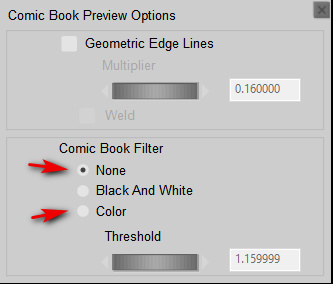
A small point, but useful for some Poser 11 users to know. When designing Sketch Designer presets, they sketch differently depending on if the Comic Book Preview’s “Colour” filter is either ‘on’ or ‘off’ (“None”). Sometimes it can be difficult to tell the difference between ‘on’ and ‘off’, when working in Preview, with flat ‘toon’ lighting.
It’s time for another pick of the month’s new 3D content releases, with a focus on DAZ Studio, Poser and Vue content. As usual I’m not featuring freebies that don’t offer commercial use. The CG Trader store timed out on me yet again, so they don’t feature here. No great loss, as they seem to be loosing the race with the new ArtStation store.
Science-fiction:
Urban Future 7 by Stonemason. A big quality scene with a great many camera opportunities, as usual from Stonemason. Shown here without textures, so you can see the mesh detailing.

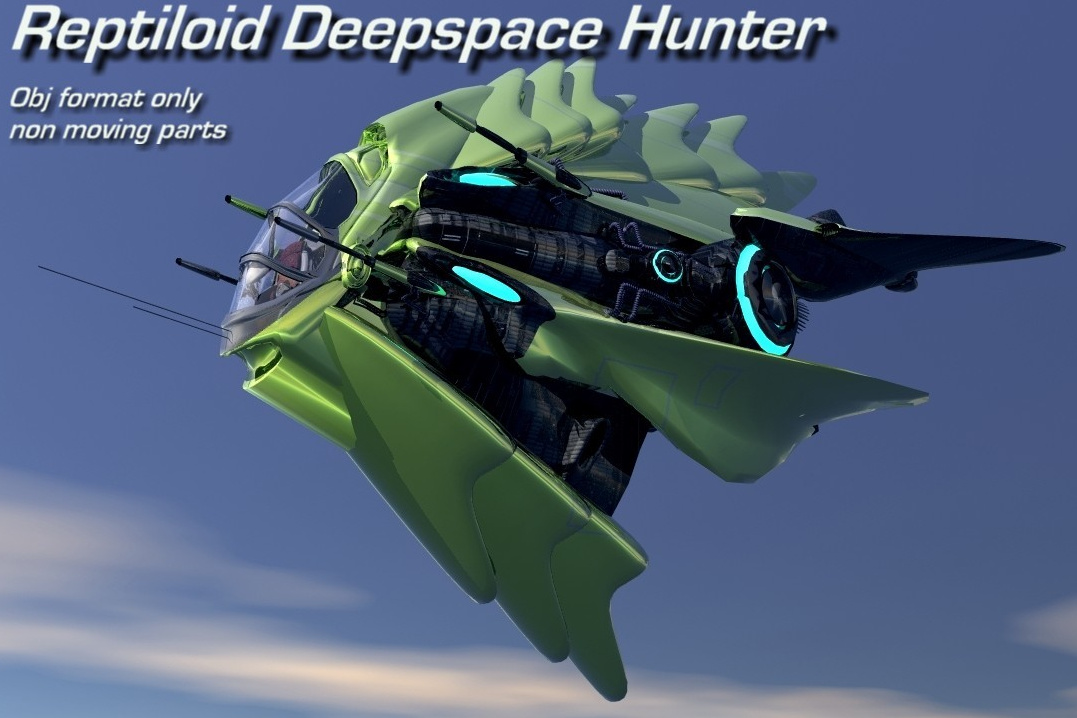
Reptiloid Deepspace Hunter as an .OBJ only.
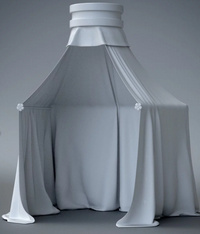
Rule them all with the Hover Throne for Poser. There’s also a new 17th century Royal Throne canopy that might be adapted to make it a futuristic match. Gotta keep the rain off your billion-dollar Hover Throne!

Steampunk:
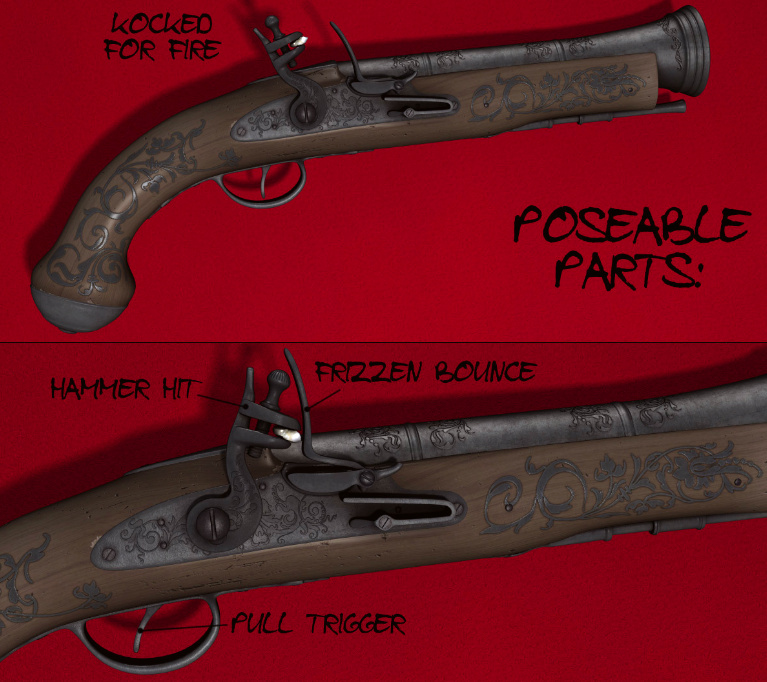
Blunderbuss flintlocks for Poser and DAZ with high detail.
Vintage Weather Predictors (fluid barometers) for Poser and DAZ Studio.

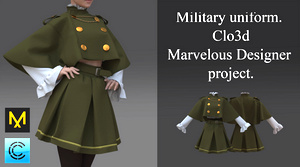
Cape and skirt in Marvelous Designer, a merchant resource source-file for just $2. The same seller also has trousers in a similar style. I’m assuming this is not too close to being fan-art from some Japanese anime.
A free lamp, with a valvepunk look. Would also suit a stylish mad-scientist lab.

Clothing and wardrobes:
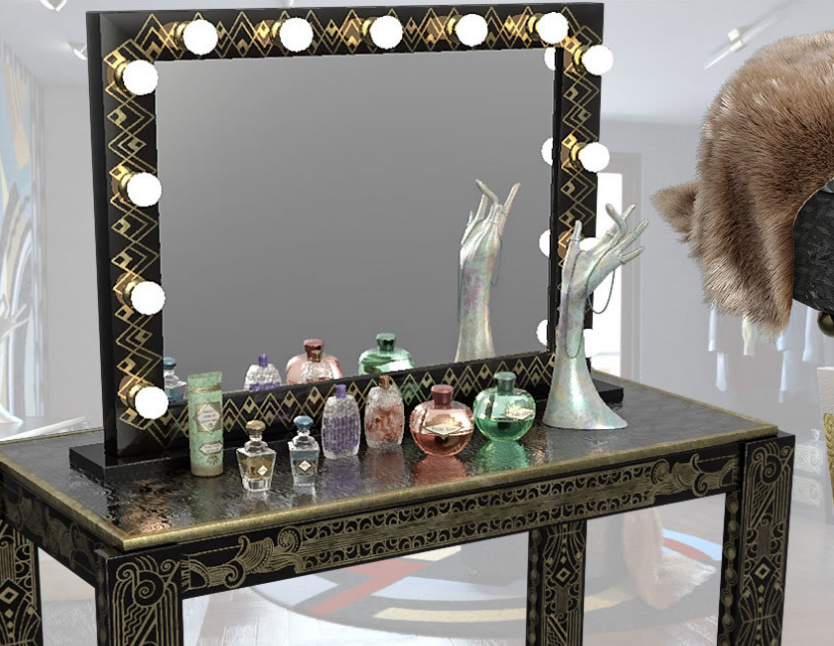
Le Vestiaire a complete Art Deco style wardrobe and dressing room, with Egyptomania theatre-style dressing table. For DAZ Studio, and it requires the Modular Dressing Room.
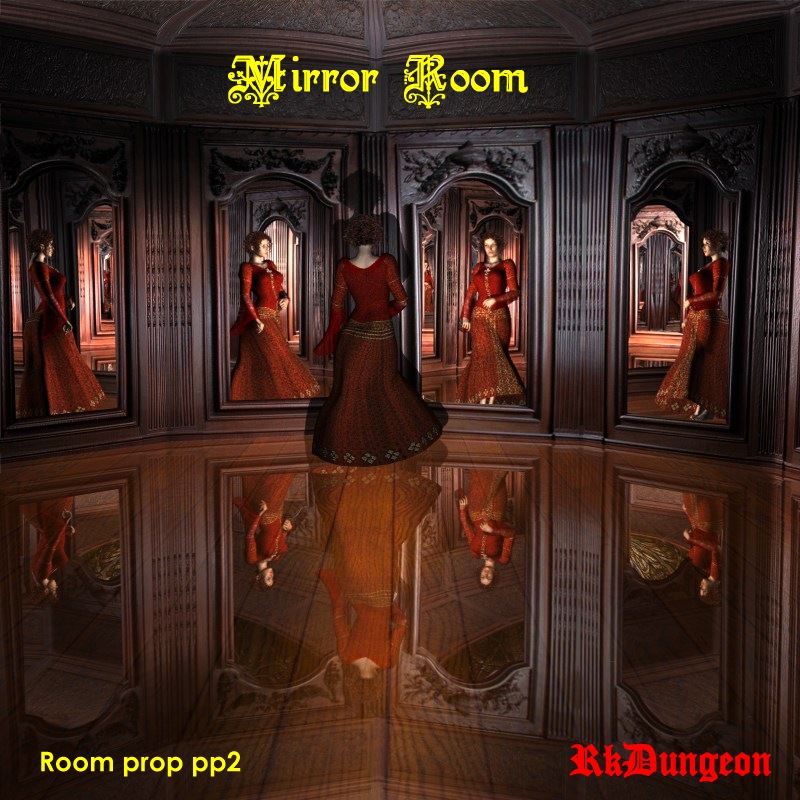
Related, and possibly an annexe room for the Vestiaire, is the new Mirror Rooms.
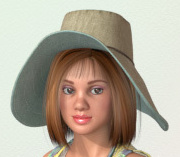
A free morphing Hat prop for La Femme, the flagship Poser female character.
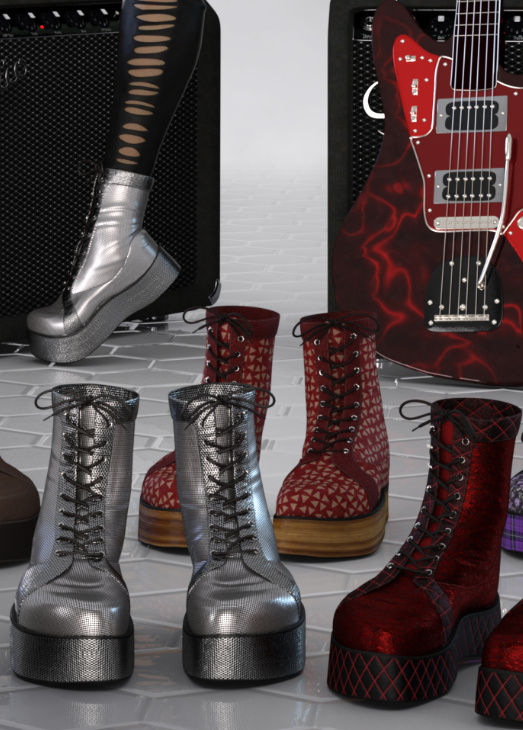
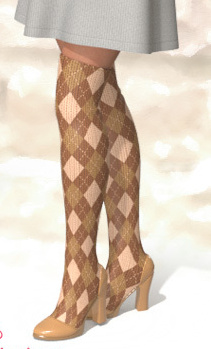
Free Autumn/Fall Long Boots for La Femme.
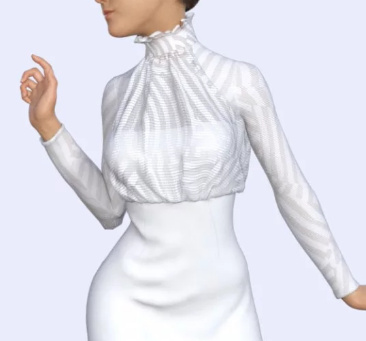
dForce Halter Mini Dress for Genesis 8 Female has a top part that could be matched with suitable dark trousers (pants) for a more business-office look, with the high neck of the top offsetting the mundane ‘office look’.
Characters and poses:
New at CGBytes, the unusual Moody, Sulky and Depressed for G3 and G8, in DAZ Studio.

See also the new Z Utility Simply Bored Poses and Expressions for Genesis 3 and 8.
Liven up your spoiled and sulky kids with the free Rotting Zombie for Poser, based on a combo of legacy free-bundle characters such as Jessi.
Storybook:
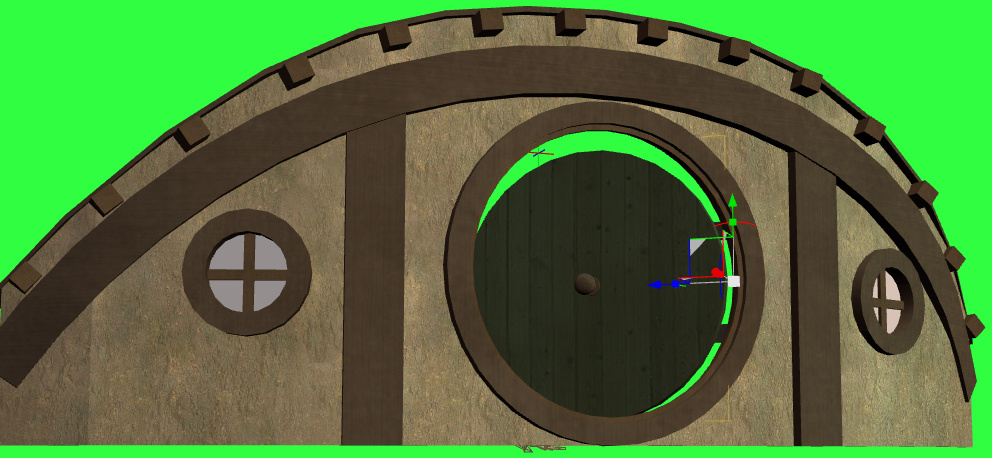
Hog and Barrel Pub Exterior, which of course resembles a hobbit house. Unfortunately it’s too smart and would take quite a bit of work on the door to get it looking like a more rustic hobbit-hole, but you’ve got the basics here. Maybe someone will make a less ‘glam’ makeover for it, with the door surround gone, a finer and rougher wattle-and-daub crack texture on the outer wall, and a less square chimney. Perhaps also hedges instead of dry-stone walls.

BBarbs continues her free series of realistic free child poses for G8F. Including useful storybook poses such as “I found a tiny beetle” and “I’m flying”…


dForce CB Fantasy Suit for Genesis 8 Female, for DAZ Studio, which with a longer skirt might suit your ‘Good Fairy’ needs in a fairytale storybook.

Ali Baba dForce Clothing and Hair for Genesis 8 Male. The character showing it seems to be the new Jeremy for Genesis 8 Male?

Historical:
Classic Cowboy Poses For Genesis 8 Male. Including gunfight and hand-to-hat poses for the dForce Caballero Outfit. See also the new ZK Country Boots.

51 Panel Van for DAZ Studio. With junk/repair-yard poses for it.
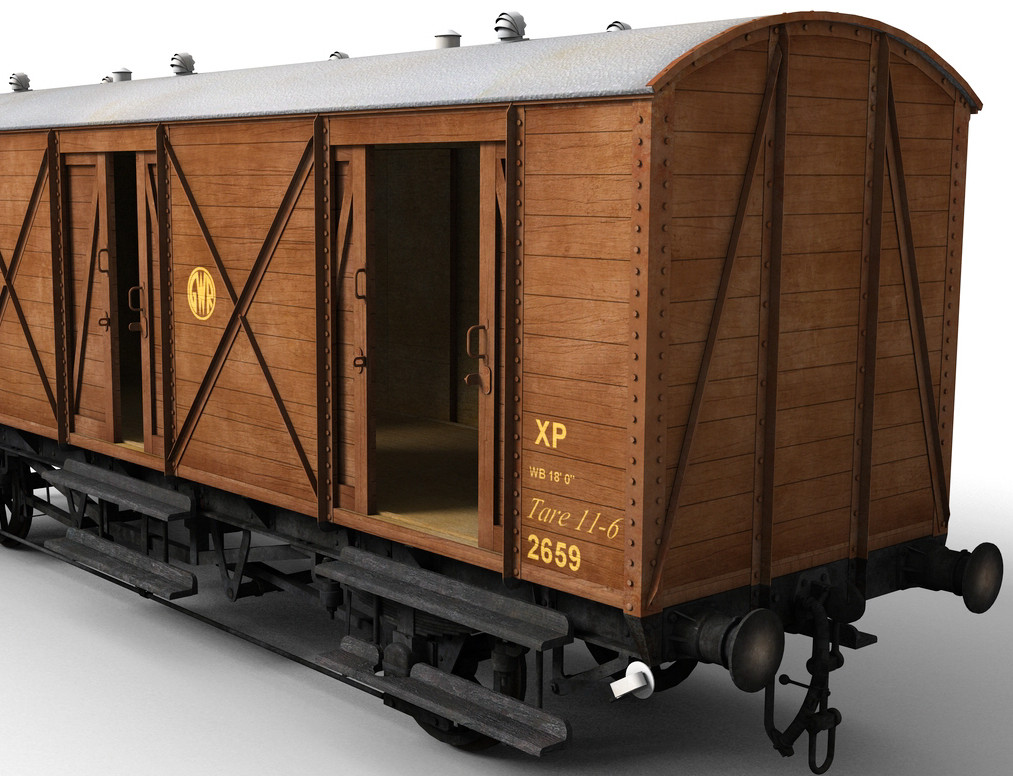
A free set of Joe’s Old Vases for Poser, in a prehistoric style. Also Bowl Primitives and a simple Joe’s Cave.

A big set of free Explosion Effects for Poser, originally from Vanishing Point. Might be a bit old and blurry nowadays, but it would be something for digital overpainters to work with in big battle scenes.

A free Medieval River Quarry. In .OBJ and .FBX, with textures.
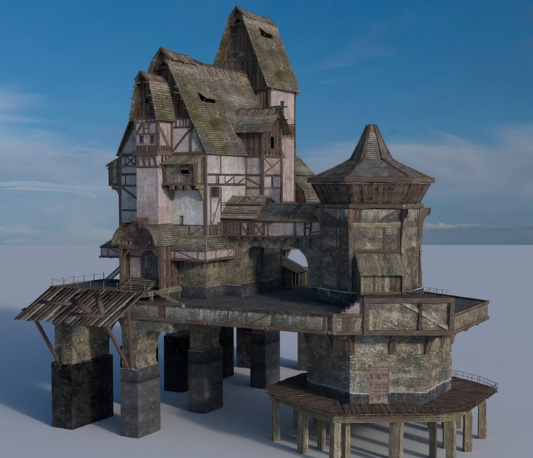
Bareback Barbarian Action poses, for charging prehistoric and ancient cavalry. Not something you see everyday, though I expect some older American Indian and horse sets will have similar poses.
Bacia shaving bowl helmet is a curious multi-use medieval freebie for your castle besieging soldiery.
Landscape:
A fine new Medieval Small Village Tower by Dante78 for Poser. Also in .OBJ format.

Christian Hecker (‘Tigaer’) is now on the thriving ArtStation store and has a new 8k Heightfield Terrain & Materials – The Ghost, “best used with Vue or Terragen”.

Storm Shelter with a detailed cellar below. Could be paired with the new FG Dusty Basement with Poses for Genesis 8 Female.
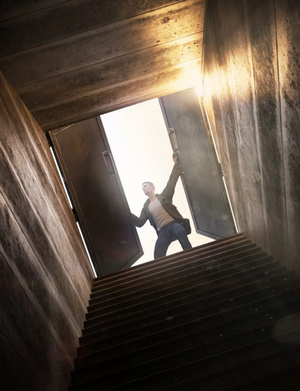
Halloween Lantern from 1971s, for Poser. The background Swamp Tree is not included.
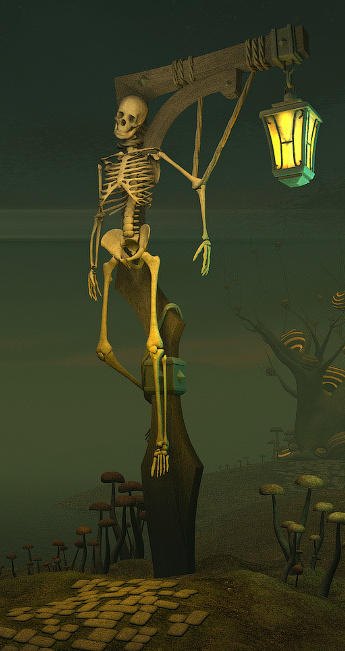
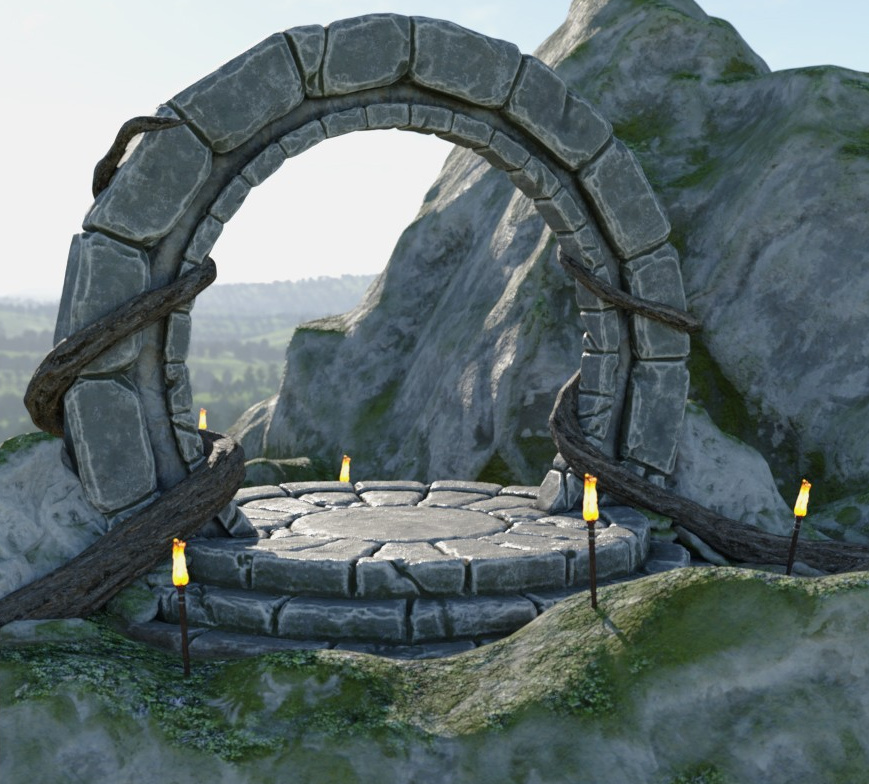
High Mountain Portal with a slightly low-poly look and slightly stylised textures, that may make it especially useful for over-painters of 3D renders.
Animals:
dForce Hair for the Woolly Mammoth by AM.

Also dForce Hair for Brown Bear by AM.
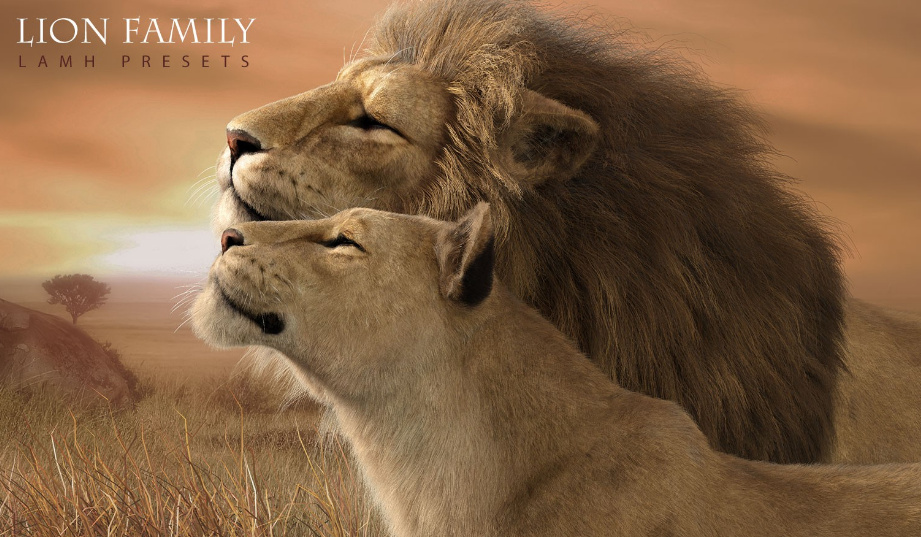
CWRW Lion Family LAMH Presets. Requiring quite a chain of dependencies, the Hivewire Big Cat, the Lion Family, then the LAMH plugin. Renderosity also has a CWRW White Lion for it.
For a rather more humble kitty, free Poses for the original Poser Cat, which can be found in the legacy freebies .ZIPs for Poser 11.2. Many will already have this venerable old moggie, which has been around for many years now. Still, tooned or as a base for some Hair Room fur experiments this kitty can still work for some creative purposes.

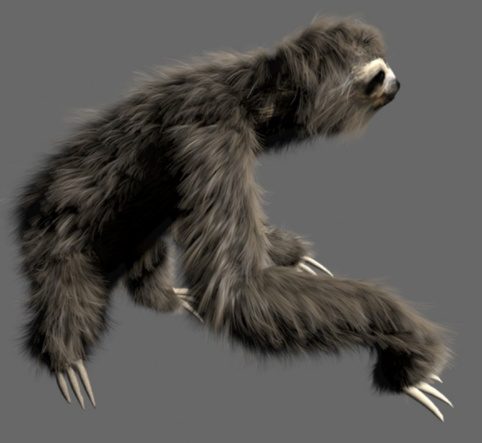
A Sloth for $30. I don’t think I’ve ever seen a sloth in Poser or DAZ Studio. This is for 3DS Max, but you might be able to get it over to DAZ or Poser as a pose-able .FBX file? Not sure if the hair would port over with it, though.
Songbird Remix’s Peafowl of the World, and Songbird Remix Peafowl Variants pack.

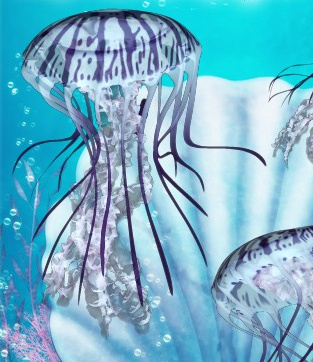
3D Underwater Fauna: Flowing Jellyfish, with light emission.
Plugins, scripts and utilities:
Face Transfer Unlimited. “Create an authentic 3D version of yourself or others with accurate skin tone and shading, by simply uploading a photograph in DAZ Studio”. “The free version of Face Transfer is included” in the very latest DAZ Studio 4.12 for Windows, and this is the paid download version. I’ve no idea if it also adapts the character’s bone-structure to the photo automatically, or handles the fitting of the eyes well, but I assume so.

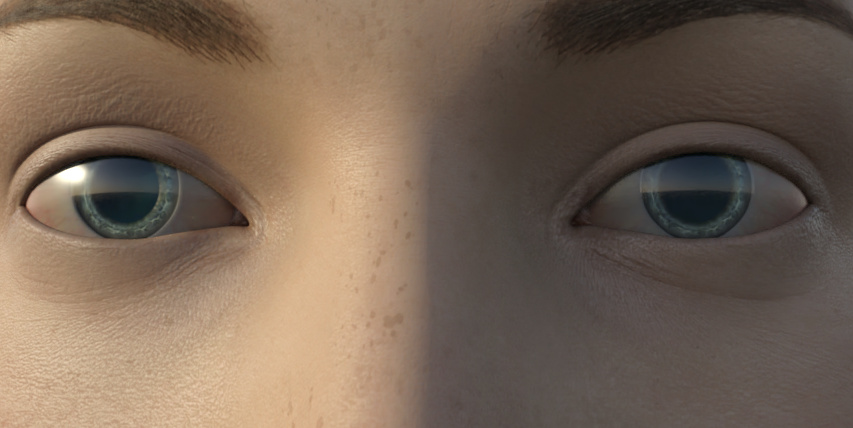
The free Eyes Dilate for Genesis 8 Female and a G8F EyeBlink Plugin for DAZ Studio. The latter writes a repeating natural ‘blink’ motion to DAZ Studio’s animation timeline.
Free Superfly hair shaders for any dynamic hair made or grown with Poser’s Hair Room. Can also be used on animal / creature fur grown via the Hair Room.
Hide My Parts in Poser. A simple free script which pops up a panel to hide or show multiple body-parts.
P3DO opening fix for the Poser 11.2 update. P3dO is a third-party Poser library manager alternative.
Tutorials:
Character Development for Visual Stories made with 3D.
That’s it. More picks next month!