This blog’s “Stuff for free” page has had its download links updated. The three main free models are now together in a master .ZIP file, which is on Dropbox. This .ZIP should be operating in ‘shared’ mode, and thus be downloadable for anyone who follows the link.
Author Archives: jonahjameson
Hatching in MotionArtist
Here’s a quick demo for Tom, who asked about the automatic hatch-shading of Poser imports in MotionArtist…
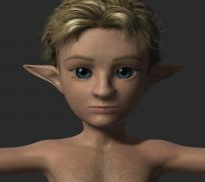
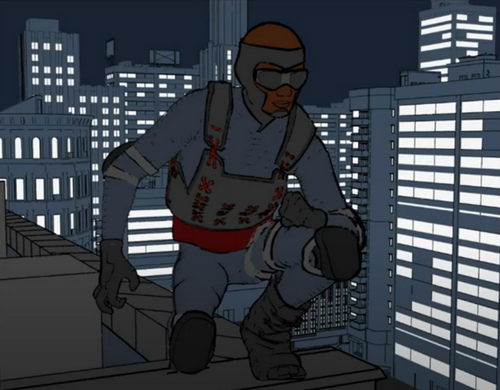
This is my new “Captain Bromley” M3 head, and you can see that MotionArtist has added hatching in the right places, but it’s not very convincing. Here is a screenshot of the basic controls you have on import…
Basically, you make a 2048px screenshot from this rather clunky little Poser scene mini-viewer. There appears to be zero control over lighting. The screenshot gets inserted into the timeline and.ore the current comics panel, and then you exit the mini-viewer. Fine for making up a quick ‘motion storyboard’ to a deadline, as a guide for filming a scene with human actors, but not for a finished motion-comic. For that you would render in Poser, and import the render, not the raw scene.
New free Bridges from DAZ to C4D and Blender
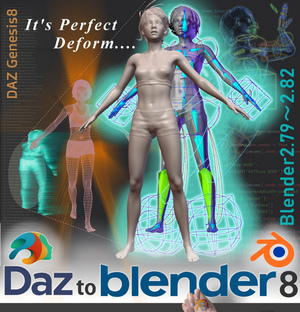
DAZ now has a new open-source DAZ to Cinema 4D Bridge, and it’s free. It transfers “Genesis 8 and 3 content” from DAZ 4.10 onwards, into seemingly any version of Cinema 4D from R15 onwards. It will also “Transfer Figures/Props/Environments”, but judging by the description it sounds like the poses don’t get sent. Facial morphs do, though. With the Poser equivalent, the whole scene is sent to C4D, poses and all.
Scrolling down the page a bit reveals a family of such plugins, also free. Maya, Blender, 3DS Max.
The Blender one is interesting, potentially making a DAZ figure real-time in Eevee? Yes, it seems so…
“Supported Blender Render Engines: Eevee …”
There’s no manual download of these new Bridge plugins, and the install has to be done through the DAZ Install Manager. Once installed they’re then found under: Scripts > Bridges. YouTube has new tutorials on their use.
Bromley
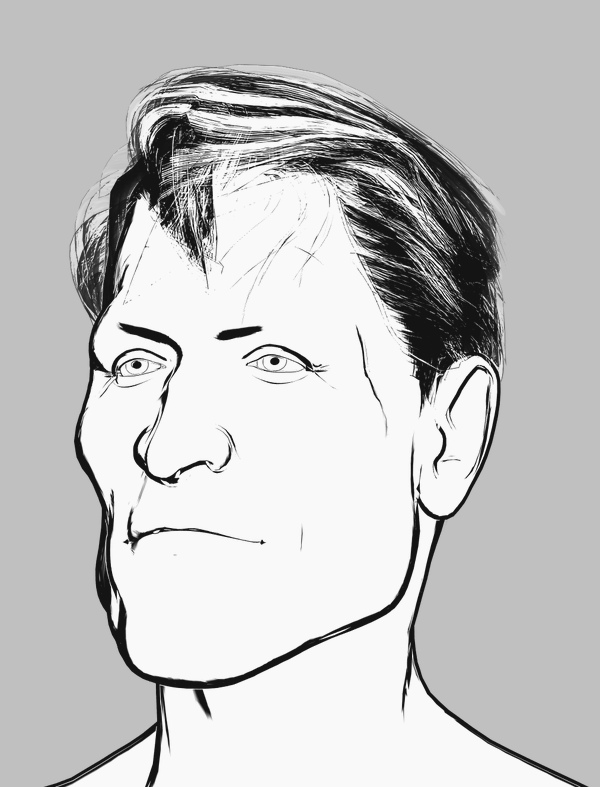
I’m quite pleased to have crafted this slightly-stylised and distinctive custom M3 head with the morphs and Brom injected, seen here auto-inked by Poser’s Comic Book mode under a simple two-light preset. The Hair is Neftis’s Mature Mark, with no retexturing, and it’s inking reasonably well — although the comic book inks are actually doing nothing to it and it’s all coming from the display mode. The eyebrows would need to be further inked in manually, and some bits of hair added if it was going in a comic frame.
Could be called “Captain Bromley” perhaps, which is a British placename that also gives the nod to the Brom morphs.
His face also looks good from the sides, which is not always the case. The inking would need to be cleaned up, as there’s some doubling of lines and there are breaks on the nose.
However some of these problems go away in PhotoLine, with a plugin and a 3 second custom filter preset I call “Commando Comic 1974″…
It could, of course, be blended with other Poser renders adding colour, shadow etc.
Regrettably, it appears that the Brom morphs for M3 are no longer sold. Hope you got them when they were $10, recently, and were featured here.
Comics from Unity – via Poser 12?
Renderosity is calling for beta testers for Poser 12 and they specify Unity knowledge as one of the skills they’re seeking. Which makes it sound like there will be a Unity bridge in Poser 12. That would make a lot of sense. Unity is one of the two big free game-engines (the other is Unreal), and it’s reasonably well-supported by third-party add-ons. The free Unity Personal Edition allows commercial use, as long as you don’t make more than $100,000 per year in your business from using it.
The ideal would be, at a guess, an integrated three-click “Poser 12 to Unity” workflow that’s as easy as getting a Poser scene into Vue. But which also sends Poser’s current camera and framing to Unity. The other useful thing to get, either in Poser or from Unity itself, would be some form of Matcap. For the pros ‘Matcap’ is about basked shadows, but the basic involve a process that inspects the existing texture, then automatically tries to replace it with a best-guess toon material. So a red shiny dress becomes a red toon shader with ramping and highlights and a baked shadow, for instance.
The other possibility would be a live-link via a websocket, to drive real-time mo-cap of figures and faces in the Poser viewport. F-Clone, built on Unity, shows it’s possible.
In which case, what is available in Unity-land for tooning? Below is my initial survey of this. Please don’t go buying these yet. Not least because some of them are rather expensive (“‘Cos yur gonna make big bucks on your game, guys…” Yeah, right…). But mainly because a three-click fiddle-free ‘Poser 12 to Unity’ process is just my hope at present, based on very slim evidence.
Shaders in Unity:
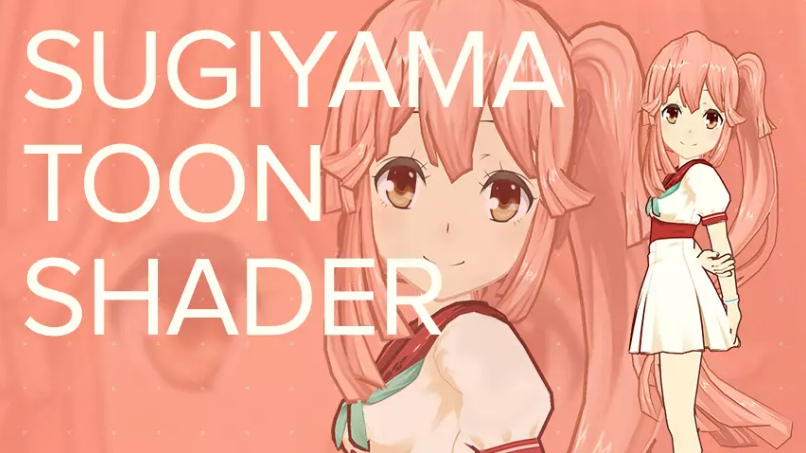
Sugiyama Toon Shader, aka SugiyamaToonShader. An early success in 2016, but said not to work with newer Unity versions?
TypeA AnimeShader. Said to work especially well on hair.
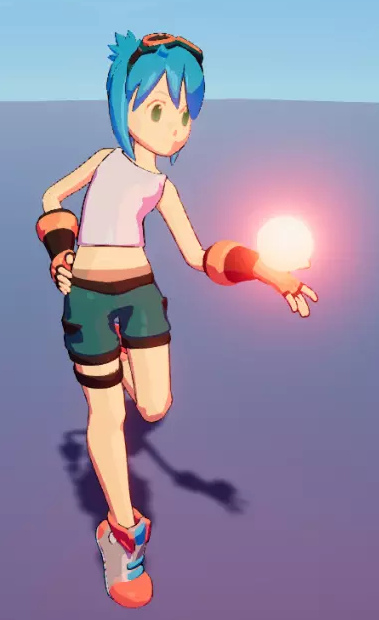
VaxKun’s Anime/CelShading Shader. Includes emissive glow and toon-reflective glass. I suspect the demo pictures are being a bit more honest than the other packs, re: what you’re likely to get.
However, you don’t need to go to Unity to get the above looks. With a bit of setup, re-texturing and the right IBL lighting, they can be had now in Poser 11.
There are two competing suites or kits for Unity…
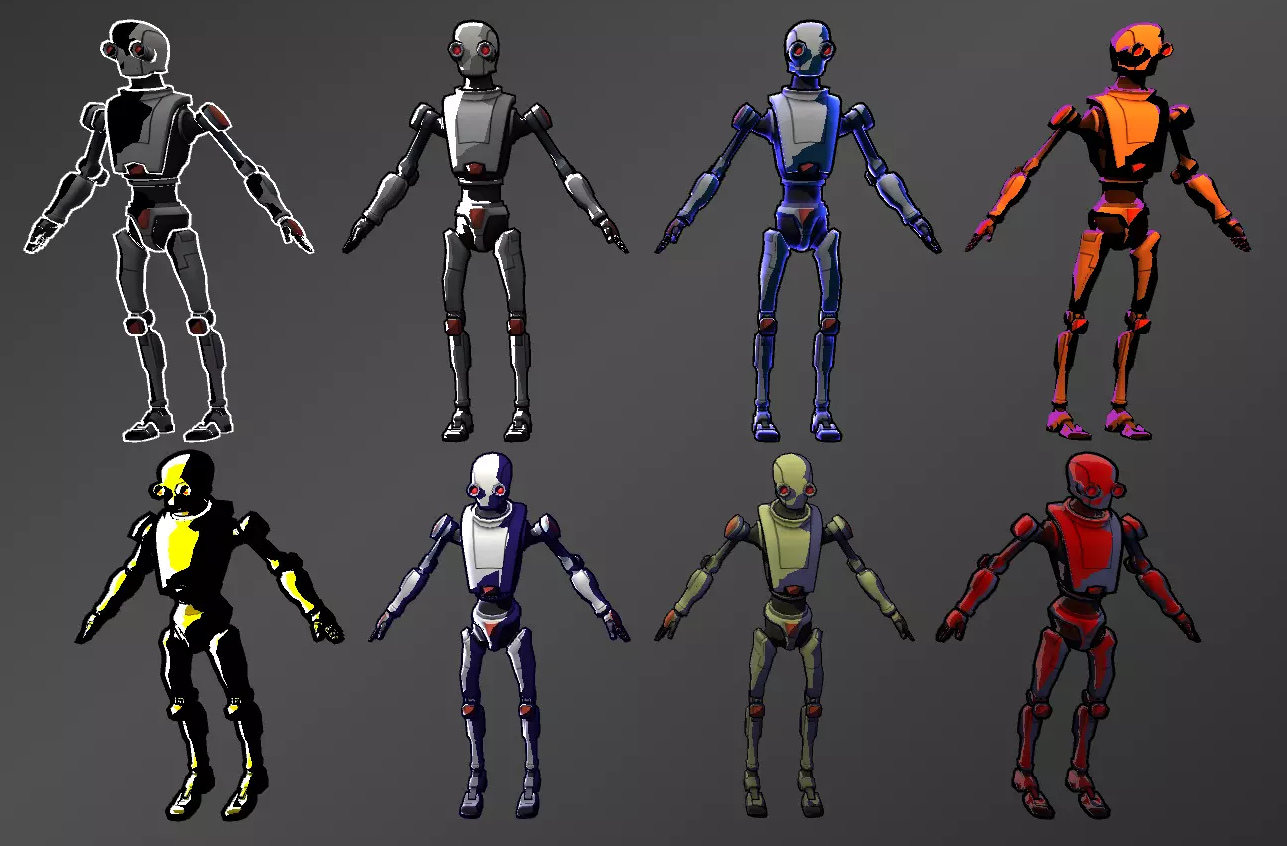
Toony Colors Pro 2 shaders set, with basic lineart.
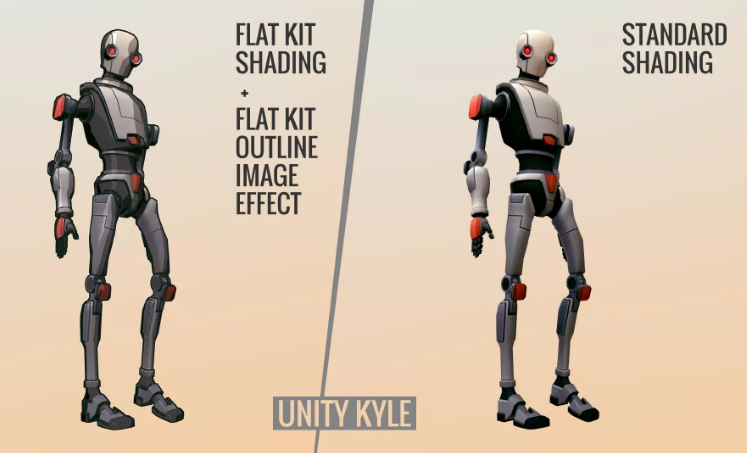
Flat Kit: Cel / Toon Shading. Also with basic lineart plus a depth-fogging effect. This might be your best starting-point, though Toony Colors Pro seems to have been out longer.
Flexible Cel Shader. Possibly an additional useful set to have, in combination with one of the above two kits.
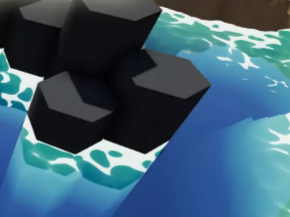
Nice Water Shader, adjustable and with a toony edge-ripple preset.
And lastly, RealToon shaders set. Seems to be older but is apparently quite flexible, and you might brew up a more unique look?
Lineart:
Jiffycrew Post Process Line. Seems to be outstanding, and thus has left little place for others in the market? The monopoly position has made it rather expensive. Update: withdrawn from the store.
The slightly more stylised NPR Contour Drawing and Sketch may also be worth a look.
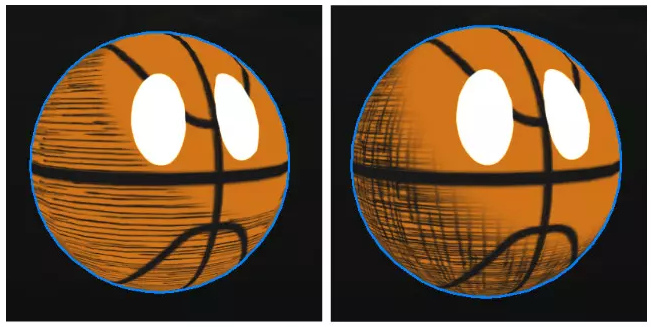
Contour-hugging hatching on 3D models:
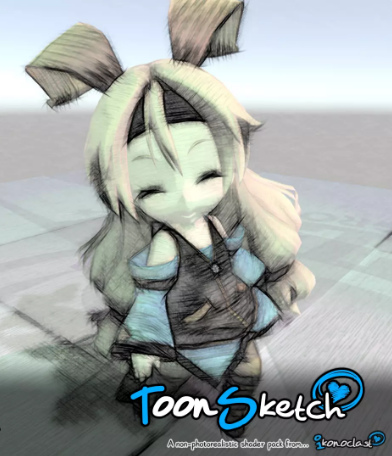
ToonSketch Core. A bit too grungy, and may work best on models with big flat surfaces?
NPR Cartoon Effect. Unappealing demo images, but scroll through to the simple hatch-shading demo.
Jiffycrew Hatching. Not very convincing, but with a bit of wrestling I guess it might produce dash-shading that looks cleaner and a bit more Moebius-like?
Obviously hatching still has some way to go in Unity. There are also some rather ikky attempts at manga halftone shaders.
Painterly:
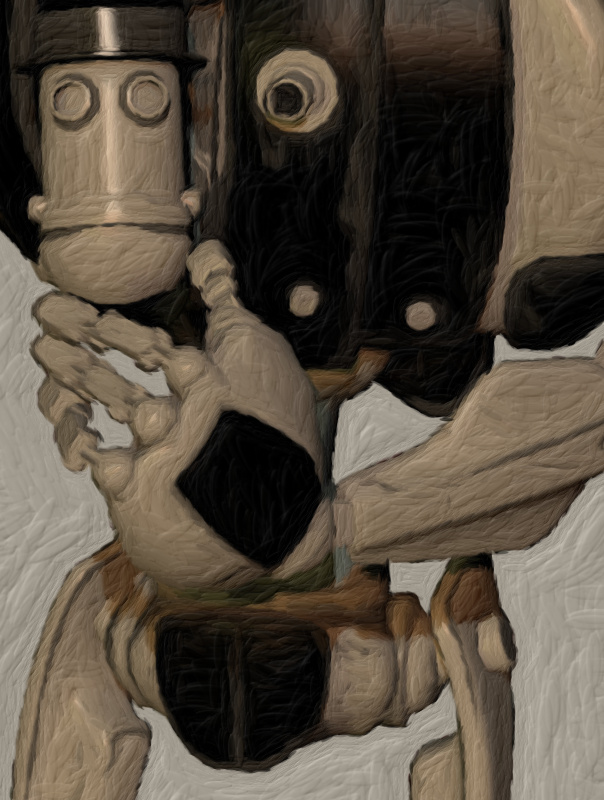
Flockaroo’s full-screen camera effects Aquarelle, Colored Pencils and Sketchy effects filters. It looks like you could cook up a reasonable ‘storybook look’ with these. These are full-camera effects and, by the time Poser 12 is released, Unity should support… “Camera Stacking, enabling users to layer the output of multiple cameras in rendered output.”
Watercolor Painting effect. The first picture seems a bit questionable, re: what you’re likely to get. As all the other demo pictures look very different.
Hand-painted skyboxes, inc. clouds:
Hand-painted toon sky-boxes include: Toon Sky, Toon Night Sky, PDG Cartoon Sky, Cartoon Skybox – Red moon. There’s also a starry night-sky in the Toon Skyboxes pack.
Toon Clouds is a dynamic cloudscape generator. Though they’re not as nice as the hand-painted ones seen above.
Amplify Impostors seems likely to be useful here, for quickly duplicating content to fill backgrounds that have large views with skies. There’s also a free SVGimporter which brings in a vector shape as a tessellated mesh.
You can also find packs of other “quickstart” Unity files on Gumroad, although they appear to be just skeleton set-ups and to lack art assets.
Vivify/re-colour:
Amplify Color seems the best option, enabling in-engine colour grading and saturation. Free.
Exporting big, hi-res, and nicely anti-aliased screenshots:
MadGoat SSAA & Resolution Scale. Because the aim here is not to make games or animations, but to get output for comics frames. A short endorsement of this by an architect is encouraging, re: getting clean hi-res output that’s then usable in graphics editors.
Visual novel engine:
And if you did want to make a game, Naninovel is quite capable. It’s for making a Japanese style ‘visual novel’, where the game elements are nearly all in the story choices. (Though note that the similar Ren’Py Visual Novel Engine standalone is free, and has a much larger user-base).
Having said that many Unity addons are expensive, the starter kit for ‘comics with Unity’ seems more reasonable. I’d start with the TypeA AnimeShader ($10), the Flat Kit ($40), Amplify Color (Free), and MadGoat SSAA & Resolution Scale ($16) for export. Total: $66. Though even then you’re probably not going to get a dramatically different look than you could get inside Poser and with a couple of filters applied to the renders. You’re not going to get realistic sketch pen-hatching or a sophisticated shadow-puppets/silhouette effect with light-leaks. What you might get that’s unavailable from Poser, if you want it, is a sort of pixellated Minecraft or low-poly look.
There you have it. These seem to be options for getting big comic-book frames from Unity in late Summer 2020, and mostly with a look that regular comics readers won’t cringe at.
Renderosity is hiring
Following their DAZ announcement, Renderosity are “Now Hiring Community Moderators” more generally for the forums and other community aspects of the site. It seems a good time for this to be happening, since the forums have become a much nicer place to be than they were seven or eight months ago, and there are also many indications that Poser 12 is coming fairly soon.
My hunch is that 90% of the former problems in the forums were actually caused by one person, who was using a variety of aliases and sock-puppet accounts to aggravate and annoy. I assume the troll has now been detected and ejected. Just my guess, but things seem much better there now. Sign up, and help to make it even better!
Poser Pro 11 for $80
Poser 11 Pro 11.3 for $80, a current offer at Neowin Deals. Vended for Bondware/Renderosity. Ends in four days. Seems legit.
More details here.
It’s also 25% off at Renderosity, which currently puts it at $149 there.
DAZ Studio Moderators wanted
Renderosity want DAZ Studio Moderators. There’s actually pay and perks involved, amazingly.
Technical search now complete
My ‘Technical search’ Google Custom Search Engine is now complete, in terms of both interface and coverage. It’s especially useful for PoserPython.
Skin and G’MiC
I’d forgotten that the G’MIC filters have a “Colors: Detect Skin” filter, in my recent quest for a skin-extractor. I’d never saved a preset for it, so I’d rather forgotten about that particular filter among the long list. Here it’s tested using the free Paint.NET, which now runs the G’MIC filters and loads up far more quickly than Krita (which also runs them). Once installed they’re found under “Effects”.
The filter’s method of targeting of the skin is fairly clunky, by sliders than move a green target patch about. There’s no “one click to set”. It’s clumsy at best, but simple and relatively quick.
Once your target is set, you then have three sliders with which to try to capture the mask…
Here’s my first quick preset. If this will work well on other Poser Comic Book renders… I’m not sure. But it’s likely to be a reasonable starting point.
Above we see the mask returned by G’MIC to the Paint.NET canvas. We’d only be using the layer colour-blending mode with this, to bring colour back to a filtered Poser render. Thus the clunkiness of the cut-out is not really all that important. It’s an interesting alternative to know about, but if you’re in Paint.NET then its free Color to Alpha v2.2 plugin is preferable, faster, and a bit neater (less fringing) and seems the overall best solution. It’s also nice that it’s totally free.
That said, it would still be nice to have a native real-time Poser solution, for automation purposes. While you could theoretically plug the skin into an auxiliary render node in Firefly, you would not get the masking of the skin by the hair, etc.
Open the hatch
This is for Tom, showing one of my custom Sketch presets at work in Poser’s Sketch Designer, biting into the shadows of the Smooth Shaded display mode. In the comments, Tom asked about what MotionArtist’s 3D auto-hatching looked like, and I said a render from Poser’s Sketch Designer would be more acceptable to regular comics readers.
It was a bit more faint on the actual 6 second Sketch render at 1800px, and here I’ve tweaked contrast for clarity. In Smooth Shaded you don’t get the eyes, but you’d be compositing those in via a line-art render. The problem with this kind of fine hatching is that as soon as you start to reduce it in size, it smushes down into a smudgy haze. For a comic one would have to spend a lot of time fine-tuning it and making it consistent for, say, a 10″ Kindle screen. Still, nice for one-off illustrations, and a bit of smart blur gets you a pencil-smudged effect without damaging the linart.
Here’s an earlier attempt, with a more Bernie Wrightson look. This was on a straightforward figure, so it can also be done on normal display modes.
These are a bit hatched or whorled, but Sketch Designer will also emulate cross-hatching.
Polished Python page
My Python scripts for Poser 11 page on this blog has been checked by hand, and its links and information fixed and updated.
Links Directory checked, fixed and updated
I’ve gone through the sidebar Directory on this blog, by hand. The whole list has been checked and repaired if needed. About a dozen links have now been sent to Archive.org, mostly old freebies pages, where you may or may not also find the freebie .ZIPs you’re looking for. The trick there is to start with an early date, and keep clicking through the dates until you find a capture in which the .ZIP files were also saved. As for the rest of my Directory, there should be no dead links for a while yet.
I’ve also updated some link descriptions on the Directory (e.g. the Smith Micro Poser forums are now “Official (Old)” while the Renderosity ones are “Official (New)” and fixed some versioning (e.g. “Reality 2.0” now “Reality (Open Source)”). If business names have changed these have also been swopped over.
My new Poser/DAZ Technical Search engine has also had another ten URLs indexed. It’s pretty fab and nearly 100% comprehensive now, enabling robust Google searches uncluttered by scams, spam and irrelevant results for Maya, Lightwave, Adobe etc, or forums for more general Python scripting. Sadly the old Runtime DNA forums don’t appear to have been archived online to be indexed, although Archive.org has bits of them hidden away.
Next on the list is to check and update the Web links on the Poser 11 scripts page.
Got MotionArtist 1.3
I’m pleased to have bagged MotionArtist 1.3, at some 65% off. It’s Smith Micro’s motion-comics production software with HTML5 output, which was left relatively polished at 1.3 (2016) but which has not been further developed.
It requires Poser Pro 2014 (not 11) to interface with, for importing Poser’s great range of 3D content. This even enables you to drag and drop a .PZ3 scene into the MotionArtist canvas. Apparently MotionArtist can also import from the older Anime Studio 9 and 10 (not Debut), and import layered .PSD files, and vectors(?). Though the latter forum-claim on vectors is not documented in the manual. Anime Studio 11 has a date on it that suggests it may well work, but that’s just a guess. I assume it would work, and probably also Moho 12 (the renamed Anime Studio 12) when that was still under Smith Micro ownership. Then…
“When you update the [MotionArtist] assets in the creation application [i.e. Anime Studio], they will automatically update in Motion Artist.”
Which means you can work with placeholders, initially. I’ve no idea if it could also interface with the sister-software Manga Studio (now Clip Studio).
Anyway, the trick to getting such a hefty discount on the software is to hang around eBay for the search terms “motionartist” and “motion artist”, waiting for these to reveal a sealed retail DVD copy at a bargain price. There seems to be a couple of sellers with a warehouse stacked high with such DVDs, but they just repeat-list them at crazy-high prices. I guess they looked at the Renderosity page, where it used to be sold for $50, then thought “hrurh, unawailable software, haz sum rarity value… sell fer £70!” I doubt they get many sales. But occasionally a sealed copy pops up at far less than the $40 that Smith Micro currently charge. The software never goes to a discount at the Smith Micro store these days, even on Black Friday.
Anyway, my sealed DVD of v.1.0 arrived and its in-box serial-number was accepted at Smith Micro. The download of the latest free 1.3 update was then 150Mb. The only problem was that the download from Fastspring was extremely slow, and is probably best done overnight. Fastspring live up to their name by offering a nice fast checkout, without need for membership sign-up… but a fast download it is not.
I’m not especially interested in making actual motion-comics with MotionArtist, partly because they can and do induce motion-sickness. But…
* the ‘infinite canvas’ idea seems interesting [find it via: Director View, click-drag Magnifying Glass/Pan], perhaps useful simply for flexible planning of comics pages and devising comics page-layouts;
* it can produce another kind of toon render from Poser, and even tries to do automated hatch shading on 3D (though not very well);
* it looks like it can do “the Ken Burns effect” (slow pans and zooms) and in HTML5, as an alternative to Slideshow Studio and YouTube. While adding a cool parallax depth-effect too. But can the output for that retain the quality needed for 1920px viewing of vintage photography, while also providing a reasonable final file-size?
* it can do interactivity. Regrettably I don’t think MotionArtist has any basic and-or-if ‘game logic’ built in, and thus can’t be made into a sophisticated point-and-click 2.5D game with inventory, crafting, fiendish puzzles etc. However the HTML5 export can have clickable hotspots and labels leading to a new scene or frame, which is something. What you can’t seem to do is export to a single interactive magazine-like flipbook file, other than by taking the HTML5 to an .EXE with other software, which is not ideal.
This feature suggests that a small “choose your own story” walking adventure-story could be possible, with careful planning of the loops and arcs. Something along the lines of the simple Zork “you are standing at a crossroads, which of three roads do you choose?” type. Or a Japanese-style ‘visual novel’ where the game element is all in the story-choices. Though there would be no “save game” feature other than browser bookmarking. Still, a bit of third-party javascript on each chapter-start page might do that in a style fitted to the game.
All of which definitely makes it worth the £10, in my view.
Assisted Graphics Intelligence
So, what are we going to call all this semi-automated, generative, and AI-assisted graphics production? My vote would be for Assisted Graphics Intelligence, or AGI for short. To be pronounced Ag-eee, as when the name ‘Agnes’ is fondly shortened to a more familiar ‘Agee’. AGI also evokes both ‘AI’ and ‘agile’, and has a hint of magic and magi about it.