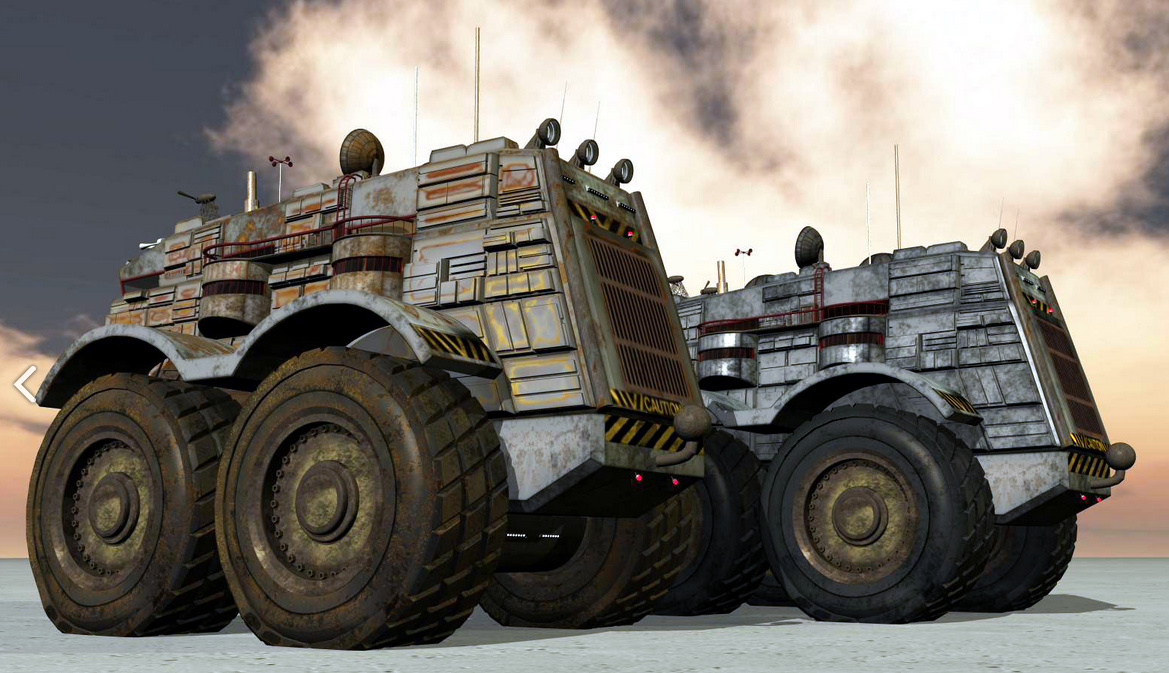
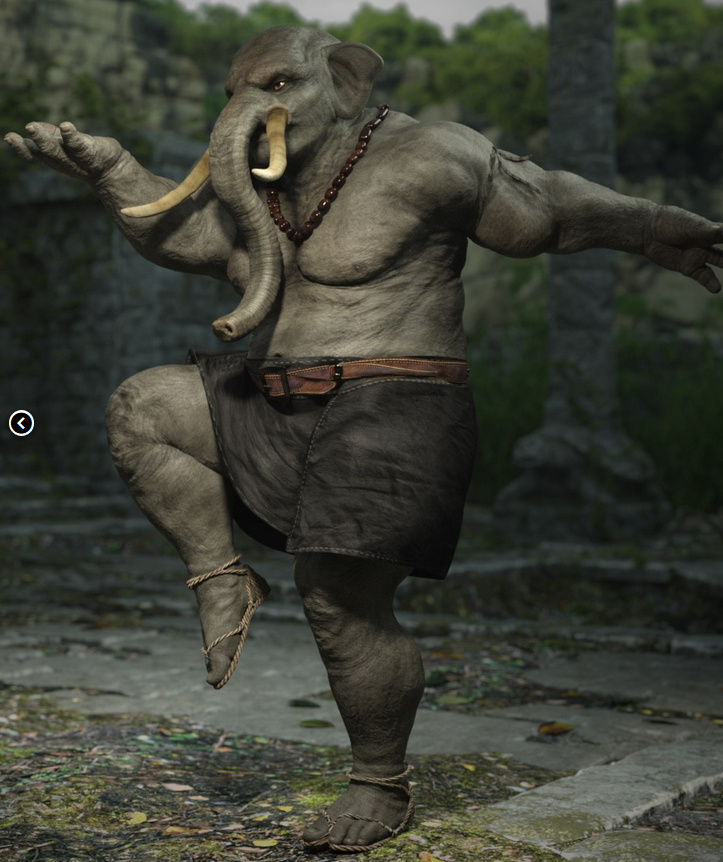
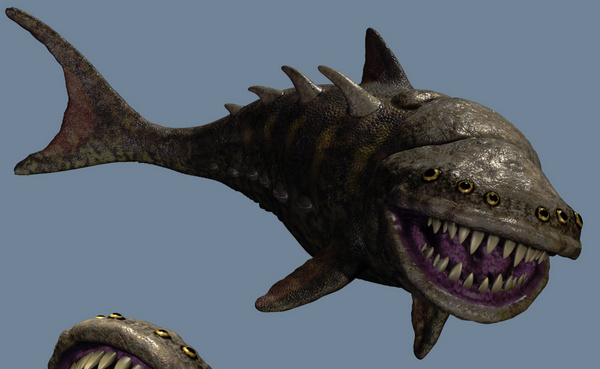
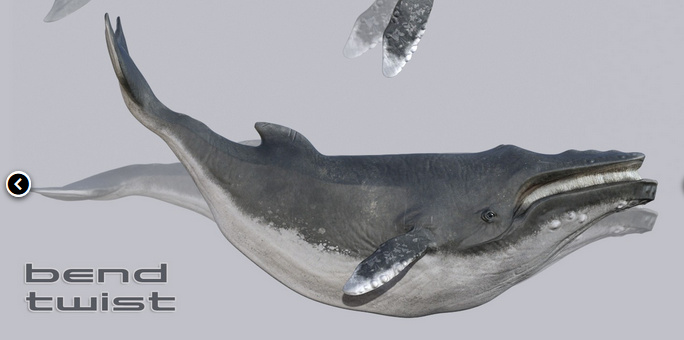
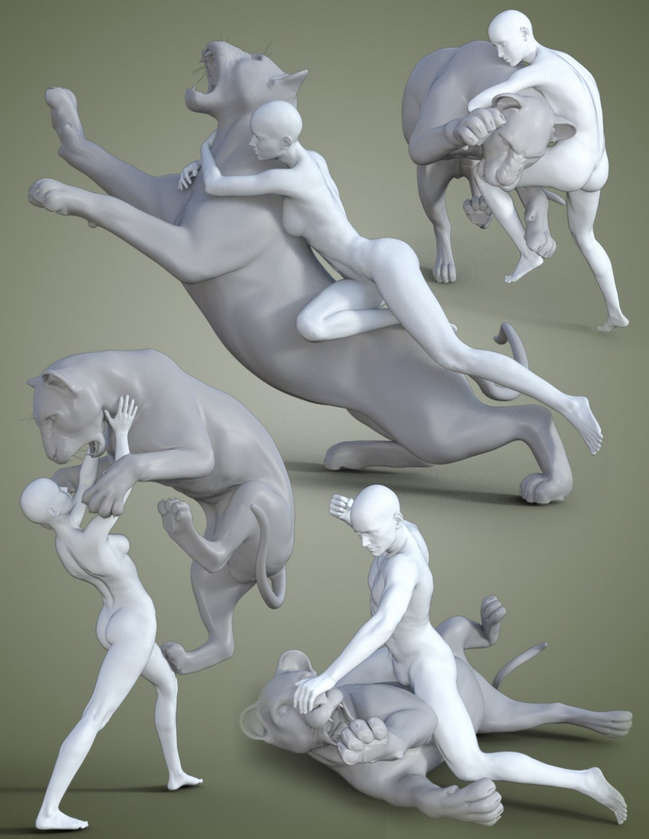
75%-off the Poser 11 Standard version, which is now just $50 (was $130). The 75%-off sale ends 13th November 2016.
Ugee + Xbox controller + JoytoKey
Got an Ugee drawing tablet, and rather envying the shiny row of buttons that your friend’s Cintiq tablet has on the side? Envy no more! If you have an old USB-wired console game controller, such as a nice ergonomic Microsoft XBox controller for the PC, then just get the free Windows shareware JoytoKey.
JoytoKey lets you map the buttons and joy-stick of the game controller to software things like Save, Undo, switch brush to Eraser, etc. This video from Trevor Daley explains it fairly well, for a simple photo ‘pick & tag’ software… just be aware that the download link URL he uses is now flagged as a hijacked ‘attack site’ (eeek!). The safe and official JoytoKey software is now over at the official site JoyToKey.net.
So far as I can tell JoytoKey is fully functional, despite being shareware. There’s an optional $7 PayPal payment if you want a licence, but I’m not sure what it might unlock. Maybe there’s a timeout or you eventually get a useage nag, but I haven’t encountered it yet.
JoytoKey doesn’t need to be installed. Just unzip and set it to start in Windows XP compatibility mode, or if you’re confident then give it Administrator rights. Then load JoytoKey (works fine for me in Windows 8.1), click the controller button you want to configure, then Edit the button assignment. Once you’re set up you can save a labelled configuration file for each software package you want to use it with, such as Photoshop, Sketchbook Pro, Clipstudio (aka Manga Studio) etc.
So, for a low cost you effectively get the nice buttons of a $2,000 Cintiq, but in a quite literally ‘more handy’ form — in your hand as a controller, and one made with all the ergonomic expertise of Microsoft! You can totally remove the need for a keyboard while you’re drawing on an Ugee tablet, and there’s much less need to be moving your arm around the screen to select menu items and the Undo.
I have yet to test if I can map one of the joysticks to smoothly grow or shrink the size of a brush as the stick is thumbed, but that may also be possible.
There is no “curvature pass” in Keyshot
So what is a “curvature pass” in Keyshot? Non-existent, that’s what it is. There is no such render type, as I found after I wasted half an hour trying to discover it. So I’m just dropping this blog post here to save others a similar waste-of-time. This is now the second time in recent weeks that a spurious mention in 3D Artist magazine has led me on a ‘wild goose chase’…
There is no such render pass in Keyshot…
I think that what is meant is rather a manual setup of a specialist render…
1. Save a version of your final render-ready Keyshot file that you can afford to destroy.
2. On the model, find all the textures that you want to distress in Photoshop. Double-click on them and turn them to Texture map: Texture: ‘Curvature’. Make sure you have a suitable bump map in place for each texture.
3. Set up bright colours on the Negative | Zero | Positive colour-pick boxes for ‘Curvature’.
Now render, and you get a custom render pass that is of some use in Photoshop, using Color Range selection…
Here’s a quick test, without using any extra ‘rust render’:
From left to right: 1. A test inkpot with a sort-of rough-texture gold surface. 2. Test inkpot with a distressed texture applied, then switched to ‘Curvature’ with strongly alternating colours and rendered. Colour selected with the eye-dropper in Photoshop, and used to select only a section of the scratched art-texture. 4. Selection “paste in place” and blended with the main render, for a very nice distressed patina look. It also serves to mute the shinyness of the main render.
Neither the gold texture or the super-crackle surface would have been suitable on their own, but this method allows one to get a more subtle blend, with local rim-distress such as around the rim and base of the inkwell.
I could be wrong, but that seems to be what is meant by the mythical “curvature pass”.
Vue 2016 available
e-on VUE 2016 is now available. Now supports Poser 11 Pro.
New “Rendering Presets”: OpenGL, Preview, final, broadcast, superior, ultra, Path Tracer, user settings. I’m not sure if that speeds up the workflow re: Vue’s sluggish native rendering, but it might. If it doesn’t, then there’s another option…
“Render VUE content using any renderer (such as Arnold, Vray RT, Octane, Renderman…) thanks to the xStream Convert tool: In 3dsMax, Maya and Cinema4D.”
Also… “Maximum supported Poser version: Poser Pro 11 (SR1) and Poser Pro GameDev in standalone mode.”
Highlights of the many new features are:
Scenes and assets thumbnail previews in Windows Explorer. (Update: Requires the proper Windows Explorer, won’t work with Explorer++ etc.).
Hybrid GPU/CPU interactive Real-Time Path Traced preview in the main view. Default OpenGL engine set to Shader 4.
Export EcoSystem populations as FBX, including texture maps. Export textured objects as FBX. Export full scenes as FBX (including EcoSystem populations and sky maps).
Other videos about what’s new for Vue 2016…
VUE 2016 – HeightField Terrains
VUE 2016 – Interactive GPU PathTracer
Also videos of the Plantfactory 2016 improvements…
PlantFactory 2016 – Plant Variations and Growth Node and Level of Detail.
Digital Life 3D
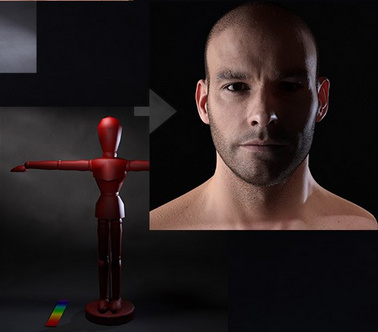
The University of Massachusetts wants to create 3D digital models of all living organisms. To do that they’ve created the very cool Beastcam Array, a rapid-capture, “field portable” mega-camera system that quickly makes 3D models of living organisms. Just catch your octopus / koala-bear / lizard etc and persuade it to pose nicely…
On probing the website I see that there are no actual 3D animals at www.digitallife3d.com for download at present, just 360-degree video-turnarounds. I do hope we’ll be getting the downloadable .fbx or .obj models in due course, and ideally under Creative Commons.
Screen sci-fi of 2017: a survey
What’s coming in screen science fiction in 2017, and which might be worth watching? Here’s my survey.
Movies:
Apparently it’s the year for “Movies set on the ISS”. Is our venerable orbiting space station available for film-makers to rent? First up is the movie God Particle (Feb 2017), which sounds like Contact meets Interstellar on the ISS. The second space station movie is Life (end May 2017) which also involves finding life on Mars and then (what could possibly go wrong?) sending back it to the ISS in a spaceship. Then there’s the much-delayed Geostorm (Autumn 2017?), in which some half-baked climate ‘science’ is meant to rectify ‘dangerous’ global warming — but it goes 404 and oops… it’s suddenly set to destroy the world. Who knew? One of those three movies has to be good, and I suspect it’ll be Life.
A live action Ghost in the Shell (March 2017), with a megabucks budget? Yup, but it’s Hollywood-does-anime… so it will probably end in tears. There’s just no way to do the anime classic’s many special effects and set pieces to today’s high screen-standards, unless the studio spends billions on a continuous stream of FX-heavy scenes. Not to mention also handling all the sexual aspects, which are OK in Tokyo but not in Tuscon. But at least we may get to understand the plot, this time around.
Back in good ol’ Japan, a major anime movie reboot of their beloved rubber-suited monster Godzilla (Nov 2017?) is well underway, which sounds like fun. It can’t be any worse than the dire Hollywood Godzilla movie of a few years ago.
Valerian and the City of a Thousand Planets (July 2017) rockets away into space-opera territory in late summer. It’ll probably be very outre and French, but it might be fun in a Fifth Element-meets-Barbarella sort of way. Hopefully it won’t be another total turkey like Jupiter Ascending.
Also looking rather fun is The Mummy (June 2017). Tom Cruise vs. mad mummies from Ancient Egypt, all wrapped up in a romping summer blockbuster… yup, I’ll happily see that!
Alien: Covenant hits in August 2017. A sequel to Ridley Scott’s Prometheus (hint: Prometheus is better paced in the extended fan-edit). Apparently we get to visit David on the mecho-planet. It looks promisingly intellectual, or as ‘intellectual’ as Hollywood can get these days. At least it’s not “horror pretending to be sci-fi, big guns and a sweaty Sigourney Weaver”.
The Three-Body Problem (Sept 2017?) is an unusual one, and is possibly set for the student indie cinema market in September? It’s a fairly major Chinese movie of the best novel from a writer called ‘the Chinese Arthur C. Clarke’. Originally set for 2016, but it’s slipped to 2017.
Blade Runner 2049 (Oct 2017). It’s the Blade Runner sequel, which is really all you need to know. Let’s hope this time we don’t have to wait 20 years for the Director’s Extended Really-Final-This-Time cut of the movie.
Star Wars: Episode VIII (Dec 2017). The next Star Wars movie.
Superhero films? Nope. I’m bored, bored, bored with superheroes, after far too many noisy and time-wasting flops. In 2017 only the third Thor film (Nov 2017) raises even a twitch of interest, and even that will fade if the Doctor Strange movie is forgettable.
The same is true of the latest Planet of the Apes reboot movie. Absolutely terrific first movie, but the second was a plodding ‘tired old western, disguised as sci-fi’. Now it looks like the third in the series is set to be ‘a tired old war movie, disguised as sci-fi’. I’ve no interest in any more Apes reboot movies. The same goes for more installments in the Guardians of the Galaxy and Pirates of the Caribbean series.
In terms of imaginative British movies Kingsman: The Golden Circle (June 2017) has some promise, as the first film was a very solid and stylish bit of entertainment.
The mid-budget British movie King Arthur: Legend of the Sword (March 2017) also intrigues, apparently being a ‘classic’ King Arthur told-straight by Guy Richie (Sherlock Holmes) with the help of several cart-loads of hunky Brits. Looks a bit too “big guys bash each other, get spattered with blood”, though, and not enough “Heathcote Williams does earth-magic as Merlin”.
TV:
In American space sci-fi on TV, the excellent The Expanse launches into its 2nd season soon. It should be well underway by 2017. I greatly enjoyed the first series, but I think it’s now going onto my “wait until they’ve finished, and then watch just the main story arc episodes” list. The same is true about The Man in the High Castle (season two coming soon) and Westworld (just started, ongoing), which I hear good things about.
The once-great tradition of low-budget British sci-fi series seems to be all-but dead these days. I’m not sure what killed it? Sniffy Guardianista producers, wanting to make stuff that’s more ‘socially relevant’ (code for: ‘relevant to socialists’)? The cost of VFX? But we can at least look forward to the 10th season of Doctor Who. Let’s hope we get a straight twelve-episode high-budget run of a connected storyline, rather than half of the series being filler ‘monster of the week’ episodes. That’s not going to happen, of course, but however choppy the show gets it’s always great fun and packed with wild and eccentric sci-fi ideas that you’ll find nowhere else.
Watch out for the December 2016 Christmas Special of Doctor Who, “The Return of Doctor Mysterio” on Christmas Day. It looks set to introduce the Doctor’s new ‘young companion’.
ZBrush Core – still time to get the entry-level price
The sculpting tool ZBrush has a new lite version ZBrushCore, stripped down to the core to make it easier for beginners. Currently set to launch October 14th, and on a special pre-order offer of $119.
Corel Painter 2017 and “3D”
Spurred by a misleading magazine blurb, I’ve been trying to figure out Corel Painter 2017’s new supposed 3D paintover capability. I thought perhaps you could import .OBJs and paint on them. Nope, despite what the blurb says…
OK, so can you somehow import a 2D render of a 3D object, with the material-zones intact as masked layers and ‘paintable into’? Nope. Two of the reviews say “no”.
You actually just import a flat 2D outline-masked PNG render and… erm, paint on it. Yup.
Not so impressive as it sounds then, and you can do much the same with Photoshop. Maybe I’m misunderstanding it, but… how is this even being touted as a new feature?
The Poser 11 SR5 patch is now available
Poser 11 users have another of the scheduled upgrade patches waiting in their Smith Micro Download Manager. The SR5 patch (11.0.5) for Poser 11 is ready for download…
My selected highlights of this update are…
* SuperFly renderer: “Enabled rendering in background (Pro Only)”. Wonderful.
* SuperFly renderer: “Reduced memory consumption during GPU rendering (Pro only)”.
* SuperFly renderer: “Enabled volumetric effects for GPU rendering (Pro only). Quality is limited compared to CPU rendering.”
* General performance and stability updates, “Improved application stability by addressing some memory leaks.”
* Content Library improvements, including “Further improved browsing performance” and better filtering.
* Character creators will also enjoy many improvements and fixes. The .OBJ export is also improved.
* Apple Mac users get “High Resolution support, improving experience on Retina displays” (MAC OS X only).
* 3DS Max 2017 users have had support added to PoserFusion (Pro only), enabling you to send your scene to the latest version of Max for rendering.
Digital Art Live magazine – summer issue catch-up
If you’ve been away over the summer, and are only just settling back into university or work, don’t forget to catch up with the summer issues of the free Digital Art Live magazine. This free monthly magazine is Poser and DAZ -friendly and is devoted to science-fiction art and artists…
Issue 9 of Digital Art Live : the Blender special issue. A special issue for Blender artists.
Issue 10 of Digital Art Live : the Steampunk special issue.
Read Issue 11 of Digital Art Live : Future Landscapes and Seascapes special issue.
Next up is the September issue, set for release any day now. Contact Paul to be put on the mailing-list. September’s theme will be Second Skin: tattoos, future-skin and cyber-skin.
September cover: “Reality Sisters” by Rian Bergwerff. DAZ Studio and Reality.
Lazy Nezumi Pro – brush line-smoothing for Photoshop
Ever wondered why Photoshop doesn’t have real-time line-smoothing for its brushes? It’s probably a market-driven thing, rather than about the technology. My guess is it’s something to do with not wanting to cross into Adobe Illustrator territory.
Anyway, there is a way to get excellent line-smoothing in Photoshop. You just install the Lazy Nezumi Pro plugin. The software’s landing page makes it look rather complicated, but that’s mostly just the settings options. It’s actually quite simple, and you’ll get good results with default presets. It’s very light on your PC system resources, too. It’s only for Windows.
Also works with Corel Painter, Sketchbook Pro, Manga Studio and others, though they all have line-smoothing in one form or another.
Phil Dragash’s fan-synthesis of The Lord of the Rings
I felt like reading The Lord of the Rings again and so was very pleased to hear about Phil Dragash‘s recently completed project. He’s a Tolkien fan who has completed an excellent 48-hour unabridged reading and voicing of the complete text of The Lord of the Rings, and even the “Durin’s Folk” part of the Appendices. So listeners get the useful and beautiful ‘slow build-up’ chapters that are usually skipped in the rush-rush-rush to get out of the Shire, such as: the Crossing of the Shire; the Elven meeting; the Old Forest; the Barrow-downs; Bombadil and Goldberry. Nor is there any omission of Bill the Pony; Elrond’s Council speech; the Scouring of The Shire, etc etc. But it seems we don’t get most of the Appendices, such as “The Tale of Years” or “Of Hobbits”.
Phil has absorbed all the ‘pro guidance’ provided by the sound-design for the films and the excellent BBC adaptation, in terms of how to do the audio characterizations, sound effects and voice-work. On top of the result Phil has woven in Shore’s superb music for the film trilogy, to try to make an ‘ultimate’ The Lord of the Rings experience — all the ‘pro approaches’ to the work assimilated, plus the unabridged text of the book, plus the ultimate Cinemascope of Your Own Imagination.
Phil’s final-final version is “2013-2014 (192kbps)” for which he went back and touched up his early few hours of reading up to “A Shortcut to Mushrooms”, to get the characterizations more in line with what they became in the later readings. This version rocks in at around 4Gb in size. I’m told there’s also a much more highly compressed version knocking around, which somehow squeezes the same files into about 400Mb, and is probably a good option for playing from an older Kindle eReader or similar.
I’ve only heard the early parts so far but it’s obviously an amazing work and tribute to J.R.R. Tolkien. It should widen and deepen the fan-base, by bringing the more intelligent of the film’s fans into a reading of the full book in an accessible manner. Of course it’s an unofficial and non-commercial and free fan-project, but it is highly professional and very well-regarded by true fans. Phil is also an artist and he has made matte paintings to accompany the audio experience…
The official alternative is the excellent commercial unabridged reading by Rob Inglis. This is a straight reading, and includes the Appendices. The Appendices often drop some additional “what happened next” plot development snippets, taking the story beyond the end of the book. Inglis has also read The Hobbit in the same manner. His reading is very professional, but he’s too English. I keep catching all sorts of intonations in Inglis that, to a native English-speaker of long-standing, convey all sorts of unwanted and very subtle subtexts and social-class shadings. Dragash, being Croatian but an absolutely superb mimic, is much much better in that respect.
There are also several well-made BBC Audiobooks dramatized versions. These are abridged, I seem to remember, with no Bombadil or Barrow-downs, but they do have many of the songs put to to music and sung with the sort of rough zest with which most of them need to be sung (steer well clear of professional middle-class folk musicians in studios ‘doing Tolkien’ with twinkly harps, is my advice — they set my teeth on edge).
Lastly, beware of Amazon’s thoroughly confusing jumbling together of different The Lord of the Rings audio readings as if they were the same item. Judging by the reviews there some unsuspecting people have ordered a dire ‘American voices’ unabridged reading (NPR/The Mind’s Eye), hoping to get the BBC or Inglis audiobooks.
Update: I am finding the superb Dragash reading just very slightly sibilant, when using Windows Media Player and wide-response headphones (Phillips SHD9000/10, with 17-23,000Hz response. They’re now called the SHD9200/10 and boast 17-24,000Hz). I switched to the free open source Impulse Media Player, which has graphic equalizer controls. I felt that using the following slight tweak was good for increasing the in-a-cinema feeling of the reading, and taking the edge off the very slight sibilance…
The above slightly boosts bass while reducing treble. You could also try a tiny pitch shift of -1 in Impulse Media Player, in combination with the above.
Furries Melody/Micah characters – how to load the head shapes
Here’s a quickstart / aid-to-memory on how to load a Poser Furries Melody/Micah character with one of the creature face morphs. These are older characters, but look great and work well with the new Poser 11 comic-book effect…
Note that these figures have dependencies. Melody and Micah need Melody for A3 which requires the base character Aiko 3, and Micah for Hiro 3 which requires the base character Hiro 3. Phew!
Melody for A3 and Micah for Hiro 3 are available together in a bundle.
Quickstart:
1) Make sure you have Library | Figures | DAZ Aiko 3 and DAZ Hiro 3. Having these required base figures will enable you to successfully load the Melody or Micah base figure. Then load Melody or Micah: e.g. Library | Figures | MelodyFBM
2) Go: Library | Poses | CDI folder | Furries. Apply !INJ Furries Micah. If this !INJ injection is not applied, the head shapes have nothing to fix onto. Yes, it’s counter-intuitive. Surely MelodyFBM has the morphs already? But no, not for the head.
3) Now you can load the huge range of awesome Hollywood-level Head presets from Content | CDI folder | Furries | Faces
The Base Figures are in:
Runtime\Libraries\Character\Melody\
Runtime\Libraries\Character\Micah\
The Faces are in:
\Runtime\Libraries\Pose\CDI\Furries\
Skins and furs are in:
Runtime\Libraries\Pose\Melody\
Sassafras also made some excellent poses, found in ..\Pose\CDI\Furries\
Save your scene file, to serve as a future quickstart.
You may also want to save a preset pose so that the lower legs and feet are a bit more animal-like and not flat-footed.
Clothing:
CrossDresser 4.0 has Aiko 3 and Hiro 3 licenses for CrossDresser, which I’d imagine would enable clothing conversion since Melody and Micah are built on these figures. All the old Aiko 3 and Hiro 3 clothing should theoretically also work, but you may need to add these at the start rather than the end of the build-and-pose process, when the characters are still in a t-pose.
Ashampoo Slideshow Studio HD 4
I had cause to go looking for a good simple “Ken Burns-style” slideshow software, to make a really simple ‘voiceover documentary with zooming and sliding pictures’. It had to…
* be Windows standalone software, running on Windows back to Win 7.
* be simple, cheap, but up-to-date.
* have ‘Ken Burns style’ transitions, and those should be fully adjustable.
* have fast clear YouTube output, with a small file size for upload over slow broadband.
Surprisingly there’s no such open source software out there, other than some old stuff for Linux. And only a few modern Windows applications that offer Ken Burns style transitions, or at least advertise the fact that they do and use that name.
After my searching and comparing, the German Ashampoo Slideshow Studio HD 4 came top of the small heap in 2016 for standalone Windows software. It’s $40, comes with a whole lot of cheesy transitions and some even cheesier online marketing. But I’ve tried it and it’s very capable and beautifully easy-to-use bit of software, with excellent simple/fast rendering output. It also has the needed Ken Burns style documentary transitions…
So it’s affordable and very useful for rapid production. Slap in your hi-res photos, record a basic voiceover, tweak the transitions, add titles and credits, then output the video. You’re done.
However, you can’t add any sort of video clips and neither can you adjust the audio balance between a music .mp3 and your recorded voiceover. A music .mp3 would thus easily overpower your recorded voiceover and FX, in the final video output. Nor can you boost the amplitude of your voiceover recording, if you have a soft voice. However, one can work around the audio problem, and without having to resort to some huge lumbering video editor.
The complete workflow for making a Ken Burns style slideshow documentary video in Slideshow Studio, without any ‘talking head’ video inserts, would thus be:—
1) Do the research, get the facts straight, and ideally work from the original sources (or as close as you can get). While doing the reading and research, create a list of your likely image-search keywords and phrases.
2) Rough out the voiceover, but only very loosely, just in terms of getting the subject’s basic sub-topics or talking-points in the right order.
3) Then do the intensive picture research, to find the best and most usable hi-res pictures for each of the points you want to address. (On the basis that it’s no use writing a full script and recording the voiceover first, only to find you then can’t get the public-domain or Creative Commons pictures or maps needed for certain sections).
4) Use Slideshow Studio to assemble a simple timed-sequence of your pictures. I’d do this without using the Slideshow Studio wizard, as a wizard-made sequence of slides doesn’t seem to re-flow nicely when you try to add cross-fades between pictures (while also keeping the Ken Burns effects on them).
5) Add titles and credits, and get the picture sequencing absolutely right, so you have the full length of the final video 98% done. (Don’t forget to credit the makers of your Creative Commons pictures, or pictures from museums that offer public domain works. The same goes for texts from the likes of Archive.org and Hathi, and especially short ‘fair use’ quotes found via Google Books).
6) Now preview the sequence in Slideshow Studio while adding a rough and mumbly ‘rehearsal voiceover’, and keep at it until you get the timings right and work out which of your asides and digressions will need to be left out. You’ll see that some pictures will need to be on screen for longer, other for a shorter time.
7) Then, while your finalised sequence of Slideshow Studio slides plays back in preview mode, in another software (such as Audacity) you’ll simultaneously record your final “give it all you’ve got” voiceover. You may want to do this from a script, but a more conversational and impromptu style may flow better and have more bounce. Because you’re recording into an audio editor, rather than Slideshow Studio, there will be less pressure to get the voiceover exactly right and to ‘hit all your marks’ as each slide comes up.
8) In the free Audacity audio editor you’ll then trim away any slight stumbles in your delivery, and boost the depth of your voice (a high squeaky voice, and a recording which opens with a lot of stumbles, may cause your YouTube audience to flee instantly). Then increase the amplitude of the recording, because a ’12 inches from the microphone, with a wind-sock on’ recording will inevitably be too quiet and soft. And a ‘cheap gaming headset, microphone on my top lip’ recording may be too loud and raspy.
You may also want to place a public domain, or SonicFire, music track underneath the trimmed voiceover. Then have it fade in and out, so that your voice can be heard clearly over the music.
The subtle addition of quality sound effects can also work wonders at bringing old photos alive, for instance the faint crackle of a campfire or the sound of a horse, so you may even want a third FX track alongside the voiceover and music.
You can add all these in Slideshow Studio, but the problem is that you can’t mix them or boost their amplitude. Nor can you do that in Ashampoo’s related Movie Studio Pro 2 software. And once you’re into video editors, well… you’re in the ‘video editor hell’ that many creatives will know so well.
9) Once the audio is finished then you can save your voiceover/music mix from Audacity, then output in the form of a single high-quality .mp3 file. Import that into Slideshow Studio as a music file. Now you can finesse the slide timings so everything matches up perfectly.
10) Now — and only now — you can sprinkle your final Ken Burns pan & zoom magic on the pictures. You have the voiceover done, so now you know exactly what the point-of-interest needs to be for each pan & zoom, and when in time that point needs to become dominant on the screen. Slideshow Studio has excellent and easy adjustment tools for the Ken Burns effect.
Output the final video. You now have something of quality to show to potential contributors of talking head video interviews, and if you get enough of those you can take their clips and the Slideshow Studio video to a full video editor, in order to make a longer documentary film.
Poser Rigging – webinar
Want to learn how to rig a 3d character in Poser, learn it quickly and do it right? Digital Art Live has a new webinar coming up, Poser Rigging – Master the rigging process with Teyon Alexander.