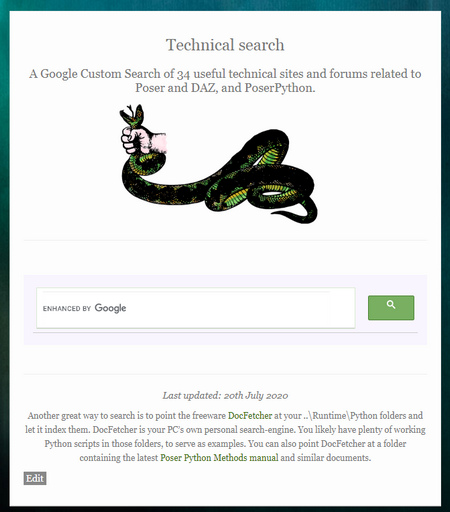
During my recent PoserPython script hacking and bodging I felt the need for a unified search box of the relevant core websites and forums. As such there’s now a new Technical search page on this blog. It’s early days with 20 sites indexed, and in due course I want to add a few more smaller Python sites. But it’s fairly good already. It’s not meant for finding goodies to buy, but rather for finding helpful technical information without spam, scams or sellers of snakes.
Skin and eyes-only render from Poser
Following on from my recent “How to extract skin and eyes for colour blending” post, I think I’ve now successfully cracked the ‘skin and eyes-only render’ problem for Poser 11. The extreme use-case is: how is your graphics software going to select just the skin on this render, by colour, without complex fiddling around in Poser with setting Toon_IDs for each material, setting up a Firefly render and masking?
Instead of trying to render just the skin from Poser, which does not seem possible in a form partly masked by clothes and hair, there’s another option. I instead have Poser render everything except the skin as black or dark grey.
To do this my Python script scampers through the Poser scene in a few seconds and looks for hair, props, conforming clothing. For anything that isn’t the figure itself. For what it finds, the script sets the diffuse colour nodes to black. A preview render is then made. As this is obviously a destructive script, after running the script the user is prompted to revert the scene to the last saved state.
The resulting real-time Preview render then has skin that can be easily selected and masked in a graphics programme, even if in the original scene the figure had red hair and was wearing a red outfit. Which would have confused the heck out of the software’s skintone selection process.
In PhotoLine (which I now prefer to Photoshop) an Action can automate the ‘Channel to Selection’ process and in a microsecond it has whisked out the skintones and eyewhites to their own layer…
Her eyes have also been selected, but that was because they were a soft skin-like hazel colour to match the outfit. This layer can then be used to restore colour to the skin after a render has been run through several filters and plugins to make it look hand-painted.
Photo.Net can also extract the skintones, using the Color to Alpha v2.2 plugin. Which is probably better if you need fine control over the eye-white selection. It’s very likely Photoshop also has such selection capabilities in its newer subscription version, though readers will have to discover those elsewhere.
Your (only) choice for a third-party Photoshop plugin appears to be Imagenomic Portraiture 3, which has automask of skintones, but which doesn’t return a selection mask (it all happens inside the plugin). It also fails on dramatically-lit pictures such as this…
The advantage of a scripted Poser render is that even if you have a dramatically lit ‘sunset forest’ scene like this, you’re still going to get a relatively easy mask. Because you’d just tweak the colour in the script from black to bright green, and render against a bright green plain background (hide all other elements). The masking out of the bright green should then be very easy, leaving only the skin and eyes.
How to extract skin and eyes for colour blending
Ideally Poser 12 would have the ability to render only those parts of the skin and eye materials that are visible to the camera, and nothing else in the scene. And to do so in a real-time Preview render.
However I don’t think this is possible, due to the limitations of the current Preview and Firefly engines. I can’t find any script “to render just materials X and Y, as visible to the camera”.
Why would one need to do this?
In post-work a render may be filtered through a Photoshop plugin to get an artistic effect (see below), and the colours will thus shift or wash out. The general colour and contrast shift may be pleasing, but the skin and eyes may then look “off”. Skin can look yellow and jaundiced, and eye-whites less than white. By laying in a render-pass layer containing only skin and eyes, the correct colours can be restored — the layer is blended using a Colour or Saturation blend-mode.
There are several possible workaround solutions to get something like such a useful ‘skin and eyes only’ render.
1. Create a Python script to temporarily hide hair and clothes and props from the Poser figure, auto-remove any Comic Book inking lines, auto-render to Preview, then have the screen restore all visibility. It can be done, and I now have such a script working. The results are not ideal when you’re pasting over a picture which has hair and collars, and where the eyes have become better than what you’re pasting in. But a few dabs with an eraser can just about blend in the new layer. It’s not ideal, but it’s the best in-Poser option and is quick and mostly automatic.
All we want from this is the colour, blended as a layer in Colour blending-mode
2. Extract skin with the free paint.NET graphics software and its rather nice Color to Alpha v2.2 plugin. Imperfect, and may need a wide Gaussian Blur to fill holes and soften raggedy edges. Might be good if you don’t need precision or eyes. Update: it’s capable of far neater work. More useful if your graphics software can ’round trip’ to Paint.NET and back, such as you can do in PhotoLine.
Set the skin tone, and the skin is extracted while the rest is sent to transparency. Adjustable via sliders. This example was run on a Poser Sketch render, and its’s not the extraction that’s caused the artistic effect.
3. Render each and every figure / hair / hat / prop in the Poser scene separately and then assemble them in the graphics software as aligned masking layers. Again, I now have a Python script to do this in Poser. But in practice it’s not viable, since hats, helmets and hair etc don’t mask. Meaning that you see the back of them, when there’s no head in them. If you only have scenes full of bald and hat-less monsters and robots, you’re fine. Otherwise, not so much. That said, it’s quite possible that some makers of comics and storybooks will want to manually draw on the hair afterwards, along with brows and mouth-lines.
4. In the Materials room set a bright green colour (it’s found under ‘Math’, perversely) as the Firefly auxiliary render ‘option one’, repeat for all the fiddly bits of skin and eyes you want masked. Render in Firefly with the ‘option one’ Auxiliary switch thrown, save to .PSD. Select colour, extract, use as a mask. Fiddly, slow, and clunky as hell. Best avoided.
New Kitbash 3D packs
I see that Kitbash 3D have recently produced three appealing new themed packs: Props: Secret Labs; Vehicles: Spaceships; and the big Heavy Metal world-building kit.
Freebie: Dody for Aiko 3
There’s a quality new free Aiko 3 character. Dody Character Preset For Aiko 3. This requires the Aiko 3 base figure, which most people will have in their runtime, and also the Aiko 3 Morphs and Maps pack (also found in various Aiko 3 bundles and Anime bundles). Also its dependent, Capsces’s Kioki morphs and faces pack for Aiko 3. If you have all those, you’re set.
Once installed this is what you do in Poser…
1) Figure | CDI Koiki (not Aiko 3!) | load.
2) Poses | CDI Koiki | and inject head and then body into the CDI Koiki figure. (You thought you just loaded Koiki in Step 1? Nope, think again…)
3) Then go find Dody under Poses | Ethin. Inject the Head first, then Body.
4) Select body, apply an Aiko skin MAT of your choice.
5) Head dials | ‘OpenMouth’ slightly, so you get an inked line in Poser’s Comic Book mode under flat lighting.
Looking good already in Poser’s real-time comic book inks…
Nursoda’s Kali hair fits well, with just a little scaling. But it does not toon well. Nursoda’s Fehn Hat proved to be better, but is difficult to position. Nursoda’s Anceata hat/hair combo was the best and needed only minimal fitting for a ‘Brian Froud look’.
A storybook combo, combining a saturated Sketch render from Poser using my custom Incredulize! preset, and an inks-only Comic Book render from Poser that was faded out to look like pencil…
Total render time for both renders at 1800px, about 20 seconds.
Yes, I know, “this is 3d, so where are the shadows?” They can be put in too (and there’s an ugly spodgy one on her neck already, ouch), but they weren’t for this quick demo. She probably also needs a more mud-rolled and rain-dropped skin MAT to be a convincing forest spirit.
Poser: how to toggle all scene lights when making Preview renders
Selecting GROUND in a Poser scene is a handy trick that does not, in every single instance, make the guide-wires of Lights invisible in a scene. I’ve seen instances where spotlights don’t toggle off when GROUND is selected.
Why would we want to toggle the lights? Well, when working with lights the last-selected light leaves ‘guide wires’ showing in PREVIEW, and these will mess up a comic-book render. This picture of a live scene in OpenGL shows the problem…
If one were to render this in real-time, the picture would have the light’s ‘guide wires’ arrows and circle on it. Easy to miss, easy to forget until it’s too late and you’re dropping it into a panel on a comics page.
Willyb53’s free Light Toggle script can be hacked to do this for us. Willy’s script was set up to turn all the scene lights off and on, but a few simple tweaks keeps them shining while only their guide-wires are turned off in the scene. To do this we simply open his script with Notepad++ and change it to read…
… then save, rename Toggle_Visibility_All_Lights.py and place the new script wherever you keep your Python scripts. Mine are in…
C:\Program Files\Smith Micro\Poser 11\Runtime\Python\poserScripts\ScriptsMenu\FavoriteScripts
You can then iconise the new script using Dimension3D’s $10 eXtended Access. This runs fine so long as you have the AVFix for it, and I load it at every Poser startup. Attached to a meaningful icon (here a red closed eye), the new script then becomes one-click and it can be handily positioned near the Poser lights control panel.
If you have the neat and attractive Scene Toy addon for Poser, and if all you mostly use the Hierarchy Editor for is to click on GROUND to get rid of the guide-wires, then this script lets you hide that window and reclaim a little more screen space in the Poser UI. “Begone, ‘o great space-wasting panel of grey ugliness”…
Finally, the other thing to keep in mind, re: lights and Preview renders, is that OpenGL is limited to eight lights in a scene. This is an OpenGL limitation, not a Poser limitation. In practice, that “eight lights limit” may be even less, because your PCs’ hardware may not be able to support that many interacting lights and their shadows. For working in Comic Book Preview mode it’s probably best to try to stay at three or four lights in a scene. Sketch only supports three, in terms of having the strokes follow the light directions.
P3DO Explorer Pro 2.8 – 50% sale
P3DO Explorer Pro 2.8 is back on a 50% discount at Renderosity, for a limited time.
I’d still suggest PzDB as your first choice for indexing and searching across a large Poser/DAZ/Vue content collection, if you can afford it. But it can’t hurt to have a backup option, just in case PzDB ever stops working. For instance, I understand that PzDB 1.3 still has to ping a remote licence-server occasionally, on start-up. Which is less than it used to in version 1.2, where the ping was required at every start-up — but which is still not ideal in terms of having perpetual ‘will last forever’ software.
The 50% off seems to be part of a store-wide giant sale. A quick peep at my DAZ Store wishlist suggests a similar 50% all-site summer sale at DAZ.
The latter includes old and possibly non-working Poser utilities such as aniBlock Importer for Poser (still works?) and Send In The Clones (scatter and clone scripts), but also useful third-party software such as Michael3XprssnMagic (M3 doesn’t have many native expression packs, but he can still be useful for comics makers).
Poser to Clip Studio – the solution
Hurrah, I found a viable solution for the massive problems encountered in trying to go from Poser 11 to the latest Clip Studio.
It’s a 2010s Python script from Smith Micro, specifically designed to get .OBJs out of Poser in a format that the old Anime Studio understood. It works in Poser 11 and without placing impenetrable and un-rememberable export-settings dialogues in front of the user. It just quickly saves the posed .OBJ, conformed clothing, and textures.
So I figured… since Anime Studio was the sister software of Manga Studio, they’re going to require the exact same .OBJ settings. They do indeed, the evidence suggests. The script’s export .OBJ loads into the current Clip Studio (formerly Manga Studio) fine. The existence of this script, and its official status, suggests I wasn’t the only one who had problems in getting Poser to talk with Anime Studio / Manga Studio via .OBJ files. Idle YouTube blather about “just do any OBJ export, Clip Studio doesn’t care” is obviously wrong.
The Python script is, of course, long gone from the Smith Micro site. But the WayBack Machine has a copy of the Web page, and the .ZIP download for the script is still live on it. Download, un-zip, pop it in your Python scripts directory.
The script appears to have another nice advantage: perfect front-and-centre sizing to the canvas on import of the .OBJ to Clip Studio, with basic rotation tools and ground-shadow….
… and several non-skin textures seem to load fine too. As you can see, some grey bits. But you’re going to ink over it, right? Using it more like an artists’ reference image.
Phew, ok… well that’s enough for today. I’m not going to wrestle with Clip Studio to get Poser Steambetty looking tooned. At least I now have a viable Poser-to-Clip Studio workflow, and it’s blissfully un-fiddly.
Release: MeshMolder 2020
Added to the sidebar links on this blog, the free MeshMolder. A new 2020 64-bit version has just been released, in a fairly fully-featured freeware version, and also a $5-by-PayPal Professional version. It’s perpetual desktop software for Windows. A quick test shows there are a lot of ‘Professional version only’ alerts on using the freeware version, but at a mere $5 it’s easy enough to unlock.
Update: Meshmolder 2024 Pro, now available. Freeware in the 2022 version or $6 for the latest Pro.
Poser Pro to Clip Studio – how?
I tried a quick test on sending a 3D character from Poser Pro to my newly-purchased Clip Studio (Manga Studio). There’s still no bridge or utility to do this, it seems it’s a question of exporting the figure in .FBX or .OBJ format and hoping for the best.
1. First, V4 is clothed and dressed and posed in Poser. Here she looks rather good in Poser’s real-time Comic Book mode. No 30 minutes of hand-inking in Clip Studio required.
Still, let’s see how good she can look in Clip Studio.
2. The FBX export from Poser was done to the required 2014 target, and with other settings correct…
… but on import to Clip Studio it turned into a disaster. The figure was imported as a straightforward t-pose, and the pose was lost. The outfit was not conformed. Thus .FBX does not seem to be a viable route from Poser except for static props.
3. So I tried .OBJ format. In Clip Studio, I created a new Document. Import…
Nothing, zitch, complete absence of a standard 18Mb .OBJ model, despite seeming to load for a second or two. Is it too big in scale and thus out of sight? Nope, it’s just not in Clip Studio at all. No 3D layer produced (as should happen), no 3D model showing in the scene list, no control panel for an imported model.
I tried again with different export settings, different models, getting progressively simpler in my choice of model until even a simple 10k book also had the same result. So it can’t be the model size that’s causing the problem.
I then tried the old Manga Studio trick where you .ZIP the .OBJ with its materials and .MTL file. Nope, nothing worked with that either.
I then tried a non Poser .OBJ I exported from Blender years ago and… it loaded fine. Ok, so at least I then knew that .OBJ import isn’t cripped in the standard version of Clip Studio.
Thus the problem would seem to lie back with Poser 11.2. Is it unable to export an .OBJ of a type that can be read by Clip Studio?
And yet, the .OBJ loads fine in Keyshot and can be saved out as a new .OBJ file. That also fails to load in Clip Studio.
So I’m baffled. It can’t be Poser, as Clip Studio also ignores the KeyShot-written .OBJ file.
Closing and re-loading Clip Studio had no effect on the problem.
I then loaded the KeyShot .OBJ in MeshLab 2020. Looking good, nothing wrong there…
… and saved it out as another new .OBJ. Surely this one would load to Clip Studio? Nope. Same failure. Nothing happens, no 3D layer is created and no 3D model is imported. This time there were no textures to potentially mess things up, either.
Could it be something inside the Poser .OBJ metadata, being read by Clip Studio and causing it to reject any Poser export? But surely that would be cleaned out by not one but two re-saves of the model in wholly different software?
So I have to give up. I had wanted to demo Clip Studio with Poser, but… total failure. The only remaining option is to export a ‘posed FBX’, but forum comments suggest this is impossible from Poser.
Update: Poser to Clip Studio – the solution.
Release: MeshLab 2020
Decimation of a model is done as follows: Top Menu / Filter / Remeshing > Simplification: Quadric Edge Collapse decimation. Set target poly count, tick ‘Preserve Normal’. Save.
Clipped for $25
I finally plonked down my $25 for Clip Studio, and was pleased to find no nonsense about “you’re in the UK, must pay in £’s and have 20% sales tax added”. $25 was $25. I can’t say the same about the mini-nightmare that is trying to serialise and register the software, but the initial buying process was painless.
As a first feature-test I tried vectorising a Comic Book inks test-render from Poser. I first benchmarked it in Inkscape (fast, reasonable quality), PhotoLine (fast, but appears to be of iffy quality) and Vector Magic (superb, but takes six minutes). Clip Studio beat them all in vectorisation, by a mile. Instant and accurate, making Clip Studio worth the $25 even if all you want from it is good vectorising tool for lineart. And it’s really easy to use for that, too…
I’ve yet to find a way to round-trip it from PhotoLine for this purpose. I suspect it’s not possible to send out a bitmap and return a vector.
In other news, re: my search for a good tool to make .SWF output for Cartoon Animator… I’ve added a further item to my recent Software that will output .SWF in 2020 survey post…
* Serif’s DrawPlus (later replaced by Affinity Designer, with the .SWF export said to be removed there). The old DrawPlus is perfectly capable and is available as an X3/X4 DVD (or higher, X8 being the most recent) for pocket-money prices on eBay.
So either PhotoLine or DrawPlus is the ideal solution re: balancing sub-$100 price/power. 2015’s DrawPlus X8 would be your ideal target. There was a free DrawPlus Starter Edition (a cut-down X7 version), but apparently one can no longer get an activation code to install it.
How I didn’t identify DrawPlus on my first pass of searching I don’t know. Anyway, it’s on the list now.
I should also add, for the benefit of future searchers, that I’ve had no luck finding a third-party .SWF exporter for Clip Studio.
Clip Studio on a 50% discount
The Clip Studio desktop software currently has a week-long 50% sale on both versions.
Here’s the best itemised guide which briefly explains what the EX version has for comics makers. Basically it’s: batch import; multipage comics with Kindle and ePub output; and rather basic-looking vector lineart can be made from imported 3D architectural and similar models.
The latter can later be made to look a bit more artistic, by changing the vector line style, but the effect is not great and the software is basically assuming you’re going to be over-inking by hand.
Clip Studio doesn’t export .SWF, so can’t be used via that format for making drag-and-drop vector props for Reallusion’s Cartoon Animator.
If all you want to do is make non-manga comics, then Clip Studio is basically the wrong software, being over-complicated and fiddly as hell. You should just be using the vastly easier Comic Life 3 instead.
Poser/DAZ New Content Survey for Feb-May 2020
Right then, so it’s time to get the Poser/DAZ New Content Survey back on track. My last such survey being at the end of January 2020. What new content and scripts for DAZ Studio and Poser have caught my eye in the four months of February-May 2020?
As usual, freebies are only featured here if they’re commercial-use.
Science fiction:
CyBody – Cyborg Internal Structure for G8F.
Need a guard for your Sci-fi Tower? Space Runner Outfit for Genesis 8 Female and Flyboard Action Poses for Genesis 8 Male for the FlyBoard.
Or an infiltrator in the Tower? CosHero for Genesis 8 Male. There’s also an earlier Poser version of this.
Or you could just teleport to the Tower. Teleport Station. Nice work, but you’d need to check it against all variants of the Star Trek teleporter room before using commercially.
Need a teleporter FX? The new SY Invisible for Genesis 8.
In the jungles below the Tower, BugHunters for M4. Probably needs a different camo for an alien planet, though. And some wrist protection.
Your bughunter may need to be packing the AER Future Firearms: Energy Weapons.
Sixus1’s Retrospace Bundle of 1940s pulp-era sci-fi outfits.
Pulp SciFi Pistol I and Pulp SciFi Pistol II.
Jepe’s WonderPlantZ. Fabulous alien plants with a ‘gas-floater’ feel.
Data Processor DS, a retro ‘1980s pop video’ set. It shouldn’t be impossible to replace to the big monitors with something sleeker and more futuristic, though. Or even strange glowing orbs or techno-eyes.
Masks v003 MMKBG3 for DAZ Studio.
Sci-fi City modules, for free in .OBJ.
Easy Snap Universal Sea Habitat. See also the new Scene Mastery Tutorial : Underwater.
Sci-fi Hair for G3F and G8F, in the Gerry Anderson UFO to Tron Legacy style. You may also want the Cyber Neon Catsuit for Genesis 8 Female.
A Syd Mead-like Space Buggy.
Raffy Raffy has a fine new Moon lunar landscape, although for Blender rather than Vue.
Sci-fi Truck & Trailer for Poser.
Roaring out of the back of that sci-fi truck… the Desert Storm Alpha off-road vehicles. Got to get your adventurer team through the wilds of Whereizitagin to the Lost City somehow…
Secrets of Danaides Poses for Genesis 8, a useful set of explorer/investigator poses.
Fantasy and SciFi Fast Render Lights for DAZ Studio.
Steampunk:
It’s been a rich period for new steampunk content.
Grandpa’s Room by 1971s. Nicely strange, although I hope it’s not fan-art like his Balmora buildings series. Let’s hope Grandpa’s Room is the first in a similar series. I might be inclined to make it weirder still, and add the cat head from Catoon (see below) while moving the glowing disk down.
Photographer Automaton and Photographer Automaton Poses. He also has a Paperboy, Boat Captain and Solicitor.
Paperboy might be reworked as a fairground fortune-teller?
Punching Bag and Striker Game.
Iron Horse for Poser and DAZ Studio. Jet-powered! Yeee-haw!
“Son, yerr gunna need an eye-patch to ride that hoss…”
dForce Plague Doctor for Genesis 8 Male. Very impressive.
A steampunk Elevator For DAZ Studio.
Fantasy:
The Miyazaki-like Abandoned station for Poser by 1971s. Superb. Also available for DAZ Studio.
Valley Guardian. Rather nice Miyazaki-like stone ruins from The AntFarm, though distinctly over-priced.
Trumpet of the Dead Mushrooms and Wooley Milk Cap Mushrooms for free in .OBJ. Nicely made freebies.
Visiting Grandma. A free ready-made scene for those with the right 1971s props to join together.
Bone Wine for Poser and DAZ.
For the Epic Character Generator software, the Season #3: Portrait Male page.
Also, there are a zillion new pirate outfits on the DAZ Store, and also some cool Hair and Beards.
Storybook:
Head in the Stars for DAZ Studio.
Fantasy Nebulas for Poser, for the Hivewire Horse. Cosmic makeovers for your star-horse.
Kids Corner for Poser and for DAZ Studio. Also Kids BackDrop.
Whimsical Girls for Genesis 8 Female.
A free Genesis 8 dancing pose.
Toon:
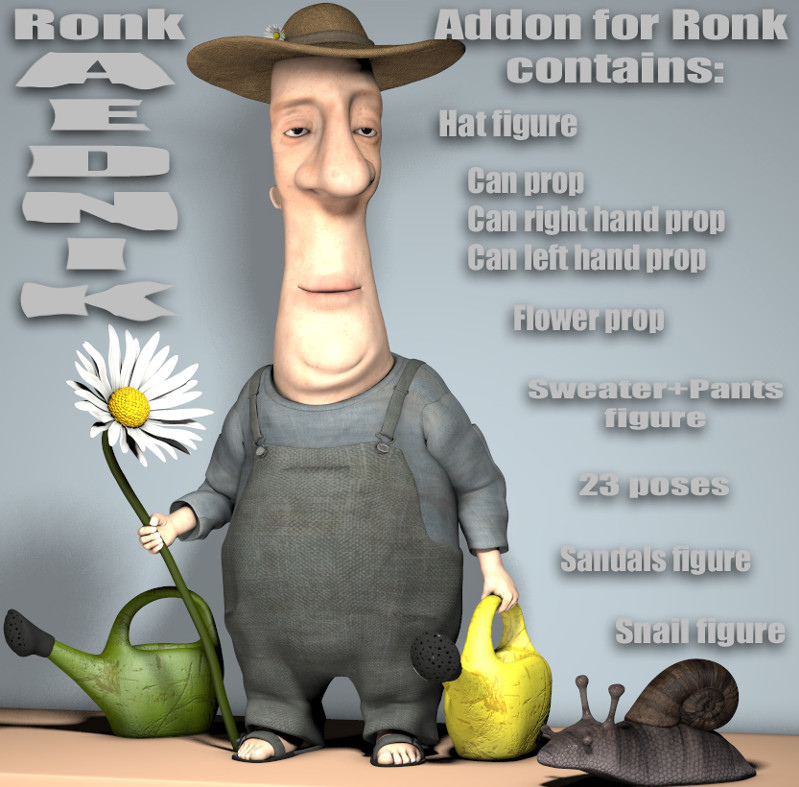
Ronk, another superb Nursoda figure for Poser. And some free textures.
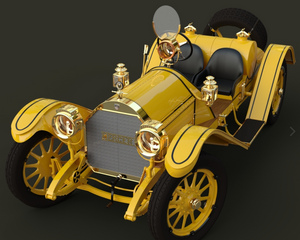
Vespa APE, for free in .3DS format. It’s French rather than British but is potentially a vehicle for Ronk.
Hamlet 3D, a toon piglet for Poser and DAZ.
Artephius Magnus for Ollie 8 for G8M. Similar to Nursoda’s Dr. Pitterbill, but for G8.
Catoon, a semi-toon cat with a human-like body. Great face, not so keen on the body. Perhaps needs to have it covered with a long trenchcoat and made into a gumshoe ‘private-investigator cat’.
Glasses v001 MMKBG3, including a ‘comedy disguise’ set.
Base figures:
The V.2 versions are out, for the flagship Poser 11/12 figures.
L’Homme Pro – V.2 for Poser.
Also fairly ‘base’ is Dain 8 for G8M, with lots of variants.
Newly found, 3D Celebrity Lookalikes for DAZ Studio & Poser.
Historical:
A Fantasy Ruins set in .OBJ and .FBX.
Deep Mine by ShaaraMuse3D. This looks excellent, a big modular kit with crisp 4k textures. See also the new PW Abandoned Mine.
Victorian Wash Day by DryJack, for Poser.
A British Empire District Commissioner outfit for the colonies, for Genesis 8 Male.
He probably needs some 1910s hairiness, as found in the new Alchemist Hair & Beard for Genesis 3 and 8 Males pack.
British Infantry for M3 low poly for Poser. See also the new Outpost Props.
WW2 Type 22 Pillbox for Poser. A freebie from DryJack.
Stusebaker US6 for Poser.
Ancient Roman Watchtower and compound.
Siege Facility for DAZ Studio, for your siege warfare needs.
Sticks, Bark And Chiseled Ends in .OBJ. See also the new Bodgers Workshop Props.
A 16th century Printers Workshop as a prop set. See also the Cobblers Workshop.
The Egyptian King for G3M and G8M and Poser L’Homme.
Stonemason’s Temple Pool.
MS20 The Crypt, a Roman-style crypt. This used to be free from Cornucopia, so check your Vue content — you may already have it.
New Orleans Garden District House with interiors and decor.
1960s Lakebed Racer for Poser.
A Space-tastic 1970s Rock God for G8M.
The free Doctor Frankenstein for M4, for Poser. Also suitable as a Chatterton-esque 19th century ‘doomed young poet’.
DryJack’s GWR Cordon Gas Tank Wagon and GWR Signal Set of classic British railway signals.
Vintage Milk Float in the British 1970s style.
A classic Fairground Carousel.
A 1960s style Small Public Library, of the proper sort that existed before they became kiddie-creches/computer-cafes.
Clothing:
dForce Vintage Nurse for Genesis 8 Female.
dForce Modern Romantic Outfit Texures for Modern Romantic.
Pre-drape Snood Morph for Divergence for G8F.
FSL Ragged and Dirty Fabric Shaders for iRay.
Animals:
HiveWire Caribou and LAMH presets. Requires the Hivewire Horse. A good stand-in for Christmas reindeer, by the look of it.
Felidae by AM – Kimbo the Lion Cub.
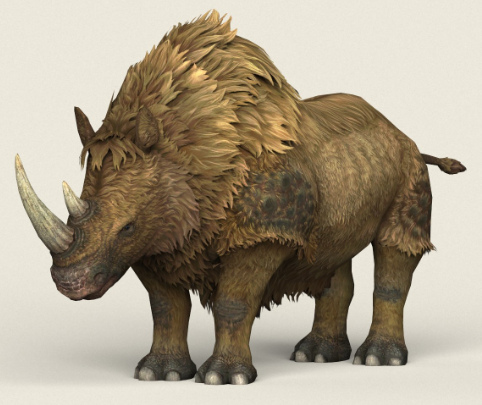
Felidae by AM – Smilodon Populator, an Ice Age big-cat.
CWRW Red Stag for the HiveWire Mule Deer.
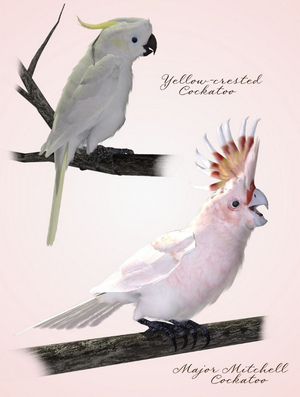
Three new volumes of parrots from Ken Gilliland. Also two volumes of gamebirds.
Bird Toys for Poser.
Feed The Birds: Upcycled Feeders for Poser and DAZ.
The Nature Plants 05 pack has a nice palm tree of the sort that might interest prehistoric artists. One might also perch parrots in them.
Virus:
Modern medical outfits for La Femme and L’Homme for Poser.
Toilet Paper in DAZ Studio format.
Free Quarantine Cats. Including a Nurse Cat for the HiveWire House Cat. Plus free Cat Toys.
There are also a great many facemask freebies out there.
Scripts and utilities:
P3DO Explorer Pro 2.8 for searching your runtimes. PzDB is the main alternative.
HeadShop 12.5 for La Femme and L’Homme. For fitting a custom head, made from front/side photos, to the flagship Poser figures.
L’Homme CrossDresser License…. “any supported figure to L’Homme”. Also a pack of a XD Morphs for L’Homme and CrossDresser.
‘Frame In’, for DAZ Studio. The description is in Jap-lish, but it appears that this is a ‘move in front of current camera, and frame’ script. The same maker has a ‘Look At Camera’ Script.
Hide Backyard Script! for DAZ Studio. Hides all objects that sit behind the active camera.
REM2Greyscale for your runtime. “Rem2Grey recursively converts all your REM file [Library thumbnails] to Greyscale giving you the option to add a red X overlay.” Useful, though I’d be inclined to test it on a small batch first.
A new Scatter Tool for Poser.
Tutorials:
Rendering and Lighting Solutions Workshop.
Mandelbulb 3D : The Complete Guide to Creating Infinite 3D Worlds with the free Mandelbulb3D.
DAZ Studio Fight Scenes, with Drew Spence.
That’s it, more picks soon-ish. Possibly at the end of July or start of August.
Hunterman
A couple more toony demos in Poser, with Comic Book mode turned on, of recent ‘closing-down sale’ purchases at Poser Addicts. This shows a couple of the ‘Execution Complete’ textures makeover sets for the Hunterman M4 outfit, both available at Poser Addicts for the next week or so.
The edging of the rubber is not ideal, with stitching done in pixels rather than geometry, but a quick up-res with Gigapixel AI might help fix that.