
Poser 14.0.227, now with ‘Poser Cloth’ which is the replacement for the old Cloth Room. The old Cloth Room had to be removed before Christmas, due the expiry of a long-standing licensing agreement. Usage Tutorial for Poser Cloth.
Release and test: Ace-Step 1.5
I tried out the new Ace-Step 1.5 in ComfyUI. It is local and as fast as is claimed at generating music tracks with lyrics. About three minutes for a two minute track, on a 3060 12Gb card.
The official demos work fine when plugged in locally, but as soon as you depart one iota from these things start to fall apart. Lines of lyrics you specified are not sung. Music is often slightly ‘off’ or ‘wobbles’ for several seconds at a time. The actual genre can start to change. On top of this each generation is different, if you change so much as word in the lyrics. It’s impossible to iterate from a good starting point.
I then tried from scratch to get genres I knew, even with quite sophisticated prompts which worked with the guidelines in the official guide, it repeatedly veered towards rather generic and sometimes outright cheesy canned music. Prompting for Eno-style ambient music failed dismally, as did aiming at a early Gary Numan or Kraftwerk sound. Many times its output reminded me of the old ‘Band in a Box’ software.
Overall, impossible to iterate on and very very difficult to control. Disappointing, given the hype that led up to it. Still, you may be able to generate generic vocal-free soundtracks for animation, slideshows, visual-novels etc. But then again, Suno does have a free-tier that’s very capable and would be the better choice.
Lightwave 26 – due soon
Update: LightWave3D 2026 Technology Demo, 21st March 2026.
The venerable LightWave 3D software… still alive, and still free for education users. An open beta for the forthcoming Lightwave 26 is reportedly set for spring 2026, with “speed increases for rendering and interface” along with…
“over 50 new features and 30+ interface changes, alongside under-the-hood improvements for speed. Planned features include SDF (non-polygon geometry), glTF, Ripper 2, OpenColorIO, Ocean Boat and Wake, Motor Rig, Chronoscope, USD True Fillet, Rig It tidy-up, a quadruped system, Octane updates, snow and lightning generators with animatable controls, flame fractals, a new fracture tool, Construct update, an asset browser, and AP (physics-based object placement)”.
However it sounds like the Poser 11 -> E-on Vue route to exporting Poser scenes for recent versions of Lightwave could be bjorked…
“due to 26’s focus on utilizing newer technologies, potentially cutting off older systems.”
Though that might just mean it won’t run on older PCs and older graphics cards? My guess.
What’s New for Poser & DAZ & AI – January 2026
Posted on
by
 Posted in Automation, Companion software, DAZ Studio, Freebies, Poser, Poser to Stable Diffusion, Spotted in the News
Leave a comment
Posted in Automation, Companion software, DAZ Studio, Freebies, Poser, Poser to Stable Diffusion, Spotted in the News
Leave a comment
Posted in Automation, Companion software, DAZ Studio, Freebies, Poser, Poser to Stable Diffusion, Spotted in the News
Leave a comment
Welcome to my regular pick of goodies for Poser and DAZ, and my round-up of other interesting software.
Science fiction:
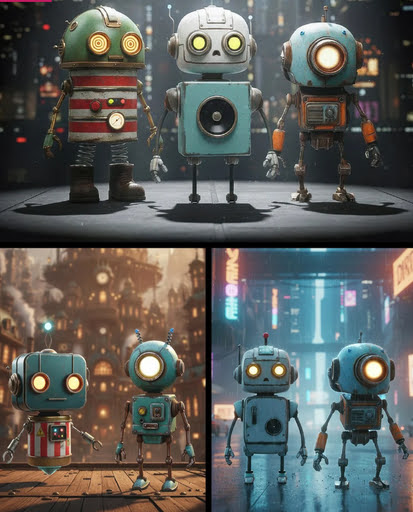
Robo Pack. Lovely looking bots, and currently a lovely $14 price too. But… then you find out that they’re “props” and not rigged, which explains the price. Still, very nice designs.
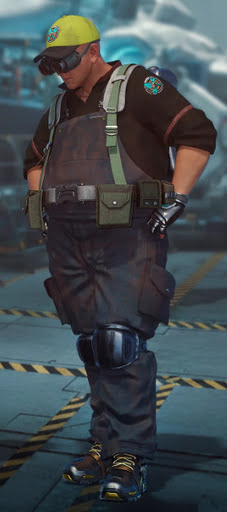
Need your Area 52 UFOs repairing? dForce Tech Engineer Outfit.
Fantasy:
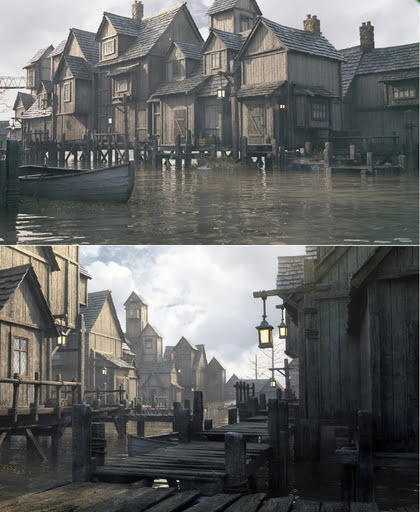
Stonemason’s Lakehaven, which could make a pretty good Laketown in Middle-earth.
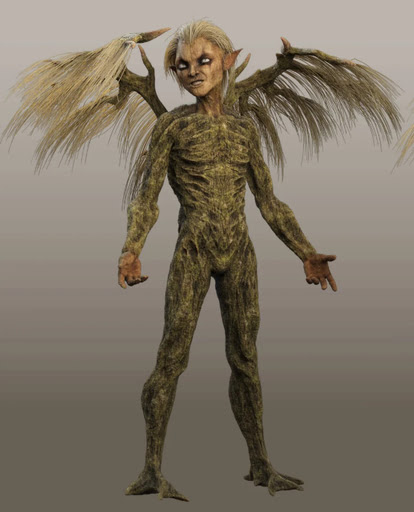
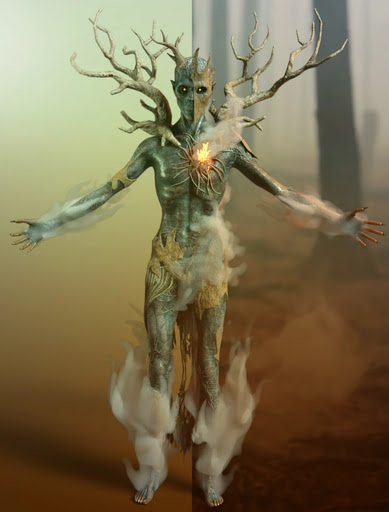
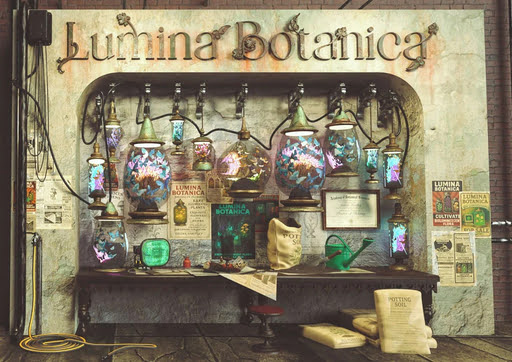
Ashkin and Arboriel probably run the new Lumina Botanica market wall-stall.
Gothic and horror:
Gharton for Poser. Not sure if it’s a D&D monster, so beware of commercial use.
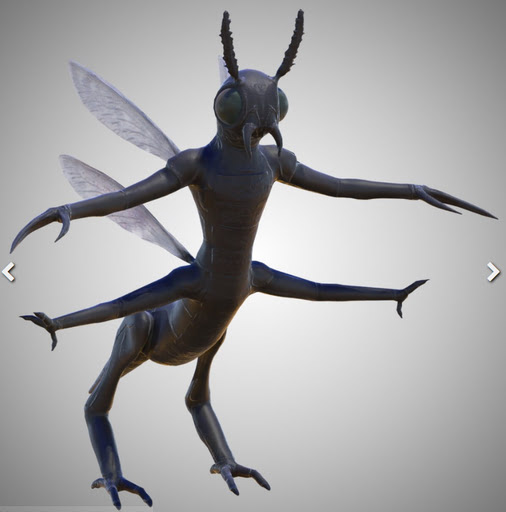
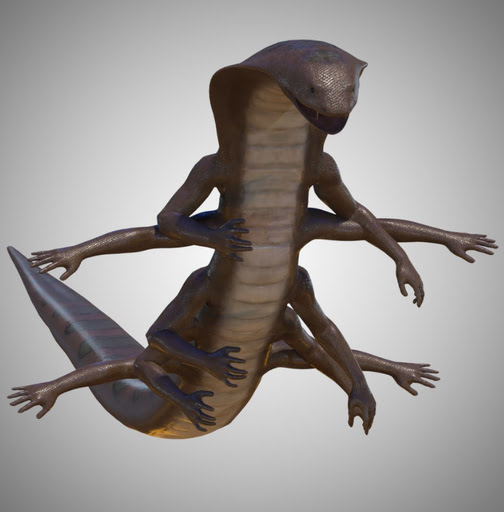
Snake Man for Poser and Blattodacid for Poser. Again, possibly D&D monsters?
Steampunk:
Elven Zeppelin by 1971s. For Poser and DAZ. I don’t recall seeing this one before, and I don’t think it’s a re-release?

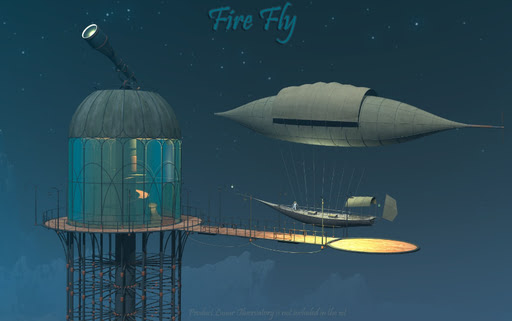
Fire Fly by 1971s. Another new release? Moon Observatory not included but it’s here.
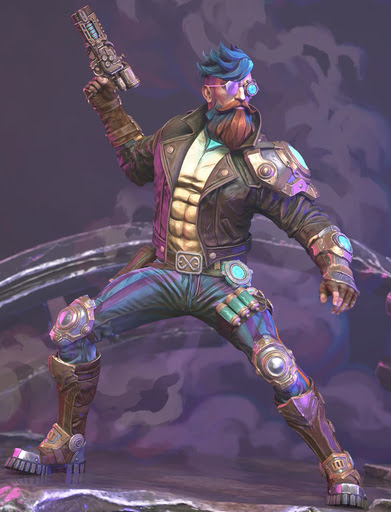
Steampunk Operator HD Stylized Clothes for Genesis 9. It seems you don’t also get the stylised hair and beard, so I guess they’ll be in another pack yet to be released?
An unusual Tinheart Clockwork Set.

Storybook:
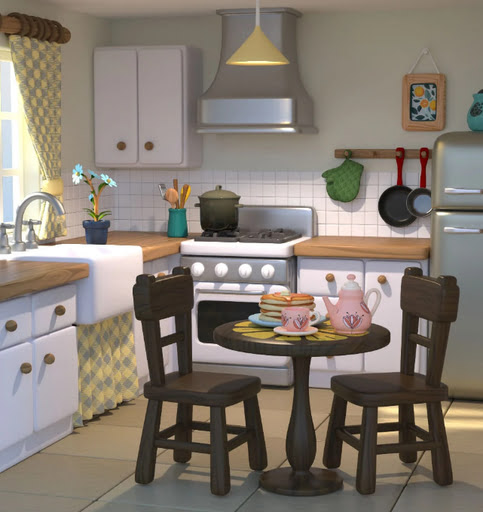
Cooking Kitchen, a semi-toon kitchen.
The Cog Regime Tinsel Void Automaton. A mechanised helper for Santa.

Toon:
Christmas Delight toon props for Poser.

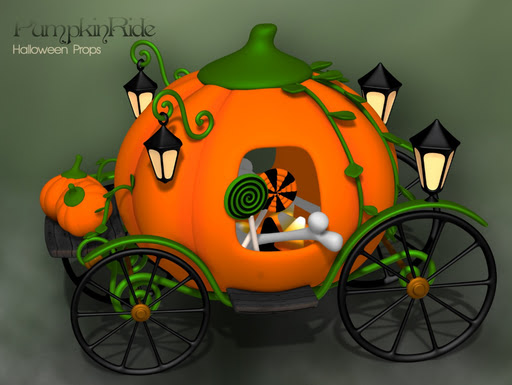
Pumpkin Ride toon prop for Poser.
Free, Skylab’s Complete Collection of poses and morphs for Nursoda characters for Poser.
Free, Poses for Gruggle Monk from 3D Universe.
Figures and parts:
Free, a collection of Skylab’s pose sets for Poser, that were on the old ShareCG website.
Currently free at DAZ, two large sets of G3 male poses, i13 50 Essential and i13 Elite Collection.
Free, Update: G3/G8/G9 Pose Converter Plugin for DAZ Studio.
Landscapes, seascapes and environment props:
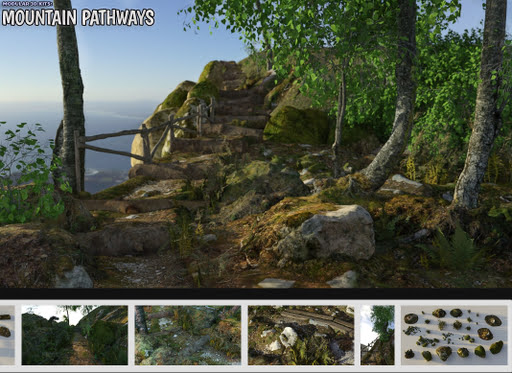
A modular Mountain Pathways set for Poser.
Free, 3D .OBJ models of raindrops on windowpanes.
Animals:
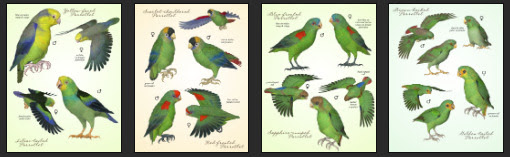
Songbird ReMix Parrots Vol 7 – Parrotlets of the World 2. For Poser and DAZ.
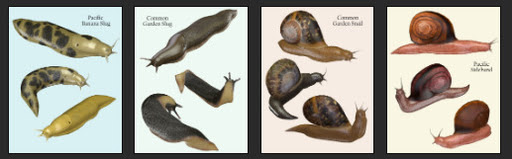
Nature’s Wonders Slugs & Snails. For Poser and DAZ.
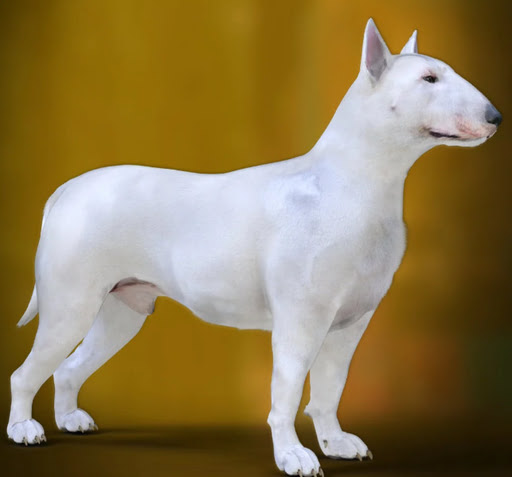
DA Bull Terrier for Daz Dog 8.
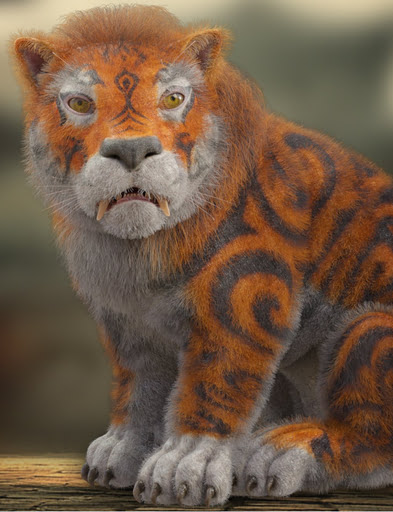
Torajin for Big Cat 2. A giant fantasy kitty.
Historical:
Free, Skylab’s Decade of Bible Themed Poses, formerly at ShareCG.
Free Holy Spirits for G8F+G8M.

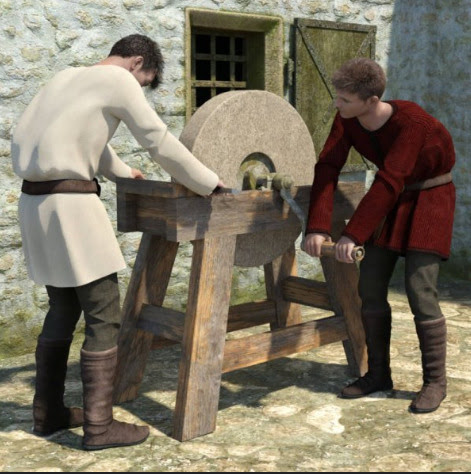
Mediaeval Grindstone, rigged and with two G8 poses.
LOWREZ People 17th century, low poly baroque people.
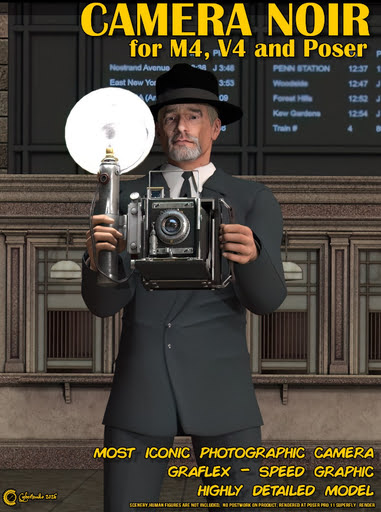
Camera Noir for Poser, a classic 1930s newspaperman camera.
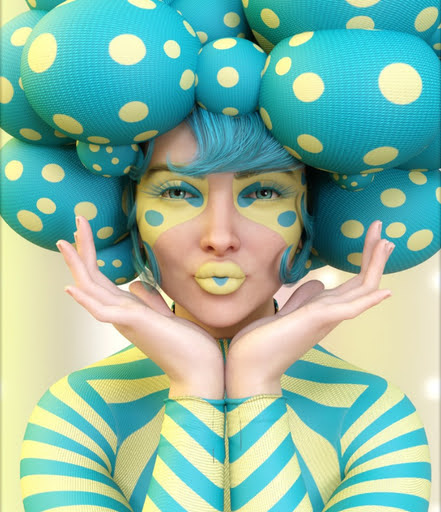
A Moebius / 1970s style VYK La Pouf for Genesis 9.
Scripts and other auto-helpers:
LowPi Formations Builder. Auto-build formations of military men (low-poly), for large scale battle scenes.
KBXF Slow Motion Player for DAZ. Seems to be a helper for animators.
Software:
* Alpha-Trimmer, a new free… “Windows tool that automatically trims excess transparent areas from .PNG images, via the Windows context menu (i.e. the right-click menu)”.
* Nikse is a free open-source subtitle editor / extractor / converter, able to convert between 300 subtitle formats.
* Blender v5 is now at v5.1. Also note the free Blender-ComfyUI-Bridge, promising… “real-time, bidirectional communication between Blender and ComfyUI” in a round-trip. Python, so one wonders if it could be adapted for Poser.
AI and similar helpers:
All free, as is the way with local AI.
* SD-ppp one of the best known ways to connect Photoshop to ComfyUI, now updated to a late December 2025 version. Sadly it requires the very latest version of Photoshop. There appears to be no ComfyUI connector for Photoshop versions lower than CC 2019.
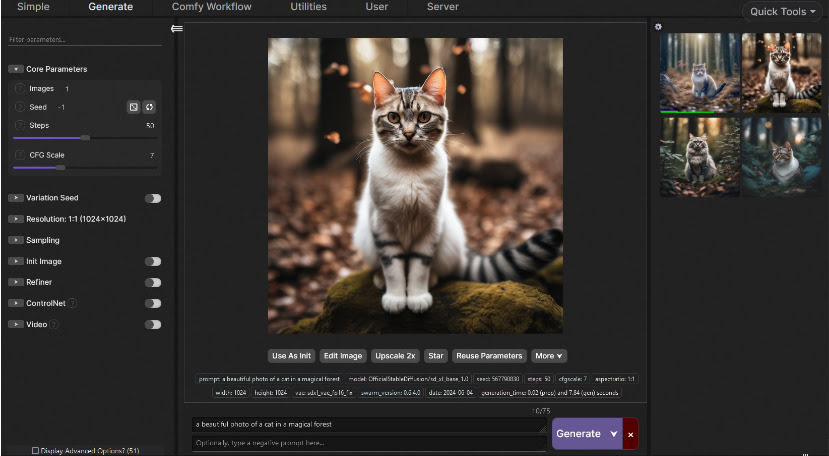
* Collection of simple fixed user-interfaces for ComfyUI, for the node-phobic.
* Flux2 Klein is the latest hot Edit model. It’s a marvel, and its 4B GGUFs (working workflow) can be run fast on low-spec hardware. See also the vital Official prompting Guide for Flux.2 Klein.
* Flux2 Klein can do face-swaps on its own, with a simple prompt (e.g. “Extract the face from image 1 and paste it into Image 2, completely replacing the face. Retain the exact facial features in image 1.”). But there’s also a dedicated Face-Swap and Head-Swap(!) assistant for Flux2 Klein 4B, with workflows.
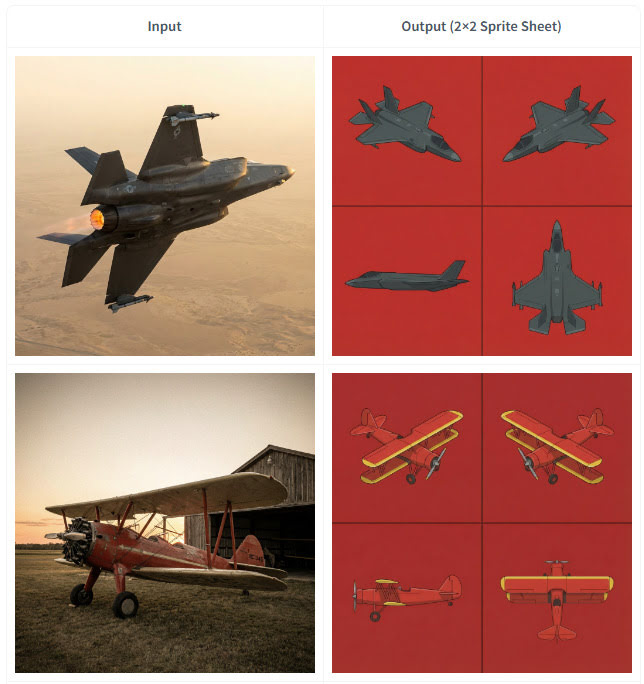
* Also for 4B. Flux2 Klein 4B Spritesheet generator, which looks like it may be of interest to those in the early stages of modelling an object in 3D. Since it outputs top-down and side views from a simple photo of an object…
* SAM-3D-Pose-Analyzer is a Python software with GUI. Drop in a photo of a pose, get a .BVH pose output that will then pose a 3D figure in Clip Studio. The possibilities for adapting this to do the same for Poser figures are obvious.
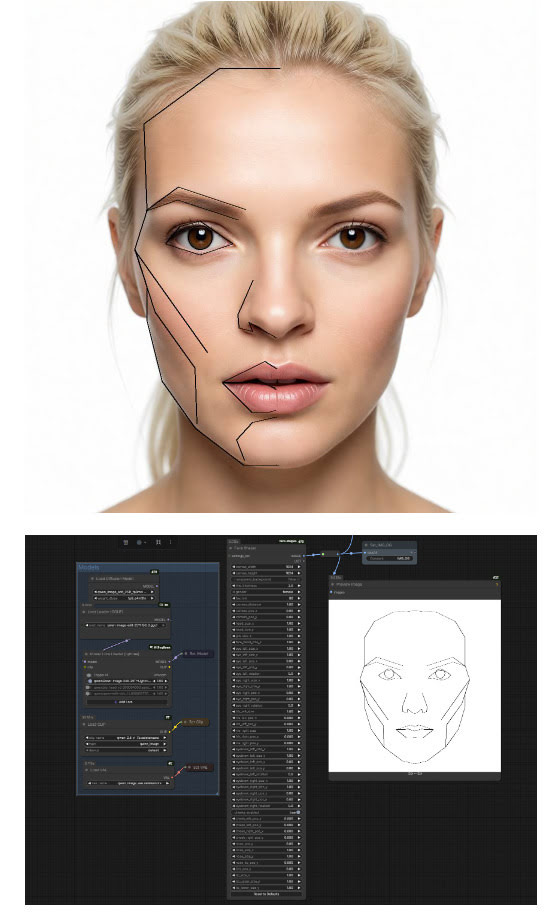
* ComfyUI-face-shape. Detects the face shape/features in a 2D image, then sets these up for your warping. Offering… “extensive control over individual facial features including outer head outline (with separate jaw and forehead controls), eyes (with independent rotation), irises, eyebrows, nose (single merged object), and lips (upper and lower with direction-specific scaling)”. I’m fairly sure there was Windows face-morphing funware that did this, back in the day. But it’s good to see AI catching up.
* “Inochi2D is an open standard for real-time 2D puppet animation”, and it now has ComfyUI-Inochi2d nodes. Never heard of it, but possibly useful for 2D puppeteers.
* ComfyUI nodes for “overlay alignment, colour correction based on a reference image”. In Russian, but easily auto-translated. Related is FluxKontextImageCompensate, an attempt to fix the problem of unwanted image shifting, cropping and zooming. The problem is not unique to Flux Kontext, as all Edit models suffer from it to an extent.
* A huge Celebrity LoRA browser with preview images and links to the whereabouts. Sadly it uses .PNG for images, so loads very slowly.
* ComfyUI-Align, a simple intuitive way to straighten up your messy ComfyUI node workflows.
* And finally, Fixed Clean Styles – DAZ Studio, a LoRA that renders your Z-Image Turbo images like it’s 1999 and you just made a DAZ render that took four hours.
Coming soon:
* TeleStyle, when implemented for ComfyUI. Complete style makeovers for video files (e.g. live-action to rotoscoped-style drawing) with temporal stability (i.e. no flicker / wobble between frames). Some say this can already be done, but this appears to make it much easier to do. Probably in ComfyUI within weeks.
* Intel OIDN 3. Already integrated into Poser, OIDN nicely denoises grainy 3D renders and thus reduces render times. The new 3.0 version promises temporal stability for de-noising of video frames rendered from 3D, which should interest Poser animators looking to render quickly. Due in Q3 2026.
* VNCCS Pose Studio node for ComfyUI. Currently in early beta (see the 0.4 release) and untested by me as yet, but potentially it looks like having a basic mini-Poser inside ComfyUI. Could be a game-changer?
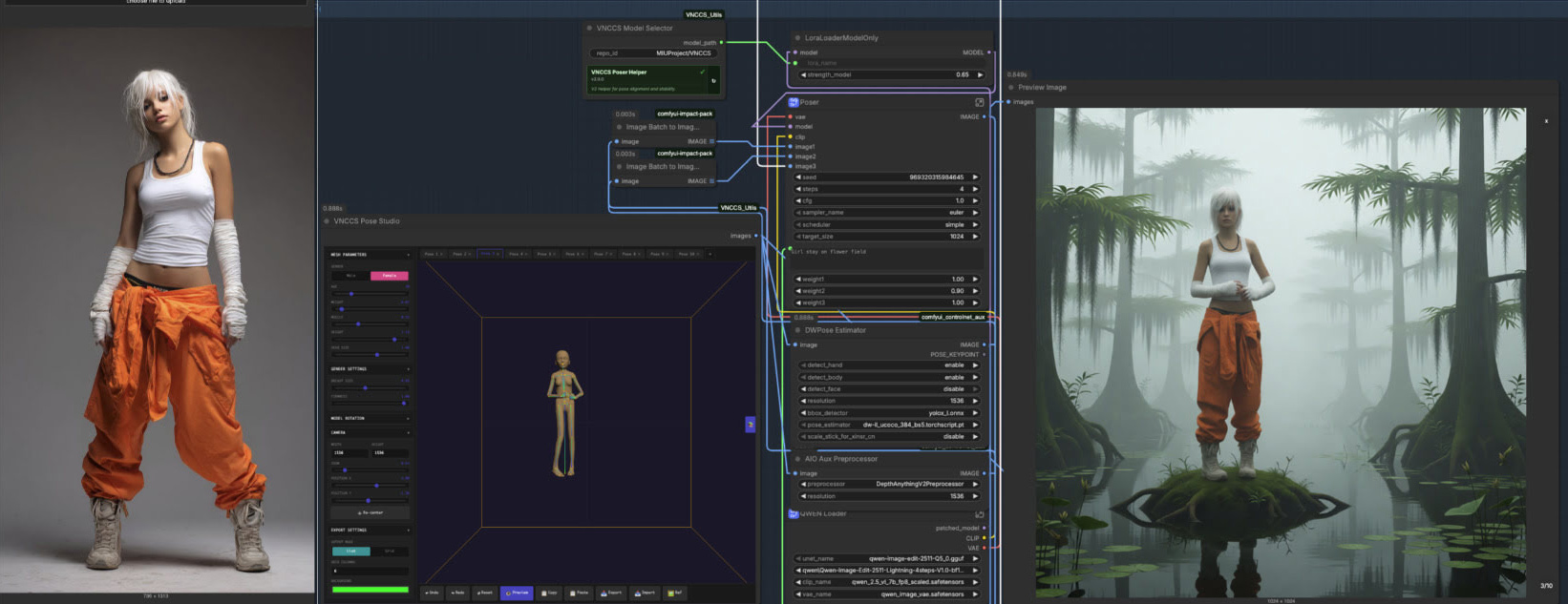
Character reference -> ‘pose and position’ window -> generated image with posed character in the desired position.
That’s it for now.
Pre-release: Clip Studio 5.0 due in March 2026.
Pre-release: Clip Studio 5.0 due in March 2026.
CELSYS News brings news of Clip Studio 5.0, the complicated comic-book production software from Japan, which is set for a March 2026 release.
* A new and better 3D hand model, and it seems to be able to scan a photo of your hand and apply it to a 3D figure’s hand.
* “Group 3D models”, a recently integrated tweak.
* “3D head models […] have been added” as a new feature.
Their 3D models are of the basic ‘car-crash dummy’ type, meant as guides for hand-drawing over. Not Poser-like models.
Qwen3 TTS – install and test in ComfyUI
Posted on
by
Posted in Companion software, Freebies, Spotted in the News, The Animation Industry, Tutorials
2 Comments
Posted in Companion software, Freebies, Spotted in the News, The Animation Industry, Tutorials
2 Comments
Qwen3 TSS has been released, and it allows local ‘prompt to custom character’ voices. This adds a whole new dimension to local text-to-speech (TTS). It’s also a pleasingly small model at around 5Gb total (if you already have many TTS Python requirements), so is very feasible for those with older graphics cards and slower Internet connections. It has an Apache 2.0 license, so is fully open-source and available for commercial use. All the below requirements are free, as is the way with local AI.
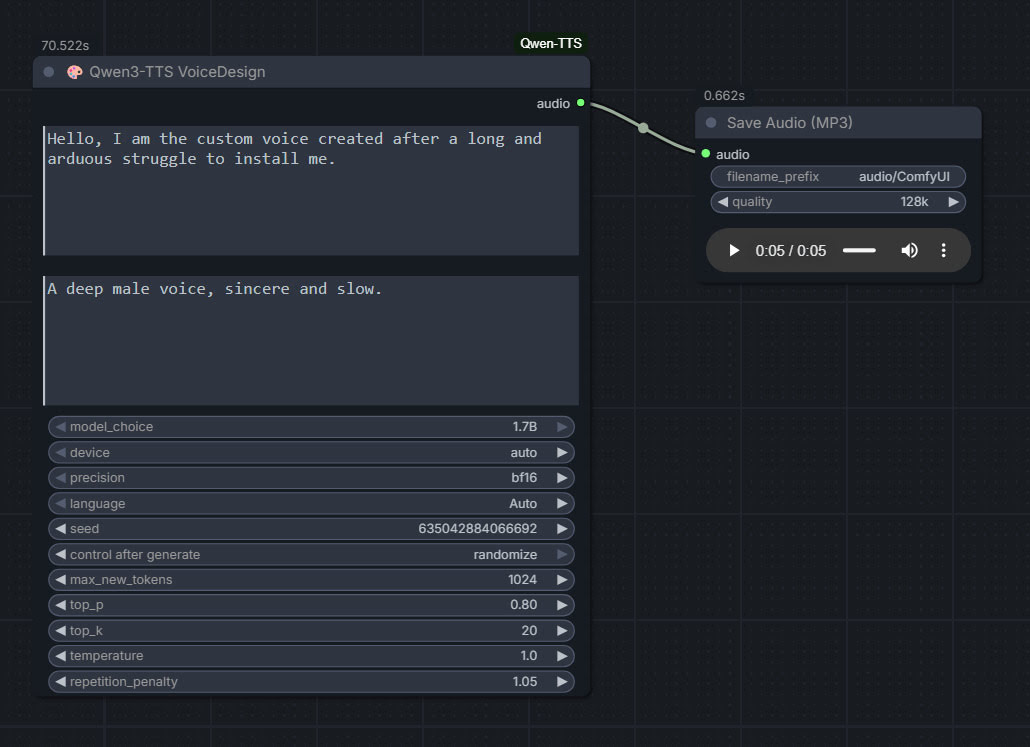
As you can see, you can describe your exact voice and the audio generated conforms to the description. Voices can be described with great detail, far more than shown above, and their modulation over time also (e.g. “rising excitement”). There are obvious uses here for unusual character voices for animation, games, audio drama, vocal additions to audio soundscapes, etc.
Tested and working, after a lot of work. Here’s how to manually install for ComfyUI portable:
1. In ..\ComfyUI\models\ create the new local folders ..\ComfyUI\models\qwen-tts\Qwen3-TTS-12Hz-1.7B-VoiceDesign\ and its subfolder ..\speech_tokenizer\
2. Download the required models Hugging Space at Qwen3-TTS-12Hz-1.7B-VoiceDesign and speech_tokenizer.
Put the downloaded files into their locally pre-prepared folder and sub-folder.
3. Now get FlybirdXX’s ComfyUI-Qwen-TTS custom nodes to run these models. Windows Start button, CMD, cd into the ComfyUI custom nodes directory, then…
git clone https://github.com/flybirdxx/ComfyUI-Qwen-TTS
4. Install the requirements for the new custom nodes. Start, CMD, cd to the ComfyUI embedded Python directory, then…
C:\ComfyUI_portable\python_standalone\python.exe -s -m pip install -r C:\ComfyUI_portable\ComfyUI\custom_nodes\ComfyUI-Qwen-TTS\requirements.txt
(Replace ComfyUI_portable with whatever your local path is).
There should be no conflicts, as yesterday’s patch for these custom nodes fixed the official Qwen TTS demanding transformers==4.57.3 which could have killed Nunchaku (which requires a lower version).
5. These Custom Nodes require a download of SoX which is an .EXE installer. Sox is a venerable freeware sound-exchange code library, kind of like ImageMagik… but for sound. After install you must add it to your Windows PATH. Thanks to Promethean Dante for the fix here…
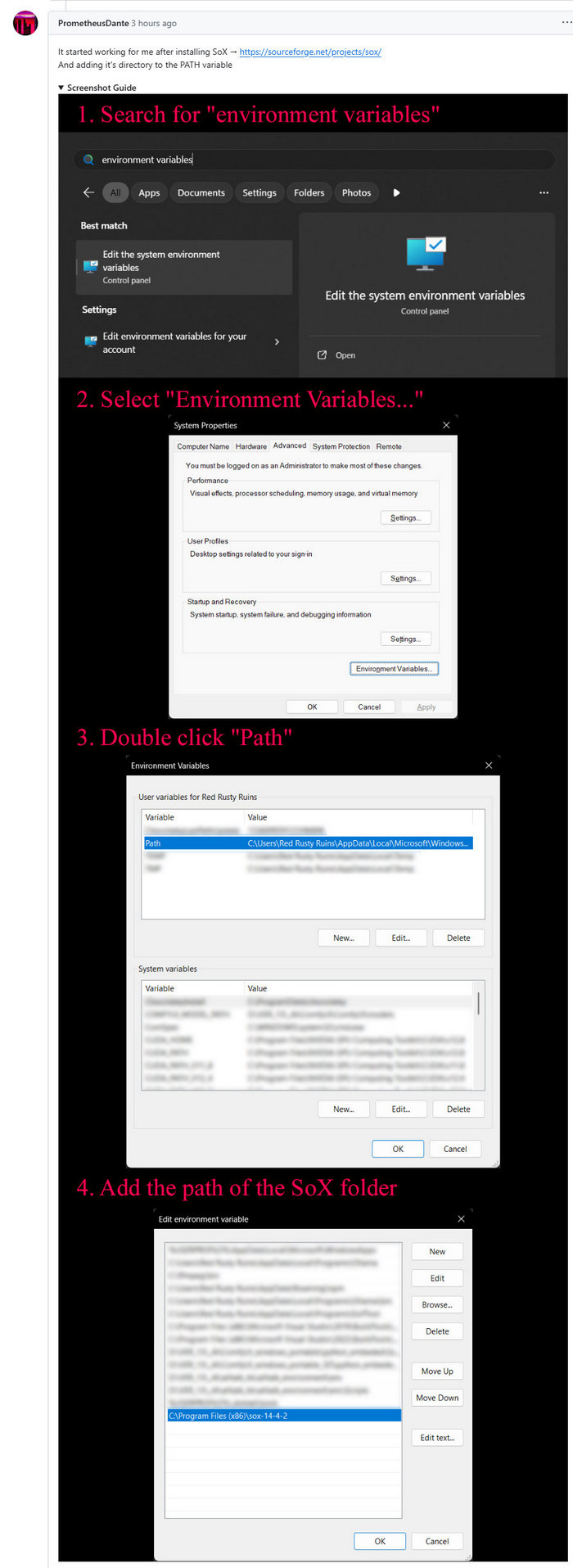
Looking at the node code it seems SOX is only needed if you try to generate on CPU rather than GPU, but the lack of it prevents the nodes from loading in ComfyUI. It seems you need both the Python sox module installed (it installed along with the requirements.txt – see above), and its Windows framework via the .EXE installer.
6. Start ComfyUI, and set up a simple workflow thus with the new nodes…
Time: 70 seconds for a five second clip, on a 3060 12Gb card. Reasonable, not super-turbo but workable.
The basic requirements of Qwen3 TTS are compatible with a ComfyUI portable install — Python 3.8 or higher, PyTorch 2.0 or higher, so the above custom node set won’t bjork your PyTorch by trying to upgrade it. Beware others similar custom nodes for Qwen3 TTS in ComfyUI that will try to upgrade Pytorch to 2.9 (not good, for a portable Comfy).
First proper test of Klein 4B + LoRA, with a Poser render
My first proper test with the new Flux2 Klien 4B and the first LoRA. Whoopee. Which, as it happens, is a nice one that works well. Quilm v3, available at CivitAI. Here we use Klien as an Edit model, rather than as an image generator. Think of it as a super-duper Img2Img mode than can follow instructions. And do so quite quickly, even on an entry-level 3060 12Gb graphics-card.
1. Start with a basic and rather unpromising Poser render (the snail is too dark, for instance). The Poser character is Ronk by Nursoda. Drop the render in the Edit mode reference-image slot in your ComfyUI workflow.
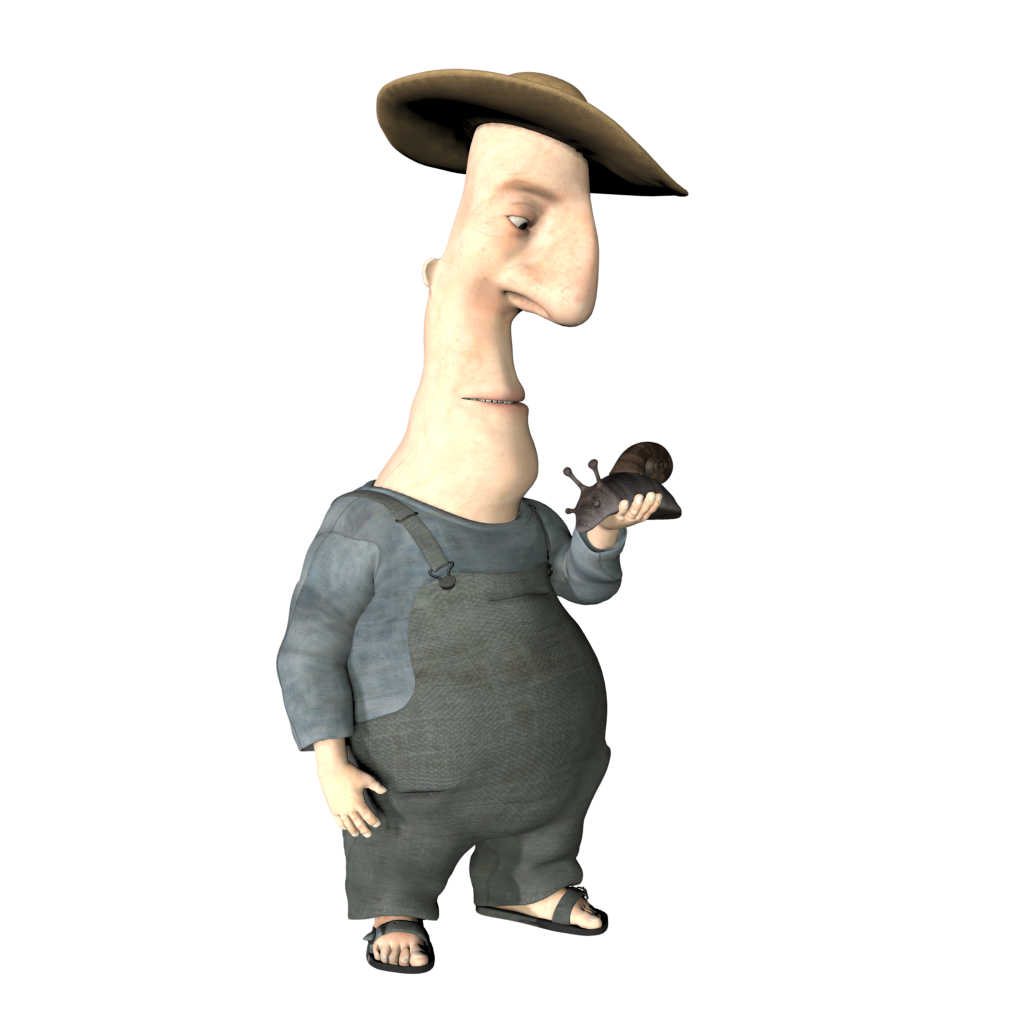
2. Prompt.
Reskin the image quilm style, with subtle colors applied uniformly onto dry paper. Retain all shapes, lines and edges exactly as in the reference image. the figure is looking down at his hand. The final output should isolate the figure on a background of pure white.
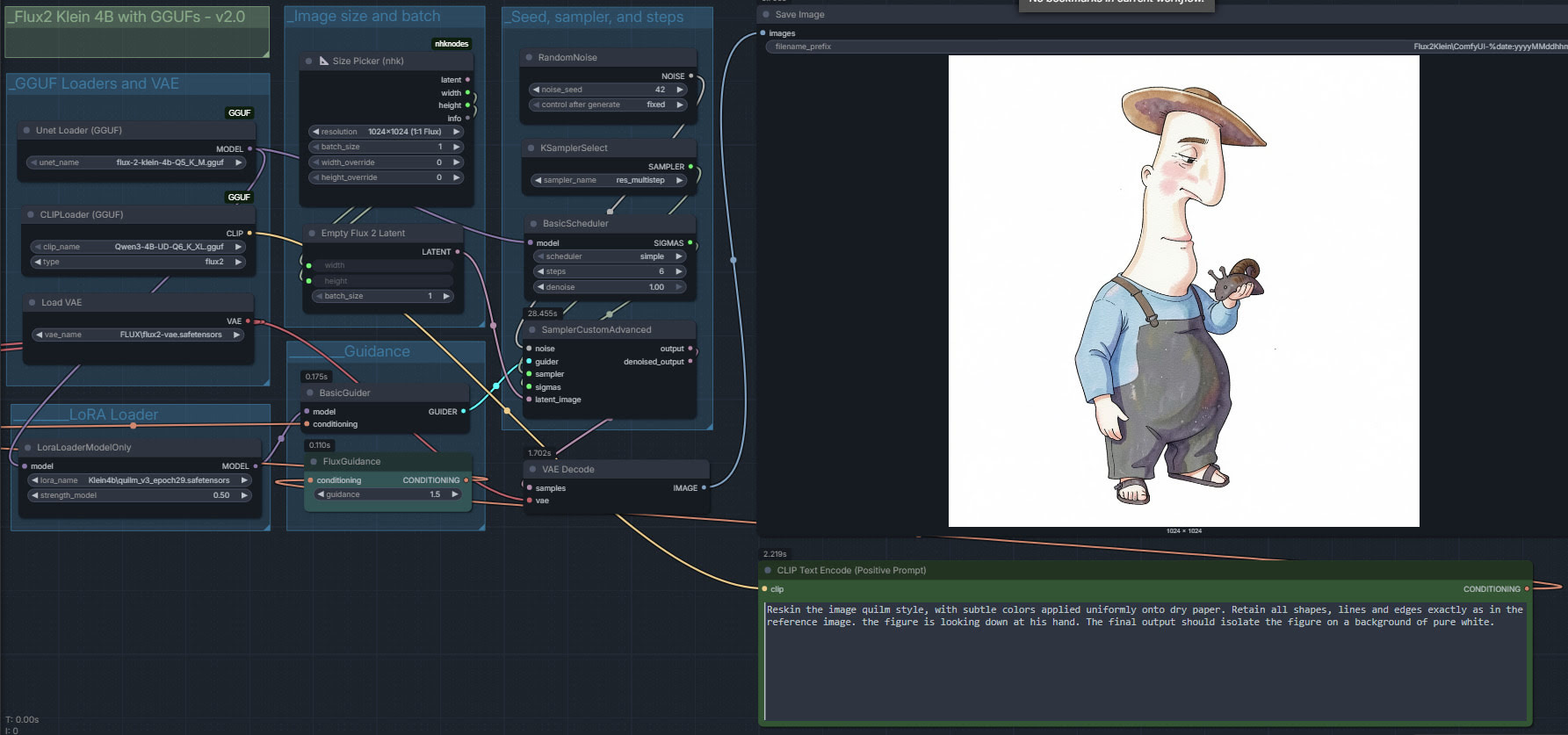
4. The result is not a 100% fit, but very near and good enough for a colour blend mode in Photoshop. Such a blend is vital to stabilise the colours, important for sequential storytelling such as a comic-book or children’s storybook.

Nice, and the eye is changed by the LoRA in a pleasing way that adds emotion. But the skin is washed out and near-white, the hat shadow is verging on purple, the cheek splashes are too pink, etc.
5. To fix these colour problems, use Photoshop. Copy the original Poser render and “paste in place”, as a new layer sitting on top of the ComfyUI output. Not a 100% perfect fit, but good enough for a Colour blend mode of the layer at 60% to work, thus quickly ensuring a more uniform colour for storytelling purposes.

Note that one can’t use watercolour in the prompt, as Klein has its own and horribly splashy ideas about what watercolour should look like. The other problem is the figure has acquired three fingers on one hand. This ‘crab hand’ glitch is apparently is a function of the workflow. Here I use res_multistep and simple, but I’m told setting Euler Ancestral and beta57 gives better hands. Anyway, it’ll do as a moderately successful first proper test.
Klein 4B runs locally and is under a permissive Apache license, so commercial use is fine.
Update: Hah! The second LoRA released for 4B is also very useful, Flat Color – Style.
Update: Just tested Euler + beta57, and it does indeed fix a hand which had three fingers. As Reddit had suggested. Exactly the same workflow + fixed seed, so it must be beta57. Also usefully appears to fix the colour saturation problem.
First test of Flux 2 Klein 4B with Poser
I made an initial basic test with the new Flux 2 Klein 4B, using it on a simple Firefly lineart-only render from Poser. Flux 2 Klein 4B is different from the recent and comparable Z-Image Turbo, in that it’s also a lightweight local Edit model as well as a prompt-to-image model. That means you can feed it an image and tell it to e.g. “Reskin this image in a charcoal sketch style”. And in ten seconds (on a 3060 12Gb card), out it pops. Far faster than the old Flux Kontext.
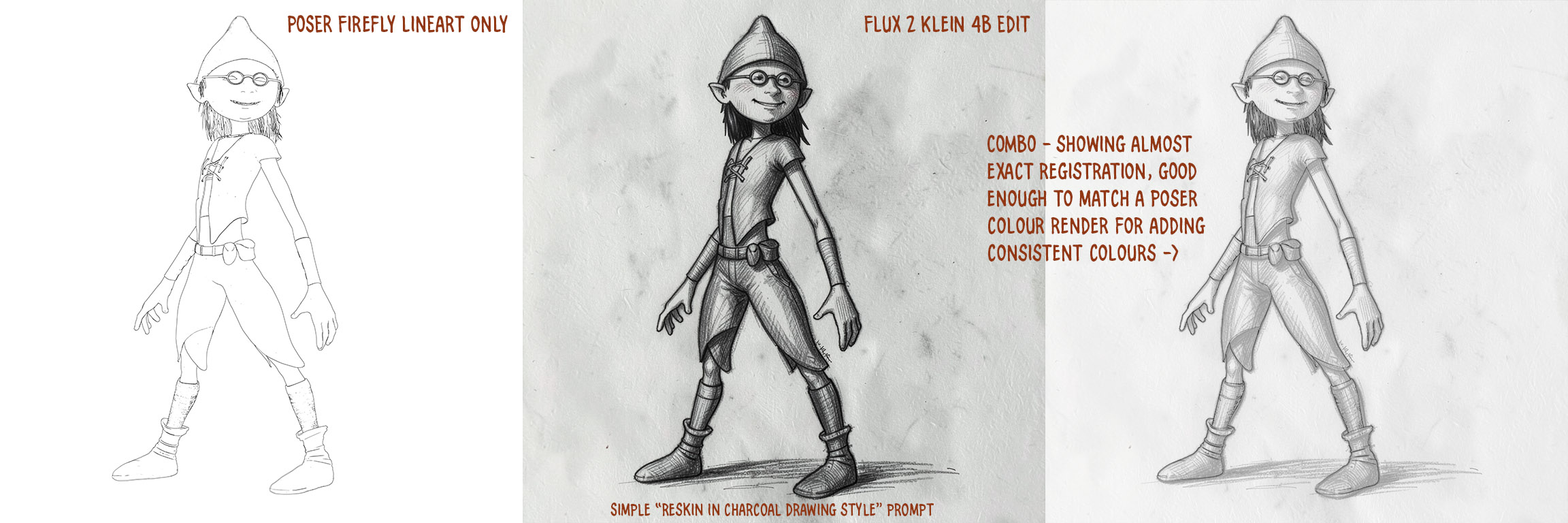
In this case it doesn’t quite work like a 1:1 Photoshop filter, but very nearly. As you can see in the blended third section, it has slightly expanded the toe of one shoe, the back of the leg, and moved the waistcoat back a bit. But other than that it’s close enough to be able to lay a Poser colour render on top in Photoshop, and then use the Photoshop blending modes to colorise the grey. Thus getting the all-important consistent colours from panel-to-panel and page-to-page in a comic.
Not bad for a first result. One can input two images in the Flux 2 Klein 4B workflow, so it may also be possible to add… “and apply just the colours from image 2” to the prompt? Thus saving work in Photoshop. (Update: no, it appears that can’t be done).
What’s New for Poser & DAZ – December 2025
Welcome to another page of picks for the Poser and DAZ Studio software, plus some links to other useful new software.
Science fiction:
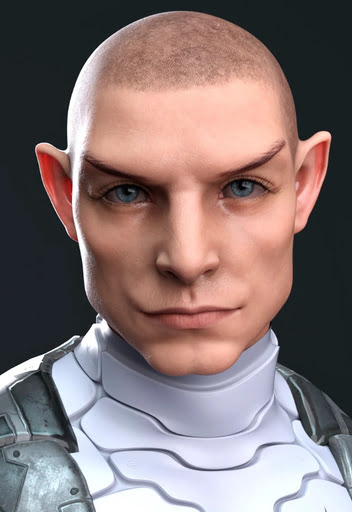
He probably pilots the Aetherpod for Poser and DAZ.

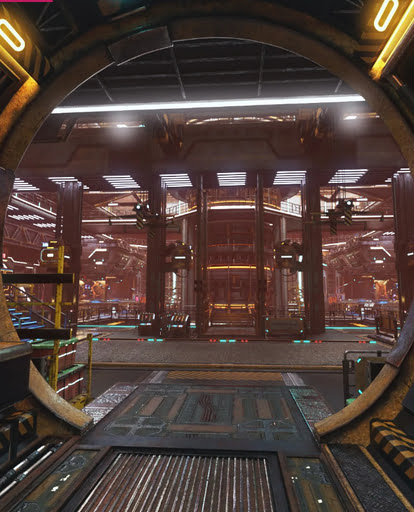
XI Sci-Fi Industrial Factory, a complex DOOM-like factory environment.
Neon Bazaar by Stonemason. A futuristic desert cyber-bazaar. The new XI Cyberpunk Hotel Lobby might serve as one interior.
Free G8M-hand poses for Pulp Scifi Pistol and for Pulp Scifi Pistol 2.
Gothic and horror:
A free Vampire Hunter for G9M.
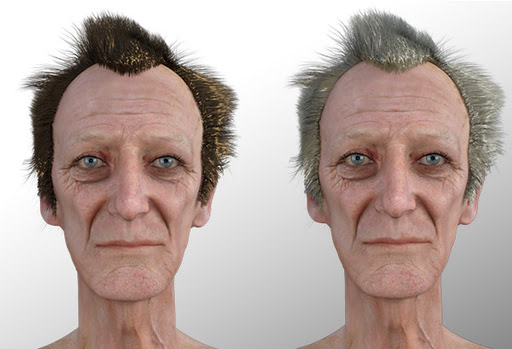
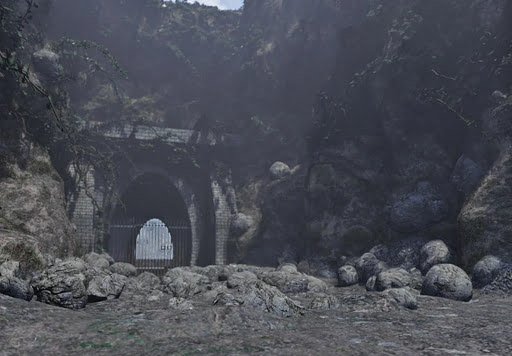
The vampire hunter possibly to be found near the Forgotten Tunnel Entrance, currently free at DAZ.
Steampunk:
Free FTTV (flying tactical transport vehicle) in three parts.
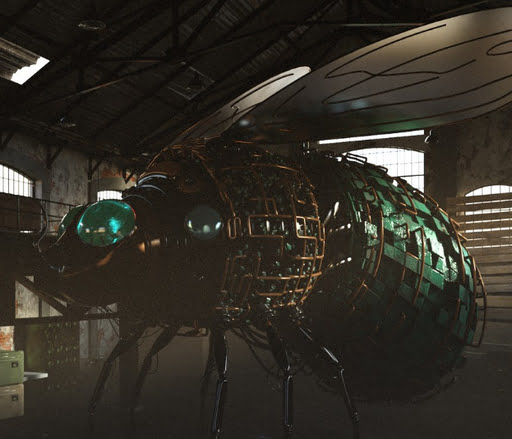
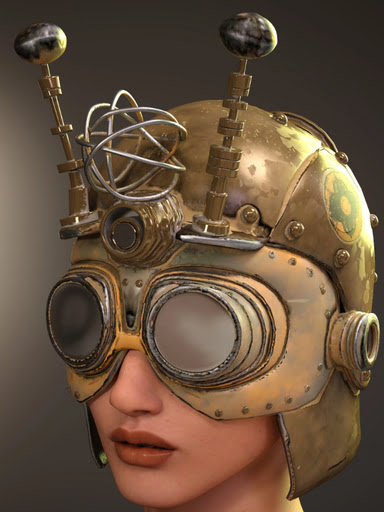
Need a pilot for the giant fly? Just slap on the new Heila Drifter Helmet for GF9.
Montgolfiere hot-air balloon, currently free at DAZ.
Fantasy:
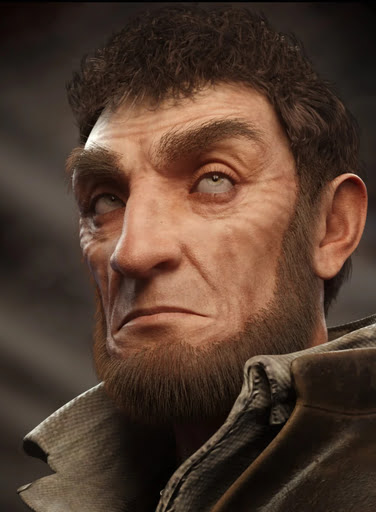
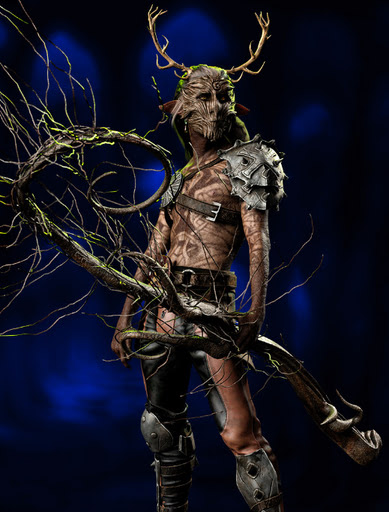
NDFP Woods Druids for Genesis 9 and they also have various accessories and pose packs.
Storybook:
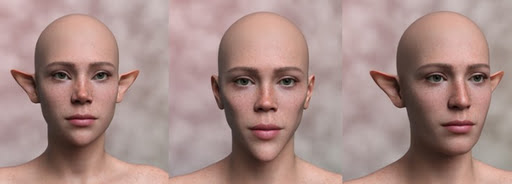
Christelf for Kids 4. An free elf head morph.
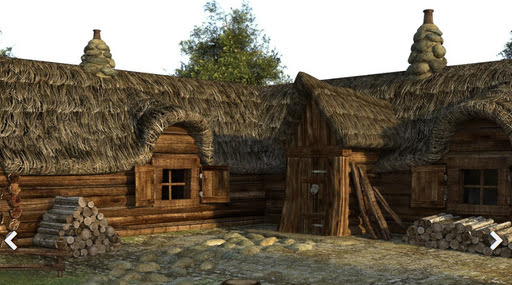
Lumberjack House for DAZ Studio.
Toon:
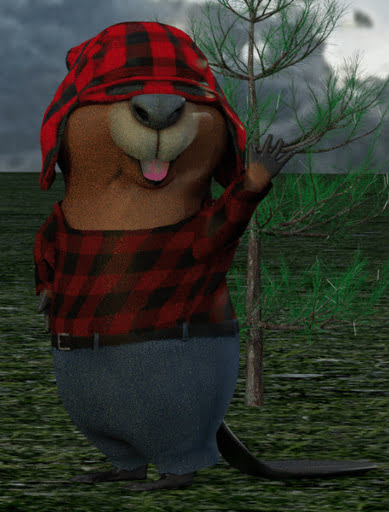
Need toon beavers? The McKenzie Brothers might be what you want. For Poser and DAZ.
Flinks Rolling Hills – Snow Forest and Flinks Snow Trees pack, for Poser.
A free Christmas Wind Up Mouse for Poser.
Figures and parts:
Free Genesis 9 Headmorphs, including elf style heads and ears. See also the free Dawn 2 Fae Faces and Ears.
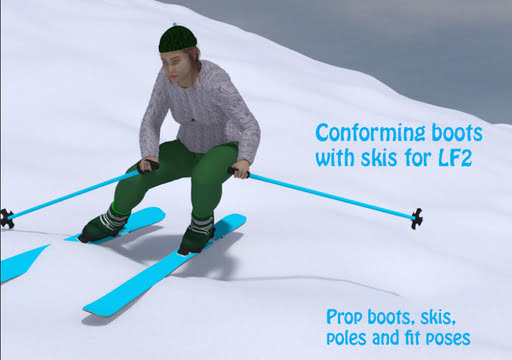
Free Ski Stuff for Poser.
Landscapes, seascapes and environment props:
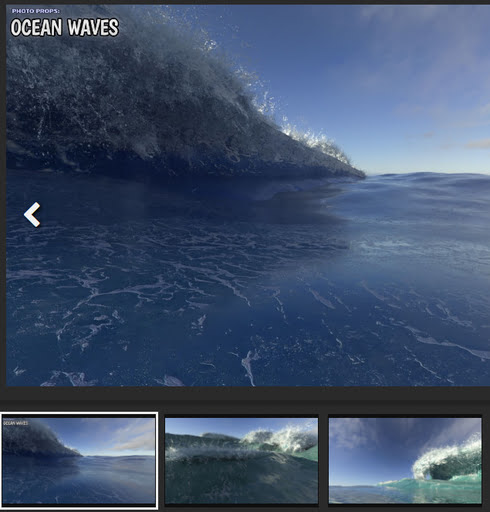
Photo Props: Rolling Waves for DAZ Studio.
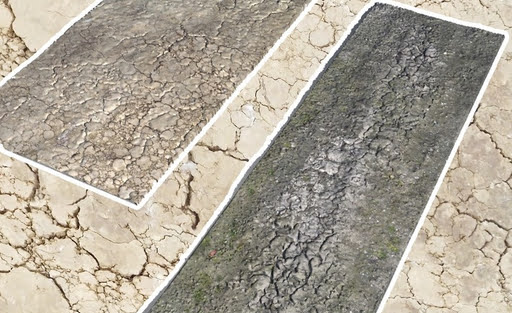
Free Cracked Soil strips for E-on Vue, with displacement.
Flinks Icicles, 60 different icicle props.
A realistic Winter in the Forest, a wide scene for DAZ containing a sparse pine forest with frozen pools.
Animals:
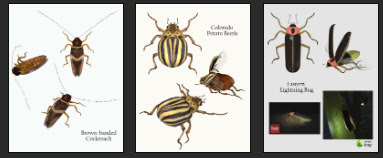
Nature’s Wonders Beetles of the World: Volume 2. Including cockroaches, Colorado potato beetles, and lightning bugs.
Free Dinosaur Equipment for Poser, with fits for some RP and DR dinosaurs.
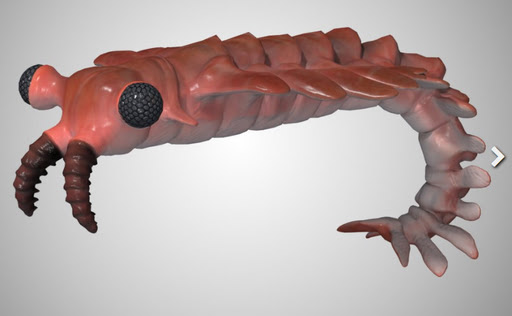
Prehistoric Anomalocaris for Poser, for underwater scenes set in ancient seas.
A modern GCJ Crayfish for DAZ Studio.
Historical:
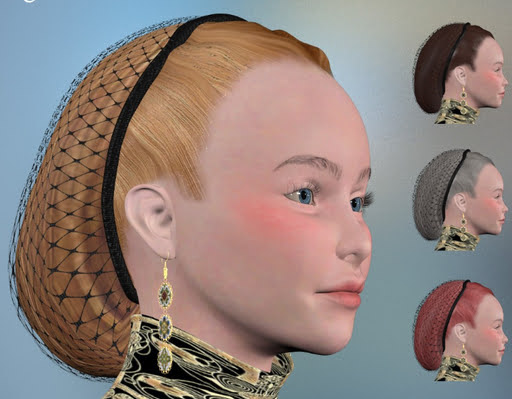
Poser Firefly Mats for Snood Hair, a mediaeval hairstyle.
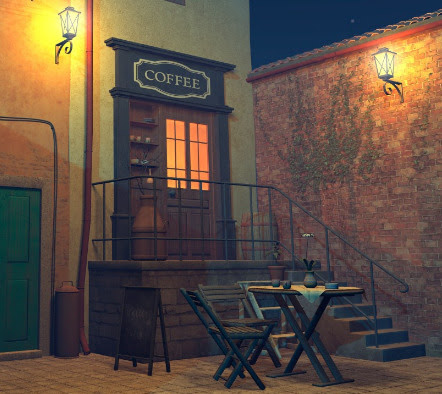
1971s’s Coffee Corner for Poser and also available for DAZ. Part of the scene might be adapted as an 18th century London coffee-house entrance.
Wild West Workshops 1 for DAZ. A big wide covered barn, perhaps also suitable for tinkering with Wright Brothers style flying-machines.
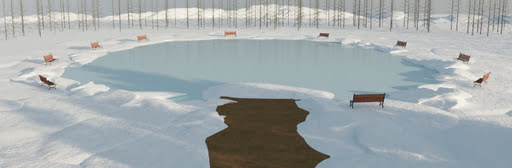
An outdoor Ice Skating Rink for DAZ, of the sort common in the Edwardian period.
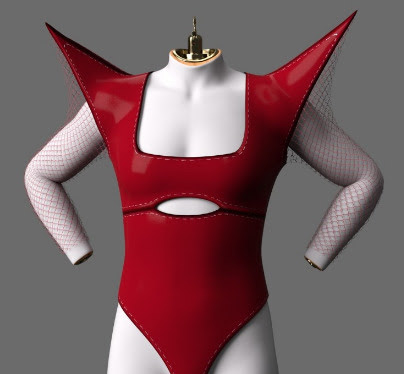
1930s sci-fi movie style Apex Noir Body suit for G9F.
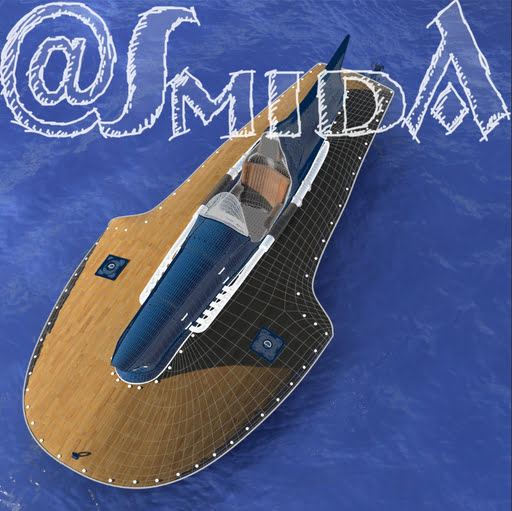
A free Statler Speedboat (part, of 5). A classic one-person speedboat that also looks retro-futuristic.
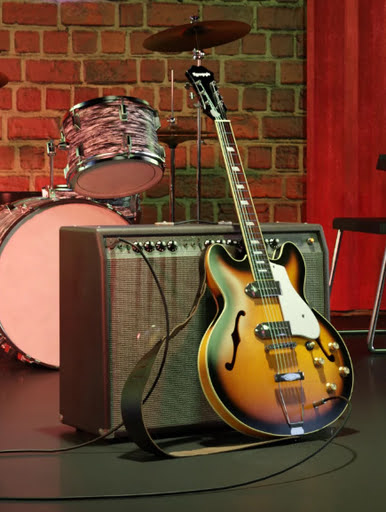
Vintage Guitar and Amp, 1960s Country Music style.
Scripts and other auto-helpers:
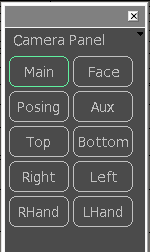
A new script to help with Poser camera management. Scroll down to the bottom of the thread for V3.
Visibility Helper for DAZ Studio.
DAZ Anilip 2 First Impressions video and Workflow Demonstration.
An update for the free G3/G8/G9 Pose Converter Plugin for DAZ Studio 4.2x.
Sighmoan1’s Colourchanger. Change the background colour of a batch of images with a simple Python script. Many uses, e.g. if your old greenscreen backdrop wasn’t quite compatable with a new greenscreen remover?
A paid Creative Pipeline Bundle. Apparently includes Blender to DAZ “Transfer custom characters, rigs, textures, and animations with perfect material fidelity”, and Photoshop .PSD to Blender. Expensive, but presumably aimed at character creators for the DAZ Store.
Blender 5.0 final is out, and among other things bumps up the ‘micropoly displacement’ in Cycles from experimental to official and also appears to have re-named it. Sadly 5.0 came out only about nine days before Poser 14, so apparently Poser’s newest Cycles doesn’t have this feature yet.
AI and similar helpers:
All free, as is the way with local AI.
ComfyUI 3D Index… “A curated index of 220+ ComfyUI nodes for 3D generation, processing, and visualization.” Last updated December 2025.
The new model Qwen Image Layered, for Img-to-PSD (layered). Automatic extraction of elements in a single image, to layers.

The latest InvokeAI now supports Z-Image Turbo. Invoke is the main competitor to ComfyUI, but hides the nodes and is more Photoshop-like.
Z-Image Turbo demos for some of the artistic styles that can simply be prompted for. Note also that Z-Image Turbo, fast though it is, can be more than doubled in speed with the Hunchaku 256 version (NVIDIA only). Nunchaku and other speed-ups are worth investigating, before you buy a new graphics-card — it may be that the 2X boost you want from the card can be had from free speed-ups.
My tests show the following SDXL LoRAs also work with SD 1.5: SDXL Syd Mead | SDXL Inkdrawing | Watercolour comic-book (Gabriel-Ba style) | and Scifi Fantasy Book Cover – SDXL (Peter Andrew Jones style).
Radeon graphics cards now have much better compatibility with ComfyUI. The new AMD ROCm 7.1.1 Preview driver is now officially supported by the very latest ComfyUI Desktop/Portable (v0.7.0), and workarounds like Zluda are no longer needed. This may be important for some because the 24Gb Radeon cards (especially important for video generation and use of large LLMs) are significantly more affordable than NVIDIA.
Houdini 21 is out, and there’s a Houdini ComfyUI bridge 0.5 (Jan 2026) to use ComfyUI image generation within the pro-level Houdini software.
ComfyUI-NAG restores your negative prompts for fast / turbo / DMD models that require CFG 1.0 (and thus don’t ordinarily allow negative prompting).
Liveportrait lets you adjust eye-gaze direction in any image. Especially useful for comics.
In audio, the new TTS Chatterbox Turbo in ComfyUI, with batch. Chatterbox produces high-quality AI voices, based on voices you supply as reference .WAV files. There’s also Stable Audio with batch, for making sound FX files from text prompts.
That’s for now!
In mid 2026: QuadSpinner’s Gaea 3.0
Details of QuadSpinner’s Gaea 3.0, for professional 3D landscape generation. “Your terrains are no longer restricted to a single square. You can craft worlds that encompass huge regions where you can zoom out, move around, and fully explore the world you’re creating.”
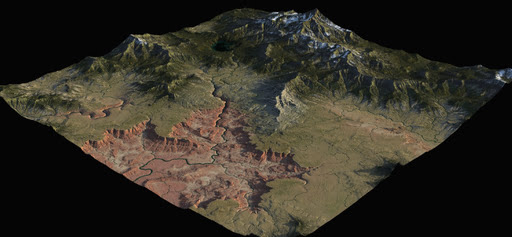
Sand, snow and river simulations. Vector tools. Ecosystem tools. New renderer tailored to terrain rendering. And more. Set for release in “mid-2026”.
“Make the cat consistently purple” – initial thoughts on automated batch colour-change across multiple images
I’m still looking at ways of perfecting the comic-book production workflow. One of the remaining problems is how to enforce consistent colours from frame-to-frame and page-to-page. Easy with Poser renders. But one of the problems in generating AI images from Poser renders may be that colours do not remain consistent across many images.
I just had an initial look around, and Sighmoan1’s simple Colourchanger Python script seems to be a simple local approach to what’s needed. He uses Python’s built in PIL image-processing suite of tools, and supplies a straightforward script.
This script can batch processes an image-set, replacing a specified colour with a new colour. With the useful option to add some wiggle-room via an additional setting for… “Threshold distance for colour similarity (default: 50)”.
Not so useful if you have a range of similar colours (e.g. browns) in images destined for a comic-book. But possibly useful for forcing consistency on one unique colour? e.g. if your sci-fi character’s alien cat should always be a certain shade of purple. A more common example might be enforcing a standard blue sky colour in a scene that stretches across many comic panels.
Creating multiple sound FX with ComfyUI and Stable Audio Open
Here’s my ComfyUI workflow to have Stable Audio Open 1.0 auto-generate a batch of sound FX from a list of your text prompts. It’s an extension of my previous workflow which also had instructions about where to download/place the required models.
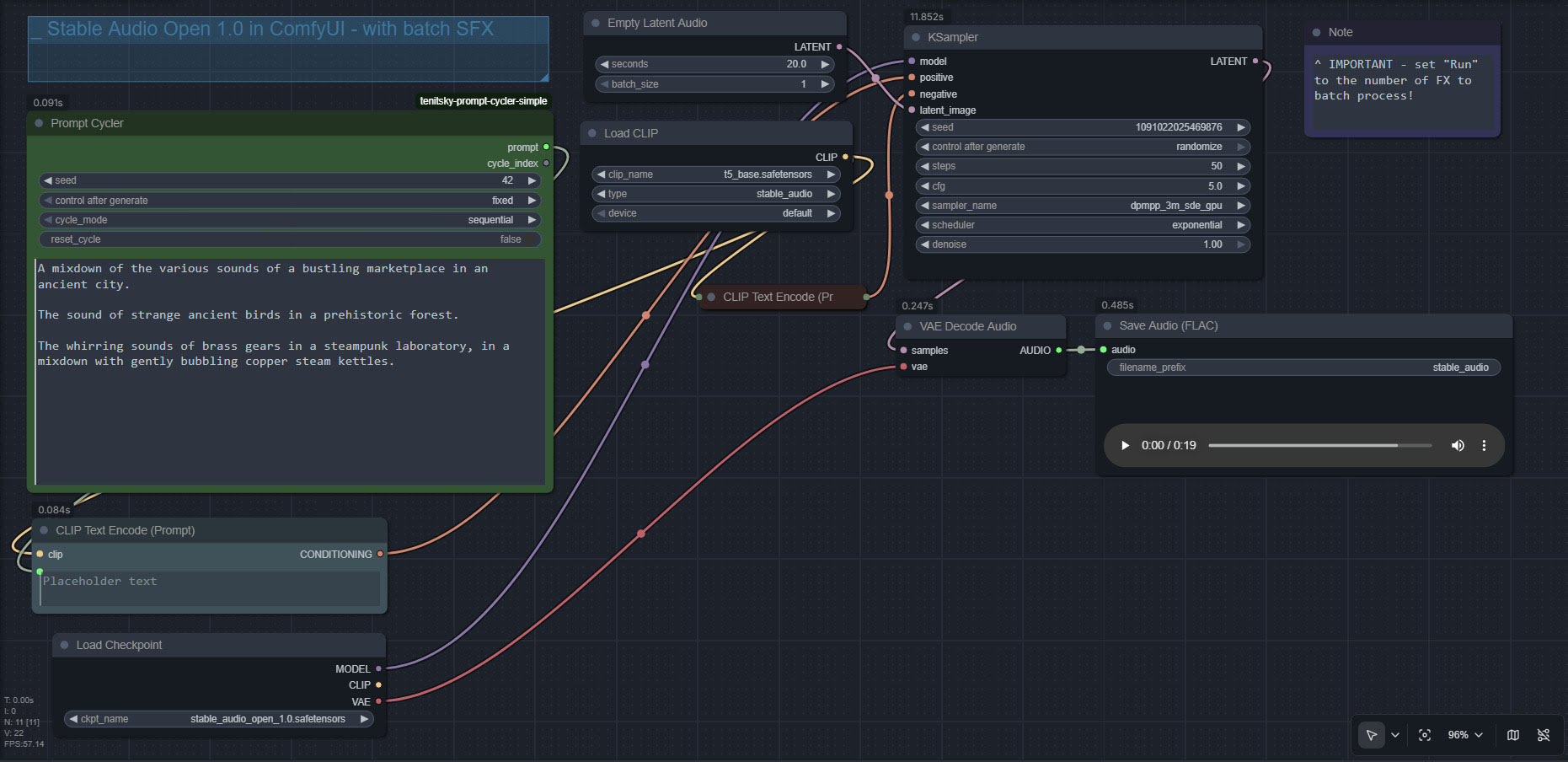
You can also just repeat the same six prompt six or more times, and thus output many variants to choose the best from. The fast speed of Stable Audio Open is such that even ten outputs should take only a minute.
To create a soundscape from/for a long text, try this prompt with Gemma 3 12b AI…
Fully and carefully examine the following text, seeking descriptive words or lines in it that could inspire the production of short audio sound-effects. Then output a list of these potential sound-effects.
Text:
[Add your text here]
This will give you a descriptive list of likely audio FX, that can then be formed into a set of prompts for use with my batch workflow.
ComfyUI now has Chatterbox Turbo support
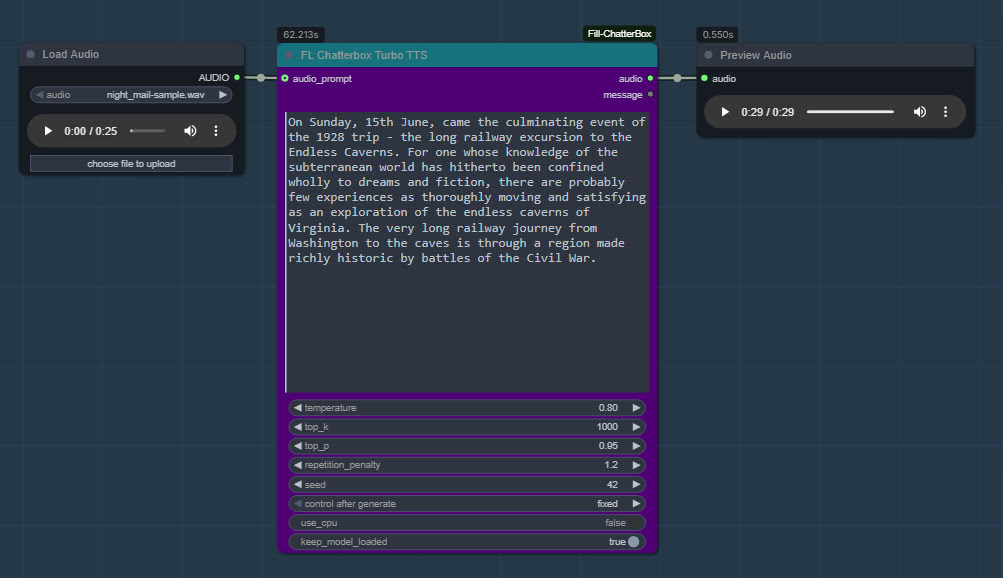
ComfyUI now has Chatterbox Turbo support, in the form of the latest ComfyUI_Fill-ChatterBox custom nodes, aka FL ChatterBox. Made by Fillip Isgro of the USA. With his nodes, note that manual install of the models is possible if required.
The new Chatterbox Turbo offers free fast quality text-to-speech, and happily runs on lower-end PCs. Turbo also newly supports tags for certain vocal noises, and for speech styles…
[chuckle] [clear throat] [cough] [gasp] [laugh] [shush] [sigh] [sniff]
[advertisement] [angry] [crying] [dramatic] [fear] [happy] [narration] [sarcastic] [surprised] [whispering]
It doesn’t support SAPI5 SSML tags.
With Turbo it takes me approx. 60 seconds generation for 30 seconds of speech, on an NVIDIA 3060 12Gb. The limit seems to be 30 seconds, and if you do more than that the audio may skip at the end.
Install and use:
1. Do the usual keyboard bashing to install a ComfyUI Custom Node on Windows. CMD, GIT clone, and then install the Python requirements (to the ComfyUI Portable Python install, if that’s in use).
2. The Turbo models are found here for manual download: https://huggingface.co/ResembleAI/chatterbox-turbo/tree/main and you need to download all three of the large files, as well as the smaller ones.
3. Then copy all the downloaded models and associated files to the Windows folder ..\ComfyUI\models\chatterbox\chatterbox_turbo which is where ComfyUI_Fill-ChatterBox expects to find them.
4. Get ComfyUI_Fill-ChatterBox’s sample .JSON workflow from here and load it in ComfyUI. You’ll see you have a new node for running Turbo, offering much the same adjustable parameters as the regular Chatterbox.
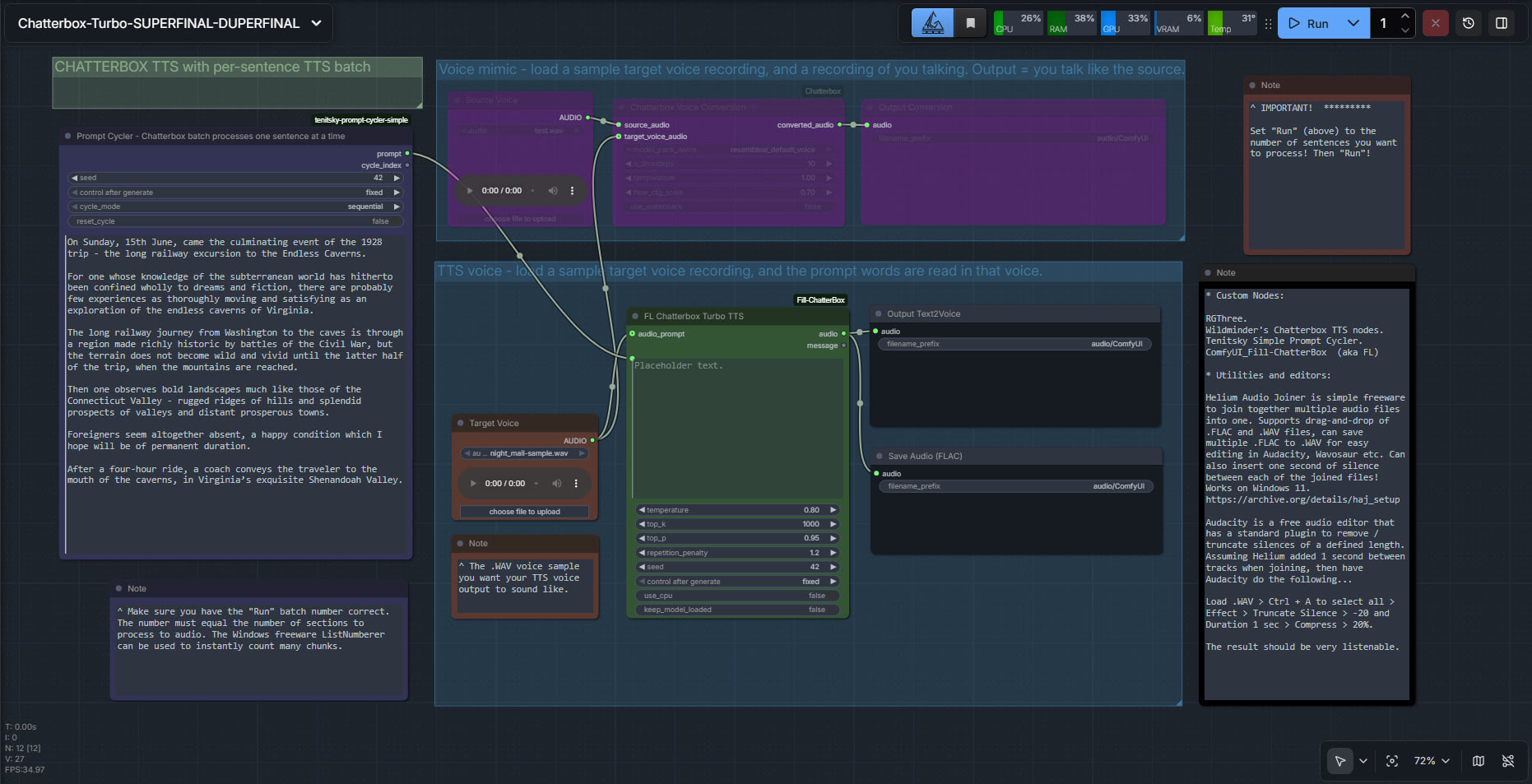
My batch workflow is supported, which also enables pausing via two bits of freeware…
Contest: Design for Space Urbanism
The Aurelia Institute has launched the $20,000 Aurelia Prize in Design for Space Urbanism seeking ‘bold and creative” best space base, moonbase, Martian colony, or other space-based human settlement. Deadline: 30th January 2026. 3D and AI acceptable, but you have to specify exactly what was done.
Chatterbox batch in ComfyUI, final workflow
Chatterbox TTS batch in ComfyUI, my final workflow with the problems of i) silence addition/truncation and ii) the chunking/batch processing both solved.
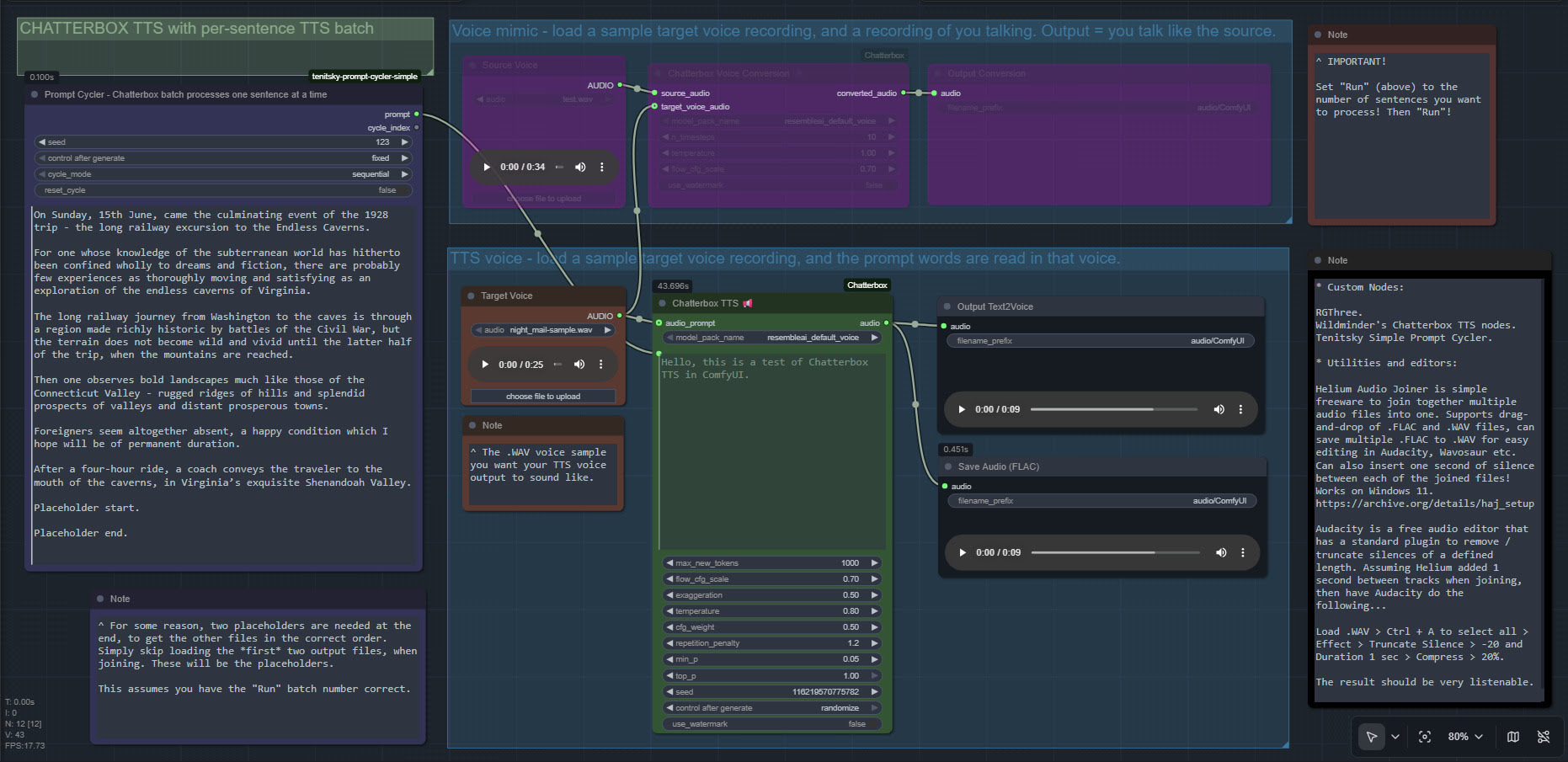
The freeware List Numberer can also be used to count the lines of input, so you know what number to input into “Run”.