In 1997… this was “realistic rendering” 😉

This was the cover of the UK’s leading digital arts print magazine, Computer Arts.

In 1997… this was “realistic rendering” 😉
This was the cover of the UK’s leading digital arts print magazine, Computer Arts.
DAZ has today announced that “Generation 3” selected items at the DAZ Store will now fit to their Genesis base figure in DAZ Studio 4 Pro…
333 packs of the Gen3 items are currently on heavy discount at the Store, and these discounted packs include: the Millenium Beard Bundle; the Creature Creation Bundle, the Muscle Maps packs; Heroset for the Freak (superheroes), the Micheal 3 morph packs, the lovely Wild Hunt: Wildenlander for Michael 3; the Girl; and Aiko 3.
This blog now has a single port of call, a new fixed page that collects links to all my themed surveys of Poser and DAZ 3D content.
Update: now overtaken by the Everything freeware.
Poser’s search-by-keyword feature is incredibly useful. But sometimes it shows you a prop that doesn’t have a clickable route back to its folder. That can be frustrating. For instance, you can only remember the name of a prop (cupping glass, from a Wild West doctor’s pack), but want to remember the name of the pack it comes with (Bad Medicine). The prop is sitting there in your search-results, but with no way to get back to its parent folder.
So, is there a better way to search your multi-Gb of runtime? Yes, and it’s free and simple to use. It’s also faster than Poser at search. Agent Ransack to the rescue. This software is a free lite version of a larger professional file search tool called FileLocator Pro. But the Lite version works reliably for simple tasks and is quite fast. It’s completely free, and free of ads or time-bombing. It’s a much lighter and nippier solution than launching the lumbering Google Desktop service, or having Windows File Indexing constantly grinding away in the background.
Once Agent Ransack is installed, simply paste your runtime path into its “Look in:” box (this is remembered each time you launch Agent Ransack), and ensure ‘Subfolders’ is ticked. Then pop a single search word in the “File name:” box and off it goes. Agent Ransack is quick compared to un-indexed Windows Search.
Unfortunately there’s no nice visual thumbnail previews like you see in Windows Explorer, otherwise it would be a perfect content library search-tool. I guess it’s so fast because it ignores all of that.
But once you have your list of results you can highlight the file you think you want, right-click on it and choose ‘Explore Here’…

Steampunk weapons and guns:
This is the concluding part of my survey of the best in steampunk
Rifles, big guns, and machine-guns:
Your first stop might be the excellent Steam Rifle Ultimate Construction Kit for Poser and DAZ…

Also very cool is this fab Steampunk Solar Lazer Rifle which could also double-up as a “camera gun” for a steampunk spy…

Need a big gun, but not too big? SteamPunk BFG fits the niche between hand-gun and eccentrically oversized…

Rapid fire devices are covered by this Steam Dragon steampunk machine-gun…

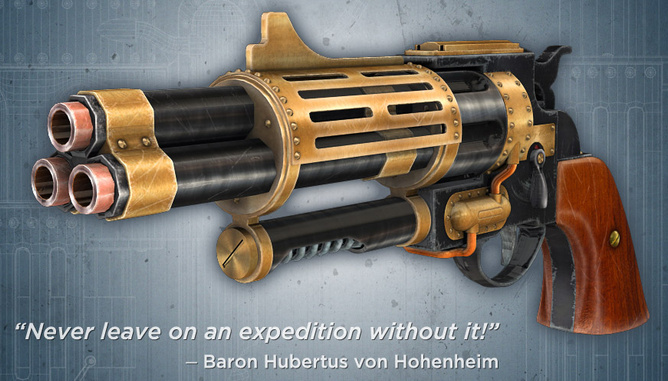
Something much more pocketable is this excellent Steampunk revolver…
Grenades:
This SteamPunk Lantern, shown here with Doctor Pitterbill, might also be used as an airship gas grenade or finale monster-destroyer device…

There are more traditional grenades and mines in SteamPunk Grenades…

Rayguns:
There are a variety of rayguns around. Here are some of those that are more 1800s aether-powered than 1920s Flash Gordon…

The Weta Industries Raygun is also nice, though you’ll need to convert it from SketchUp. If you have iClone, my free conversion of this gun here.
Duelling and medical care:
For the purist, there’s a free 19th Century Dueling Pistol Set…

And after the duel, to patch up any wounds, there’s this lovely…

Warning of air attack:
Electranaut’s Steampunk PC for Poser might be adapted to be a sort of proto-radar…

You could also have a enhanced-human “enemy airship spotter” with these Steampunk Implants for Poser, currently a steal at only $5…

Wands:
Blending magical fantasy with your steampunk world? Try this wand…

There’s also a matching Staff.
TNT:
The Explosives Pack is very modern, but one prop is this dynamite, which would have its modern timer removed…

There’s also a free but untextured set of dynamite sticks for Blender.
Unusual Battle Transport:
Look at this SteamPunk Flying Broom; the Steam Razor Monocycle; and the Steampunk Stilts.
Cannons:
Wheeled cannons can be found in plenty on the Google 3D Warehouse, for free.
Rosa, a film made Jesus Orellan. Filmed with DAZ Studio, models made in Blender…
ROSA from Jesús Orellana on Vimeo.
 Posted in 3D Utilities, Carrara, Companion software, DAZ Studio, Poser, SketchUp
Leave a comment
Posted in 3D Utilities, Carrara, Companion software, DAZ Studio, Poser, SketchUp
Leave a comment
I’m pleased to say that I’m now offering a 3D models conversion service. DAZ or Poser to iClone, or visa versa. Or tricky conversions from Maya, 3DS Max, or other formats. Very reasonable rates, payment accepted via PayPal. Visit the page for more information.
Any new scene pack from Stonemason is guaranteed success. The latest such is the just-released “stand-alone 360 degree environment” called Return To The Enchanted Forest, which is now on the DAZ Store for DAZ Studio and Poser. It looks like a darker and moodier version of his existing Enchanted Forest pack. Perfect for dark fairy-tales…

Official news that Otoy has purchased the makers of the Octane renderer. They’re planning to take it to the Cloud as a cloud-rendering service for users of DAZ Studio. I’m not sure if that might involve withdrawing the $99 standalone from the market, but if you want to be sure to have the standalone, then now might be the time to purchase it.
My Survey of 3D assets for Space Art for users of Poser 9 / Poser Pro 2014 / and DAZ Studio.
Part One: planets and planet surfaces.
1. Planetary bodies:
Landing Zone’s Mophing Terrains will quite easily get you a unique rugged planetoid or moon, although it’s showing its age and the textures look a little soupy today…
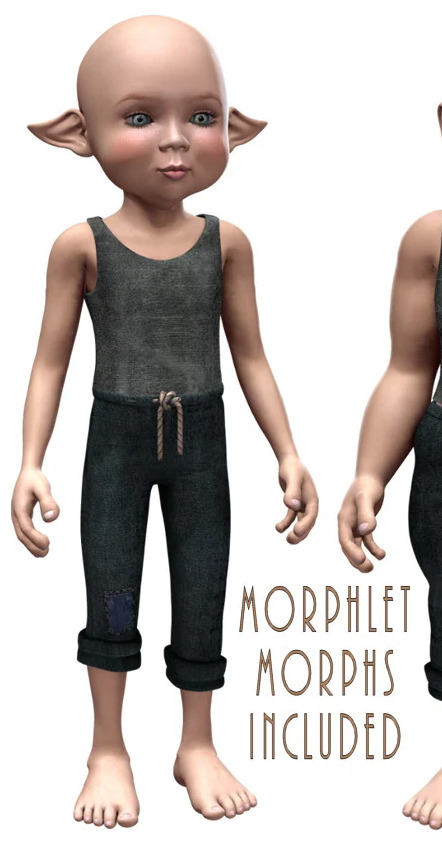
One could, with a few tweaks and a new sky, double for Mars or Tatooine or similar…

Planet X for Poser. Spheres specially UV mapped for the various planet textures available for free…
“Textures are no problem for this model. UV mapped to accommodate the wealth of 2:1 textures available from the likes of NASA, content providers, and enthusiasts across the web, a simple search will begin to yield a galaxy of planets”
You can find a really nice 2:1 texture set for alien planets via MyClone…

Planet Suite for Poser (doesn’t work in DAZ)…
“is a collection of medium and high polygon 3D planets and celestial bodies. There is an Earth-like layered planet with separate surface, clouds and atmosphere, a sun, a moon, a generic planet with no atmosphere, a ringed planet, an asteroid, an asteroid field and a star field.The planets are surfaced entirely with Poser’s shader nodes so they can be rendered at virtually any size, without fear of pixellation.”

Over on the DAZ Store, there’s the ‘Strange Worlds: Planet Pack’…

Lucky DAZ Carrara users have the Home Planet pack…

2. Photoshop plugins:
Photoshop users can make their own 2D backdrops for Poser and DAZ by using the Gitterator starfield and nebulae plugin, and the LunarCell planet making plugin. SolarCell can also make flare effects, as can Star Spikes. And if you need quick efficient water, they also have Flood.

3. Space Panorama Systems:
The DAZ Store has The Heart of Space, and Heart of Space 2: Nebulas, both addon packs for the Millennium Environment pack. Although the ME pack backdrops have started to look increasingly low-res as the years have gone by, and possibly these Space packs have suffered the same fate? Please comment if you know different.
4. Special Effects:
Space Explosions for Poser is a set of animated explosions.
5. Atmospheres:
Horizons with the Atmospheres Pack…

“Bring your Poser spacecraft into close orbit around strange new worlds, with the Horizons morphing scenery pack. Horizons is a terrain set complete with morphing water, clouds and land layers, as well as two separate cloud and land figures to allow you to create different effects by merging using extra layers. With morphs to curve it into a planetary horizon and seven different terrain morphs, you can achieve a wide range of scenes with as much or as little horizon curve as you need.”
There’s also a special SF version of Atmospheres/Weird Weather…

Spaceport scenes and the like would benefit from Fog Tool Deluxe III for DAZ and Poser, which is available on the DAZ Store…

There’s a quick tutorial for Fog Tool Deluxe here. And a Poser Pro free materials upgrade for Fog Tool.
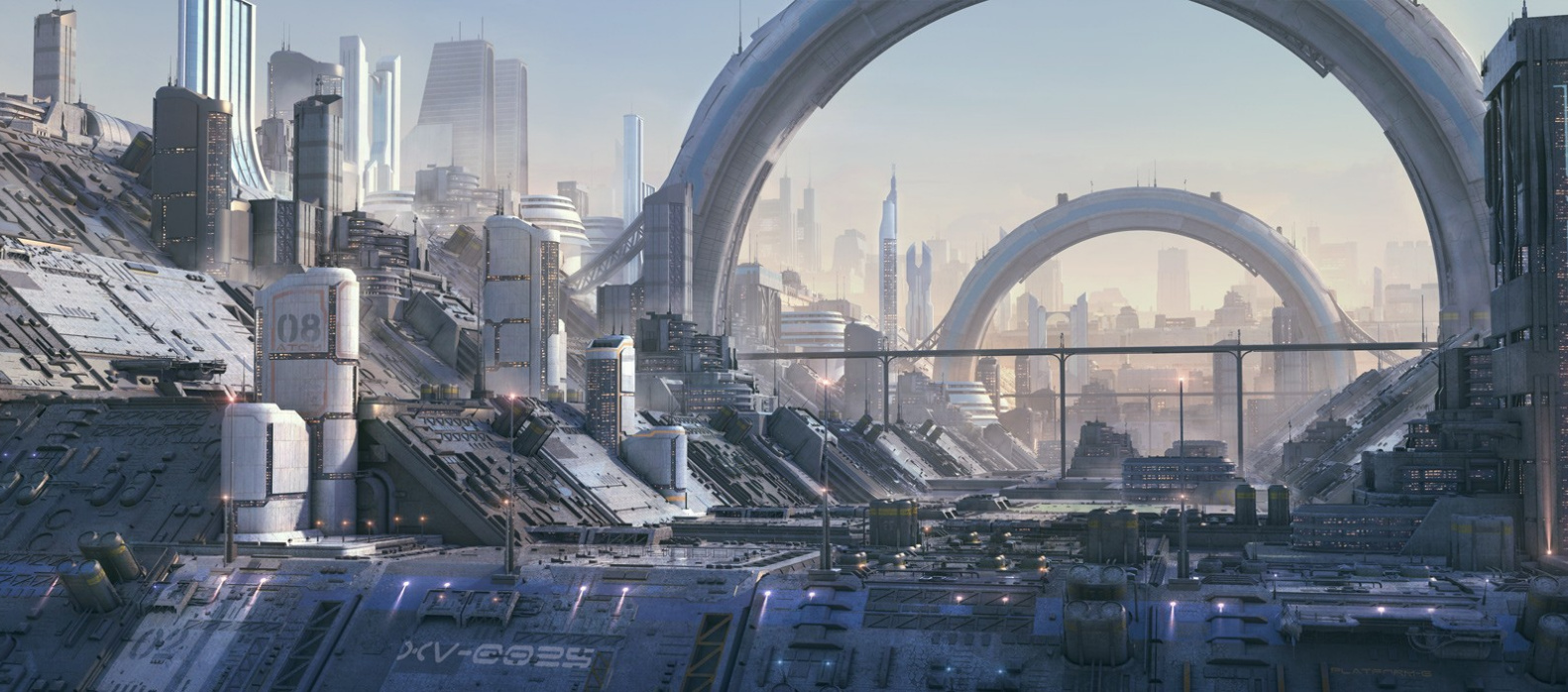
There’s also a useful short volumetric “light cone” tutorial for Poser, at 3D Artist, perhaps useful for Sparth-like spaceport scenes…

Spaceport scenes could also benefit from the use of various greebles packs, intended for use in the middle and far distance, of which Stonemason’s is perhaps the best known…
Two days to go until the deadline for the LuxRender competition…
“1st place will receive a free license to the Reality exporter for Daz Studio.”
Reality is currently in version 2.1 (DS 4 only), costs $60, and renders out to the external open source LuxRender.
Number three in this series is… my close frottage of some of the more striking steampunk
Victoria 4:
The core DAZ/Poser female outfit is Lady LittleFox’s SteamPunk for V4, of which there are now also many retexture variants available. This being one of the subtlest and less gaudy…

You can also buy the same Accessories for V4 seperately and at less cost.
The other major V4 steampunk outfit is (or was) Acherontia Finery and its Apteromata Flight addon…
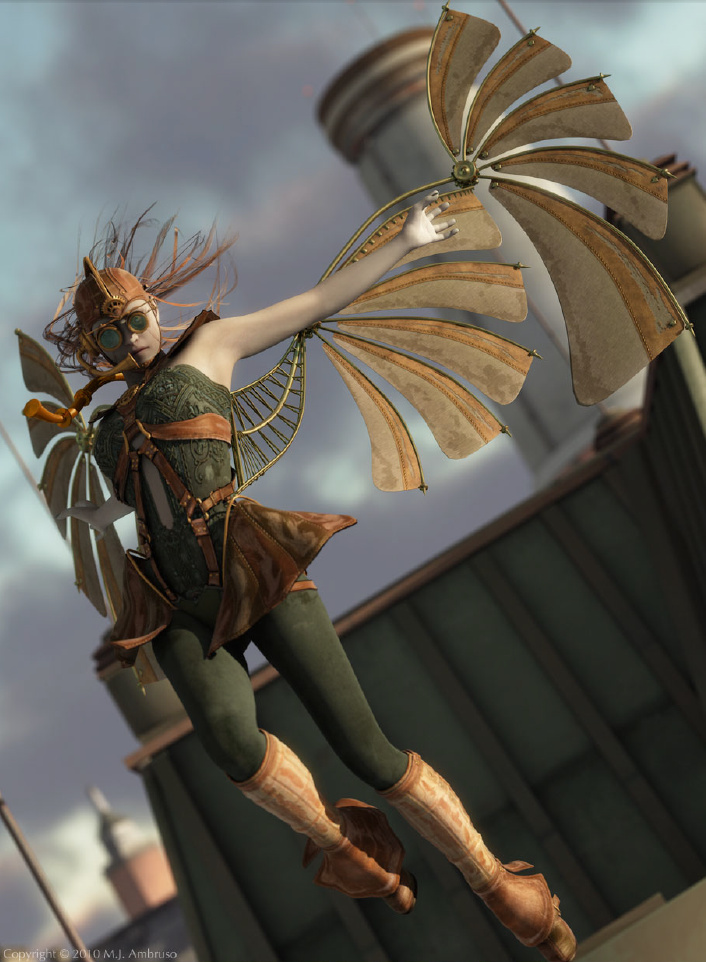

Sadly, though, both these appear to have been withdrawn from sale recently (they were available until a few months ago).
Less fantastical Victorian-era daywear can also be had for V4, in various forms, although not a great deal.
Rather unusual, and worth noting, is this V4 Mechanica No.5 mechanical doll… Was at RuntimeDNA, now appears to be lost.
Micheal 4:
Sadly I really couldn’t find anything I’d really want to use on Micheal 4. Perhaps Poser/DAZ users are meant to be satisfied with a Vicky-only lesbian adventure…
The best I’ve found is EF-Steampunk for M4, although it’s a little too “Wild West” for my purist English tastes.
There’s also this awesome Steam Powered Armor for Michael 4… Was at RuntimeDNA, now appears to be lost.

And the Space Defenders: Commander for M4 suit could double up, with some retexturing, as an Imperial airship commander’s uniform…

Micheal 3:
Possibly Micheal 4’s neo-Victorian wardrobe is so lacking because the market was saturated for M3 — there’s a fine variety of older M3 Victorian clothes to be found by searching the DAZ Store for “19th Century”…

David:
The Edwardian Casual Suit for David 3 had this rather nice working-class addon, “J. Buckley”…

Dr. Pitterbill:

Pitterbill also has a couple of “Han Solo -style” steampunk outfits from Jonnte, although these seem more Wild West than English Victorian.
More exciting is this SteamPunk Scientist hat…

Plain OBJ or Poser-only personal props:
Hat Set Steampunk gives the standard base for a helmet and goggles, on which one can build.

There are also various types of more elaborate goggles available, to which you can fit your own oculars (some come with such attachments) such as these…

Steampunk Armor for Poser also looks rather cool for a Time Traveller -style inventor character…

The DAZ Store has a nice Steampunk Explorer mask for entering the sewers and the like….

And Jonnte has a SteamPunk Protective Mask, although it needs to be severely dirtied up…

That’s it. I might have a look at weapons for the next installment.
A new 10 minute video tutorial from DutchWorkingMan, showing how he uses Poser and Anime Studio Pro to get a believable cartoon cel-shaded look on a character.
Tschai‘s new tutorial for using Depth of Field for face portraits in DAZ Studio 3. It aims to…
“prevent the awful “fuzzy” effect in the ‘Out Of Focus’ zones of the image”
Posted in Carrara, Competitions, DAZ Studio, Poser, Spotted in the News, The Animation Industry
Leave a comment
The 2012 CG Student Awards are now open. Entrants worldwide are invited to compete for $100,000 in prizes. You have to be on, or a recent graduate from, an accredited course at a college or university.

