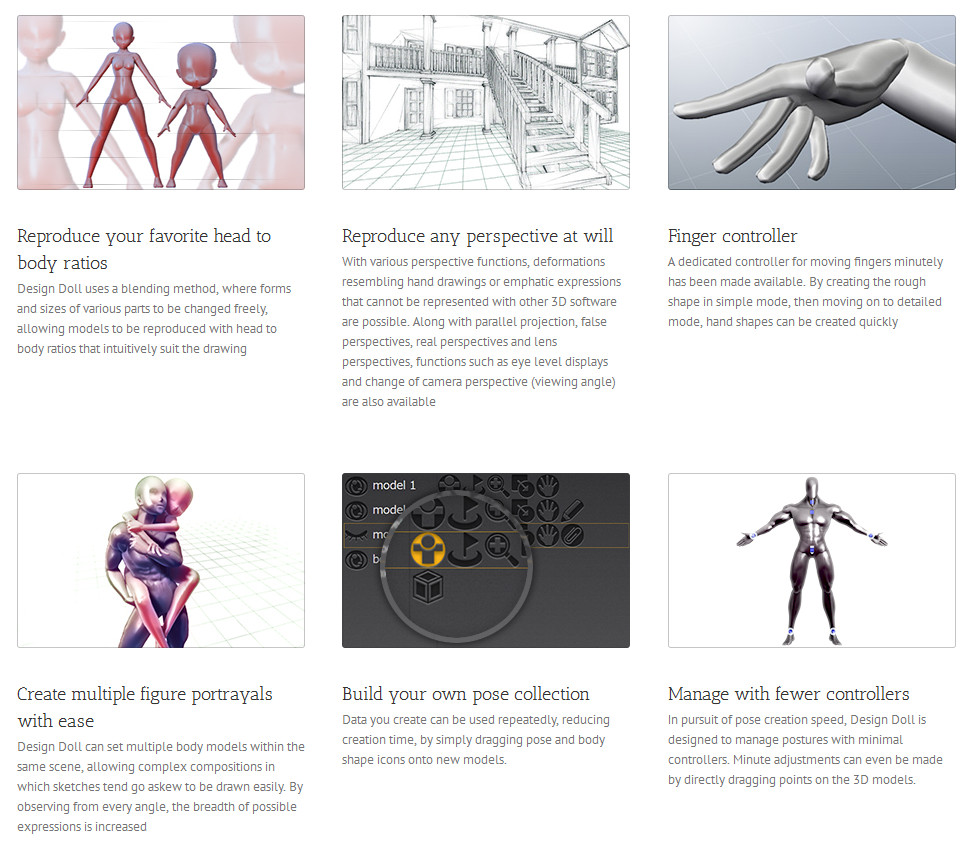
The Reallusion blog has all the details on their just-released $1000 Faceware Realtime system, for accurate real-time markerless facial animation in iClone…
Category Archives: The Animation Industry
Eevee, real-time rendering for Blender
An interesting demo of the forthcoming Eevee real-time viewport in Blender, albeit using a powerful $800 GeForce GTX 1080 Ti graphics card.
Is it an iClone-killer? No, not yet. iClone runs on a lot less horsepower and it still has an easier user interface than Blender (even after the horrible/sluggish user interface introduced in iClone 6). On the other hand, Blender is free, and liable to optimise and speed up popular features reasonably rapidly.
The Future: Blender 2.8 (current is 2.79) suggests Eevee is based on OpenGL and should be here in stable form in 2018….
“Blender 2.8 brings the minimum OpenGL version to 3.3, with even newer features for compatible hardware. The main use of this technology is Blender’s new real-time render engine: Eevee.”
However 2.8 is actually available to test now, as the 2.8 dev build of Blender, if you want to give it a try at your own risk. The mouse demo .blend file is here.
Apparently those with less-than-uber PCs might benefit from tweaking settings. Go to: the top menu | File | User Preferences | System -> openGL depth picking checked, and set this to use openGL Occlusion Queries.
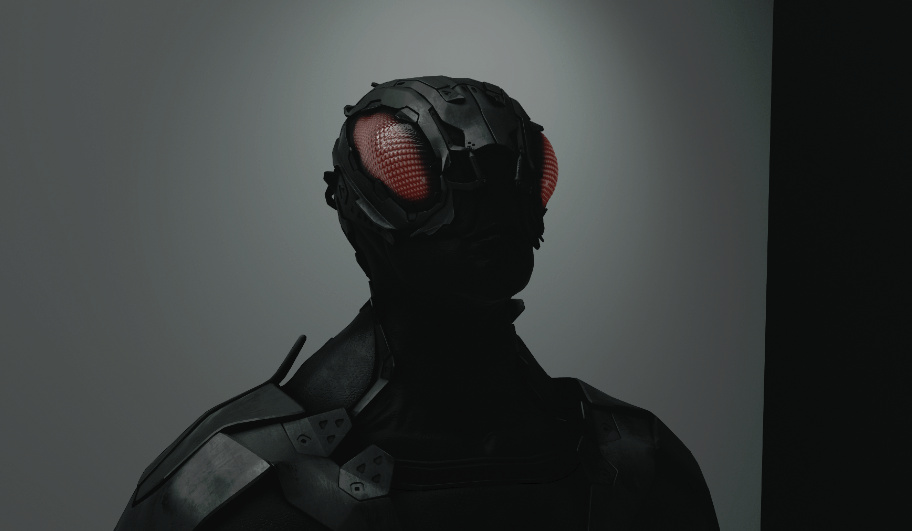
I was able to get a real-time view with Emiliano Colantoni’s Wasp Bot demo, and a pleasingly large one. Though it took about 40 seconds for the lighting highlights to kick in on top of the partly lit model.
However the output render was not WYSIWYG (what you see is what you get). I had expected that an OpenGL render would get you a speedy render of the scene exactly as seen in real-time, just like iClone. But no.
1) Viewport, lit. Size on screen something like 1200px.
2. OpenGL render from the same active viewport. About 40 seconds for 2000px.
Ugh. Not the same. Nor did switching back to the default OpenGL settings help matters, or ticking various boxes in the OpenGL render dialogue. Oh well, maybe Eevee will become WYSIWYG by the time of the final Blender 2.8. But at present it seems to be just another nice-to-have big preview window, and not an actual real-time render production tool like iClone.
Muvizu caged
Sad to hear that the firm behind real-time 3D toon software Muvizu has entered administration…
“Digimania, the Glasgow-based animation software company, went into administration on April 18th 2017, making 14 people redundant.”
It had rather dropped of my radar, but it’s good to hear that the users have set up a Anizu as an alternative hub. They host the free trial. Apparently there’s no way to activate to the full latest version software after a fresh install, and old users moving computers need to make sure they copy over the old…
“file called playplus.lic found in C:\Program Files\Muvizu Play\MuvizuGame\Licence “
Anizu also has a copy of the last of the 2013 version free-trial in 64-bit, before a lot of features were locked down. I’m fairly sure that version was not time-limited, just slightly crippled. So that’s a good option for making short YouTube videos, until the new owner gets up and running and restores license sales for the latest version.
Apparently there was a purchase by a Chinese company “2017-09-10” and…
“According to Neil, a former Muvizu developer, the new owners plan to use the existing licensing system and hope to restore all existing Muvizu:Play+ licences.”
Threadripper tested with 3D
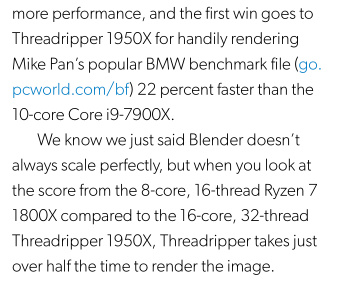
The latest PC World magazine (September 2017) takes the new $1000 AMD Ryzen Threadripper CPU (1950X Zen) and slaps it on the lab bench. Including a stress test with Blender…
“Half the time to render the image”. They also tested POV-ray, and Corona running under 3DS Max, finding a 21% speed advantage when rendering…
Nice, though possibly many hobbyists will be using affordable pay-as-you-go online render farms fairly soon, where you don’t mind if your 5000px precious takes a few days to come back to you — just so long as the rendering isn’t burning up your CPU for a week. Although I guess we’ll always have to factor in those who, for privacy reasons, don’t want their mega-boobies ‘Wonder Woman vs. Cucumber Man’ renders to pass through a render farm.
However, for smaller studios doing “must have it yesterday” client work Threadripper’s affordable under-the-desk speed is going to be very tempting. Especially to add to a network setup. Intel isn’t really a viable alternative, as they’ve compromised security to get their current speed.
Note that it only scores such amazing performance when software uses more than a single thread. Thus not much use in speeding up image editors. But beefy multi-threaded software should see big performance gains…
“Threadripper 1950X outpaced all comers by significant margins. It simply destroys any 8-core CPU and makes you question how the 10-core Core i9-7900X can dare to be priced the same as the Threadripper 1950X. [Why buy it at $1,000? Not really for gaming.] You buy a 16-core CPU for work. Real work. Real work means modelling, encoding, and doing five things simultaneously, because it’s work. For that, Threadripper 1950X is an incredible breakthrough in performance and cost. Just four years ago, consumers paid $1,000 to get a 6-core CPU. Today, the same $1,000 gets you 16 cores. That’s something to be applauded loudly by anyone who cares about performance.”
Excellent. Hopefully by the time of my circa 2020 next-PC mid-range purchase, one of these uber-beasts will be in the slot. Presumably by that time there will also have been improvements in memory, motherboards, onboard GPUs and suchlike as well.
Pixelplow render-farm now supports Vue 2016 R2
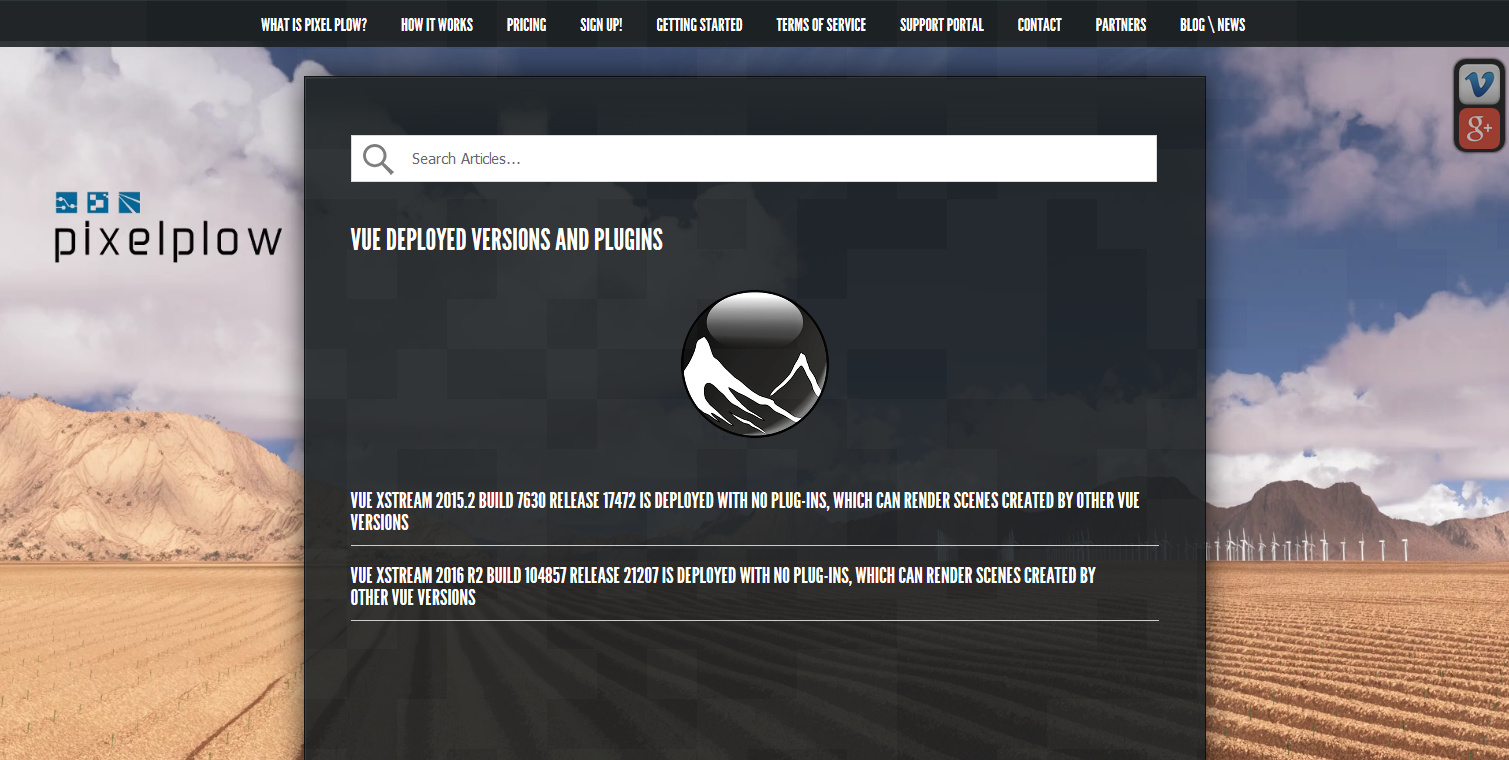
According to their 20th June 2017 News posting, the popular online render-farm Pixelplow now supports scene files from Vue xStream 2016 R2, which can of course also render files created by the lesser versions of Vue 2016…
Their Vue job upload guidelines are here. By my calculations, it should cost a little under $1 to do a single-frame final scene render that would take 8-10 hours overnight on a modern home PC (Vue is CPU dependent, seeing no benefit from a graphics card on final renders).
Pixelplow also have a polished new Agent software, for uploading and job management…
“The new agent gets rid of the sometimes-confusing agent menu, and instead centralizes all tasks in a tabbed window.”
Those with slow broadband upload speeds might need to factor in an hour to upload the final scene file, which could easily weigh in at from 150Mb to 600Mb or even more. So far as I can tell the new Agent software does not include a bandwidth limiter feature. In which case slow broadband users would need to use NetLimiter 4 ($’s) to cap the Agent’s upload speed, and thus enable you to surf the Web while also uploading. (At summer 2017 there’s no genuine Windows freeware that can throttle uploads, I’ve looked).
The tight integration of Poser 11 with Vue 2016 basically means that Poser has pay-as-you-fo render-farm support from Pixelplow. Pixelplow only supports Vue on a single CPU for still renders, though. I assume that means a fast quad-core CPU, giving four-core rendering.
Pixelplow is the only service I can find that’s pay-as-you-go, and with just a $10 deposit down, and affordable per-render prices too. If you do 30 big scene renders a year, at $3 each (two small tests and a big 4000px final) would give you change from $100 a year. Admittedly, that cost might be higher if you wanted 300dpi and 6000px and most of the quality settings at Max. on all your final renders. In which case you might also have to wait a while for such renders to finish, even with a professional render farm pounding away at them.
Update: two other render farms considered.
Blender-heads may also be interested that their 29th June News posting states…
“… we hope to start working through any issues that exist with our GPU farm by releasing support for Blender Cycles GPU rendering. It’s available now to all customers, if you want to take it for a spin.”
fClone – easy facial motion capture for a .pz2 output
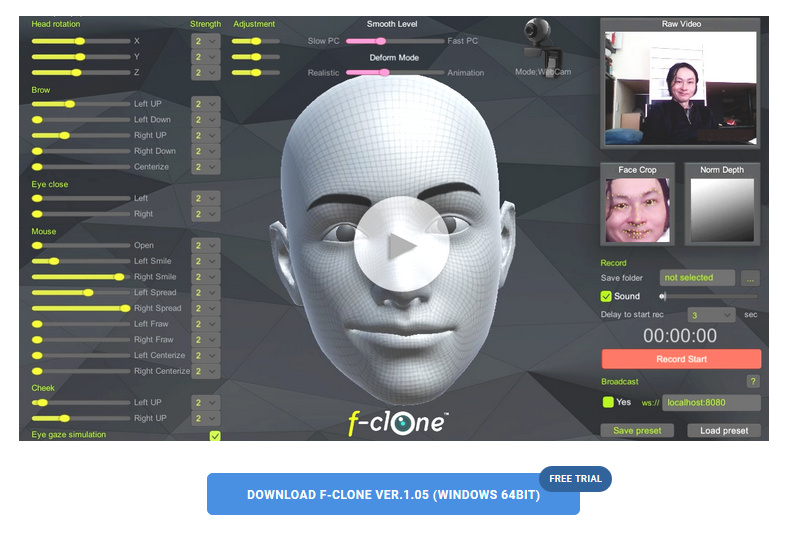
fClone is a new facial motion-capture software that works via a webcam, and can output to Poser’s .pz2 format for use in Poser and DAZ Studio. It’s a little fresh in terms of its versioning, but it’s now in a 1.05 bugfix version.
There’s a free trial available, then it’s $199 for the Standard version, or $50 if you just want to ‘rent’ it for a month of gurning and grinning production work. I’m guessing that $199 price is probably about on a par with iClone’s more mature desktop mo-cap offerings, though I haven’t looked at those or their pricing for a while.
As far as I can tell, the software has nothing to do with iClone or Reallusion, despite the similar name.
CrazyTalk Animator 2 SE
The July 2017 PC Pro magazine (UK), the leading PC user magazine, has a free copy of CrazyTalk Animator 2 SE. As far as I can tell from the features grid, it’s the same as CTA 2 Standard except you can’t output high-res frames. CTA is currently at version 3.1.
CTA is an excellent intro to 2D animation, and especially so for bright kids, without all the hang-ups of pro-level animation software. Even less able kids could use it, to make static comic-strips for the Web — for which you don’t need high-res output.
CrazyTalk Animator 3.1
The excellent 2D animation software CrazyTalk Animator is now shipping the promised .PSD Photoshop templates with the $299 CrazyTalk Animator Pipeline version 3.1 (not to be confused with 3.01). This is from Reallusion, and so the new templates are very clearly documented.
This relatively-simple software also looks increasingly useful for re-posing 2D characters of the sort used in webcomics production, to save a whole lot of hand-drawing. So it might be considered by artists, even if you don’t want to plunge into all the pain and fiddly slogging that comes with making a full-blown animation with its backgrounds / video-editing / voice-acting / music / titles etc.
Also, I see Reallusion has iClone 7 on a pre-order with special discounts, for delivery in “June 2017”. Upgrading from iClone 5 Pro would cost $199, and that would include the vital companion software 3DXchange 6 Pro (required for working with the current incarnation of 3D Warehouse, older 3DXchange versions being no use now in that regard, because 3D Warehouse have junked all their old file versions).
I’ve looked at the new features but am not really tempted to get back into iClone, unless perhaps… if iClone 7 reveals a Comic Book inking mode that can do better than Poser 11 can. iClone 7 development looks to be pitched heavily toward meeting a slate of industry pre-vis feature requests, and competing with videogame engines such as Unreal and Unity (both free, but for now they’re stuck with nightmare interfaces intended for game developers).
Technavioforecast
There’s a new predictive industry report on 3D software, from Indian analysts Technavioforecast. They suggest that the “global animation design software market” to grow by 16%, to be at $4.288 billion by 2021. Keep in mind that this market report is focused on animation production and thus includes and will be skewed by the huge videogames industry. As such it presumably doesn’t consider the uses in comics and artwork production, event and theatre pre-production, and industrial uses such as architectural and store design rendering.
The report suggests some main drivers:
* increased use of animation design in movies and video games.
* use of animation design software for TV commercials [and presumably also for Web].
* a rise in demand from the Asia-Pacific region inc. Russia. With… “China, India, and Japan leading this growth”.
Fairly obvious stuff. Off the top of my head, I’d suggest that a few other factors will be:
* increasing automation and optimised workflows within the software.
* a large and growing number of able older people, retired and still adept with their hands and their PCs, with the time and money to learn the software as a hobby.
* faster rendering via the move to 8-core PCs and faster video cards. Also on the horizon are “render farms in a box” (44 cores in a cool quiet desktop BOXX, currently £3,800 but that sort of thing will fall in price in five years if the market sees competition).
* excellent tutorials, webinars and support, making the ‘on-ramp’ for the software vastly easier than the way things were 10 to 15 years ago.
* this ‘on-ramp’ is aided by the increasing use-ability of mature software (think Poser 11, Vue 2016 R2, CrazyTalk Animator 3 etc). The same can be said for the wider 2D ecosystem of support software (Photoshop, Clip Studio, SketchBook Pro etc) and their digitising methods. Judging by 3D World magazine, the same thing is happening over in the university-students-and-professionals market (3DS Max, Maya, Zbrush etc).
* there are new commercial content niches for paid content made with this type of software, in markets often uncontrolled by establishment media gatekeepers. Production and sales distribution are both aided by the ease of getting affordable no-hassle assistance from the likes of Fivver.
Digital Art Live magazine – winter issues catch-up
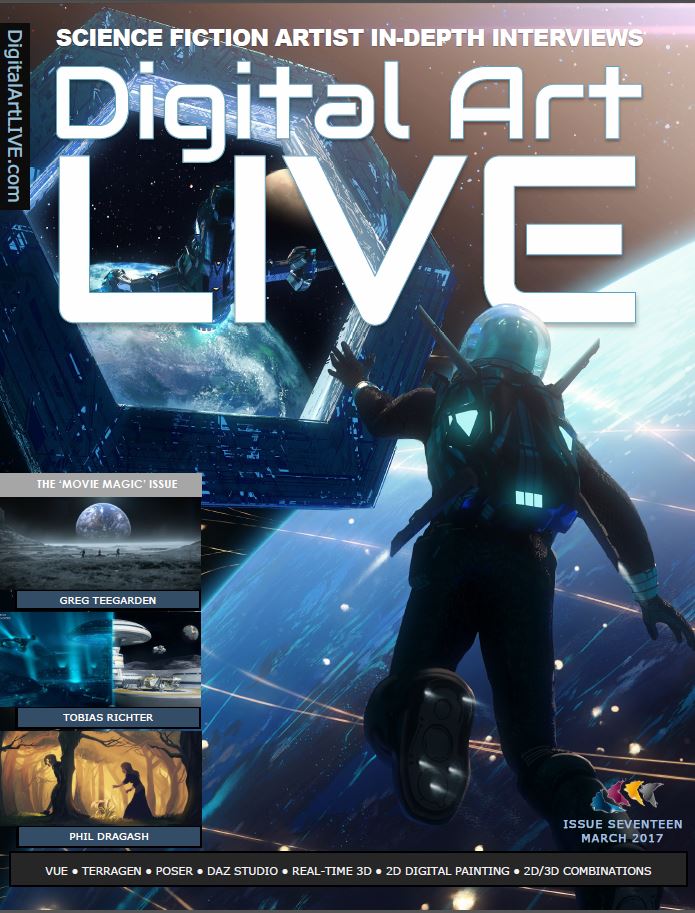
As we head into the really-leafy bit of the springtime, here’s a catch-up on last winter’s free monthly Digital Art Live magazine. The list below features the issues which have appeared since I last featured the magazine on this blog.
DAL is a Poser and DAZ -friendly magazine, devoted to science-fiction art and artists. It is currently regularly nudging 90-100 pages per issue, and is able to get in-depth interviews with the likes of Syd Mead. Next up is the Vue-themed issue, set for release any day now. Contact Paul to be put on the mailing-list and get your free copies. DAL will also soon be inviting advertising at very reasonable rates, so Poser / DAZ content vendors may also want to ask Paul about that.
Issue 12 : Second Skin, a Skin Art issue with a heavy Poser / DAZ contingent.
Issue 14 : Cybertronics. A Tron tribute issue for the mid-wintertime, with lots of glowing neon.
Issue 15 : Mystworlds, a tribute to the videogame Myst, with a lead interview with original Myst artist and animator Chuck Carter.
Issue 16 : Future Vehicles, with exclusive in-depth interview with Syd Mead.
Issue 17 : Movie Magic, on makers of VFX for movies and TV and more.
Gaze warping
High-quality realistic Gaze Warping. Seamlessly change where the eyes in a hi-res photo are looking. Currently it’s an academic paper and an WebGL demo. I’m guessing: next stop, Photoshop integration? That might mean there would be no need to do a fiddly pose of your 3D character’s eyes, as you could fix the gaze afterwards in Photoshop.
CrazyTalk Animator 3
CrazyTalk Animator 3 has been recently released. It’s a relatively easy and accessible 2D package for animators and also a drawing aid to cartoonists, and is one of Reallusion’s most appealing bits of software. There’s a range of short tutorials on version 3 in the Reallusion YouTube channel. But it’s really difficult to track down a “new features” overview in a ten minute video, and I don’t think there is an official one yet. There are videos for each new feature, though.
In terms of new content enabled by version 3 the cats and dogs are new packs. Breeds are extra purchases, but even the outlines look especially useful for budding animal cartoonists…
Reallusion does have a full online manual which has been updated for V.3 — just type “New for v3” into the search box to see the technical details on what’s new. One of the big changes is that a user can “put bones in anything”, and create “free bone” non-human characters. Animate a book, for instance.
I see that a coming patch for the $299 Pipeline version will allow the creation of 2D rigged characters from Photoshop layered .PSD files. Automated, I’m guessing, from a correctly named template .PSD? That would be interesting, especially as Sketchbook Pro can output .PSD files.
And apparently their real-time animation software iClone 7 is set to ship in December. If it has a Comic Book Mode as good as the one in Poser 11, I’ll be interested.
Ugee + Xbox controller + JoytoKey
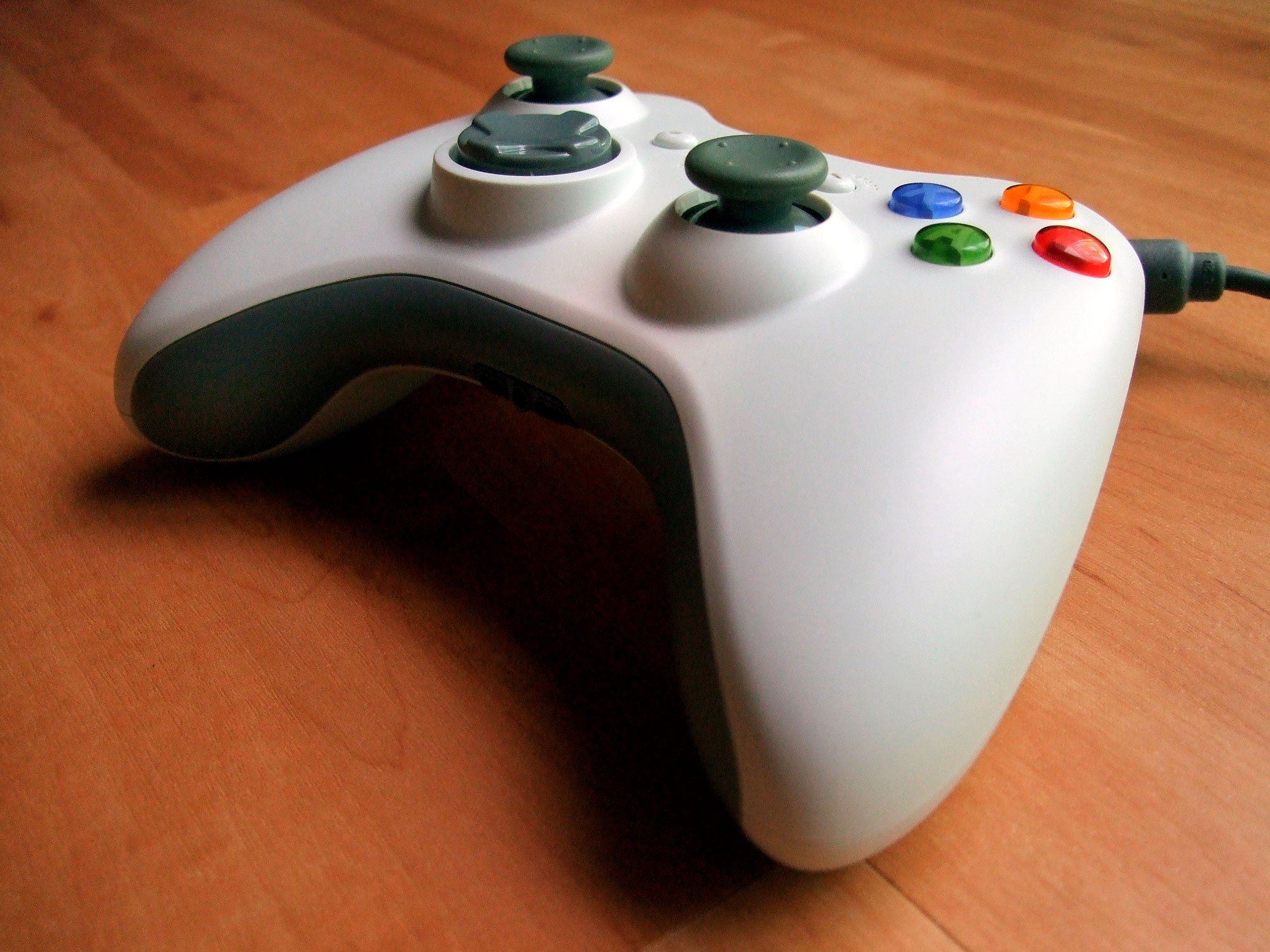
Got an Ugee drawing tablet, and rather envying the shiny row of buttons that your friend’s Cintiq tablet has on the side? Envy no more! If you have an old USB-wired console game controller, such as a nice ergonomic Microsoft XBox controller for the PC, then just get the free Windows shareware JoytoKey.
JoytoKey lets you map the buttons and joy-stick of the game controller to software things like Save, Undo, switch brush to Eraser, etc. This video from Trevor Daley explains it fairly well, for a simple photo ‘pick & tag’ software… just be aware that the download link URL he uses is now flagged as a hijacked ‘attack site’ (eeek!). The safe and official JoytoKey software is now over at the official site JoyToKey.net.
So far as I can tell JoytoKey is fully functional, despite being shareware. There’s an optional $7 PayPal payment if you want a licence, but I’m not sure what it might unlock. Maybe there’s a timeout or you eventually get a useage nag, but I haven’t encountered it yet.
JoytoKey doesn’t need to be installed. Just unzip and set it to start in Windows XP compatibility mode, or if you’re confident then give it Administrator rights. Then load JoytoKey (works fine for me in Windows 8.1), click the controller button you want to configure, then Edit the button assignment. Once you’re set up you can save a labelled configuration file for each software package you want to use it with, such as Photoshop, Sketchbook Pro, Clipstudio (aka Manga Studio) etc.
So, for a low cost you effectively get the nice buttons of a $2,000 Cintiq, but in a quite literally ‘more handy’ form — in your hand as a controller, and one made with all the ergonomic expertise of Microsoft! You can totally remove the need for a keyboard while you’re drawing on an Ugee tablet, and there’s much less need to be moving your arm around the screen to select menu items and the Undo.
I have yet to test if I can map one of the joysticks to smoothly grow or shrink the size of a brush as the stick is thumbed, but that may also be possible.
Two new free ‘open source’ video editors
I see that there are two new open-source Windows video editors, since I last went looking for a possible replacement for the lumbering heap of annoyances that is Adobe Premiere Elements 12.
Each is relatively simple, compared to the various behemoths that are meant for editing Hollywood movies. They may thus may be useful to you, if the old Windows Movie Maker is too limited or if Adobe Premiere Elements is just too awful an experience to keep on using. I installed both, and as a test I tried slapping together an 28Mb audio .MP3 and a 1Mb still .JPG, and outputing to a video small enough to upload to YouTube (less than 100mb).
* OpenShot 2.0 (beta) has a Windows version and a simple modern interface. Though it’s not 64-bit, which may be why it crashed for me again and again on final rendering, tried with three different export settings. Uninstalled.
* Shotcut. Windows 64-bit, but I never got it to the rendering stage. Because the simple task of fitting a static .JPG onto an .MP3 audio file is made into vastly more work than it should be, and in an interface that only a software developer could really love. Uninstalled.
So, no luck for me with these two. Why are free video-editors so flaky? But you may have a different experience. OpenShot 2.0 in particular is worth a try, to see if you get crash-free exports.
CrazyTalk Animator 2.1
The affordable and user-friendly CrazyTalk Animator is now in version 2.1…
* 64-bit version.
* Now has a Mac version.
* Masked PNG output, for use in Powerpoint.
* Support for semi-transparency on import (from Flash only?).
* Variable outline-width (but no Photoshop-style artistic-line Styles, yet).