OpenClipArt has been down for about six weeks now. The best searchable fallback I’ve found is Public Domain Clip Art which has 13,778 bits of clipart under Creative Commons or Public Domain, though that’s only a sub-set of the apparently 150,000 bits that OpenClipArt had at its demise. So far as I can tell, after extensive searching, no-one was keeping a full mirror or tarball of OpenClipArt at 2019.
Category Archives: Spotted in the News
Cartoon Animator 4: the official demo video
The official 4-minute demo video for Reallusion’s new Cartoon Animator 4 (formerly CrazyTalk Animator 3) has just been released…
It’s 2D animation software, now 2.5D on the heads. Just be aware that, once you’re hooked into the Reallusion ecosystem, it can become a very expensive option to get all the features and content packs you want.
The welcome Mat
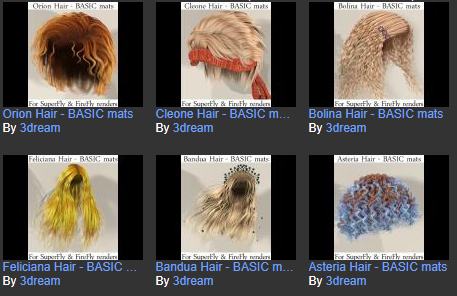
3Dream has kindly made SuperFly MATs for a whole lot of Poser hair, and has posted them free on ShareCG.
iClone Plug-in Marketplace
There’s a new iClone Plug-in Marketplace, for small plugins. Only nine there at present. I’m no longer a regular iClone user, but I like the presentation. Wouldn’t it be great to see something similar for your favourite creative software? Presented in a uniformly slick and at-a-glance way, with comprehensive coverage and everything tested and known to be working. Some software occasionally has such a thing, and there are the stores, but more often the details and links are scattered all over the Web.

Medieval Warfare
Medieval Warfare magazine may interest some who use DAZ/Poser to recreate such scenes, and are seeking place to publish. I’m guessing the editors might be in need of the highest-quality artwork that’s both dramatic and historically authentic, to match with their articles from the leading scholars in the field. The publishers are Dutch, and also have a sister title Ancient Warfare, for which it’s probably even more difficult to find suitable artwork.

A sale of interest to digital comics makers
TwoMorrows, an online store dedicated to comics history. They currently have a sale on for their Draw! magazine “the professional ‘how-to’ magazine on cartooning”, with most issues as low as $5 and some as low as £3.
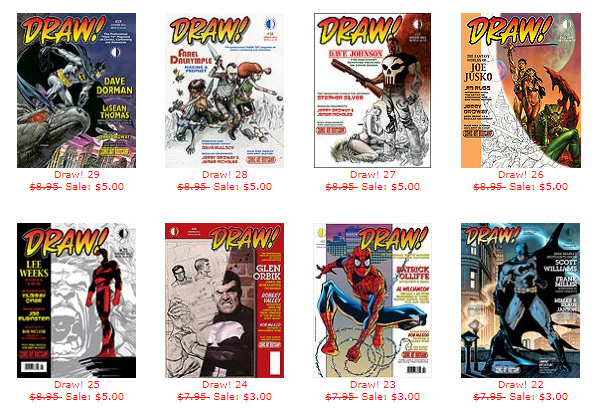
Also Jack Kirby Collector and Write Now magazine, for writers of comics and similar.
Their sale runs through 1st May 2019.
Hair Strand Designer
In among the stampede of ‘big wallet’ releases from the makers of 3D software this spring, there’s still space for the small and niche. How does a tool to design individual hair strands grab you? Yes, you can of course ‘grow hair strands’ fairly easily in Poser Pro and DAZ Studio has its LAMH plugin and its presets. But the new $3 Hair Strand Designer beta… “creates hair strands ready for placing onto your hair cards” on 3D hair models. It’s for people who make hair this way…

… so may be useful for DAZ / Poser / iClone content makers.
FlowScape 1.2
The new $10 real-time landscape software goes to 1.2, just released…
Among many other features…
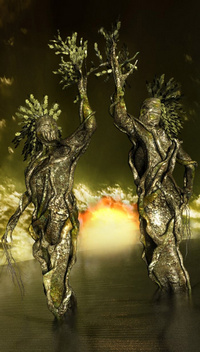
* Fantasy creatures — including a dragon, skeletons, and what appear to be Ents.
* Fantasy houses.
* Place-able lights.
* Snow.
* Ctrl Z undo / Ctrl Y redo.
Regrettably the Windows download appears to be corrupt. Should be 1.2Gb, but downloads as 2Gb then stops part way through. Others have the same problem. So it’s probably best to wait until this is fixed, to get it.
The itch.io app also shows 2Gb, but appears to have no problem downloading. Their app’s main problem is that it has no bandwidth throttle, and will saturate your available download bandwidth.
Oh look, shiny… woosh! woosh!
Posted on
by
 Posted in 3D Utilities, Companion software, Spotted in the News, The Animation Industry
Leave a comment
Posted in 3D Utilities, Companion software, Spotted in the News, The Animation Industry
Leave a comment
Posted in 3D Utilities, Companion software, Spotted in the News, The Animation Industry
Leave a comment
Amid the wave of new releases in recent weeks, good advice from Ricky (content editor at Renderosity) on “Focusing on the Tools at Hand”…
“I’m seeing a lot of animators jump from tool to tool as new ones are released. It’s no longer uncommon for there to be several tools that basically do the same thing installed on one’s system. … [creatives suffer from] informational overload when it comes to tools. Our inboxes are stuffed with announcements and there are getting to be so many vendors at the various conferences and expos that its difficult to see all them.”
Very true. I see a lot of CG news, though not being in the USA I don’t get to the trade expos to pound the floors and see the launches. But the wash of CG news gets filtered before it reaches this blog. The bits you read here are only those that make it through the filter of being somehow relevant to Poser / DAZ / digital landscapists, or to digital comics creation, or to fantasy/sci-fi artists. Thus when Lightwave gets sold, that’s of mild interest here because it interfaces nicely with Poser. Plus, the CG news often gets questioned, tested or investigated before it’s posted — it’s not just ‘link the press release’.
Luckily I’m also somewhat constrained, in that I now… i) avoid nearly all ‘animation’ (fun to watch, not fun to make) and am trying to build up to a set of skills in comics making instead (less work, quicker rendering, a bit more fun); and ii) not being able to afford the uber-PC and ninja £600 graphics-card to run everything new and shiny. Several recent bits of demo or review software have even refused to install (Substance and AI Gigipixel) because my PC was deemed under-par. Not even an install!
Ricky suggests in his article that we should stop and think if software we already have duplicates the features of the shiny new software. Again, good advice, but sometimes you also want to support software that’s more open. For instance I was enamoured of Sketchbook Pro for about 18 months, in my slow move toward finding time for 2D painting/overpainting. But now I want to support the similar but open-source Krita 4.x. That Sketchbook Pro has now slipped back from being supposedly ‘free’ to having a paid version, and within a year of Autodesk’s ‘free’ announcement, seems to partly vindicate my choice.
Anyway, for what it’s worth, prompted by Ricky here’s my list of currently frequently-used software on Windows:
Poser 11.x Pro. REVIEW COPY (no expiry).
DAZ Studio 4.x (with Scene Optimizer for iRay). FREE.
Carrara 8.5. PAID.
PzDB (for Poser/DAZ content management and selection). GIFT FROM THE MAKER (for helping with v.1.3).
3DXChange (3D file converter). WON IN A CONTEST, with iClone 7.
Meshlab 2016 (3D file wrangler). FREE.
Vue xStream 2016 R4. REVIEW COPY (no expiry).
Flowscape 1.2. PAID.
PTGui 8 (panorama stitcher). PAID.
Krita 4.x (2D digital paint). FREE.
Dynamic Auto-Painter 6.x (aka DAP 6). PAID.
Photoshop, mostly CS6 – plus a half dozen plugins, mostly tried and tested old-school ones. PAID/FREE.
IrfanView for quick image previewing and basic processing in Windows. FREE.
FastStone Capture for screenshots. FREE.
+ Ugee 1910b ‘draw on the screen’ pen monitor + main 24″ monitor. PAID, but both cheap Amazon ‘warehouse deals’.
You’ll notice iClone is missing. Many long-standing readers will know I used to be a big fan and user of it, but then they changed the UI wholesale and more. I did win a copy of iClone 7 recently in a contest, installed it and was glad because I gained the latest 3DXChange utility, but… I just don’t tend to use iClone itself any-more, these days. I’m far more fond of their fine CrazyTalk Animator and its potential for rapid comics production, these days.
Back to Ricky’s article. Perhaps we need a big ‘decision tree’ flow-chart, to help in choosing the right software for the task?
Lightwave sold to Vizrt
The big-beast 3D software Lightwave has been sold to “Real-time broadcast graphics firm Vizrt”, though it seems Lightwave was not the aim of the purchase. According to the trade press, Vizrt were buying the company to get “NDI” which interconnects broadcast hardware and software, for software-controlled real-time broadcast.
Automatic Shading of Hand-Drawn Characters
A new academic paper, “Deep Normal Estimation for Automatic Shading of Hand-Drawn Characters” (Jan 2019)…
“We present a new fully automatic pipeline for generating shading effects on hand-drawn characters. Our method takes as input a single digitized sketch of any resolution and outputs a dense normal map estimation suitable for rendering without requiring any human input.”
Currently an ugly and unconvincing effect, which in the examples gives a heavy raised-relief shading. It reminds me of a child’s slightly-padded plastic puffa-sticker…

… but it’s interesting that such shading can be done at all in an automated manner, from basic 2D line-art without any reference to either the coloured version or a 3D model.
Paid work: content testers wanted
The good folks who are rebuilding and stocking Poser World have paid work for people experienced with testing large amounts of runtime-based content.
Particle Illusion 2019
Particle Illusion was an After Effects 2D particle animation tool that was purchased by Boris circa 2018. They’ve given it a complete overhaul and their new 2019 version is 64-bit, as… “a lightning fast GPU-accelerated engine with a simple, easy-to-learn interface” with many new emitter presets…

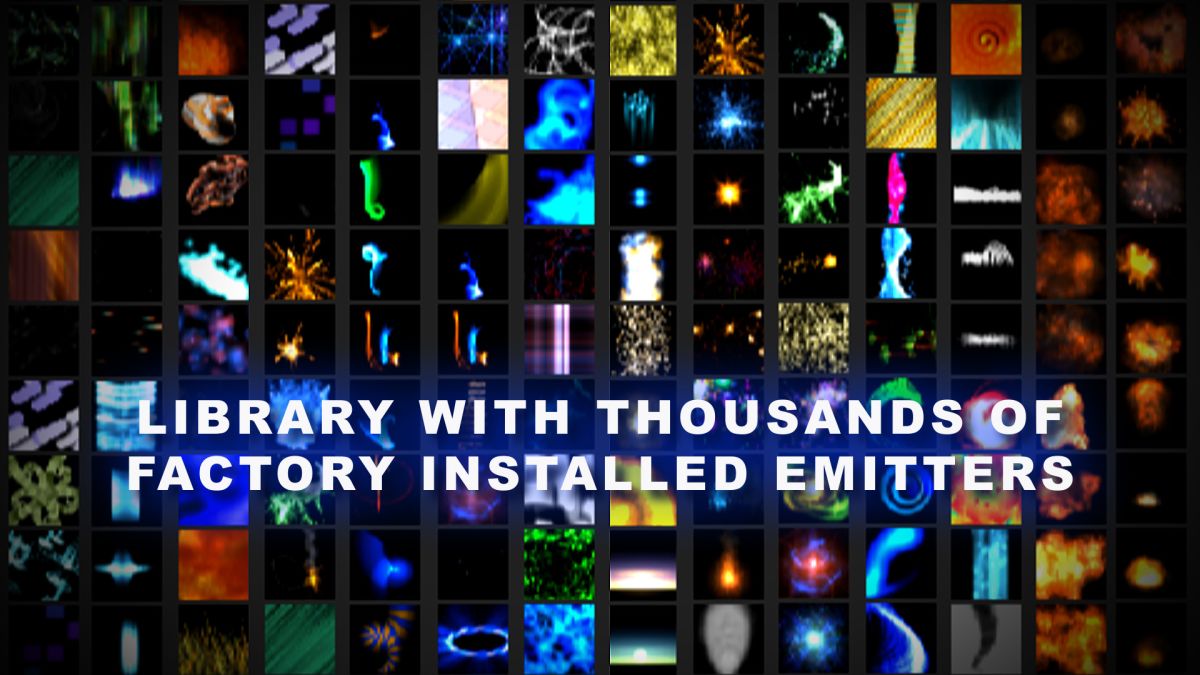
Looks nice, but the drawback seems to be that it will only render into expensive high-end video software, such as After Effects and Premiere Pro, DaVinci Resolve, or Vegas Pro. Apparently that’s also true of the ‘standalone’, which is only an editor for the presets.
Sci-fi artists of more modest means will probably want to look instead at the far more affordable HitFilm and its particle generator, if making movies and animation. HitFilm is a sort of ‘affordable After Effects’ at around £250, and can be had for less — plugging the add-on Particles module into its free Express version currently costs £45 here in the UK. The software recently had a total UI overhaul, which must be very annoying for seasoned users — but if you’re new to it you won’t notice that.
For stills one might look first at the affordable Corel ParticleShop and its addon packs, and even the many free Photoshop plugins kindly offered for Photoshop by Richard Rosenman.
DAZ Carrara 8.5 Pro can also load all your Poser and DAZ content, and has “a robust particle system” in 3D. As seen in action here…
The Carrara files for the scenes in the video are free here.
Storyboarder adds semi-automated ‘Shot Generator’
The open source Storyboarder (beta with email-only access) has added a new ‘Shot Generator’. It’s a basic stage on which you have 3D objects and basic dummies. What’s nice is that the camera angle and framing is somewhat “auto”…
“Just type a description into the Shot Generator in the sidebar, press return, and generate as many shots as you’d like. Change parameters as you want. Shots are fully customizable.”
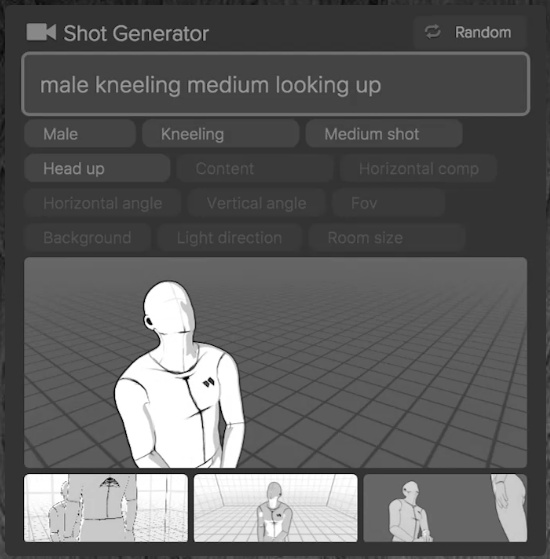
There’s also a “Random” button. You can see it in action about half way down the page, or in the 25 minute tutorial video.
Storyboarder seems to also be re-creating a sort of minimalist Poser / DAZ Studio / iClone, in some measure, but with ‘smart awareness’ of where the camera is in relation to the figures.
Once set up, you can instantly whisk the frame back into Storyboarder. Looks good.