
There’s a new free motion-capture Python script for Blender. It uses Blender to… “re-target motion-capture data from Mixamo, BVH or iClone to Rigify, DAZ or custom rigs”.
Category Archives: Spotted in the News
Sixus1 launches collectables
Sixus1, who many will know from his DAZ/Poser figures, has launched a new website with his own sculpted resin collectables at www.sixus1collectibles.com.
“This store features hand pulled and inspected resin prints in a variety of sizes and options.”
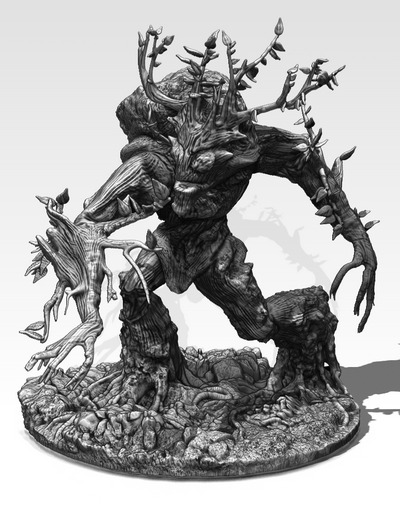
A 4″ tall Ent-like figure is (currently) just $10, which sounds pretty good. No colours, though I presume that table-top gamers then break out the paints and paint them up in their own way.
“What’s that you say, Lassie…. Howler 2020 is free?”
Project Dogwaffle’s Howler 2020 has been released for free on Windows, although you are “encouraged to make a donation to fund future development”. As noted here on this blog, v.2020 saw… “a revamp of the legacy brush engine, new paper textures, and rationalised de-cluttered media presets”. The latest release is Howler 2022.1, which is several bounding doggie-leaps ahead of 2020. But still only $77 for a perpetual licence. Definitely worth a look, and you’re sure to find a use for it at some point.
Release: QuarkXPress 2021
Posted on
by
 Posted in Companion software, Special Offers and Discounts, Spotted in the News
Leave a comment
Posted in Companion software, Special Offers and Discounts, Spotted in the News
Leave a comment
Posted in Companion software, Special Offers and Discounts, Spotted in the News
Leave a comment
QuarkXPress? Isn’t that the ancient crumbly DTP software that your grandpa once used, and which vanished long ago?
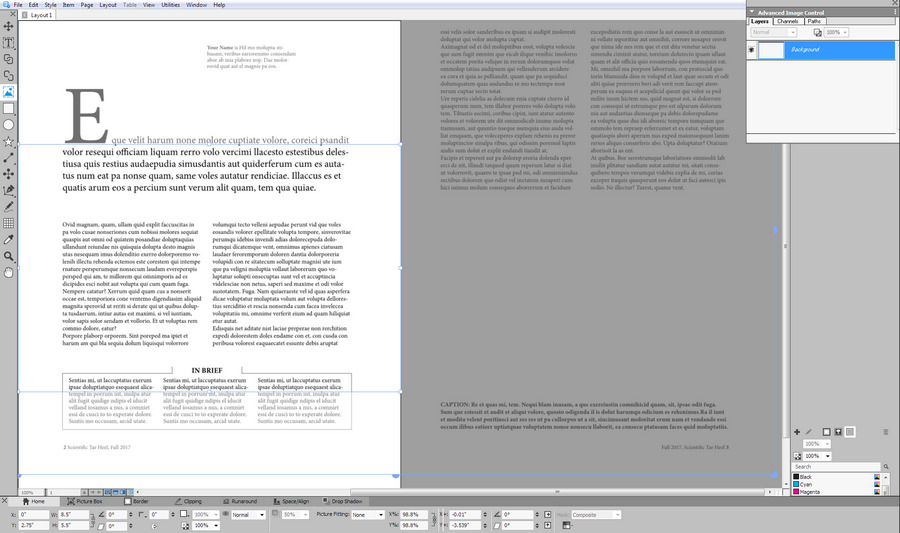
Oh, my… how times have changed. The DTP desktop software QuarkXPress is still here and still venerable, yes, but their sprightly annual releases have been playing ‘the tortoise and the hare’ with Adobe since 2015. Six years later it’s catching up in numerous ways, and even surpasses InDesign in many features. Their polished 2021 version is now out, and has .SVG support among other things. I recently took a look at the free trial and was pleased to find it very mature and with annual updates at a one-time purchase of £362 (an annual subscription, but if you cancel then it appears you get to keep the software). Expensive but not the silly prices of yesteryear, and within reach of many. Oh, wait… 50% off for August which puts it about £180…

It’s no longer just for laying out PDFs for magazines, books and academic journal articles. A key feature is support from absolute reproduction of a DTP print layout in Web browser-friendly HTML5, plus support within that for animated elements (slide-in banners, slow zooms into pictures) and looping animated GIFs (v.2020) and now SVGs (v.2021). Also video and 360-video. Its scripts are standard javascript. The increasing range of creative possibilities are thus obvious, and you can also leave a gap in the layout then hack the HTML to add whatever unsupported Web do-dah you want to display in a browser. Although in the latest version you can also insert snippets of HTML.
The cheap and relatively friendly Affinity Publisher and Microsoft Publisher don’t offer HTML5 export at all. Adobe’s equivalent DTP software InDesign still requires a third-party plugin to export an HTML5 layout, and both are monthly subscriptions.
So I’m pleased to find that QuarkXPress seems a viable Adobe-alternative for DTP and the WYSIWYG Web. It is now sitting at a quite nice point in the market, in terms of a reasonable price, superb export features, and having a perpetual licence version. There’s a QuarkXPress 2021 free-trial (Windows 8 and up, v.2018 being the last Windows 7 version). One to look at if you want to make a device-responsive online magazine with creative interactivity that goes beyond page-curls and a few clickable Web links.
That said, it may not be what some will need for making motion-comics or basic 2D interactive Web ‘visual novels’. There is now software dedicated to such things.
As with all major software these days, there has to be a warning as it’s being newly mentioned here: Windows 10 and Mac OS desktop updates may bjork your favourite feature or break the software totally. But that doesn’t appear to be the case here.
Time to move to Texas…
You now have to smuggle some types of gaming PCs into some U.S. states. The PC makers such as Dell can’t ship there…
“This product cannot be shipped to the states of California, Colorado, Hawaii, Oregon, Vermont or Washington due to power consumption regulations adopted by those states. Any orders placed that are bound for those states will be canceled.”
Even a really rather basic one from Dell, that is little more than a standard £800/$1100 desktop…
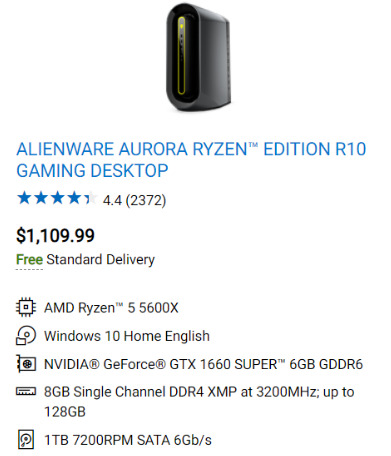
Presumably any kind of slightly-powerful graphics production workstations must also be effectively banned in those places? Hollywood, which last time I heard was in California, may be rather annoyed at this… though not quite yet. Because a little research shows the legal problems will only start for non-gaming high-end PCs from 9th December 2021. Time to follow Elon, Hollywood… and move to Texas?
One wonders if the politicians who passed these laws have electric cars standing next to their heated swimming-pools, and how much energy those need.
Anyway, it’s often rather pointless trying to regulate such fast-moving technology. It just shifts things sideways. The politicians have probably never even heard of eGPUs.
Release: 3DCoat 2021 / and the budget 3DCoatTextura
Posted on
by
Posted in Companion software, Special Offers and Discounts, Spotted in the News
Leave a comment
Posted in Companion software, Special Offers and Discounts, Spotted in the News
Leave a comment
3DCoat 2021 has been released, with the all-important UI makeover. For those who don’t know it, I guess it could be described as: ‘ZBrush without the mad interface, combined with Substance Painter without the Adobe shackle’. At least one beta tester appears to have been running it successfully with Windows 7, thus it appears not to be ‘Windows 10 only’ software.
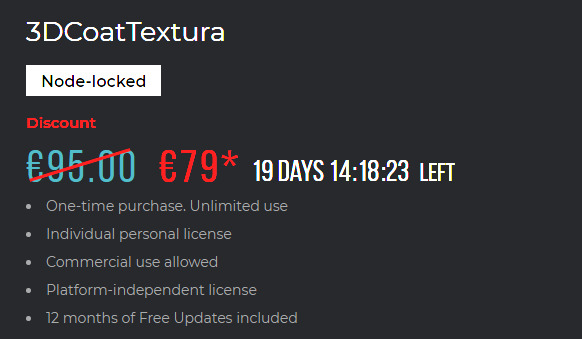
It’s also very nice to see a simultaneous release of the new budget-priced version of 2021 just for painting and texturing of 3D, no sculpting. This is called 3DCoatTextura and currently has a nice introductory one-time purchase price of 79 Euros. I think that’s meant to be a Euro symbol…
Sadly YouTube knows nothing of something called “3DcoatTextura” and assumes you’ve made a typing mistake, but I’m sure there must already be previews and even tutorials on the software out there.
The other one-time purchase alternative would be the new Marmoset Toolbag 4, but that’s $300 and so rather out of the range of most hobbyists. Marmoset 4 also took an absolute age to load a test scene, was less than stable in my testing, had a very unlikable UI and then fell at the first hurdle — simple framing of a figure with the viewport camera… how? Where the heck are the camera controls? I gave up. Uninstalled.
Ken Gilliland webinar
A webinar on excellence in Digital Nature with the leading maker-expert on 3D birds and other creatures, Ken Gilliland (SongBird Remix series). Booking now.

3DCoatTextura 2021
Excellent news. The main 3DCoat 2021 lands on 12th July with its long-awaited new user interface and many other improvements. It also includes ZBrush-like sculpting, but without the mad interface and torturous workflows of ZBrush. However there will also be a cheaper cut-down 3DCoatTextura version of 2021, which will include…
“only the 3D painting, texturing and rendering tools. … It is designed especially for people who create 3D models in other software and need a professional tool for painting and texturing at a very sweet price”.
Sounds good, and even better it appears this version will be a one-time purchase albeit at $110 without discounts. Definitely one to put on your Black Friday / Cyber Monday shopping-list, if it can then go down to a must-have and truly hobbyist-friendly $50.
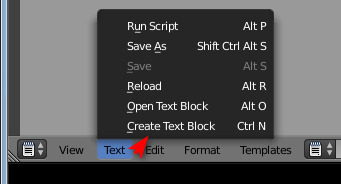
Snarlygribbly scripts for Poser 12
Key scripts for Poser 12 by Snarlygribbly, inc. a working EZDome, and in general looking as though they’re progressing nicely.

Note the new https://poser.cobrablade.net/ location for the downloads. It seems this is where these Python scripts are officially hosted now. I’ve fixed the sidebar link at this blog and the Poser Scripts page. I’ve also plugged it into my Technical Search Engine though it seems Google Search doesn’t know about it yet (the engine runs on a Google CSE).
On the same Cobrablade page you will also find his latest Poser 11 scripts. All free.
Get Poser 12 snail-mailed to you
Do you live in the wilds of Whereizitagin, hundreds of miles from the nearest telephone pole? And is satellite Internet prohibitively expensive? Now you can have Poser 12 Early Access officially mailed to you on a USB key, along with its gigabytes of free content.
Once installed you would still have to be online to activate Poser, and of course it will also ping the registration server periodically. Thus the USB key method should not be thought to be a wholly offline solution, for someone with no regular Internet connection. Still, it could be useful for some with a slow and/or tightly-metered mobile-phone connection. Though bear in mind you may need to order another USB in the Autumn, if Poser comes out of Early Access then. I’m guessing U.S. software export restrictions may also kick in if you want it sent to dodgy nations such as Iran, Cuba, Syria etc.
The outback or mountaintop-dwelling Poser artist who prefers Poser 11.3 will instead want the $80 Poser Pro 11 serials from NeoWin (resellers for Bondware, the new top-level owners of Poser). Then you’d get someone to do the downloading of 11.3 to a USB and the snail-mailing of it to you. Again, there would be online activation needed, and it also pings home periodically.
Kdenlive before 2019
Ooops. If you installed the free video-editor Kdenlive…
“before 10th July 2019, simply delete the installed files and folders manually”
This is because, if installed to a custom install folder rather than Program Files…
“the application Uninstaller was deleting all user data in the installation folder”
Yup, so the Uninstaller would delete your My Documents if that’s where it was located. Possibly even C:/, if installed on the root. Nasty.
But the uninstaller is obviously still screwy even in the latest version. I could not get the latest software to start, tried to uninstall, and was denied. Killing processes made no difference. Rebooting the PC made no difference. There are complaints on the forums about the same thing, and about how many inter-op processes its spawns even when not active. Eventually I had to manually delete all its folders and its AppData (two locations) and then clean the Registry to get rid of it.
What a pain. Stay well away from this software, whatever the reviewers may have said about it 18 months ago.
Release: KeyShot 10.2
KeyShot 10.2 has been released. There is one important new feature that may interest those who have been trying to port over a Genesis figure to render in KeyShot. There’s a new Mesh Simplification tool. It appears to be all or nothing, though. Its simple UI suggests you can’t crunch just the mesh in the body under the clothes, while leaving neck and face and hands untouched. Unless perhaps you still have well-named mesh layers inside KeyShot.
For selective mesh reduction you would ideally need the official Decimator plugin inside DAZ Studio before export, and that plugin is still at $100 on the DAZ Store.
Those taking posed and dressed Genesis 8 figures over to Poser (for the comic-book line-art and sketch features, not for photoreal) will want the Automatic OBJ Exporter script set and the $50 Atangeo Balancer, to speed the process and make the figure wieldy in Poser. Atangeo does a very good job, is easy to use, and is far more stable than Meshlab. The downside there is no re-pose-ability. The result is a static .OBJ figure, but at least after decimation it doesn’t weigh umpteen gigabytes.
I have not been able to test it yet, but apparently KeyShot 10.x has fixed the ‘butterfly-wing eyelashes’ problem on DAZ figure imports. The problem was previously caused by lack of support for transparency maps, but is now said to be fixed.
Those trying to take Genesis to KeyShot for photoreal may also want the Realistic Skin Shader for Keyshot. Though it’s probably now a lot less hassle just to stick with iRay, now that iRay has seen a number of very major speed-boosts over the last few years.
Blender 3.0 – pose library
Blender 3.0 will apparently enable users to have a Pose Library and save presets to it…

It’s still in development and looks very far from making Blender a drop-in replacement for DAZ / Poser, but it should be useful for some.
Release: new version of MeshLab
MeshLab 2021.05 has been released. Installer downloads are here. The leading free 3D mesh-wrangler can now do ‘pretty’…
“MeshLab now allows to load custom GL shaders”
And texture-map defragmentation, and multi-layer support on .3DS files. Plugins, too.
The fab new stuff we might get… in a few years
Coming up at SIGGRAPH 2021…
StyleCariGAN… “a caricature generation framework based on StyleGAN, which automatically creates a realistic and detailed caricature from an input photo, with optional controls on shape exaggeration and color stylization.”
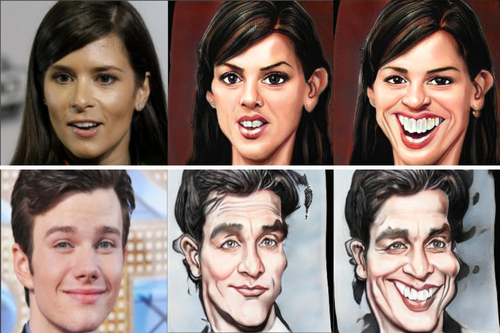
AgileGAN, apparently an instant cartoon-ifer, less twisted than StyleCariGAN.

Auto-dance timed to the music beats and speed etc. Doesn’t the MikuMiku type software do this already? Well, if it doesn’t, it will soon.

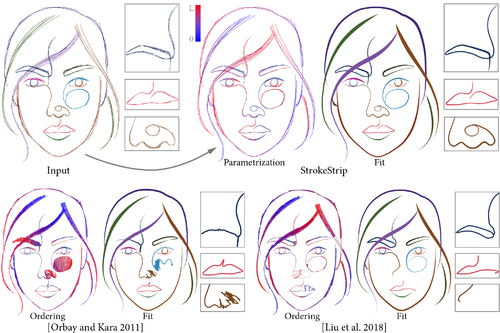
Autocomplete for inking artists, ‘making several short curves to form a longer one’.
Smoke-ring fractal generation. Not exactly Gandalf-quality, but perhaps they can add modifiers for more complexity.
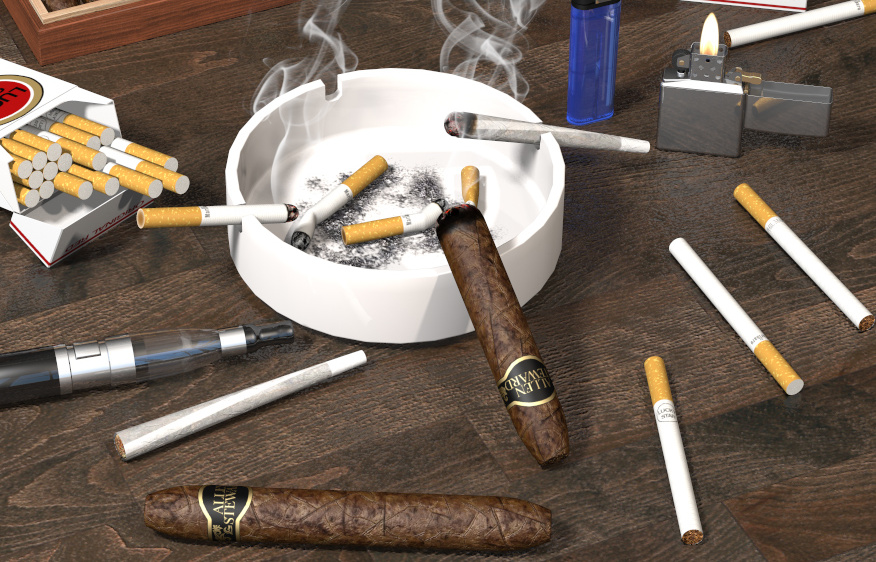
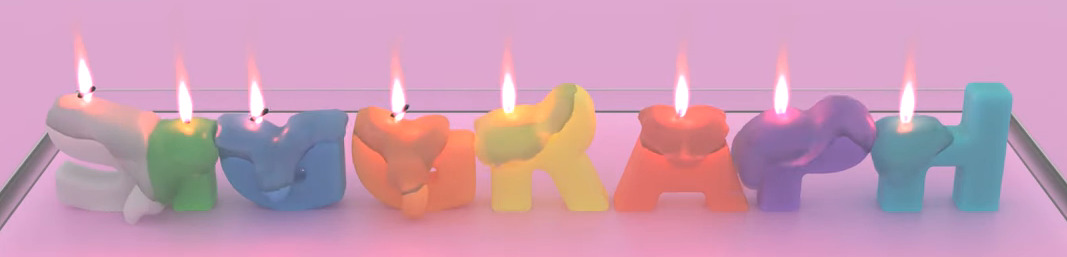
Realistic melting wax animation simulator.
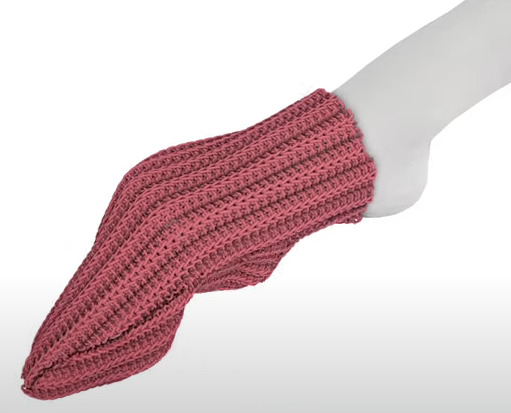
Loose-mesh fabrics that behave realistically and can be ‘pulled’ onto a figure-part, like knitted socks being pulled onto feet.
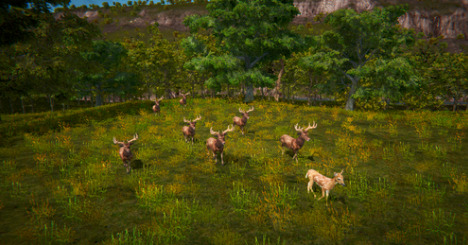
Generate “real-world” ecosystems with balanced ecologies. Not sure if the animals get to eat each other.
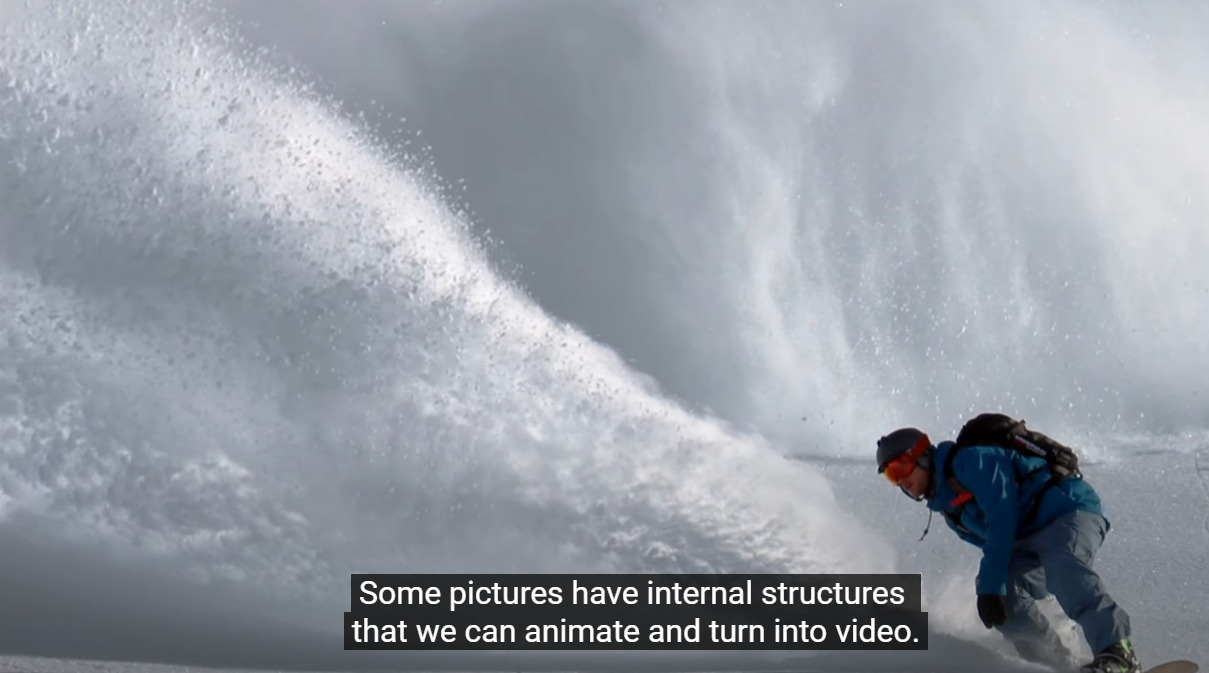
Identify “internal structures” in a picture, auto-animate them as loops.
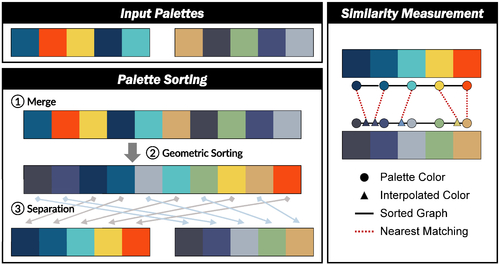
Better automatic pallette re-sorting.
Seamless manga inpainting, seemingly “for the first time”. Apparently to be used for auto-removal of speech-bubbles from old paper comics that are not in digital format. Not sure it’s that useful though, as mostly you’d just want to blank rather than remove the bubbles.

No advances in auto-coloring of greyscale paintings, by the look of it.