Forgotten about Adobe Substance? ArtStation has a handy one-page 2022 Updates Recap. Who knew there was now an official voxel-based “Substance 3D Modeler”, released in October 2022? Also noted is that coming soon is Adobe Substance 3D Sampler, for real-world scanning of objects. All very nice, but still subscription.
Category Archives: Spotted in the News
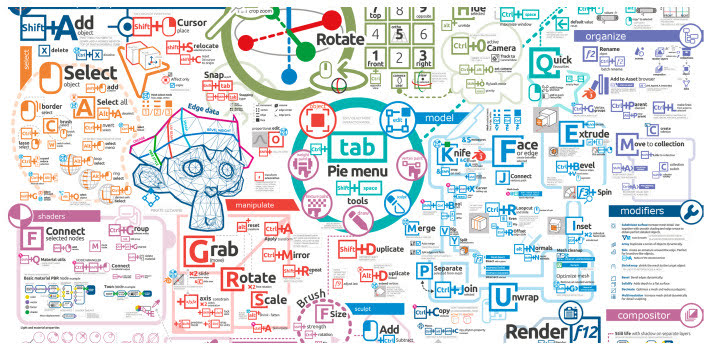
Blender map
Everything you need to memorise for Blender operation, in one crazy-monkey visual map for keyboard bashers. Now updated for the latest Blender.
Release: Krakatoa
Amazon has open-sourced its Krakatoa VFX particle renderer and the associated shader system. Appears to be Maya focused, so I guess they were/are using this for the Amazon TV VFX. The VFX world has many particle-generators / particle-renderers by now, but this one is said to be especially “fast”. That’s the only claim made for it, at least on the GitHub. Still, if you were looking to plug a fast particle system into Poser 13, I see lots of .PY scripts in the Krakatoa GitHub and it might be something to consider.
Release: Stable Diffusion 2.0
The ‘text prompt to image generating’ AI Stable Diffusion 2.0 has released. 1.4 was the first public release back in summer 2022, and 1.5 was the previous version.
Along other new features, a shape-sensing and shape-preserving model…
It also has a few other nice features such as better in-painting and built in up-scaling. But note that the new 2.0 version is now censored, so some may consider it as effectively no longer open-source. They’ve “removed ability to copy artist styles”. This means 2.0 now ignores popular user prompts such as “in the style of [name]…”. It also refuses to create what is described as “NSFW” images, though how widely that’s defined is unknown.
Release: Clavicula 0.9.9.1
The free Clavicula has released 0.9.9.1, with new features such as “custom shader layers” among other changes. It’s the successor to Neobarok and an innovative way of 3D modelling, completely free for desktops. The YouTube channel is here, and there was a Digital Art Live magazine interview with the maker in Digital Art Live Issue 64 (Christmas 2021).
Fantasy Attic’s Advent Calendar
Fantasy Attic’s Christmas Advent Calendar, now live. Accepting donations of giveaway Poser or DAZ gifts for the Calendar until 30th November 2022. Renderosity mail (see link) seems the best way to contact with a donation, although the organiser is also somewhat active on Twitter and DeviantArt.
Empty at the moment, but filling in due course for ‘one per day’ opening during December.
Release: Goo Blender
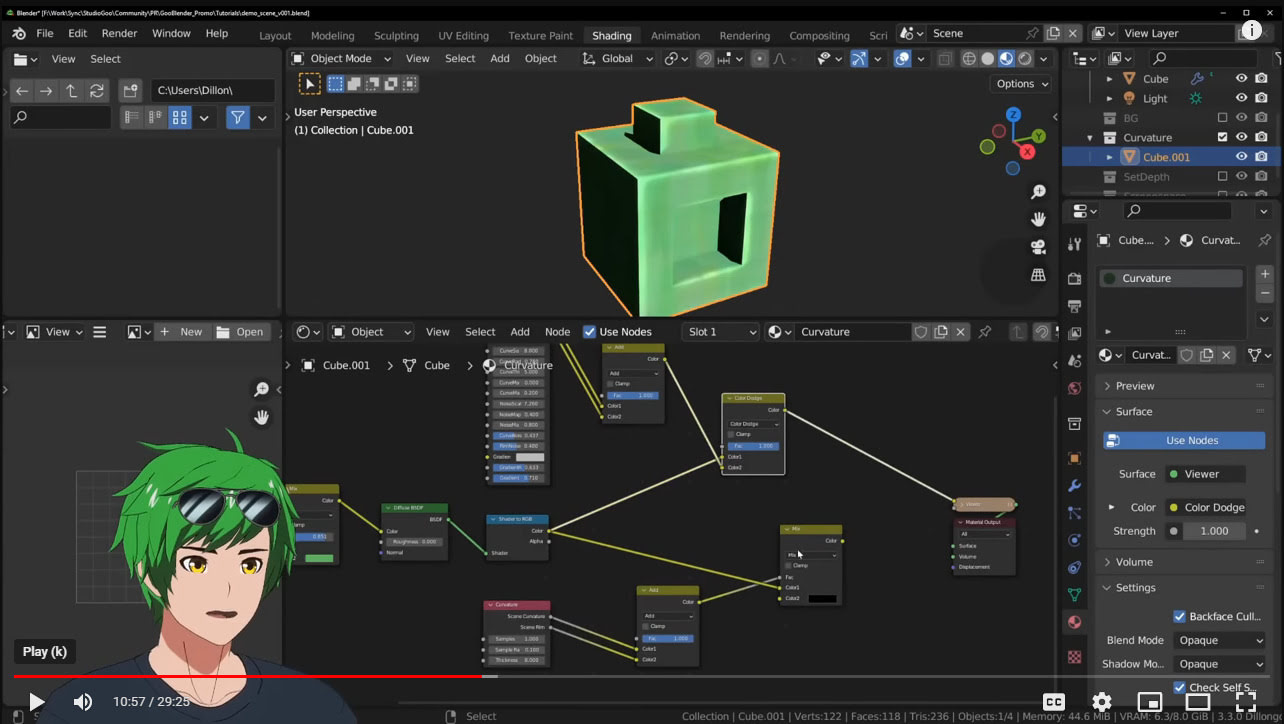
Goo Blender, also known as the “Goo Engine”, is a new non-photoreal toon Blender version for Windows (only)…
“our custom build of Blender that was made specifically to our team’s needs. Our team specializes in making 3D anime in Blender”
Goo Engine still seems to involve the usual head-banging wrangling of big node chains in order to get simple tooning done in the viewport.
I haven’t had time to look at the 30 minute intro tutorial and am currently uncertain if it’s real-time Eevee or Cycles rendered? Anyway, it’s available via a Patreon subscription if you want to download and try. I assume it’s a build for the latest Blender, which now has certain graphics-card requirements before it will even let you install. Note also the Goo Engine GitHub, which presumably means you can get it free if you know how to ‘build’ Blender from a code repository.
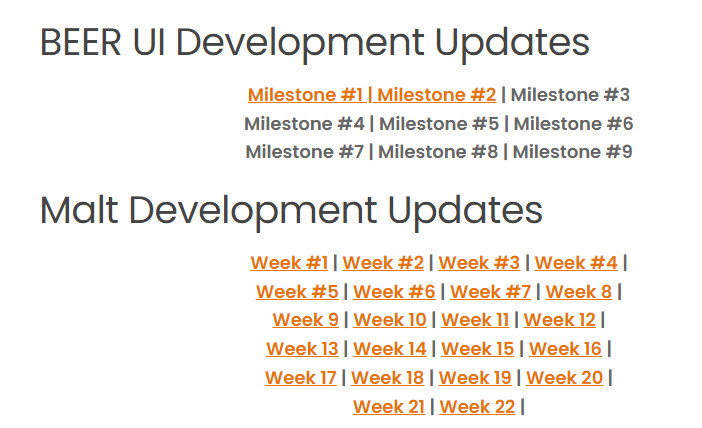
This new release reminded me to take a look at the progress of the competitor BEER, the free NPR system plugin for regular Blender. The 1.0 engine was all done, and a user-friendly UI was then being made. A magnificent effort by all concerned, and they’re to be congratulated for getting so far with it. However I see there’s been no public progress with the user UI implementation in the last year and it’s stalled at UI Milestone #2 (November 2021). Possibly they could use a volunteer UI expert, to get it finished and polished?
Release: Material Maker 1.1
Material Maker 1.1 has been released. Though only a .1 update there are lots of new changes and improvements to this great free replacement for Adobe’s Substance.
Middle-earth DEMs
GIS & Middle-earth, plus free DEM files…
“the Center for Geospatial Analysis at William & Mary, has developed an extensive list of GIS layers of Middle-earth, including a 50m elevation model, roads, rivers, realms and many others. … The data shared below include the complete set of vector layers in wither shapefile or Esri geodatabase format and the 50m DEM of Middle-earth as four quadrants (geo tiff format).”
Based on the remains of the old (now offline) Outerra version of Middle-earth terrain, but substantially improved and overhauled. A 50m DEM is only suitable for a high “eagle’s eye view” or a highly zoomed-out isometric map. That said, AI auto-detailing for low-res DEMs is seeing some progress and will likely see more.
There’s no .torrent, just .ZIPs. I downloaded the smallest .ZIP and loaded the .TIF heightmap to Vue. Here’s the Gap of Rohan with the Fords of Isen, and Isengard at the top of the picture and in the centre of a bowl of mountains. Helm’s Deep is at the edge of the mountains on the bottom-left. A basic map is overlaid. You’ll need maps at massive scanned resolution, to looks crisp when overlaid at this scale. Though the ideal is probably just to get the angle and render, and then over-draw your own hand-drawn isometric map in the Middle-earth style. Although I near that pro GIS systems now have various auto-styles that might get you started there.
Release: Affinity suite 2.0
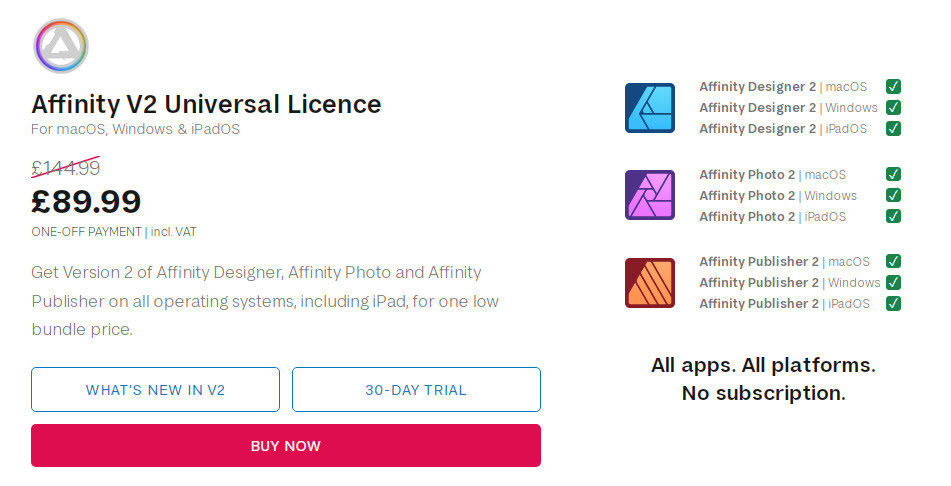
Serif’s Adobe-killer Affinity 2.0 suite has released. A one-time payment for all the desktop software + mobile apps, and the price is currently discounted. It’s a pretty good no-subscription deal for the equivalent of Adobe Photoshop, Illustrator and InDesign, if that’s what you need and you have the required OS (2.0 now appears to require Windows 8 or higher). Personally I’d stick with Photoshop for the extensibility and automation, I have no use for an Illustrator clone, and thus the only one wanted would be the Publisher DTP software. Note that each can be had on its own, at a lower price than the bundle.
Try before you buy, as the UI cannot be scaled up and is too small and poky for many.
Cartoon Animator 5 Demo Video
The worthy 2D Cartoon Animator 5 has been released (formerly CrazyTalk Animator), and there’s now an official Cartoon Animator 5 Demo Video released today.
* SVG support, templates, import. Round-trip to CorelDraw, InkScape etc.
* Spring dynamics and free-form deformation grid.
* Better library, integrated download of the free bits (scripts etc) that you could only get from the site.
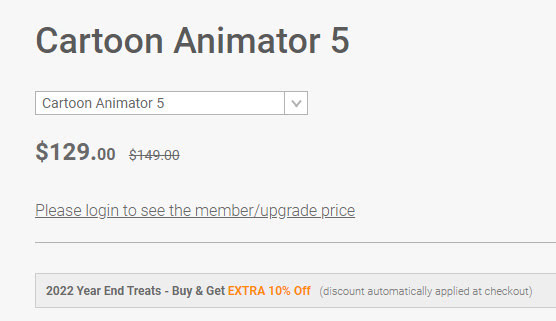
* No cheap “Pro” version any more [the former division was Pro (i.e. Standard) and Pipeline (i.e. proper Pro, expensive)] and it appears there is now just one version. Currently a reasonable $129. This appears to include the After Effects scripts that were in Pipeline. So if you can now effectively get Pipeline for $129 that’s quite a bargain. Though, as always, beware that the paid add-on packs and plug-ins will ramp up the overall price considerably over time.
That said, there’s backwards compatibility for those with old character and prop libraries. You can still use characters back to G1, in Cartoon Animator 5, it’s said.
Not sure if it still supports conversion from .SWF to prop. It used to, because it had its own Flash module under the hood.
Filter for Interactive licences at DAZ
Here’s an unusual one. A free UserScript for your Web browser’s Tampermonkey or similar, and which interacts with the DAZ site. All it appears to do is filter your purchased Interactive licences. So that you can just see those. Kind of useful, I guess, if you’re a developer who just needs to see your available assets… and not the 569 other things you’ve purchased over the years. It’s open-source and the code looks clean.. it’s not doing anything untoward.
Scene Building in Blender
A new community course for beginners to learn Blender by creating a scene via modelling and texturing, Scene Building in Blender : Winter Wonderland. Starts Saturday 19th November 2022, and then runs Saturdays.
The scene is akin to the famous Narnia fantasy books for children: the wardrobe ‘portal’ into the snowy Narnia, with the lamppost as the first thing to be encountered there.
Terragen 4.6 – a big update
According to the Newsletter, Terragen 4.6 is about to be released. This being the first big update for the advanced 3D landscape desktop software in two years.
* Windows now has .VBD export (was previously Linux only).
* Export clouds in .VBD for use in Blender etc.
* Better sRGB support.
* Better .FBX import, better .FBX export compatibility with Unreal Engine.
* Now with import and export of population caches as XML, as well as binary.
* Rendering speed improvements, faster Preview renders.
* Pro users get an experimental pipeline for RPC integration with other third-party tools.
* An open-source RPC Python module, so you can write Python scripts enabling other software to ‘talk’ to Terragen.
* Geolocation (aka “Georeferencing”) is said to become free in the Terragen 4.6 Free (aka Learning Edition, Non-Commercial). So far as I can tell, this is about aligning tiles side by side, rather than grabbing a DEM landscape tile from a user-friendly Google Earth style world-browser.
Still supports Windows 7+, and the update is free. Terragen 4 Free is free, and then currently Terragen 5 Creative is $299, the Pro is $599. A Mac version is coming soon, and a fun nodes-free ‘sky making’ Terragen Sky tool is also coming in December 2022.
Planetside Software (website has yet to update to 4.6 details/downloads. but should soon) and see also the YouTube channel.
Text-based AI for mo-cap
Human Motion Diffusion Model is new text-based AI for generating mo-cap animation for a 3D figure. Still a science-paper + source code at present.
But it can’t be long before you type in a text description to generate a rigged and clothed 3D figure (plus some basic helmet-hair), and can then also generate a set of motions to apply to the figure’s .FBX export file. Useful for games makers needing lots of cheaply-made NPCs, provided they can be game-ready.
But for Poser and DAZ users, the ideal would be to have reliable ‘text to mo-cap’ exist as a module within the software. Even better would be to have an AI build you a custom bespoke AI-model by examining all the mo-cap in your runtime, thus gearing it precisely to the base figure type you intend to target.