New on GitHub, Chaos and Cats, a new freely-released university course in the foundational maths-led theory of computer graphics, motion, 3D models, etc.



New on GitHub, Chaos and Cats, a new freely-released university course in the foundational maths-led theory of computer graphics, motion, 3D models, etc.
The $50 Windows desktop software NovelForge is now at version 4.0. This script and novel-writing software, from the maker of the worthy graphics plugin Dynamic Auto-Painter, now adds “over 50 local neural voices” for audiobook production, plus Word export, and more. Nice, though sadly there’s still no native Dark Mode for the UI — which may be a deal-breaker for many writers. The paid third-party software WindowsTop is the only thing that can make the entire UI go dark and retain visibility/functionality for the UI. NovelForge 4.0 does however now have a Dark Mode for its special ‘distraction free’ editor, which is something.
The new 4.0 version has been tested by me, and the Kokoro offline voices are surprisingly excellent (considering the installer is a mere 260Mb) and there are a lot of them. Lewis (British) is perhaps the best.
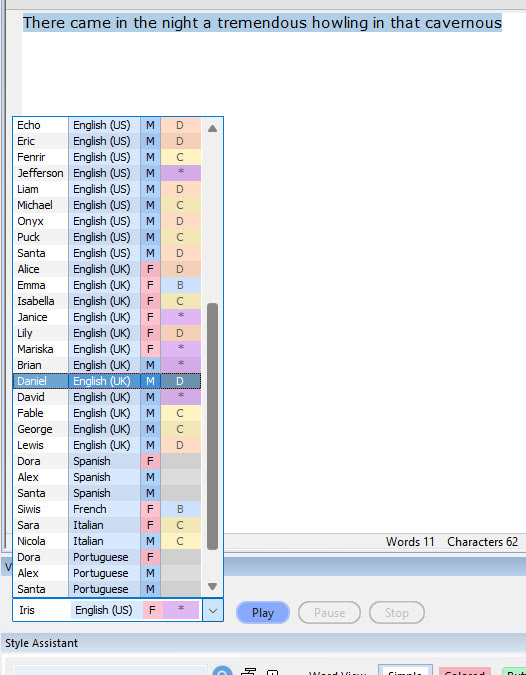
However, one can’t have dialogue read in different voices from the same page. There’s no SSML tagging system to change voices in mid-page. And, rather surprisingly, no-one has elsewhere made a Windows text-editor which integrates Kokoro in a way that can do multi-actor dialogue. It’s not even in Balabolka, the go-to TTS software, which one might have thought would be a natural fit for the local and real-time Kokoro.
LTX Desktop Beta has been released. It’s a free video generator and non-linear video editor, with a slick but simple GUI. Under the hood it’s powered by the new LTX 2.3 model. It’s the official LTX desktop software, open-source (Apache2.0) and fully local. No proprietary layers, full access to the models and their weights.
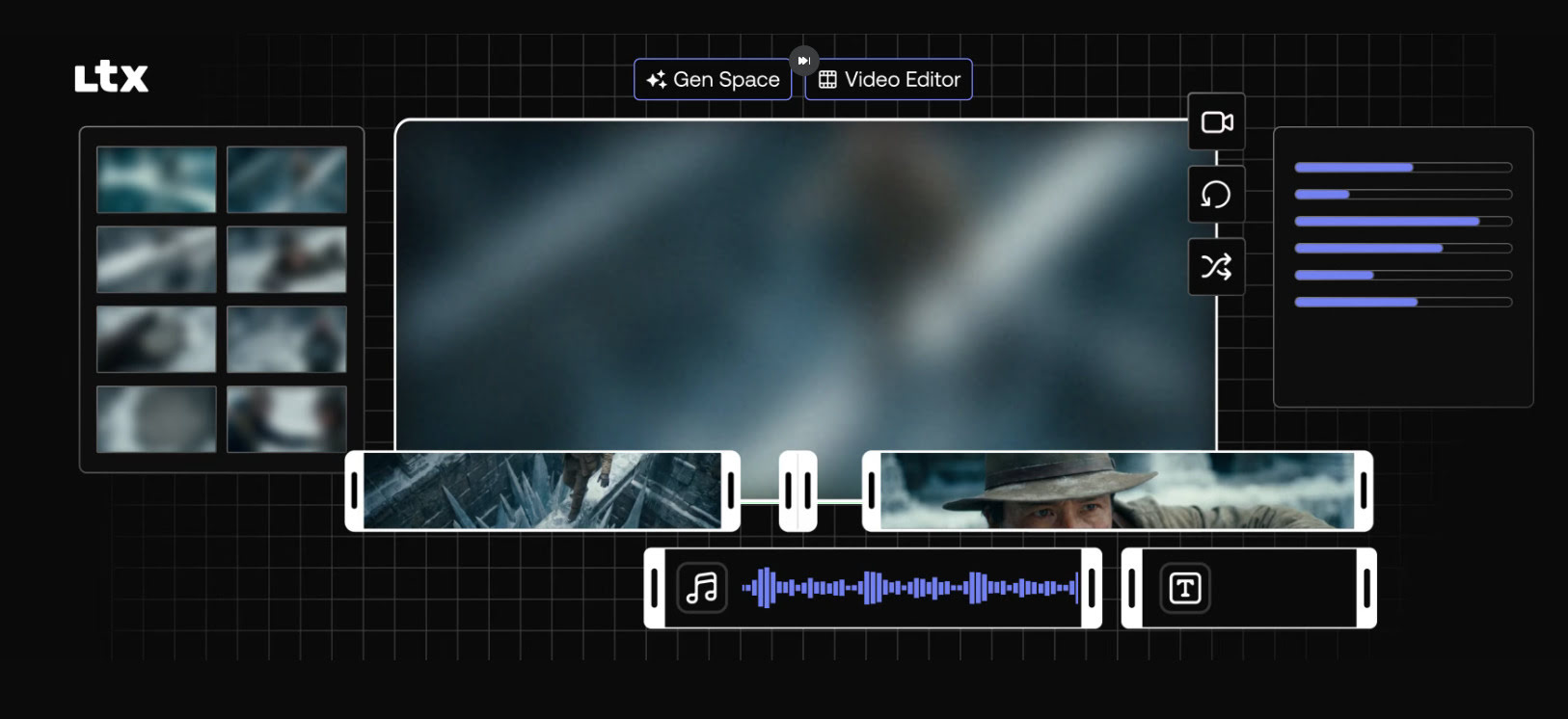
A simple interface, but with a powerful and cutting-edge AI video generation model underneath it. Can do ‘image to video’ as well as ‘prompt to video’, so the AI-haters don’t have to freak out about copyright. Just drop in your 3D render and watch it being restyled and/or animated. If you have the required VRAM of course. 32Gb is apparently optimum.
Expect long one-time downloads of the required multi-Gb models, once you have the LTX Desktop software installed.
It will need a powerful graphics-card to run it, of course, as well as masses of hard-drive space. 24Gb of VRAM on the graphics-card is usually thought of as needed for worth-having video generation, and 32Gb(!) is recommended here. Though note there’s also a mention of the option in LTX Desktop to use “an API key”, which suggests the software can also hook into a paid LTX cloud service. In that respect, those familiar with the ComfyUI node-based interface should also look at Comfy Cloud — which does not lock you into the LTX model only.
Free Tier Arrives in Comfy Cloud, with a simple no-fuss Google login/signup. 400 credits a month, no roll-over. Apparently that gets you about 20 minutes worth of generation on a fast GPU. Enough to try the latest ‘hot new’ model each month, maybe even a couple of times, and see if it’s for you or not. Or perhaps very slowly generate a short film, a bit each month. There are no free workflows/models, everything consumes credits.
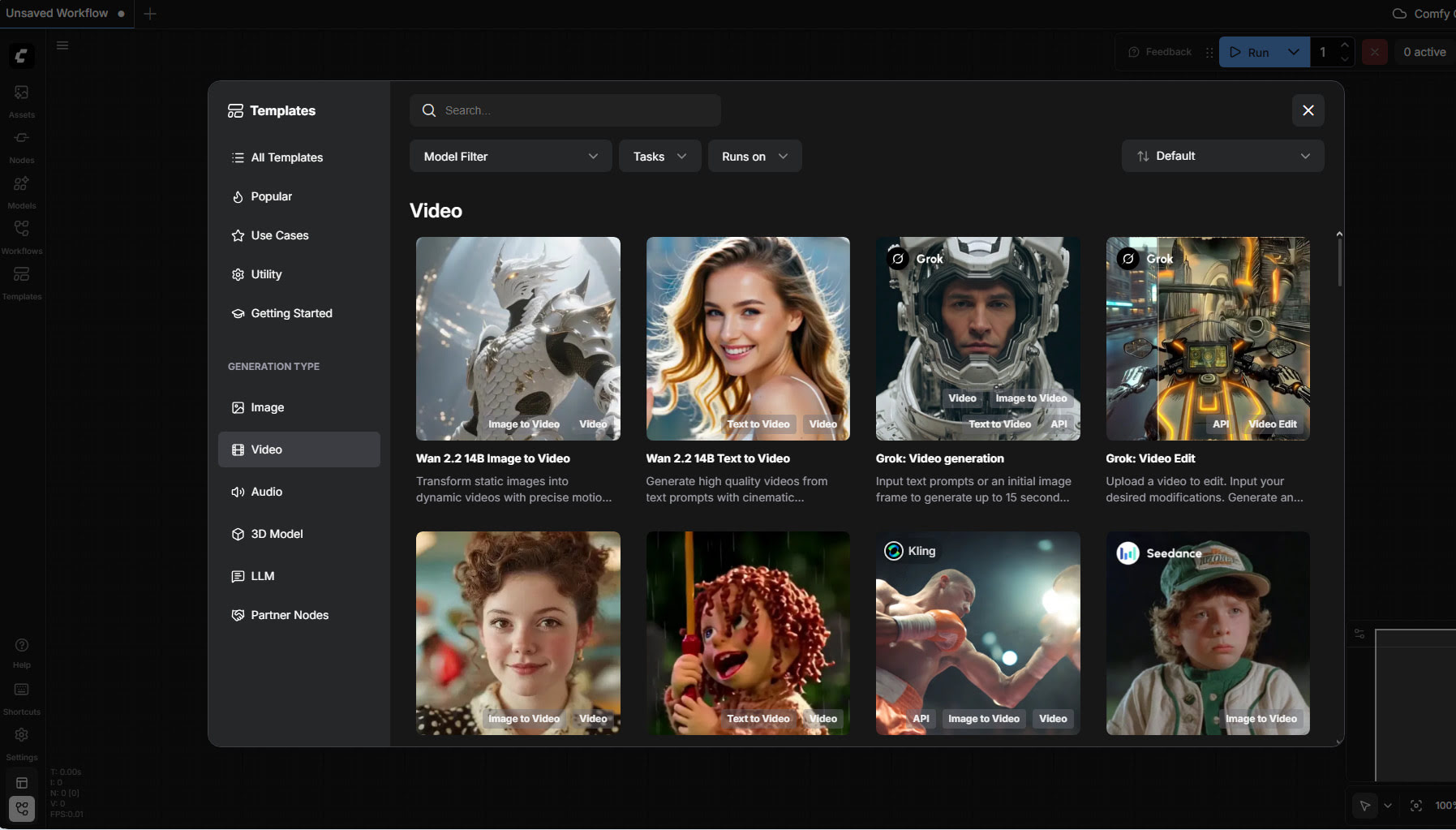
Alongside the usual it offers tools useful for the 3D crowd, such as ‘sketch to 3D model’, or relighting of a rendered scene without re-rendering. Note also the presence of ElevenLabs TTS in there, via a partnership agreement.
Drawbacks: your favourite local custom-nodes may not be available; you may not be able to run very long workflows; possible wait-times and queues.
 Posted in Companion software, Freebies, Poser, Spotted in the News, The Animation Industry
1 Comment
Posted in Companion software, Freebies, Poser, Spotted in the News, The Animation Industry
1 Comment
I see that Shriinivas has an animated directory for the 2,600 Carnegie Mellon .BVH motion capture files. Released November 2023, you get little munchkins in .GIF animations which show each motion-capture.
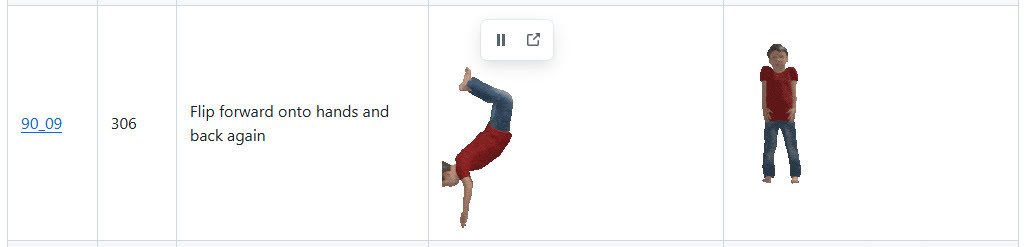
The .BVH files are linked with a named link alongside each animation, but note that these don’t lead to the Poser versions. For Poser you want the cmu-ecstasy-motion-bvh-poser-friendly-2012 freebie archive. But the names in each set are the same. Thus Shriinivas’s “90_09” means that in the Poser files you need to look in folder “90” and there find the file “90_09.bvh”.
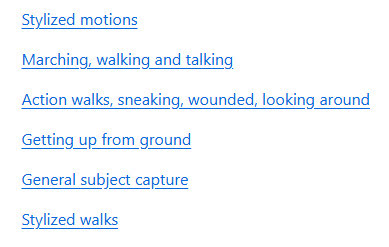
Scroll down his page to see the link to sub-pages for named ‘Animation Categories’, e.g.
Instructions for loading .BVH to a Poser figure, here. Sadly there’s still no drag-and-drop of .BVH in Poser.
Posted in Automation, Companion software, DAZ Studio, Freebies, Poser, Poser to Stable Diffusion, Spotted in the News
Leave a comment
Welcome to my regular pick of goodies for Poser and DAZ, and my round-up of other interesting software.
Science fiction:
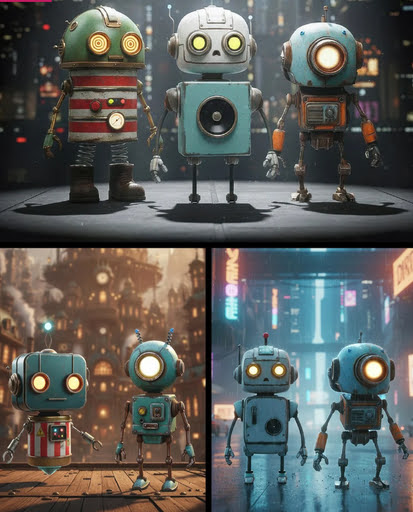
Robo Pack. Lovely looking bots, and currently a lovely $14 price too. But… then you find out that they’re “props” and not rigged, which explains the price. Still, very nice designs.
Need your Area 52 UFOs repairing? dForce Tech Engineer Outfit.

Fantasy:
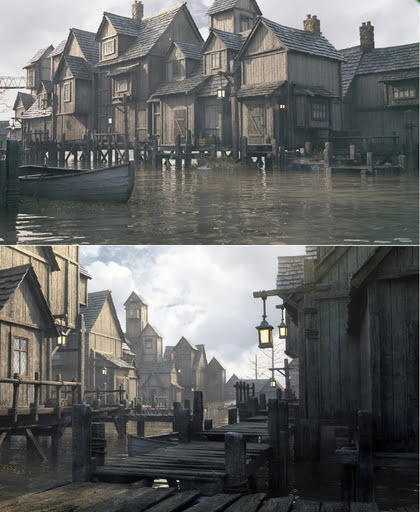
Stonemason’s Lakehaven, which could make a pretty good Laketown in Middle-earth.
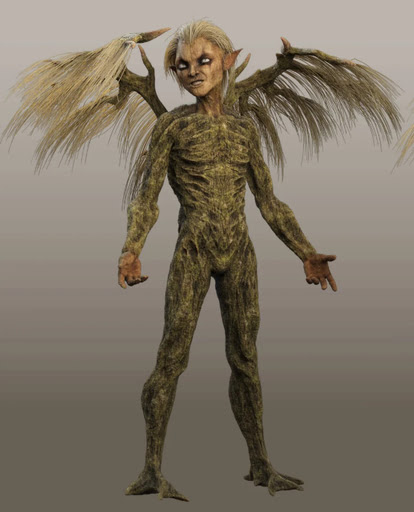

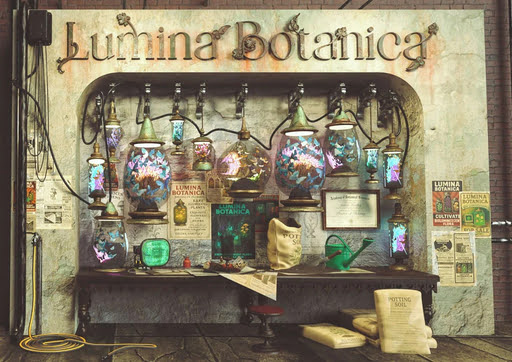
Ashkin and Arboriel probably run the new Lumina Botanica market wall-stall.
Gothic and horror:
Gharton for Poser. Not sure if it’s a D&D monster, so beware of commercial use.
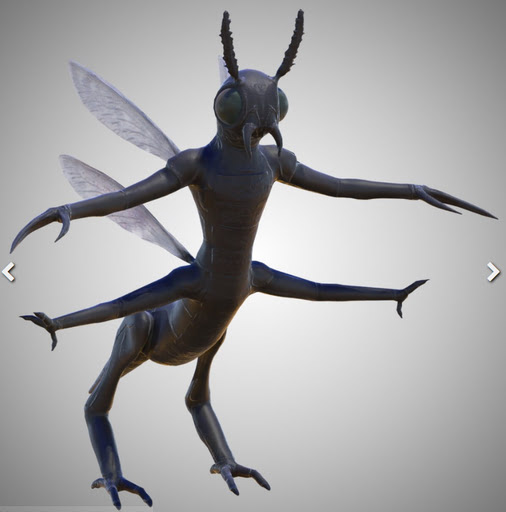
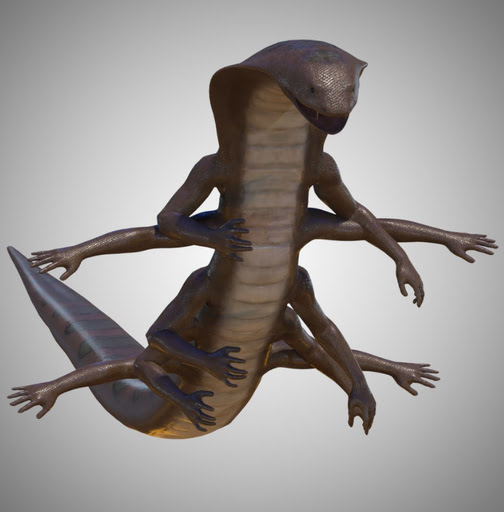
Snake Man for Poser and Blattodacid for Poser. Again, possibly D&D monsters?
Steampunk:
Elven Zeppelin by 1971s. For Poser and DAZ. I don’t recall seeing this one before, and I don’t think it’s a re-release?

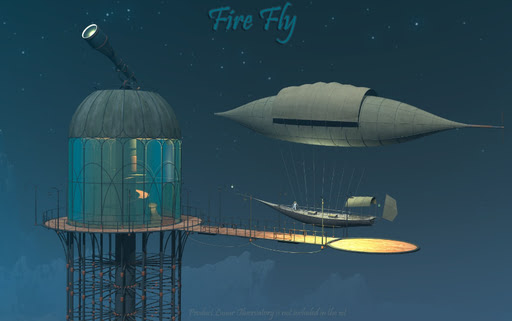
Fire Fly by 1971s. Another new release? Moon Observatory not included but it’s here.
Steampunk Operator HD Stylized Clothes for Genesis 9. It seems you don’t also get the stylised hair and beard, so I guess they’ll be in another pack yet to be released?
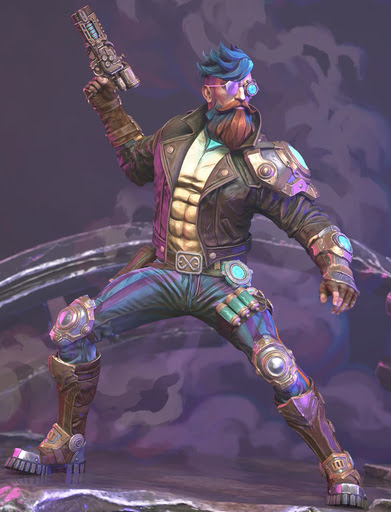
An unusual Tinheart Clockwork Set.

Storybook:
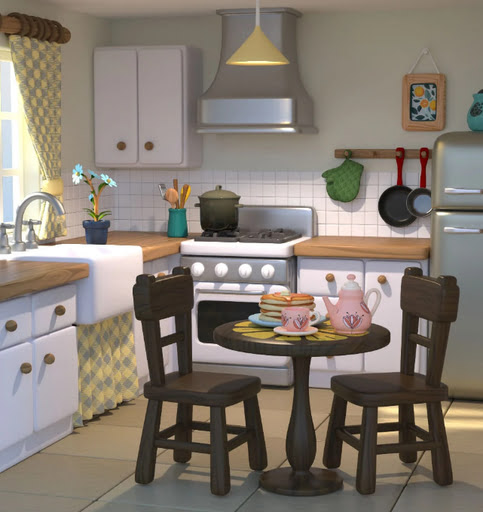
Cooking Kitchen, a semi-toon kitchen.
The Cog Regime Tinsel Void Automaton. A mechanised helper for Santa.

Toon:
Christmas Delight toon props for Poser.

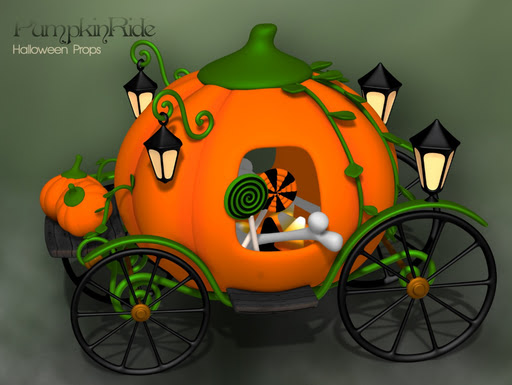
Pumpkin Ride toon prop for Poser.
Free, Skylab’s Complete Collection of poses and morphs for Nursoda characters for Poser.
Free, Poses for Gruggle Monk from 3D Universe.
Figures and parts:
Free, a collection of Skylab’s pose sets for Poser, that were on the old ShareCG website.
Currently free at DAZ, two large sets of G3 male poses, i13 50 Essential and i13 Elite Collection.
Free, Update: G3/G8/G9 Pose Converter Plugin for DAZ Studio.
Landscapes, seascapes and environment props:
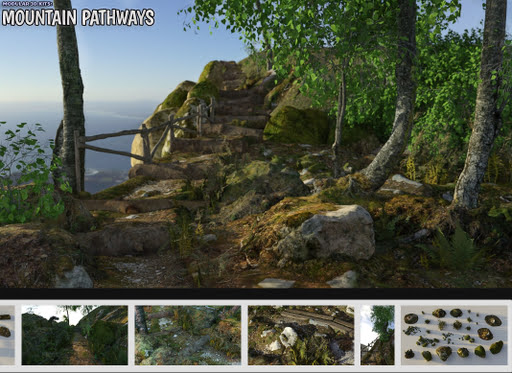
A modular Mountain Pathways set for Poser.
Free, 3D .OBJ models of raindrops on windowpanes.
Animals:
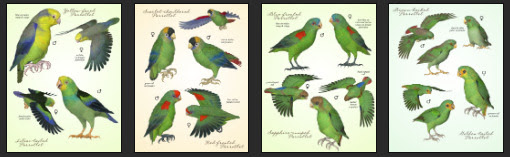
Songbird ReMix Parrots Vol 7 – Parrotlets of the World 2. For Poser and DAZ.
Nature’s Wonders Slugs & Snails. For Poser and DAZ.

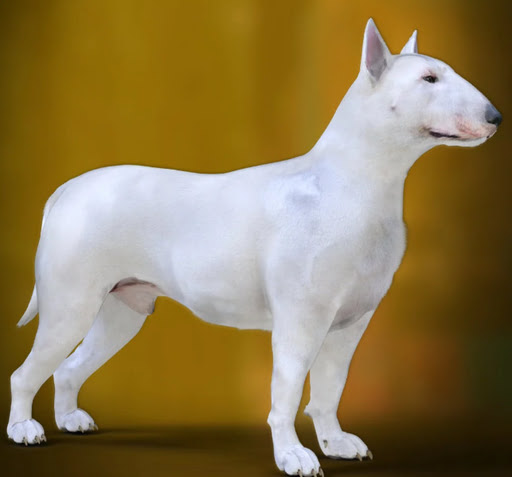
DA Bull Terrier for Daz Dog 8.
Torajin for Big Cat 2. A giant fantasy kitty.

Historical:
Free, Skylab’s Decade of Bible Themed Poses, formerly at ShareCG.
Free Holy Spirits for G8F+G8M.

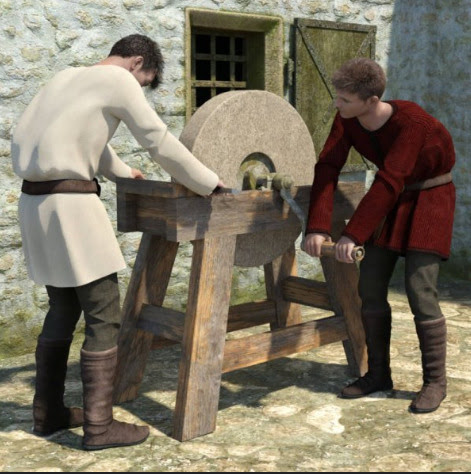
Mediaeval Grindstone, rigged and with two G8 poses.
LOWREZ People 17th century, low poly baroque people.
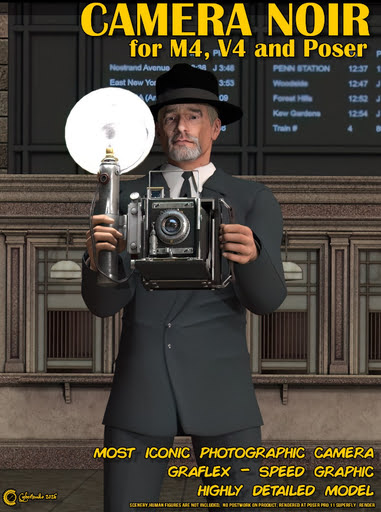
Camera Noir for Poser, a classic 1930s newspaperman camera.
A Moebius / 1970s style VYK La Pouf for Genesis 9.

Scripts and other auto-helpers:
LowPi Formations Builder. Auto-build formations of military men (low-poly), for large scale battle scenes.
KBXF Slow Motion Player for DAZ. Seems to be a helper for animators.
Software:
* Alpha-Trimmer, a new free… “Windows tool that automatically trims excess transparent areas from .PNG images, via the Windows context menu (i.e. the right-click menu)”.
* Nikse is a free open-source subtitle editor / extractor / converter, able to convert between 300 subtitle formats.
* Blender v5 is now at v5.1. Also note the free Blender-ComfyUI-Bridge, promising… “real-time, bidirectional communication between Blender and ComfyUI” in a round-trip. Python, so one wonders if it could be adapted for Poser.
AI and similar helpers:
All free, as is the way with local AI.
* SD-ppp one of the best known ways to connect Photoshop to ComfyUI, now updated to a late December 2025 version. Sadly it requires the very latest version of Photoshop. There appears to be no ComfyUI connector for Photoshop versions lower than CC 2019.
* Collection of simple fixed user-interfaces for ComfyUI, for the node-phobic.
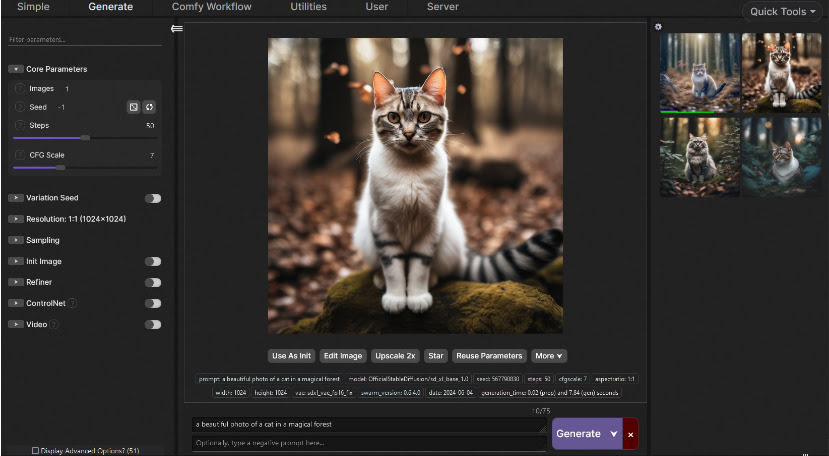
* Flux2 Klein is the latest hot Edit model. It’s a marvel, and its 4B GGUFs (working workflow) can be run fast on low-spec hardware. See also the vital Official prompting Guide for Flux.2 Klein.
* Flux2 Klein can do face-swaps on its own, with a simple prompt (e.g. “Extract the face from image 1 and paste it into Image 2, completely replacing the face. Retain the exact facial features in image 1.”). But there’s also a dedicated Face-Swap and Head-Swap(!) assistant for Flux2 Klein 4B, with workflows.
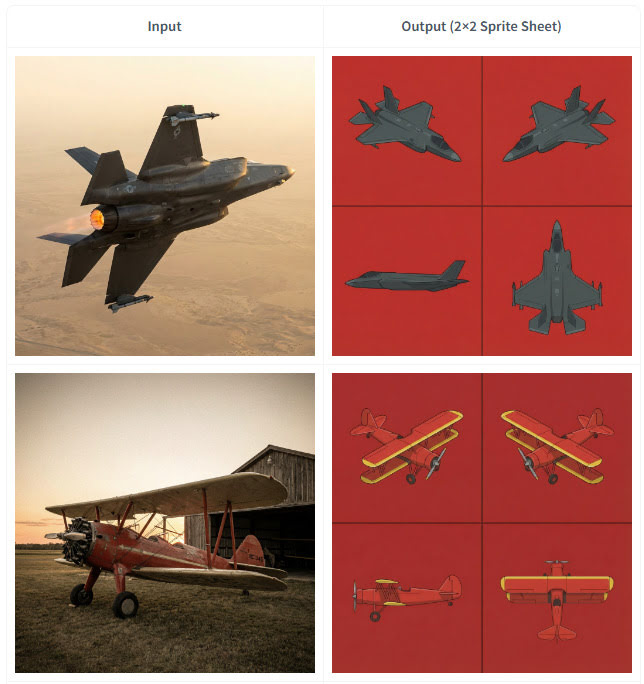
* Also for 4B. Flux2 Klein 4B Spritesheet generator, which looks like it may be of interest to those in the early stages of modelling an object in 3D. Since it outputs top-down and side views from a simple photo of an object…
* SAM-3D-Pose-Analyzer is a Python software with GUI. Drop in a photo of a pose, get a .BVH pose output that will then pose a 3D figure in Clip Studio. The possibilities for adapting this to do the same for Poser figures are obvious.
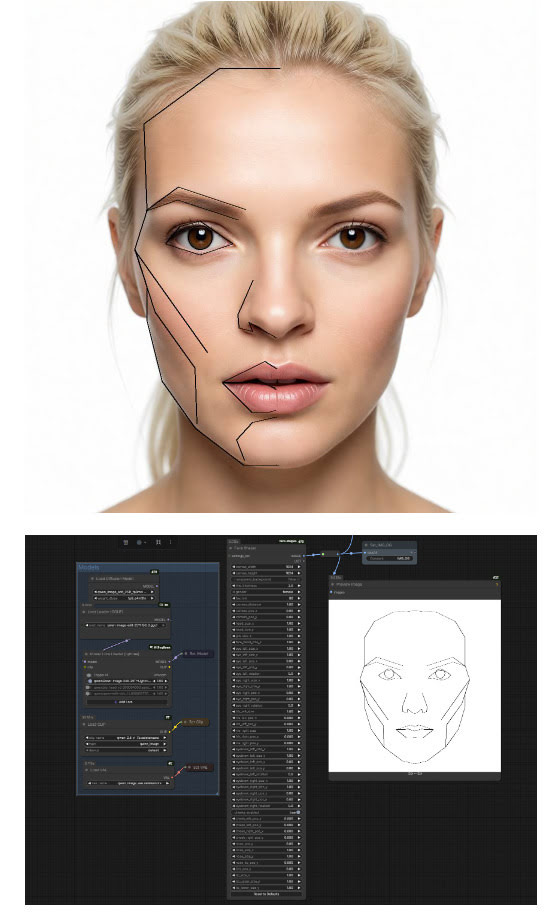
* ComfyUI-face-shape. Detects the face shape/features in a 2D image, then sets these up for your warping. Offering… “extensive control over individual facial features including outer head outline (with separate jaw and forehead controls), eyes (with independent rotation), irises, eyebrows, nose (single merged object), and lips (upper and lower with direction-specific scaling)”. I’m fairly sure there was Windows face-morphing funware that did this, back in the day. But it’s good to see AI catching up.
* “Inochi2D is an open standard for real-time 2D puppet animation”, and it now has ComfyUI-Inochi2d nodes. Never heard of it, but possibly useful for 2D puppeteers.
* ComfyUI nodes for “overlay alignment, colour correction based on a reference image”. In Russian, but easily auto-translated. Related is FluxKontextImageCompensate, an attempt to fix the problem of unwanted image shifting, cropping and zooming. The problem is not unique to Flux Kontext, as all Edit models suffer from it to an extent.
* A huge Celebrity LoRA browser with preview images and links to the whereabouts. Sadly it uses .PNG for images, so loads very slowly.
* ComfyUI-Align, a simple intuitive way to straighten up your messy ComfyUI node workflows.
* And finally, Fixed Clean Styles – DAZ Studio, a LoRA that renders your Z-Image Turbo images like it’s 1999 and you just made a DAZ render that took four hours.
Coming soon:
* TeleStyle, when implemented for ComfyUI. Complete style makeovers for video files (e.g. live-action to rotoscoped-style drawing) with temporal stability (i.e. no flicker / wobble between frames). Some say this can already be done, but this appears to make it much easier to do. Probably in ComfyUI within weeks.
* Intel OIDN 3. Already integrated into Poser, OIDN nicely denoises grainy 3D renders and thus reduces render times. The new 3.0 version promises temporal stability for de-noising of video frames rendered from 3D, which should interest Poser animators looking to render quickly. Due in Q3 2026.
* VNCCS Pose Studio node for ComfyUI. Currently in early beta (see the 0.4 release) and untested by me as yet, but potentially it looks like having a basic mini-Poser inside ComfyUI. Could be a game-changer?
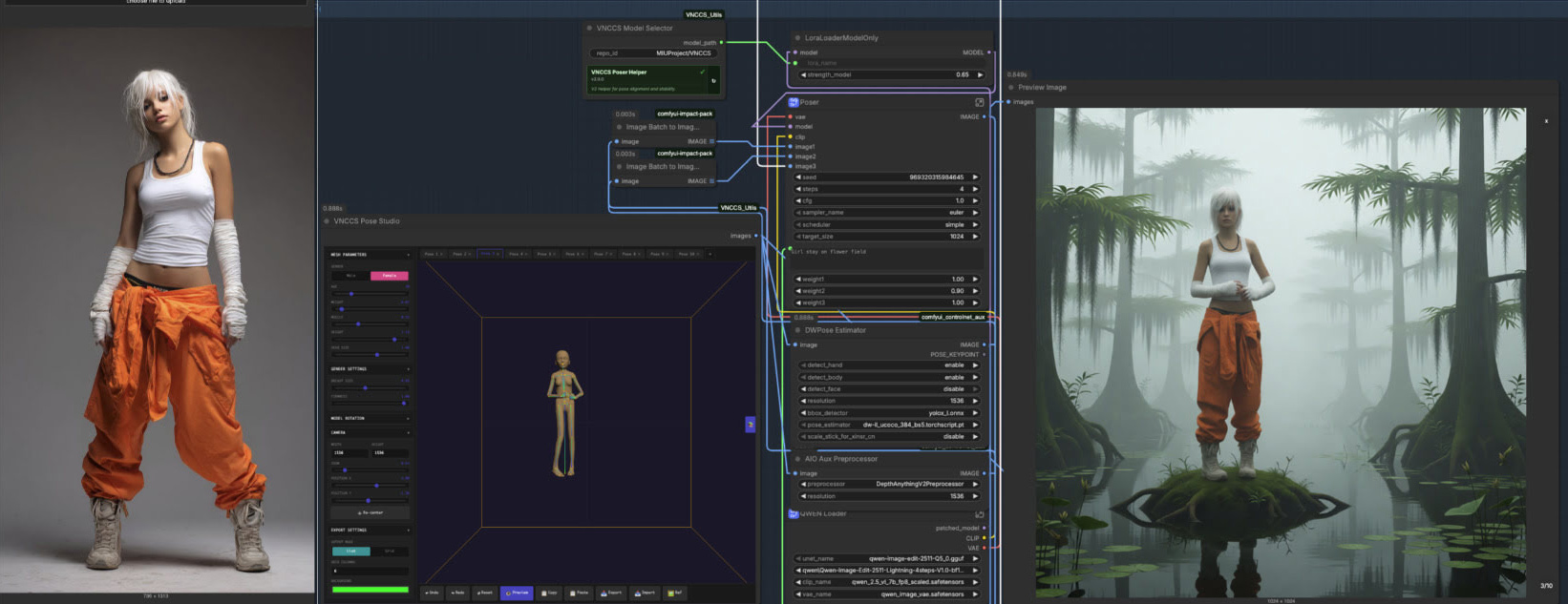
Character reference -> ‘pose and position’ window -> generated image with posed character in the desired position.
That’s it for now.
Posted in Companion software, Freebies, Spotted in the News, The Animation Industry, Tutorials
2 Comments
Qwen3 TSS has been released, and it allows local ‘prompt to custom character’ voices. This adds a whole new dimension to local text-to-speech (TTS). It’s also a pleasingly small model at around 5Gb total (if you already have many TTS Python requirements), so is very feasible for those with older graphics cards and slower Internet connections. It has an Apache 2.0 license, so is fully open-source and available for commercial use. All the below requirements are free, as is the way with local AI.
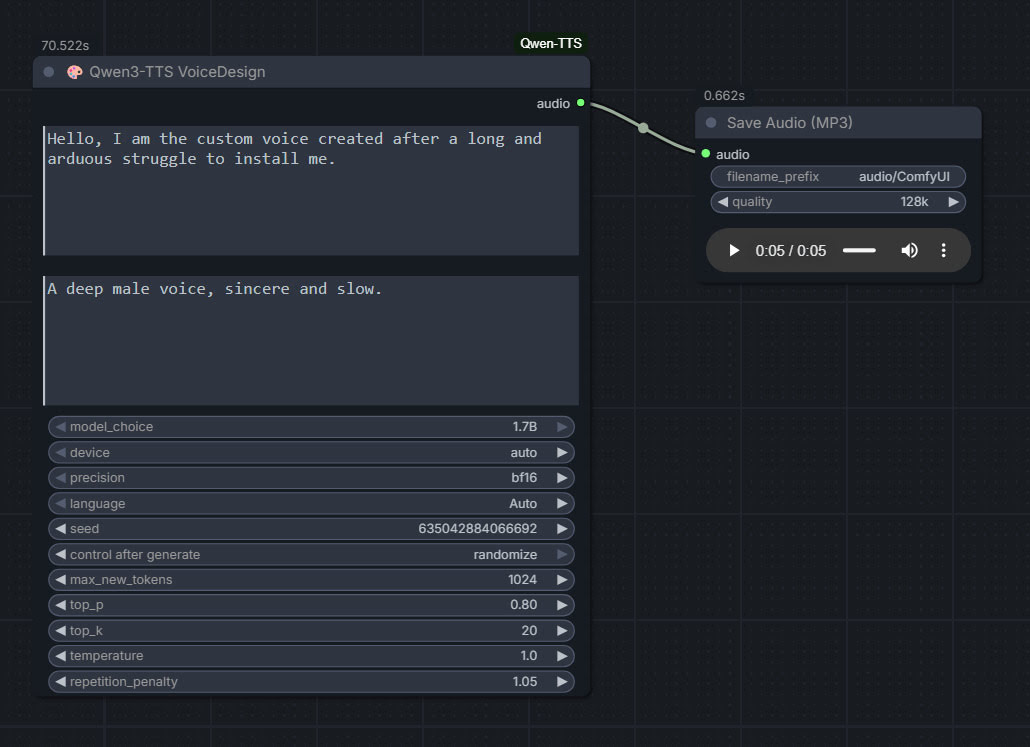
As you can see, you can describe your exact voice and the audio generated conforms to the description. Voices can be described with great detail, far more than shown above, and their modulation over time also (e.g. “rising excitement”). There are obvious uses here for unusual character voices for animation, games, audio drama, vocal additions to audio soundscapes, etc.
Tested and working, after a lot of work. Here’s how to manually install for ComfyUI portable:
1. In ..\ComfyUI\models\ create the new local folders ..\ComfyUI\models\qwen-tts\Qwen3-TTS-12Hz-1.7B-VoiceDesign\ and its subfolder ..\speech_tokenizer\
2. Download the required models Hugging Space at Qwen3-TTS-12Hz-1.7B-VoiceDesign and speech_tokenizer.
Put the downloaded files into their locally pre-prepared folder and sub-folder.
3. Now get FlybirdXX’s ComfyUI-Qwen-TTS custom nodes to run these models. Windows Start button, CMD, cd into the ComfyUI custom nodes directory, then…
git clone https://github.com/flybirdxx/ComfyUI-Qwen-TTS
4. Install the requirements for the new custom nodes. Start, CMD, cd to the ComfyUI embedded Python directory, then…
C:\ComfyUI_portable\python_standalone\python.exe -s -m pip install -r C:\ComfyUI_portable\ComfyUI\custom_nodes\ComfyUI-Qwen-TTS\requirements.txt
(Replace ComfyUI_portable with whatever your local path is).
There should be no conflicts, as yesterday’s patch for these custom nodes fixed the official Qwen TTS demanding transformers==4.57.3 which could have killed Nunchaku (which requires a lower version).
5. These Custom Nodes require a download of SoX which is an .EXE installer. Sox is a venerable freeware sound-exchange code library, kind of like ImageMagik… but for sound. After install you must add it to your Windows PATH. Thanks to Promethean Dante for the fix here…
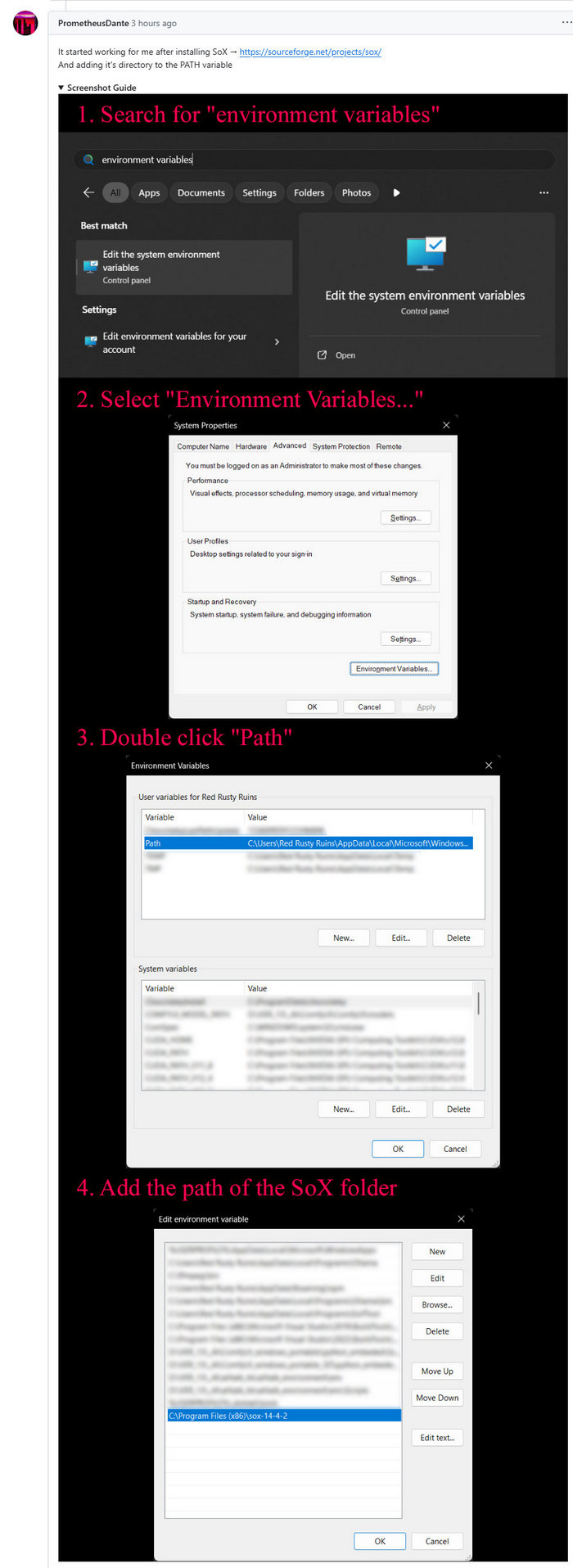
Looking at the node code it seems SOX is only needed if you try to generate on CPU rather than GPU, but the lack of it prevents the nodes from loading in ComfyUI. It seems you need both the Python sox module installed (it installed along with the requirements.txt – see above), and its Windows framework via the .EXE installer.
6. Start ComfyUI, and set up a simple workflow thus with the new nodes…
Time: 70 seconds for a five second clip, on a 3060 12Gb card. Reasonable, not super-turbo but workable.
The basic requirements of Qwen3 TTS are compatible with a ComfyUI portable install — Python 3.8 or higher, PyTorch 2.0 or higher, so the above custom node set won’t bjork your PyTorch by trying to upgrade it. Beware others similar custom nodes for Qwen3 TTS in ComfyUI that will try to upgrade Pytorch to 2.9 (not good, for a portable Comfy).
A few weeks ago there was a new release for Audapolis, now at 0.3.1. This is a local open-source Windows text editor for spoken-word audio, with automatic transcription. It seems to be one of those half-baked projects funded by the EU taxpayer, but it does work. Once transcribed, editing spoken audio becomes much like using a simple word-processor.
177Mb Windows .exe installer. Takes an age to install, possibly due to it being software built on Electron. But at least there’s no Python wrestling. The new user then needs to download one of three optional English offline transcription models from within the software, 40Mb, 128Mb and 1.8Gb respectively. You must have one of these to transcribe, and downloads are slow. The 128Mb model worked fine for transcribing clear TTS output. English transcription models are all American, and there’s no British, South African, Australian English versions.
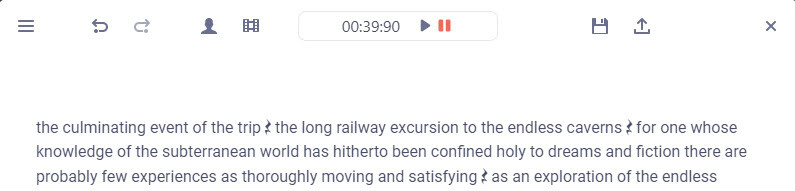
Tested and working. Choosing the small 40Mb model gives a very fast transcription of a single speaker, accurate enough. The UI is simple to operate, and the software is totally free and offline once the models are downloaded. Pauses are identified by a graphic symbol, and these can be copy-pasted elsewhere. But there is no visual indication of how long they are.
Keyboard shortcuts are not working for me, though one can rather clunkily operate them through the menu. Sadly there is as yet no “Find” or “Find and Replace” to remove filler words (e.g. find all instances of PLACEHOLDER and replace with 1 second of silence).
“Audapolis can automatically seperate different speakers in the audio file” when transcribing. Tested, but only partly successful on part of the LoTR multi-voice audiobook. Which is a difficult test. It might work better on a simple two-person podcast with American accents.
I finally got Chatterbox text-to-speech working in ComfyUI, which may be of interest to animators and other MyClone readers needing audio voices. It’s one of a half-dozen local equivalents to ElevenLabs voices. Chatterbox seems the best all-round local option for audio output that’s keyed to a reference .WAV, and also for voice cloning. At least in English. It’s reasonably fast, quite tolerant of less-than-perfect input audio, runs on 12Gb of VRAM, and produces accurate output of longer than 30-seconds in a reasonable time.
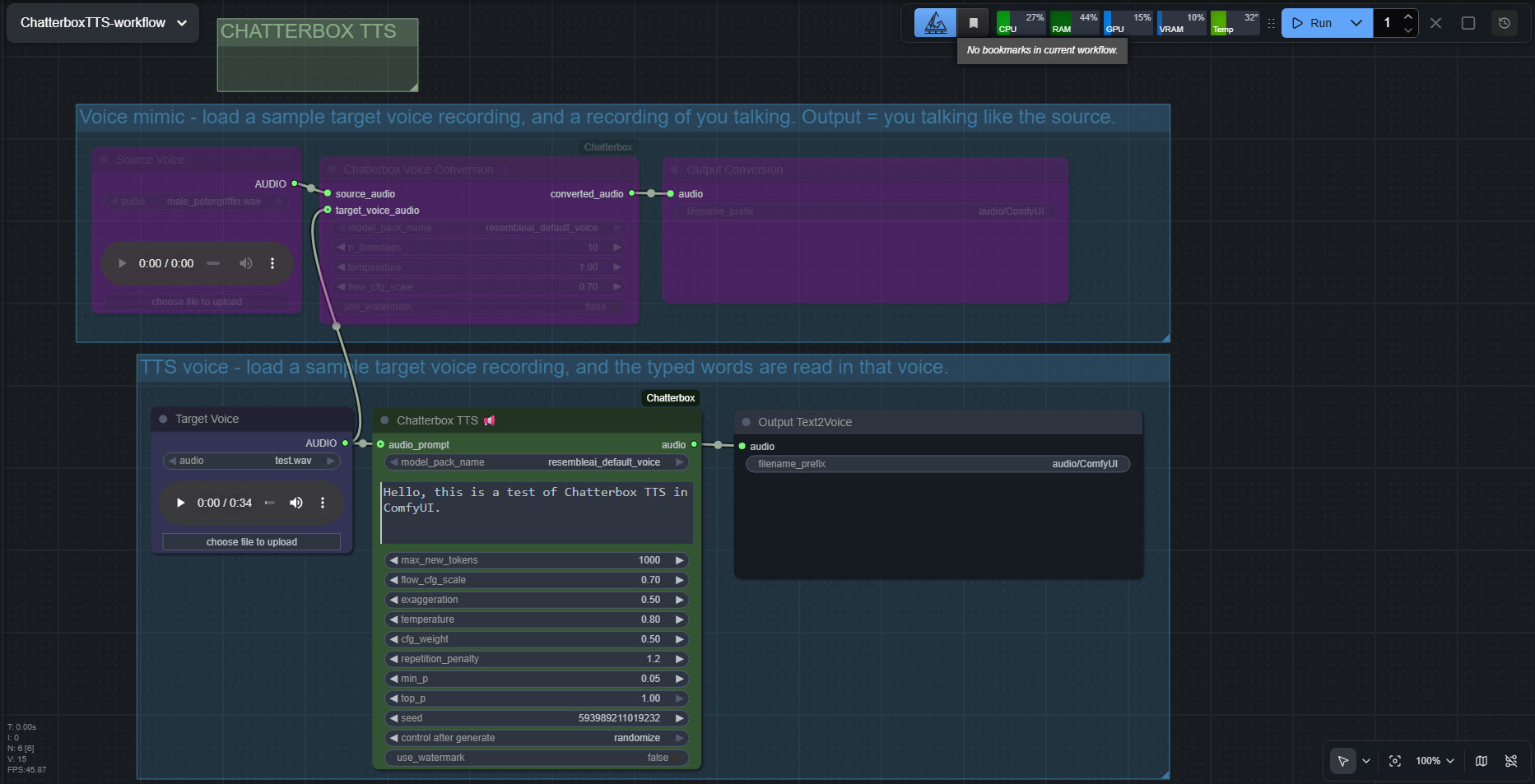
The huge drawback is that the TTS side of it (see image above, of the ‘two-workflows in one’ workflow) lacks any pause-control between sentences or paragraphs, which will be an immediate deal-breaker for many who are used to the fine-grained control offer by SAPI5 TTS. The voice mimic side keeps pauses, and incidentally works far faster than the TTS side.
There’s a Chatterbox portable, but it failed with errors. Install via pip install chatterbox-tts also fails miserably due to requiring antique versions of pkuseg and numpy, incompatible with Python 3.12.
But it is possible. So… assuming you want to try it… to install in ComfyUI on Windows, first you’d get the latest ComfyUI. Ideally one of the portables. Then install in it the newer Wildminder ComfyUI Chatterbox custom nodes rather than older Chatterbox nodes…
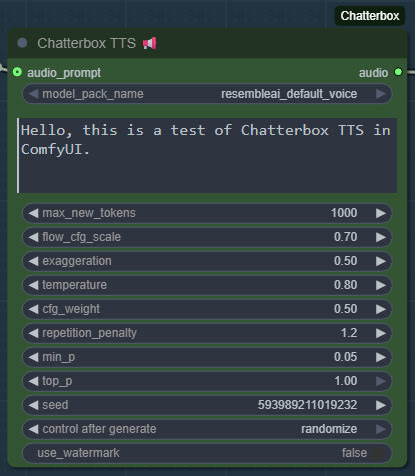
Then get the Chatterbox’s nodes many Python dependencies installed, via the Windows CMD window, thus…
C:\ComfyUI_Windows_portable\python_standalone\python.exe -s -m pip install -r C:\ComfyUI_Windows_portable\ComfyUI\custom_nodes\ComfyUI-Chatterbox\requirements.txt
This command string ensures it’s the ComfyUI Python that’s installed to, not your regular Python. Note that pip needs to be able to get though your firewall and access the Internet, to fetch the requirements. You may need to do this twice, if the first time doesn’t get the required Python module ‘Perth’.
These newer ComfyUI custom nodes, unlike older ones are… “No longer limited to 40 seconds” of audio generation. Nice. Though, for a 30 seconds+ length, you will need to have have enough VRAM — 12Gb may not be enough.
Note that Wildminder’s nodes need the .safetensors models rather than the old .pt models. I tried all the custom nodes that instead use the .pt format, and installed their models and requirements, but they all failed in some way and thus didn’t work. Wildminder’s Chatterbox nodes are the only ones which work for me.
So, for Wildminder’s Chatterbox nodes you then need the correct models to work with, manually downloaded locally and requiring around 3.5Gb of space…
Cangjie5_TC.json
conds.pt (possible not needed, but it’s small)
grapheme_mtl_merged_expanded_v1.json
mtl_tokenizer.json
s3gen.safetensors
t3_cfg.safetensors
tokenizer.json
ve.safetensors
For manual local installation in the ComfyUI portable, the above models and support-files go in…
C:\ComfyUI_Windows_portable\ComfyUI\models\tts\chatterbox\resembleai_default_voice\
You should then be able to have ComfyUI run one of the simple workflows that download alongside the Wildminder ComfyUI Chatterbox nodes…
Note that this node-set does not support the new faster Chatterbox Turbo, and at present it seems there isn’t ComfyUI node support for Turbo. Turbo was only released a few days ago, though, so give it time. Turbo lacks the “exaggeration” slider which can add expressiveness, and is apparently limited to 300 characters (about 40 words)… but has tags to add vocals such as [cough] [laugh] etc and apparently supports the [pause:05s] tag for pauses. [Update: I was misinformed about the pause tag, it doesn’t seem to be respected in Turbo].
I assume Chatterbox will not work on Windows 7, due to the limitations on CUDA and PyTorch versions in 7.
Update: I am left with two problems. Batch processing of a longer text, called ‘chunking’ by audiophiles. And the problem of inserting longer silences between sentences, the default not being long enough even with a low CFG setting. As for silences, the free Lengthen Silences plugin for Audacity can detect silence pauses of a certain length (e.g. between sentences) in your mono spoken-audio file, and then it automatically inserts longer pauses to your specified length. The mono version of the plugin works in Audacity 2.4.2 on Windows 11.
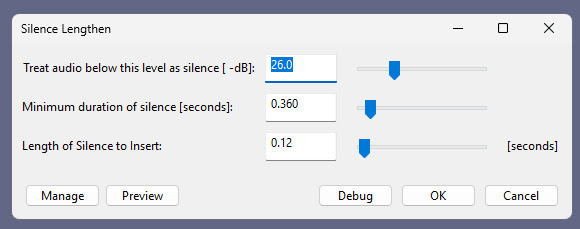
For simply auto-deleting pure silences, Wavosaur is easier.
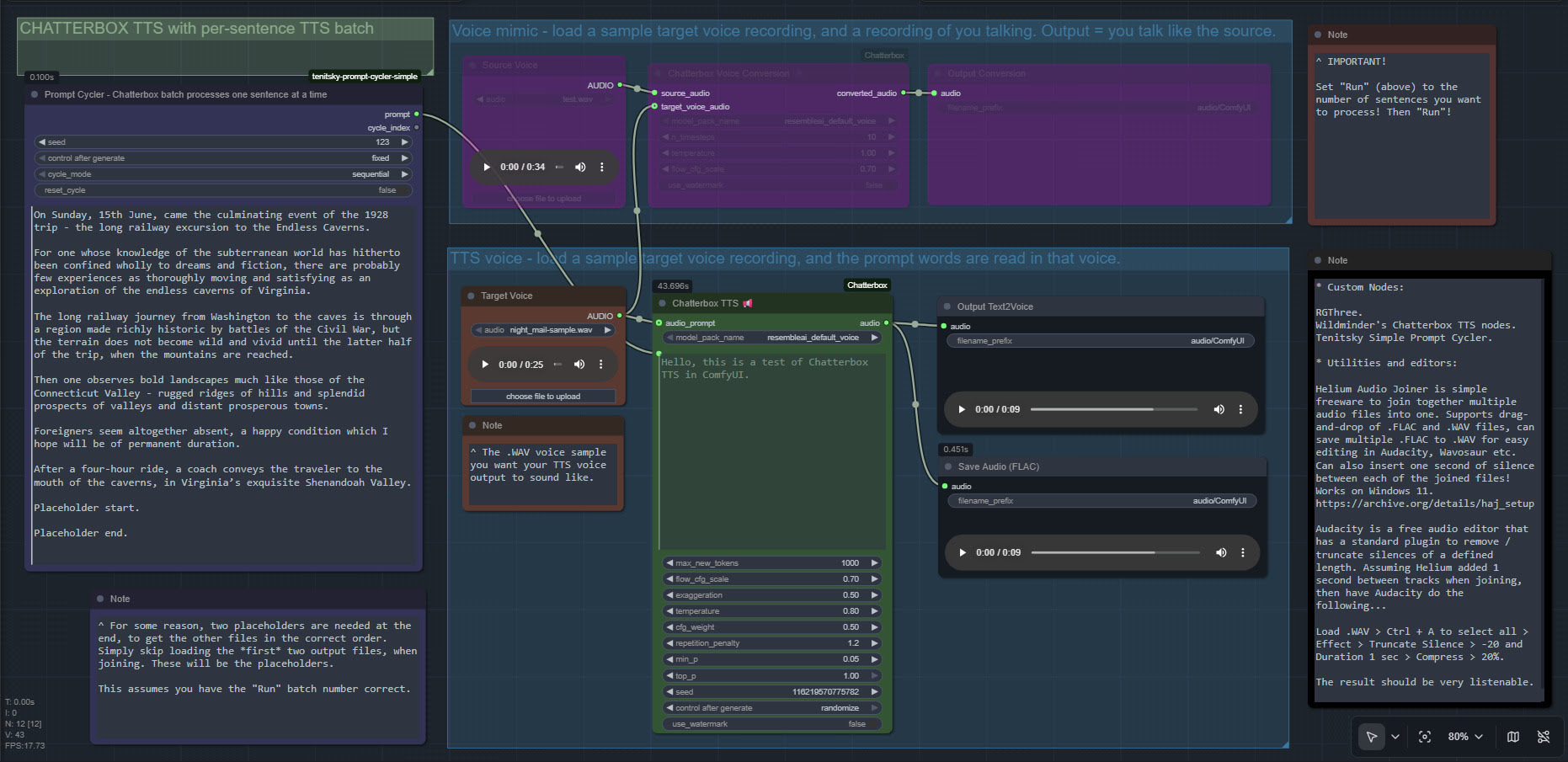
Update 2: Chunking and silence removal solved…
Update 3: [pause:1.0s] functionality added, December 2025.
TurnipMania has hacked Wildminder’s tts.py file to add pause support in the format [pause:0.5s]. https://github.com/TurnipMania/ComfyUI-Chatterbox/blob/a9f38604c7be2cd2077c69486e168b0f4d995749/src/chatterbox/tts.py Backup the old file found in ..\ComfyUI\custom_nodes\ComfyUI-Chatterbox\src\chatterbox\ and replace it with the new one. Tested and working.
Update 4: Turbo now supported in ComfyUI.
An update to yesterday’s post on the LivePortrait standalone/portable for Windows. The poor quality and different-sized .WebP output spurred me to get it working in ComfyUI. And hurrah, I now have a simple Liveportrait expression/gaze-direction changer working in ComfyUI. With .PNG output of the same size as the input.

The controls are not so intuitive as in the portable, so I’ve added a note explaining what the settings do.
Models are already in the portable, if you downloaded that yesterday after seeing my post. Just copy them over to their relevant ComfyUI ../models/liveportrait sub-folders.

You then only need ComfyUI, these custom nodes, and the extra face detection models linked to there.
Slightly slower than the portable, four seconds rather than one, but then there’s no low-grade .WebP in the mix. The above workflow should (theoretically) also work on Macs and Linux.
Update: I hear there is now a newer alternative, China’s HunyuanPortrait, but it takes far longer, needs a powerful graphics-card, and is said to lack ‘human-ness’ in the output.
At the end of the summer I was very happy to get the ‘Lovecraft as a Zombie’ result, using a successful combination of Poser and ComfyUI.

That was back at the end of August 2025. But then I hit a seemingly insurmountable problem, re: potentially using the process for comics production. Head and shoulders shots, of the sort likely to appear rather often in a comic, were stubbornly impossible to adjust the eyes on in ComfyUI. Even a combination of a Poser render with the eyes looking away, and robust prompting could not shift the eyes very far. This, I think, was a problem with my otherwise perfect combo of Canny, Img2Img, three LoRAs with a precise mix, and other factors. The workflow was robust with different Poser renders, but on ‘head and shoulders’ renders the eyes could only be forced slightly away from looking at the viewer/camera. It’s the curse of the “must stare at the camera” default built into AI image models, I guess.
But of course the last thing you want in a comic is the characters looking at the reader. So some solution was needed, since prompting was not going to do it. Special LoRAs and Embeddings were no use there either. Good old CrazyTalk 8.x Pro was tried, and (as many readers will recall) it can still do its thing on Windows 11. But it required painstaking manual setup and the results were not ideal. Such as tearing of the eyes when moved strongly to the side or up.
But three months after the zombie breakthrough I’ve made another breakthrough, in the form of a discovery of a free Windows AI portable. The 5Gb self-contained LivePortait instantly moves the eyes and opens the mouth of any portrait. No need to do fiddly setup like you used to have to do with CrazyTalk. You can’t control it live with a mouse, like you could with CrazyTalk, but it’s very simple to operate.

LivePortait for Windows was released about 16 months ago, with not much fanfare. Free, as with all local AI. Download, unzip, double-click run_windows_human.bat and wait a few minutes while it all loads. You are then presented with a user-interface inside your Web browser…

Scroll down to the middle section, “Retargeting and Editing Portraits”. As you can see above, it’s very simple to operate and it’s also very quick with a real-time update in microseconds. Works even on ‘turned’ heads. I’d imagine it can run even on a potato laptop.

Poser – to – SDXL in ComfyUI – to LivePortrait.
One can now start with Poser and more-or-less the character / clothes / hair you want, angle and pose them, and render. No need to worry if the eyes are going to be respected. In Comfy, use the renders as controls and just generate the image. If Comfy has the eyes turn and the prompted expression works, fine. If not, no problem. LivePortrait can likely rescue it.
The only drawback is that the final image output from LivePortrait can only be saved in the vile .WebP format. Which is noticeably poorer quality compared to the input. Soft and blurry, and as such it’s barely adequate for screen comics and definitely not for print comics.
I tried a Gigapixel upscale with sharpen, then composited with the original, erasing to get the new eyes and lips. Just about adequate for a frame of a large digital comics page, but not ideal if your reader has a ‘view frame by frame’ comic-book reader software.

However there may be better ways. One might push the .WebP output through a ComfyUI Img2Img and upscale workflow, but this time with very low denoising. I’ve yet to try that. It might also be worth trying Flux Kontext.
For those with lots of Poser/DAZ animals, note the LivePortrait portable also has an animals mode. Kitten-tastic!
E-on Vue, now wholly free, has a further opportunity. There’s the option to make it open-source and with some backing… “making the source code of these products available under a free software license, sponsored by the Academy Software Foundation”. Input from potential developers is welcomed. Recall that it runs Python, so simply adding in the ability to do quick seamless “AI rendering” would be a great addition.
Stable Audio 1.0 is a free “prompt to sound-fx” generator, based on an ingestion of the well-tagged sound FX files at the huge public-domain Freesound website. As such it produces royalty-free sound FX clips, of up to 47 seconds in length. Here it is, working in ComfyUI portable.
Workflow:
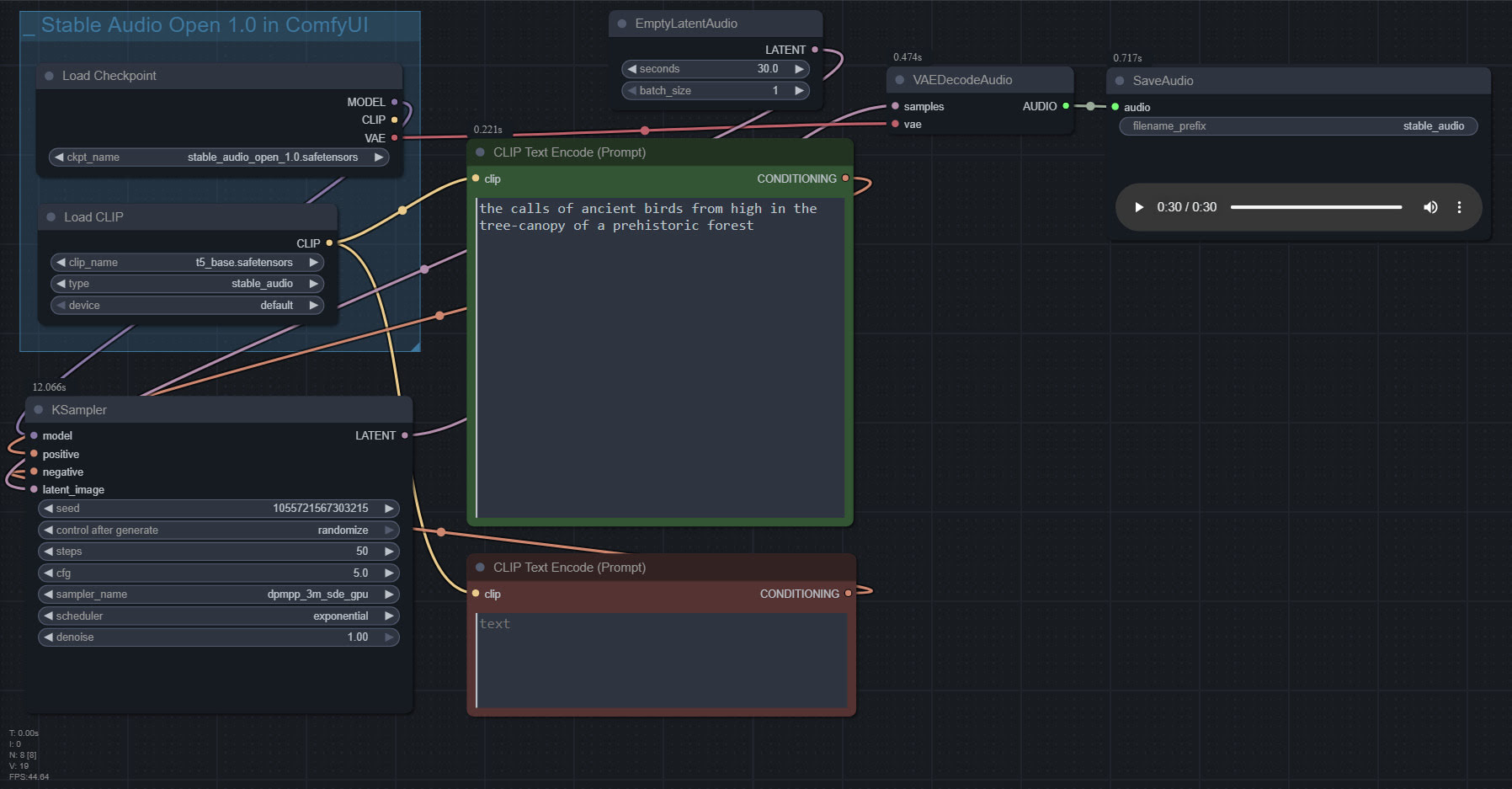
1. Copy the 4.7Gb model.safetensors from the Archive.org standalone’s ..\Stable-audio-open-1.0-webui-portable-win\stable-audio-tools\models folder. The standalone’s .torrent file is the easiest and most hassle-free / re-startable way to get this huge file. Then you put it in ../ComfyUI/models/checkpoints and after that you rename it as stable_audio_open_1.0.safetensors
2. Download the 800Mb Google T5 encoder model.safetensors file from HuggingFace, rename it t5_base.safetensors and copy that into ../ComfyUI/models/text_encoders/
That’s all you need. Just set up the workflow as seen above, and you’re ready to generate. All the other guff in the Archive.org Stable Audio portable is now taken care of by ComfyUI. ComfyUI audio generation also feels faster than the standalone.
In the above workflow, setting “batch” higher than “1” seems not to work.
I found it is possible to multitrack/mix more than one FX, via the prompt rather than nodes…
A balanced mix between a good field recording of a man walking through dry leaves in winter, and a recording of small birds calling plaintively in the surrounding Canadian boreal forest.
Update: This simple batch workflow works for batching different prompts and/or getting multiples ‘takes’ of the same prompt…

Posted in Automation, Companion software, DAZ Studio, Freebies, Poser, Vue
Leave a comment
Welcome to another round-up of the new items for Bondware’s Poser and/or for DAZ Studio. This time I survey releases in the quiet month of August, together with the busier month of September. At the foot of this post there are also link to notable software updates, and some relevant AI developments that should not be overlooked.
As usual these are ‘just my picks’, and I also try to warn if something is (or may be) fanart and thus not for commercial-use.
I welcome your support via Patreon.
Science-fiction:
* A free Modular Sci-Fi MegaKit, 190 low-poly modular environment pieces, generic future-industrial and “designed to fit perfectly in a grid”.

* XI Salt Lake, potentially suitable for enhancing an alien landscape.

* The Cog Regime Bundle, being the robot and its repair-shop.

* Phogron for Poser. Now with Superfly textures. I’m surprised that DAZ have let a “pure Poser” figure on their store, and wonder if it heralds a change in policy? I see a range of other Poser-only sci-fi alien Vanishing Point figures are also newly on the DAZ store.

* Simple, but effective and believable. H1 Hauler is a deep-space cargo hauler for DAZ.

* The cargo-ship is probably manned by the Synthoids for Genesis 9.

* A free simple SciFi Tablet.
Steampunk:
* Steampunk Display Pedestals for DAZ.

Fantasy:
* Oso Hippochera for DAZ Horse 3. A feathered horse. Also includes optional bird-beak.

* Ruined Mage Towers 2 and matching Medieval Bell Towers 1 / Medieval Bell Towers 2.

Storybook:
* A free simple Rocking Horse.

* A free Sailor3 Winter Set for G8F.

* 1stB Backyards Pool, of the collapsable type.

* FG Camping Time for DAZ. Everything you might need for a DAZ camping trip, apart from sleeping-bags.
* A free simple Piggy Bank.
Toon:
* Rocksteady figure for Poser. Fan-art, so no commercial use.

* Free styles for G9 Toon Brows. Requires the “Toon Brows Paint” eyebrow prop found in the Genesis 9 Starter Essentials pack.

* Hanging Out Retro Space Lounge, in the early-1960s Jetsons style.

Halloween:
* Figaro, a theatrical horse head for Poser and DAZ.

* Fangs for LaFemme2 in Poser.

* Freak Show for DAZ. The waggon is suitable for adding to your Lenore and The Raven matching props collection.

* Monster Skulls and Back to Skull packs.
* 2025 Fantasy Attic’s Annual Halloween Gifts for Poser and DAZ. Fabulous freebies throughout October, one per day in an ‘advent calendar’ layout.
Figures, accessories, and everyday scenes:
* SY Free Morphs Merchant Resource G9 giving sliders for various body-builds.

* FM Cave Crawling Poses for Genesis 9 and 8 Female. Plus matching FM Claustrophobia Caves.
Animals:
* Songbird ReMix Characters v4, popular North American ‘character’ birds.

* A free standalone low-poly AMV_Fawn for DAZ. With 4k textures.

* Megatherium by AM, a giant hairy prehistoric Ice Age sloth.


Landscapes:
* Overgrown Outpost total makeover for Stonemason’s Ministry And Return To Enchanted Forest.

* A simple Sandbank for Vue. Aka an ‘eyot’ when a few bushes start growing on one. From the same maker, there’s also a worn concrete River Enclosure for Vue.

* An old Weathered Retaining Wall for Vue and Bryce, and there’s also an .OBJ file. Phototextures, but presumably these could be replaced with a matching Vue ecosystem.

* Derelict Dune Outpost, a total makeover for Stonemason’s Urban Future 3… “Gone are the neon-filled streets at night and futuristic glamor. Instead, you’re facing an abandoned outpost in a desert setting with a cinematic feel.”
Historical:
* Viking Churches 1, Christian-era ‘stave’ churches built purely of wood.
* Old Bakery Interior for DAZ.
* Obliterated. 22 urban warfare scene props for DAZ.

* A classic usherette Cinema Tray for DAZ with G8 pose.

Tutorials:
* Efficient Crowd Animation in DAZ Studio: A LowPoly Workflow.
* Comparing conforming vs. dynamic vs. dForce clothing.
* Six things that ruin your Poser scenes… and how to solve them.
* How to create a background speed blur in Poser.
* Now that iClone has embraced AI, they have a new video tutorial on how to AI Render Custom Workflow with Flux and their 3D figures. Free on YouTube. Flux is not to be confused with Flux Kontext.
Scripts and Plugins:
* Structure’s Easy_DoF for Poser, now working in Poser 13. Easily setup camera focus and depth-of-field blurring.

* Structure’s Light Manager for Poser, free and fixed for Poser 12 and 13.
* AVFix for Poser 11 is now at the Internet Archive, along with a small tutorial on how to get it to load at startup along with Poser. It enables other older Python scripts to run in Poser 11. Not needed for Poser 12 and 13, due to the move to Python 3 for scripts.
* Free, Discomfort (alpha): Control ComfyUI with Python. “With Discomfort, you can write simple scripts to automate complex image generation tasks, turning your workflows into reusable, programmable components”. Another possible tool for integrating with Poser’s Python, to make a one-button Poser-AI render system.
* BJ Selection History Plugin for DAZ.
* 3D Universe’s Idle Designer for Genesis 9… “generates fully randomized, organic idle animations in seconds”. An “Idle” animation means subtle motions when at rest, such as a blinking and breathing.

Software:
* A video review of Go Physical which converts older Poser Firefly materials into SuperFly ready PBR materials.
* 3D clothes designer Marvelous Designer has a new Linux edition, which also incudes a “Python API” for studio work. Sadly it’s only available at their Enterprise-tier subscription level.
* Newly released is PD Howler 2026, with AI enhancements.
* n8n is an free open-source Zapier alternative which can be self-hosted. Zapier is commonly used to create custom workflows that automate complex repetitive tasks, especially across different online services. Likely to be especially useful for small production studios.
AI software:
Note that some links here are unavailable in the UK, due to what is effectively government censorship of CivitAI.
* Topaz has seen ‘the writing on the wall’ re: the threat to it from local AI, and is going subscription-only before Topaz becomes irrelevant. Topaz Gigapixel, Video AI and Photo AI are no longer available standalone and offline, and all of their software is now subscription-only.
* The free AI image auto-editor Flux Kontext now has controlnets of a sort, via a free LoRA and workflow. Also works with an Openpose render as the control image, which can be had from either DAZ or from Poser (with hands) via Ken’s plugin.

* The new free Kontext LoRA Change Camera Angle v2 moves the camera around the subject while auto-filling background. Working from a 2D image, which is auto-projected into 3D and rotated, then flattened back to 2D.

* Also for Flux Kontext, Game2Reality is a free LoRA plugin that may be of special interest to even the most AI-phobic Poser and DAZ users. It’s a LoRA that helps to give a more faithful result when using Kontext to make a 3D figure render into a ‘reality render’.

Also appears to fix the “must… stare… at… the… camera” problem.
* A simple Photoshop connector node for ComfyUI.
* Selector and switch ComfyUI nodes to make the ComfyUI UI interactive. See also the ComfyUI custom node to pause a workflow.
* Comfy’s more Photoshop-like rival InvokeAI is now at version 6.8. Now supports Segment Anything v2. Still free.
* An easy local LLM-assisted prompt generator, by using the free Msty 1.9.2 desktop (not the flaky new ‘Msty Studio’) with the Mistral-7B model.
Stable Diffusion learning:
* A free StableDiffusion CheatSheet 1.2. 833 Artist-Inspired Styles known to exist as named entities in Stable Diffusion 1.5, and their prompts and visual look.

Models used for the demos are either Deliberate v2 or DreamShaper 3.2 (current equivalent is 3.31 Baked VAE), two of the best early SD 1.5 models. This was before DreamShaper versions got pushed toward anime and photoreal to please the mob. Also, note that later Stable Diffusion base models (e.g. 2.1, SDXL and 3 etc) removed most artists and celebrities.
* A good set of ComfyUI extension tutorials with free workflows.
* Basic fast inpainting using any SD 1.5 model. Simple workflow, with no extra nodes or dependencies required.
That’s it! More later in the autumn.
I’ve finally managed to get the free Vue 2024. The UK was region-blocked from the downloads, for some reason. But I’ve managed to get it, now that I have a stable fast VPN that doesn’t balk at a 2Gb download.
I can confirm that the Poser .pz3 scene import still works fine. Just tell Vue where the Poser 11 install folder is. It has to be Poser 11, as that’s the last one which had the required SDK. Vue can then import a .pz3 made by any version of Poser.

Real-world terrain-import works too, with world map. Just give Vue access to the Internet. Worth having just for this feature, even if you don’t think you’d use anything else.