Part one of the tutorial is more generally useful for those who need to export FBX files for non-standard toon characters from DAZ…
Part two shows you the steps needed in 3DXchange Pro 5 and iClone…

Part one of the tutorial is more generally useful for those who need to export FBX files for non-standard toon characters from DAZ…
Part two shows you the steps needed in 3DXchange Pro 5 and iClone…
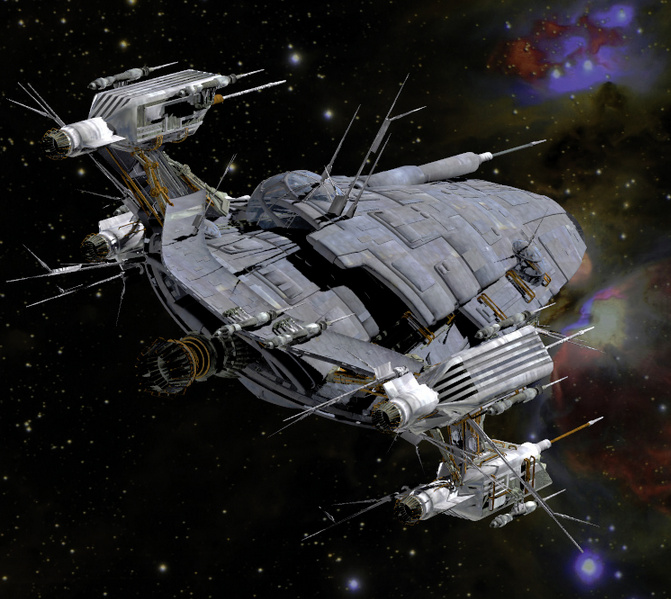
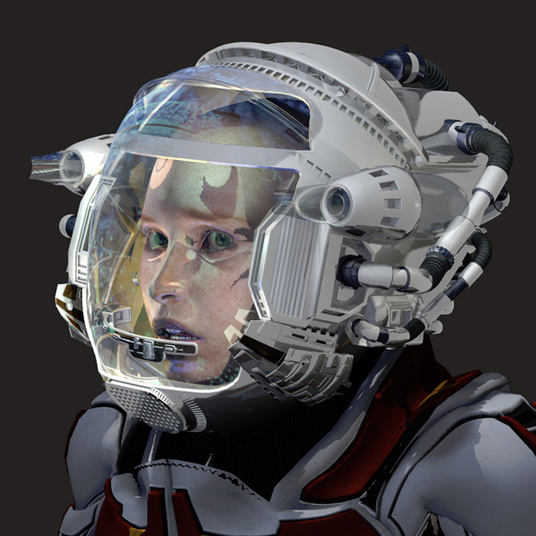
London224 continues to produce quality 3d sci-fi and steampunk content for DAZ and Poser. His latest at the Renderosity store is hard sci-fi. It’s a nicely Kirby-esque MS13 Cyron Chamber that would also suit superhero scenes very well (it reminds me of Jack Kirby’s vision of the interior of the Baxter Building in Fantastic Four)…

There’s also his matching MS13 Search Helmet and MS12 Prometheus Two spaceship.
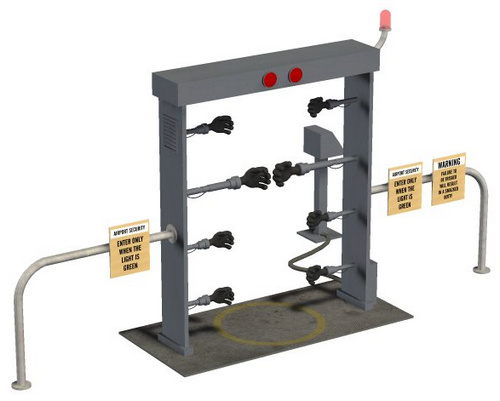
Just what every Christmas party needs, a cool Frisk-a-tron machine instead of some ugly bouncers on the door. Free, for Poser and Daz Studio…
Following Stonemason’s recent quality sci-fi content, there’s now another Stonemason set for DAZ Studio or Poser: Sci-Fi Corridor 2013. It’s a highly detailed starship corridor, complete with med bays…

And over at Renderosity, coflek-gnorg is also riding the sci-fi vibe with his new Hull Breach starship set…

Inspired by today’s free lecture theatre here’s my quick survey of bookworms, librarians and teacher types for V4 for DAZ Studio or Poser. Such characters and accessories are pretty rare, but here’s the few I found — followed by some similar semi-toon items.
Characters:

Poses and expressions:
The Teacher poses and expressions for V4…

Ex Libris poses (for DAZ Genesis only), including the classic librarian “shhhHH!” pose…

Clothing:
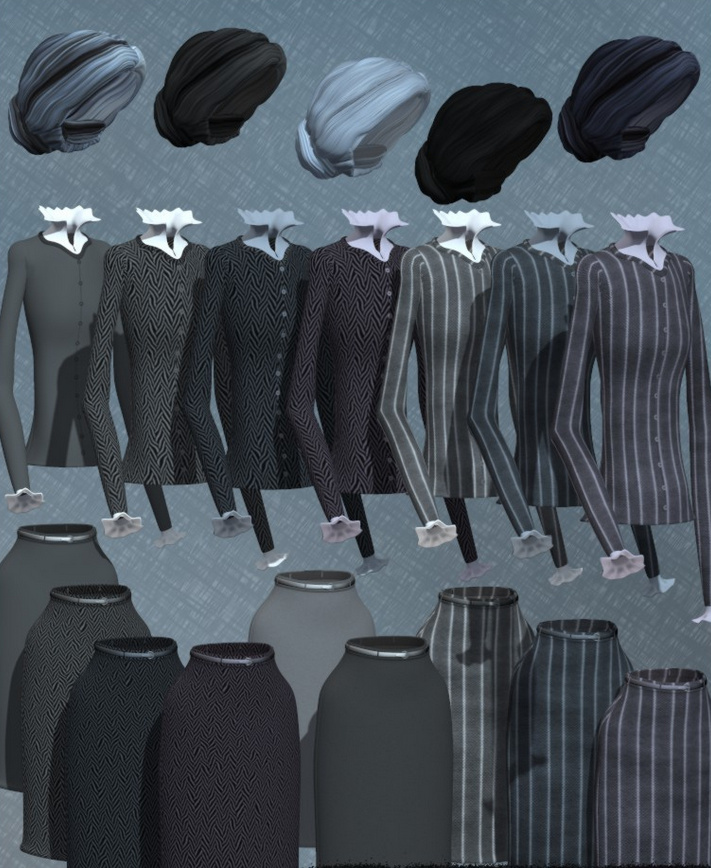
Cosmopolitan Girl Suit for V4 and its Stylish addon has the right sort of modern vibe…

V4 Ruffle is a ruffle-front chiffon blouse of the sort that lady librarians might have worn back in the 1960s and 70s…

Accessories:
Some nice old-fashioned steampunk style Pince-Nez Glasses for V4…

Late Nights at the Library has bonus props such as books and bookcases, pens, and chairs, as well as V4 librarian poses.
Semi-toon:
Corporate Shuffle 1 and Corporate Shuffle 2 would make good semi-toon teachers (requires various K2 Mix-n-Match clothing items) for the Krystal character.

Granny for Toon Gramps could make a good old-school librarian, if you removed the pinafore …

There’s also The Librarian, a set of old-fashioned librarian clothes for Lenore.
This new nine-minute tutorial video might be useful for some. Morgan Schweers shows how to quickly convert Victoria 4-based characters (inc. morphs) to the new DAZ Studio Genesis format…
To work through this new tutorial you will need to have the DAZ Genesis Generation X (aka GenX) plugin installed, plus the V4 and M4 Shapes for Genesis pack.
 Posted in 3D Utilities, Companion software, DAZ Studio, Spotted in the News
Leave a comment
Posted in 3D Utilities, Companion software, DAZ Studio, Spotted in the News
Leave a comment
Now available is Decimator for DAZ Studio for DAZ Studio “4.5.0.114 or higher”.
I bought this a few years ago as part of the set of Game Developer Kit suite of plugins for DAZ Studio 3, to get DAZ content to iClone. I used it a lot and it’s excellent, and does the job: reducing huge 3d meshes down to a much lower number of polygons. It’s very flexible and easy to use (once you find how to launch it in the menus), and its great to see it being kept updated to work with the latest versions of DAZ Studio.

Nice retro Mind Chair Book for DAZ Studio or Poser, free from Mr. Sparky…

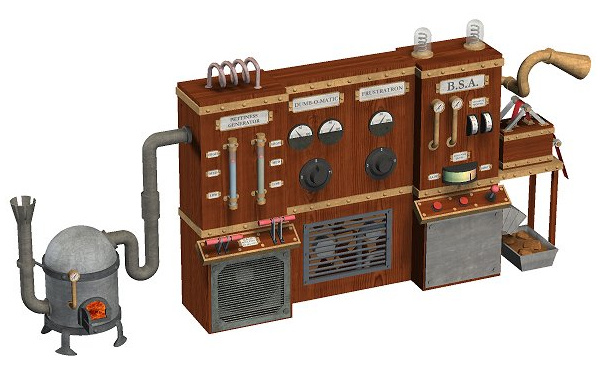
Plus a nice toon-style steampunk Red Tape Generator, for use with Dr. Pitterbill or other semi-toon characters, also free…
Posted in 3D Utilities, DAZ Studio, Freebies, Poser, Special Offers and Discounts
Leave a comment
If, like me, you use the excellent PZDB (my review) to find and load DAZ 3D and Poser content, then you’ll be interested to hear that there’s now a free upgrade patch from Rocketship.
Get PzDB 1.2.5. Warning: you will need to do a full reindex of your 3d collection after patching, so don’t update just before you start in on a deadline job.
It now supports those pesky new types of DAZ files…
“PzDB 1.2.5 now indexes and supports all current DAZ Studio filetypes, in addition, DAZ Studio files are now sorted among PzDB Categories as follows: DAZ files are still DAZ Scenes; DS, DSB, DSE, DSA, DSX and now DUF and DSF files are listed as DAZ Scripts; DSO, DSD, and DSVs are considered Geometries; DSI, DCB, and DBMs are listed as Materials; DBC is a Camera; and a DBL is a Light.”
It can also now double as an entertainment media index, since it now supports…
“AVI, MPG, MP4, MOV, and WMV files and … MP3, WAV, WMA, and FLAC files”
PzDB 1.3 Beta Testing has also started…
“The PzDB 1.3 Public Beta Test is open to all PzDB 1.X Licensees.”
Renderosity’s Halloween Contest is now open for entries…
“This year’s theme is: Things I’ve learned from watching horror movies.”
Deadline: 15th October 2013.

The Renderosity annual survey is now live. $100 Renderosity Gift Certificates for 10 of the lucky people who complete it.
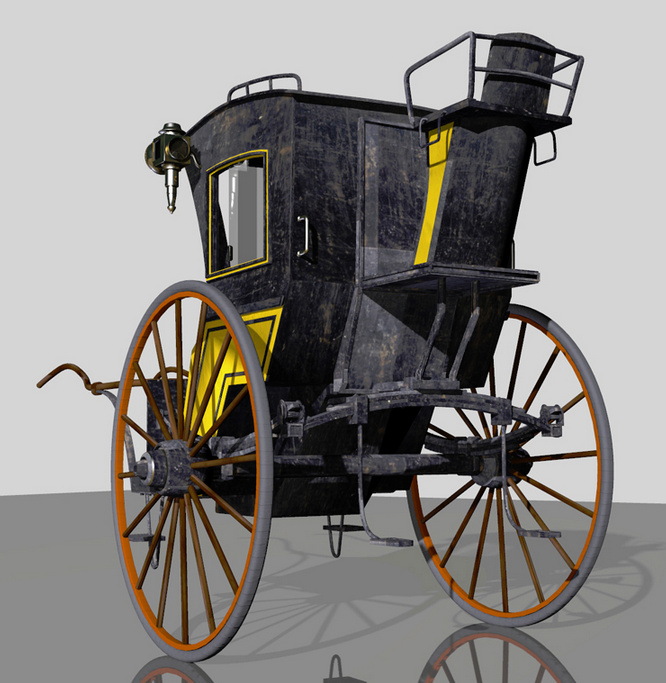
While you’re at Renderosity have a look at this lovely new Hansom Cab, for all your Sherlock-ian sleuthing in the fogs of Victorian London…
New free DAZ / Poser character, S. Cargo at the 3D Universe Store.

Stonemason is back from holiday with a new ultra-quality scene for DAZ and Poser, Desert Outpost. Nice science-fiction styling, and it reminds me a bit of Jabba the Hutt’s palace on the planet Tatooine in Star Wars.

Could be combined with the new Balloon Technomages, suitably recoloured in desert and grungy textures. The balloons could be the water-vapor capture technology for the arid desert fortress.

It’s great to see that Dreamlight has released his new outdoors lighting and compositing system Light Dome Pro -R for DAZ Studio 4. This updates his old Light Dome Pro 2 and appears to combine it with parts of his old Mood Master 2 (both of which only worked in DAZ Studio 3.x until now). There’s also a welcome speed boost.
The new Light Dome Pro -R looks like a “must-have” for those who use DAZ Studio to create large outdoor scenes and then tweak them with Photoshop. I know from past experience that Light Dome is fairly simple to use once you learn a few easy steps, and that it gives great results. Light Dome Pro -R comes with a handy Photoshop Action which automatically loads all your seven render passes into Photoshop layers, where they can be automatically blended and adjusted with filters in real-time — thus cutting DAZ’s render-time dramatically. Since it’s only an Action, I’m guessing it’ll work with any version of Photoshop above about CS3?
Here’s the new video showing how it’s done (the intro sequence ends at 1:00 minute in, when the step-by-step tutorial begins)…
There’s also a longer 23-minute version of the video.
Of course, there’s nothing to stop you adding a render from the same camera with more dramatic lighting applied, to throw another flavour into the Photoshop mix of layers.
Also worth mentioning is the “glow effects” in the features list for Light Dome Pro -R. Be aware that this is just a whole-scene videogame-like high-contrast ‘bloom’ (yuk), rather than the ability to add per-object glow spillover of light into the air.
Included in Light Dome Pro -R is the old Mood Master 2’s simple Depth Fog / Haze, for easily adding a nice Vue-like z-depth fog to your landscape or cityscape. The fog effect alone is a good reason for getting Light Dome Pro -R, even if you’re not impressed by the other features. But we do appear to have lost Mood Master 2’s weather effects layers, such as rain etc. Possibly a new weather-tastic Mood Master 3 for DS 4.x will be coming along next from Dreamlight, along with time-of-day and night presets? Just my guess.
This works with 3D Delight as a renderer. There was also a later iRay version, but it was nowhere near as automatic or seamless.
Update:
Note that “- R” version 1.0.5 changes where you find it in your runtime. Instead of having to burrow around to find it down in My Library, it’s now up on Dreamlight | LDP-R, and is thus more easily found…
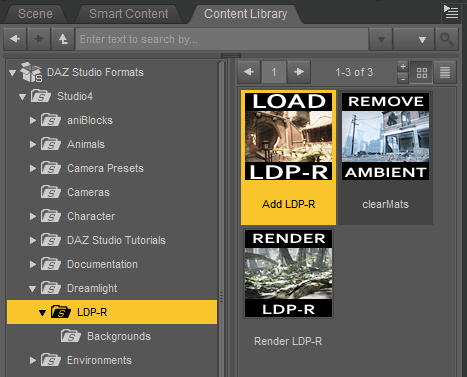
The basic workflow for “- R” is now…
1. Dreamlight | LDP-R | right-click on Load icon, “Open as New”.
2. Select the Skydome in the Scene tab. Then in the Content Library, drop down a level to find Background images, and apply a suitable sky to the Skydome.
3. Save the basic scene file. Load in your objects and arrange the scene artistically using the special LDP-R camera to view and frame it.
4. Ensure the scene’s render settings are as in PDF. This version of Light Dome Pro only works with 3Delight, not iRay.
5. Approximately set sun position by looking through Sun camera.
6. In the Scene tab, look through the Parameters LDP-R, set fog-depth – default is likely to be too far away. Try 2000 instead of 20000.
7. In Parameters, ensure set Ray-tracing is set. This is independent of the main Render setting.
8. Render, pick folder to save the output. ( C:\Users\YOUR_USER_NAME\Documents\DAZ 3D\Studio\Render Library\.. ) Close render windows when FOG finishes rendering, as it’ll be the last of the set. Save scene file and close DAZ. Load Photoshop, load renders into a single file by using the LDP-R Action.
Nursoda has kindly added new freebies to his newly-returned website:
“Man Morph” turns Nursoda’s Frankie the Pig into a stylised man…
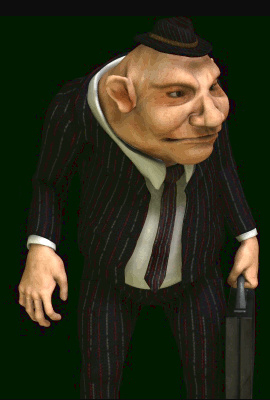
And “Black Doctor” turns Nursoda’s Doctor Pitterbill into a sort of dodgy back-street chemist / drug-dealer…
