DAZ Hexagon 3D for free, from DAZ. It’s still a useful 3D modeling software, interfaces nicely with DAZ and Poser, and has a wealth of accessible tutorials and webinars.



DAZ Hexagon 3D for free, from DAZ. It’s still a useful 3D modeling software, interfaces nicely with DAZ and Poser, and has a wealth of accessible tutorials and webinars.
The VUE 2016 R4 update patch has just been released. A few of the selected highlights of the 480Mb patch…
* Stereoscopic rendering and VR180 Panoramic rendering.
* Better multi-pass masking, re: semi-transparency (“For instance, cloud passes or tree leaves masks won’t show the sky in the background”).
* You can now embed the alpha channel for each mask pass, when the output format supports it.
* Path Tracer Renderer improvements.
* VUE now supports CPUs with more than 64-cores on Windows. [Meaning that Xeon users with multi-workstation render farms will be happy]
* Added Cinema 4D R19 support.
SketchUp Make, the free desktop version of SketchUp, has reportedly been canned in favour of “SketchUp Free, a free browser-based version” of SketchUp. Users get only “10MB of free storage”, so it looks they’re planning to monetise it via the “add extra storage” angle.

The lack of a free desktop version is going to be rather annoying to:
1) The nearly 40% of rural Americans who still lack access to fast broadband Internet. Many in Canada are also in the Internet boondocks. Australia likewise.
2) Kids whose Internet time is heavily metered and restricted by net-nanny software.
3) Anyone who, for whatever reason, does not have access to the Internet. Prisons, the military, merchant ships etc, all usually with heavily locked-down or no personal Internet access.
4) The rest of the world, re: poor or no viable Internet access in many places in developing nations.
And so on. For the next few days (maybe weeks) you can however still download the free SketchUp Make which is the free desktop version for Windows and Mac. For the benefit of future searchers, sketchupmake-2017-2-2555-90782-en-x64.exe will be the Windows install file you’ll need to search the FTP sites for.
 Posted in Comics, Companion software, Special Offers and Discounts, Spotted in the News
Leave a comment
Posted in Comics, Companion software, Special Offers and Discounts, Spotted in the News
Leave a comment
Clip Studio Paint (formerly much better known as Manga Studio) has just been released for the iPad.

Lumion 8 has just been released. Mostly intended for architects working with CAD models of buildings for construction clients. Which makes it very very costly, but as a result, also very fast and streamlined — if you have the ninja workstation needed to run it. In terms of the tools that readers of this blog are likely to have access to, it only interfaces nicely with SketchUp and (apparently) Cinema 4D. As such it’s probably not for most people who read this blog, but it’s interesting to at least see what the architects have at their disposal these days.
Here are all the new features in Lumion 8. I like the look of the “softening of hard edges” filter, which smooths some of the razor-sharp edges that 3D renders often have…
The popular free audio-editor Audacity has just released version 2.2. Audacity is used by many creatives, from animators to podcasters. Now handles MIDI files, autosaves-on-crash when recording, and has lots of bugfixes. Also new UI themes, found at: Edit | Preferences | Interface. Such as this one…

Posted in Companion software, Freebies, Spotted in the News, The Animation Industry
Leave a comment
A new free ‘open source’ software, Storyboarder. Lets you sketch storyboards, with lots of helper widgets and do-dahs. Nice clean user-interface, too.

Sadly it also has one of those “give us your email and we’ll send you a download link” things. Meh. So I haven’t downloaded, installed and tested. But it looks good, and you can’t argue with free.
According to a third-party blurb it apparently…
“allows the user to type a description in the sidebar and instantly get properly positioned 3D models, over which details can be added.”
Interesting, but there’s no info about things like 3D model import on the website? I couldn’t find anything there about 3D, importing .OBJs or their being some sort of 3D posing dolls inside the software. You can however change cameras to different shot types, and doing so forces your scene into a sort-of tilt to match the camera shot. Perhaps that was what was misunderstood to be “3D”?
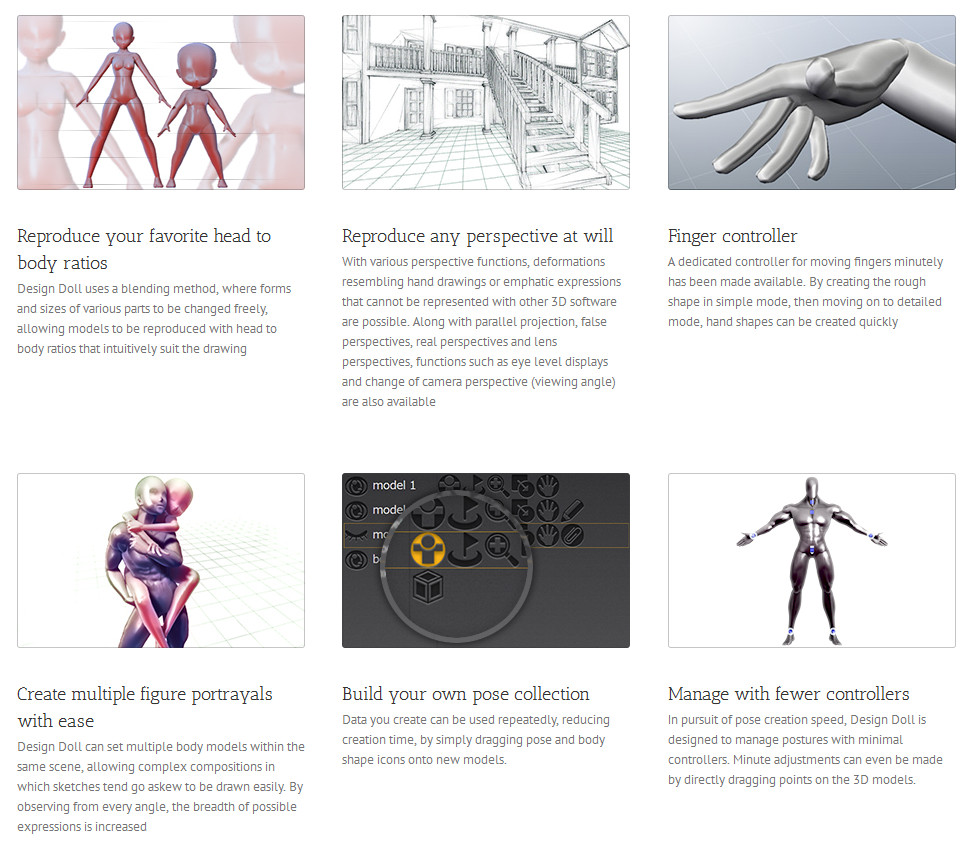
For those less inclined to sketch by hand just to get rough storyboards, also look at DesignDoll 4.0, which definitely does work with 3D. Imagine a streamlined ‘Poser for comics artists’, dedicated to making the rough pencils for each frame.
So far as I recall Manga Studio also handles 3D well.
Of course there’s also Poser and DAZ Studio, and their real-time OpenGL previews, and Poser 11’s real-time Comic Book mode.
There appears to be a new sale bit at Cornucopia, the Vue store. Log in and click the ‘Personal Offer’ sidebar link. It looks like it’s a small selection, akin to the DAZ’s “Fast Grab” page…

It clicked with two items in my Wish List. Slightly badly timed, though, as I all-but cleared my PayPal balance on the recent DAZ and Renderosity sales.
Posted in Companion software, Real-time animation, Special Offers and Discounts, Spotted in the News, The Animation Industry
Leave a comment
The Reallusion blog has all the details on their just-released $1000 Faceware Realtime system, for accurate real-time markerless facial animation in iClone…

The new Cinema 4D is out, Cinema 4D 19.
* A new viewport with… “Results so close to final render” that they can (apparently) be show to clients.
* 360° Virtual Reality output.
* “New Polygon Reduction” functionality, while preserving details.
* BodyPaint 3D. “Now uses an OpenGL painting engine, giving R19 artists a real-time display of reflections, alpha, bump or normal, and even displacement”.
* LOD. “Level of Detail (LOD) Object – Define and manage settings to maximize viewport and render speed, or prepare optimized assets for game workflows. Exports FBX for use in popular game engines.”
I wonder how automated that last one is? Auto LOD loading for distant objects? To speed up render time?
There’s also support for AMD’s various innovative new graphics power-ups, recently introduced.
Poser Pro 11 users should be able to send their Poser scenes to Cinema 4D, via the plugins that ship with Poser Pro. Though I’m guessing there will be the usual short hiatus before Poser supports the latest Cinema 4D 19. Although Vue is probably your better option there, unless perhaps Cinema 4D’s new “Results so close to final render” viewport is real-time.

Posted in Companion software, Freebies, Real-time animation, Spotted in the News
Leave a comment
The Muvizu website is back again, the Glasgow company having been acquired by Hong Kong’s Meshmellow. Sales also appear to be back, with the £25 Muvizu:Play+ and various add-on packs, though the site appears to be little sluggish from the UK (presumably it’s now hosted in the Far East?). Muvizu is a real-time toon animation animation software based on the Unreal videogame engine, and pitched at a market segment that needs things to be easy-to-use.

Posted in Companion software, Real-time animation, Spotted in the News, The Animation Industry
Leave a comment
An interesting demo of the forthcoming Eevee real-time viewport in Blender, albeit using a powerful $800 GeForce GTX 1080 Ti graphics card.
Is it an iClone-killer? No, not yet. iClone runs on a lot less horsepower and it still has an easier user interface than Blender (even after the horrible/sluggish user interface introduced in iClone 6). On the other hand, Blender is free, and liable to optimise and speed up popular features reasonably rapidly.
The Future: Blender 2.8 (current is 2.79) suggests Eevee is based on OpenGL and should be here in stable form in 2018….
“Blender 2.8 brings the minimum OpenGL version to 3.3, with even newer features for compatible hardware. The main use of this technology is Blender’s new real-time render engine: Eevee.”
However 2.8 is actually available to test now, as the 2.8 dev build of Blender, if you want to give it a try at your own risk. The mouse demo .blend file is here.
Apparently those with less-than-uber PCs might benefit from tweaking settings. Go to: the top menu | File | User Preferences | System -> openGL depth picking checked, and set this to use openGL Occlusion Queries.
I was able to get a real-time view with Emiliano Colantoni’s Wasp Bot demo, and a pleasingly large one. Though it took about 40 seconds for the lighting highlights to kick in on top of the partly lit model.
However the output render was not WYSIWYG (what you see is what you get). I had expected that an OpenGL render would get you a speedy render of the scene exactly as seen in real-time, just like iClone. But no.
1) Viewport, lit. Size on screen something like 1200px.

2. OpenGL render from the same active viewport. About 40 seconds for 2000px.
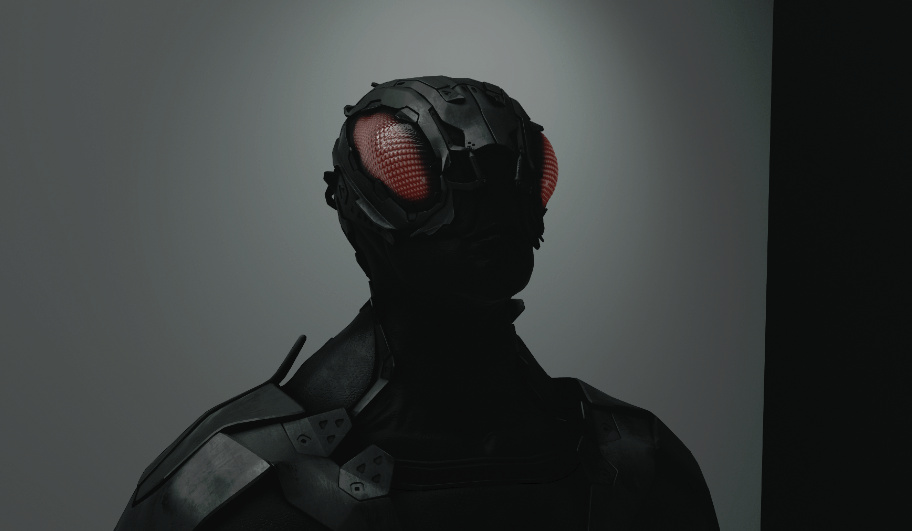
Ugh. Not the same. Nor did switching back to the default OpenGL settings help matters, or ticking various boxes in the OpenGL render dialogue. Oh well, maybe Eevee will become WYSIWYG by the time of the final Blender 2.8. But at present it seems to be just another nice-to-have big preview window, and not an actual real-time render production tool like iClone.
Posted in Companion software, Freebies, Real-time animation, Spotted in the News, The Animation Industry
Leave a comment
Sad to hear that the firm behind real-time 3D toon software Muvizu has entered administration…
“Digimania, the Glasgow-based animation software company, went into administration on April 18th 2017, making 14 people redundant.”
It had rather dropped of my radar, but it’s good to hear that the users have set up a Anizu as an alternative hub. They host the free trial. Apparently there’s no way to activate to the full latest version software after a fresh install, and old users moving computers need to make sure they copy over the old…
“file called playplus.lic found in C:\Program Files\Muvizu Play\MuvizuGame\Licence “
Anizu also has a copy of the last of the 2013 version free-trial in 64-bit, before a lot of features were locked down. I’m fairly sure that version was not time-limited, just slightly crippled. So that’s a good option for making short YouTube videos, until the new owner gets up and running and restores license sales for the latest version.
Apparently there was a purchase by a Chinese company “2017-09-10” and…
“According to Neil, a former Muvizu developer, the new owners plan to use the existing licensing system and hope to restore all existing Muvizu:Play+ licences.”
Keyshot 7 has been released.

* No price-drop, but… “Education licenses of KeyShot 7 will now have all features of KeyShot Pro.”
* New modules titled KeyShot Studios and KeyShot Configurator — enabling easy setup and output of multi-option models (both materials and model states), for your client to then choose their options on a simple touch-screen. They touch the green paint tab on the screen, the 3D car turns green. You get to choose the “interface layout options” for the touch-screen. (Sounds interesting, making Keyshot a sort of simple multimedia authoring tool for touchscreen kiosks).
* VR Headset support, plus Walkthrough Mode for your scenes, with collision detection. (Again, sounds fascinating).
* Yet “more materials and texture types”, including new cloudy plastics and “10 scientifically accurate metal presets”.
* A boost to the Toon Material. “More control over contours and the ability to change shadow color and texture or change the visibility of shadows produced by light materials.” (No mention of adaptive line-inking weights, though, for a more hand-drawn look such as SketchUp can offer).
* Users can now “apply multiple [lighting] environments to a scene” in real-time.
* Can “quickly and easily toggle occlusion ground shadows on or off” and “complete control over the ground material reflection contrast”.
* Customisable ‘tear-off’ UI. “Customize tab appearance and location or dock, undock and stack windows any way you like.” Hide bits you don’t use.
* Custom Hotkeys.
* 4k monitor support.
* They’re “ending support of Windows 32-bit systems and installations” with Keyshot 7. It’s to be 64-bit only.
Posted in Companion software, Spotted in the News, The Animation Industry, Vue
Leave a comment
According to their 20th June 2017 News posting, the popular online render-farm Pixelplow now supports scene files from Vue xStream 2016 R2, which can of course also render files created by the lesser versions of Vue 2016…
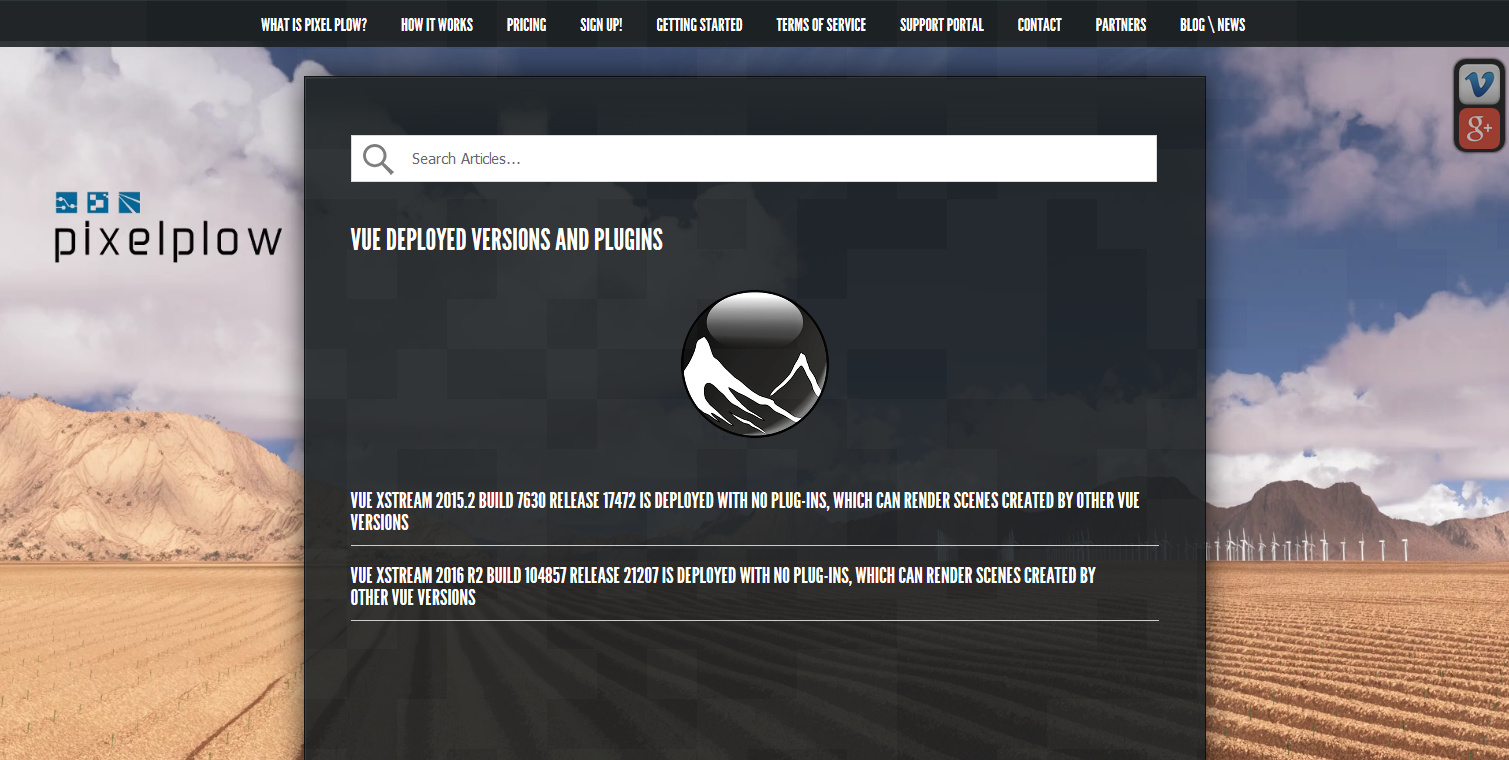
Their Vue job upload guidelines are here. By my calculations, it should cost a little under $1 to do a single-frame final scene render that would take 8-10 hours overnight on a modern home PC (Vue is CPU dependent, seeing no benefit from a graphics card on final renders).
Pixelplow also have a polished new Agent software, for uploading and job management…

“The new agent gets rid of the sometimes-confusing agent menu, and instead centralizes all tasks in a tabbed window.”
Those with slow broadband upload speeds might need to factor in an hour to upload the final scene file, which could easily weigh in at from 150Mb to 600Mb or even more. So far as I can tell the new Agent software does not include a bandwidth limiter feature. In which case slow broadband users would need to use NetLimiter 4 ($’s) to cap the Agent’s upload speed, and thus enable you to surf the Web while also uploading. (At summer 2017 there’s no genuine Windows freeware that can throttle uploads, I’ve looked).
The tight integration of Poser 11 with Vue 2016 basically means that Poser has pay-as-you-fo render-farm support from Pixelplow. Pixelplow only supports Vue on a single CPU for still renders, though. I assume that means a fast quad-core CPU, giving four-core rendering.
Pixelplow is the only service I can find that’s pay-as-you-go, and with just a $10 deposit down, and affordable per-render prices too. If you do 30 big scene renders a year, at $3 each (two small tests and a big 4000px final) would give you change from $100 a year. Admittedly, that cost might be higher if you wanted 300dpi and 6000px and most of the quality settings at Max. on all your final renders. In which case you might also have to wait a while for such renders to finish, even with a professional render farm pounding away at them.
Update: two other render farms considered.
Blender-heads may also be interested that their 29th June News posting states…
“… we hope to start working through any issues that exist with our GPU farm by releasing support for Blender Cycles GPU rendering. It’s available now to all customers, if you want to take it for a spin.”