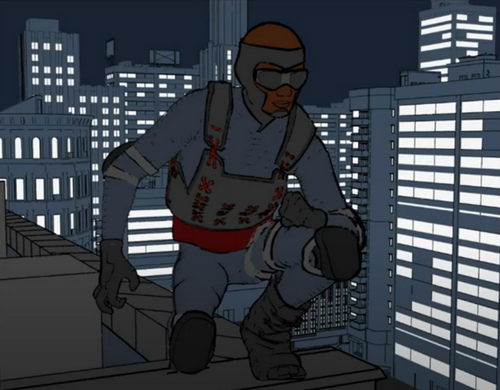
There’s a new comic under Creative Commons Attribution ShareAlike, from the Czech Academy of Sciences. “When the Earth Quakes” is a 26-page comic designed to teach about earthquakes and seismic waves. It was crowd-funded among interested scientists who just wanted something to help with outreach and education. It’s in English, and the makers are interested in hearing from people who could translate/re-letter it into other languages.
Category Archives: Comics
BEER flows
BEER is now moving ahead again, having moved past the half-way point on its crowdfunding journey. BEER aims to make a relatively easy-to-use Blender plugin for stylised rendering output. That means render types that emulate hand-drawn and hand-painted art, ultimately. They’re now into week 8 of a 10 week development cycle, after a long period of fund-raising. The drooling masses want photo-real babes and few people are interested in arty rendering, so it appears to have been a long-haul for the BEER team. But to reach the half-way mark is a good sign. They hope that the other ten weeks of work can be input when BEER is fully funded at $20k. Instead of nodes, in BEER there are building blocks that make sense to artists…
BEER runs with NPR features as the building block of a material. Diffuse [basic material] is a feature, hatching is a feature, rim light is a feature. We stack these NPR features to make a final material.
DAZ to Freestyle
I was pleased to find a new YouTube video from the 3D Comic Creator, “DAZ Studio To Blender To Freestyle For Inking Your Comic”. He shares an in-depth 90-minute workflow for taking a DAZ Studio character into Blender and wrangling Freestyle lineart onto it. It’s clearly explained and he’s a good presenter.
I’m not sure I’d want to go through all that pain and intense fiddly-ness, though. Just to get what Poser 11’s Comic Book mode / Sketch Designer can output ‘at the drop of a hat’ in real-time. But it’s interesting to see how the most advanced DAZ users are trying to make artwork for comics. And as Freestyle is currently something of a “moving target”, along with the rest of Blender, there’s always the possibility that Freestyle and other NPR aspects of Blender will start to become easier and more automatic to use, in future. But for now the problem with Freestyle is that it’s old, and thus can only use one CPU thread. It’s not multi-threaded. Nor can it work with alpha-channels.
It’s very early days, but a better option might be a project called BEER/Malt that intends to try making NPR easier to get from Blender. Another hopes to add an easy SketchUp-like ‘sketched outlines’ capability to the default install of Blender (something you can only do with a paid plugin at present). Although both have very primitive demos at present.
Bromley
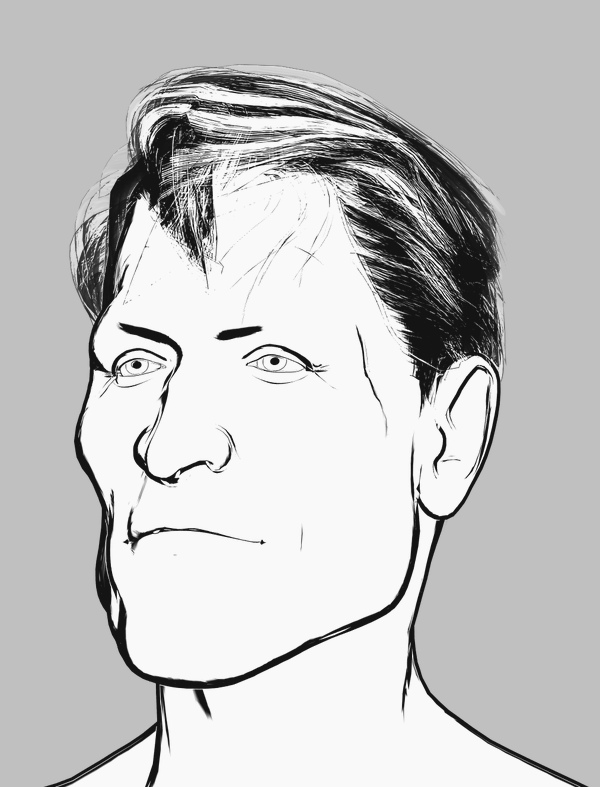
I’m quite pleased to have crafted this slightly-stylised and distinctive custom M3 head with the morphs and Brom injected, seen here auto-inked by Poser’s Comic Book mode under a simple two-light preset. The Hair is Neftis’s Mature Mark, with no retexturing, and it’s inking reasonably well — although the comic book inks are actually doing nothing to it and it’s all coming from the display mode. The eyebrows would need to be further inked in manually, and some bits of hair added if it was going in a comic frame.
Could be called “Captain Bromley” perhaps, which is a British placename that also gives the nod to the Brom morphs.
His face also looks good from the sides, which is not always the case. The inking would need to be cleaned up, as there’s some doubling of lines and there are breaks on the nose.
However some of these problems go away in PhotoLine, with a plugin and a 3 second custom filter preset I call “Commando Comic 1974″…
It could, of course, be blended with other Poser renders adding colour, shadow etc.
Regrettably, it appears that the Brom morphs for M3 are no longer sold. Hope you got them when they were $10, recently, and were featured here.
Comics from Unity – via Poser 12?
Renderosity is calling for beta testers for Poser 12 and they specify Unity knowledge as one of the skills they’re seeking. Which makes it sound like there will be a Unity bridge in Poser 12. That would make a lot of sense. Unity is one of the two big free game-engines (the other is Unreal), and it’s reasonably well-supported by third-party add-ons. The free Unity Personal Edition allows commercial use, as long as you don’t make more than $100,000 per year in your business from using it.
The ideal would be, at a guess, an integrated three-click “Poser 12 to Unity” workflow that’s as easy as getting a Poser scene into Vue. But which also sends Poser’s current camera and framing to Unity. The other useful thing to get, either in Poser or from Unity itself, would be some form of Matcap. For the pros ‘Matcap’ is about basked shadows, but the basic involve a process that inspects the existing texture, then automatically tries to replace it with a best-guess toon material. So a red shiny dress becomes a red toon shader with ramping and highlights and a baked shadow, for instance.
The other possibility would be a live-link via a websocket, to drive real-time mo-cap of figures and faces in the Poser viewport. F-Clone, built on Unity, shows it’s possible.
In which case, what is available in Unity-land for tooning? Below is my initial survey of this. Please don’t go buying these yet. Not least because some of them are rather expensive (“‘Cos yur gonna make big bucks on your game, guys…” Yeah, right…). But mainly because a three-click fiddle-free ‘Poser 12 to Unity’ process is just my hope at present, based on very slim evidence.
Shaders in Unity:
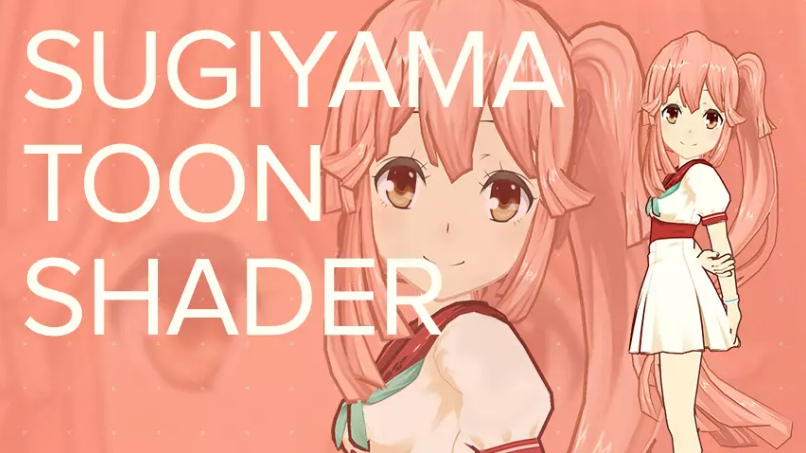
Sugiyama Toon Shader, aka SugiyamaToonShader. An early success in 2016, but said not to work with newer Unity versions?
TypeA AnimeShader. Said to work especially well on hair.
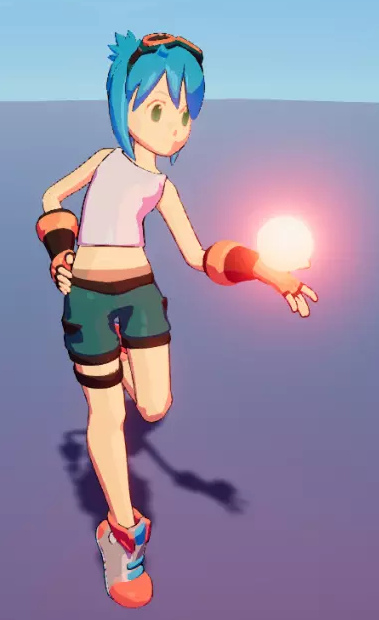
VaxKun’s Anime/CelShading Shader. Includes emissive glow and toon-reflective glass. I suspect the demo pictures are being a bit more honest than the other packs, re: what you’re likely to get.
However, you don’t need to go to Unity to get the above looks. With a bit of setup, re-texturing and the right IBL lighting, they can be had now in Poser 11.
There are two competing suites or kits for Unity…
Toony Colors Pro 2 shaders set, with basic lineart.
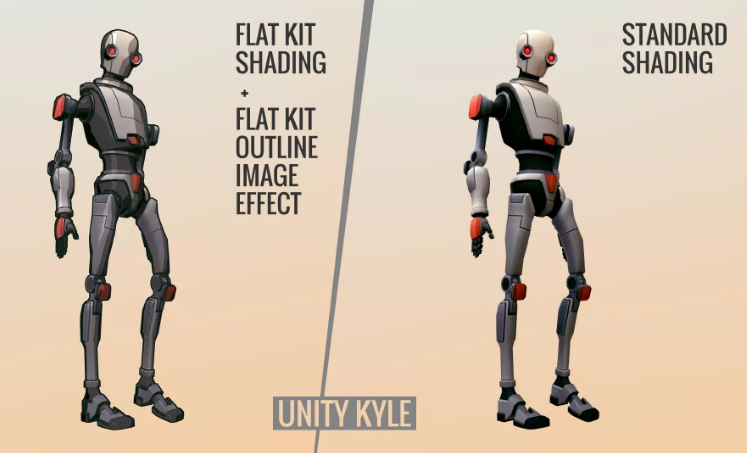
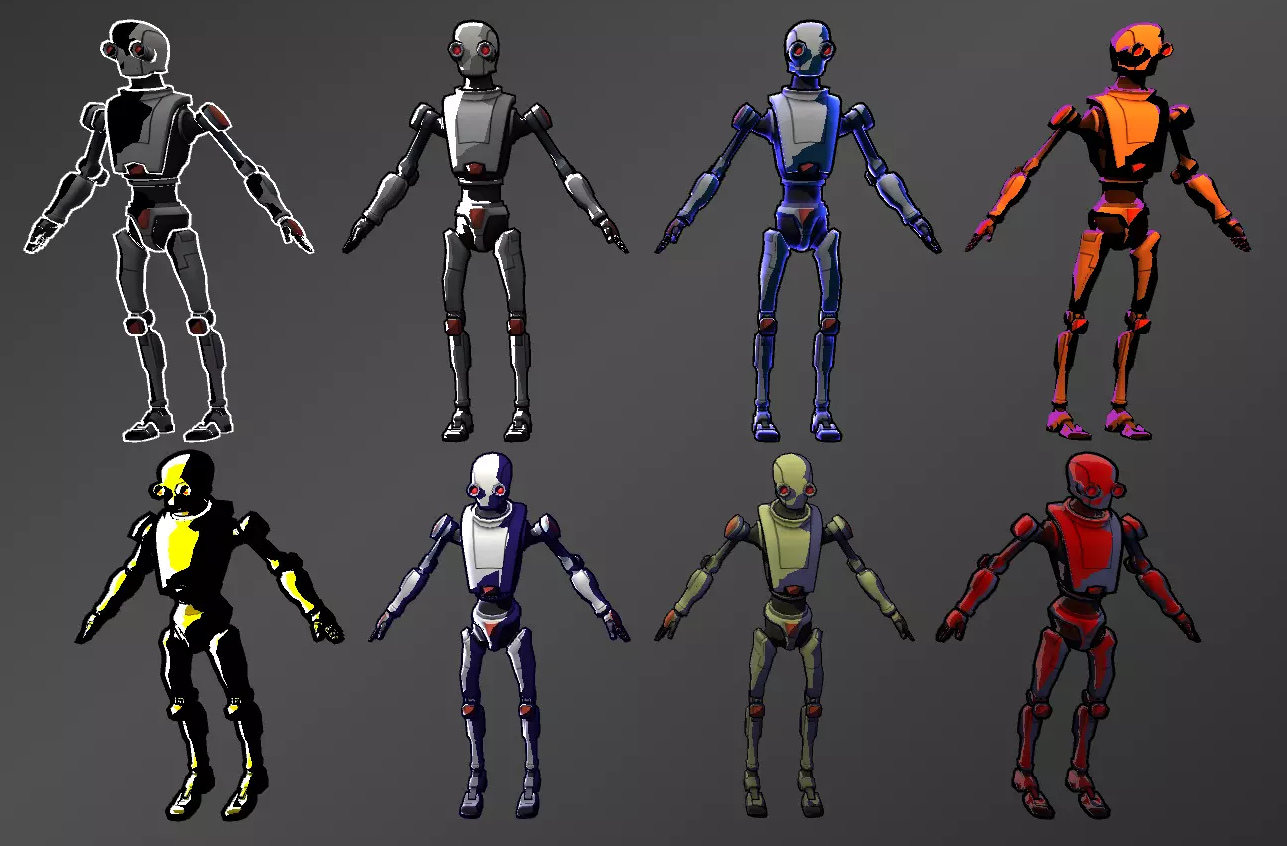
Flat Kit: Cel / Toon Shading. Also with basic lineart plus a depth-fogging effect. This might be your best starting-point, though Toony Colors Pro seems to have been out longer.
Flexible Cel Shader. Possibly an additional useful set to have, in combination with one of the above two kits.
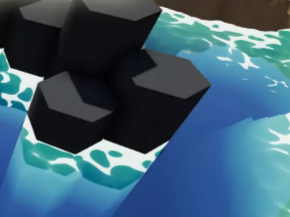
Nice Water Shader, adjustable and with a toony edge-ripple preset.
And lastly, RealToon shaders set. Seems to be older but is apparently quite flexible, and you might brew up a more unique look?
Lineart:
Jiffycrew Post Process Line. Seems to be outstanding, and thus has left little place for others in the market? The monopoly position has made it rather expensive. Update: withdrawn from the store.
The slightly more stylised NPR Contour Drawing and Sketch may also be worth a look.
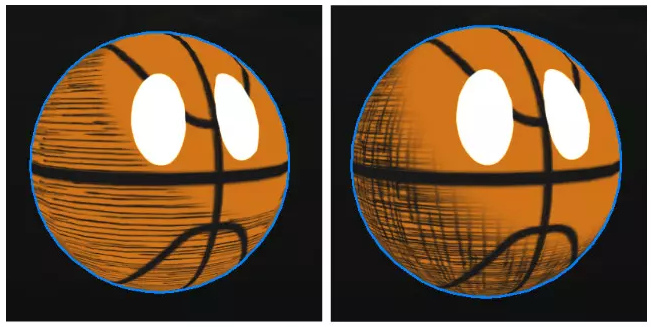
Contour-hugging hatching on 3D models:
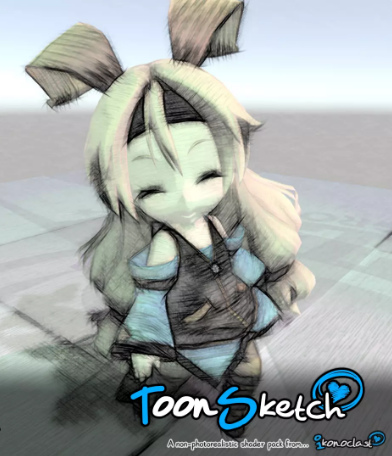
ToonSketch Core. A bit too grungy, and may work best on models with big flat surfaces?
NPR Cartoon Effect. Unappealing demo images, but scroll through to the simple hatch-shading demo.
Jiffycrew Hatching. Not very convincing, but with a bit of wrestling I guess it might produce dash-shading that looks cleaner and a bit more Moebius-like?
Obviously hatching still has some way to go in Unity. There are also some rather ikky attempts at manga halftone shaders.
Painterly:
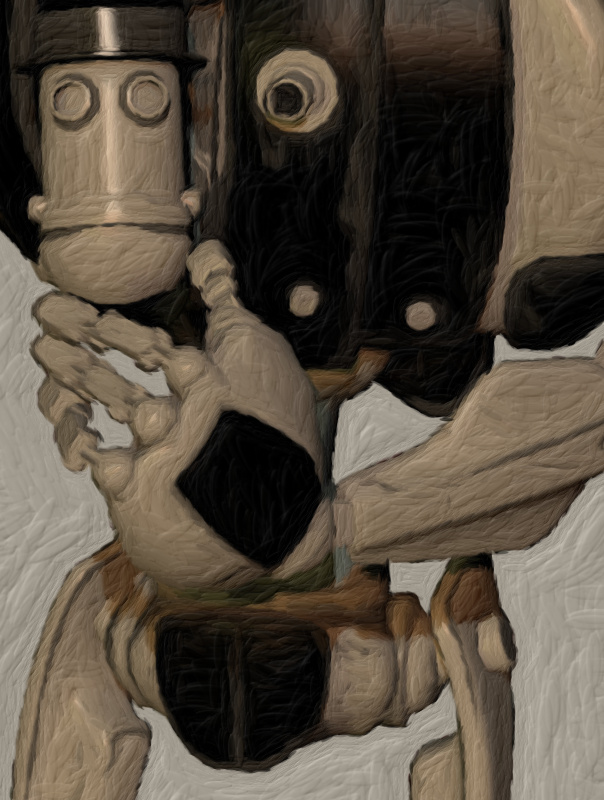
Flockaroo’s full-screen camera effects Aquarelle, Colored Pencils and Sketchy effects filters. It looks like you could cook up a reasonable ‘storybook look’ with these. These are full-camera effects and, by the time Poser 12 is released, Unity should support… “Camera Stacking, enabling users to layer the output of multiple cameras in rendered output.”
Watercolor Painting effect. The first picture seems a bit questionable, re: what you’re likely to get. As all the other demo pictures look very different.
Hand-painted skyboxes, inc. clouds:
Hand-painted toon sky-boxes include: Toon Sky, Toon Night Sky, PDG Cartoon Sky, Cartoon Skybox – Red moon. There’s also a starry night-sky in the Toon Skyboxes pack.
Toon Clouds is a dynamic cloudscape generator. Though they’re not as nice as the hand-painted ones seen above.
Amplify Impostors seems likely to be useful here, for quickly duplicating content to fill backgrounds that have large views with skies. There’s also a free SVGimporter which brings in a vector shape as a tessellated mesh.
You can also find packs of other “quickstart” Unity files on Gumroad, although they appear to be just skeleton set-ups and to lack art assets.
Vivify/re-colour:
Amplify Color seems the best option, enabling in-engine colour grading and saturation. Free.
Exporting big, hi-res, and nicely anti-aliased screenshots:
MadGoat SSAA & Resolution Scale. Because the aim here is not to make games or animations, but to get output for comics frames. A short endorsement of this by an architect is encouraging, re: getting clean hi-res output that’s then usable in graphics editors.
Visual novel engine:
And if you did want to make a game, Naninovel is quite capable. It’s for making a Japanese style ‘visual novel’, where the game elements are nearly all in the story choices. (Though note that the similar Ren’Py Visual Novel Engine standalone is free, and has a much larger user-base).
Having said that many Unity addons are expensive, the starter kit for ‘comics with Unity’ seems more reasonable. I’d start with the TypeA AnimeShader ($10), the Flat Kit ($40), Amplify Color (Free), and MadGoat SSAA & Resolution Scale ($16) for export. Total: $66. Though even then you’re probably not going to get a dramatically different look than you could get inside Poser and with a couple of filters applied to the renders. You’re not going to get realistic sketch pen-hatching or a sophisticated shadow-puppets/silhouette effect with light-leaks. What you might get that’s unavailable from Poser, if you want it, is a sort of pixellated Minecraft or low-poly look.
There you have it. These seem to be options for getting big comic-book frames from Unity in late Summer 2020, and mostly with a look that regular comics readers won’t cringe at.
Got MotionArtist 1.3
I’m pleased to have bagged MotionArtist 1.3, at some 65% off. It’s Smith Micro’s motion-comics production software with HTML5 output, which was left relatively polished at 1.3 (2016) but which has not been further developed.
It requires Poser Pro 2014 (not 11) to interface with, for importing Poser’s great range of 3D content. This even enables you to drag and drop a .PZ3 scene into the MotionArtist canvas. Apparently MotionArtist can also import from the older Anime Studio 9 and 10 (not Debut), and import layered .PSD files, and vectors(?). Though the latter forum-claim on vectors is not documented in the manual. Anime Studio 11 has a date on it that suggests it may well work, but that’s just a guess. I assume it would work, and probably also Moho 12 (the renamed Anime Studio 12) when that was still under Smith Micro ownership. Then…
“When you update the [MotionArtist] assets in the creation application [i.e. Anime Studio], they will automatically update in Motion Artist.”
Which means you can work with placeholders, initially. I’ve no idea if it could also interface with the sister-software Manga Studio (now Clip Studio).
Anyway, the trick to getting such a hefty discount on the software is to hang around eBay for the search terms “motionartist” and “motion artist”, waiting for these to reveal a sealed retail DVD copy at a bargain price. There seems to be a couple of sellers with a warehouse stacked high with such DVDs, but they just repeat-list them at crazy-high prices. I guess they looked at the Renderosity page, where it used to be sold for $50, then thought “hrurh, unawailable software, haz sum rarity value… sell fer £70!” I doubt they get many sales. But occasionally a sealed copy pops up at far less than the $40 that Smith Micro currently charge. The software never goes to a discount at the Smith Micro store these days, even on Black Friday.
Anyway, my sealed DVD of v.1.0 arrived and its in-box serial-number was accepted at Smith Micro. The download of the latest free 1.3 update was then 150Mb. The only problem was that the download from Fastspring was extremely slow, and is probably best done overnight. Fastspring live up to their name by offering a nice fast checkout, without need for membership sign-up… but a fast download it is not.
I’m not especially interested in making actual motion-comics with MotionArtist, partly because they can and do induce motion-sickness. But…
* the ‘infinite canvas’ idea seems interesting [find it via: Director View, click-drag Magnifying Glass/Pan], perhaps useful simply for flexible planning of comics pages and devising comics page-layouts;
* it can produce another kind of toon render from Poser, and even tries to do automated hatch shading on 3D (though not very well);
* it looks like it can do “the Ken Burns effect” (slow pans and zooms) and in HTML5, as an alternative to Slideshow Studio and YouTube. While adding a cool parallax depth-effect too. But can the output for that retain the quality needed for 1920px viewing of vintage photography, while also providing a reasonable final file-size?
* it can do interactivity. Regrettably I don’t think MotionArtist has any basic and-or-if ‘game logic’ built in, and thus can’t be made into a sophisticated point-and-click 2.5D game with inventory, crafting, fiendish puzzles etc. However the HTML5 export can have clickable hotspots and labels leading to a new scene or frame, which is something. What you can’t seem to do is export to a single interactive magazine-like flipbook file, other than by taking the HTML5 to an .EXE with other software, which is not ideal.
This feature suggests that a small “choose your own story” walking adventure-story could be possible, with careful planning of the loops and arcs. Something along the lines of the simple Zork “you are standing at a crossroads, which of three roads do you choose?” type. Or a Japanese-style ‘visual novel’ where the game element is all in the story-choices. Though there would be no “save game” feature other than browser bookmarking. Still, a bit of third-party javascript on each chapter-start page might do that in a style fitted to the game.
All of which definitely makes it worth the £10, in my view.
Poser to Clip Studio – the solution
Hurrah, I found a viable solution for the massive problems encountered in trying to go from Poser 11 to the latest Clip Studio.
It’s a 2010s Python script from Smith Micro, specifically designed to get .OBJs out of Poser in a format that the old Anime Studio understood. It works in Poser 11 and without placing impenetrable and un-rememberable export-settings dialogues in front of the user. It just quickly saves the posed .OBJ, conformed clothing, and textures.
So I figured… since Anime Studio was the sister software of Manga Studio, they’re going to require the exact same .OBJ settings. They do indeed, the evidence suggests. The script’s export .OBJ loads into the current Clip Studio (formerly Manga Studio) fine. The existence of this script, and its official status, suggests I wasn’t the only one who had problems in getting Poser to talk with Anime Studio / Manga Studio via .OBJ files. Idle YouTube blather about “just do any OBJ export, Clip Studio doesn’t care” is obviously wrong.
The Python script is, of course, long gone from the Smith Micro site. But the WayBack Machine has a copy of the Web page, and the .ZIP download for the script is still live on it. Download, un-zip, pop it in your Python scripts directory.
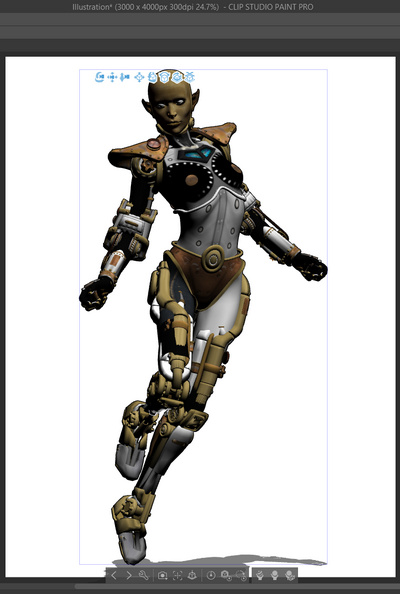
The script appears to have another nice advantage: perfect front-and-centre sizing to the canvas on import of the .OBJ to Clip Studio, with basic rotation tools and ground-shadow….
… and several non-skin textures seem to load fine too. As you can see, some grey bits. But you’re going to ink over it, right? Using it more like an artists’ reference image.
Phew, ok… well that’s enough for today. I’m not going to wrestle with Clip Studio to get Poser Steambetty looking tooned. At least I now have a viable Poser-to-Clip Studio workflow, and it’s blissfully un-fiddly.
Poser Pro to Clip Studio – how?
I tried a quick test on sending a 3D character from Poser Pro to my newly-purchased Clip Studio (Manga Studio). There’s still no bridge or utility to do this, it seems it’s a question of exporting the figure in .FBX or .OBJ format and hoping for the best.
1. First, V4 is clothed and dressed and posed in Poser. Here she looks rather good in Poser’s real-time Comic Book mode. No 30 minutes of hand-inking in Clip Studio required.
Still, let’s see how good she can look in Clip Studio.
2. The FBX export from Poser was done to the required 2014 target, and with other settings correct…
… but on import to Clip Studio it turned into a disaster. The figure was imported as a straightforward t-pose, and the pose was lost. The outfit was not conformed. Thus .FBX does not seem to be a viable route from Poser except for static props.
3. So I tried .OBJ format. In Clip Studio, I created a new Document. Import…
Nothing, zitch, complete absence of a standard 18Mb .OBJ model, despite seeming to load for a second or two. Is it too big in scale and thus out of sight? Nope, it’s just not in Clip Studio at all. No 3D layer produced (as should happen), no 3D model showing in the scene list, no control panel for an imported model.
I tried again with different export settings, different models, getting progressively simpler in my choice of model until even a simple 10k book also had the same result. So it can’t be the model size that’s causing the problem.
I then tried the old Manga Studio trick where you .ZIP the .OBJ with its materials and .MTL file. Nope, nothing worked with that either.
I then tried a non Poser .OBJ I exported from Blender years ago and… it loaded fine. Ok, so at least I then knew that .OBJ import isn’t cripped in the standard version of Clip Studio.
Thus the problem would seem to lie back with Poser 11.2. Is it unable to export an .OBJ of a type that can be read by Clip Studio?
And yet, the .OBJ loads fine in Keyshot and can be saved out as a new .OBJ file. That also fails to load in Clip Studio.
So I’m baffled. It can’t be Poser, as Clip Studio also ignores the KeyShot-written .OBJ file.
Closing and re-loading Clip Studio had no effect on the problem.
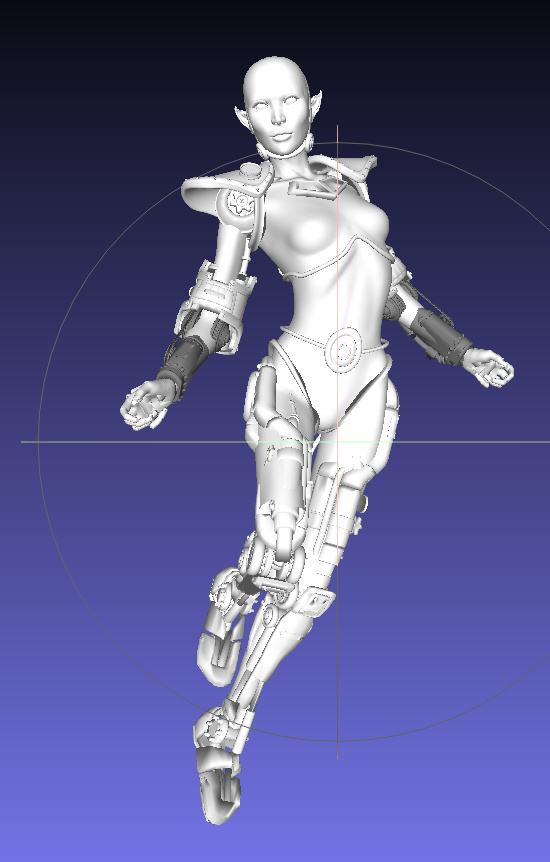
I then loaded the KeyShot .OBJ in MeshLab 2020. Looking good, nothing wrong there…
… and saved it out as another new .OBJ. Surely this one would load to Clip Studio? Nope. Same failure. Nothing happens, no 3D layer is created and no 3D model is imported. This time there were no textures to potentially mess things up, either.
Could it be something inside the Poser .OBJ metadata, being read by Clip Studio and causing it to reject any Poser export? But surely that would be cleaned out by not one but two re-saves of the model in wholly different software?
So I have to give up. I had wanted to demo Clip Studio with Poser, but… total failure. The only remaining option is to export a ‘posed FBX’, but forum comments suggest this is impossible from Poser.
Update: Poser to Clip Studio – the solution.
Clipped for $25
I finally plonked down my $25 for Clip Studio, and was pleased to find no nonsense about “you’re in the UK, must pay in £’s and have 20% sales tax added”. $25 was $25. I can’t say the same about the mini-nightmare that is trying to serialise and register the software, but the initial buying process was painless.
As a first feature-test I tried vectorising a Comic Book inks test-render from Poser. I first benchmarked it in Inkscape (fast, reasonable quality), PhotoLine (fast, but appears to be of iffy quality) and Vector Magic (superb, but takes six minutes). Clip Studio beat them all in vectorisation, by a mile. Instant and accurate, making Clip Studio worth the $25 even if all you want from it is good vectorising tool for lineart. And it’s really easy to use for that, too…
I’ve yet to find a way to round-trip it from PhotoLine for this purpose. I suspect it’s not possible to send out a bitmap and return a vector.
In other news, re: my search for a good tool to make .SWF output for Cartoon Animator… I’ve added a further item to my recent Software that will output .SWF in 2020 survey post…
* Serif’s DrawPlus (later replaced by Affinity Designer, with the .SWF export said to be removed there). The old DrawPlus is perfectly capable and is available as an X3/X4 DVD (or higher, X8 being the most recent) for pocket-money prices on eBay.
So either PhotoLine or DrawPlus is the ideal solution re: balancing sub-$100 price/power. 2015’s DrawPlus X8 would be your ideal target. There was a free DrawPlus Starter Edition (a cut-down X7 version), but apparently one can no longer get an activation code to install it.
How I didn’t identify DrawPlus on my first pass of searching I don’t know. Anyway, it’s on the list now.
I should also add, for the benefit of future searchers, that I’ve had no luck finding a third-party .SWF exporter for Clip Studio.
Clip Studio on a 50% discount
The Clip Studio desktop software currently has a week-long 50% sale on both versions.
Here’s the best itemised guide which briefly explains what the EX version has for comics makers. Basically it’s: batch import; multipage comics with Kindle and ePub output; and rather basic-looking vector lineart can be made from imported 3D architectural and similar models.
The latter can later be made to look a bit more artistic, by changing the vector line style, but the effect is not great and the software is basically assuming you’re going to be over-inking by hand.
Clip Studio doesn’t export .SWF, so can’t be used via that format for making drag-and-drop vector props for Reallusion’s Cartoon Animator.
If all you want to do is make non-manga comics, then Clip Studio is basically the wrong software, being over-complicated and fiddly as hell. You should just be using the vastly easier Comic Life 3 instead.
It’s all gone Bendie!
If you haven’t been following Reallusion closely, you can catch up with a handy new 3-minute Reallusion 2019 video roundup. It briskly showcases all the new ‘big’ content made available for sale in 2019, in both 3D and 2D. Note that there will also have been content from smaller makers, and last time I looked they had a separate store for such items.
The show-reel usefully reminded me of Garry Pye Creations and through it I discovered new work from him that I hadn’t seen before: his The Bendies series.
The Bendies were first made for CrazyTalk Animator 3, then upgraded for Cartoon Animator 4 and its ‘360 head’ feature and new face puppeting. They also lack edge inking, which means webcomics artists could over-ink a bit to add their own look. They look excellent, and can be purchased individually at around $10-$12 each.
Voice controlled comics software
Worried about your fingers getting creaky? By the time they do, software will likely be stuffed with AI-enhanced voice assistants and the old mouse and keyboard may be gathering dust in a drawer. This is suggested by a new article from Maxon, maker of Cinema 4D, which profiles Kye Young and her use of the software. She Makes Comics in C4D Using Voice Controls…
“after developing degenerative arthritis in her fingers … she figured out how to use voice commands to control C4D, dramatically reducing the need for her mouse and keyboard.”
Poser lineart webinar
“Create a Signature Line Art Style with Poser”. A live webinar with Mike Mitchell in which he steps through his techniques, and shows how the renders are then worked up in the comics production software Clip Studio (formerly Manga Studio). Sunday 16th February 2020.
Dynamic Outline Inking with Blender
A new video from Lightning Boy Studio, Dynamic Outline Inking with Blender. Definitely not as simple to set up or control as Poser 11’s real-time inking, but the video’s result on the test ‘dinosaur mask’ looks production-ready to me.
Steambetty
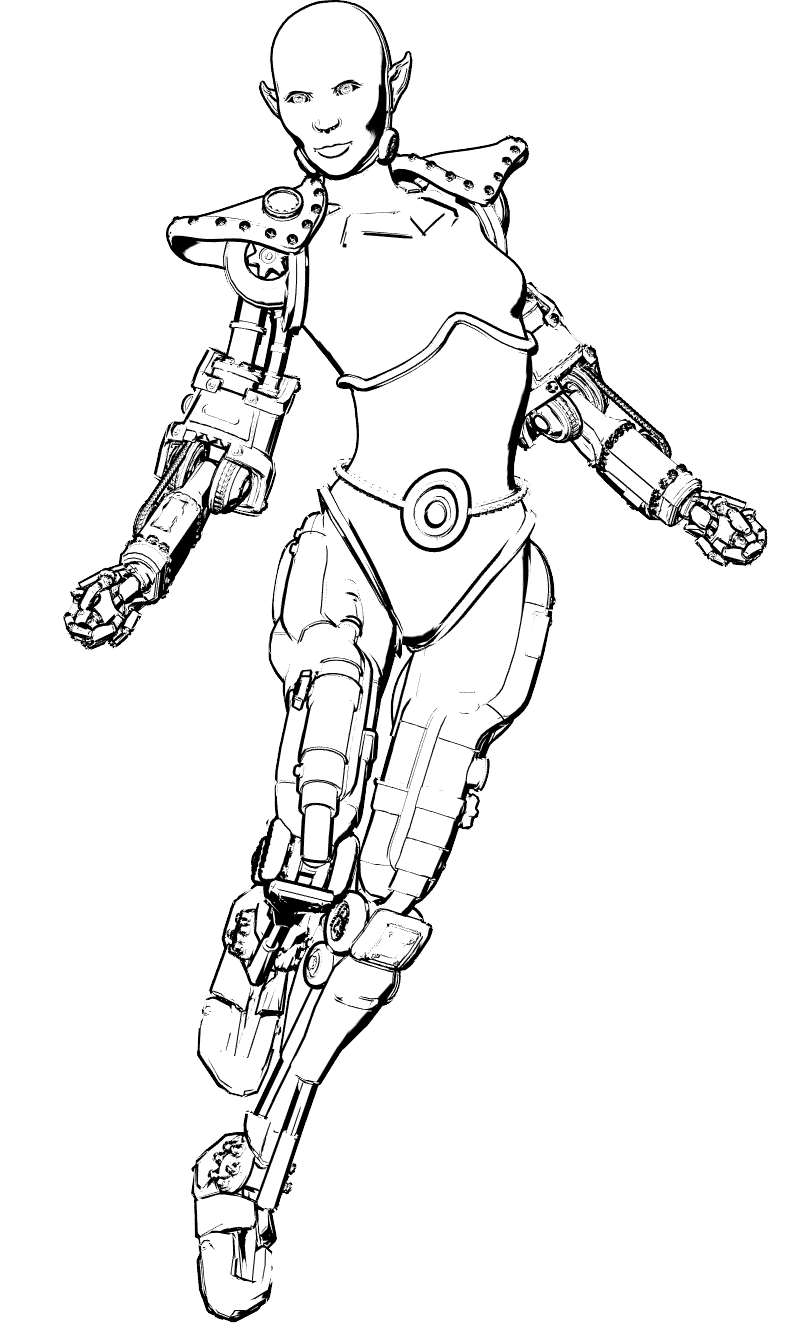
A custom Sketch demo in Poser 11. V4 wears “Steambot” from the SteamBetty pack. A two-second Poser 11 Sketch Render at 1800px, into the real-time Comic Book inks…
… and the same with Smooth Shaded, for those desperate to see some 3D shape and shadow…
The above driven by real-time OpenGL inking in Comic Book mode…