

It’s been a little over a year since I checked all the ‘The Poser/DAZ Directory’ sidebar Web links on this blog. Last night I checked them all by hand, and have either updated or deleted the broken ones.
Author Archives: jonahjameson
Squiffy 5.0 for gamebook creation
Want to make something a bit more ambitious than a comic-strip, with Poser 11’s new Comic Book Preview mode? Squiffy 5.0 is a free Windows-based choice-based interactive fiction authoring system, from the UK.
“Squiffy is a tool for creating interactive fiction – that is, multiple-choice games that focus on text and story. Players navigate through the game or story by clicking links. Sometimes these kinds of games or stories are known as gamebooks. Squiffy is free and open source. It creates HTML and JavaScript, so you can upload it to your own website, or you can upload your games for free to textadventures.co.uk. You can also turn your game into an app using PhoneGap. A player’s state [their savegame] is automatically saved to their browser’s local storage, so they can always pick up from where they left off, just by going back to the same Web page.”
It uses a text-editor interface to make an old-school ‘choose your own adventure’ book. But, of course, these days they are often called ‘gamebooks’, and can come with phone-screen sized graphics, nice screen transitions and small bits of animation. Note that gamebooks are different from, and much simpler to code, than the older text parser-based ‘interactive fiction’ such as the famous Zork series.

The best example in English is the steampunk 80 Days (above), which the UK’s leading Daily Telegraph newspaper review called “the best novel of 2014”. 80 Days has a race-against-the-clock time-keeping feature, and a very simple item-trading and wallet feature.

As you can see, Squiffy is for creators familiar with using an HTML editor and tweaking Javascript.
It seems that Squiffy can’t get the finished book out to a plain ol’ Kindle ereader. Not in a way that the gatekeepers of the Amazon store can handle, since they and the Kindle ereader only support a fairly restricted set of HTML tags, and add some of their own tags for good measure. And Amazon’s Kindle store is where a great many dedicated novel-buying readers are likely to be found. I actually coded a complete working gamebook HTML template for the Kindle a few years ago, but never released it — so I know what the ereader version of the Kindle demands.
But if you want to get your gamebook onto an app store for phones and tablets, then Squiffy 5 is currently said to be the best authoring option with the most features. But I see that it has no flowchart feature — for doing the initial designing of how each section of your main story will branch off into short vignettes and then how those will loop back again toward the main plot. That’s something that’s still probably best done with paper index cards and a large wall, so you can see it all at a glance.
The makers of 80 Days have their own free Inklewriter (Web only), which can export to Kindle. In the summer of 2015 Inklewriter was also ported to the free Unity game production software. The 80 Days creators have this week announced their their next gamebook will be made in Unity, presumably with their own super-duper Unity implementation of Inklewriter.
Practical hints for art students
Newly available for free on the Hathi Trust archive: Practical hints for art students (1910), a delightfully clear and abundantly-illustrated primer, from an era when the human figure and its posing and lighting were at the heart of art-school practice.

Get thumbnails on your old Poser content
Do you have older items in your Poser / DAZ runtimes, which have no thumbnail previews? The free RSR to PNG Converter will scamper through your runtime and make a .PNG thumbnail for every non-thumbnailed Poser .RSR file that it finds. Still works fine in Windows 8.1, and is a nice addon for PzDB.
Load | then point at your ../runtime (not your ../content); select ‘recursive’ | let it run (there’s no indication it’s running) for about 30 minutes on a first pass of a huge runtime.
When it stops producing its occasional “RSR could not be converted… Sorry!” messages, and lets you slide the scroll bar, then it has finished its run.
With Poser 11’s new Comic Book Preview mode, a lot of older content with fuzzy/muddy textures can become useful once again — for a cleaner cel-shaded/comic-book style. The underlying model geometries are still fine, so you’d just swop out the older textures for a flat toon style material.
Digital Art LIVE magazine – issue 4, out now
Available now, the free Digital Art Live, issue 4. 96 pages of in-depth interviews on the new advanced render-engines (Poser’s new SuperFly, plus the Octane and Reality plugins). Plus an in-depth 7,000-word review of Poser 11 Pro, and a concise survey of the best space sci-fi of 2015. Here’s a preview…



Content Survey: Ancient Egyptian content for DAZ and Poser
Ancient Egypt seems to be hot in 3D these days, so I thought a survey of the best-looking items might be in order. It can work for everything from heroic fantasy adventure through to Bible stories, from Age of Empires cityscapes to Fifth Element -style ‘ancient astronauts’ sci-fi.
Characters, hair, costumes:
Egyptian Outfit and bundle for Genesis 3…

Bast: Goddess of Cats for V4, including clothing and the Bast Hair for which there are Colours for Bast Hair and Queen Nile Bast materials. Bast also has Egypt poses for V4. Bast is also available as a bundle for Genesis 3 Female…


MDD Sakkara for V4.2 from quality character designer MDD…

If you need lower-resolution extras, perhaps to to play a small part in a vast resource-intensive scene, they might be provided by Rulers of Egypt for the now-ancient V2/M2, and note that they also have a Egyptian Couture-Lapis textures makeover…

Military:
There are a variety of authentic military figures and chariots for M4, and Egyptian Chariot. There are also a variety of foot soldier uniforms floating around the stores.

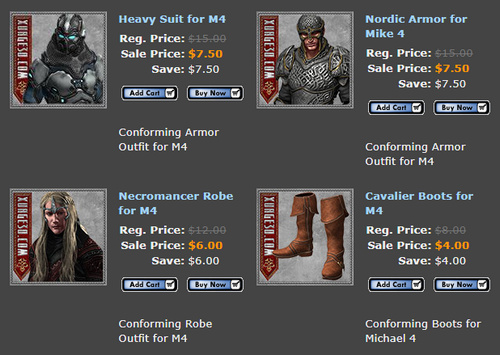
Armour expert Xurge also has a fantasy-ish Pharaoh Outfit for M3…
Props:
RDNA Egyptine Peacock Feather Fans…


Temples and Statues:
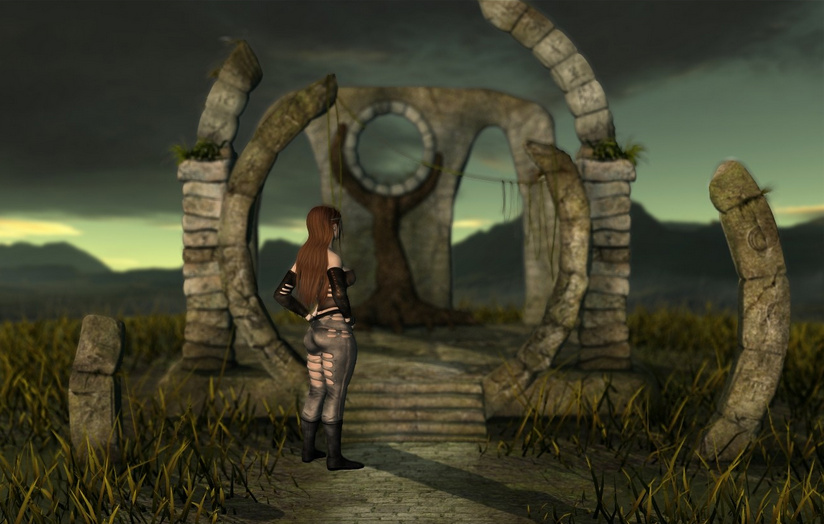
Ruins Of Egypt by Stonemason…
Hypostyle Hall imagines how an Egyptian hall might have looked in its freshly-painted heyday…
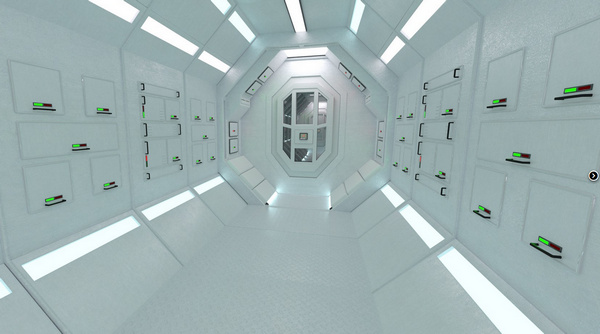
Ra’s Palace for DAZ Studio by Dreamlight, plus a Dreamlight light set…

Egyptian Pyramid with entrance, and there’s also a free Sphinx in OBJ…

Also have a look at Temple of the Nile and Egyptian Fantasy.

Egyptian Statues for Poser…

Treasures of Egypt pack and Treasures of Egypt 2 and Ancient Egyptian musical instruments, all perfect for filling the Ancient Tomb and its lower Forgotten Tombs.


Joe Kurz has a a variety of free Poser temples and columns in the Ancient Egyptian style.
River transportation:

Papyrus Boats for the Nile.
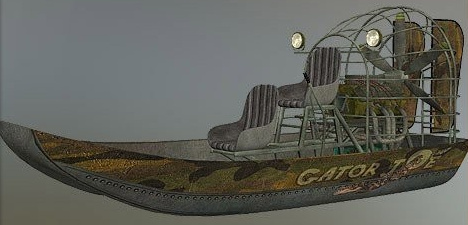
There’s also the Ancient Egyptian Canal Boat.
Meshbox have a Ancient Egyptian River Dock and Boatmaker which might provide a mooring place for boats, around which one might plant Predatron’s Reeds and Rushes…

Predatron also has Palm Trees.
Semi-toon:
I wasn’t going to venture into the semi-toon area on this theme, but Furries’ Furs – Bast and Anubis are too nice to ignore. They have a ridiculous amount of dependencies, though. They seem to require that you have Furries for Melody / Furries for Micah, which in turn require Melody for A3 which requires Aiko 3, and Micah for Hiro 3 which requires Hiro 3. Phew! Thankfully, apart from the base characters, they’re all low-cost.

There’s also a Toon Egypt semi-toon 3D scene to pose them in.
Fantasy:
If you were to go a bit Conan / The Mummy Returns / Fifth Element with the Egyptian theme, then Queen Cobra HD and Nefertina HD might be useful…


For fantasy males, perhaps Shades of Atlantis: Anunnaki for M4 and Genesis 2 Male Anubis Armor for Anubis…


We seem to be currently missing a Ra-Horus figure — the sun-god, head of a bird — from the Poser/DAZ line-up…


Animals:
You may be needing high quality Scorpions and Large Snakes.
And a Nile Crocodile or three, of course. There’s a freebie Crocodile Pit Extension for The King’s Pass building…


A Scarab Beetle comes free with Poser, so many people will have one in their runtimes.
And finally, no Egyptian scene is complete without some suitable kitties for your characters to worship. Bast Cat for the Millennium Cat seems the most elegant kitty to fit the role…

That’s it!
Using ComicRack to shrink .CBR digital comic book files
How to use the free desktop version of ComicRack to shrink .CBR digital comic book files in size, for reading on an older under-powered Android tablet:
1. Install the free ComicRack for Windows. It’s mature software, and the desktop version is genuinely free.
2. Load ComicRack. Get yourself all the way out of whatever ‘minimal interface’ / ‘full-screen’ view you’re in. In the corner, click on ‘Folders’, and navigate to the folder containing the .CBR comics that you want to reduce in size.

3. Shift-click to select all the folder’s comics. Click on “Export Books”.

4. Now set up your Export preset. Tell ComicRack where the save the new files, the size reduction, compression, and more.
Erm… now, what size to shrink them to? You’re not told what the page width is (although you can use CbxConverter if you really want to know) but let’s assume that a HD .CBR page is 1988px, with double-page spreads at 3975px.
Let’s imagine that you have a Archos 70 Android tablet from four or five years ago, which had the benefit of an excellent and crisp screen at 800 x 480px. A preset that gives each page 1000px, in .JPG at 60% compression, should be very lightweight. Here I’ve also set it up for that, and to split double-page spreads into two pages…

5. Save your configuration as a preset, and test your preset. If don’t get it right the first time, delete it and start over. If 60% JPG compression is too strong, try 85%. If you have a slightly more powerful tablet than otherwise, you might try a 1400px width.
6. Once you’re happy that you have the right mix on your preset, from now on you can use this custom master preset for “Export Books”. Simply click on “Export Books”, select your preset from the dropdown, and the conversion starts. There’s no progress bar, but if you look in your chosen export folder you’ll see the new files being created one by one.
7. That’s it. As a .CBR and .CBZ reader I use the excellent free Comitton (aka ComittoNxN — scroll down the Google Play page a little, to see the link to the free version) (Also on Kindle Fire). Its only disadvantage is that on layered PDF files it only displays the artwork, not the lettering laid on top of the art.
In past years many have suggested the free CbxConverter as a .CBR size shrinker. It’s effective, but it can only save using the .webp graphics format. Which means you can’t use ComittoNxN as a reader because it doesn’t yet support .webp, which means that on an older tablet you have to use Perfect Viewer instead — and Perfect Viewer has an awfully clunky magnifier compared to ComittoN, even when you pay the donation.
Tutorial: Comic Book outlines + Sketch Designer in Poser 11
Tutorial: How to combine the Comic Book Preview outlines and the Sketch Designer in Poser 11.
1. Load a new Poser scene. Turn off the GROUND visibility, since we just want the effect applied to the character.
2. Load any suitable toon character. Here’s Rufus, who ships free with Poser 11. His default grey plush material is certainly not suitable, but Poser 11’s new Comic Book Preview mode can now get the toon effect onto even a grungy character.

3. Now think ahead. Those thin white whiskers are highly likely to be a problem later. They need to be turned black. Go into the Material Room, find the character part Whiskers, and turn the Diffuse and Translucence to black instead of white. Or simply apply a generic black material to the whiskers. The eyes and nose are rather a dense black, but leave them be for now, to see how they turn out in test renders.
4. Set up a single flat toon light for the scene — set the light to be IBL, about 52% intensity, set to “Include in OpenGL”, no shadows. Have it point somewhat directly at Rufus. Make sure the light is NOT ticked as “Visible” in the Preview window.
5. It’s not looking promising for tooning… until one loads up the magic of Poser 11’s real-time Comic Book Preview mode.

Rufus has become ink outlines, as a real-time preview. There are two ways to tell Poser’s Sketch Designer to ONLY sketch into these ink outlines. One way is in the Comic Book Mode, where you switch on ‘Black and White’ and turn its Threshold dial up very high, until you see all the character textures ‘burn off’ to white. That’s what you see above. The ink lines are nice and clean, but a little dense.
6. How to make those ink lines look more like a pencil sketch? Go to Render Settings | Sketch Tab | load the Soft Charcoal preset. Run the Sketch render.

7. The Sketch Render has affected only the Comic Book Preview ink lines that have been dialed in.
Not all Sketch presets work well with such toon outlines, but the Sketch Designer can let you design ones that do, while previewing them in real-time. Make sure that you turn the Background tab’s Opacity off when designing such presets, since that will then allow you to experiment with turning Color on in the Comic Book Filter in Comic Book Preview mode…

8. The effect is still not ideal. For a softer and nicer-looking sketch, turn down the line opacity on the Soft Charcoal preset, to maybe 30%, in the Sketch Designer render. Then render out at 2000px and reduce it in size with Photoshop. As you can see, the lines then become much more like natural greasy-pencil outline sketch lines…

9. The outline’s OK, especially on the head. But as a hand-drawn sketch emulation it’s not ideal, partly because of Rufus’s general lack of edges. So you may want to experiment with combining Poser 11’s Comic Book Preview mode with a toon-edge shader (not Poser’s older method of adding toon lines, which is still in Poser 11 but which produces edge lines that are too clean and uniform). For more of a ‘greasy pencil and tracing paper’ look I combined the Comic Book Preview mode with a new and subtly toon-edged skin shader on Rufus. Running the Sketch effect (as per Step 8) then has the effect of subtly bringing out a little of the 3D shape, by elongating and thickening certain lines such as the belly, at the price of loosing subtlety on the head and ears…

10. Then I used Photoshop to finish this up, as a little coloured sketch. I could have made it better by combining the head from the first render with the body from the second…

Not that convincing as hand-made art, but it’s just a little ten minute proof-of-concept on combining two features of Poser 11. Someone willing to put in a day of experimentation with this, and with a toony character with more complex edges (SA Kitty, for instance) could probably take it a lot further. One could add to the final mix a shadows pass from a standard Firefly render, for instance.
In Photoshop you can clean up the white fringe you can see above, where the two layers mis-register. Simply Stroke | Outside | 6px with a similar pink colour, to have Photoshop add a pinkish blending fringe to the layer.
Note that a sketch render can’t be output as a masked PNG of a character, even if you fiddle with background and opacity in Sketch Designer. To get a basic character mask, output a straight Comic Book Preview render of exactly the same scene in PNG — and then use that to make the mask in Photoshop.
Leah Moore on digital comics
“Digital Comics Are Exciting And Have So Much Uncharted Territory” – Leah Moore interview…
“Our Final Report [PDF link] is up on the site, as is the link to the full footage of ‘The Comic Electric – A digital comic symposium’ [YouTube link] … The day had fourteen speakers on digital comics covering every angle, and from all corners of the globe.”

Poser 11 + Reality 4.2 for $193
Poser 11 Standard is 20% off at Renderosity (offer ends 17th Jan), at $159. And the plugin Reality 4.2 (updated for Poser 11) is currently 30% off at the maker’s website, at $34.95.
Reality allows the use of newer AMD graphics cards (DAZ’s iRay and Poser’s SuperFly can only use NVIDIA cards) and also allows you to ‘render in background’, so you can continue to use Poser while the render is running. So if you’re someone who runs a powerful new AMD graphics card, and you need to keep working in Poser while the renders are running, then Reality 4 at a mere $35 seems like a pretty good investment. Reality 4 can also run on the AMD GPU and the main CPU at the same time.
For artists without a powerful new NVIDIA graphics card or a Microsoft Kinect, and with no hankering to create sale-able content, the differences between Standard and Pro versions of Poser 11 are basically:
* No FBX import/export.
* Can’t use HDR to light your scenes.
* Can’t have Firefly render as a ‘Render In Background’ process.
* Can’t export a render as a .PSD Photoshop file, with layers including a masked z-depth pass.
Standard has the real-time Comic Book Mode, which many comic book artists and illustrators will find is worth the $159 all on its own…

Reading .cbr comics on an underpowered tablet
Nudged by my interest in Poser’s cool new comic book mode, I decided it was time to catch up on the best of non-superhero speculative comics and graphic novels from recent years. So I went looking for an Android comic-book reader software that Google Play would deign to install on my older and under-powered tablet.
After trying some of the better known .cbr readers (beware, there seems to be a lot of hype about mediocre apps), and having Google Play laugh scornfully at my puny tablet for others, I came across a powerful free Japanese reader. It’s really excellent, installs on older Android versions, and is in English. Its name is ComittoNxN (scroll down the Google Play page a little, to see the link to the free version). (Update: is also on the Kindle Fire)
Since my tablet is older, I’m thinking that some of higher-res .cbr comic book files will also need to be reduced in size. For that I found that the free desktop version of ComicRack has a powerful and well-hidden CBR shrinker and converter.
Books I’ve either got hold of already, or plan to get in the future:
(Warning: there are various levels of spoilers at the other ends of these links…)
Sci-fi…
Trillium.
Journey to Star Wars: Shattered Empire (Marvel’s prequel for the new movie).
Ivar, Timewalker.
Descender.
The High Ways.
The World Below.
Aama: The Smell of Warm Dust.
The Leaning Girl.
Faster Than Light (made with Poser).
(Possibly also SAGA, said to be ‘Star Wars meets Game of Thrones’).
Steampunk-ish, apparently…
Feathers.
Skies of Fire. (Only two issues, a failed Kickstarter — but worth seeing for the art)
Grandville Noel.
The 2014 gamebook 80 Days also looks fascinating, although sadly it won’t run on my older version of Android.
And some macabre/Lovecraftian…
Slaine: The Horned God.
Fall of Cthulhu Omnibus.
I may also look at some of the better older comics adaptations of R.E. Howard stories, such as the 1970s Savage Sword Of Conan under writer Roy Thomas (to issue 60).
Wear Them All for Genesis 3
Interesting… I’ve just noticed a utility that claims to auto-fit any legacy V4/M4 clothing onto DAZ’s new Genesis 3 series of figures. It’s Wear Them All – for Genesis 3 Male and Wear Them All – for Genesis 3 Females…
“Wear Them All autofitting clones are created to smoothly fit any Genesis 2 Male, Genesis, Victoria 4 and Michael 4 conforming clothes to Genesis 3 Female(s) using the Autofit feature in DAZ Studio. All clones were made to be the exact projections of legacy figure shapes and can be used with all existing projection templates for Genesis 3 Female to fit every piece of conforming clothing from pants and shirts to footwear and headwear and even hair, as well as any full body clothing in DAZ Studio. Package also includes six clothing smoothers integrated in projection morphs to help smooth up sensitive areas on clothes, oriented especially on the chest area.”
New Poser and DAZ content, December 2015
So content was newly released and caught my eye in Poser and DAZ-land, in December 2015?
Those with a copy of the new Poser 11, and feeling in need of a SuperFly-based Victoria 4 character, may want to look at the new SV7 Neva for Victoria 4…

(Poser 11 users may also want the free SuperFly materials collections Speciality Materials for Poser 11+ and Basic Metal Materials for Poser 11+).
Also for V4 and Poser is Maddelirium’s latest photo-real character MDD Alexis. Looking at this render and at the Maddelirium back-catalog I’d say that many would also pay simply for the fully set-up Poser scene file used for the promo. With the exact same studio ready-lit and with custom render settings etc, to be able to quickly output portrait pictures as good as this…

Talking of quality lights, note that the artist Elianeck (well known for her risqué robot pictures) has her first Elianeck Lights Package for iRay available now…

V4 also has some fab new sci-fi wear, Enigma Redux V4 (there’s also a G2F/G3F version) which could be used along with Prae’s new Eyepatches set and the new Buzzed Hair for all Genesis versions…
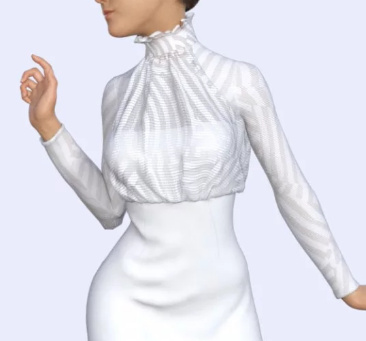



Assassin for ShadowBot makes the earlier ShadowBot character (and her Bare Feet freebie add-on) much more usable for serious sci-fi scenes…

If you’re a 3D sci-fi fan who doesn’t yet have quite enough sci-fi med-beds, cryo-chambers and sleep pods, then The AntFarm has another one — the Sci-Fi Med Bed…

Steampunk is very nicely and creatively served this month. There’s Katz Hatz, a small but very stylish set of fantasy and steampunk hats complete with G2 and G3 fits and iRay textures…

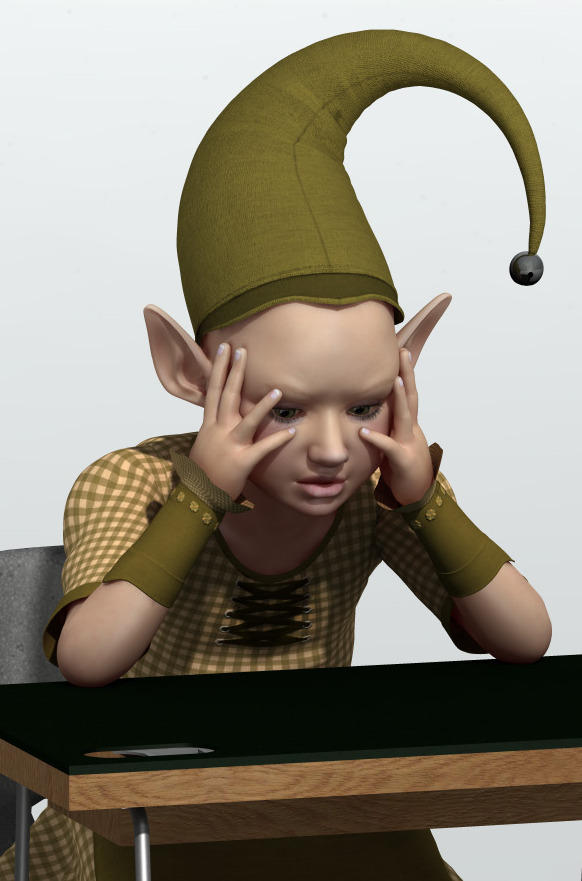
Watch My Charm for Genesis 3 Female (DAZ 4.8x only) is also rather hat-tastic and steampunky…
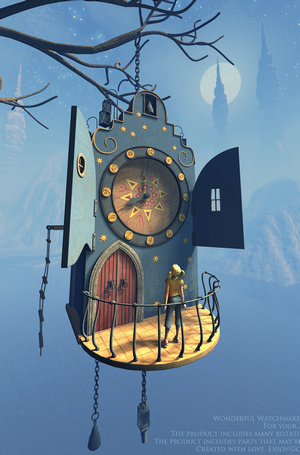
MS15 Victorian Steampunk Transport Terminal is currently only for lucky lucky Vue users. With 185 pre-placed lights and 3.5m polys I suspect that you may need a big rig to render this one with any speed. Still, at only $23 and 96Mb it might be worth trying…


I suspect the caretaker of the ol’ Steampunk Transport Terminal might look like this. He’s for Genesis 3 Male + Daz Studio 4.8x only…

And the Steampunk Transport Terminal’s atrium could even be filled with Giant Moths, new from the bird experts at SongBird Remix.
In mainstream movie sets, Modular Theatre Lobby/Facade looks like a usefully generic scene, and it also has a separate but matching auditorium and stage/backstage…

Coflek-gnorg’s Ghetto Props is unusual enough to warrant a mention. It could even be part of the above theater movie set, perhaps located in an alley around the side of the theater…

Outside Lunch Spot could also be used with the Ghetto Props, perhaps for a comic-book story contrasting night/day scenes at the same spot in the city.
The Projectionist Set could turn the theater into a cinema…

Dreamland also has a generic movie set this month, Movie Props: Warehouse and exterior…

Cover all your movie sets with snow with the Let it Snow system for DAZ Studio, a combination of a conforming top mesh and shaders. (Poser users should note that you can do something very similar and very easily, with the Snow Machine 2 script for Poser)…

In toons this month Sparkyworld has a cute little freebie, Seasonal Pod…

Also a freebie is Christmas Reindeer. I’m not sure if this is original or a movie character? If it’s Disney then watch out, re: copyright…

Dinoraul has a new semi-toon fantasy monster, the Grabber DR…

A major release for fans of Japanese manga and anime is Anime Doll for Genesis 2 Female, which will have native access to all of the Genesis 2 wardrobe…

There is also a free Male Morphs set for Anime Doll for G2F…
Lastly, fans of quality toon characters should note that RuntimeDNA’s big holiday sale is currently still on. Some of the best toon characters, including Star!, are to be found at RuntimeDNA.
That’s it, more next month!
Freebie: Star! in space
An Xmas Day present, found for readers, Dragon’s Breath has a free sci-fi outfit for Star! for Poser…

Freebie: V4, she grows on you…
Want to test your new Superfly render engine in Poser 11? There’s a fabulous new freebie for V4 lovers. V4 Dryad conforming figure for Poser…
“Dryad is a new figure that works inside a standard V4 model. Combined with the V4 materials, it produces a unique character for all your fantasy/nature renders. Includes Dryad Conforming figure, and V4 leafy textures.”
