
Google Images is such a pile of manure for picture research these days, even when you know how to search and can knock out all the search-pollution coming from Pinterest and Wikipedia and YouTube. For many types of searches, DuckDuckGo’s Images Search is now far superior in terms of relevancy. The range of search modifiers is not yet perfect, but they’ve just added a new “Extra Large” to their search.
Author Archives: jonahjameson
Manga Studio at half-price
Smith Micro currently have one of their periodic 50% software sales on the 2D comics maker’s choice, Clip Studio (aka Manga Studio). Get the lesser ‘Pro’ version for $25, or the more fully-featured Clip Studio Paint EX for $87. The latter being the real ‘pro’ choice.
As many readers will know, Clip Studio was formerly called Manga Studio. It’s the same software, just a new name. The reason for the change was that the Japanese developers of the software, Celsys, required all their worldwide translators and agents to use the Japanese name — Clip-Studio — so as to have uniform global branding. I don’t think they were aware of the unfortunate connotations of the word ‘clip’ in English — naff ‘clip-art’; clipped as in ‘shortened, lesser, cut-down’; and ‘clip-joint’ being slang for a sleazy scam.
Anyway, the deed is done and the name is changed now.
If you have Poser then I guess you’re probably not going to be very dependent on the stock 3D mannikin figures, which ship with Clip Studio Paint EX. Though they do look kind of handy if you’re drawing by hand. They may even be useful for quickly story-boarding your comic / nailing down your panel layout, before setting things up in Poser.

Though I should point out that Clip Studio is very complex, as complex as Photoshop in its own way. So, if you already have your Poser PNG character/prop/background renders in a folder, it’s only fair to point out that the software Comic Life 3.5 could be a much easier alternative in which to do your panel layouts and lettering. (Ignore Comic Life 3’s very cheesy kiddy-fied marketing material, it’s perfectly capable of slick quality output).
But back to Clip Studio. EX is the version that can do 3D import, which is great if you need something that goes beyond the stock rag-dolls or the couple of manga schoolkids which ship with the software. Such as complex clothes, sci-fi uniforms, ten-headed monster-dogs from the planet Wuff-Wuff, that kind of thing. I’ve tried the demo without becoming a user of the software, but last I heard 3D import is best done as .FBX (which allows some re-posing) and .OBJ (static), and these can be imported with materials intact if you first package everything (materials, .MTL and 3D mesh) up into a single .ZIP file.
The EX version also allows multi-page documents and also helps with the printing specs. I read that it can even export for a Kindle ereader or as an .ePub.
I see that EX also offers “Convert 3D objects into 2D LT (line and tones)”. But it appears that this is a fixed-pixel-width toon line outline, not to be compared with the more artistic results one can get with flat lighting and Poser’s Comic Book preview mode…
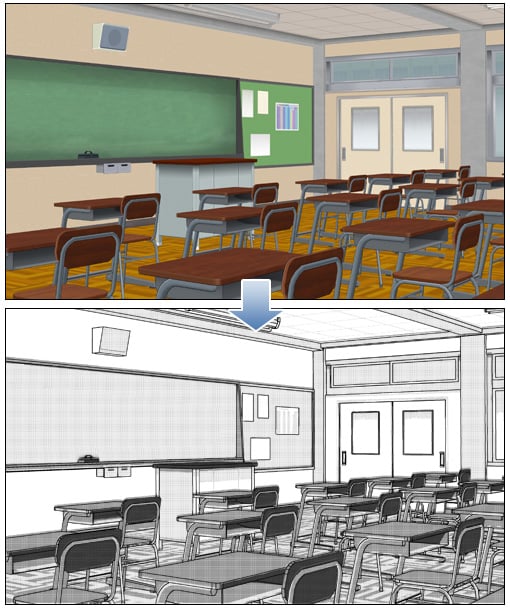
You can see it’s also adding manga zip tones, rather intelligently.
FaceGen celebrity face files
I found a big library of free celebrity faces for FaceGen, as .fg FaceGen files.

They’re from 2010 but I assume they’ll still work with FaceGen Artist Pro, software which lets you output famous or custom faces/heads for all Genesis generations in DAZ Studio. There’s a lengthy new tutorial webinar here, including things like work-arounds for neck-seams caused by the different body/head textures.
“Now, where did I put that Sonic Screwdriver…”
I was pleased to find another H.P. Lovecraft for Poser, albeit as a morph for the older character of Michael 3. It’s OK-ish, but without the required morphs it’s not as accurate as the dedicated character from Meshbox. I discovered that there are quite a few packs of “famous faces” made for M3 and still floating around, as I had a quick look around and a runtime search for superhero freebies for M4 / Freak 4. I dug up a David Tennant (Doctor Who) and an Edgar Allan Poe, both for M3, for instance.
Such faces are mostly for M3 and require the Head morphs from the ‘Michael 3.0 Head & Body Morphs’ pack [update: no longer sold]…
1. Load M3 base character from Figures | Daz People
2. Then go to Pose | !M3 All Morphs INJ | ! All Head Morphs.
3. Then select the Head of M3, and load your character head.
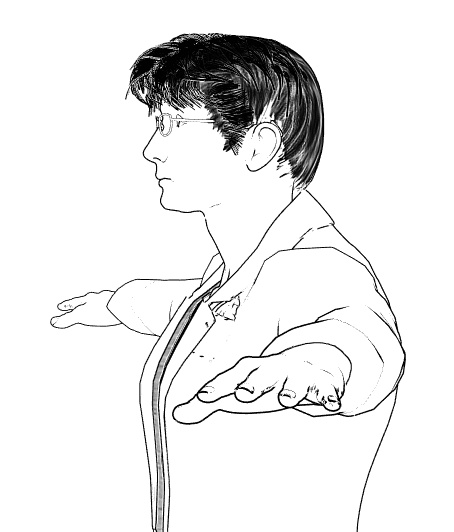
Many such also benefit from the Brom morphs.
It’s not the “David Tennant for M4, that looks nothing like him”. It’s another one, tucked away in an old multi-pack of superhero morphs for M3. The problem with a David Tennant as Doctor Who is, of course, finding the Fabulous Hair of Cosmic Awesomeness that will also look good in Poser’s Comic Book mode. The hair is so Awesome it has whole blogs devoted to it, and deservedly so.
Fancy trans-mapped hair is no good for Poser’s Comic Book preview renderer. Though Maraboo Hair looks like a useful starter, if you wanted to render in full 3D. The popular Reivel Hair was also a possibility.
In the end, the M3 hair seen above was down to a surprising combination of the ancient Ben hair and the almost-as-ancient M3 Star Trek hair for McCoy.
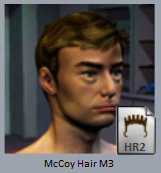

The Ben hair can be easily detached in pieces and re-positioned over the McCoy base, and as long as you don’t delete the base scalp (hide it in the body) the Ben hair doesn’t revert to bare guide hairs.
The David Tennant Poser-portrait above is just an alpha version, and I haven’t even checked it against reference photos yet. But it’s already somewhat recognizable. The M3 coat has a strange forward bump, as if it’s expecting V4 to drop in at any moment, but it’ll do for now.
Getting over the wall, with The Freak 4
An update on Freak 4 bundle, recently blogged about here because discounted to $7.
The Freak 4 morph dials won’t do much, after you load him. To get The Freak 4 ‘over the wall’ on this and working with his Micheal 4 base, you first need to go to…
..\content\Runtime\Libraries\!DAZ
… and there find the DzCreateExPFiles-M4.bat and possibly also the M4Gens.bat files. These are batch script files which, when double-clicked on, will seek out the new morphs and inject them into M4 so that he can handle becoming The Freak. It only takes a second or two, and you’re done. Then you load Freak 4 from his preset in Figures | DAZ People.
Here’s a bit of test fun I had with him. He was rendered on a ‘Very Quick Preview’ setting in 15 minutes at 2800px, so is not looking as good as he might. However, I cut out a bit of a stock wolf-pelt to provide a rather nice furry kilt, which I think adds something to the picture…
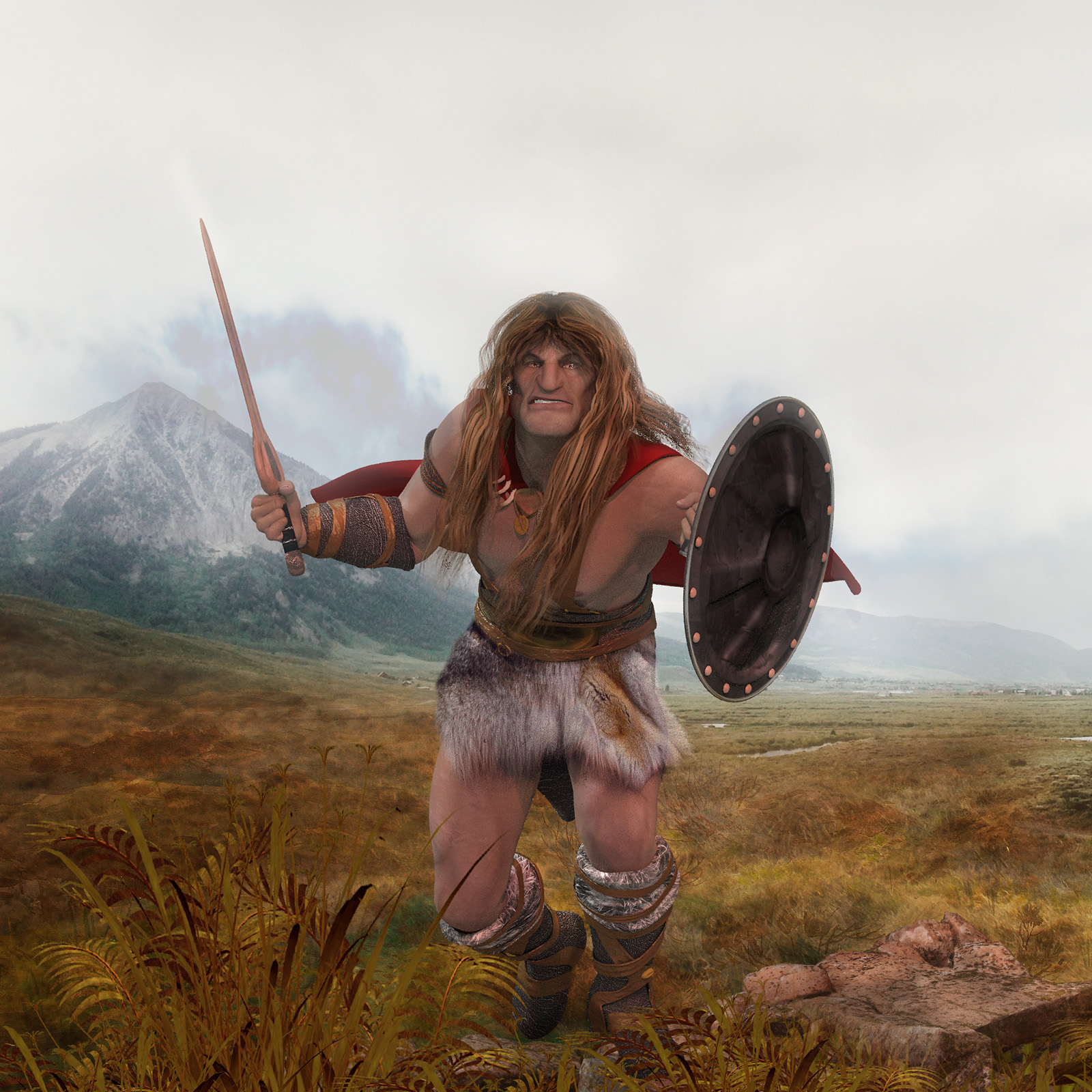
The fancy Barbarian shield textures don’t work in Superfly renders, which is a pity, but everything else seemed fine. But I’ve found that the Barbarian clothes in the bundle go very well with the hair in the free SOTO’s Vincent for The Freak 4 (used in the above picture).
Freak freak-out!
The huge Freak 4 Pro Bundle is currently on a $7.20 sale at the Daz Store. It requires M4, but most people have that character.

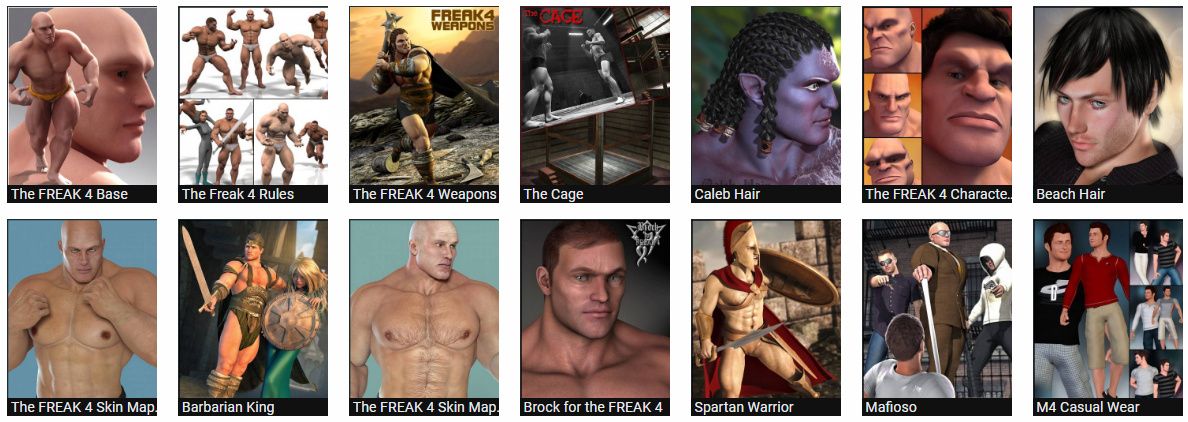
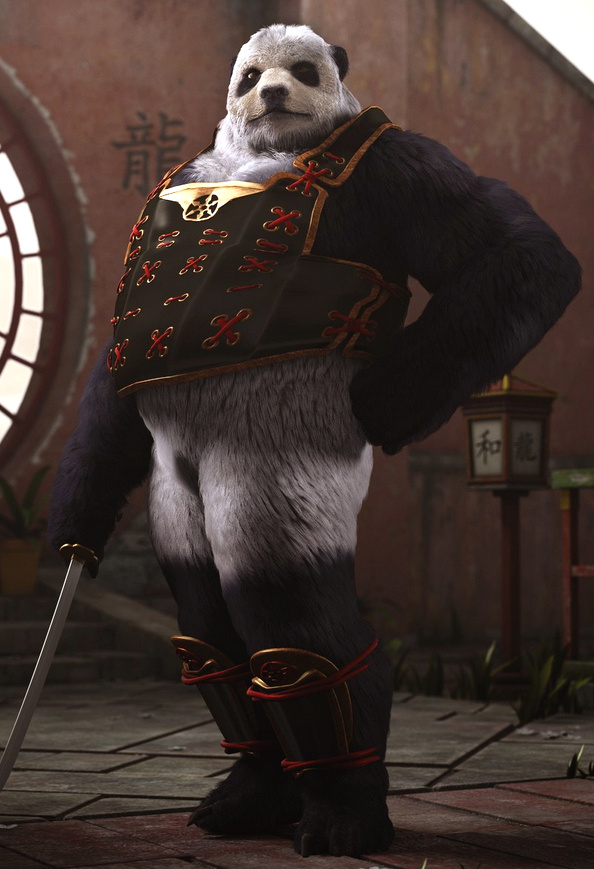
If you just want a big wrestler then I assume F4 has been rather overtaken by Freak 5 for Genesis 1, although I must say that F4’s set of realistic skin MATs do look very good. Freak 5, incidentally, has a good The Hulk (as ‘The Savage Freak‘), and an awesome Clan Bears Regenesis add-on (though with a huge amount of dependencies, including the LAMH plugin for the fur)…
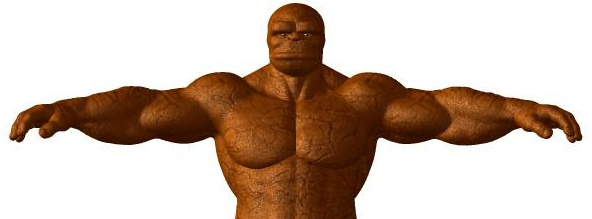
But back to F4… Freak 4 doesn’t give you access to a lot of new characters, since he always had a bit of a niche fan-base. But he gives you access to a small number of quality Marvel superheroes made for F4, and does so natively within Poser. Such as a pretty good Captain America (as ‘First Avenger’); an early-1960s The Thing (as ‘Rock Man’, harking back to the time before Kirby firmed-up his stylized hexagon-skin; and a starter base for making a Swamp Thing (as ‘Primitive Beast’, though Marsh Monster has the better head and may be a better choice for Marvel fan-art). With the smart city suit in the Pro Bundle you could also easily make a Kingpin (the nemesis of Daredevil and Spiderman, I seem to remember). So far as I can tell there was no Hulk for F4.

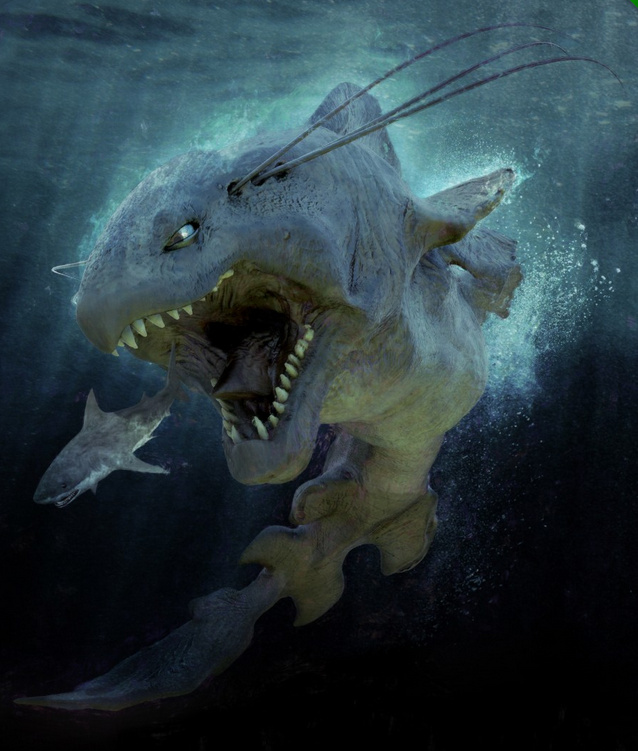
There’s also a Doomsday for F4, a character I’d never heard of… but it seems he’s a DC Comics super-villain who battles Superman.
For one or more of the above you may think it’s worth $7 to get the Freak 4 bundle, so that you can load them up.
If you’re envious of the Clan Bears for F5 (above), then there’s also the free lion-like SOTO’s Vincent for The Freak 4 (a celebrity character, Ron Perlman in the series Beauty and the Beast).
To get The Freak 4 morphs working with his Micheal 4 base, after installing Freak 4 into your runtime you need to go to…
..\content\Runtime\Libraries\!DAZ
… and find the DzCreateExPFiles-M4.bat and M4Gens.bat files. These are batch script files which, when double-clicked on, will go find the new morphs and inject them into M4 so that he can handle being The Freak.
Masie for Poser
Renderosity has launched a new contest to make a fun picture with Masie. Masie is the new semi-toon Poser 11 character, an unofficial flagship character created by the community to take advantage of all the Poser 11 features. For tooning she also comes with… “Base and Makeup Toon Materials and 6 Basic Toon Color Materials”, which have presumably been tested to work well in flat lighting and the Comic Book mode.

Masie has been designed to be really easy for content creators to work with, and they’ve already produced a wealth of free and paid content at Renderosity. There are a variety of introductory Masie Bundles. Neither the default Masie face, nor the three or four morphed Store faces, really grab me — expect for the face used for the vampire promo seen above. But doubtless more are on their way, and it’ll be interesting to see how radically she can be re-shaped. I’m also uncertain if she can take any legacy poses and hair (e.g. V4) without requiring fiddly adjustments, which would make her a lot more appealing as a purchase.
The Masie contest has $175 of Renderosity vouchers as prizes, and the entry deadline is 15th June 2017.
CrazyTalk Animator 2 SE
Posted on
by
 Posted in Companion software, Special Offers and Discounts, The Animation Industry
Leave a comment
Posted in Companion software, Special Offers and Discounts, The Animation Industry
Leave a comment
Posted in Companion software, Special Offers and Discounts, The Animation Industry
Leave a comment
The July 2017 PC Pro magazine (UK), the leading PC user magazine, has a free copy of CrazyTalk Animator 2 SE. As far as I can tell from the features grid, it’s the same as CTA 2 Standard except you can’t output high-res frames. CTA is currently at version 3.1.
CTA is an excellent intro to 2D animation, and especially so for bright kids, without all the hang-ups of pro-level animation software. Even less able kids could use it, to make static comic-strips for the Web — for which you don’t need high-res output.

Hiro 3 mega bundle for $5
The Hiro 3 megabundle, currently on sale for less than $5. Hiro 3 base + head morphs, clothes, expressions, for Poser. He’s the brother of Aiko 3, and can still look good when morphed and tooned up in Poser’s Comic Book mode.

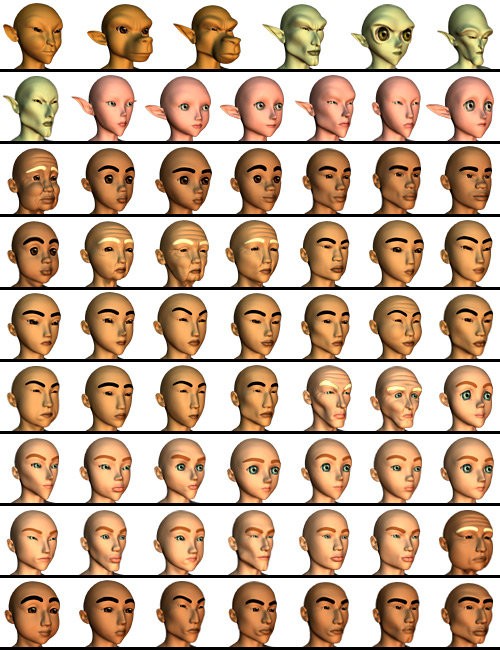
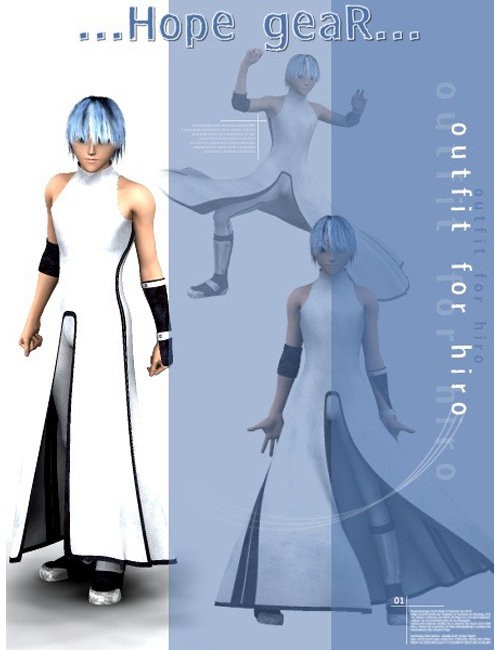

Hiro 3 (H3) and Aiko 3 have perhaps been overtaken in the toon-character stakes, but their huge amount of morphs means they are still required as a base for some enduring characters. Such as the Melody and Micah Bundle which then gives you access to the big range of Furries.
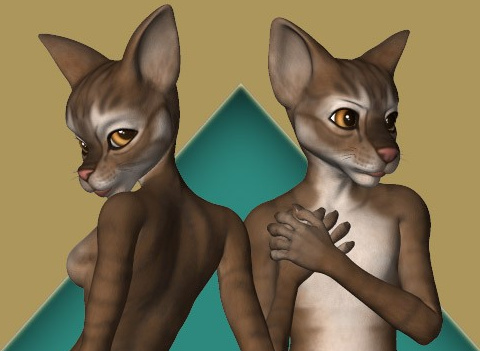
I have a loading tutorial for the Furries, here.
Drone -2- Mesh
Want to create a high-precision 3D map of your own specific bit of the earth, for beautification in Vue or Terragen? There’s no need to hijack a passing NASA satellite — just launch your GPS-enabled drone, snap some HD photos and use PrecisionHawk‘s free software for drone mapping…
“Using GPS information embedded within the drone images, the software automatically stitches together a complete map, viewable in both 2D and 3D. Free users of PrecisionMapper can create up to 60 surveys a year without resolution or export limits.”
The precise types of 3D models that can be exported is left a little hazy by the publicity, but I presume they’re fairly standard types.

Possibly it’s easier just to sculpt the terrain with reference to a good large-scale map with contour-lines, of course. Or wrestle with some public geo-data sets. But if you happen to own a HD/GPS drone then it could be a nice project to use it to make an accurate and crisply Vue-beautified “bird’s eye view” version of your valley, local nature reserve, cycle-way, etc. Possibly even for VR fly-throughs.
Comic Book FX database
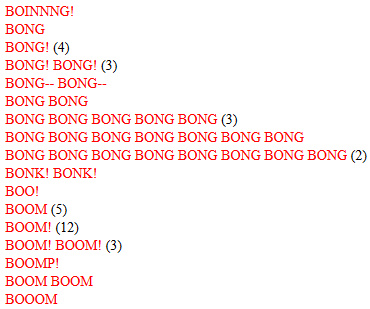
Comic Book FX. The Comic Book Sound Effect Database. 1,482, so far.
Ninja Sprite Male for $5
Having long had the female of the species, today I picked up the Ninja Sprite Male on a $5 sale offer — and was very pleased to see that he comes with a free Crossdresser 4 license for easy clothing conversion. The Sprites are elemental characters, so don’t really need dressing… but the license is a nice thought, and possibly very useful if you were going to runtime/kit-bash them to try to create a unique-looking sci-fi toony alien.
 Above: my early attempt at tooning the female Ninja Sprite in Poser 11 with the Comic Book render, with the top of the hair a bit of a kludge.
A survey of Brush Managers for Photoshop
Got Photoshop brushes? Got too many Photoshop brushes? Yup. And, let’s face it, Photoshop’s brush management and preview pallettes are something out of an archeological dig — even in the newer versions.
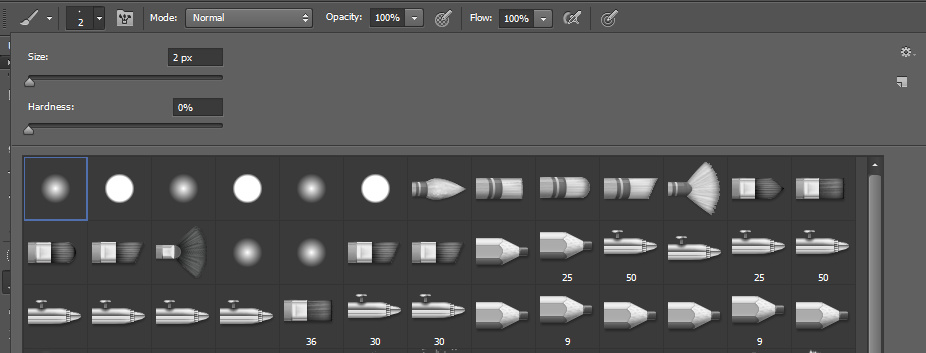

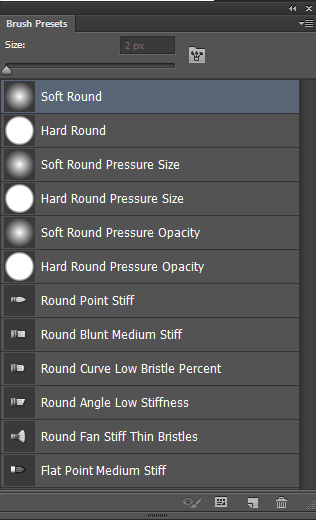
What are the alternatives and helpers, for managing your brushes? Here are all those I could find.
Newer:
* The $19 Anastasiy’s MagicSquire 1.5 is billed as a “brush organising agent”. It’s rather expensive for what it is, which is a better ‘but not that much better’ replacement for the usual panels. Still… colour codes tabs, drag-and-drop sorting, better auto-generated brush-stoke previews and more are all improvements. If they’re worth $19 to you, then it’s the one. The great advantage it has over the Brusherator (below) is that it works in older versions of Photoshop… “CS3 CS4 CS5 CS6 and CC”.
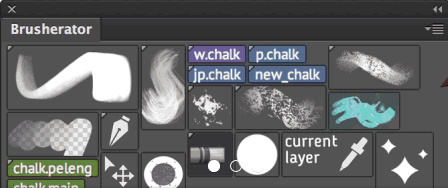
* The $13 Brusherator 1.3 is for Photoshop CC and higher. Probably the most elegant of the lot, and you can configure it how you want it. But to use it you need to be running a newer version of Photoshop, and its management methods and menus are far from intuitive to learn. It’s also nearly impossible to set up on a second pen-monitor with a pen, and so it needs to be set up on your main monitor with mouse + keyboard.
* The $13 BrushBox seems similar to MagicSquire, but looks more basic. It only runs on “CC 2015.1 and above”.
Older:
* The $2 drbjr Custom Brush Manager. The panel uses Flash (and is thus an inherent security risk), but it does support Adobe Photoshop CS6 and early versions of CC on Windows. The panel UI is rather basic, but it is obviously has quite a few features and it only costs $2.
* The $10 Preset Viewer Argus is a general standalone Photoshop Preset Viewer. It renders out a big library of thumbnail previews from all of your Photoshop brushes and presets. No more squinting at tiny little “what is that?” icons, which may be useful for those who know what they’re looking for. It works with presets and brushes from all CS6 and CC versions, and has been updated to run on all versions of Windows.
* The freeware BrushView QuickLook PlugIn is another oldie, from circa 2009, and seemingly aimed at Photoshop Elements users. It… “allows you to see the contents of Photoshop brush files. Now you no longer need to load a brush file into Photoshop to see its contents. … supports three different version of Photoshop [Elements] brush files — versions 1, 2, and 6.”
* The freeware abrMate 1.1 was a “Brush Viewer, Organizer, Converter, and Exporter for Windows”. Nice, but it was last updated in 2011 and only supports brushes made in Photoshop CS5 or lower, so is not really that relevant now. Apparently it required Microsoft .Net Framework 4.0 to be installed.
That’s it. I’m guessing that possibly I could also do something with Adobe Bridge in finding brushes, but I never use that and don’t want to start.
Oskarsson on sale
Oskarsson is currently having a big 50% sale on Renderosity, with prices generally at $6 or less. Unusual bargain items I spotted…
Paranoia, a detailed steampunk spacesuit or undersea suit for V4.

Dynamo Kid, a detailed valvepunk era outfit.
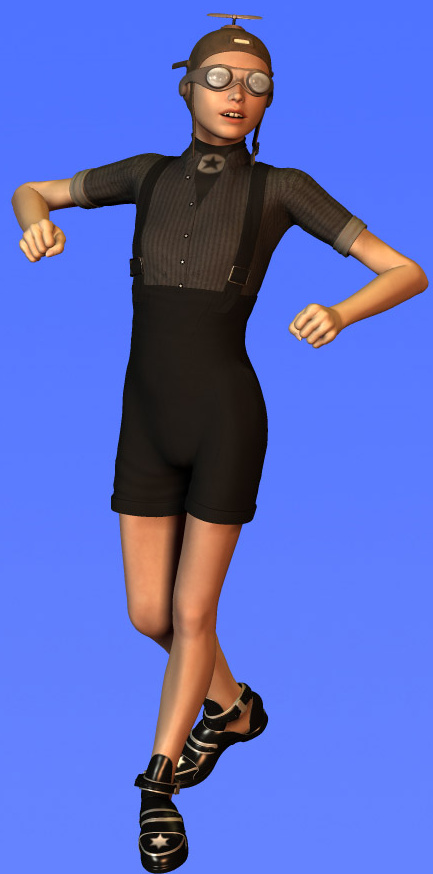
Epifani, a Moebius-like sci-fi head-dress and outfit for V4, for a mere $3.75.

Feeling the fabric of the past
Need fashion design inspiration from the past, for designing new digital outfits? Pinterest boards are great, of course, if you can find a great searcher/curator combo. But Europeana Fashion is open access and…
“brings together an incredible wealth of content including historical clothing and accessories, contemporary designs, catwalk photographs, drawings, sketches, catalogues and videos contributed by nearly 40 museums and fashion brand archives from 13 European countries.”
