
I see there’s a new Brian Haberlin comic, since February 2023. Currently in episodic mode. The covers are part- painted, but the interiors are his usual style of art made with the assistance of Poser and highly polished. The Last Barbarians is a high/dark fantasy tale with a D&D vibe and some gore, and is currently up to #4… with #5 announced. I’d guess it might run eight issues, as his series usually do?
Author Archives: jonahjameson
Vanishing monsters
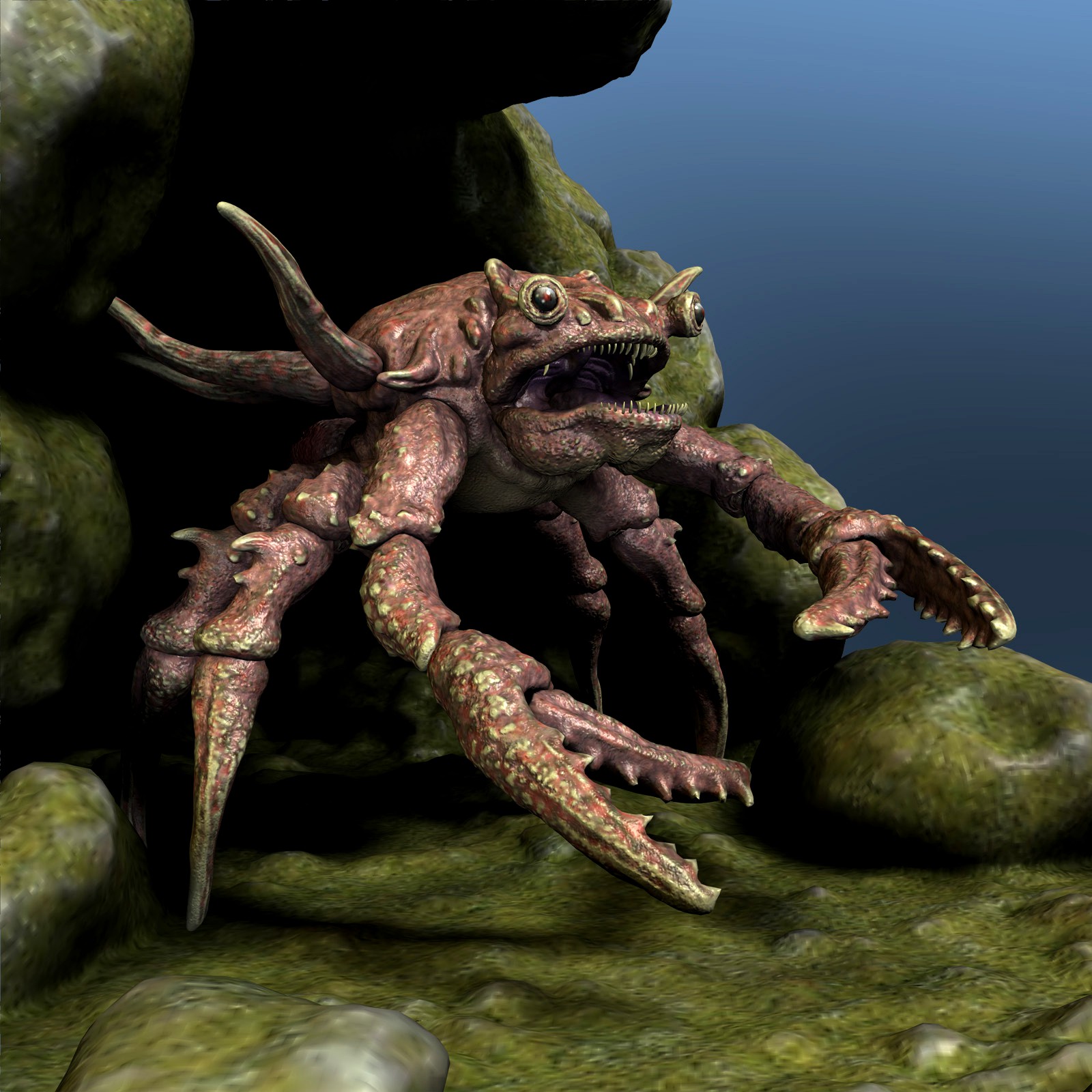
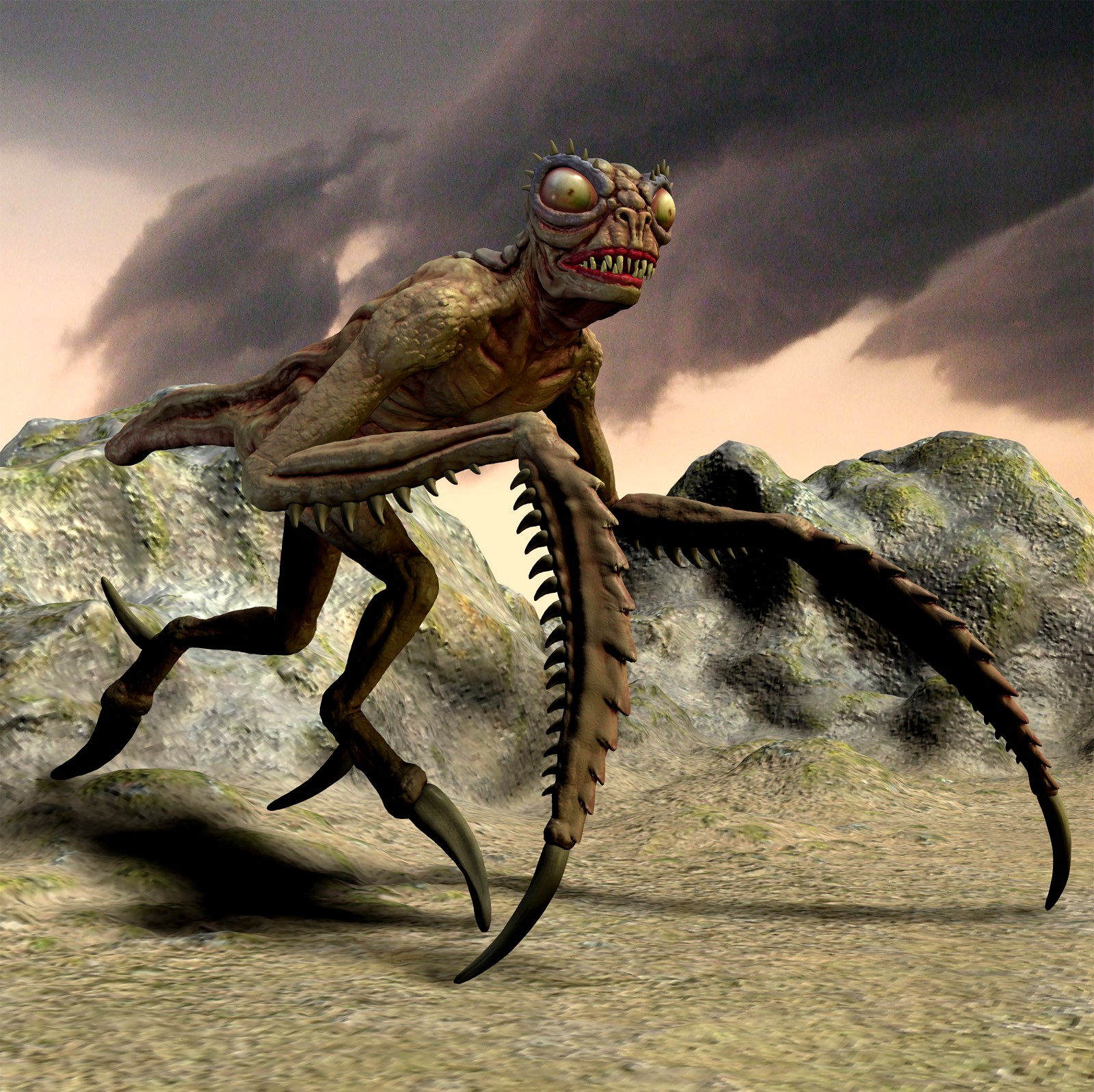
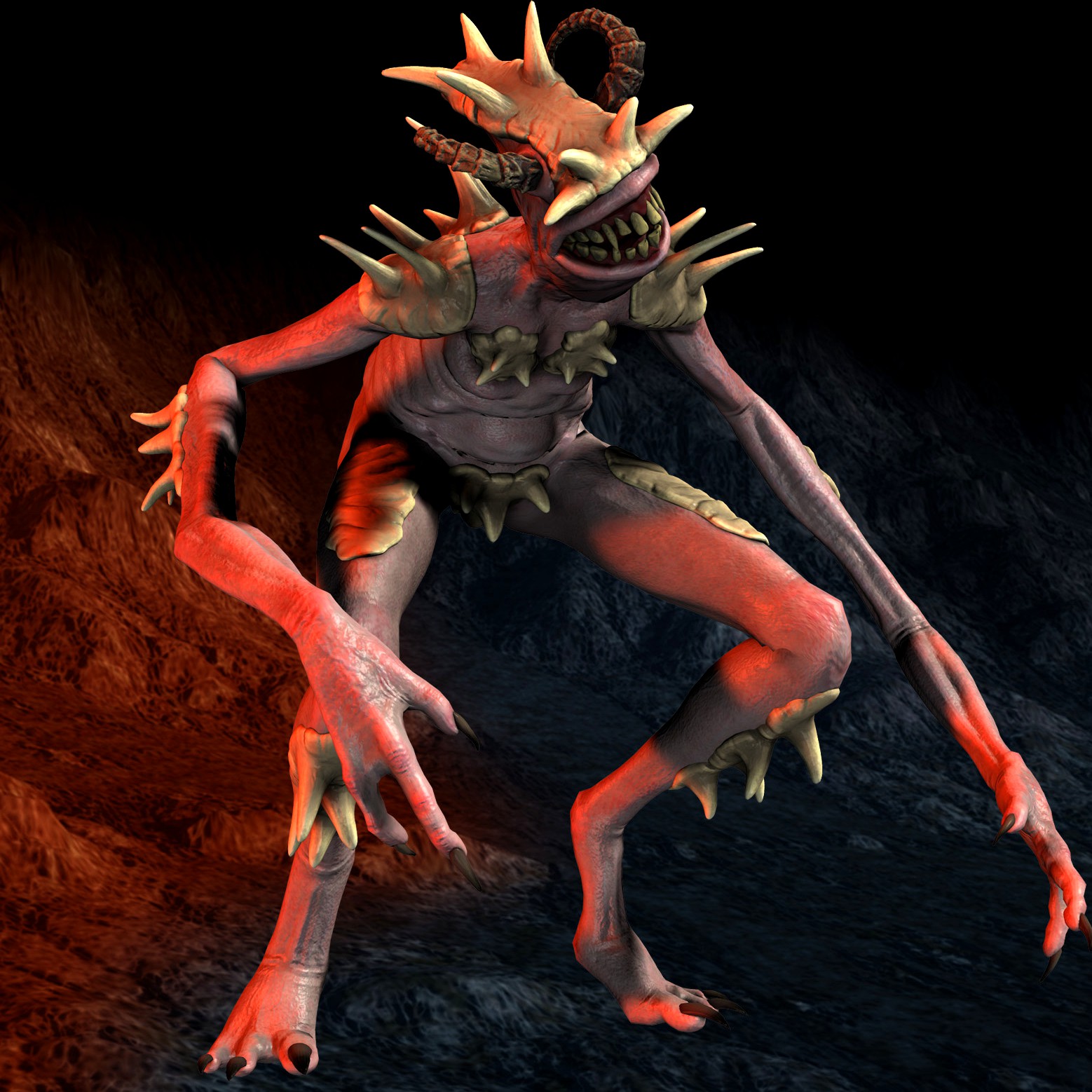
Oh that’s a pity, Poser dinosaur maker Dinoraul has removed his some of his items from Renderosity. Gone from my wishlist, with no chance of grabbing them via discounted $3 retirement sale are…
Kroger DR
Branchenia DR
Kraba DR
Devilop DR
Mantyx DR
Zomora DR
Grandor DR
He’s still on Rendo with a store, but these early monsters are gone.
Combo
Hel1x has a new and fine demo picture, showing the effective combination of an AI-generated base + Poser and DAZ for the figure, Vue for added landscape (backdrop and atmosphere?) and Corel Painter.
AI-driven hair movement
As good as dForce? “Helmet-hair” gone, forever? A new AI driven Hair Simulation on the GPU.
Animated demo:
Loops three times.
Click here to replay
Renderstudio for Poser 11
DAZ’s time-limited freebies have updated with a new set.
Worth having, “To the Beat Poses” dance-exercise poses set for Genesis 2, with Poser CF files (for DSON import to Poser).
Also two large IBL light-probe environment sets for Poser, including Renderstudio – Skylight And Atmosphere which has 8,000px sky panoramas and atmosphere presets. “Extremely fast rendering”, according to the original RuntimeDNA blurb…
The included Atmosphere module will not put any strain on your rendering times as it is generated by Poser’s very own ‘Depth Cue’ cue system. I have found that using these atmospheres adds no extra rendering time at all!!!
Tested and working in Poser 11, and as it uses no scripts I assume it would also work in P12 and P13.
It’s true, it’s pleasingly fast. But it’s also only able to use the old Firefly engine, since the depth-fogging atmosphere and sun-colour don’t appear in the newer SuperFly (i.e. Blender Cycles).
Simpler and quicker than Poser to Vue. Here are comparisons…
Simple English terraced houses with Renderstudio set up in Poser. Very quick Firefly render, less than a minute at 1800px.
Simple English terraced houses with saved Poser scene to Vue import. Slow even at 1800px (8 minutes), textures now look a lot better but more grungy.
Note that Vue’s default Final preset was possibly using high bumps and displacement, which with a different render setting I might have been able to add to the Poser render to make it more grungy and 3D textured.
Anyway, it’s not SuperFly or Vue… but yes, it’s fast as well as easy in Poser. You get fast Poser atmosphere presets with an easy sunlight position dial and sun colour presets. Which may be just what some Firefly users need for a big outdoor backdrop, for a finished product in which the foreground is going to be the focus of attention.
By comparison, the same prop/scene is so horribly unwieldy in the DAZ Studio viewport as to be essentially unusable. I didn’t even get as far as rendering, before I gave up on it.
Shap-E
Shap-E, a basic ‘prompt to 3D object’ generator. Fast and free. Tested and working.
CodeWhisperer
Possibly interesting for Python-coders who craft Python scripts for Poser, Vue, Blender, and others. The new Amazon CodeWhisperer, a free code-generator from Amazon, that appears to be genuinely free and supposedly “unlimited”. Although you do need an Amazon Web Services (AWS) account.
It’s powered by AI, of course. Be warned that the ‘free’ tier of AWS is only a 12 month trial, last I heard. Then you have to pay to keep the AWS account.
Fan-art G8 figures
Testing Shinteo’s free fan-art G8 figures. There’s a lot of them, but he has a handy page which groups them by game, movie or whatever. Sadly, no Gravity Falls (no game?) or Lord of the Rings.
Click through to the one you’re interested in. There are hundreds of game characters. Click to a character, click the Patreon link, and there on the .ZIP file link.
I got Tintin, Doctor Doom (Marvel), Classic Spiderman (Marvel), Capt. Jack Sparrow, and Godzilla (I think he’s public domain now?) with no problem.
My quick pose and render of Capt. Jack. Responds to G8M expressions.
They’re low-poly game rips, so you probably shouldn’t expect to do pore-probing close-ups on the face. Also, I imagine you should expect texture atlases, so no re-texturing. Some require commercial morph packs to be present. Some of the eyes are a bit glazed and filmy, so may need tweaking.
Once installed they show up in Characters | @Cosplay, not G8. I haven’t tested if they can be mixed with other G8’s via sliders.
Note also the Tutorial on posing with my converted models, re: facial expressions. And the Eyes Offset Tutorial.
Denoising in Photoshop CS6 32-bit in 2023
DAZ’s free Photoshop Bridge only fully works when using 32-bit with a 32-bit Photoshop. Ideally Photoshop CS6. As I’ve explained before here on MyClone, here and here.
But imagine you’ve got it working and are auto-sending renders to a comic-book page that’s set up in Photoshop. Each render drops into a comic-book panel. But, since there’s a lot to render on each page, the renders are quick and grainy and have ‘fireflies’. This grain will not matter so much, if you’re then filtering them using a non-naff artistic Photoshop filter (Mediachance, Sketchmaster 2018, some G’MIC filters).
But what if you’d just like to denoise a photoreal render? Sure you can filter with an NVIDIA-only denoiser, back in DAZ Studio. But that feature has never worked for me, and I guess my NVIDIA graphics card is just not worthy. Or you could lift the shadows and create a flatter and more comic-book look with the Exposure Value and Shutter Speed sliders in DAZ. Less shadows, less noticeable grain and fireflies.
True, there’s a free mcjDenoise plugin for DAZ which actually uses Intel’s OIDN. But it can only be applied to the stack of recent renders. Thus it can’t work to process the render that’s to be automatically sent to Photoshop via the Bridge.
Ideally there would be a Photoshop plugin that uses the open-source Intel OIDN denoiser. Which has a superb AI model especially trained to clear 3D renders. This plugin would speedily fix all the grain and fireflies, in one click. But, rather surprisingly (given the potential market and the very open licence) no-one has made such a thing. There are only two Windows GUI standalones.
What about other AI-powered denoiser plugins for Photoshop? The Topaz AI Denoise plugins were available for CS6, but… only for 64-bit and they were trained for megapixel night photographers, not 3D renders. There were three or four pre-AI denoiser plugins for 32-bit, but they were expensive and (even if still available) are not ideal now.
Thus the fallback in 2023 would be the free and actively developed G’Mic plugin suite. Its 32-bit .8BF is happy to run as a Photoshop CS6 32-bit plugin. Currently in G’Mic, the 2022 filter Testing | Afre | Denoise appears to be the quickest/best on 3D renders. In fact it’s near-instant, which is very nice. But obviously it’s not as good as OIDN. The results are softer than OIDN, and not all noise is cleared. But it’s better than nothing, and if your comic-book page is destined for digital-only… then it may be good enough.
And don’t forget that .PSD is a portable format, so you can do all the render-catching and layout in CS6, and then load the CC 2018 or higher for postwork and filters.
But the ideal for CS6 would be that someone plugs OIDN into G’Mic in the near future.
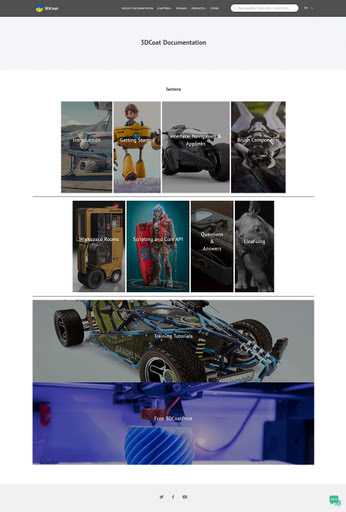
New 3DCoat manual
Slick new documentation for the 3DCoat 3D painting / texturing / sculpting software. Fully updated, translated and pretty-fied.
What’s New for Poser and DAZ, April 2023
It’s time for another monthly round-up, offering my pick of what’s new for Poser and DAZ users.
As usual, freebies are not noted if they’re ‘non-commercial use’, unless they’re such obvious fan-art that no-one would consider using them commercially. Indeed, there’s a new fan-art sub-category this month.
There’s also a new G8/G9 store, 3D Shards, with some freebies. Takes quite a while to load, but looks great.
Science-fiction:
A generic futuristic Billionaire’s Office. Plus 30 cool hi-tech props.
A free CyborgLuna for Baby Luna, the free creepy baby which ships with Poser. There are some earlier Baby Luna’s Creature Heads morphs, but I see that only two of these might pass muster for a sci-fi look. Probably now needs a pack of cyborg head morphs.
Coflek-Gnorg’s Hostile Surface I and Hostile Surface II. Basic ‘first landers’ pioneer-era surface space-cabins for Poser, with quality interiors.
A big futuristic comic-book style Tank Model-X for DAZ. Needs some “Hulk… SMASH!” punch-blow morphs, I’d suggest.
Colony Control Tower, looking like it could be of use for re-making lost episodes of classic 1970s British TV sci-fi?
Sci-fi Fan Art:
James T. Kirk for Poser, which requires M3 Low Res and the David 3 texures. No hair, but I’m fairly sure there’s some Kirk hair around somewhere for Poser.
Marvel Ultimate Galactus Outfit for Genesis 8 Male. Looking pretty much like the original Kirby Galactus, as far as I can see. Rather cheekily, there’s a Marvel logo and also an Extended Licence for sale.
Desert Spaceport for DAZ, a large Mos Eisley a-like town from Star Wars with lots of angles. Not identical, and there’s clear prior-art, so commercial use as a standard desert town would probably pass the Disney lawyer sniff-test.
A Twi’lek for Genesis 8 Female, and Twi’lek Headpeice for Aiko 4, for non-commercial Star Wars fan-art.
Steampunk and Dieselpunk:
A pleasing retro-look helmet Protective Gear 018 MMKB.
Christmas Steampunk Car for Poser. An old model from Meshbox, but new on Renderosity. Likely to have a single texture-atlas texture, making it difficult to re-texture.
Fantasy:
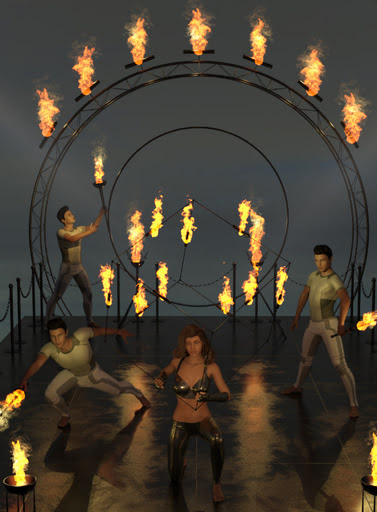
FireShow, an unusual addition to a circus or medieval hall with jesters and minstrels. Though you’d need some wooden planking to cover the modern struts.
Halloween:
Free Fangs for LaFemme/L’Homme.
Morphing Skull together with Stands for Morphing Skull and Morphing Candle for Morphing Skull.
Leviathan for Daz Studio, a gloopy monster with tentacle sliders for posing.
Figures and poses:
A free pack of sitting and kneeling CRP Floor Poses 1-12 for G8F & G9.
40 x G8 expressions on sliders, in the Ross_Expressions G8 01 pack.
Young Anime Heroes for Genesis 9, stylised manga/anime type morphs.
Storybook:
Coin-Operated Rides Mega Pack for DAZ. You could probably hide bits, such that the plane really takes off and flies the passenger through the clouds.
Smoking Pipe. With smoke and holding poses for G8/G9. For your old-school Tolkien-type storyteller, with a pipe by the fireside.
Toon:
Animals:
Songbird ReMix Bee-eaters of the World, for Poser and DAZ.
Snitch, a strange creature for Poser and DAZ. Likely to appeal to those who have enjoyed playing the videogame Spore.
Landscapes and settings:
City Waterway by Predatron, looking useful for action-movie type scenes.
A2Z SciFi Loading Dock and Warehouse I v1 for Poser. A bit sci-fi, but could also be of use for those who need to make modern-day warehouse worker training videos.
Historical:
A free dForce 1940s Men’s Suit for G8M. Also a tweed trousers and pullover set. Also get the 1940’s inspired suspenders and bowtie for the free G8M men’s suit. “Suspenders” = “braces” in British English.
A free Sniper U.S. Ranger standalone, a low-poly figure for M3 Low Res and Poser, so you can have many soldiers in your scene.
DryJack’s Match Truck and Crane, the sort of thing you might see in a mid 20th century heavy industry rail-yard.
Those who like DryJack’s excellent British railway models and tracks/stations may also want the free Sign 14, the new British ‘Men at Work’ road-sign. Part of a larger free set of such things.
VZ-9 Avrocar Flying Saucer, which was really made (though barely flown) in the 1950s by the U.S. Air Force. Complete with interior, controls, smart-props, poses. For Poser and DAZ.
A free classic mid/late 20th century Cinema Part 1, with iRay textures. Also get Part 2.
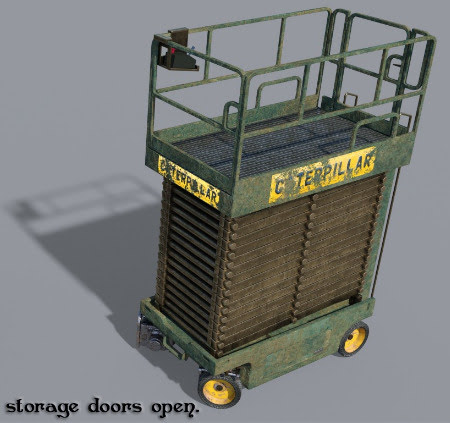
A manky Industrial Warehouse Scissor Lift of the sort you might have found in an old abandoned warehouse in the early 1990s.
Utilities, scripts and similar:
A free Simple POV Camera for G3 & G8. Your scene shows what the figure sees.
A Procedural Braid Generator for Blender.
Free AND / OR / XOR Logic Nodes for the Poser Material Room, for Poser 12 and 13. Also an accompanying “Wondering how to use Logic Nodes for Poser material room?” tutorial.
A free Value Viewer for Poser SuperFly, a node for Poser 12 and 13.
A paid MAT Tiler for Poser 12, which… “automates working with seamless textures in Poser”.
A free Poser script ShowLightsInPreview, for Poser 12. I’m not sure I even understand the user problem it’s trying to solve, and I think it may already have been solved by an earlier Poser 12 script (‘Remove Wires in Preview’) which toggles the visibility of the lights wireframes on the scene lights. But you may be interested.
Also, there are now Renderosity gift certificates, starting at a $150 Gift Certificate.
The free script Lock & Unlock them all from here for DAZ Studio. For example, lock everything below the wrist. There’s also a similar Hide & Show parts of a figure below a certain point.
Software:
Poser 13 for Windows, in Early Access. Ignore the “Windows 10” spec, as it runs fine on Windows 7 (although it won’t then load encrypted store-purchased scripts). SuperFly is now the new Cycles 2 for much faster x2 rendering, especially for animations and this can also work on CPUs. The Intel Denoiser is updated, and PostFX is expanded and can now do Glow. An updated Walk Designer and Talk Designer, and more.
The 2D paint software SAI2 has a dark mode at long last. For fast painting with big brushes on a big canvas, there’s SAI2, PaintStorm, and the superb vector brushes in the free Microsoft Expression Design 4.
Tutorials:
How to convert DAZ to Poser – Part 1 Geometry and Part 2 – Materials and lights. But first watch Converting DAZ scenes to Poser the super easy way, which involves going through (shudder) Collada. Don’t forget there’s also the Automatic OBJ Exporter for figures, with poly-reduction in the streamlined semi-automated pipeline.
How to Bring all your Poser 12 scripts to P13 without re-installing.
E-on Vue – controlling materials and EcoSystems with the wetness index node, a new 20 minute video tutorial.
Controlling camera-angles in AI-generated image production, a YouTube playlist.
That’s it for April 2023. More picks next month.
Get your Mojo on…
AI boffins re-invent Pandromeda’s Mojoworld…
Our method enables simulating long flights through 3D landscapes, while maintaining global scene consistency – for instance, returning to the starting point yields the same view of the scene.
Starship to Mars
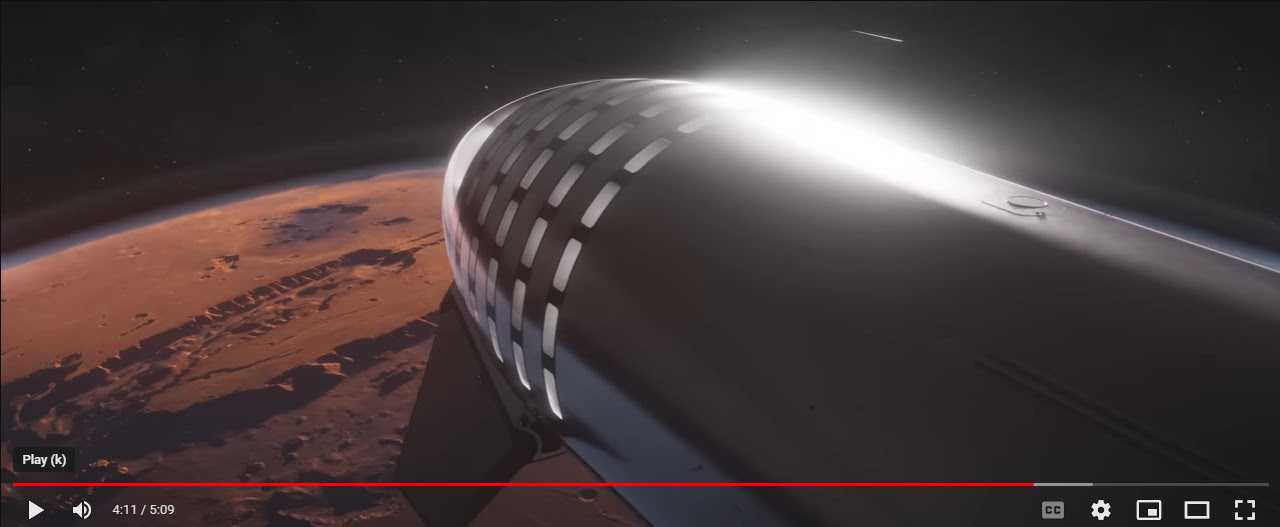
SpaceX has released its 4k “Starship: Mission to Mars” video. The Starship, which should launch to orbit later in the spring, is seen making possible a mission to Mars.
New store: 3D Shards
Sickleyield has kindly made his formerly-paid ShareCG items free. I’m not sure what was formerly paid there, but going through the items I noted…
SY Big Wave iRay. A big ocean wave with spray. And posing bones.
SY 200 Morphs for Genesis 8 Head & Body.
His conversion of DieTrying’s 182 Morphs for Genesis 2 Male and Genesis 2 Female. Also available for Genesis 1.
His paid G8 items are now over at the new 3D Shards store (slow to load, give it time). A very slick store, with 78 items there at present. Has his new G8 Pinocchio wooden puppet-boy and the older Marshmallow Man / Snowman, among others.
Tutorial: Blank Boi to storybook Space Boy
Blank Boi to storybook Space Boy:
Requires:
Blank Boi base figure.
BlankDolly.
Elf Basics.
Blank Boi Nose freebie prop.
Blank Boi in Space freebie clothing set.
1. Load the Blank Boi base figure in Poser. To be found installed in Poser (totally counter-intiuitively) under Figures ..\3DZToonz\BlankBoi\BlankBoi.cr2
2. Load Elf Basics hood and clothing to head and body. Found under Figures ..\Elf Basics. Conform if needed.
3. Load Pose ..\BlankDolly\ Normal Shader | Dolly body gets you the eyes seen here.
4. Props | Blank Boi Features | Nose. Load to head.
5. Adjust DollyEars morphs on ears (from BlankDolly) for pointiness. Set ears slightly off-centre for added quirkiness. A little postwork clean-up will be needed re: the conjunction of the ears and the hood, when seen at at certain angles.
6. Hide (make ‘not visible’) the end of the elf boots. This makes him less obviously a generic fantasy figure. Set the “Feet swap” morph to “2” for the new ‘toon feet’ seen added below.
7. Props ..\Blank Boi In Space | BB Space Pack for an oxygen backpack. If the .OBJ is lost on loading, it’s to be found in ..\Runtime\Geometries\treasurechest\bboiclothes
8. Apply Aiko 3 poses. V3 also, but those poses will tend to reposition the figure somewhere else on the stage.
9. Change the material diffuse colours to a more space-y colour scheme.
10. Render in flat colour and lineart, and combine these two renders in Photoshop…
Not ideal. The ears are sometimes seen inside the hood. The neck-joint needs more of a spacesuit-like air-seal. The feet are ok, but not great. There are probably better figures with which to make a whimsical space-adventure storybook, but the Boi is fairly cute and it could be done. The lack of a mouth is a great advantage, since you wouldn’t have to be constantly tugging at that to get it to look right, or manually drawing it in.