

A quick tutorial for those new to DAZ Studio and wresting with lighting, aiming for a nice image to take into a Stable Diffusion model. Solution: Don’t add preset lights at all! Auto-headlamp, and then adjust Exposure and Shutter Speed to get a nicely-balanced and real-time viewport. This provides a good evenly-lit starting render, better than Smooth Shaded.
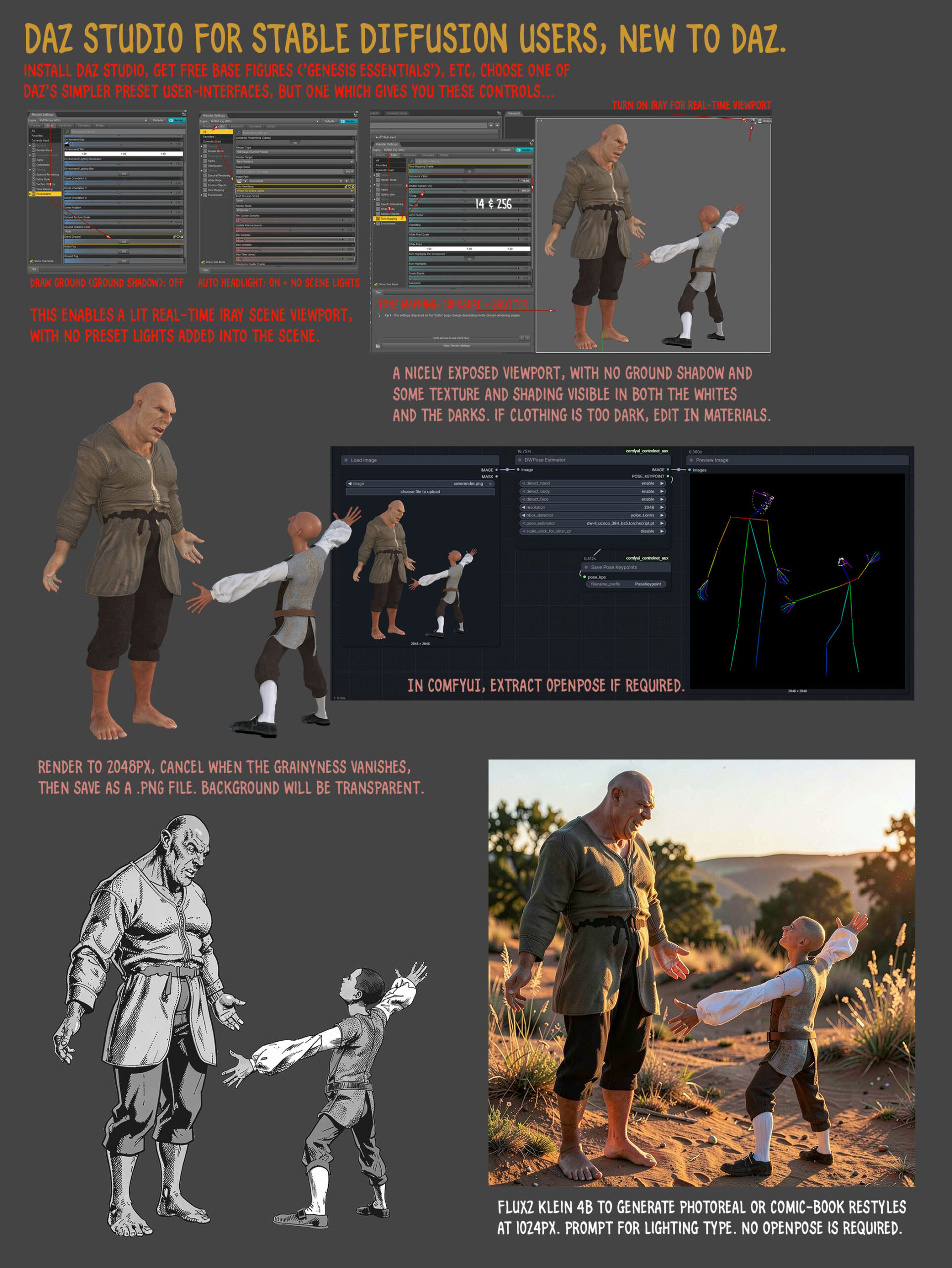
Things change here (expressions, head-angle, hair added), but it’s possible to prompt to get more of a 1:1 match. Thus enabling re-colouring with the DAZ render in Photoshop, for consistent colouring in comics.
Pingback: What’s New for Poser & DAZ & software, for March 2026 – MyClone Poser and Daz Studio blog