

Here’s my ComfyUI workflow to have Stable Audio Open 1.0 auto-generate a batch of sound FX from a list of your text prompts. It’s an extension of my previous workflow which also had instructions about where to download/place the required models.
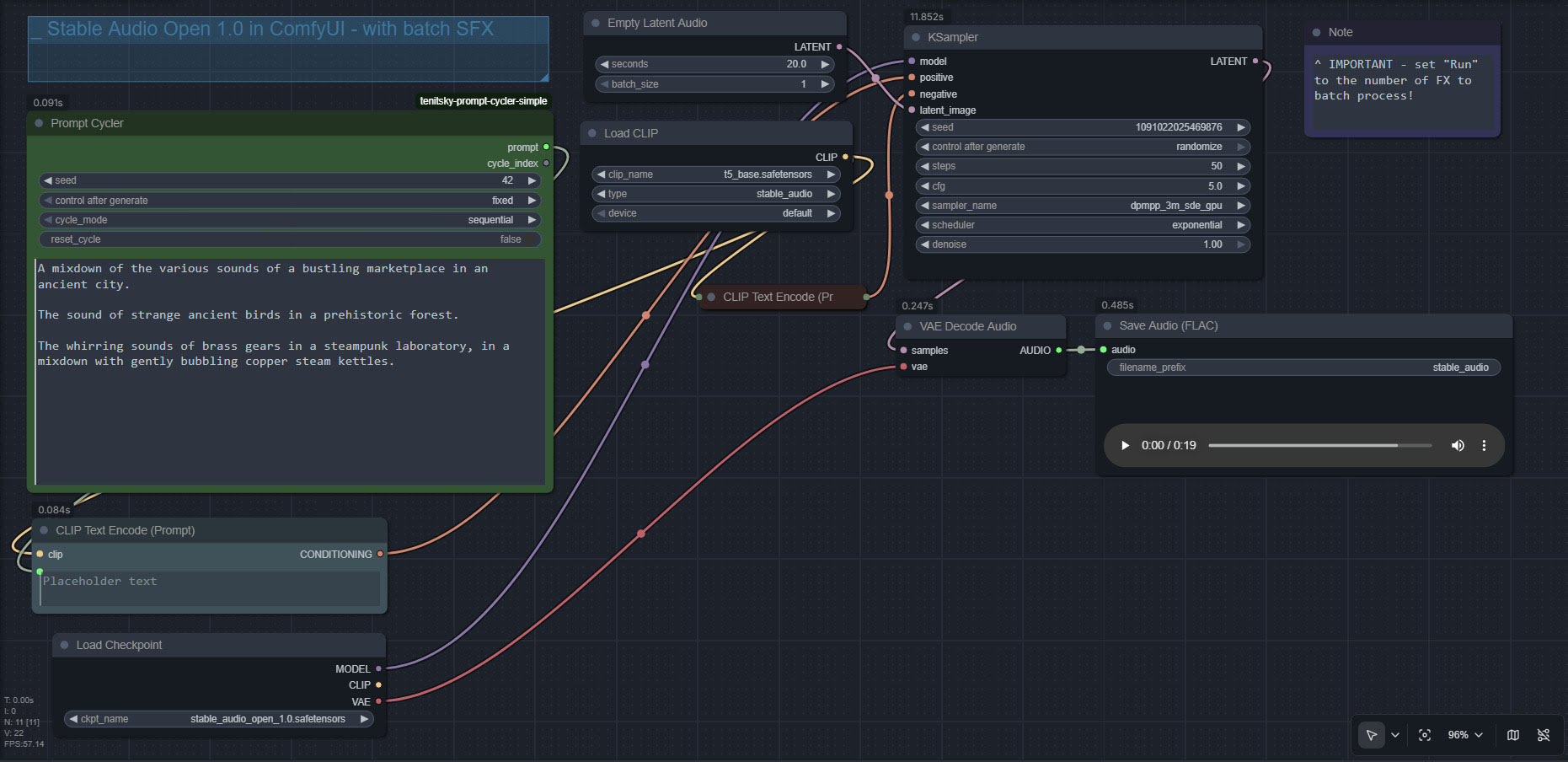
You can also just repeat the same six prompt six or more times, and thus output many variants to choose the best from. The fast speed of Stable Audio Open is such that even ten outputs should take only a minute.
To create a soundscape from/for a long text, try this prompt with Gemma 3 12b AI…
Fully and carefully examine the following text, seeking descriptive words or lines in it that could inspire the production of short audio sound-effects. Then output a list of these potential sound-effects.
Text:
[Add your text here]
This will give you a descriptive list of likely audio FX, that can then be formed into a set of prompts for use with my batch workflow.
Pingback: What’s New for Poser & DAZ – December 2025 – MyClone Poser and Daz Studio blog